


October 8, 2026
|
5 min read


Published: October 8, 2026
.png)
Blazingly fast way to build, track and deploy your models!
The inference engine decides how efficiently your GPU serves tokens. The same model on the same hardware can deliver very different throughput, latency, and cost depending on the engine and how its batching and caching are tuned.
There is no universal winner. vLLM, SGLang, and TensorRT-LLM are all actively developed and converge on many techniques, including continuous batching, paged KV cache, prefix caching, and quantization. The right pick depends on your model, GPU, sequence lengths, batch size, and concurrency.
vLLM is built around PagedAttention, which manages the attention key value cache in non contiguous pages the way an operating system manages virtual memory. That reduces memory fragmentation and lets the server pack more concurrent sequences onto a single GPU.
It is a strong, general purpose choice for high throughput serving with continuous batching, broad model coverage, and an easy OpenAI compatible server. Pick it when you want wide model support and solid throughput without a compilation step. For a deeper look, see our vLLM explainer.
SGLang is built around RadixAttention, which reuses the KV cache across requests that share a prefix using a radix tree. That benefits workloads with heavy prompt sharing, such as few shot prompts, long shared system prompts, agentic multi turn conversations, and tree of thought.
It also ships fast, reliable structured outputs, including JSON, regex, and grammar constrained decoding, which helps complex prompting and tool calling pipelines. Reach for SGLang when prefix reuse and constrained generation dominate your traffic.
TensorRT-LLM is NVIDIA's library that compiles models into optimized engines for a specific GPU target, using fused kernels, optimized attention, quantization on supported hardware, and in flight batching through Triton.
It typically aims for the lowest latency and best per GPU efficiency on NVIDIA GPUs, at the cost of an explicit build step and engines that are tied to the exact GPU type and count they were built for. As the docs note, since TRT-LLM optimizes the model for the target GPU type and counts, it is important that the GPU type and count matches while deploying.
| Engine | Core idea | Best for | Tradeoff |
| --- | --- | --- | --- |
| vLLM | PagedAttention KV cache | General high throughput, broad model support | Great default, not always lowest latency |
| SGLang | RadixAttention prefix reuse | Shared prompts, agentic, structured outputs | Biggest wins need prefix reuse |
| TensorRT-LLM | Compiled NVIDIA engines | Lowest latency on NVIDIA GPUs | Build step, engine tied to GPU |
Any performance numbers are workload specific. Benchmark on your own traffic before committing. TrueFoundry supports all three so the engine can be matched to the workload.
For vLLM and SGLang, the path is the model catalogue. As the docs say, TrueFoundry simplifies the process of deploying an LLM by automatically figuring out the most optimal way of deploying it and configuring the correct set of GPUs.
You can either choose one of the models in the LLM catalogue or paste a Hugging Face model URL. TrueFoundry analyzes the model tags and files to understand the deployment framework and generates the deployment manifests. You keep complete flexibility in choosing the most optimal model server, which guarantees faster inference. The platform also uses image streaming and caching, which gives 3X faster download times for vLLM and SGLang images.
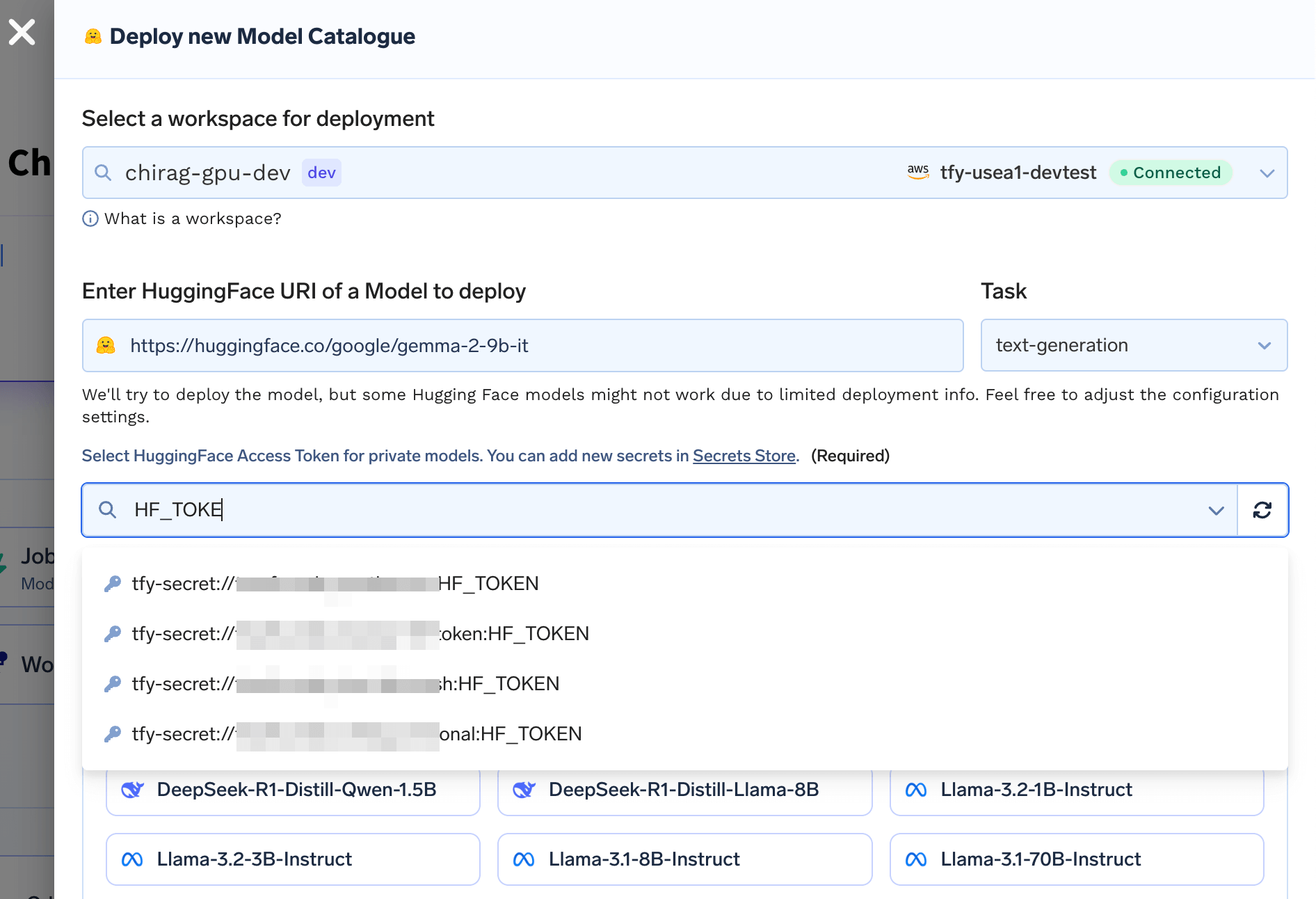
For gated models, attach your Hugging Face token as a stored secret in the secret picker.
TensorRT-LLM is not a single click toggle, because engines must be compiled for the target GPU. The dedicated guide uses a build then serve flow.
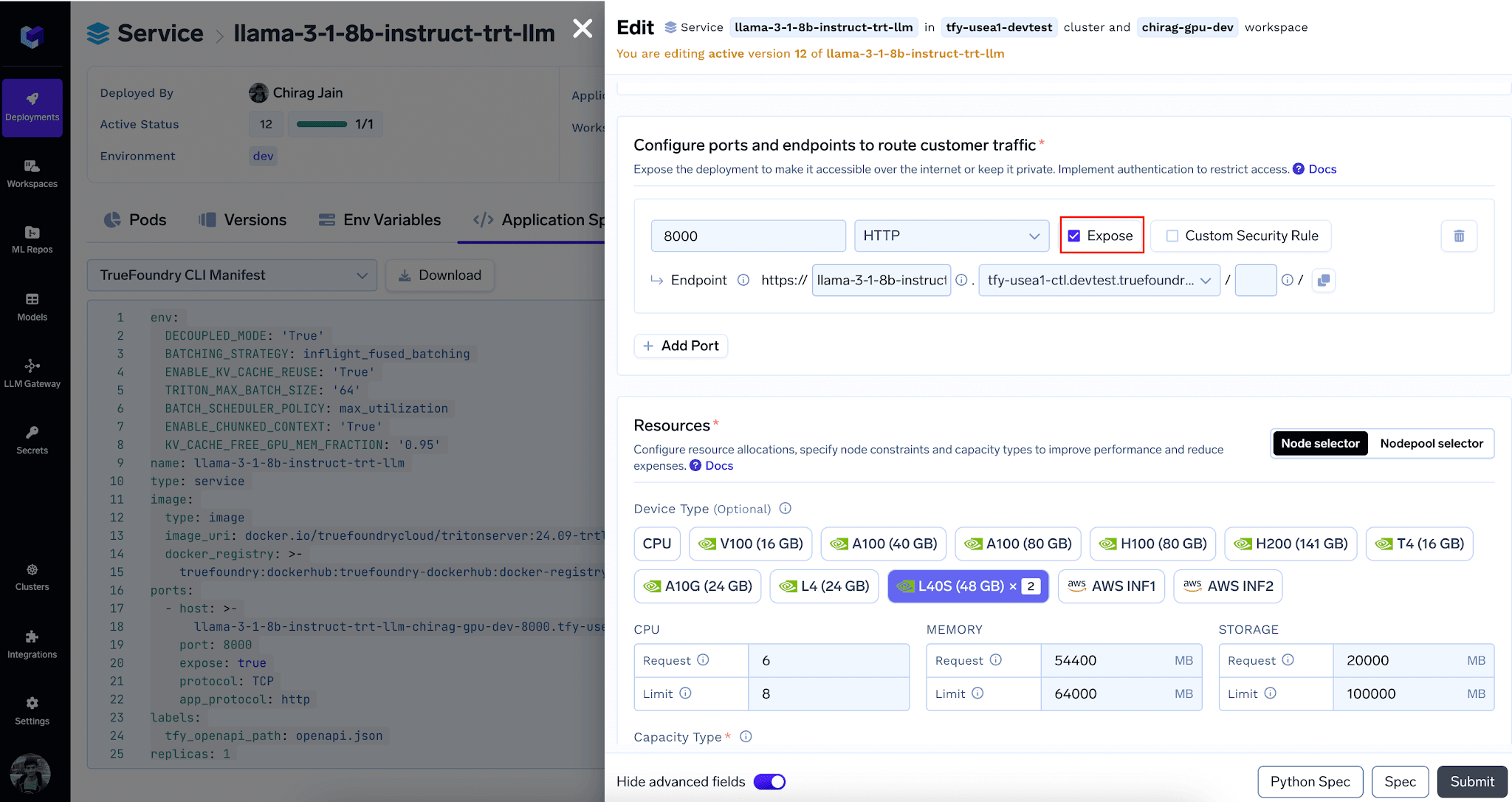
Running inference against a deployed TensorRT-LLM engine through the OpenAI compatible endpoint.
TrueFoundry AI Gateway delivers ~3–4 ms latency, handles 350+ RPS on 1 vCPU, scales horizontally with ease, and is production-ready, while LiteLLM suffers from high latency, struggles beyond moderate RPS, lacks built-in scaling, and is best for light or prototype workloads.




It depends on the model, GPU, and workload. TensorRT-LLM often reaches lower latency on NVIDIA GPUs because it compiles a model specific engine, while vLLM offers excellent throughput and broader model coverage with no build step. Benchmark both on your own traffic.
Choose SGLang when your prompts share long prefixes, such as shared system prompts or agentic multi turn flows, or when you need fast, reliable structured outputs like JSON or grammar constrained decoding. Its RadixAttention is designed for prefix reuse.
Yes. TrueFoundry supports vLLM, SGLang, and TRT-LLM as model servers. vLLM and SGLang are selectable in the catalogue flow, and TensorRT-LLM has a dedicated build and serve guide. Any OpenAI compatible endpoint can be added to the AI Gateway.
Because TensorRT-LLM compiles the engine for a specific GPU type and count, the serving deployment must use the same GPU type and count as the builder job. This is what lets it reach its latency and efficiency targets.


.png)




.png)



.png)
.png)
.png)
.png)
.png)





