





All of it, free, for the first 50k requests each month.
All 1,600+ models. No credit card.

.webp)
Made for Real-World AI at Scale
99.99%
Centralized failovers, routing, and guardrails ensure your AI apps stay online, even when model providers don’t.
10B+
Scalable, high-throughput inference for production AI.
30%
Smart routing, batching, and budget controls reduce token waste.
1600+
Connected through one AI gateway.
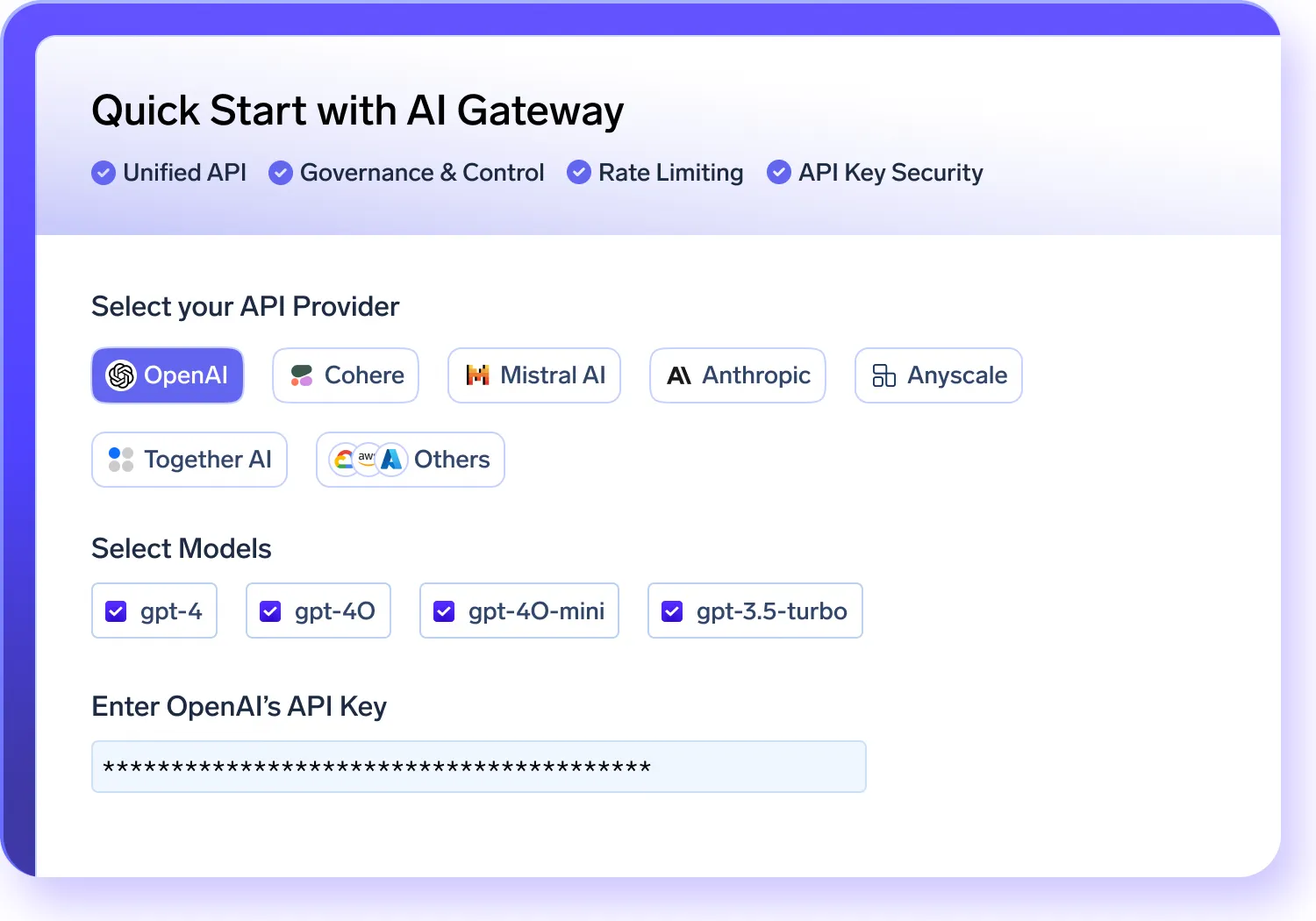
AI Gateway: Unified LLM API Access
Simplify your GenAI stack with a single AI Gateway that integrates all major models.
- Connect to OpenAI, Claude, Gemini, Groq, Mistral, and 250+ LLMs through one AI Gateway API
- Use the AI Gateway to support chat, completion, embedding, and reranking model types
- Centralize API key management and team authentication in one place.
- Orchestrate multi-model workloads seamlessly through your infrastructure.
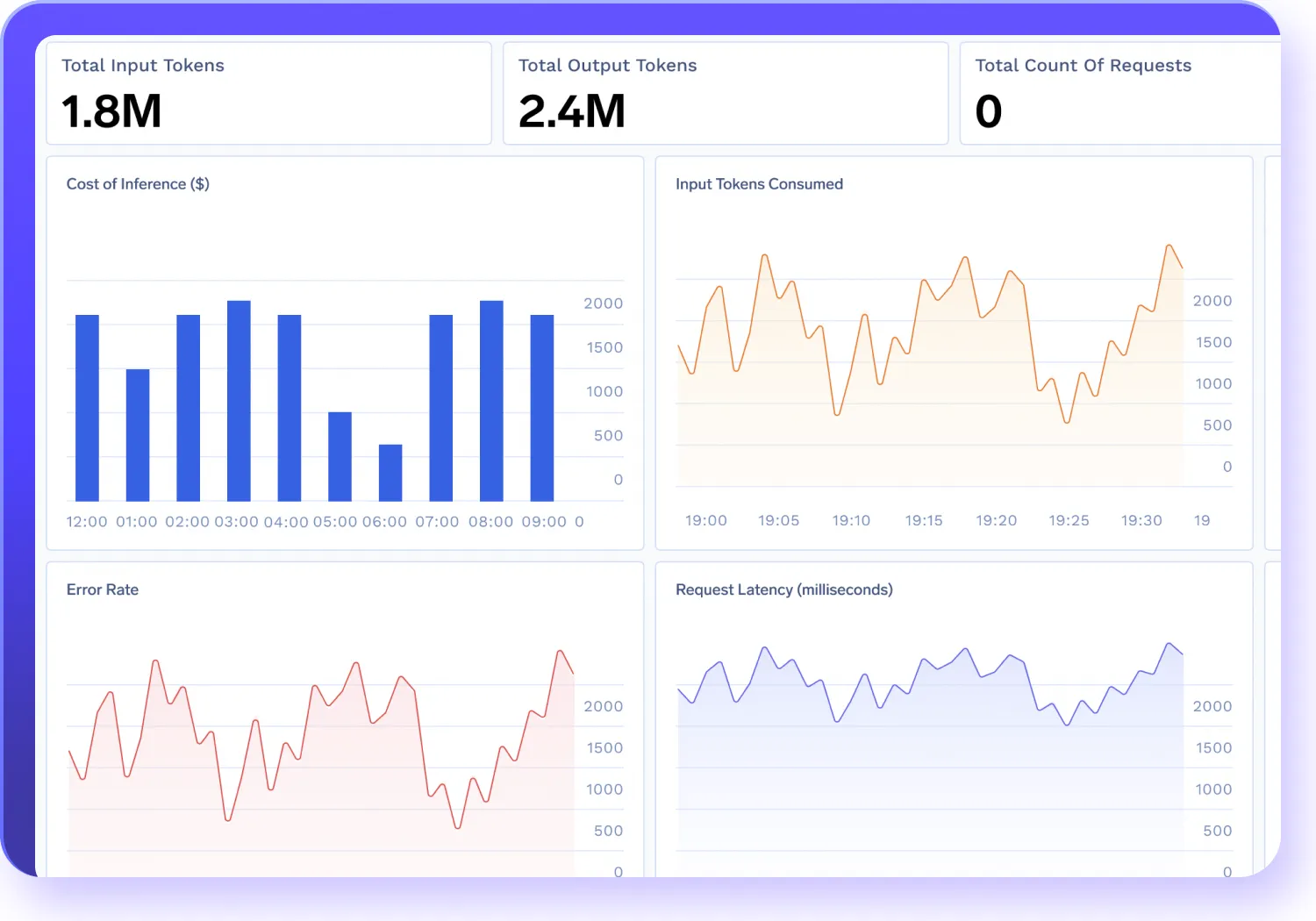
AI Gateway Observability
Track your AI gateway performance, costs, and ensure compliance across models in real-time.
- Monitor token usage, latency, error rates, and request volumes across your system.
- Store and inspect full request/response logs centrally to ensure compliance and simplify debugging.
- Tag traffic with metadata like user ID, team, or environment to gain granular insights.
- Filter logs and metrics by model, team, or geography to quickly pinpoint root causes and accelerate resolution.
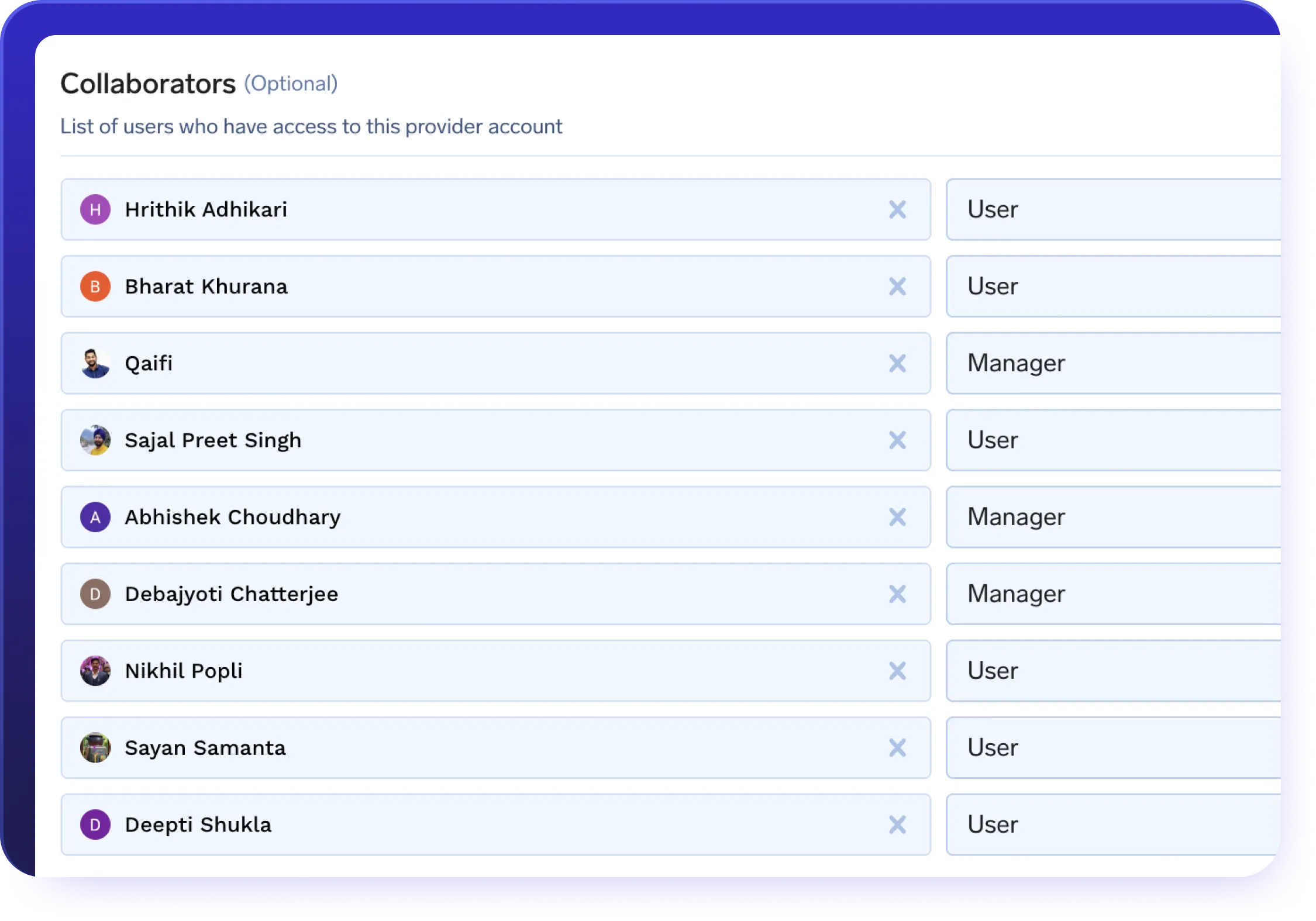
Quota & Access Control via AI Gateway
Enforce governance, control costs, and reduce risk with enterprise AI gateway policy management.
- Apply rate limits per user, service, or endpoint.
- Set cost-based or token-based quotas using metadata filters.
- Use role-based access control (RBAC) to isolate and manage usage.
- Govern service accounts and agent workloads at scale through centralized rules.
Low-Latency Inference
Run your most performance-sensitive workloads through a high-speed AI gateway infrastructure.
- Achieve sub-3ms internal latency even under enterprise-scale workloads.
- Scale seamlessly to manage burst traffic and high-throughput workloads.
- Deliver predictable response times for real-time chat, RAG, and AI assistants.
- Place deployments close to inference layers to minimize latency and eliminate network lag.
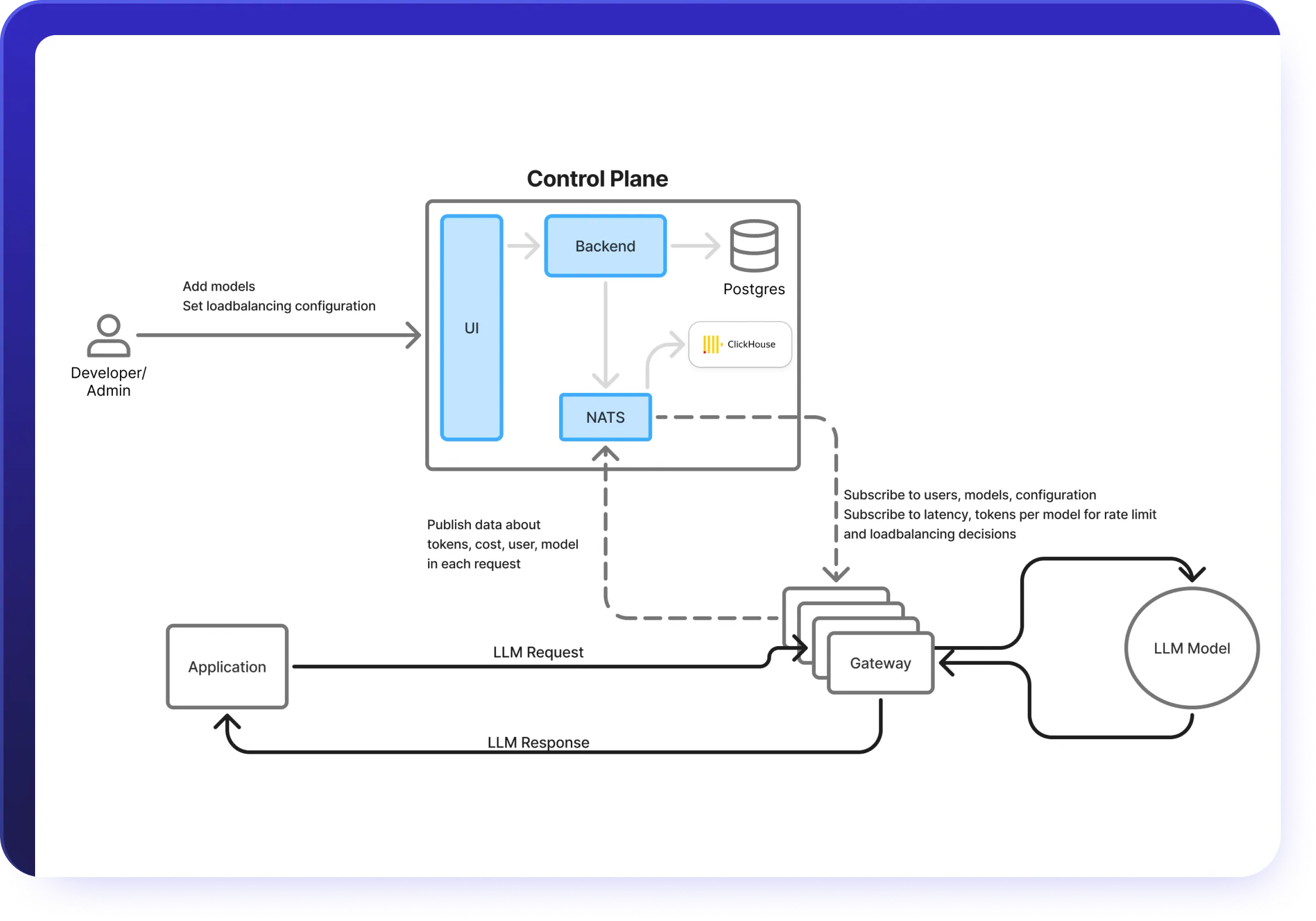
AI Gateway Routing & Fallbacks
Ensure reliability, even during model failures, with smart AI Gateway traffic controls.
- Supports latency-based routing to the fastest available LLM.
- Distribute traffic intelligently using weighted load balancing for reliability and scale.
- Automatically fallback to secondary models when a request fails.
- Use geo-aware routing to meet regional compliance and availability needs.
.webp)
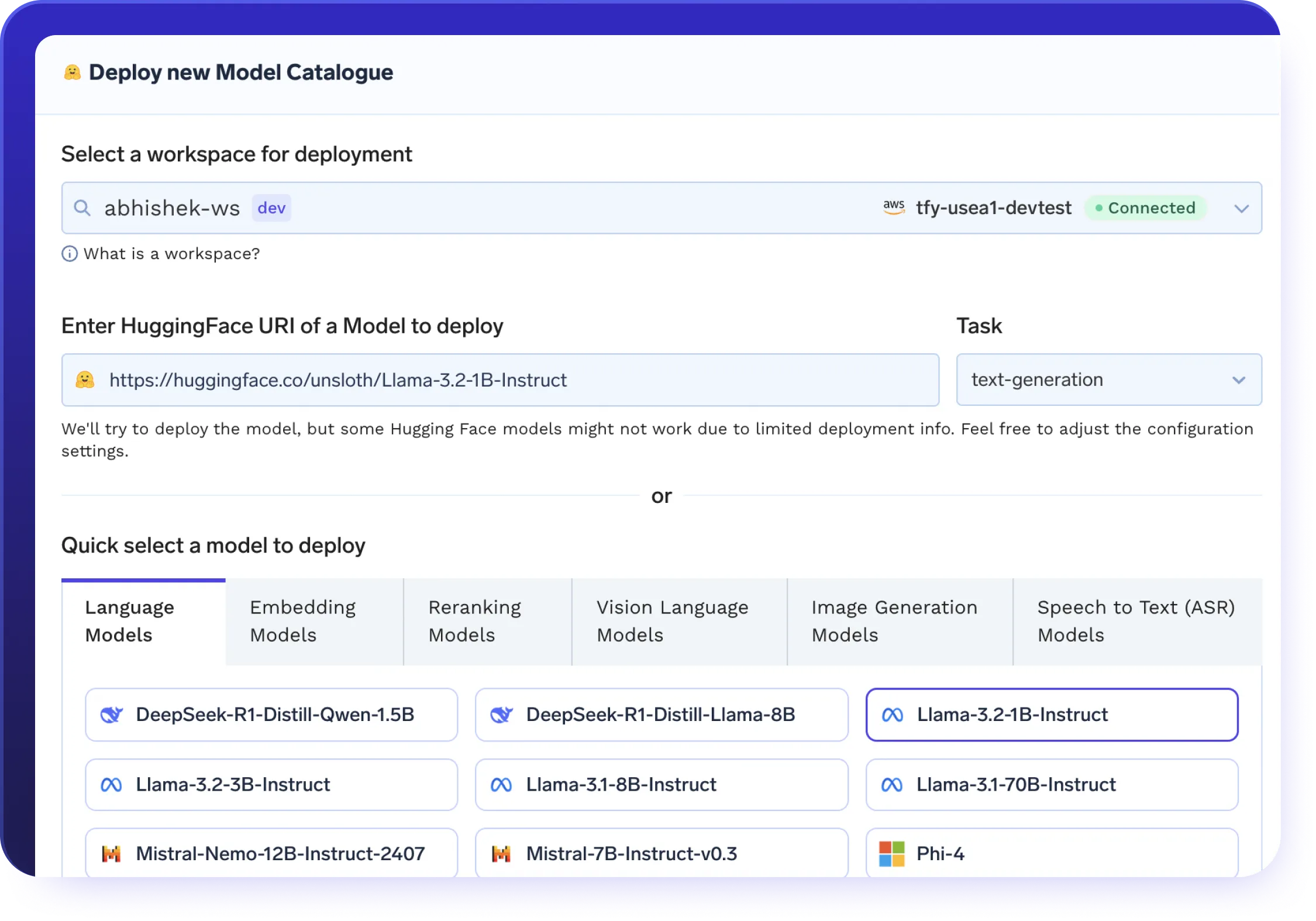
Serve Self-Hosted Models
Expose open-source models with full control.
- Deploy LLaMA, Mistral, Falcon, and more with zero SDK changes.
- Full compatibility with vLLM, SGLang, KServe, and Triton.
- Streamline operations with Helm-based management of autoscaling, GPU scheduling, and deployments
- Run your own models in VPC, hybrid, or air-gapped environments.
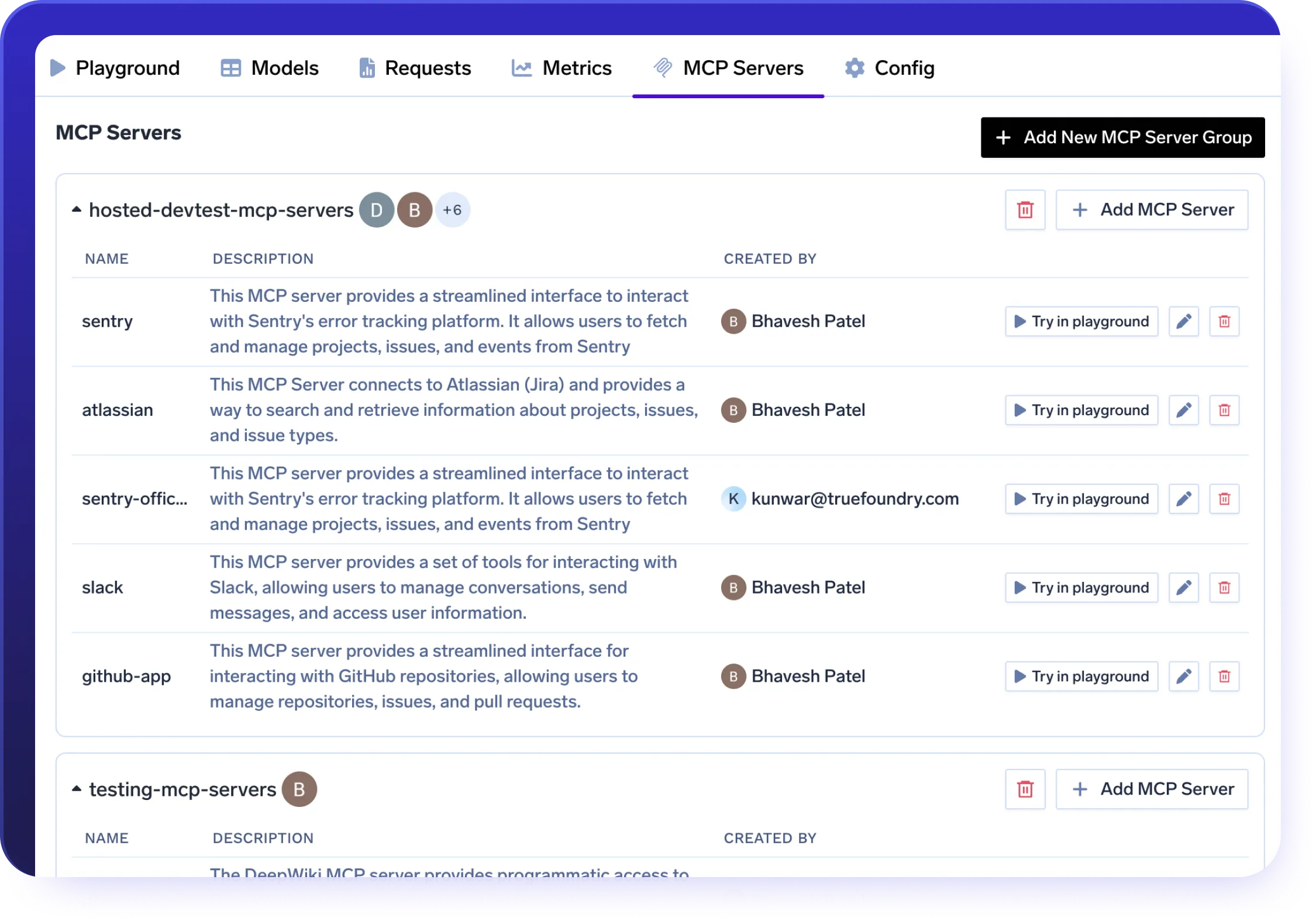
AI Gateway + MCP Integration
Power secure agent workflows through the AI Gateway’s native MCP support.
- Connect enterprise tools like Slack, GitHub, Confluence, and Datadog.
- Easily register internal MCP Servers with minimal setup required.
- Apply OAuth2, RBAC, and metadata policies to every tool call.
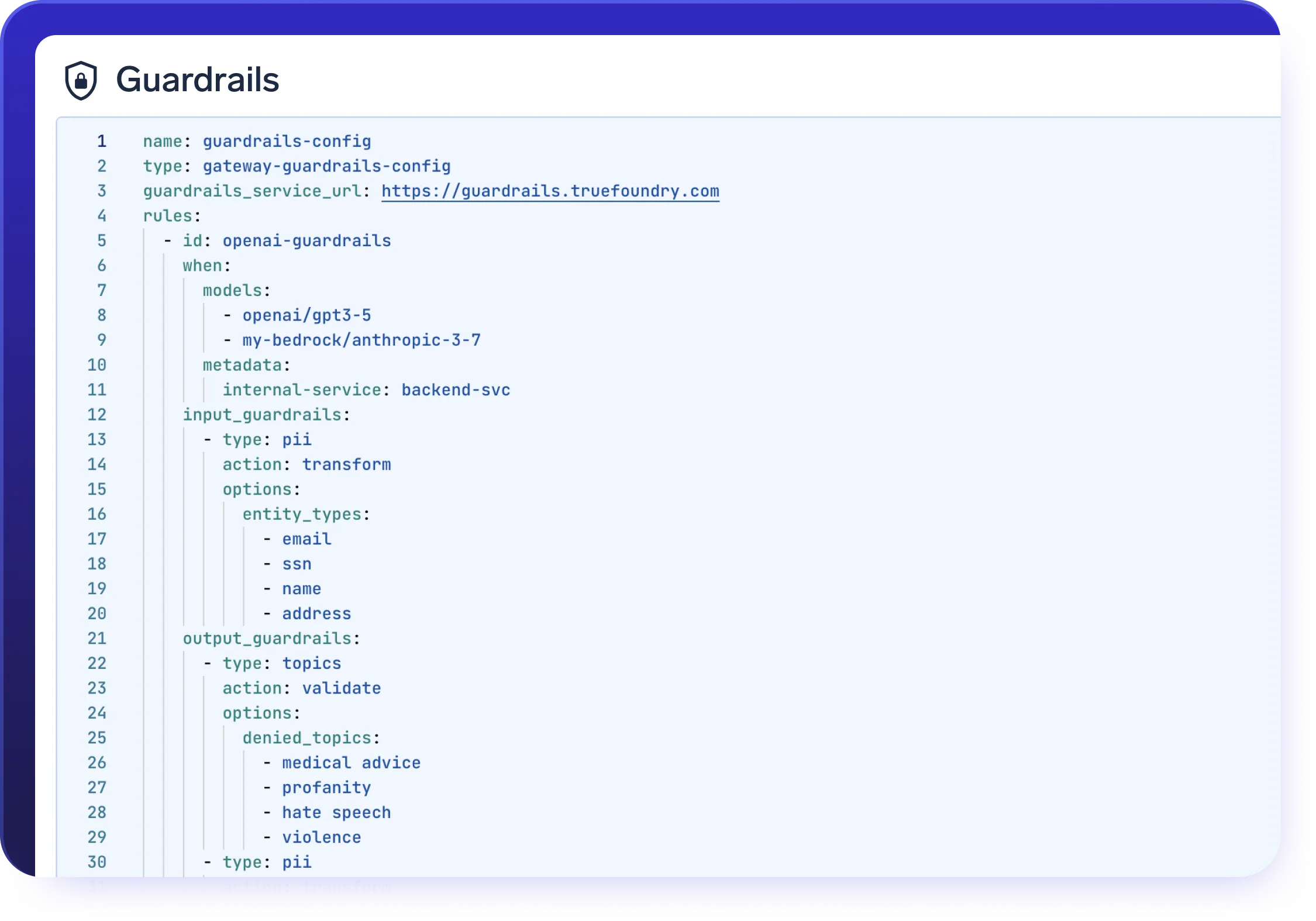
AI Gateway Guardrails
Build secure AI applications with configurable AI gateway guardrails and policy controls.
- Seamlessly enforce your own safety guardrails, including PII filtering and toxicity detection
- Customize the AI Gateway with guardrails tailored to your compliance and safety needs
Enterprise-Ready
Your data and models are securely housed within your cloud / on-prem infrastructure

Compliance & Security
SOC 2, HIPAA, and GDPR standards to ensure robust data protectionGovernance & Access Control
SSO + Role-Based Access Control (RBAC) & Audit LoggingEnterprise Support & Reliability
24/7 support with SLA-backed response SLAs
VPC, on-prem, air-gapped, or across multiple clouds.
No data leaves your domain. Enjoy complete sovereignty, isolation, and enterprise-grade compliance wherever TrueFoundry runs

Real Outcomes at TrueFoundry
Why Enterprises Choose TrueFoundry





.webp)
.webp)
.webp)
Frequently asked questions
What is an AI gateway?
How does an AI gateway work?
What are the benefits of an AI gateway?
What are the capabilities of AI gateways?
Which AI gateway is best?
What is the difference between an API gateway and an AI gateway?
Where does an AI Gateway sit in the GenAI architecture?
Can an AI Gateway be used with self-hosted and open-source models?
How does an AI Gateway help control and optimize inference costs?
How does an AI Gateway help with data privacy and compliance?
How does an AI Gateway support multiple teams and environments?
How does the TrueFoundry AI Gateway Playground help developers build and test?
Once you are happy with a setup, the entire configuration—prompt, model, tools, guardrails and structured output schema—can be saved as a reusable template in a shared repository. The Playground also generates ready-to-use code snippets for the OpenAI client, LangChain and other libraries, using the unified AI Gateway API, so teams can take a working experiment and drop it straight into their services with minimal effort.
What does “unified access” mean for APIs, keys, tools and agents?
For developers, this means simpler integration and a cleaner security model: provider keys are stored once in the gateway, access is governed centrally using RBAC and policies, and teams can standardize on a single client pattern across languages and frameworks. As new models or providers appear, they can be added to the gateway and become immediately available behind the same unified interface.
How do prompt management, versioning and Agent Apps work together?
When a particular configuration is ready to be shared more broadly, it can be published as an Agent App. Agent Apps are powered by the gateway but exposed through a simple, locked-down interface: business users or internal teams can interact with the agent exactly as it will run in production, while the underlying prompts, tools and guardrails remain immutable. This makes Agent Apps ideal for user acceptance testing, stakeholder demos and internal copilots, because product and platform teams retain control over the configuration while still giving others a safe way to try agentic workflows.
How do guardrails, safety checks and PII controls work end-to-end?
The gateway can plug into existing safety and compliance services such as OpenAI Moderation, AWS Guardrails, Azure Content Safety and Azure PII detection, and it also supports custom rules written as configuration or Python code. Because guardrails are configured centrally and applied consistently across all models and applications going through the AI Gateway, security and compliance teams get a predictable way to enforce organizational policies for GenAI usage, including in regulated environments like healthcare, financial services and insurance.
What observability, tracing and debugging capabilities does the AI Gateway provide?
For deeper debugging, there is a request-level view that lets you inspect individual calls, see the full prompt and response, and understand how routing, fallbacks and guardrails were applied. For agentic workflows using tools and MCP, the gateway can capture traces that show each step an agent took, which tools it called, and how intermediate results flowed through the system. All of these logs and metrics are also exposed via APIs, so platform and observability teams can build custom dashboards and alerts in their existing monitoring stacks.
How are policies, rate limits, fallbacks and budgets configured and automated?
All of these controls can be managed through the UI or declared in YAML and applied via the TrueFoundry CLI, enabling a GitOps workflow where gateway configuration lives alongside application code and infrastructure definitions. Combined with caching, batching and centralized API key management, these features allow platform teams to treat the AI Gateway as the single place where they define how GenAI should be used, how much can be spent, and how applications should behave under failure—without forcing individual application teams to re-implement these concerns over and over again.

Join 10+ Fortune 500s running production AI on TrueFoundry.
Get started in minutes.





