



October 10, 2026
|
5 min read


Published: October 6, 202616
Blazingly fast way to build, track and deploy your models!
AIエージェントのアクセス制御とは、特定の呼び出し元が特定のリソースにアクセスできるかどうかを判断する一連のポリシーです。ガードレールが「内容の安全性」を判断するのに対し、アクセス制御は「許可されているか」を判断します。
この違いを理解しておくことは重要です。両者はそれぞれ異なる方法で機能不全に陥る可能性があるため、両方の制御が必要となります。
あるエージェントがデータベースのMCPサーバーを呼び出す権限を完全に与えられていても、破壊的なクエリを送るよう誘導される可能性があります。アクセス制御はサーバーへのアクセスを許可しますが、クエリが実際に何を行うかは、引数に対するガードレールのみが検知できます。しかし、アクセス範囲を広げすぎると、金属探知機だけに頼ることになってしまいます。最小権限の原則は、そもそも許可される呼び出しの数を最小限に抑えるためのものです。
TrueFoundryは2つのレベルでアクセスを制御しており、この区分を理解することが運用の大部分を占めます。
ユーザー、チーム、または仮想アカウントをリソースのコラボレーターとして直接追加し、そのリソースのみにアクセス範囲を限定するロールを選択します。ロールはリソースタイプごとに定義されています。
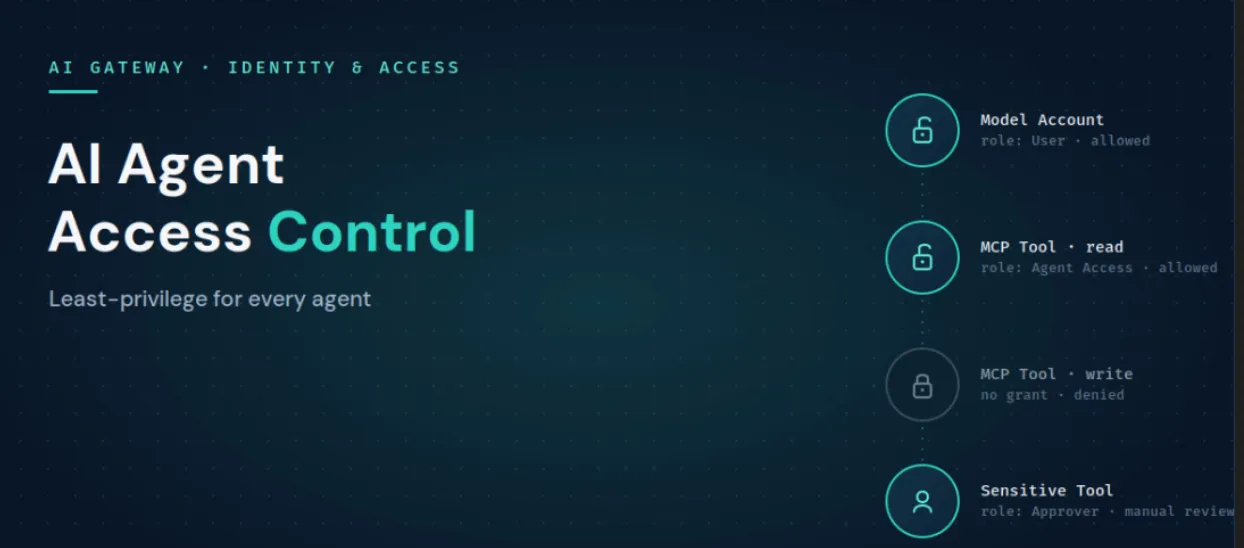
ここに最小権限の原則が適用されます。エージェントには業務に必要なMCPサーバーへのアクセス権のみを付与し、チームには呼び出しが許可されたモデルアカウントのユーザー権限を与え、ツール実行前に承認が必要な場合はMCPサーバー承認者を追加します。これらすべてにおいて、カスタムロールを作成する必要はありません。
テナントレベルのロールはテナント全体に適用され、「アクセス」メニューの「ロール」から設定します。これらは、リソースの作成、ユーザーの管理、特定タイプのリソースの一覧表示など、テナント全体に関わるアクションを制御します。TrueFoundryには以下の2つが標準で用意されています。 管理者(Admin)は、すべての権限を持つため、少数のユーザーに限定すべきです。そして、 メンバー(Member)はデフォルトでは何もアクセス権を持たず、リソースへのアクセスを明示的に許可する必要があります。既存のロールでは権限が広すぎたり狭すぎたりする場合は、カスタムロールを作成します。
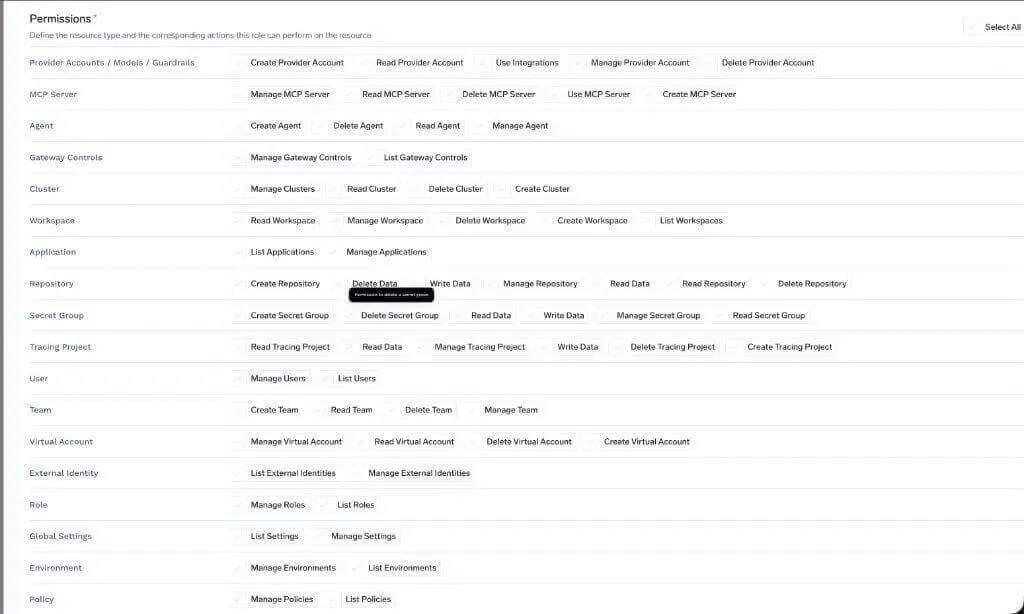
TrueFoundryドキュメントの製品スクリーンショット:カスタムロールの権限設定。
ロールは個々のユーザーだけでなくチームにも割り当てることができ、ユーザーの有効な権限は、そのユーザー自身のロールと所属するすべてのチームから継承されたロールを合わせたものになります。SCIM経由でIDグループを同期している組織の場合、それらのグループはTrueFoundryのチームとして取り込まれ、直接ロールを付与できるため、IdPで既に管理されている信頼できる唯一の情報源(Source of Truth)に基づいてアクセス権を制御できます。
MCPゲートウェイは、通常混同されがちな3つの懸念事項を分離します。これらを切り離すことこそが、ツールレベルでの最小権限の原則を実用的なものにしています。
TrueFoundry AI Gateway delivers ~3–4 ms latency, handles 350+ RPS on 1 vCPU, scales horizontally with ease, and is production-ready, while LiteLLM suffers from high latency, struggles beyond moderate RPS, lacks built-in scaling, and is best for light or prototype workloads.




AI agent access control is the set of policies that decide whether an agent, user, or team is allowed to reach a given model, MCP server, or individual tool. It governs whether a call is permitted, which is a separate job from guardrails that inspect what a call contains. On TrueFoundry it is enforced at the gateway through resource-level collaborators and tenant-level roles.
Access control decides whether a call is allowed to happen. Guardrails inspect the content of a call that is already allowed, catching injections, PII, secrets, and unsafe operations. You need both: access control keeps the set of permitted calls small, and guardrails police what flows through the ones that are permitted.
Give each agent its own identity, then grant it access only to the specific model accounts and MCP tools its function requires, using resource-level collaborator roles. Scope the agent to its job rather than to the permissions of the person driving it, use approver roles for sensitive tools, and prefer team-based grants so access stays manageable.
Yes. Access rules on the MCP Gateway can narrow to specific tools within a server, so an agent can be granted a read-only tool while the write tool on the same server stays off limits. Because the gateway fronts every call, the rule covers every caller of that tool automatically.
はい。TrueFoundryは、お客様のVPC、オンプレミス、エアギャップ環境、ハイブリッド環境、または複数のクラウド環境で動作し、お客様のドメインからデータが外部に出ることはありません。これが、規制対象企業がSaaSのみのゲートウェイよりもTrueFoundryを選択する主な理由です。
Yes. It includes an MCP Gateway, Agent Gateway, and an MCP and Agents Registry with tool-level access control, governing agents from LangGraph, CrewAI, AutoGen, and custom frameworks from one place.
.webp)

.webp)


.webp)

.png)
.png)
.png)
.png)
.png)






.png)







