


.png)
October 9, 2026
|
5 min read


Published: October 9, 2026
.png)
Blazingly fast way to build, track and deploy your models!
TrueFoundry AI Gateway delivers ~3–4 ms latency, handles 350+ RPS on 1 vCPU, scales horizontally with ease, and is production-ready, while LiteLLM suffers from high latency, struggles beyond moderate RPS, lacks built-in scaling, and is best for light or prototype workloads.




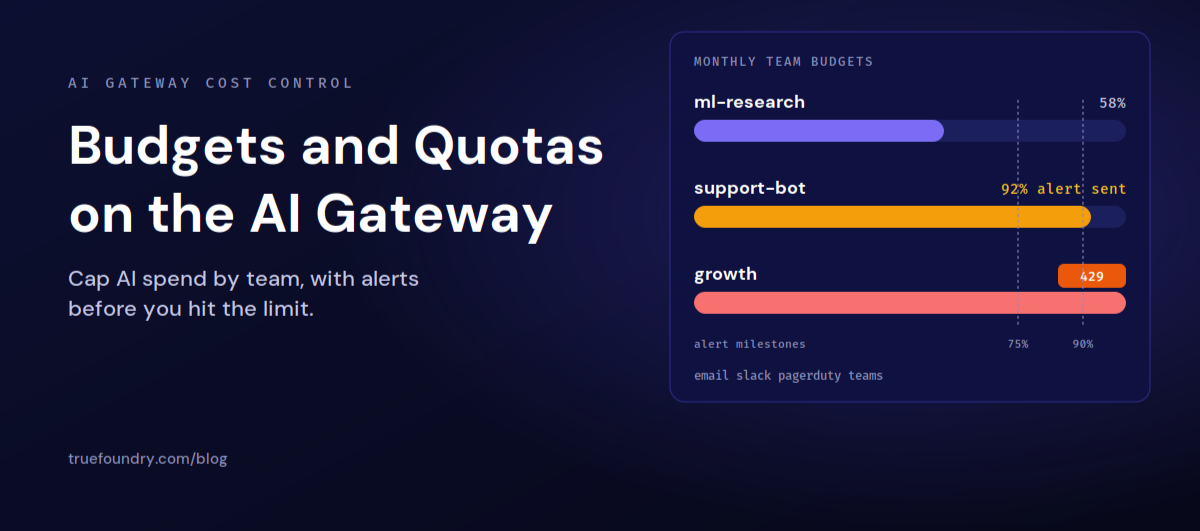
A budget caps spend in dollars, while a rate limit caps throughput such as requests or tokens. Budgets support tenant and team scopes and send threshold alerts, whereas rate limits are tenant scoped and do not send threshold alerts.
Yes. A team budget can be managed by a team manager as well as tenant admins, and it applies only to that team members requests. This lets a team lead control their own spend without tenant admin access.
No. The usage counter starts at zero from the moment you create the rule. Prior spending in the current day, week, month, or quarter is not retroactively counted.
In enforce mode the request is blocked with an HTTP 429 and a budget limit error. In audit mode it is tracked and alerted without blocking, and in soft enforce mode it is blocked only when no other matching budget can allow the request.
.png)


.png)
.png)




.png)


.png)





