


August 27, 2025
|
5 minutos de lectura


Obtenga acceso instantáneo a un entorno TrueFoundry en vivo. Implemente modelos, dirija el tráfico de LLM y explore la plataforma completa: su sandbox estará listo en segundos, sin necesidad de tarjeta de crédito.



Published: October 7, 202615
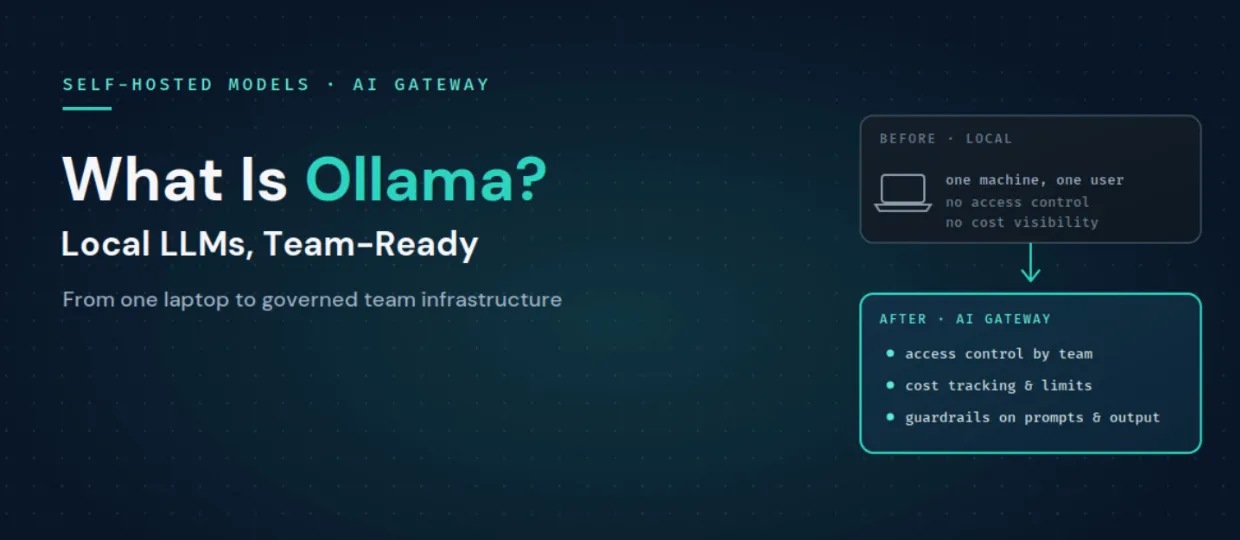
¡Una forma increíblemente rápida de crear, rastrear e implementar sus modelos!
Ollama es un entorno de ejecución de código abierto para ejecutar LLM en tu propia infraestructura, ya sea un portátil, un servidor GPU local o una instancia en la nube privada. Descargas un modelo de pesos abiertos como Llama, Mistral o Qwen, y Ollama lo sirve localmente tras un punto de conexión HTTP. Lo más importante es que ese punto de conexión utiliza una API compatible con OpenAI, por lo que el código escrito para el SDK de OpenAI puede comunicarse con un modelo de Ollama local simplemente cambiando la URL base.
Los equipos eligen Ollama por varias razones claras:
La comparación más habitual es entre Ollama y vLLM, ya que ambos exponen API compatibles con OpenAI y ambos permiten el autohospedaje de modelos de pesos abiertos. Cada uno está optimizado para objetivos distintos.
En resumen, Ollama es la forma más sencilla de ejecutar un modelo para un usuario individual, mientras que vLLM está diseñado para servir a muchos usuarios simultáneos con un alto rendimiento. Muchos equipos utilizan ambos: Ollama para el desarrollo local y vLLM para producción. La buena noticia es que, como ambos son compatibles con OpenAI, cualquier solución que estandarices puede integrarse tras la misma pasarela, e incluso puedes dirigir el tráfico entre ellos.
Ollama cumple bien su función, pero ejecutarlo en una organización pone de manifiesto carencias que quedan fuera de su alcance.
Estas son precisamente las preocupaciones que una pasarela (gateway) está diseñada para gestionar, que es como se convierte un ejecutor de modelos local en infraestructura para equipos.
TrueFoundry trata a un servidor Ollama como un modelo autohospedado. Lo conectas a la puerta de enlace de IA (AI Gateway) proporcionando la URL del endpoint y los detalles de autenticación. Una vez registrado, aparece en el catálogo de modelos de la pasarela junto a los proveedores en la nube, con todas las funciones de la pasarela aplicadas: enrutamiento, medidas de seguridad, limitación de tasa, seguimiento de costes y observabilidad. Ollama cuenta con soporte explícito aquí porque expone una API compatible con OpenAI, el formato con el que mejor funciona la pasarela.
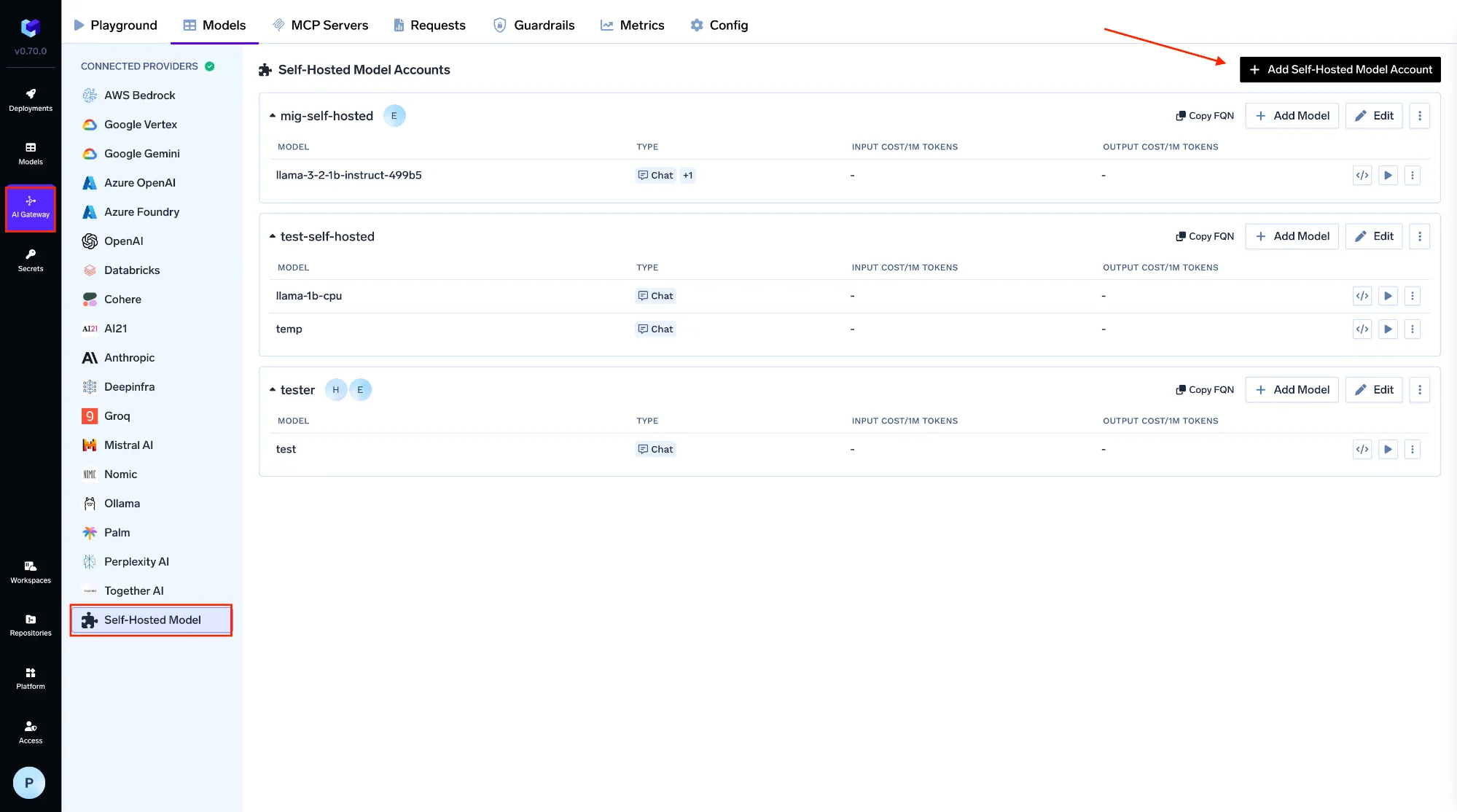
Registras el modelo en AI Gateway, luego en Models y después en Self Hosted Models, asignándole un nombre, un ID de modelo, la URL de tu servidor Ollama y el tipo de servidor de modelos, con autenticación opcional. A partir de ese momento, las aplicaciones y los agentes dejan de comunicarse con un endpoint local directo y pasan a llamar a la pasarela con una API unificada:
from openai import OpenAI

client = OpenAI(
    api_key="your-truefoundry-api-key",   # a gateway token, not a raw endpoint
    base_url="https://gateway.truefoundry.ai",
)

resp = client.chat.completions.create(
    model="self-hosted/llama-3-8b-ollama",   # your registered Ollama model
    messages=[{"role": "user", "content": "Summarize this ticket"}],
)
Ese único cambio es lo que hace que Ollama sea utilizable por un equipo:
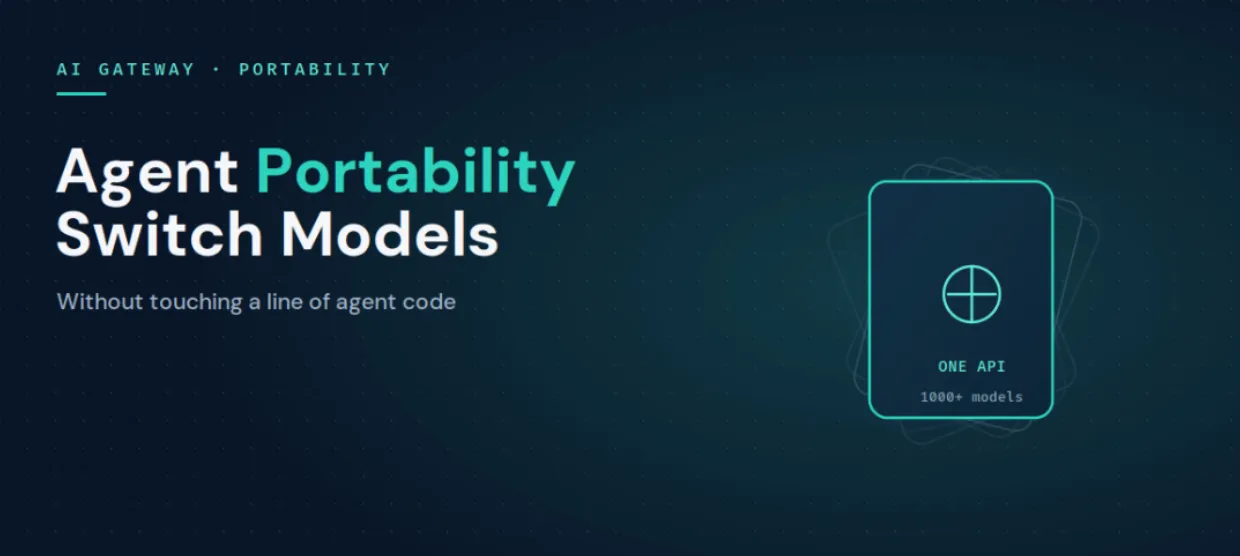
Dado que la pasarela es independiente del proveedor y compatible con OpenAI en más de 1.000 modelos, también puedes combinar un modelo local de Ollama con un despliegue de vLLM y APIs en la nube bajo la misma interfaz, lo que se integra directamente con la portabilidad de agentes de IA. Y como TrueFoundry se ejecuta dentro de tu propia VPC, la privacidad que te llevó a elegir Ollama en primer lugar se mantiene de principio a fin.
Ollama es la forma más rápida de poner en marcha un modelo localmente, y es difícil de superar en cuanto a privacidad y costes. Simplemente no fue diseñado para ser una infraestructura de equipo, que es donde entran en juego el control de acceso, la visibilidad de costes, las barreras de seguridad y el enrutamiento. Conecta Ollama a la pasarela de IA (AI Gateway) como un modelo autohospedado y mantendrá su privacidad y bajo coste, ganando al mismo tiempo todo lo que un equipo necesita para ejecutarlo en producción.
Descubre cómo TrueFoundry convierte los modelos locales en una infraestructura gobernada y lista para equipos. Reserve una demostraciónoempezar gratis.
TrueFoundry AI Gateway ofrece una latencia de entre 3 y 4 ms, gestiona más de 350 RPS en una vCPU, se escala horizontalmente con facilidad y está listo para la producción, mientras que LitellM presenta una latencia alta, tiene dificultades para superar un RPS moderado, carece de escalado integrado y es ideal para cargas de trabajo ligeras o de prototipos.




Ollama es una herramienta de código abierto que ejecuta modelos de lenguaje de gran tamaño en local, en su propio hardware, y los sirve detrás de una API HTTP sencilla y compatible con OpenAI. Los equipos lo usan para inferencia privada, sin conexión y de bajo coste con modelos de pesos abiertos como Llama, Mistral y Qwen.
Ollama está optimizado para una inferencia local sencilla en una sola máquina, mientras que vLLM está diseñado para servir en producción con alto rendimiento y alta concurrencia. Ambos exponen API compatibles con OpenAI, por lo que muchos equipos usan Ollama para desarrollo y vLLM para producción, y colocan ambos detrás del mismo gateway.
El modelo se ejecuta en una infraestructura que usted controla, lo cual es bueno para la privacidad, pero un endpoint de Ollama sin más no tiene control de acceso, atribución de costes ni guardrails de contenido. Para usarlo de forma segura en un equipo, colóquelo detrás de un gateway que añada autenticación, RBAC, límites de tasa e inspección de PII y secretos.
Conecte el servidor de Ollama a un AI Gateway como modelo autoalojado indicando una URL y la autenticación. Las aplicaciones invocan entonces la API unificada del gateway en lugar de un endpoint directo, lo que añade sobre Ollama control de acceso compartido, seguimiento de costes, guardrails y enrutamiento.
Any LLM, embedding, or custom model via high-performance backends like vLLM, TGI, and Triton, all deployable in the same control plane as the gateway.
Sí. TrueFoundry se ejecuta en su VPC, on-prem, en entornos air-gapped o híbridos, de modo que la inferencia local y privada que le ofrece Ollama sigue siendo privada en toda la pila.



Las últimas noticias, artículos y recursos enviados a tu bandeja de entrada

.webp)




.webp)

.png)
.png)
.png)
.png)
.png)






.png)




