


October 14, 2026
|
Lesedauer: 5 Minuten


Erhalten Sie sofortigen Zugriff auf eine TrueFoundry-Live-Umgebung. Stellen Sie Modelle bereit, leiten Sie den LLM-Verkehr weiter und erkunden Sie die gesamte Plattform — Ihre Sandbox ist in Sekundenschnelle einsatzbereit, ohne dass eine Kreditkarte erforderlich ist.



Published: October 14, 2026
Unglaublich schnelle Methode zum Erstellen, Verfolgen und Bereitstellen Ihrer Modelle!
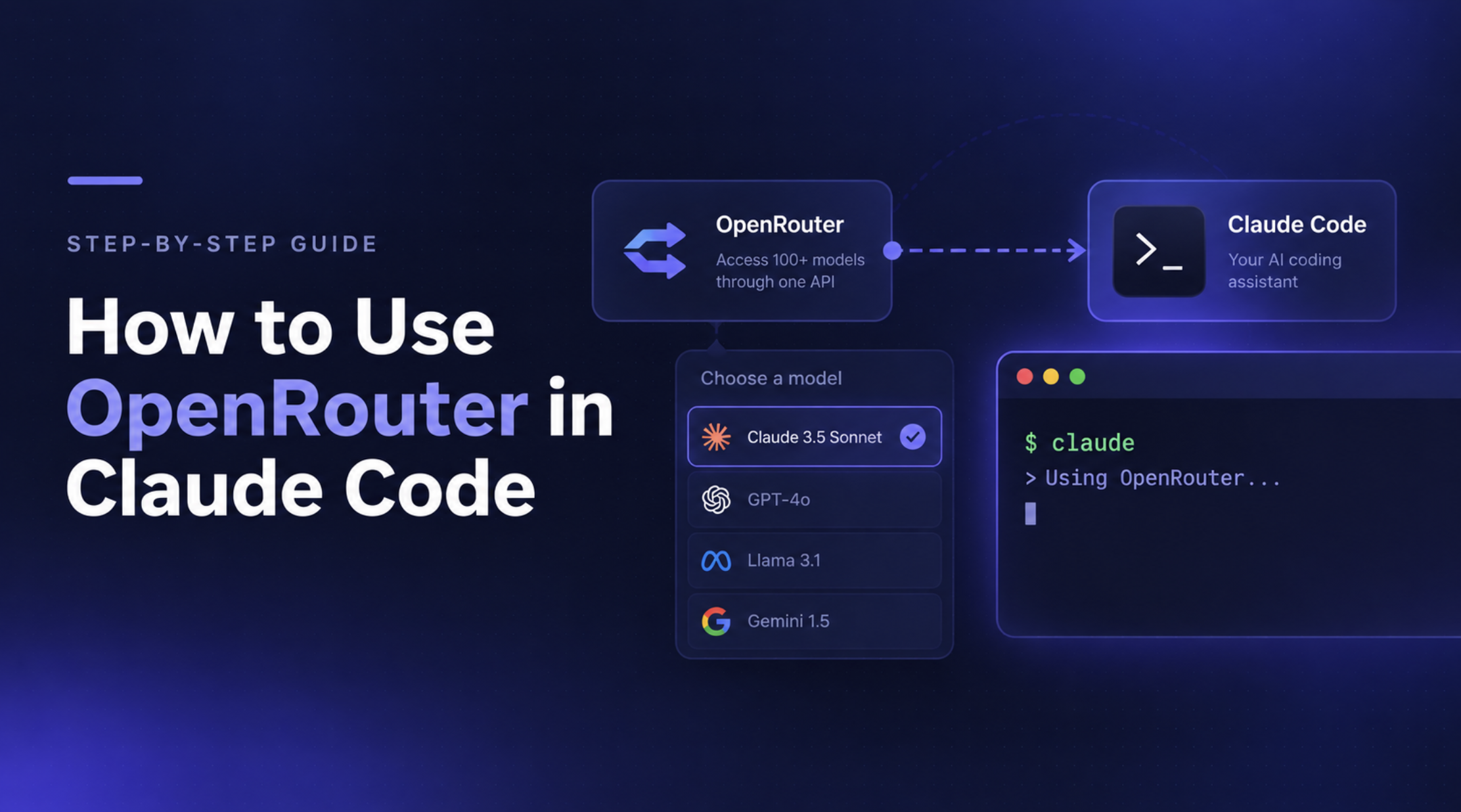
Claude Code lets developers work with AI directly from the terminal, from writing code and debugging errors to understanding unfamiliar codebases. OpenRouter gives developers another way to access supported models through a unified API, making it possible to experiment with different models without configuring a separate integration for each provider.
By connecting OpenRouter to Claude Code, you can route requests through OpenRouter's API, select compatible models, and manage usage through your OpenRouter account. The setup requires a few environment variables and a valid API key, but there are some important compatibility and authentication details to get right.
In this guide, you'll learn how to connect OpenRouter to Claude Code, configure models, verify that the integration works, troubleshoot common errors, and understand when a centralized AI Gateway may be a better fit for team-wide requirements.
OpenRouter is an API platform that provides access to models from multiple providers through a unified interface. Instead of integrating with each provider separately, developers can use OpenRouter's API to discover and access supported models through a common endpoint.
When used with Claude Code, OpenRouter acts as an intermediary between the coding assistant and the selected model provider. Rather than sending requests directly to Anthropic, Claude Code sends them to OpenRouter, which handles the request according to the configured model and routing options.
This setup can be useful for several reasons:
There is one important caveat: not every model available through OpenRouter will support every Claude Code capability. Claude Code is designed around Anthropic's API and tool-use behavior, so compatibility can vary depending on the model and the features it supports.
OpenRouter is most useful when you want flexibility in model selection. If your primary requirement is centralized access control, governance, and observability across an engineering organization, you may also need to evaluate an enterprise AI Gateway.
Before connecting OpenRouter to Claude Code, make sure you have the following:
The setup below uses environment variables to redirect Claude Code's API requests to OpenRouter. You don't need to run a separate proxy server.
Follow these steps to connect Claude Code to OpenRouter and verify that your requests are being routed correctly.
Sign in to OpenRouter and navigate to your API keys settings. Create a new key and copy it somewhere secure.
You'll use this key to authenticate requests from Claude Code. Treat it like a password: don't share it publicly, commit it to a repository, or include it in screenshots.
Claude Code supports custom API endpoints through environment variables. OpenRouter exposes an Anthropic-compatible API endpoint, so you can configure Claude Code to send requests there.
Open your shell configuration file. For macOS and Linux users running Zsh, this is usually ~/.zshrc; for Bash, it is commonly ~/.bashrc.
nano ~/.zshrc
Add the following configuration, replacing the placeholder with your actual OpenRouter API key:
export OPENROUTER_API_KEY="your-openrouter-api-key"
export ANTHROPIC_BASE_URL="https://openrouter.ai/api"
export ANTHROPIC_AUTH_TOKEN="$OPENROUTER_API_KEY"
export ANTHROPIC_API_KEY=""
Here's what each variable does:
OPENROUTER_API_KEY stores your OpenRouter credential.ANTHROPIC_BASE_URL directs Claude Code requests to OpenRouter's API endpoint.ANTHROPIC_AUTH_TOKEN supplies the OpenRouter key for authentication.ANTHROPIC_API_KEY="" explicitly clears the direct Anthropic API-key variable to prevent authentication conflicts.Save the file, then reload your shell configuration:
source ~/.zshrcIf you're using Bash, run source ~/.bashrc instead.
Important: Don't put these variables in a regular project .env file and assume Claude Code will load them automatically. The native installer does not automatically read standard .env files. Also, make sure you don't commit your API key in a shell configuration or project file.
If you've previously signed in to Claude Code using your Anthropic account, the saved login may conflict with the new environment variables.
Open Claude Code and run:
/logoutThen exit the session and restart Claude Code from your terminal. If you haven't previously logged in with an Anthropic account, you can skip this step.
Navigate to the project you want to work on and launch Claude Code:
cd /path/to/your/project
claude
Replace /path/to/your/project with your actual project directory.
Claude Code should now send requests through OpenRouter using the configured endpoint and API key.
Inside Claude Code, run:
/status
Check that the output shows the following configuration:
Auth token: ANTHROPIC_AUTH_TOKEN
Anthropic base URL: https://openrouter.ai/api
You can also open the OpenRouter Activity Dashboard and check whether your requests appear after you send a prompt.
If the base URL or authentication method doesn't match, reload your shell configuration and restart Claude Code. If you still see authentication errors, check for a saved Anthropic login or another ANTHROPIC_API_KEY definition elsewhere in your environment.
For the latest supported configuration and troubleshooting guidance, refer to the official OpenRouter Claude Code integration guide.
Once Claude Code is connected to OpenRouter, you can configure which models handle different types of work. Claude Code supports model settings for Opus, Sonnet, and Haiku tasks, allowing you to choose different models for complex reasoning, everyday coding, and lighter operations.
For the most reliable experience, start with Anthropic models available through OpenRouter. Claude Code is optimized for Anthropic's model behavior, and using other providers may introduce compatibility issues with features such as tool use or extended reasoning.
Open your shell configuration file, such as ~/.zshrc, and add the following variables alongside your existing OpenRouter configuration:
export ANTHROPIC_DEFAULT_OPUS_MODEL="~anthropic/claude-opus-latest"
export ANTHROPIC_DEFAULT_SONNET_MODEL="~anthropic/claude-sonnet-latest"
export ANTHROPIC_DEFAULT_HAIKU_MODEL="~anthropic/claude-haiku-latest"
export CLAUDE_CODE_SUBAGENT_MODEL="~anthropic/claude-sonnet-latest"
These variables configure the model used for each class of task:
VariablePurposeANTHROPIC_DEFAULT_OPUS_MODELComplex reasoning and demanding coding tasksANTHROPIC_DEFAULT_SONNET_MODELGeneral coding, debugging, and everyday developmentANTHROPIC_DEFAULT_HAIKU_MODELFaster, lighter tasksCLAUDE_CODE_SUBAGENT_MODELTasks delegated to subagents
The ~anthropic/...-latest aliases resolve to the latest model in the corresponding family. Check the OpenRouter model catalog for currently available models and their pricing.
Save the file and reload your shell:
source ~/.zshrcRestart Claude Code to ensure the updated configuration is loaded.
You can also change models directly from an active Claude Code session.
Run:
/modelThis opens the model picker, where you can select an available model. You can also specify a model when starting a session:
claude --model claude-sonnet-4-20250514
Replace the example with a model identifier supported by your current Claude Code version and OpenRouter configuration. The model picker and command-line options can behave differently depending on how the gateway exposes model discovery, so verify the selected model rather than assuming every OpenRouter listing is compatible.
After switching models, run:
/statusThen check the model shown in the session and review the OpenRouter Activity Dashboard to confirm which model handled the request.
If a model fails, verify its exact identifier, provider availability, and support for Claude Code's required API features. A model appearing in OpenRouter's catalog does not guarantee that it will work with every Claude Code workflow.
Best practice: Begin with an Anthropic model through OpenRouter, confirm that your normal coding and tool-use workflows work, and then test alternative models on a small task before using them for larger projects.
OpenRouter is useful when you want a unified API for accessing models from different providers. For individual developers and small teams, that can be enough to experiment with models, switch between supported options, and monitor usage through one account.
As Claude Code adoption grows, however, organizations may need controls that extend beyond model selection. Platform teams might need to manage access across developers, apply consistent security policies, attribute usage to teams, and maintain audit trails across AI applications.
TrueFoundry AI Gateway provides a centralized control layer for Claude Code and other AI applications, combining model access and routing with enterprise access policies, cost controls, guardrails, and observability.
Because Claude Code reads its model routing from environment variables, pointing it at TrueFoundry is the same two-line change you already made for OpenRouter, you swap the base URL and the token:
{
  "env": {
    "ANTHROPIC_BASE_URL": "{YOUR_GATEWAY_BASE_URL}",
    "ANTHROPIC_AUTH_TOKEN": "your-truefoundry-api-key",
    "ANTHROPIC_DEFAULT_OPUS_MODEL": "your-account/claude-opus-4-6",
    "ANTHROPIC_DEFAULT_SONNET_MODEL": "your-account/claude-sonnet-4-6",
    "ANTHROPIC_DEFAULT_HAIKU_MODEL": "your-account/claude-haiku-4-5"
  }
}
Grab the base URL and model names from the gateway Playground's unified code snippet, run claude "summarize this repo", and the request shows up in AI Gateway → Analytics with its model, token counts, and cost attributed to your key. That last part is the whole point.
Here's what you get once Claude Code is routed through us instead of a raw proxy:
settings.json. Point Claude Code at a virtual model and the gateway handles retries and failover, if a subscription account hits its rate limit mid-session, overflow routes to a pay-per-token account automatically, so the session doesn't just start failing.The performance tax for all of this is minimal- the gateway adds ~3–4 ms of latency and sustains 350+ RPS on a single vCPU, so the governance layer is effectively invisible to the person typing in the terminal.
For implementation details, see the TrueFoundry Claude integration documentation.
The distinction isn't that OpenRouter has no governance features. Rather, the decision depends on whether its capabilities and deployment model meet your organization's requirements or whether you need a gateway integrated with your broader identity, infrastructure, and governance architecture.
If you're evaluating centralized governance specifically for Claude Code, read Claude Code Governance: How to Govern Agent Rollouts with an AI Gateway.
The bottom line: Use OpenRouter when your priority is convenient model access and experimentation. Evaluate TrueFoundry AI Gateway when you need centralized access policies, cost controls, observability, and enterprise deployment options across your AI infrastructure.
Explore TrueFoundry AI Gateway to learn how it can fit into your organization's AI stack.
OpenRouter makes it possible to route Claude Code requests through a unified API and experiment with supported models from different providers. By configuring the API endpoint, authentication variables, and model settings, developers can get started without building a separate integration for every provider.
The important part is to verify the setup, test model compatibility, and monitor usage rather than assuming every available model will work equally well.
For individual development and model experimentation, OpenRouter may be all you need. When Claude Code becomes part of a larger engineering workflow, TrueFoundry AI Gateway is worth evaluating for centralized access policies, cost controls, guardrails, observability, and enterprise deployment options.
Explore TrueFoundry AI Gateway to see how centralized AI governance can support Claude Code alongside the rest of your AI stack.
You can configure Claude Code to route model requests through TrueFoundry AI Gateway by setting the gateway URL, authentication credentials, and supported model identifiers in your Claude Code configuration. This lets you use a familiar Claude Code workflow while routing supported requests through a centralized gateway.
See the TrueFoundry Claude integration guide for setup instructions.
Yes. TrueFoundry AI Gateway provides usage and cost visibility for supported gateway-routed requests. Teams can attribute usage through metadata and configure budgets and rate limits to help manage AI spending. The visibility available depends on the Claude interface and authentication method used.
Yes. TrueFoundry supports centralized authentication and role-based access policies for governed model traffic. This helps platform teams manage access to approved models and apply consistent controls across developers and applications.
TrueFoundry documents subscription passthrough for supported Claude Code setups using eligible Claude Team, Pro, or Max subscriptions. It also supports gateway-key authentication backed by configured model-provider credentials. Availability and behavior depend on the plan and configuration.
See the Claude integration documentation for the supported authentication options.
TrueFoundry supports policies for inspecting, blocking, or rewriting prompts and tool calls in supported configurations. Claude Code hooks can send prompts and tool-call activity through the gateway for policy enforcement, helping teams govern agent workflows beyond basic model selection.
Yes. For supported gateway-routed traffic, TrueFoundry provides request-level observability, including token usage, latency, errors, and cost information. Metadata-based breakdowns can help teams understand usage across users, teams, and applications.
TrueFoundry supports routing across configured model providers, including supported Anthropic, Amazon Bedrock, and Google Vertex AI integrations. The available models and authentication methods depend on your model accounts and gateway configuration.
TrueFoundry AI Gateway bietet eine Latenz von ~3—4 ms, verarbeitet mehr als 350 RPS auf einer vCPU, skaliert problemlos horizontal und ist produktionsbereit, während LiteLM unter einer hohen Latenz leidet, mit moderaten RPS zu kämpfen hat, keine integrierte Skalierung hat und sich am besten für leichte Workloads oder Prototyp-Workloads eignet.





Die neuesten Nachrichten, Artikel und Ressourcen werden in Ihren Posteingang gesendet




.png)
.png)
.png)
.png)
.png)






.png)



