



October 10, 2026
|
Lesedauer: 5 Minuten


Erhalten Sie sofortigen Zugriff auf eine TrueFoundry-Live-Umgebung. Stellen Sie Modelle bereit, leiten Sie den LLM-Verkehr weiter und erkunden Sie die gesamte Plattform — Ihre Sandbox ist in Sekundenschnelle einsatzbereit, ohne dass eine Kreditkarte erforderlich ist.



Published: October 6, 202616
Unglaublich schnelle Methode zum Erstellen, Verfolgen und Bereitstellen Ihrer Modelle!
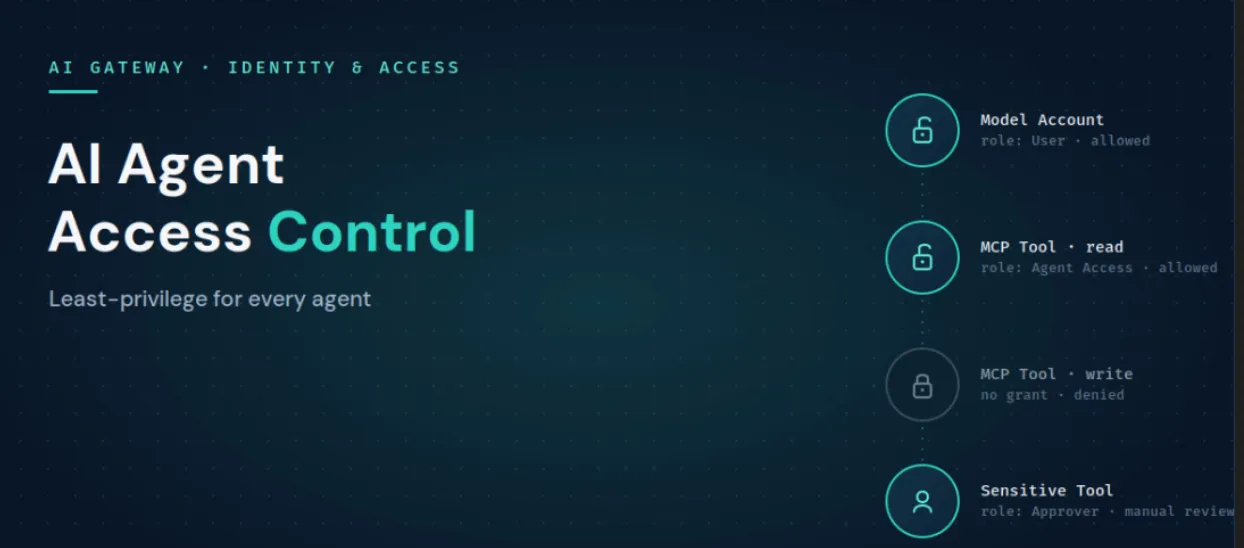
Die Zugriffskontrolle für KI-Agenten umfasst die Richtlinien, die entscheiden, ob ein Aufrufer auf eine bestimmte Ressource zugreifen darf. Sie beantwortet die Frage „Ist das erlaubt?“, während Guardrails klären, „Was ist darin enthalten?“.
Diese Unterscheidung ist wichtig, da beide Kontrollmechanismen auf unterschiedliche Weise versagen können und Sie daher beide benötigen.
Ein Agent kann zwar vollständig autorisiert sein, Ihren Datenbank-MCP-Server aufzurufen, aber dennoch dazu verleitet werden, eine destruktive Abfrage zu senden. Die Zugriffskontrolle hat den Server freigegeben, und nur ein Guardrail für die Argumente erkennt, was die Abfrage tatsächlich bewirkt. Wenn Sie den Zugriff jedoch zu weit fassen, verlassen Sie sich vollständig auf den Metalldetektor. Das Prinzip der minimalen Rechtevergabe sorgt dafür, dass die Anzahl der zugelassenen Aufrufe von vornherein gering bleibt.
TrueFoundry setzt den Zugriff auf zwei Ebenen durch – das Verständnis dieser Aufteilung ist der wichtigste Schritt.
Sie fügen einen Benutzer, ein Team oder ein virtuelles Konto direkt als Mitarbeiter einer Ressource hinzu und wählen eine Rolle, die den Zugriff auf diese Ressource beschränkt. Die Rollen sind spezifisch für den jeweiligen Ressourcentyp:
Hier findet die minimale Rechtevergabe statt. Erteilen Sie einem Agenten nur für die MCP-Server Zugriff, die er für seine Aufgabe benötigt, weisen Sie einem Team die Rolle „Benutzer“ für das Modellkonto zu, das es aufrufen darf, und fügen Sie einen „MCP-Server-Genehmiger“ hinzu, wenn ein Tool vor der Ausführung eine Freigabe erfordert. Dafür ist keine Erstellung benutzerdefinierter Rollen erforderlich.
Mandantenweite Rollen gelten für den gesamten Mandanten und werden unter „Zugriff“ und dann „Rollen“ konfiguriert. Sie regeln mandantenweite Aktionen wie das Erstellen von Ressourcen, das Verwalten von Benutzern und das Auflisten aller Ressourcen eines Typs. TrueFoundry bietet standardmäßig zwei Rollen: Administrator, was die volle Kontrolle bedeutet und auf einen kleinen Personenkreis beschränkt bleiben sollte, sowie Mitglied, das standardmäßig auf nichts zugreifen kann und dem explizit Ressourcenzugriff gewährt werden muss. Wenn diese beiden Optionen zu weit gefasst oder zu restriktiv sind, erstellen Sie eine benutzerdefinierte Rolle.
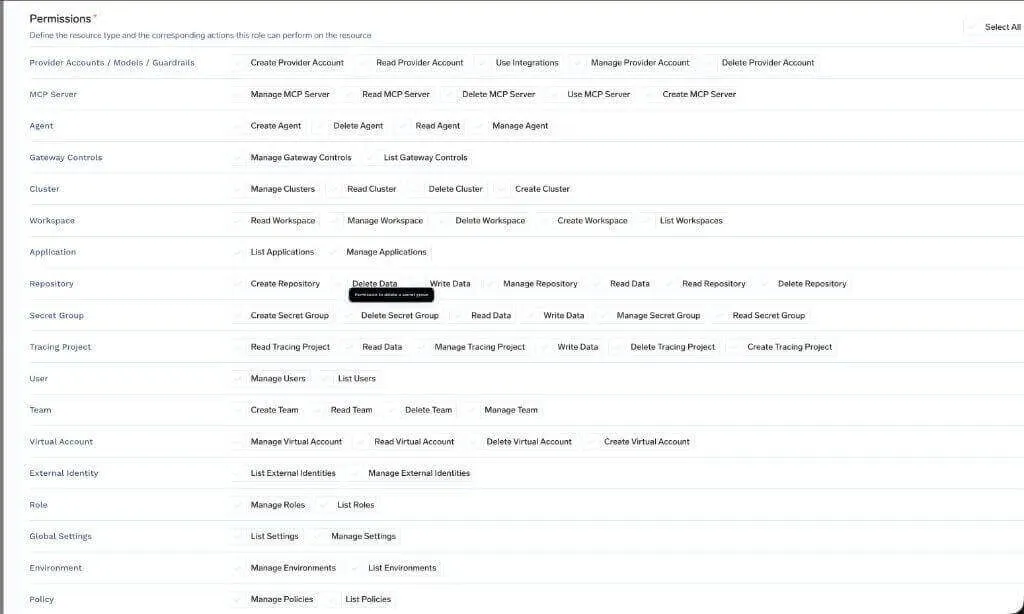
Produktscreenshot, TrueFoundry-Dokumentation: Berechtigungen für benutzerdefinierte Rollen.
Rollen können sowohl Teams als auch einzelnen Benutzern zugewiesen werden. Die effektiven Berechtigungen eines Benutzers ergeben sich aus der Kombination seiner eigenen Rolle und aller Rollen, die er von seinen Teams geerbt hat. Für Unternehmen, die Identitätsgruppen über SCIM synchronisieren, werden diese Gruppen als TrueFoundry-Teams importiert und können direkt mit Rollen versehen werden, sodass der Zugriff derselben Quelle folgt, die bereits in Ihrem IdP verwaltet wird.
Das MCP-Gateway trennt drei Aspekte, die in Teams normalerweise miteinander verknüpft sind. Genau diese Trennung macht das Prinzip der minimalen Rechtevergabe auf Tool-Ebene praktikabel.
TrueFoundry AI Gateway bietet eine Latenz von ~3—4 ms, verarbeitet mehr als 350 RPS auf einer vCPU, skaliert problemlos horizontal und ist produktionsbereit, während LiteLM unter einer hohen Latenz leidet, mit moderaten RPS zu kämpfen hat, keine integrierte Skalierung hat und sich am besten für leichte Workloads oder Prototyp-Workloads eignet.




.webp)

AI agent access control is the set of policies that decide whether an agent, user, or team is allowed to reach a given model, MCP server, or individual tool. It governs whether a call is permitted, which is a separate job from guardrails that inspect what a call contains. On TrueFoundry it is enforced at the gateway through resource-level collaborators and tenant-level roles.
Access control decides whether a call is allowed to happen. Guardrails inspect the content of a call that is already allowed, catching injections, PII, secrets, and unsafe operations. You need both: access control keeps the set of permitted calls small, and guardrails police what flows through the ones that are permitted.
Give each agent its own identity, then grant it access only to the specific model accounts and MCP tools its function requires, using resource-level collaborator roles. Scope the agent to its job rather than to the permissions of the person driving it, use approver roles for sensitive tools, and prefer team-based grants so access stays manageable.
Yes. Access rules on the MCP Gateway can narrow to specific tools within a server, so an agent can be granted a read-only tool while the write tool on the same server stays off limits. Because the gateway fronts every call, the rule covers every caller of that tool automatically.
Ja. TrueFoundry läuft in Ihrer VPC, On-Premise, Air-Gapped, hybrid oder über mehrere Clouds hinweg, und keine Daten verlassen Ihre Domäne. Dies ist der Hauptgrund, warum regulierte Unternehmen es SaaS-basierten Gateways vorziehen.
Yes. It includes an MCP Gateway, Agent Gateway, and an MCP and Agents Registry with tool-level access control, governing agents from LangGraph, CrewAI, AutoGen, and custom frameworks from one place.



Die neuesten Nachrichten, Artikel und Ressourcen werden in Ihren Posteingang gesendet
.webp)



.webp)

.png)
.png)
.png)
.png)
.png)






.png)




