Blank white background with no objects or features visible.

TrueFoundry Named Frost & Sullivan's 2026 Global Transformational Innovation Leader. Read report

TrueForgeのご紹介:オープンソースでベンダーフリーなエージェントハーネス。コストを50%削減します。今すぐ試す→

SCIM Provisioning: Why Deprovisioning Is the Part Everyone Gets Wrong

By アシシュ・ドゥベイ

Published: September 21, 2026

⚡ TL;DR
  • SCIM is an open REST standard your identity provider uses to create, update, and deactivate accounts in another application. It syncs two things: users and groups.
  • Onboarding is the visible half. If a new hire can’t log in, they say so within the hour. Offboarding is the invisible half — nobody files a ticket to report that they still have access after leaving.
  • SCIM is one of three provisioning modes TrueFoundry supports. JIT creates users on first login but never removes them. Invite-only creates nothing automatically. Only SCIM deprovisions.
  • On TrueFoundry, every IdP group pushed through SCIM becomes a team. Grant the role to the team once, and group membership in your IdP decides who holds it from then on.
  • Setup is three values: turn on SCIM under Provisioning, copy the SCIM Base URL, generate the Bearer token. The token is shown once.

What SCIM actually is

SCIM stands for System for Cross-domain Identity Management. It is an open standard — schema in RFC 7643, protocol in RFC 7644 — that defines a REST API for moving identity data between systems. Version 2.0 is what every major IdP implements.

The mental model is simpler than the acronym. Your IdP is the client, the downstream application is the server. The IdP holds a list of people and groups, and when that list changes it makes an HTTP call to say so.

SCIM defines two resource collections, and the whole protocol hangs off them:

Endpoint Holds Used for
/Users Individual accounts, with attributes like userName, emails, displayName, and active Creating, updating, and deactivating people
/Groups Named collections with a members array Keeping team and group membership in sync

And the lifecycle maps onto ordinary HTTP verbs:

What happens in your IdP SCIM call What the application does
Person is assigned to the app POST /Users Creates the account
Their name, email, or department changes PATCH /Users/{id} Updates the record in place
They’re added to or removed from a group PATCH /Groups/{id} Adjusts membership
They’re unassigned, suspended, or leave PATCH /Users/{id} setting active: false Deactivates the account
The record is removed outright DELETE /Users/{id} Removes the account

The second-to-last row is the important one. SCIM has a first-class, standard way to say this person should no longer have access — and that signal originates where somebody’s departure is already recorded, which is HR-fed identity, not a spreadsheet owned by IT.

SCIM is not SSO, and the difference matters

SSO answers a question at login time: is this person who they claim to be, right now? A SAML assertion or an OIDC token arrives, the application validates it, the session starts.

SCIM answers a question continuously: should this person exist here at all? It runs on its own schedule, independent of whether anyone is logging in.

The gap between those two is the whole problem. Run SSO with just-in-time account creation and nothing else, and your IdP guards the front door while the accounts behind it accumulate forever. Deactivating someone in the IdP does block new logins. The account object is still there, still attached to whatever roles, memberships, and — this is what stings on an AI platform — whatever API keys and service tokens it collected.

Why deprovisioning is the part everyone gets wrong

Onboarding is a loud failure. Offboarding is a silent one. That asymmetry explains almost every access-review finding we’ve ever seen.

Nobody complains about access they shouldn’t have. When provisioning breaks, a new engineer pings a channel within twenty minutes. When deprovisioning breaks, the beneficiary has already left the building. There is no feedback loop, so the defect persists until an auditor goes looking.

Manual offboarding checklists decay. The checklist is written when the company has eight SaaS tools. Two years later it has sixty, and the checklist still has eight.

The dwell time is long. Because nothing surfaces the problem, orphaned accounts are usually measured in months, and they turn up during an audit or an incident — the two worst moments to find them.

On AI platforms, an orphaned account is more than a login. A stale user record can be attached to model provider credentials, MCP server access, deployed workloads, and long-lived API keys. Browser sessions expire on their own. Programmatic credentials do not. This is why API authentication and RBAC in an AI gateway has to be identity-aware rather than key-aware — a key with no owner is a key nobody will ever revoke.

SCIM removes the human step. The departure is recorded once, in the IdP, and propagates outward.

SCIM vs JIT vs invite-only: which provisioning mode to use

TrueFoundry supports three provisioning modes, and a tenant uses exactly one at a time. This is the decision most teams are actually trying to make when they search for SCIM.

SCIM Just-in-time (JIT) Invite-only
Creates users automatically Yes, from IdP sync Yes, on first SSO login No
Deactivates or removes users automatically Yes, from IdP sync No No
Syncs groups or teams automatically Yes No No
Requires SSO Recommended Yes No
Requires an admin invite No No Yes
Good for external collaborators No No Yes
Source of truth Your IdP Your IdP, for login only Your admins
Best for Organizations that want the IdP to own the full user and group lifecycle Teams that use SSO but don’t want to configure SCIM External collaborators, early rollouts, tenants where every user is approved by hand

Three things fall out of this table.

JIT is not a lightweight SCIM. It is half of SCIM — the visible half. It handles a new person needing an account, well and with zero configuration. It does nothing about a person leaving. If your reason for choosing JIT is “we’ll deal with offboarding manually,” write down honestly who owns that step and how it gets audited.

Invite-only is not a worse option, it’s a different one. For a contractor at a partner firm with no record in your IdP, an invite is the correct mechanism. The problem is using it for employees who are in your IdP, because then your admins become a manual replica of a system you already pay for.

Group sync is the row people underweight. Creating users automatically saves a few minutes per hire. Syncing groups is what keeps authorization correct over time — a permanent cost rather than a one-time one.

Where teams get this wrong

Treating SSO as deprovisioning. The most common mistake, and an understandable one, because disabling a user in the IdP does block new logins. What it does not do is remove the account, its group memberships, or any credentials it holds. Blocking the front door is not the same as closing the account.

Group names that silently fail to sync. Every provisioning system has naming constraints, and IdP groups are usually named by people who have never read them. A group called ML Platform — Prod (EMEA) contains a space, an em dash, and parentheses, and will not become a valid team downstream. The failure is quiet: users sync, the group doesn’t, and nobody notices until someone asks why the team is empty.

Assuming SCIM reaches every grant a person holds. SCIM syncs users and group membership. It knows nothing about permissions granted directly, outside any group, on a specific resource. Remove someone from a team and the direct grant survives. This is the most common answer to “why can this person still see that.”

Storing the SCIM token badly, or not at all. The Bearer token is displayed once. Teams paste it into the IdP, close the tab, and keep no copy. That is survivable — you generate a new one — but doing so invalidates the old one, so provisioning stops until the IdP is updated too. Put it in your secret manager before you close the tab.

Want to see the lifecycle end to end?
Spin up a TrueFoundry tenant, wire up your IdP, and watch a group become a team.

How SCIM provisioning works in TrueFoundry

TrueFoundry supports SCIM against both OIDC and SAML v2 SSO configurations. Before you configure provisioning, you need SSO working — the SCIM URL and token live alongside the SSO configuration, not in a separate integration.

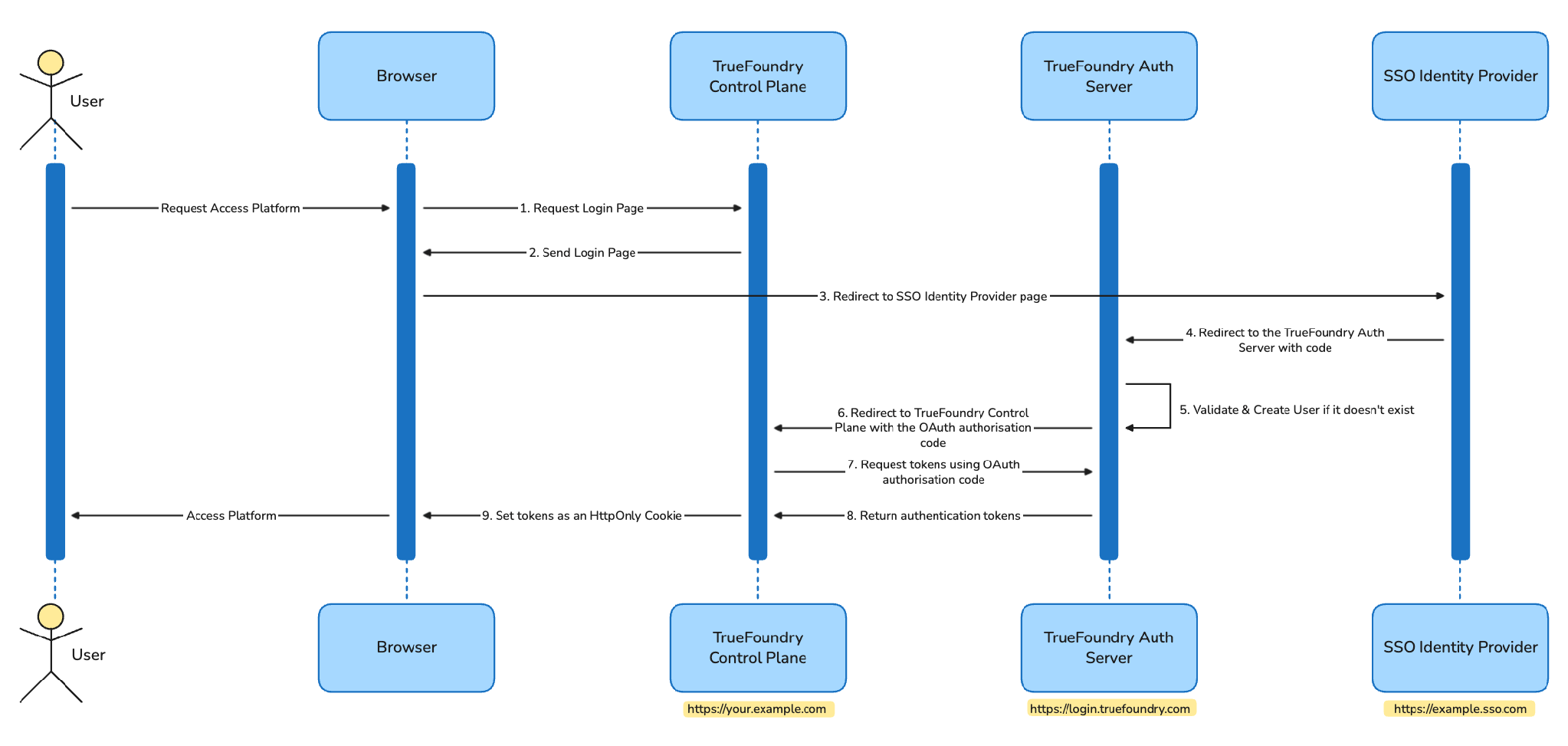
High-level authentication flow showing the browser, TrueFoundry control plane, TrueFoundry Auth Server, and the customer identity provider exchanging tokens

Step 1 — Configure SSO

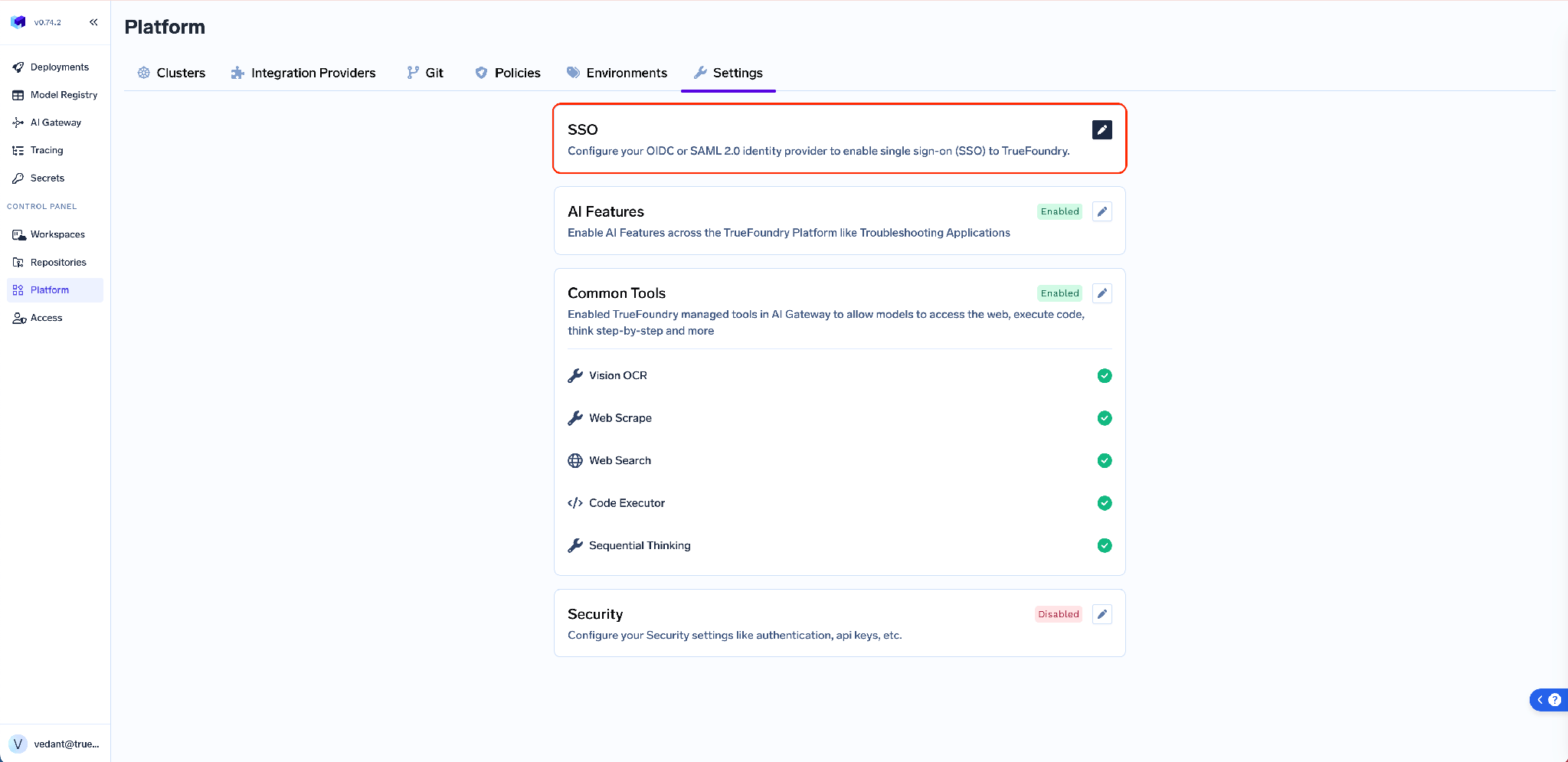
Go to Platform → Settings → SSO, toggle Enabled, pick your provider, and choose OIDC or SAML v2.

TrueFoundry SSO settings screen with the Enabled toggle, SSO Provider selector, and Authentication Configuration section

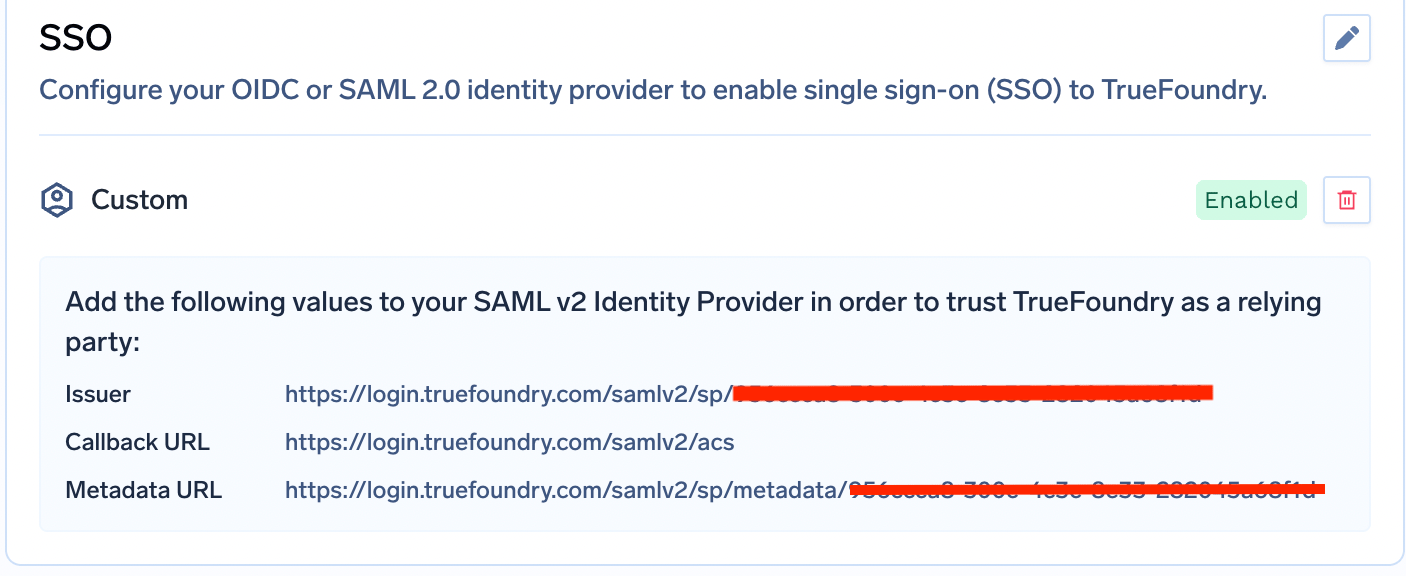
For OIDC you supply a Client ID, Client Secret, and Issuer URL; the callback URL on the IdP side is always https://login.truefoundry.com/oauth2/callback. For SAML you supply the IdP SSO URL and an X.509 signing certificate, then return after saving to collect the Callback URL and Issuer TrueFoundry generates and paste those into your IdP.

SAML metadata panel in TrueFoundry showing the generated Callback URL and Issuer values to copy into the identity provider

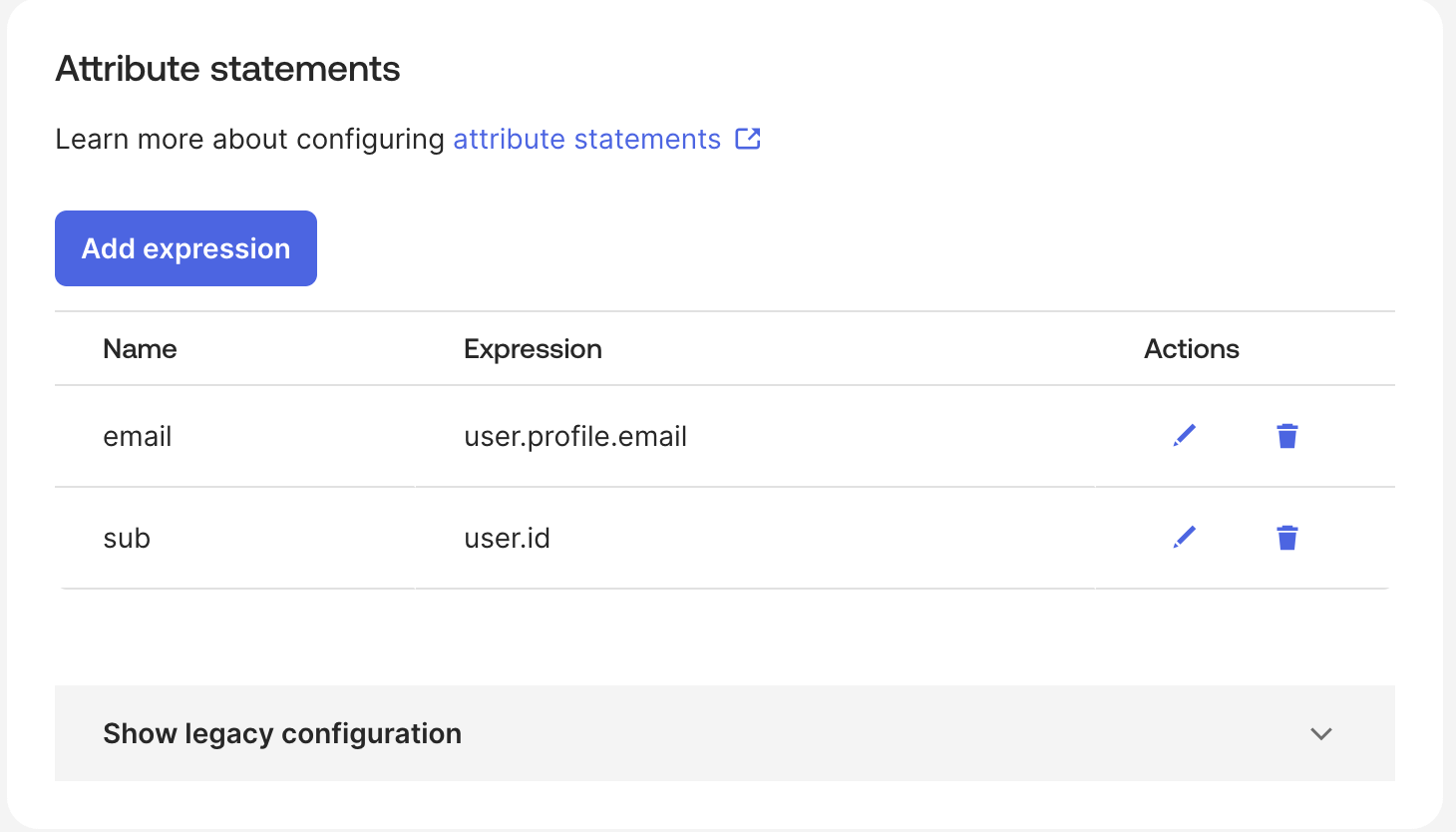
One detail that saves time later: configure your IdP to emit claims named email, sub, and groups. Those are TrueFoundry’s defaults, and aliasing the attributes on the IdP side means you never touch the advanced fields.

Okta SAML attribute mapping screen showing email, sub, and groups attribute statements

Step 2 — Turn on SCIM

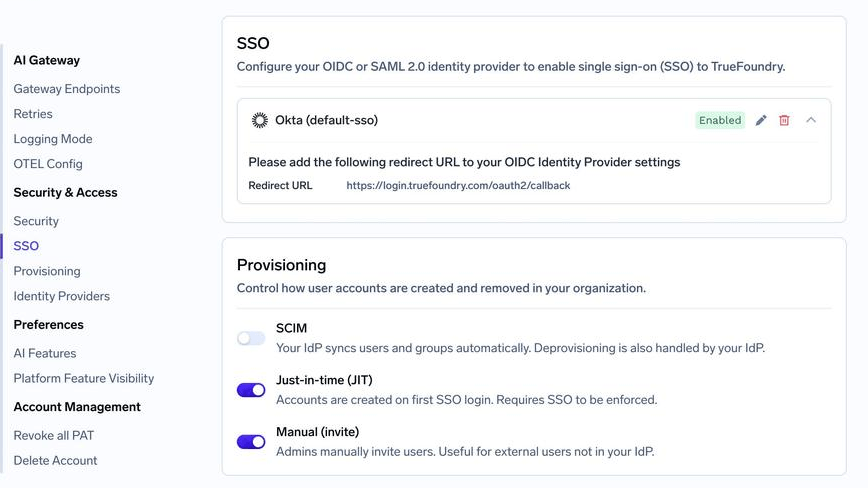
Go to Settings → Security & Access → Provisioning and select SCIM. This is where all three provisioning modes live, and picking one is how you choose the tenant’s lifecycle model.

Provisioning settings page showing the SCIM, Just-in-time, and Invite-only provisioning mode options

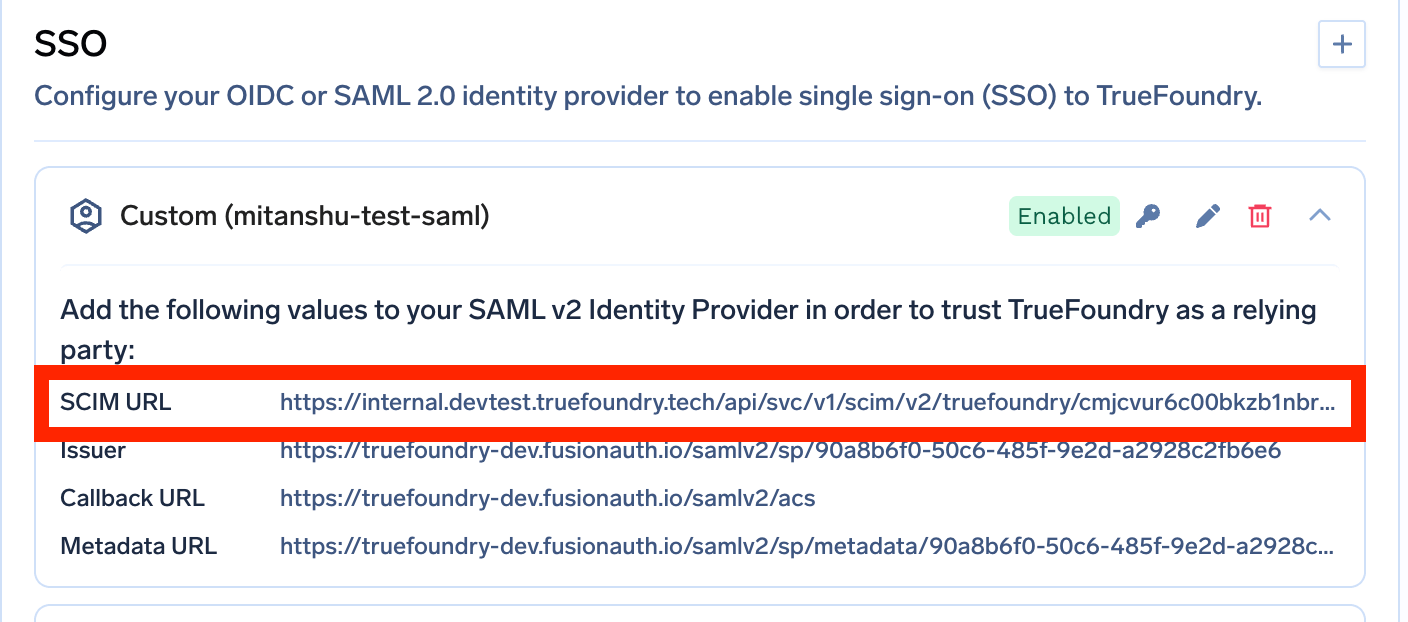
Step 3 — Copy the SCIM Base URL

Expand your saved SSO configuration to reveal the SCIM URL along with the rest of the metadata. This is the value your IdP calls.

Expanded SSO configuration row displaying the SCIM URL alongside other connection metadata

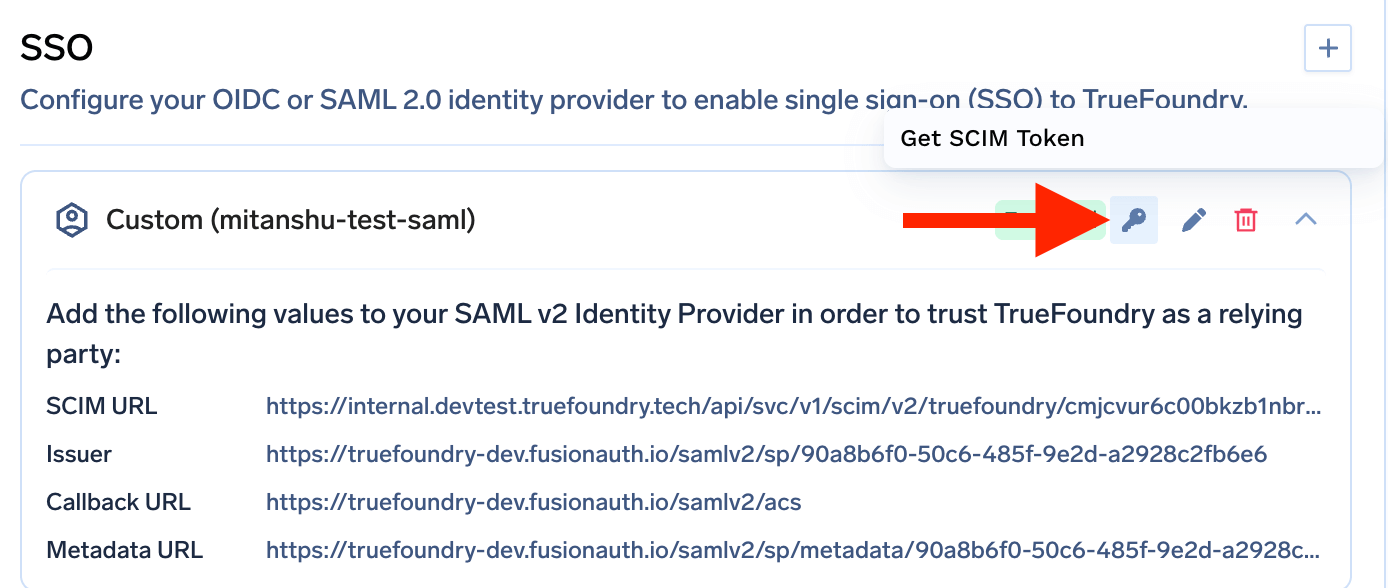
Step 4 — Generate the SCIM token

Click the key icon next to the SSO configuration to generate the SCIM authentication token.

Key icon next to an SSO configuration row with the option to generate and copy a SCIM token

Treat it like a password. It is shown only at creation; if you lose it, you generate a replacement and the previous token stops working.

Step 5 — Point your IdP at it

In your IdP’s provisioning settings, set the Base URL (some IdPs call it Tenant URL) to the SCIM URL, set Authentication to Bearer Token, and paste the SCIM token as the token value. Then assign users and groups in the IdP and start provisioning. Within a few minutes, users and teams appear in TrueFoundry.

IdP groups become teams — this is the part that matters

Most SCIM write-ups stop at user sync. User sync is the easy half. The reason to run SCIM on a platform like this is group sync, because groups are where authorization lives.

When the tenant is configured for SCIM, every group your IdP pushes through becomes a TrueFoundry team automatically. Add someone to the IdP group and they join the team; remove them and they leave it.

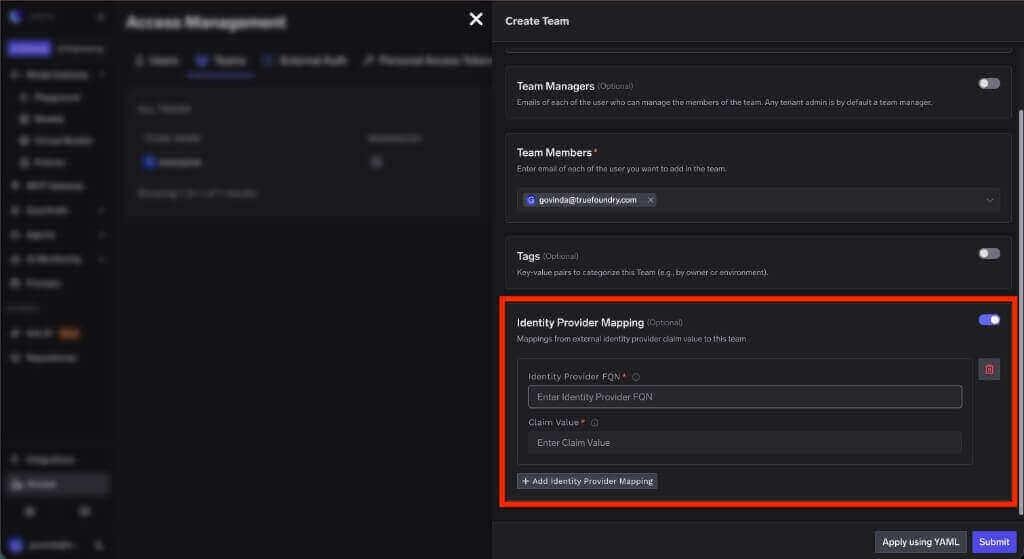
Synced teams are ordinary teams in every other respect. You can grant them resource access, assign tenant-level roles, and add identity provider claim mappings.

Team creation form showing the Identity Provider FQN and Claim Value fields used to map an IdP claim to a team

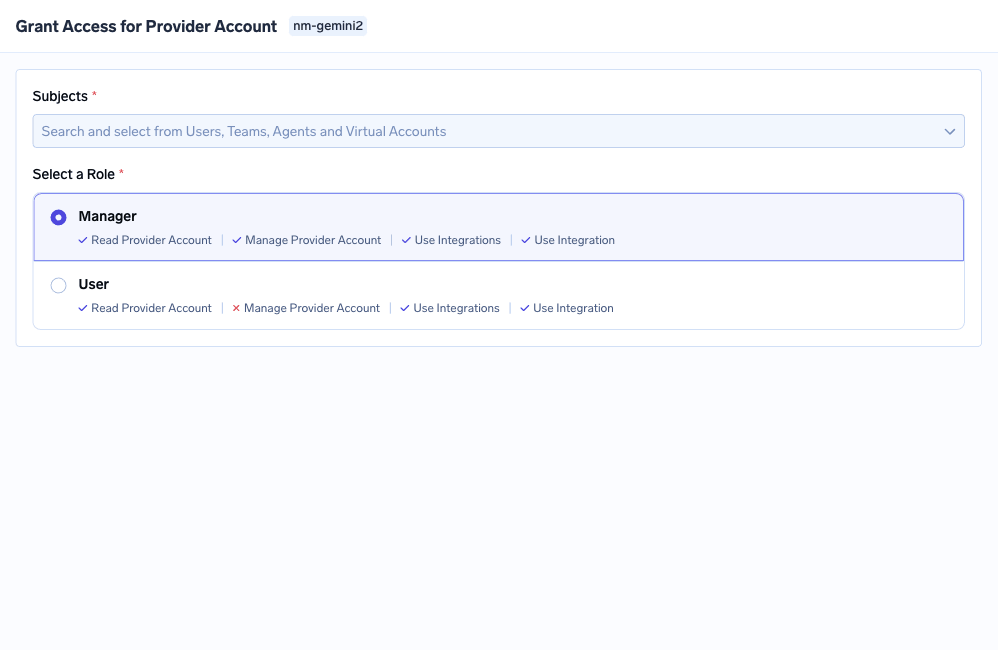
Be precise about the division of labour, because it is easy to over-claim. SCIM does not decide what a team may do — an admin grants the team its roles once, deliberately. SCIM automates membership, and since permissions attach to the team, current membership means a current effective permission set. Design the authorization once; let the IdP handle the churn.

Grant Access drawer showing a subject selector and the available roles for a resource

There is a naming constraint to respect. The IdP group name becomes the team name, so it may contain only alphanumeric characters, hyphens, and underscores, and can be at most 36 characters. Rename groups in the IdP before you turn provisioning on, not after.

A worked example: a contractor on the ML platform team

Here’s the lifecycle running end to end, with the manual steps marked.

One-time setup (manual). An admin creates an IdP group called ml-platform-contractors — lowercase, hyphens, 23 characters, safe. SCIM pushes it and a team of the same name appears in TrueFoundry. The admin grants that team what it needs: the relevant model provider account, User access on two MCP servers, nothing else. That is the authorization design, done once.

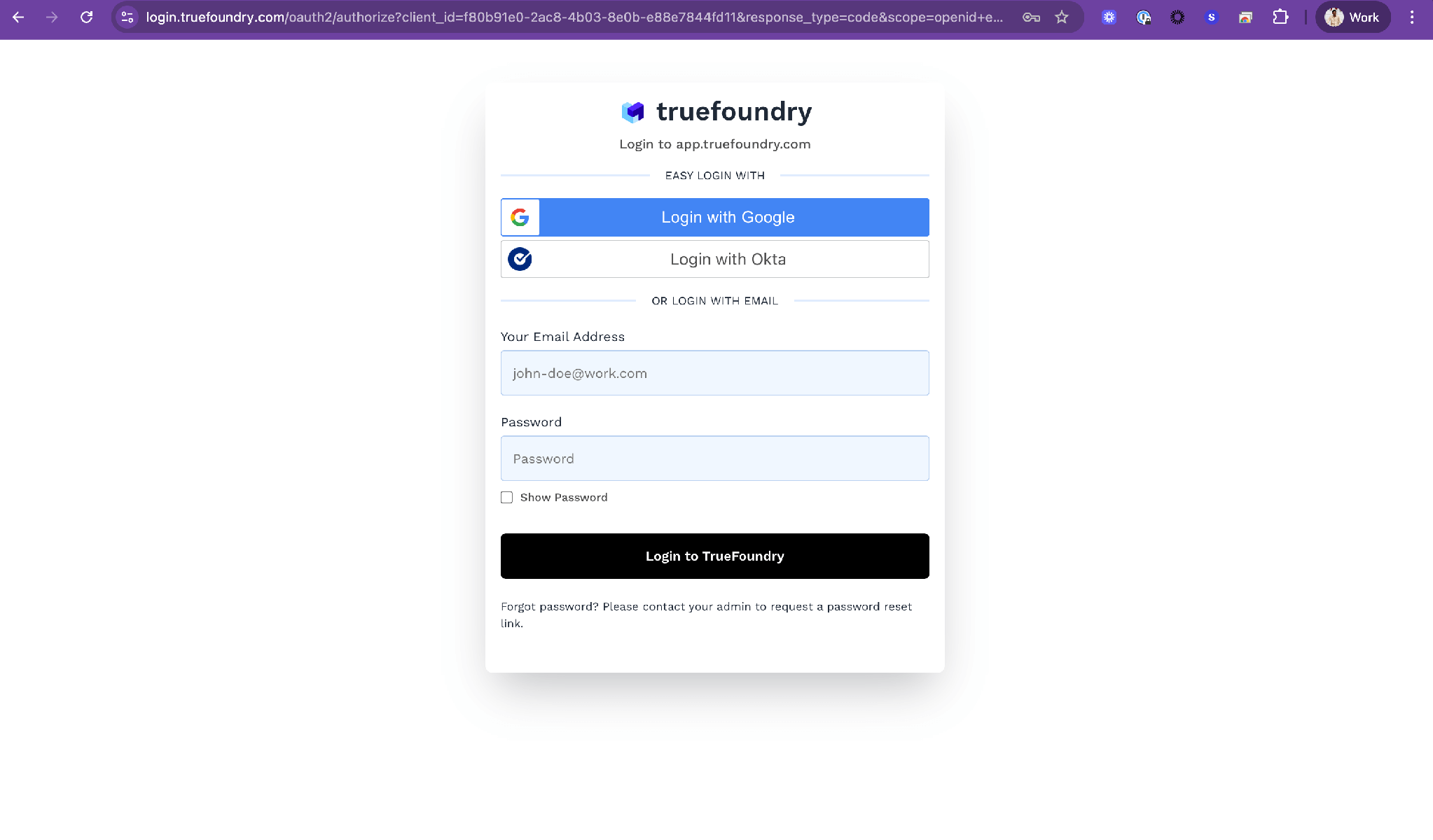
Onboarding (automatic). A contractor starts. HR provisioning adds them to ml-platform-contractors. SCIM creates their TrueFoundry user and adds them to the team. They log in through SSO with exactly the access the team holds. Nobody filed a ticket.

TrueFoundry login page showing the single sign-on button rendered for the configured identity provider

Scope change (automatic). Three months in, the contractor moves to a different project. Someone removes them from ml-platform-contractors and adds them to another group. SCIM adjusts both teams. Their model provider access disappears with the team membership, and no admin touched TrueFoundry.

Offboarding (automatic). The contract ends. The IdP record is deactivated. SCIM marks the TrueFoundry user inactive, and a deactivated user is rejected during the authentication flow. The account no longer functions, without anyone remembering that TrueFoundry was on the list.

The one thing still manual. If that contractor had also been granted something directly — a single secret group, say, outside any team — that grant survives, because it never came from the IdP. Deactivation blocks the login regardless, but the grant record remains until someone removes it. Build that into your access review. It is the same pattern that shows up across enterprise MCP access control: inherited and direct permissions combine, and removing one does not remove the other.

Ready to make your IdP the source of truth?
Configure SSO, switch on SCIM, and let group membership drive access.

Gotchas worth knowing

For Entra ID and Okta, SCIM requires SAML. The capability matrix lists SSO as merely recommended for SCIM in general, but for the two most widely deployed IdPs the provisioning guides depend on the SAML configuration. If you set up OIDC with Entra or Okta and then go looking for SCIM, you will be reconfiguring.

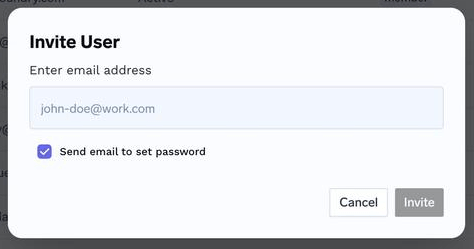
One provisioning mode per tenant. You cannot run SCIM for employees and invite-only for contractors in the same tenant by flipping both switches. If you need to bring in someone who isn’t in your IdP, the Invite User flow on Access > Users still exists — and when you use it for an SSO user, leave the Send email to set password checkbox unchecked, since there is no password to set.

Invite User dialog with an email field and the Send email to set password checkbox

Deactivation and deletion are different operations. Deactivating blocks login and is what SCIM drives. Deleting a user outright is a separate admin action, and TrueFoundry refuses it until the user has been explicitly removed from all resources and teams. That guard stops you deleting an identity while dangling grants still reference it.

The dedicated Provisioning page arrived in v0.143. On earlier versions SCIM is configured inline in the SSO form. The values are the same; the screens differ.

Related reading

Conclusion

SCIM provisioning is usually sold on the onboarding story, because onboarding demos well. The real return is on the other end. Deprovisioning is the failure mode with no feedback loop — no ticket, no complaint, no alert — and the only durable fix is to make departure propagate automatically from the one system that already knows about it.

On TrueFoundry that is three settings and one design decision: enable SCIM, copy the base URL, generate the token, then decide once what each group’s team is allowed to do. After that the org chart maintains your access model for you, and the accounts that should not exist stop existing on their own — the only offboarding process that survives a growing company.

Set up SCIM provisioning on TrueFoundry

Try now.

One gateway for all your models, MCP servers, and agents.
No credit card needed.

Start free
Table of Contents

One Gateway for Every LLM, Agent and MCP Server

Book a 30-min with our AI expert

Book a Demo

The fastest way to build, govern and scale your AI

Book Demo
Summarize with
ChatGPT logo by OpenAI
Perplexity AI logo
Blurry red snowflake on white background, symmetrical frosty design with soft edges and abstract shape.

Discover More

No items found.
September 21, 2026
|
5 min read

SCIM Provisioning: Why Deprovisioning Is the Part Everyone Gets Wrong

No items found.
September 21, 2026
|
5 min read

SAML vs OIDC: How to Choose, and What Matters More

No items found.
September 21, 2026
|
5 min read

RBAC vs ABAC: Choosing an Access Control Model for AI Agents

No items found.
September 21, 2026
|
5 min read

Fine-Grained Authorization: How Fine Is Fine Enough?

No items found.
No items found.

Recent Blogs

Black left pointing arrow symbol on white background, directional indicator.

Frequently asked questions

What is SCIM provisioning?

SCIM provisioning is the automatic synchronization of user accounts and group memberships from an identity provider into an application, over the SCIM 2.0 standard. The IdP calls a REST API on the application to create users, update attributes, adjust group membership, and deactivate accounts when people leave. Identity changes are made once in the IdP and propagate everywhere, rather than being repeated by hand in each tool.

What is the difference between SCIM and JIT provisioning?

JIT creates a user the first time they log in through SSO, and does nothing else. SCIM runs continuously and independently of logins, so it also handles updates, group membership, and deactivation. JIT solves onboarding; SCIM solves the full lifecycle. With JIT, deprovisioning stays a manual process somebody has to own.

How do I set up SCIM provisioning in TrueFoundry?

Configure SSO first, then enable SCIM under Settings → Security & Access → Provisioning. Expand the SSO configuration to copy the SCIM Base URL, click the key icon to generate a Bearer token, and paste both into your IdP with the authentication method set to Bearer Token. Assign users and groups in the IdP and they appear within a few minutes. For Entra ID and Okta, SCIM builds on a SAML SSO configuration.

Can I deploy TrueFoundry in my own VPC or on-prem?

Yes. TrueFoundry runs in your VPC, on-prem, air-gapped, or hybrid, so prompts and responses never leave your domain even as you route across many providers.

Does TrueFoundry support MCP and AI agents generally?

Yes. It includes an MCP Gateway, an Agent Gateway, and an MCP & Agents Registry with tool-level access control. Agents on LangGraph, CrewAI, AutoGen, or a custom framework can all be governed centrally.

既存のオブザーバビリティスタックと統合できますか?

はい。ゲートウェイはOpenTelemetryに準拠しており、Grafana、Datadog、Prometheus、またはお好みのスタックに接続できます。プロンプトからツール、モデルの実行まで、すべてのリクエストを追跡するため、既存のシステムを大幅に変更することなく、統合されたロギングを実現できます。

Take a quick product tour
Start Product Tour
Product Tour