August 27, 2025
|
5 minutos de lectura


Obtenga acceso instantáneo a un entorno TrueFoundry en vivo. Implemente modelos, dirija el tráfico de LLM y explore la plataforma completa: su sandbox estará listo en segundos, sin necesidad de tarjeta de crédito.



Published: August 26, 202615
¡Una forma increíblemente rápida de crear, rastrear e implementar sus modelos!
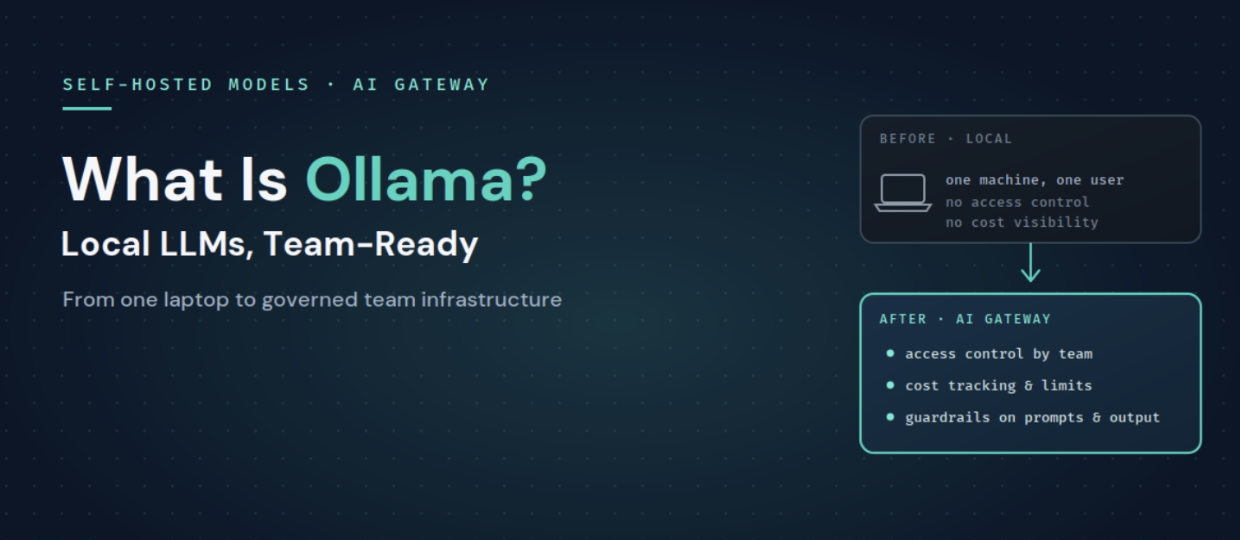
Ollama is an open-source runtime for running LLMs on your own infrastructure, whether that is a laptop, an on-premises GPU box, or a private cloud instance. You download an open-weight model such as Llama, Mistral, or Qwen, and Ollama serves it locally behind an HTTP endpoint. Crucially, that endpoint speaks an OpenAI-compatible API, so code written against the OpenAI SDK can talk to a local Ollama model with only a base URL change.
Teams pick Ollama for a few clear reasons:
The most common comparison is Ollama versus vLLM, because both expose OpenAI-compatible APIs and both self-host open-weight models. They optimize for different things.
The honest summary is that Ollama is the easiest way to run a model for one person, and vLLM is built for serving many concurrent users at high throughput. Many teams use both: Ollama for local development and vLLM for production. The good news is that because both are OpenAI-compatible, whatever you standardize on can sit behind the same gateway, and you can even route between them.
Ollama does its job well, but running it for an organization surfaces gaps that are outside its scope.
These are exactly the concerns a gateway exists to handle, which is how you turn a local model runner into team infrastructure.
TrueFoundry treats an Ollama server as a self-hosted model. You connect it to the AI Gateway by providing the endpoint URL and authentication details, and once registered it appears in the gateway's model catalog alongside cloud providers, with all gateway features applied: routing, guardrails, rate limiting, cost tracking, and observability. Ollama is explicitly supported here because it exposes an OpenAI-compatible API, the format the gateway works best with.
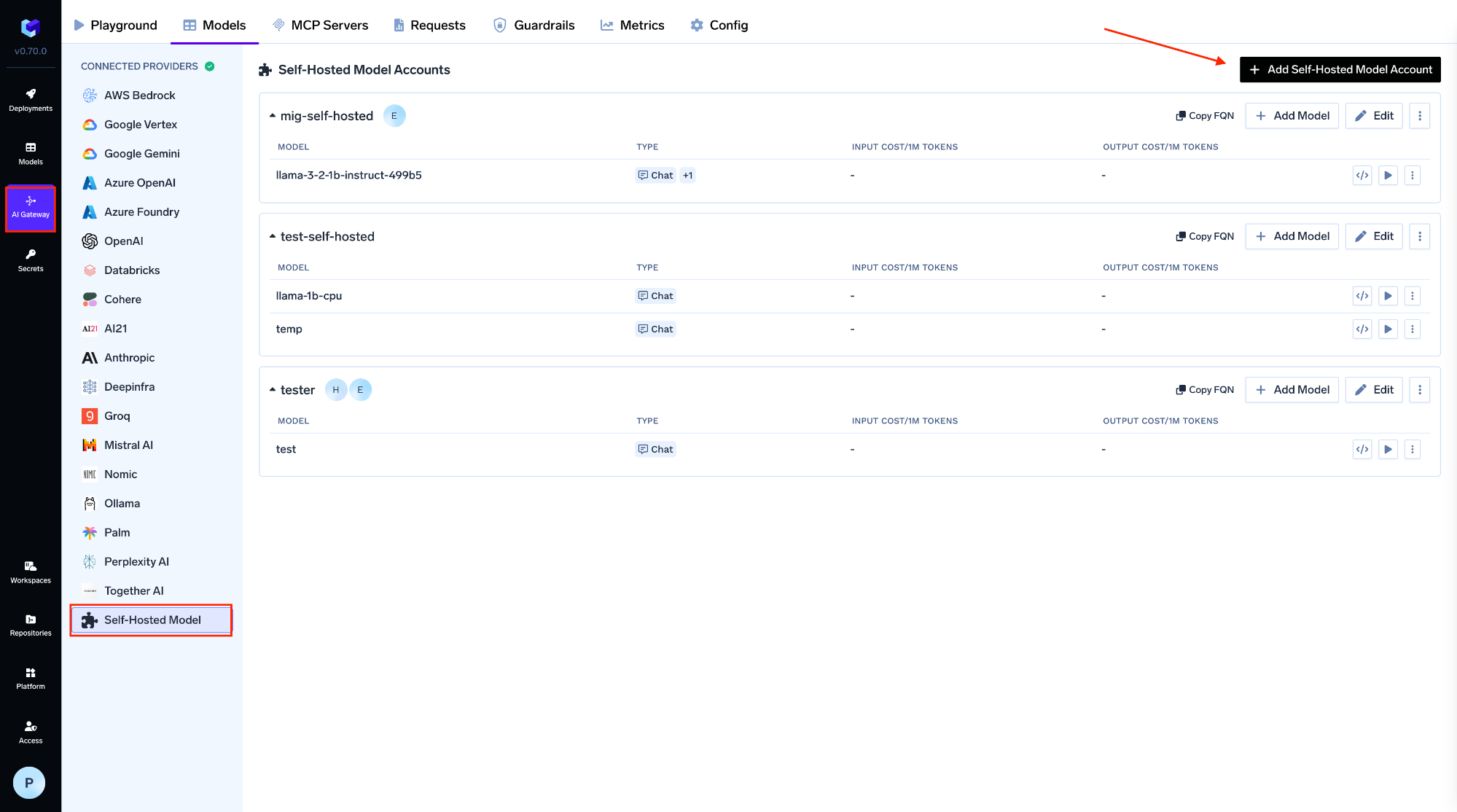
You register the model under AI Gateway, then Models, then Self Hosted Models, giving it a name, a model ID, the URL of your Ollama server, and the model server type, with optional auth. From that point, applications and agents stop talking to a raw localhost endpoint and instead call the gateway with one unified API:
from openai import OpenAI

client = OpenAI(
    api_key="your-truefoundry-api-key",   # a gateway token, not a raw endpoint
    base_url="https://gateway.truefoundry.ai",
)

resp = client.chat.completions.create(
    model="self-hosted/llama-3-8b-ollama",   # your registered Ollama model
    messages=[{"role": "user", "content": "Summarize this ticket"}],
)
That one change is what makes Ollama usable by a team:
Because the gateway is provider-agnostic and OpenAI-compatible across 1,000+ models, you can also mix a local Ollama model with a vLLM deployment and cloud APIs under the same interface, which ties directly into AI agent portability. And since TrueFoundry runs inside your own VPC, the privacy that made you choose Ollama in the first place is preserved end to end.
Ollama is the fastest way to get a model running locally, and for privacy and cost it is hard to beat. It simply was not built to be team infrastructure, which is where access control, cost visibility, guardrails, and routing come in. Connect Ollama to the AI Gateway as a self-hosted model and it keeps its privacy and low cost while gaining everything a team needs to run it in production.
See how TrueFoundry turns local models into governed, team-ready infrastructure. Book a demo or start free.
TrueFoundry AI Gateway ofrece una latencia de entre 3 y 4 ms, gestiona más de 350 RPS en una vCPU, se escala horizontalmente con facilidad y está listo para la producción, mientras que LitellM presenta una latencia alta, tiene dificultades para superar un RPS moderado, carece de escalado integrado y es ideal para cargas de trabajo ligeras o de prototipos.




Ollama is an open-source tool that runs large language models locally on your own hardware and serves them behind a simple, OpenAI-compatible HTTP API. Teams use it for private, offline, and low-cost inference with open-weight models such as Llama, Mistral, and Qwen.
Ollama is optimized for easy local inference on a single machine, while vLLM is built for high-throughput production serving with high concurrency. Both expose OpenAI-compatible APIs, so many teams use Ollama for development and vLLM for production, and put both behind the same gateway.
The model runs on infrastructure you control, which is good for privacy, but a raw Ollama endpoint has no access control, cost attribution, or content guardrails. To use it safely across a team, put it behind a gateway that adds authentication, RBAC, rate limits, and PII and secrets inspection.
Connect the Ollama server to an AI Gateway as a self-hosted model by giving it a URL and auth. Applications then call the gateway's unified API instead of a raw endpoint, which adds shared access control, cost tracking, guardrails, and routing on top of Ollama.
Any LLM, embedding, or custom model via high-performance backends like vLLM, TGI, and Triton, all deployable in the same control plane as the gateway.
Yes. TrueFoundry runs in your VPC, on-prem, air-gapped, or hybrid, so the local, private inference that Ollama gives you stays private across the whole stack.



Las últimas noticias, artículos y recursos enviados a tu bandeja de entrada


.png)
.png)
.png)