


May 23, 2024
|
5 minutos de lectura


Obtenga acceso instantáneo a un entorno TrueFoundry en vivo. Implemente modelos, dirija el tráfico de LLM y explore la plataforma completa: su sandbox estará listo en segundos, sin necesidad de tarjeta de crédito.



Published: October 7, 202612

¡Una forma increíblemente rápida de crear, rastrear e implementar sus modelos!
La ingeniería de contexto es la disciplina de diseñar el conjunto completo de información que recibe un modelo en cada paso de la ejecución de un agente. En el tiempo de ejecución de un agente, el contexto es todo lo que el modelo ve en un paso determinado, lo que incluye las instrucciones del sistema, las habilidades disponibles, las definiciones de las herramientas, el historial de la conversación y los resultados devueltos por las herramientas.
Se trata de una superficie mucho mayor que la de un simple prompt. Y es dinámica: cada llamada a una herramienta añade un resultado al contexto en el siguiente paso, por lo que el entorno de información cambia constantemente a medida que el agente trabaja. La ingeniería de contexto es la forma de mantener ese entorno enfocado, relevante y dentro del presupuesto, en lugar de dejar que se llene de ruido.
Ambas están relacionadas pero operan en ámbitos diferentes, y confundirlas es la razón por la que algunos equipos se estancan. La ingeniería de prompts se pregunta "¿cómo redacto esta solicitud?". La ingeniería de contexto se pregunta "¿qué debe tener el modelo delante, en cada paso, para hacer bien este trabajo?".
Ninguna sustituye a la otra. Sigues redactando las instrucciones con cuidado, pero para un agente eso es solo una pequeña parte de un problema de diseño mucho mayor. A medida que las ventanas de contexto crecen, la tentación es volcarlo todo, y esa es precisamente la trampa que evita la ingeniería de contexto: más contexto no es mejor contexto, y una ventana sobrecargada degrada la capacidad de recuperación y aumenta los costes.
Unas pocas prácticas aportan la mayor parte del valor a la hora de diseñar el contexto para los agentes.
La ingeniería de contexto solo es sostenible si las piezas se gestionan de forma centralizada, en lugar de ensamblarse manualmente para cada agente. TrueFoundry te ofrece puntos de control para cada parte del contexto.
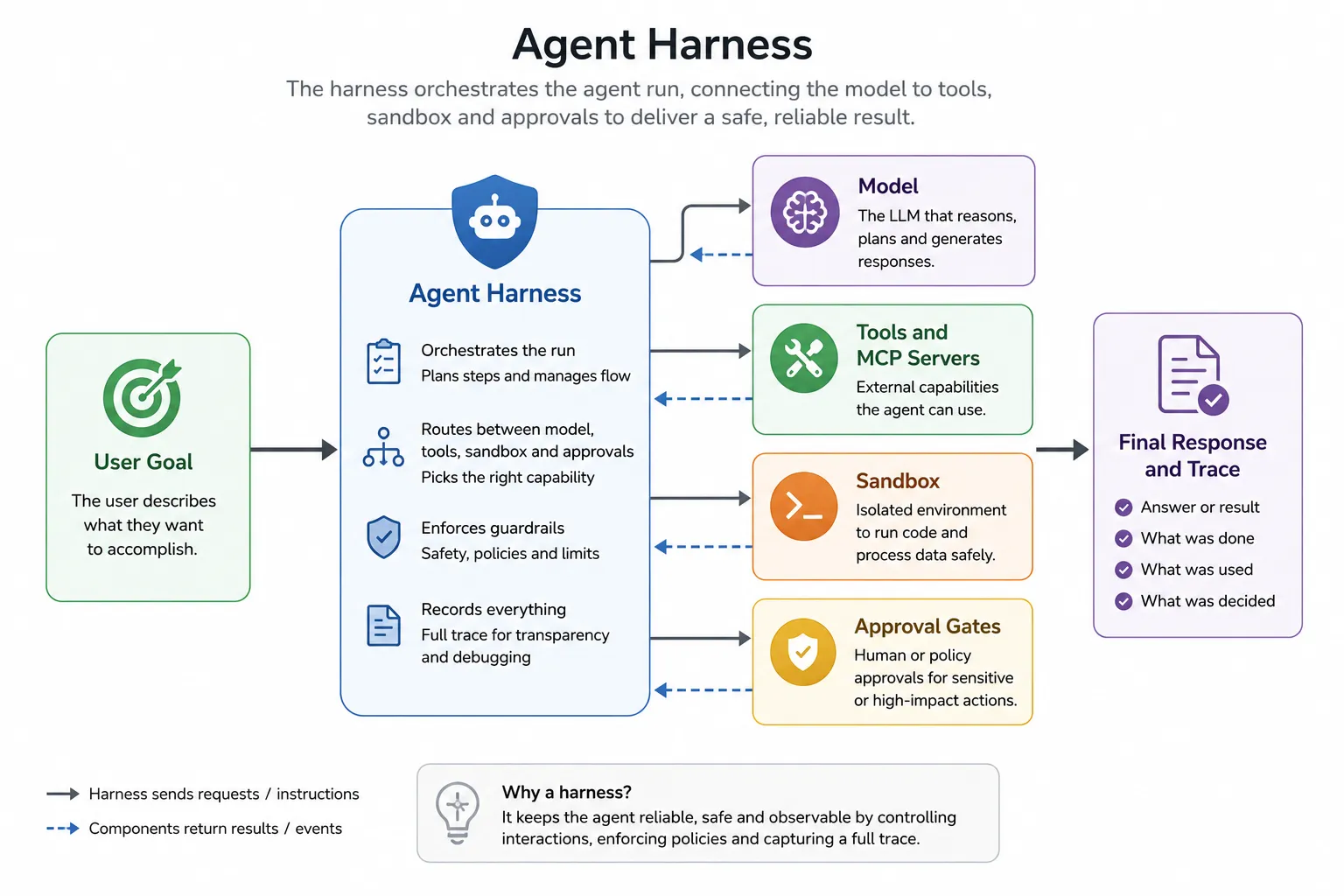
En el Agent Harness, configuras el contexto al crear el agente: el prompt del sistema, las habilidades incluidas y qué servidores MCP están disponibles. Esto convierte el contexto en una configuración explícita y revisable, en lugar de algo oculto en el código.
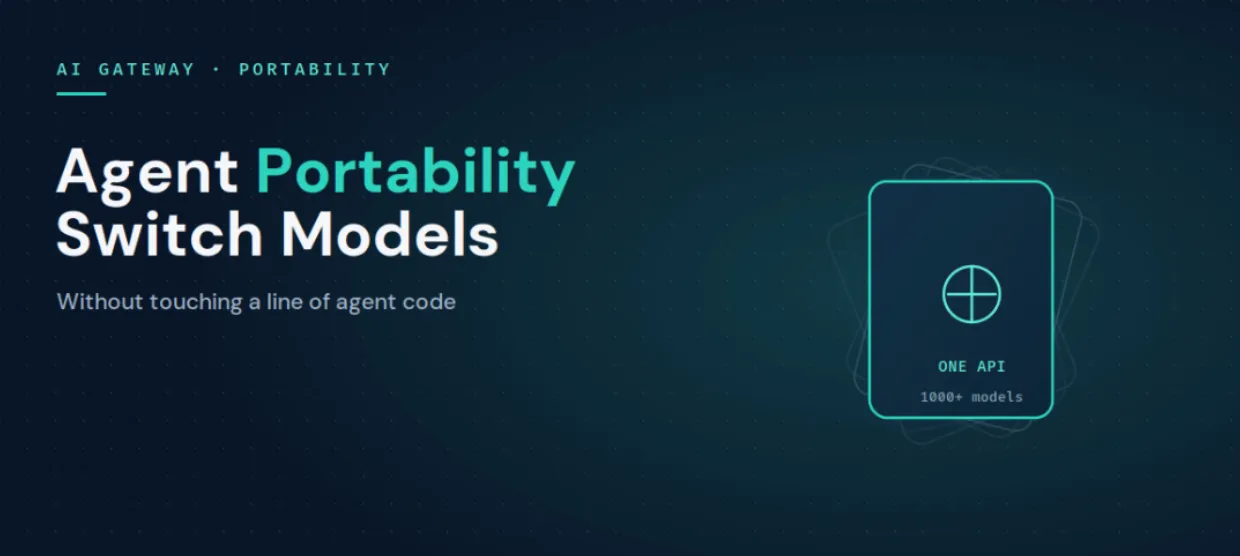
En la base de todo, el puerta de enlace de IA (AI Gateway) enruta cada llamada a través de más de 1000 modelos con un tiempo de procesamiento de apenas 3 a 4 ms, por lo que elegir el modelo más adecuado para cada paso es una cuestión de enrutamiento, no de reescritura. El resultado es que el contexto se convierte en algo que diseñas y controlas desde un único lugar, en lugar de ser un efecto secundario de cómo se haya programado cada agente.
La ingeniería de contexto supone pasar de redactar un prompt a diseñar todo lo que un modelo ve durante toda la ejecución de un agente. Si aciertas con las instrucciones, las habilidades, las herramientas, el historial y los resultados de las herramientas, el agente se mantendrá enfocado y será rentable; si te equivocas, no habrá ajuste de prompts que lo salve. TrueFoundry convierte esos elementos en una configuración gestionada mediante el Agent Harness, el Skills Registry, el MCP Gateway y un seguimiento completo, para que el contexto sea algo que tú diseñas y controlas, y no algo que simplemente te sucede.
Descubre cómo TrueFoundry te permite controlar el contexto de tus agentes desde un único panel de control. Reserve una demostraciónoempezar gratis.
TrueFoundry AI Gateway ofrece una latencia de entre 3 y 4 ms, gestiona más de 350 RPS en una vCPU, se escala horizontalmente con facilidad y está listo para la producción, mientras que LitellM presenta una latencia alta, tiene dificultades para superar un RPS moderado, carece de escalado integrado y es ideal para cargas de trabajo ligeras o de prototipos.




.webp)
.webp)

La ingeniería de contexto es la práctica de diseñar todo lo que un modelo ve en cada paso de la ejecución de un agente: instrucciones de sistema, skills, definiciones de herramientas, historial de la conversación y resultados de las herramientas. Va más allá de redactar un único prompt y da forma a todo el entorno de información en el que opera el agente, para que se mantenga centrado, pertinente y dentro de su presupuesto de contexto.
La ingeniería de prompts ajusta un único mensaje: su redacción, sus ejemplos y su formato. La ingeniería de contexto diseña el contexto completo que ve un agente en cada paso, incluidas las skills y herramientas que están dentro del alcance y la forma en que se gestionan el historial y los resultados de las herramientas. La ingeniería de prompts corrige una respuesta deficiente; la ingeniería de contexto corrige la deriva, la proliferación de herramientas y la sobrecarga de contexto en agentes de varios pasos.
Mantenga ligero el contexto base trasladando los procedimientos a skills que el agente carga bajo demanda, delimite las herramientas de forma estricta para que solo estén presentes las definiciones necesarias, gestione el historial de la conversación para que los turnos antiguos no saturen la ventana y trate los resultados de las herramientas como contexto no fiable que requiere inspección. Gestionar todo esto como configuración y no como código es lo que lo hace repetible.
No. Una ventana más grande invita a incluirlo todo, pero un contexto sobrecargado degrada la capacidad de recuperación y aumenta el coste. La ingeniería de contexto consiste en poner la información adecuada delante del modelo, algo que importa más, y no menos, a medida que las ventanas crecen.
Sí. El Agent Harness le permite configurar las instrucciones de sistema, las skills del Skills Registry central y los servidores MCP a los que puede acceder un agente, y el MCP Gateway delimita el acceso a las herramientas, de modo que las piezas del contexto de un agente se gobiernan de forma centralizada.
Sí. TrueFoundry se ejecuta en su VPC, on-prem, en entornos air-gapped o híbridos, de modo que el tráfico hacia Gemini 3 Pro y todos los demás modelos permanece gobernado dentro de su propio dominio.



Las últimas noticias, artículos y recursos enviados a tu bandeja de entrada

.webp)

.webp)

.png)
.png)
.png)
.png)
.png)






.png)




