


October 10, 2026
|
5 min de lecture


Accédez instantanément à un environnement TrueFoundry en direct. Déployez des modèles, acheminez le trafic LLM et explorez la plateforme complète : votre sandbox est prête en quelques secondes, aucune carte de crédit n'est requise.



Published: October 6, 202616
Une méthode incroyablement rapide pour créer, suivre et déployer vos modèles !
AI agent access control is the set of policies that decide whether a given caller may reach a given resource. It answers "is this allowed," while guardrails answer "what is in it."
That distinction is worth holding onto, because the two controls fail in different ways and you need both.
An agent can be fully authorized to call your database MCP server and still be tricked into sending a destructive query. Access control said yes to the server, and only a guardrail on the arguments catches what the query actually does. Scope the access too broadly, though, and you are relying entirely on the metal detector. Least privilege is what keeps the number of allowed calls small in the first place.
TrueFoundry enforces access at two levels, and understanding the split is most of the work.
You add a user, team, or virtual account as a collaborator directly on a resource, and pick a role that scopes their access to that resource only. The roles are specific to the resource type:
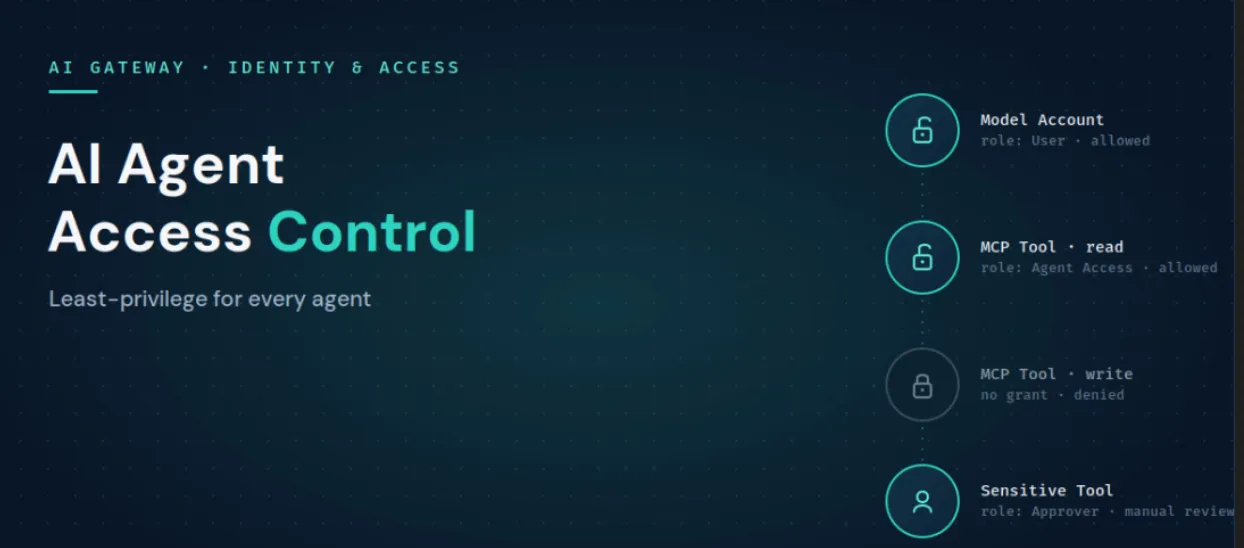
This is where least privilege lives. Grant an agent Agent Access to only the MCP servers its job needs, make one team a User on the model account it is allowed to call, and add an MCP Server Approver when a tool should require sign-off before it runs. No custom role creation is needed for any of it.
Tenant-level roles apply across the whole tenant and are configured under Access, then Roles. They govern tenant-wide actions such as creating resources, managing users, and listing every resource of a type. TrueFoundry ships with two: Admin, which is full control and should stay limited to a handful of people, and Member, which by default has access to nothing and must be granted resource access explicitly. When those two are too broad or too narrow, you create a custom role.
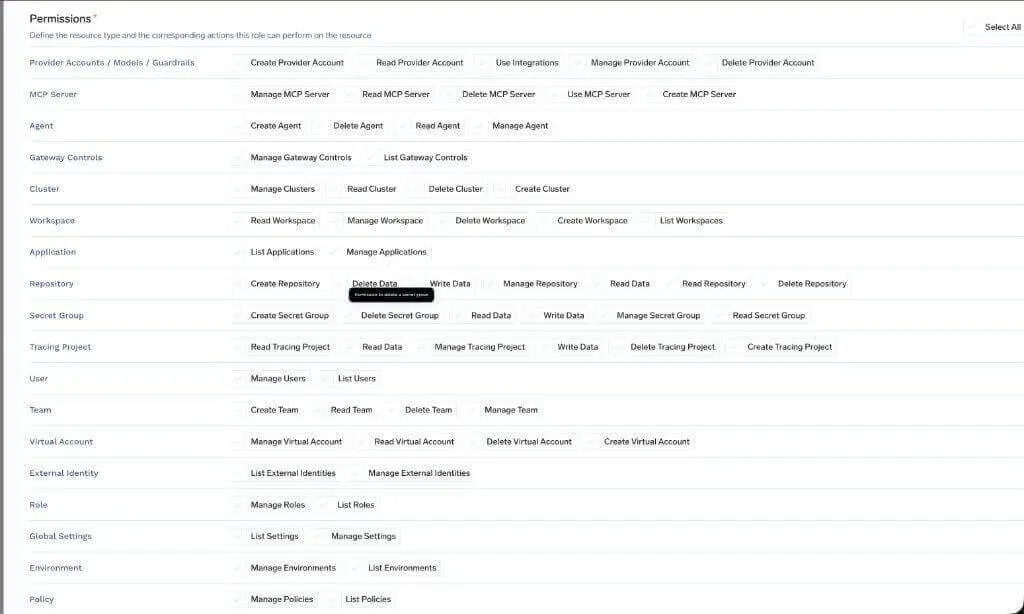
Roles can attach to teams as well as individual users, and a user's effective permissions are the union of their own role and every role inherited from their teams. For organizations that sync identity groups over SCIM, those groups come in as TrueFoundry teams and can be granted roles directly, so access follows the same source of truth your IdP already manages.
The MCP Gateway separates three concerns that teams usually tangle together, and keeping them apart is what makes tool-level least privilege practical.
Layer
What it controls
Inbound authentication
How a caller (agent, developer, app) authenticates to the gateway, via a gateway token
Access control
Which users, teams, or agents can use which MCP servers and specific tools
Outbound authentication
How the gateway authenticates to the downstream MCP server
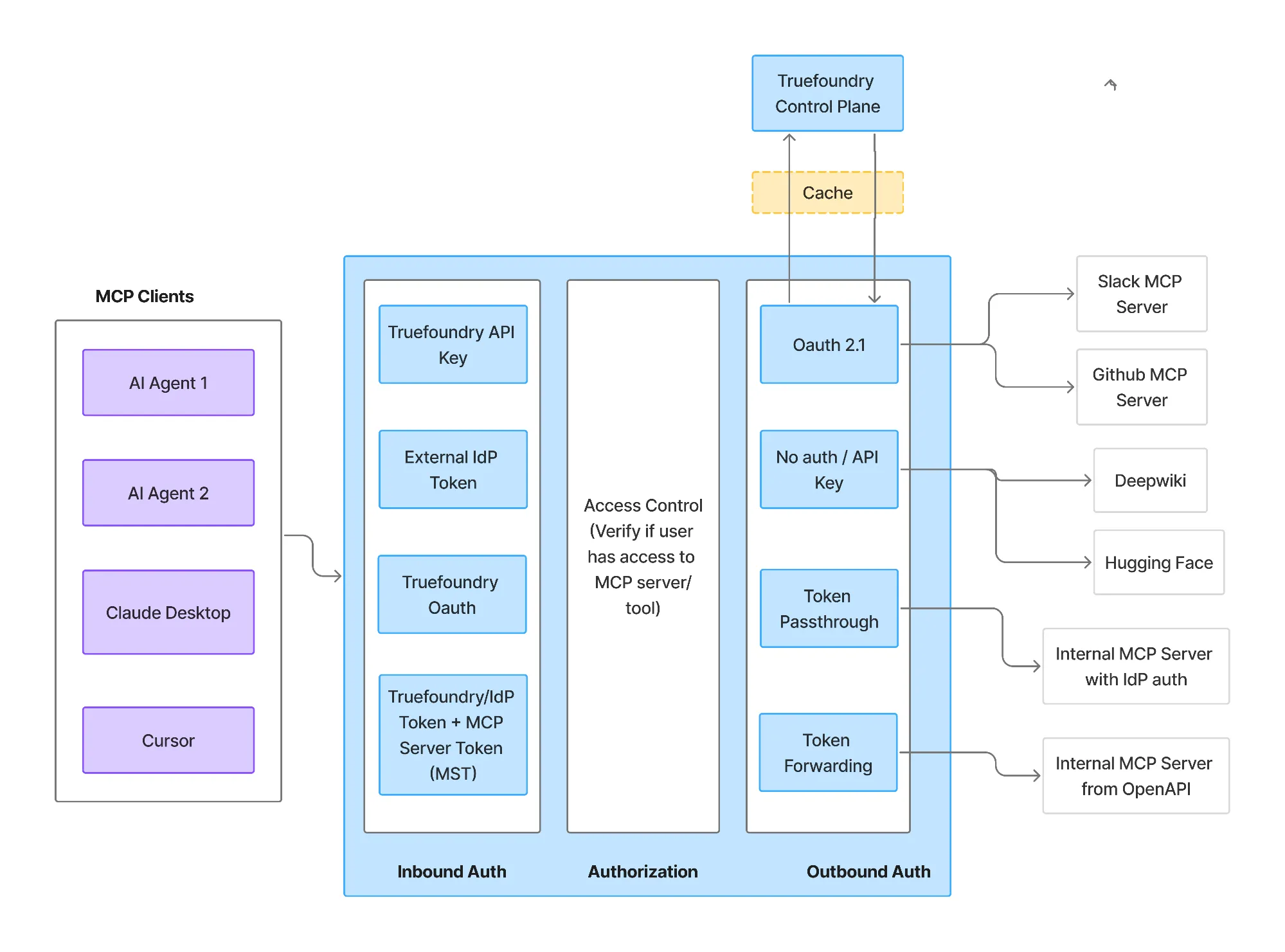
Product screenshot, TrueFoundry docs: MCP Gateway auth and authz.
The important part for agents is the middle layer. Access rules can narrow all the way down to individual tools within a server, so you can grant an agent the read-only ask_question tool of a database server while withholding the tool that writes to it. Because the gateway sits in front of every call, the same rule covers every caller of that tool, agents included, with nothing to reimplement per agent.
Least privilege is less a feature and more a habit that the gateway makes easy to keep. A few patterns carry most of the value.
For authorization that depends on request context rather than a static role, the gateway supports policy-as-code guardrails using Cedar and OPA at the pre-tool hook. These let you express fine-grained rules, for example allowing a tool call only when request metadata marks it as a non-production environment. In production, applications authenticate with a scoped Virtual Account token rather than a personal one, and can tag each call with metadata the policies read:
curl https://gateway.truefoundry.ai/api/llm/chat/completions \
-H "Authorization: Bearer $VIRTUAL_ACCOUNT_TOKEN" \
-H 'X-TFY-METADATA: {"environment":"production","team":"support"}' \
-H "Content-Type: application/json" \
-d '{ "model": "openai-main/gpt-4o", "messages": [ ... ] }'
::: CRO BANNER ::: Scope every agent to exactly what it needs. TrueFoundry enforces role-based access to models and MCP tools at the gateway, inside your own VPC. CTA: Book a demo → /book-demo :::::::::::::::::::
You could try to build these checks into each agent, but the reason not to is coverage. When access is enforced at the gateway, a new agent that calls an already-governed model or MCP server inherits its access rules automatically, with nothing to add to the agent's code. Agents built on LangGraph, CrewAI, AutoGen, or a custom loop all route through the same control plane and get the same policies.
It also keeps access decisions where they can be audited. Every call carries the identity of the caller and the resource it reached, so you can answer "which agents can touch this tool" from one place instead of reading a dozen repos. Access control, agent identity, and guardrails then compose into one governed call path: identity says who is calling, access control says whether the call is allowed, and guardrails inspect what it contains. The gateway adds only a few milliseconds of overhead while doing it, so putting all three in the hot path does not slow agents down.
The result is access control that behaves like infrastructure. It is applied uniformly, owned by the platform team, and enforced inside your own AWS, GCP, or Azure account, which is what makes SOC 2, HIPAA, and GDPR reviews tractable.
TrueFoundry AI Gateway offre une latence d'environ 3 à 4 ms, gère plus de 350 RPS sur 1 processeur virtuel, évolue horizontalement facilement et est prête pour la production, tandis que LiteLM souffre d'une latence élevée, peine à dépasser un RPS modéré, ne dispose pas d'une mise à l'échelle intégrée et convient parfaitement aux charges de travail légères ou aux prototypes.




.webp)

AI agent access control is the set of policies that decide whether an agent, user, or team is allowed to reach a given model, MCP server, or individual tool. It governs whether a call is permitted, which is a separate job from guardrails that inspect what a call contains. On TrueFoundry it is enforced at the gateway through resource-level collaborators and tenant-level roles.
Access control decides whether a call is allowed to happen. Guardrails inspect the content of a call that is already allowed, catching injections, PII, secrets, and unsafe operations. You need both: access control keeps the set of permitted calls small, and guardrails police what flows through the ones that are permitted.
Give each agent its own identity, then grant it access only to the specific model accounts and MCP tools its function requires, using resource-level collaborator roles. Scope the agent to its job rather than to the permissions of the person driving it, use approver roles for sensitive tools, and prefer team-based grants so access stays manageable.
Yes. Access rules on the MCP Gateway can narrow to specific tools within a server, so an agent can be granted a read-only tool while the write tool on the same server stays off limits. Because the gateway fronts every call, the rule covers every caller of that tool automatically.
Oui. TrueFoundry fonctionne dans votre VPC, sur site, en environnement isolé, en mode hybride ou sur plusieurs clouds, et aucune donnée ne quitte votre domaine. C'est la principale raison pour laquelle les entreprises réglementées le préfèrent aux passerelles SaaS uniquement.
Yes. It includes an MCP Gateway, Agent Gateway, and an MCP and Agents Registry with tool-level access control, governing agents from LangGraph, CrewAI, AutoGen, and custom frameworks from one place.



Les dernières nouvelles, articles et ressources envoyés dans votre boîte de réception
.webp)


.webp)

.png)
.png)
.png)
.png)
.png)






.png)




