


October 8, 2026
|
5 min de lecture


Accédez instantanément à un environnement TrueFoundry en direct. Déployez des modèles, acheminez le trafic LLM et explorez la plateforme complète : votre sandbox est prête en quelques secondes, aucune carte de crédit n'est requise.



Published: October 8, 2026
.png)
Une méthode incroyablement rapide pour créer, suivre et déployer vos modèles !
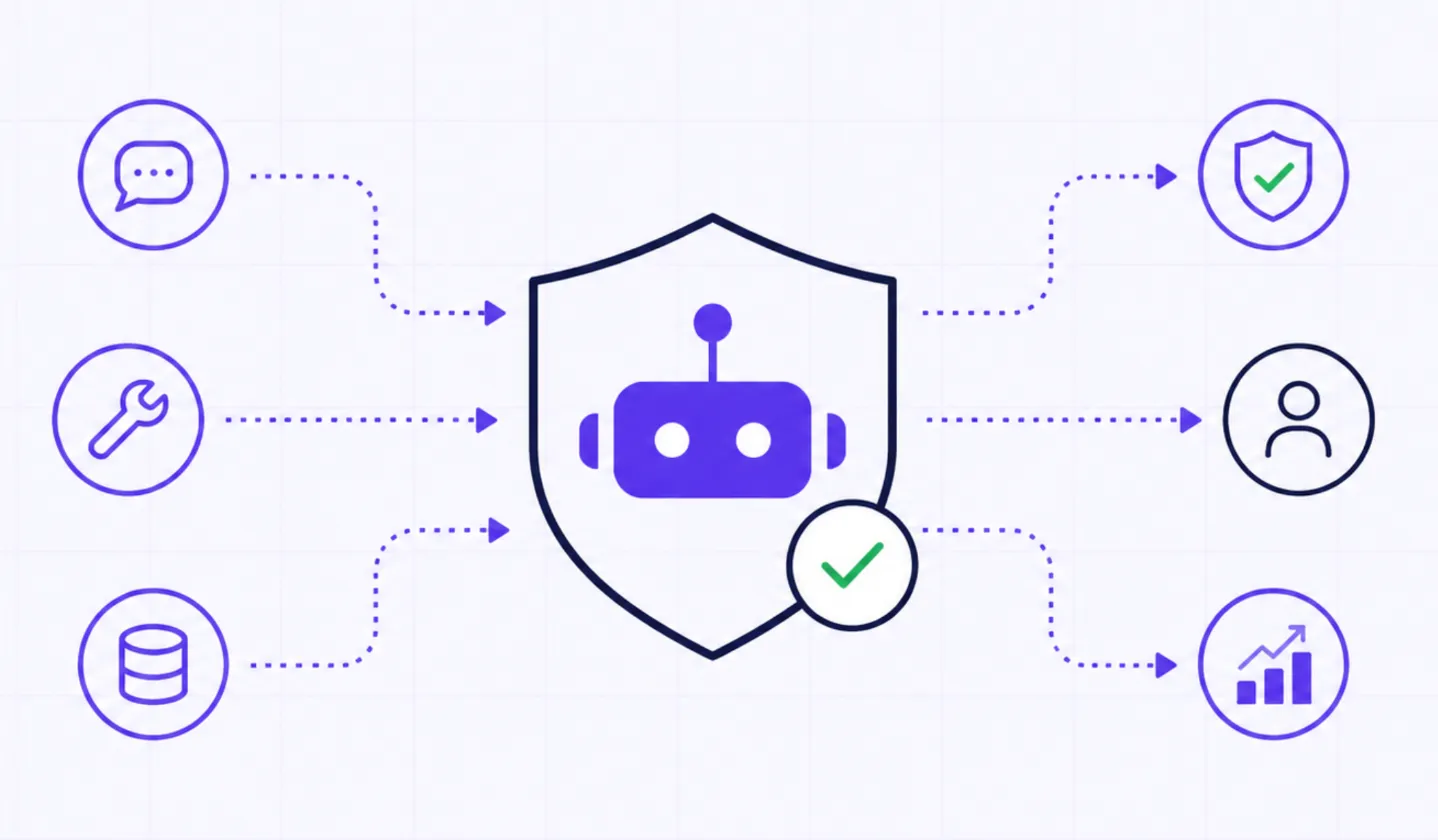
BYOK, or bring your own key, means you keep your own accounts with model providers like OpenAI, Anthropic, and AWS Bedrock, and you plug those provider keys into the gateway once. Your applications never touch the raw provider keys again. They talk to one TrueFoundry AI Gateway endpoint using a single gateway key, and the gateway forwards each call to the right provider with your credentials.
This is the opposite of a reseller model where you buy tokens from a middleman. With BYOK you keep your own provider contracts, pricing, and rate limits, and you add centralized governance on top.
Handing raw provider keys to every application and notebook is how key sprawl starts. Keys leak into code, get copied into environments, and become impossible to rotate without breaking something.
In TrueFoundry, a provider key lives inside a model account. The quick start docs describe a model account as one account of a model provider, for example OpenAI, Anthropic, or AWS Bedrock. You can add multiple accounts per provider, each with their own API keys, and each account can have multiple models.
To add one, select the provider you want, then add models after providing the API key. You can add multiple keys from the same provider by creating separate model accounts, which is useful when you want to separate spend or rate limits by environment or team.
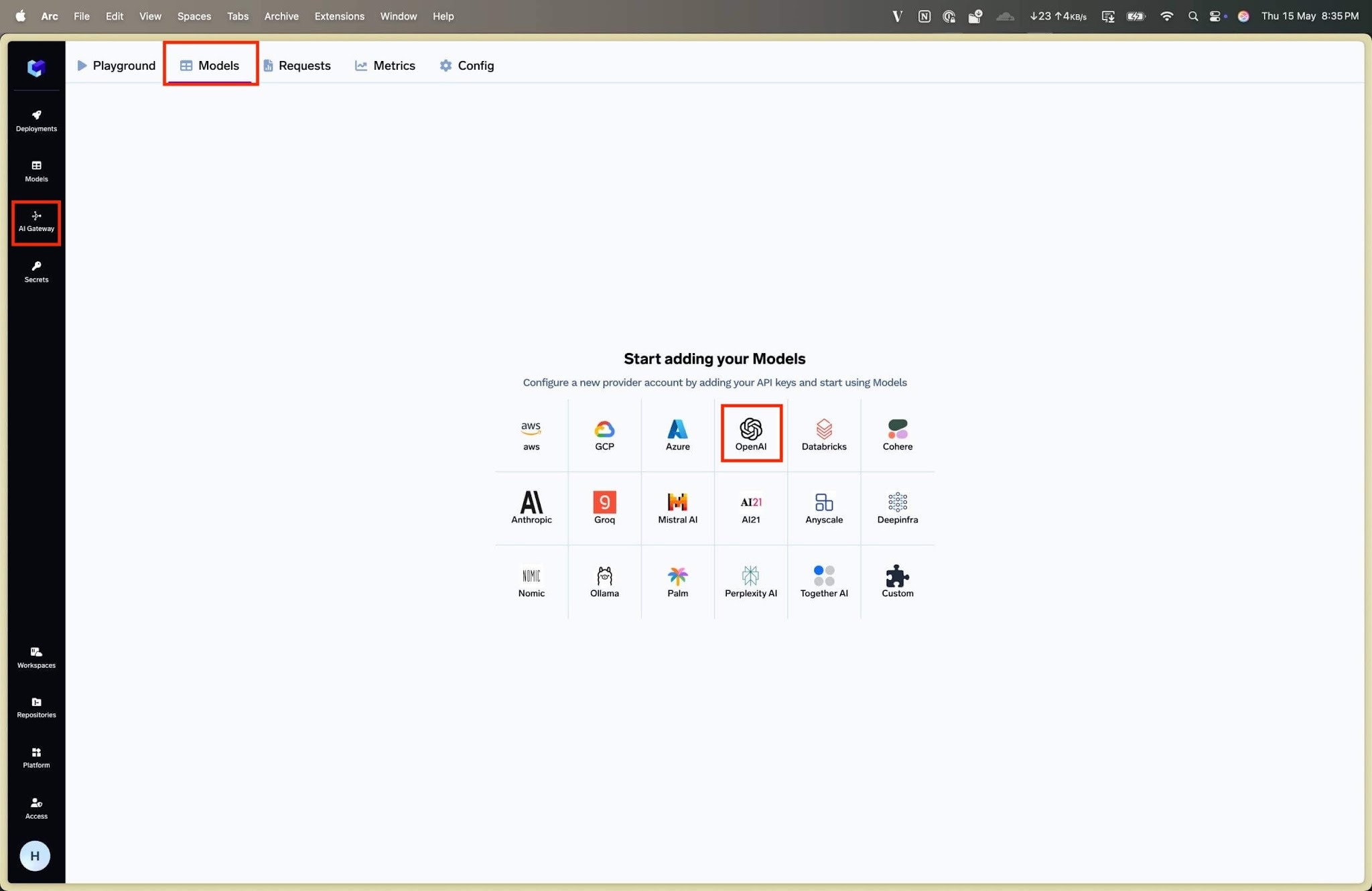
Once submitted, your model accounts and models appear under the Models tab. To add more later, go to AI Gateway, then Models, select a model account on the left, and click Add Model in the top right.
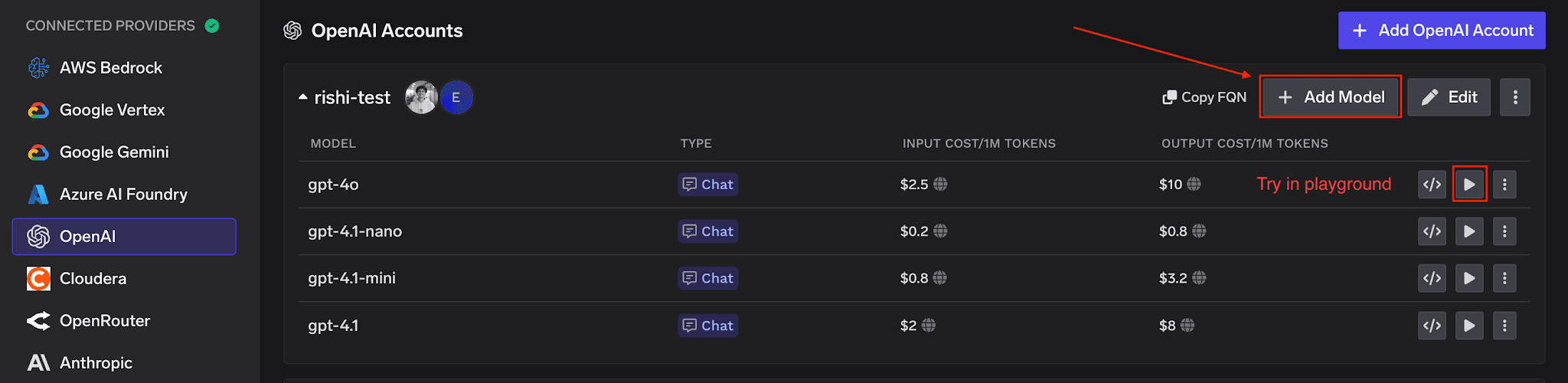
Adding models to a model account after the provider key is stored.
Once your provider keys are stored, applications never see them. The gateway access control docs describe two token types that callers use instead.
Access is configured at the model account level with two roles. A Model Account Manager can modify settings, add or remove models, and manage access permissions. A Model Account User can use all models within the account but cannot change settings or permissions. Tenant admins automatically have access to all models across the platform.
To call the gateway, you need three things from the Code Snippet tab of the Playground: the gateway base URL, an API key, and a model id. SaaS users point to the gateway base URL, authenticate with a PAT or VAT, and use the standard OpenAI client.
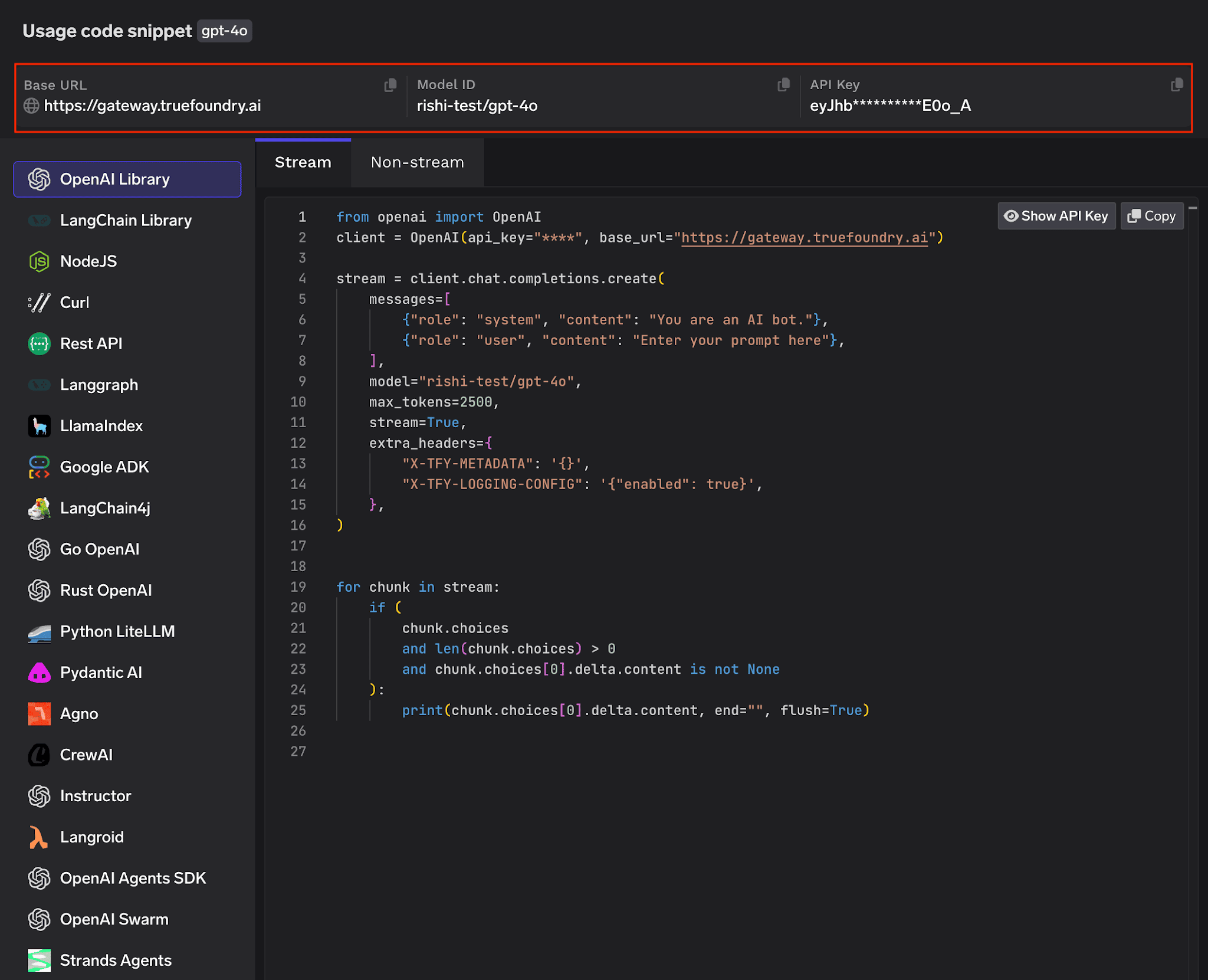
The Playground Code Snippet tab, showing the gateway base URL and key your application uses.
from openai import OpenAI
client = OpenAI(
api_key="your_truefoundry_api_key",
base_url="https://gateway.truefoundry.ai",
)
TrueFoundry AI Gateway offre une latence d'environ 3 à 4 ms, gère plus de 350 RPS sur 1 processeur virtuel, évolue horizontalement facilement et est prête pour la production, tandis que LiteLM souffre d'une latence élevée, peine à dépasser un RPS modéré, ne dispose pas d'une mise à l'échelle intégrée et convient parfaitement aux charges de travail légères ou aux prototypes.




BYOK means you keep your own provider accounts and keys and plug them into the gateway once. Applications then call the gateway with a single gateway key, and the gateway uses your stored provider keys to reach OpenAI, Anthropic, Bedrock, and others.
No. Callers authenticate with TrueFoundry keys, not the original provider keys. You store the provider key in a model account, and applications use a Personal Access Token or a Virtual Account Token instead.
Yes. You can add multiple accounts per provider, each with their own API keys. This lets you separate spend, rate limits, or environments while keeping a single gateway endpoint.
A Virtual Account Token is tied to a virtual identity rather than a person, which makes it the right choice for production applications. It lets a service authenticate to the gateway without embedding a user credential or a raw provider key.



Les dernières nouvelles, articles et ressources envoyés dans votre boîte de réception
.png)




.png)


.png)
.png)
.png)
.png)
.png)


