|
5 minutos de lectura


Obtenga acceso instantáneo a un entorno TrueFoundry en vivo. Implemente modelos, dirija el tráfico de LLM y explore la plataforma completa: su sandbox estará listo en segundos, sin necesidad de tarjeta de crédito.



Published: noviembre 25, 2026
¡Una forma increíblemente rápida de crear, rastrear e implementar sus modelos!
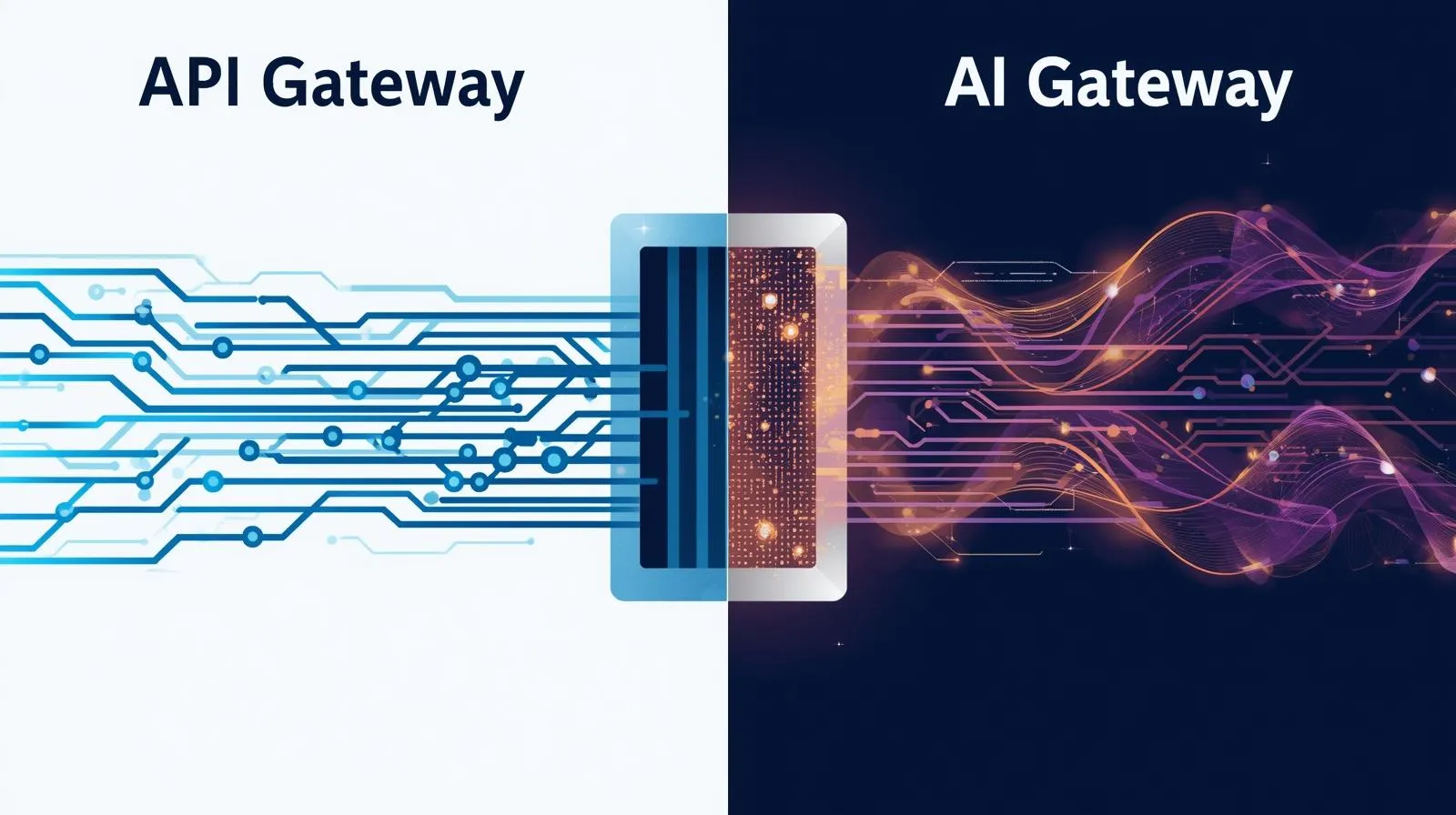
Every company that puts AI into production ends up needing a gateway: one place that every call to a model like GPT or Claude passes through, so you can switch providers, control spend and see what's happening. Bifrost and Kong AI Gateway both do that job, but they come from very different places.
Bifrost is an open-source gateway built only for AI traffic. An AI team can download it and have it running the same day, and most of its features are free. Kong AI Gateway is the AI add-on to Kong's API platform, which many companies already use to manage all of their other APIs. It is usually run by the platform team, and most of its AI features are paid.
So the short answer to Bifrost vs Kong is that it depends less on features than on who in your company will own the gateway. This guide walks through what each product is, what it costs, where they differ, and how to decide.
Bifrost, from Maxim AI, was built for AI traffic from day one. Its free, open-source version already covers what most AI applications need: routing requests across model providers, falling back to another provider when one fails, setting spending limits per team or application, caching repeated answers to save money, connecting AI agents to tools through MCP (the Model Context Protocol, the emerging standard for how agents call tools), and dashboards and metrics out of the box.
It runs anywhere you can run a container, including networks with no internet access, and it doesn't depend on any outside service. The paid Enterprise tier, priced by quote, adds what security and platform teams usually ask for: single sign-on, role-based access for admins, audit logs, content guardrails and the ability to run several copies that stay in sync. One caution from our own testing: a fresh install starts with no login required, so it needs locking down before anyone else can reach it. Our Bifrost pricing breakdown covers the free and paid split in detail.
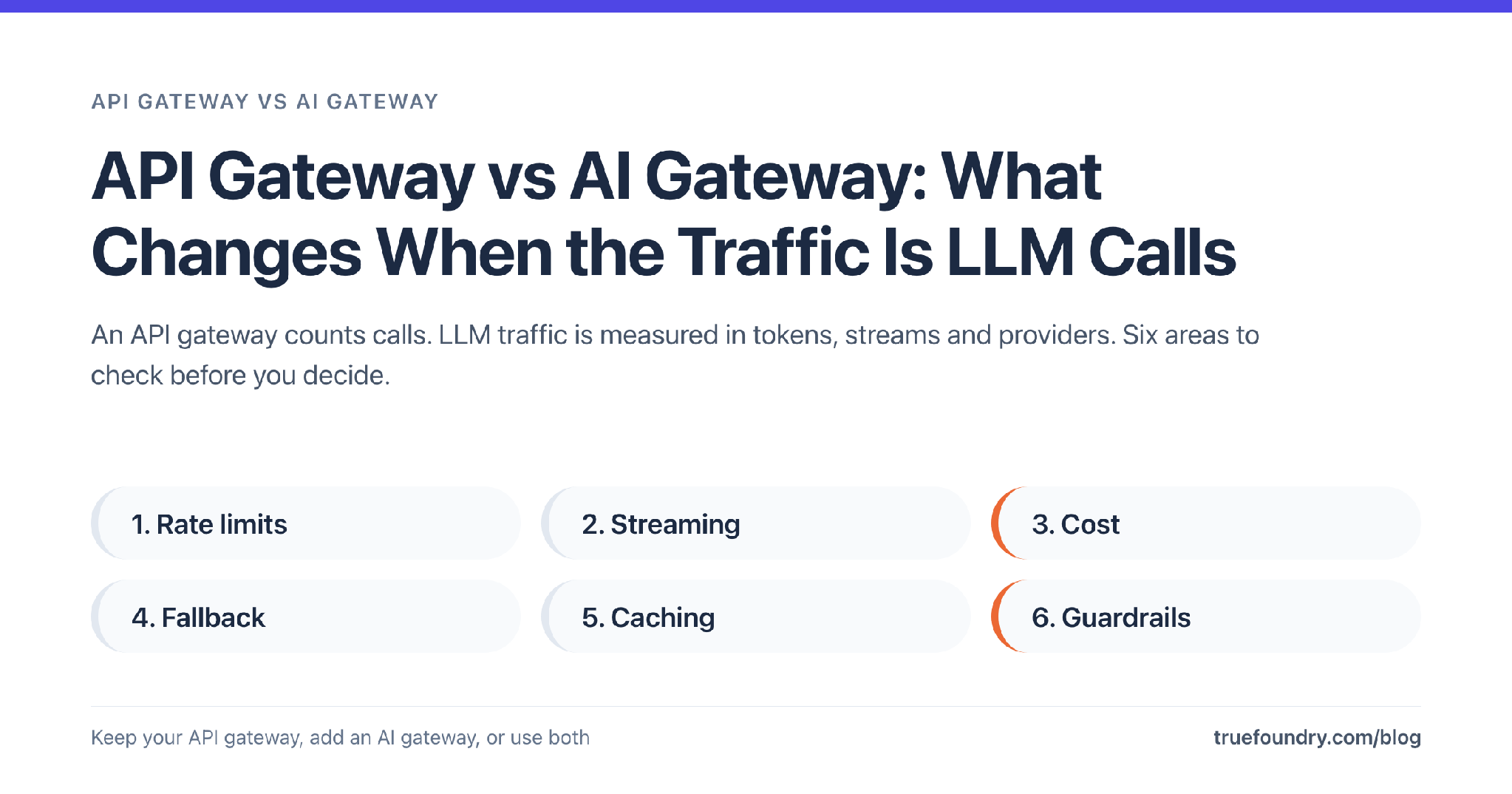
Kong is best known as an API gateway, the system many companies use to manage and secure their regular APIs. Kong AI Gateway adds AI-specific features on top: it translates requests into a common format, applies login, rate limits, safety checks and logging, and forwards the call to the model provider.
It has two generations. The original approach adds AI features as plugins to Kong's gateway, and you can run it entirely on your own servers. The newer AI Gateway 2.0 adds dedicated building blocks for models, MCP servers and agents, plus an AI management screen, but it needs Kong's hosted service, Konnect, to hold the settings. Your own servers still carry the actual traffic, and prompts and responses stay on your side unless you choose to send them to Kong for logging or debugging. Kong says plainly that there is "no fully self-hosted control plane for AI Gateway entities today," which also means version 2.0 can't run in an offline environment.
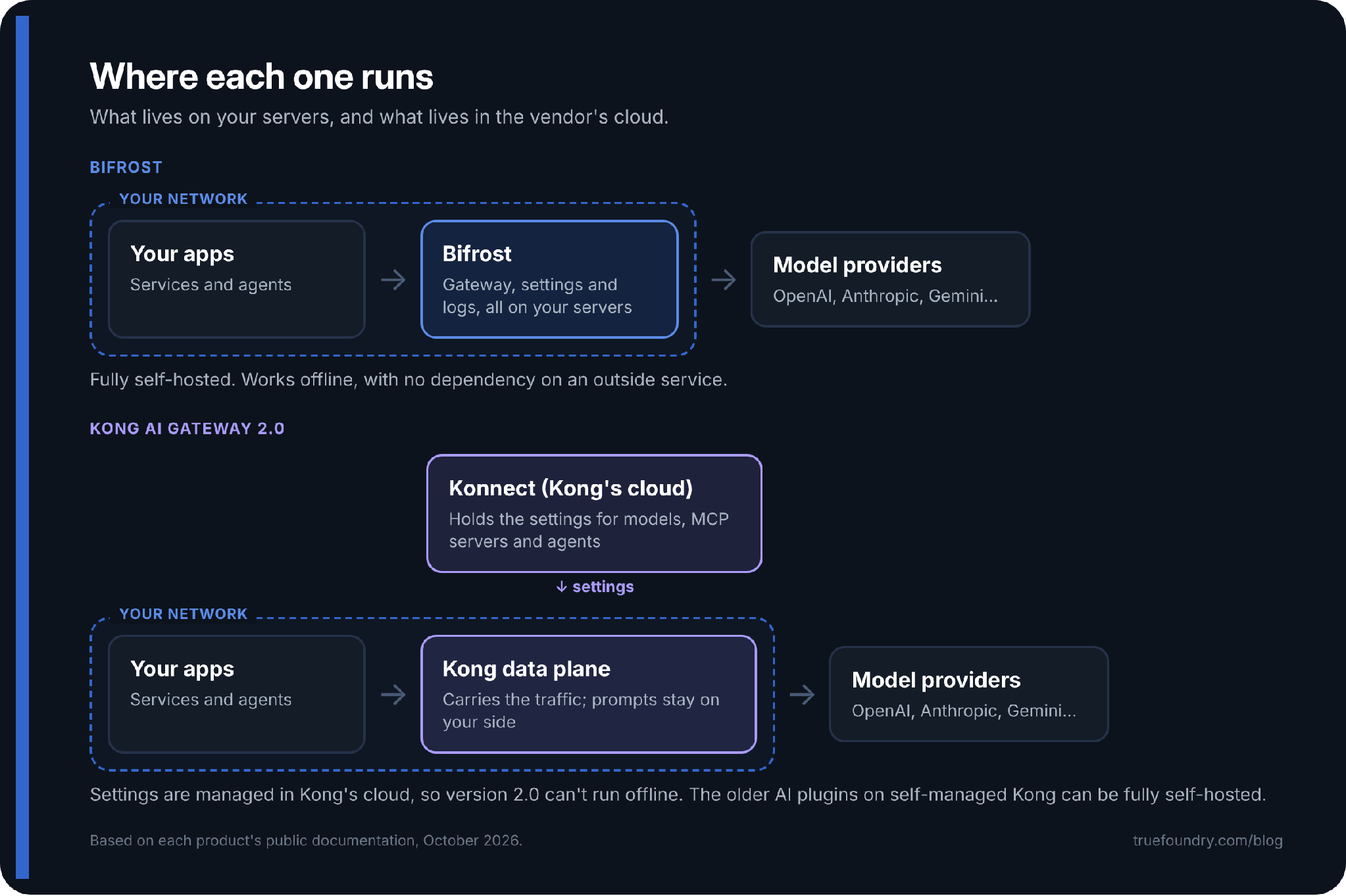
Where each gateway runs, and what lives in the vendor's cloud.
Kong's strength is breadth. It handles chat, embeddings, images, audio, video, batch jobs and real-time voice, it supports agent-to-agent traffic (A2A), and it offers more ways to balance traffic across providers than most AI gateways. Coding assistants such as Claude Code and Codex can be pointed at it with a one-line change.
AI teams usually want to add a new model provider in an afternoon, cap spending per project and change routing as models improve, without waiting on another team. Bifrost suits that well, because everything an AI application needs is in the free version and one team can install and run it. The trade-off is that the AI team now operates a piece of infrastructure, and when the security team asks for single sign-on or audit logs, the answer is an Enterprise quote.
If your platform team already runs Kong for the company's APIs, adding AI there has real appeal: one vendor, one bill, login and access rules the team already knows, signed audit logs, and published sizing guidance for AI workloads. This is exactly the customer Kong designs for, a company where AI is a growing extension of a large API estate.
The "one gateway for everything" story is weaker than it sounds on the newer version, though. In Kong's hosted service, an AI Gateway is its own separate setup: it doesn't sit inside your existing Kong gateway configuration or share its workspaces. Moving to version 2.0 is also a migration rather than a simple upgrade, including a switch to a different configuration tool. And on the older plugin approach, each model needs several pieces of configuration of its own, which adds up as you add models.
Bifrost is free to use. You pay for the servers it runs on and the time your team spends running and upgrading it. The Enterprise tier is priced by quote.
Kong no longer has a permanent free tier on Konnect, only a 30-day trial. After that, the free option is the six basic AI plugins on your own Kong servers: AI Proxy, AI Prompt Guard, AI Prompt Decorator, AI Prompt Template, AI Request Transformer and AI Response Transformer. Load balancing across providers, caching, personal-data scrubbing and other safety checks, AI rate limits, MCP, agent-to-agent traffic, cost analytics and the AI management screen are all paid.
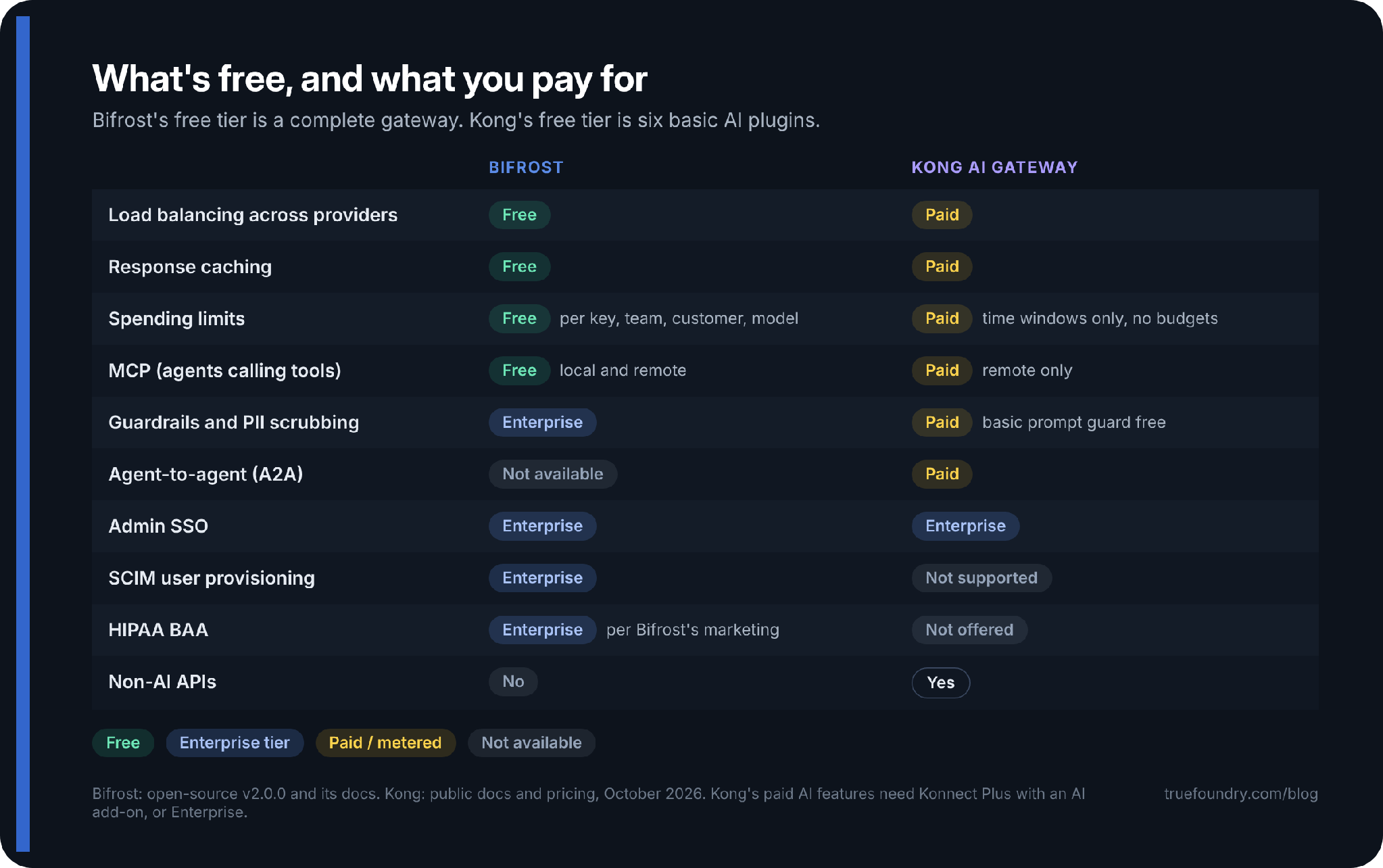
What's free and what's paid in each product, based on public docs and pricing as of October 2026.
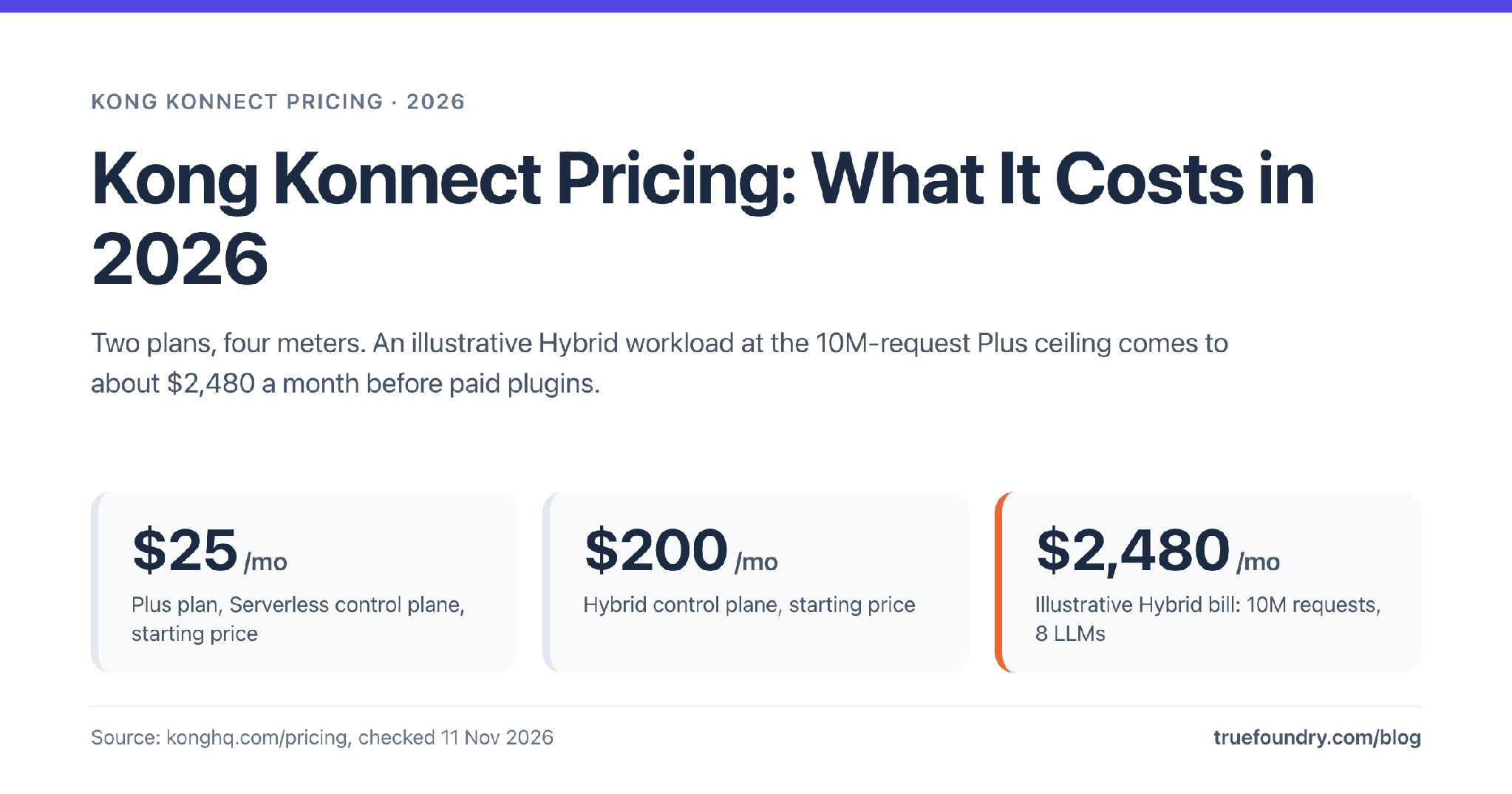
On the paid side, Konnect Plus is self-serve with no commitment, starting from $25 a month plus usage. As listed on Kong's pricing page in November 2026, it includes 1 million requests a month, then $200 for each additional million up to 10 million, five models with $100 per month for each additional model, and a monthly fee per control plane: $200 for a hybrid one (Kong's cloud holds settings, your servers carry traffic), $25 for serverless and $500 for a Dedicated Cloud Gateway. The AI features are a separately priced add-on on Plus, and Kong doesn't publish that price; some of Kong's own docs describe them as Enterprise-only, so confirm with Kong. AI requests count against the same monthly request allowance as your regular APIs. Enterprise is an annual contract negotiated with sales. Early-stage companies can apply to Kong's startup program for up to $100,000 in credits.
Bifrost reflects our testing of its open-source version 2.0.0 and its documentation. Kong reflects its public documentation and pricing as reviewed by our team in October 2026.
These details rarely show up in a demo, but they matter once real traffic flows.
Model providers go down and rate-limit you more often than most teams expect, so retry behavior matters. Kong's AI load balancer retries up to five times with no pause between attempts, and by default it only retries on connection errors and timeouts. That means a "slow down" (429) or server error (500) from a provider is passed straight back to your app unless someone changes the settings. Kong's circuit breaker is also off by default, it doesn't actively check whether providers are healthy, and it has no setting to cut off a response stream that stalls halfway. Bifrost, by contrast, waits progressively longer between retries and switches to another API key when it's rate-limited, out of the box.
Neither product has a dedicated identity for applications or agents. In Kong, an application is a "Consumer" holding a key or token; in Bifrost, it holds a virtual key. Kong doesn't document automatic key rotation. Its docs also say that if one of your Kong servers loses its connection to Kong's cloud, it keeps running on its last saved settings, and those don't expire by default. In practice, a key you revoke during that outage might keep working on that server until it reconnects. We haven't tested this ourselves. Bifrost's open-source version has a similar gap when you run several copies, which only its Enterprise tier fixes.
Kong's personal-data scrubber runs as a separate service, one per language, each needing at least 600 MB of memory. One default deserves a check: Kong's scrubber is set by default to put the original personal data back into the answer your application receives, even though every example in Kong's docs turns that setting off. If you deploy from defaults rather than from the examples, the data your users typed comes back in the response.
If you handle health data, note that Kong doesn't offer a HIPAA business associate agreement (BAA) on any plan, and its Konnect terms prohibit storing or processing health information. Bifrost's marketing says a BAA is available on Enterprise, so ask for the paperwork either way.
Kong produces detailed metrics for AI, MCP and agent traffic in the emerging OpenTelemetry standard for AI, and keeps analytics for 14 months in Konnect. Joining a single request's journey across models, tools and agents, running quality evaluations, or connecting tools like Langfuse is left to your existing monitoring stack. Bifrost's request log, metrics and traces are all included in its free version.
Kong's open-source code has effectively stopped moving: its last minor release, 3.9.0, shipped in December 2024, while the paid Enterprise version has continued past 3.16. Kong AI Gateway releases a new minor version roughly every four weeks, supports only the two most recent, and has no long-term-support version. Bifrost also ships quickly and has made breaking changes within a major version, so plan for regular upgrades with either product.
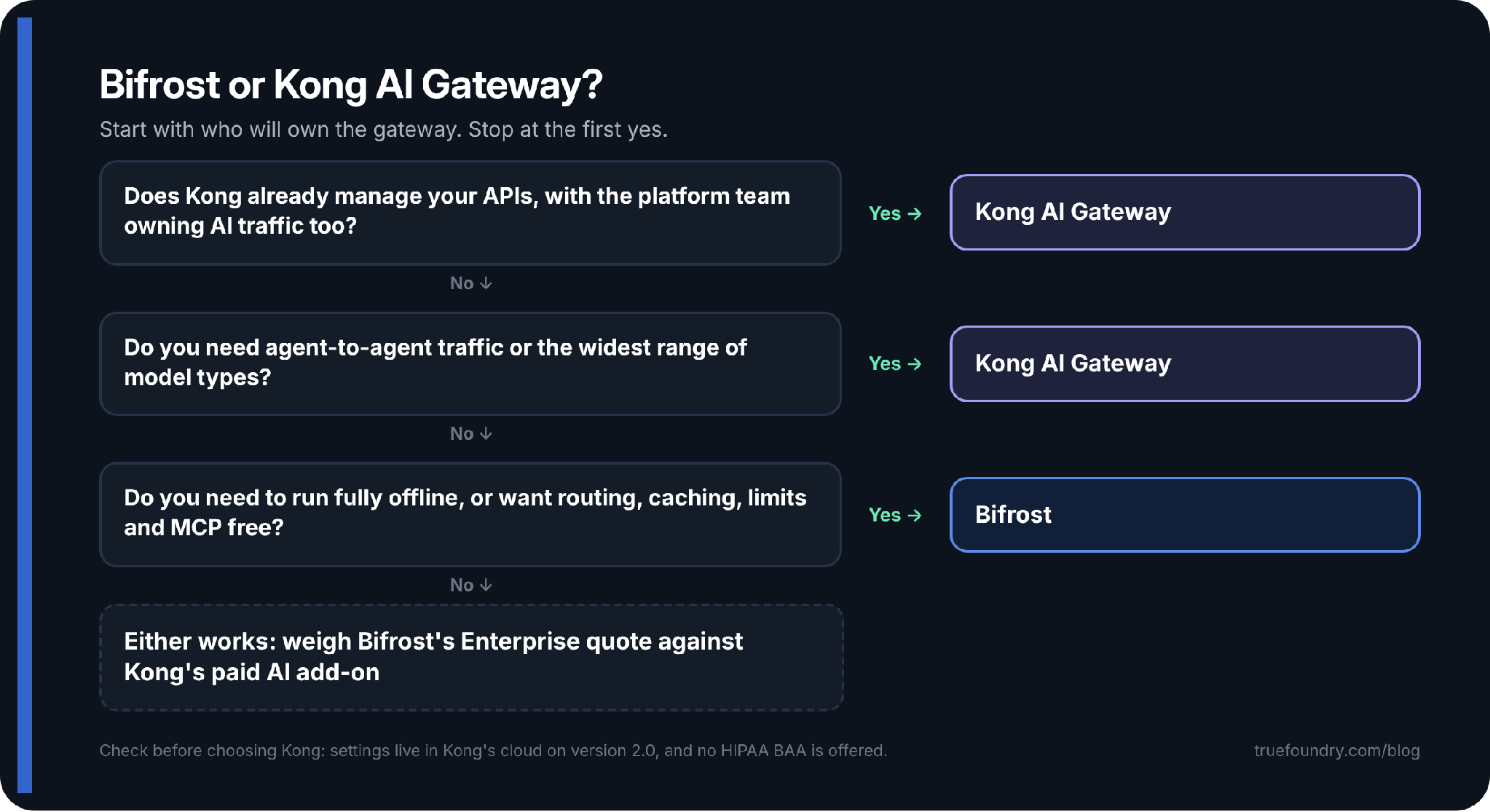
A quick way to decide, starting with who will own the gateway.
Choose Bifrost if:
Choose Kong AI Gateway if:
Bifrost asks the AI team to run infrastructure. Kong asks the AI team to work inside an API platform and pay for most AI features. The TrueFoundry AI Gateway is built for AI traffic but run like platform infrastructure, so either team can own it. A central control plane pushes settings, access rules and limits to every gateway copy automatically. Single sign-on, user provisioning, role-based access, spending limits, guardrails and tool-level control for AI agents are built in, and each application gets its own identity whose keys rotate on a schedule. It runs as a managed service, inside your own cloud, or fully self-hosted, including offline.
If you are deciding which team should own AI traffic, see how the TrueFoundry AI Gateway works or book a demo.
Bifrost vs Kong AI Gateway comes down to ownership. Choose Bifrost when your AI team owns the gateway and wants a complete free version it can run anywhere. Choose Kong when your platform team already runs Kong, having Kong's cloud hold your settings is fine, and paying for most AI features fits an existing relationship. If you want an AI-specific gateway that a platform team can own without either trade-off, book a TrueFoundry demo.
TrueFoundry AI Gateway ofrece una latencia de entre 3 y 4 ms, gestiona más de 350 RPS en una vCPU, se escala horizontalmente con facilidad y está listo para la producción, mientras que LitellM presenta una latencia alta, tiene dificultades para superar un RPS moderado, carece de escalado integrado y es ideal para cargas de trabajo ligeras o de prototipos.





Las últimas noticias, artículos y recursos enviados a tu bandeja de entrada