



October 1, 2026
|
5 min read


Published: July 4, 2026
.webp)
Blazingly fast way to build, track and deploy your models!
As generative AI moves into critical user journeys, search, support, decision support, automation, the tolerance for “best-effort” reliability disappears. Platform and SRE teams now need the same level of observability for LLM traffic that they already expect from core microservices:
The integration between TrueFoundry AI Gateway and Last9 addresses exactly this problem. By exporting OpenTelemetry (OTEL) traces from the Gateway into Last9, teams gain deep, cost-efficient observability into all LLM traffic, without rewriting applications or scattering SDKs across services.
This article explains:
Last9 is a modern observability platform focused on high-performance telemetry management across logs, metrics, and traces. It is designed specifically for environments where cardinality and scale are non-negotiable
Key capabilities relevant to LLM workloads include:
This makes Last9 a natural fit for enterprises that are standardizing on OTEL across their infrastructure and want LLM observability to plug into that same strategy.
TrueFoundry AI Gateway acts as a proxy layer between applications and LLM providers or MCP servers. It provides a unified, OpenAI-compatible interface to hundreds of models while centralizing governance, security, routing, and observability.
Core capabilities include:
Crucially, AI Gateway can export OTEL traces to external systems, so your LLM telemetry becomes part of the same observability fabric as the rest of your infrastructure.
Key Metrics for Evaluating Gateway
| Criteria | What should you evaluate ? | Priority | TrueFoundry |
|---|---|---|---|
| Latency | Adds <10ms p95 overhead for time-to-first-token? | Must Have | ✅ Supported |
| Data Residency | Keeps logs within your region (EU/US)? | Depends on use case | ✅ Supported |
| Latency-Based Routing | Automatically reroutes based on real-time latency/failures? | Must Have | ✅ Supported |
| Key Rotation & Revocation | Rotate or revoke keys without downtime? | Must Have | ✅ Supported |
| Key Rotation & Revocation | Rotate or revoke keys without downtime? | Must Have | ✅ Supported |
| Key Rotation & Revocation | Rotate or revoke keys without downtime? | Must Have | ✅ Supported |
| Key Rotation & Revocation | Rotate or revoke keys without downtime? | Must Have | ✅ Supported |
| Key Rotation & Revocation | Rotate or revoke keys without downtime? | Must Have | ✅ Supported |

At a high level, the integration is straightforward:
tfy-llm-gateway service.There are no code changes to application logic. Once the Gateway’s OTEL exporter is configured, every LLM request automatically becomes observable in Last9.

To enable the integration, you’ll need:
With these in place, the rest of the configuration happens entirely through the respective UIs.
From the Last9 dashboard:
Basic dHJ1ZWZvdW5kcnk6...
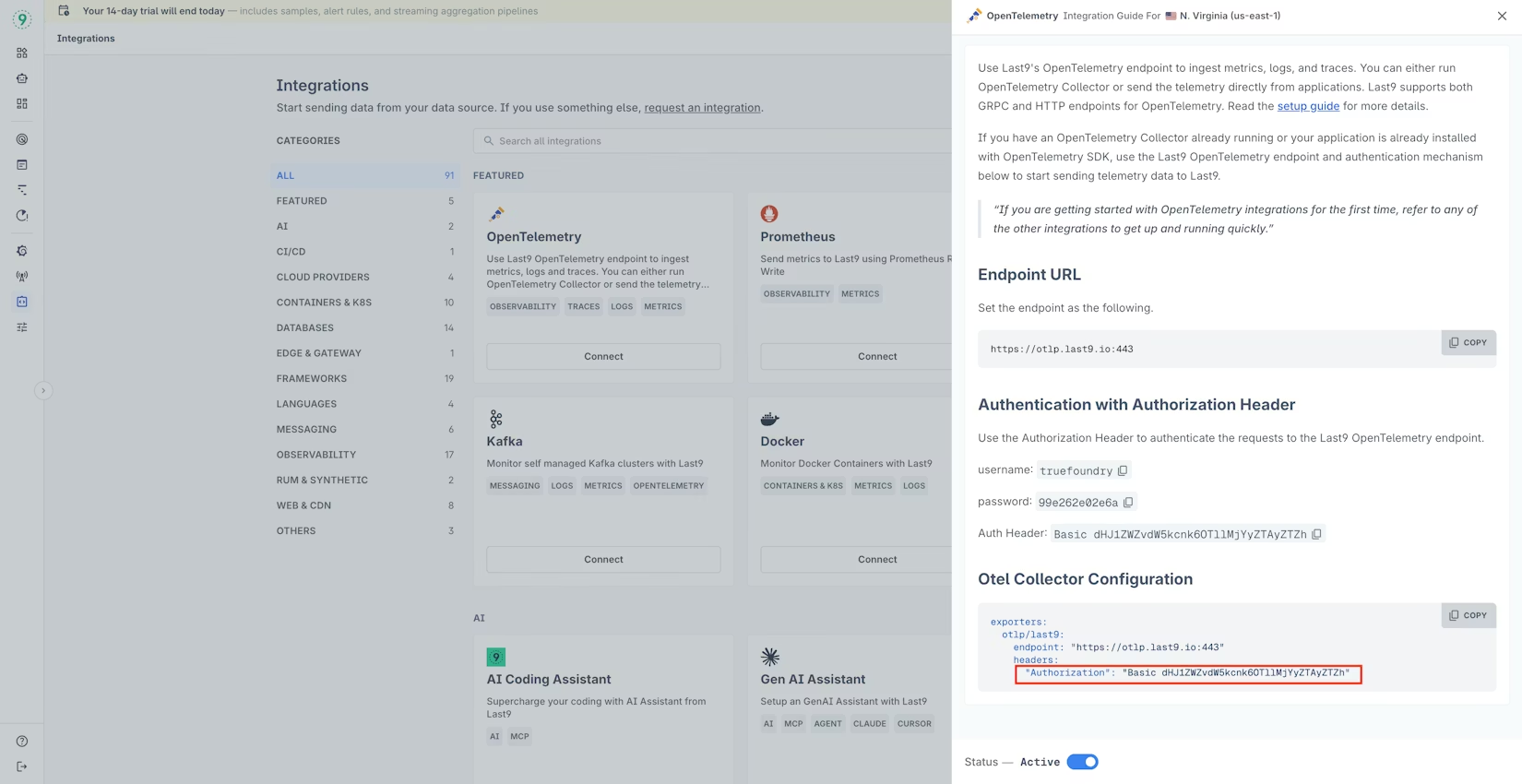
This header will be passed directly from TrueFoundry to Last9 for OTEL authentication.
In the TrueFoundry console:
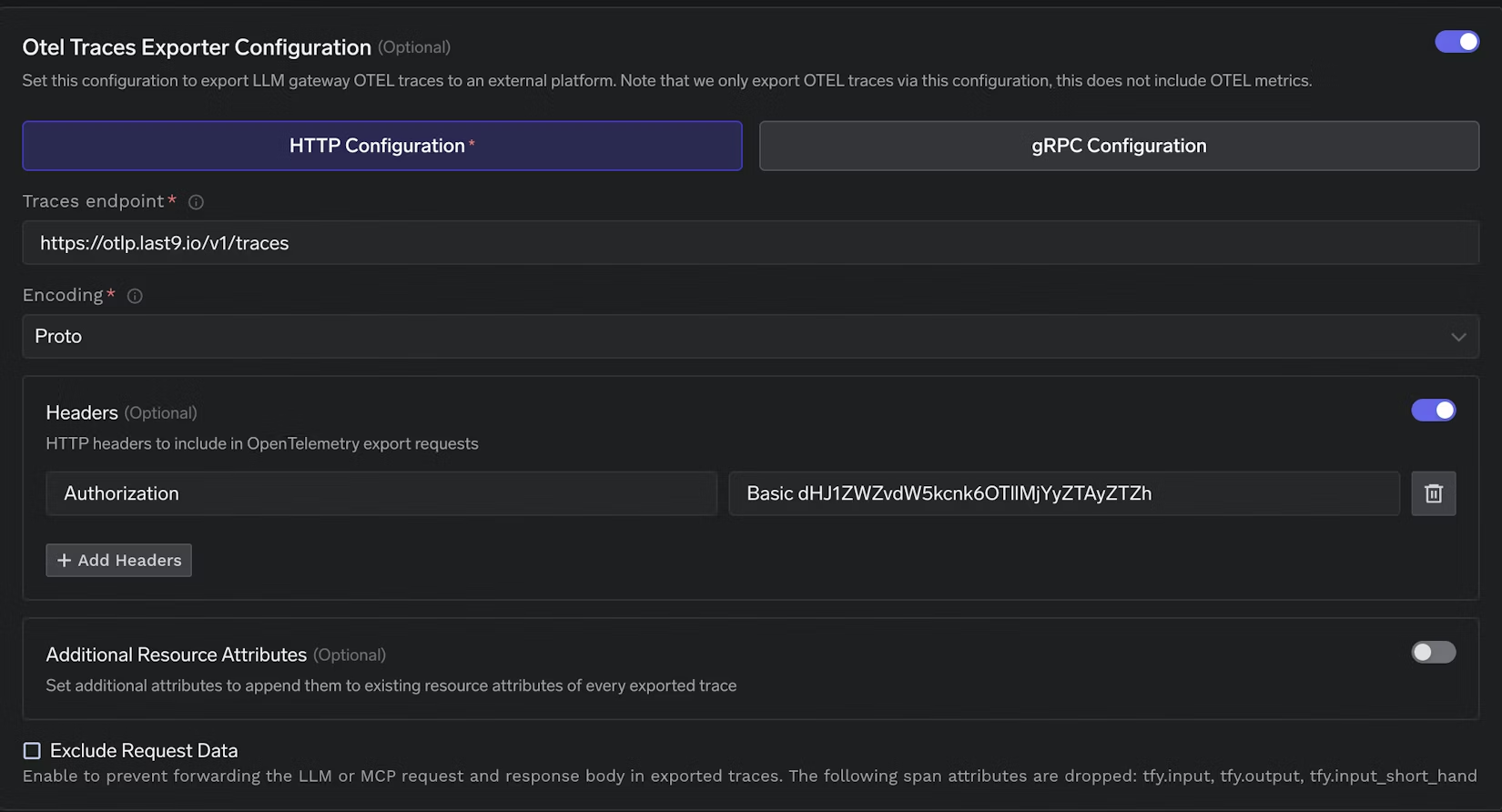
Under HTTP configuration, provide the following values:
https://otlp.last9.io/v1/traces
Proto
This is Last9’s OTLP ingestion endpoint for traces.
In the same configuration screen, click “+ Add Headers” and add: Paste the Auth Header exactly as copied from the Last9 UI (for example, Basic dHJ1ZWZvdW5kcnk6...). No additional formatting is required.
Click Save to apply the OTEL export settings. From this point onward, all LLM traces from the TrueFoundry AI Gateway will be exported to Last9.
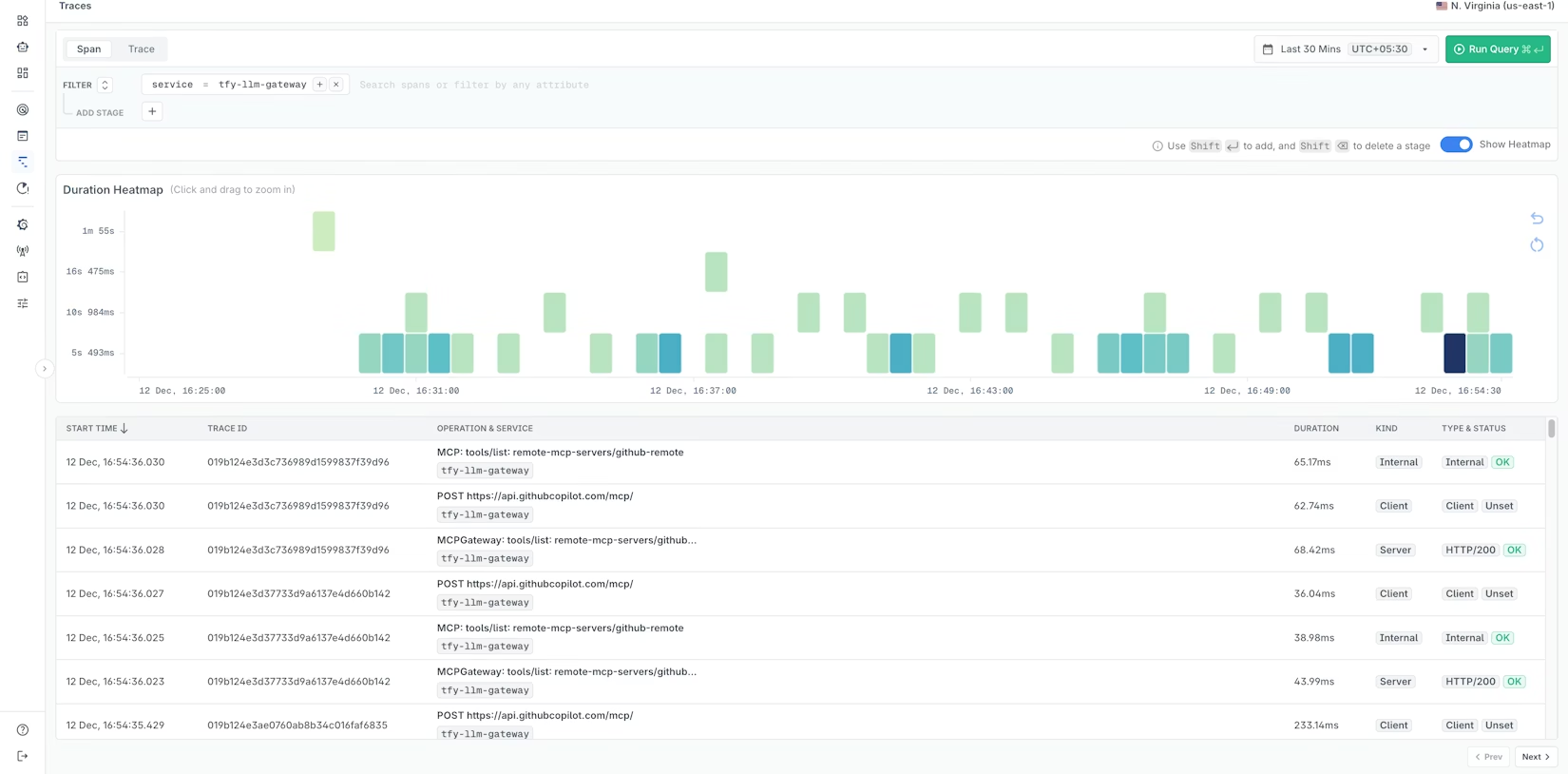
Once LLM traffic flows through the Gateway, open the Last9 dashboard:
tfy-llm-gateway
This gives you an end-to-end view of how the Gateway and downstream providers behave under real production conditions.
TrueFoundry’s OTEL configuration supports Additional Resource Attributes, enabling you to attach custom metadata to every exported trace. This is particularly powerful when combined with Last9’s high-cardinality capabilities.
Typical attributes you may want to add include:
env=prod, env=stagingregion=us-east-1, region=eu-west-1team=platform, team=searchtenant_id=enterprise-customer-aLast9では、これらの属性を以下の目的で使用できます。
事前に属性戦略を計画することで、より豊富なクエリと迅速な根本原因分析が可能になります。
TrueFoundry AI Gateway delivers ~3–4 ms latency, handles 350+ RPS on 1 vCPU, scales horizontally with ease, and is production-ready, while LiteLLM suffers from high latency, struggles beyond moderate RPS, lacks built-in scaling, and is best for light or prototype workloads.



.png)



.png)
.png)
.png)

.png)
.png)
.png)
.png)
.png)
.png)
.png)





