September 17, 2026
|
Lesedauer: 5 Minuten


Erhalten Sie sofortigen Zugriff auf eine TrueFoundry-Live-Umgebung. Stellen Sie Modelle bereit, leiten Sie den LLM-Verkehr weiter und erkunden Sie die gesamte Plattform — Ihre Sandbox ist in Sekundenschnelle einsatzbereit, ohne dass eine Kreditkarte erforderlich ist.



Published: May 4, 2026
.webp)
Unglaublich schnelle Methode zum Erstellen, Verfolgen und Bereitstellen Ihrer Modelle!
When Anthropic released the Model Context Protocol in late 2024, it addressed a real problem. Instead of writing custom integration code for every tool an AI agent needed to use, teams could connect agents to databases, APIs, and internal systems through a standardized interface. Adoption was fast. By 2025, tens of thousands of MCP servers had been deployed across enterprise environments.
But the speed of adoption exposed a gap that most organizations were not ready for: . MCP was designed to make AI agents more capable. It was not designed with enterprise security as a first principle. The original specification shipped without a mandatory authentication framework. The implicit trust model assumed that MCP servers were benign. And the tools those servers exposed were treated as the outputs of well-behaved systems, not as a new attack surface.
Security researchers documented the consequences quickly. CVE-2025-49596, with a CVSS score of 9.4, showed that unauthenticated MCP Inspector instances could be exploited to execute arbitrary commands. Invariant Labs demonstrated that a malicious MCP server could silently exfiltrate an entire WhatsApp message history. The Supabase Cursor agent incident in June 2025 showed how a privileged agent processing user-supplied support tickets could be tricked into leaking integration tokens through prompt injection.
These are not edge cases from poorly built experiments. They happened in real production systems because the architecture of MCP creates attack surfaces that traditional security tools were not built to see.
This article covers the specific MCP security risks enterprises face, the controls that address them, and why the approach you use to enforce those controls matters as much as the controls themselves.
These are the five MCP security risks most commonly encountered in MCP deployments.
When a developer first connects an AI agent to enterprise systems, they typically reach for the credentials they already have access to, often admin-level API keys or service accounts with broad permissions. That is because they want the agent to work without hitting authorization errors during development. The problem is that those broad permissions rarely get scoped down before the agent goes into production.
The OWASP MCP Top 10 project, launched specifically to track MCP vulnerabilities, identifies over-privileged access as a foundational risk. When a customer support agent carries the same credentials as a database administrator, a single successful attack against that agent does not expose a support queue. It exposes the database. The blast radius of any compromise scales directly with how much access the agent was given.
This is not a theoretical concern. The Supabase incident involved an agent running with privileged service-role access processing inputs that contained attacker-controlled content. The privilege level is what made the attack possible. An agent scoped to read-only access on support data would not have had the credentials to exfiltrate integration tokens.
Prompt injection is ranked the number one vulnerability in the OWASP Top 10 for LLM Applications 2025, and it takes on a different character in MCP environments than in simple chatbot deployments. When an agent has the ability to execute actions, a successful injection does not just produce a bad output. It can trigger real operations: sending emails, calling APIs, modifying records, or forwarding data to external addresses.
The attack pattern is indirect. The attacker does not need access to your systems. They embed malicious instructions inside content the agent will process as part of its normal work: a PDF it is asked to summarize, a customer email it is routing, a web page it is reading for research. The agent reads the content, encounters the embedded instructions, and because there is no hard boundary between data and instructions in how language models process context, it interprets those instructions as legitimate and acts on them.
Security researcher Simon Willison, who has tracked this problem since 2022, wrote: "The curse of prompt injection continues to be that we've known about the issue for more than two and a half years and we still don't have convincing mitigations."
The MCP specification itself acknowledges the risk, noting that there should always be a human in the loop.
MCP agents trust tool metadata. When an agent connects to an MCP server and requests the list of available tools, the server responds with tool names, descriptions, and parameter schemas. The agent uses that metadata to decide which tools to call and how to call them. Tool poisoning exploits that trust relationship.
In a tool poisoning attack, an attacker crafts or compromises a tool's metadata to contain hidden instructions. The tool description appears normal in a visual inspection, but carries embedded directives that cause the agent to execute harmful actions, exfiltrate data, or escalate its own permissions. Because the malicious content is inside the tool definition rather than the user's input, it bypasses input validation layers that only check user-facing content.
Invariant Labs demonstrated a variant of this in 2025, showing how a malicious MCP server in the same agent context as a legitimate WhatsApp MCP server could use tool poisoning to silently read and export a user's entire message history. The attack required no user error and no network-level exploit.
A related attack is the rug pull, where a tool behaves legitimately at installation and then silently changes its behavior after the user has granted it permissions. MCP servers can update tool definitions without notifying the client, and most clients do not flag or detect those changes.
In environments without centralized credential management, each MCP server maintains its own authentication configuration. Developers store API keys in environment variables, hardcode OAuth tokens in configuration files, and use long-lived service account credentials because they are easier to manage than short-lived scoped tokens. Research tracking MCP deployments found 492 publicly exposed MCP servers lacking basic authentication or encryption.
CVE-2025-6514, a critical OS command injection vulnerability in mcp-remote, an OAuth proxy with over 437,000 downloads used in integrations from Cloudflare, Hugging Face, and Auth0, showed the supply chain dimension of this risk.
A malicious MCP endpoint could send a crafted authorization URL that mcp-remote passed directly to the system shell, achieving remote code execution on the client machine and providing access to API keys, cloud credentials, local files, and SSH keys stored on that machine.
Standard MCP servers do not log execution context in a structured, compliance-ready format. They may log that a tool was called. They typically do not log which human user the request originated from, what the agent's reasoning was at the point of the call, what data was returned, or whether an access policy was consulted before the operation was permitted.
For enterprises operating under SOC 2, HIPAA, or GDPR, this is not a minor gap. SOC 2 requires evidence of data management and processing controls. HIPAA requires audit trails of every system access that touches protected health information, attributed to an identifiable user or service. GDPR requires the ability to demonstrate what data was processed, when, and by whom. An MCP deployment without structured audit logging fails all of these requirements simultaneously.
A 2025 survey of AI system usage in enterprise environments found that fewer than 30% of AI systems had structured audit trails of agent tool access. Fewer than 15% could reconstruct the entire decision path for an agent action.
When a security incident occurs in that environment, the investigation relies on forensic reconstruction from incomplete logs, adding weeks to incident response time and making it nearly impossible to produce auditor-ready evidence.
.webp)
The MCP security risks above share a common thread: they all stem from the absence of a controlled boundary between AI agents and the systems they access. Each best practice below is designed to establish and enforce that boundary at the layer where the attack occurs, not after the fact.
The single most important architectural decision in any MCP deployment is how AI agent identity is managed. Shared service accounts create accountability gaps that no amount of logging can close. If five agents share one set of credentials, there is no way to attribute a specific action to a specific agent, let alone to the human user who triggered it.
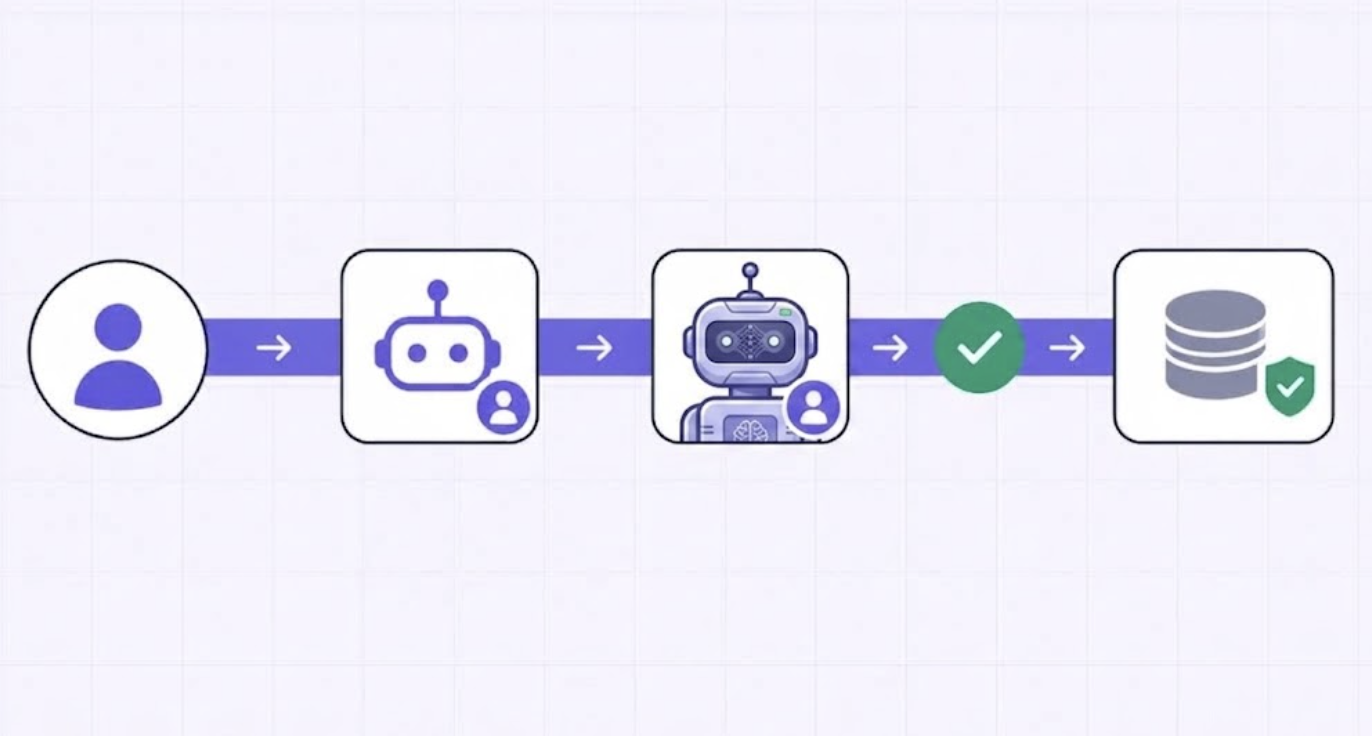
The correct approach is On-Behalf-Of (OBO) authentication, where each AI agent request carries and exercises the exact permissions of the human user who initiated it. When a developer queries data sources through an MCP-connected agent, the operation happens with the developer's access level, not with admin-level credentials that happen to be configured on the server. The access is bounded by what that person is authorized to do everywhere else in the organization.
This requires integration with your enterprise identity provider, whether that is Okta, Azure AD, or a custom SSO setup. It means dynamic client registration and authorization code flows where tokens are user-scoped, short-lived, and automatically refreshed rather than long-lived static keys that persist until someone manually revokes them.
Server-level access control is too coarse for production MCP deployments. Controlling whether a user or agent can reach an MCP server is a starting point. What you actually need is the ability to control which specific tools within that server each role can invoke.
The practical requirement is this: a customer support agent should be able to invoke read operations on a CRM server, but not delete operations. A finance agent should be able to query payment records, but not trigger outbound transfers. These distinctions cannot be expressed through server-level access policies. They require tool-level RBAC, where each tool within a server carries its own authorization requirements and those requirements are evaluated for every invocation.
The MCP specification's 2026 update introduced incremental scope consent, allowing clients to request only the minimum access needed for each operation rather than requesting all permissions upfront. Implementing this requires an authorization layer that understands tool-level semantics, not just network-level routing.
Agents should not be able to execute destructive or high-risk operations without a human checkpoint. Database deletions, external data transfers, financial transactions, bulk record modifications, and outbound communications are all operations where a mistaken or injected instruction can cause damage that is difficult or impossible to reverse.
The MCP specification acknowledges this explicitly: there should always be a human in the loop with the ability to deny tool invocations. Implementing this in practice means annotating MCP tools with risk classifications and enforcing approval flows for operations tagged as destructive or irreversible. The agent presents the intended action with its arguments before executing, and waits for explicit human authorization.
This is not just a safety mechanism. It is also a prompt injection mitigation. An injected instruction that cannot execute without human approval cannot silently exfiltrate data. The approval step breaks the attack chain at the execution layer, even when detection at the input layer fails.
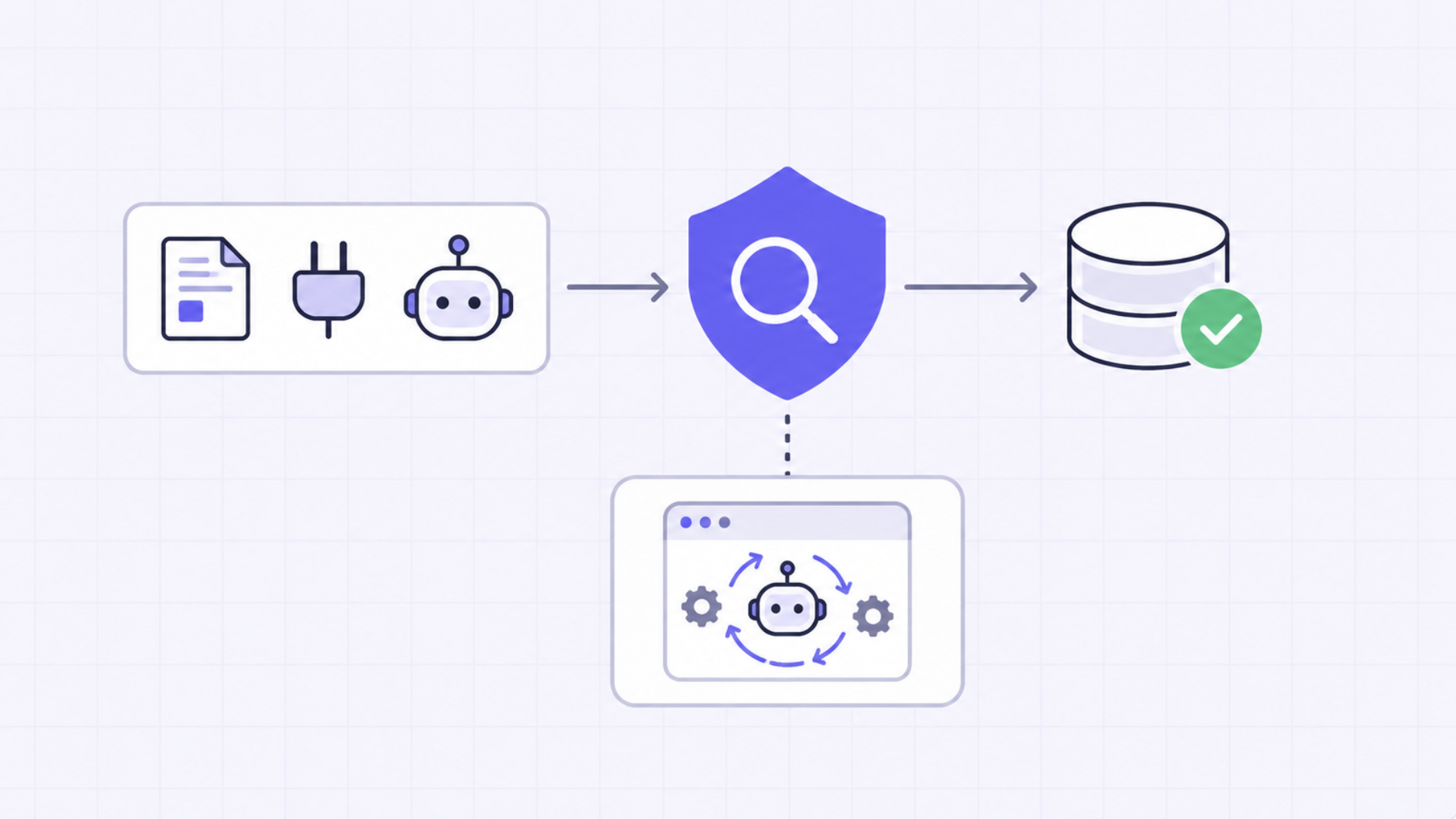
Point-to-point connections between individual agents and individual MCP servers are what create the visibility gaps and governance failures described in the risks section. When each team manages its own server connections, there is no central place to see what tools exist, who has access to them, or what is being called in production right now.
A governed central registry changes this. Tools are registered once. Access policies are defined once and applied consistently. When a tool is updated or retired, that change is reflected in one place and agents pick it up automatically rather than continuing to call deprecated endpoints or breaking because they were not told about the change. Security teams get a single inventory instead of a spreadsheet they are always behind on.
The registry also mitigates the rug pull risk. When tool definitions are managed centrally, changes to tool metadata are versioned and auditable. A tool that silently mutates its own description after installation is detectable because the registry maintains a history of what each tool looked like at registration versus what it looks like now.
.webp)
Every authentication event, token issuance, tool invocation, and policy decision should be logged with structured metadata that includes who made the request, which agent executed it, which tool was called, what arguments were passed, what was returned, and whether any policy applied or was overridden.
The distinction between having logs and having compliance-ready logs is significant. Audit logs that record tool names and timestamps satisfy a narrow technical requirement. Logs that record user identity, agent identity, full request context, applied policies, and output content in a structured format that can be queried and exported on demand satisfy SOC 2, HIPAA, and GDPR requirements. These are different things, and the gap between them is where most audit failures occur.
Logs should be retained within your own environment. Logs that live in a third-party SaaS system are not fully under your control, cannot be produced on-demand with complete certainty, and may themselves be subject to data handling restrictions that conflict with what your compliance framework requires.
There is no shortage of tools marketed as MCP security solutions. The question is whether they address the MCP security issues at the layer where those security vulnerabilities actually occur, or whether they apply general-purpose controls to a problem that requires something more specific.
TrueFoundry's MCP Gateway is built around the premise that the controls enterprises need to run MCP safely in production cannot be bolted onto existing infrastructure. They need to be part of the infrastructure.
The gateway deploys entirely within the customer's AWS, GCP, or Azure environment. Every tool request, every discovery call, every prompt-response pair stays inside the organization's network boundary. There is no SaaS routing layer or third-party infrastructure in the data path. No external dependency that creates data egress risk. This matters not just for compliance but for the threat model: data that never leaves your environment cannot be intercepted in transit.
Want to experience TrueFoundry’s AI Gateway? Book a demo today!
MCP solved the integration problem. It did not solve the governance problem. The tens of thousands of MCP servers deployed in enterprise environments in 2025 created an enormous amount of new capability, and an equally significant expansion of attack surface that most organizations were not equipped to govern.
The incidents that have already occurred including, Supabase, Asana, Atlassian, the mcp-remote CVE, were not caused by poor engineering. They were caused by an architecture that did not account for the security requirements of enterprise production environments. The base protocol was not built with those requirements in mind.
Addressing MCP security risks in a way that actually works in production means enforcing controls at the infrastructure layer: identity-aware execution, tool-level access control, centralized credential management, human approval for destructive operations, and structured audit logs retained in your own environment. These are not optional features for regulated industries. They are the baseline requirements for running AI agents that touch business-critical systems.
TrueFoundry deploys all of those controls inside your own cloud. Your data stays where your governance applies. Your audit logs are yours to produce, query, and export on your schedule.
TrueFoundry AI Gateway bietet eine Latenz von ~3—4 ms, verarbeitet mehr als 350 RPS auf einer vCPU, skaliert problemlos horizontal und ist produktionsbereit, während LiteLM unter einer hohen Latenz leidet, mit moderaten RPS zu kämpfen hat, keine integrierte Skalierung hat und sich am besten für leichte Workloads oder Prototyp-Workloads eignet.





Die neuesten Nachrichten, Artikel und Ressourcen werden in Ihren Posteingang gesendet
.png)
.png)
.png)
.png)
.png)
.webp)
.webp)