What is SigNoz?
SigNoz is an open-source, OpenTelemetry-native observability platform that provides distributed tracing, metrics monitoring, and log management for cloud-native applications. SigNoz Cloud is the fully managed version that requires no infrastructure setup.Key Features of SigNoz
- Distributed Tracing: Capture end-to-end traces of all LLM requests with detailed span-level visibility into latency and errors
- Metrics Monitoring: Track aggregated usage, token counts, and latency trends across your LLM gateway with PromQL-compatible queries
- Alerts & Dashboards: Build custom dashboards and set up alerts on gateway performance metrics
Prerequisites
Before integrating SigNoz with TrueFoundry, ensure you have:- TrueFoundry Account: Create a TrueFoundry account and follow the instructions in our Gateway Quick Start Guide
- SigNoz Cloud Account: Sign up for a SigNoz Cloud account to get your ingestion endpoint and API key
Understanding the SigNoz Ingestion Endpoint
SigNoz Cloud organizes ingestion by region. Your ingestion URL follows this pattern:in for India and us for the United States. For example if your ingestion URL is https://ingest.in2.signoz.cloud then your region is in2.
Integration Steps
1
Get Your Ingestion Key from SigNoz
- Log into your SigNoz Cloud dashboard.
- Navigate to Settings → Ingestion Settings.
- Copy your Ingestion Key and note your ingestion URL.
2
Configure OTEL Export in TrueFoundry
- Go to AI Gateway → Controls → Settings in the TrueFoundry dashboard.
- Scroll down to the OTEL Config section and click the edit (✏️) button.
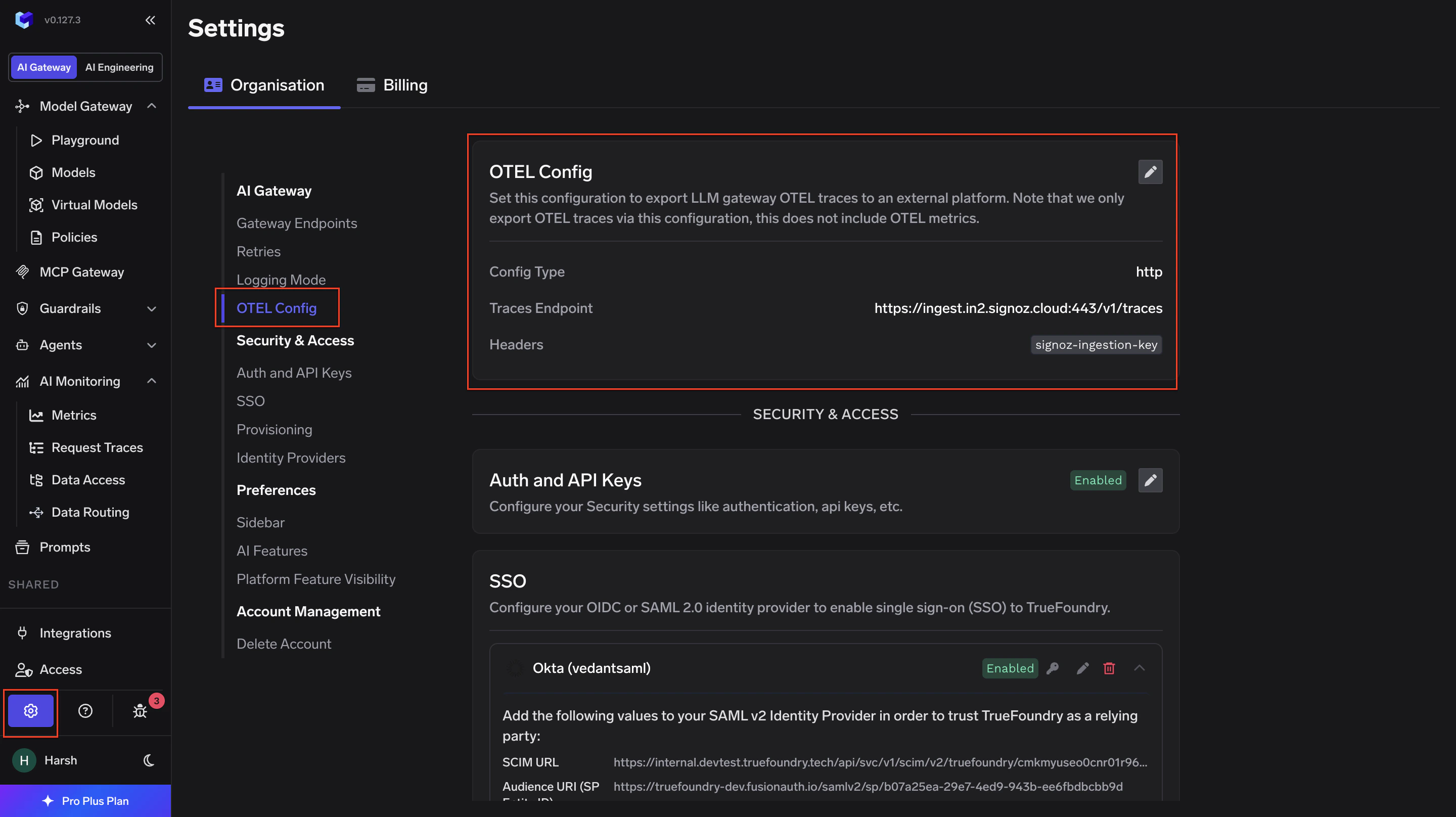
- Enable the Otel Traces Exporter Configuration toggle and fill in:
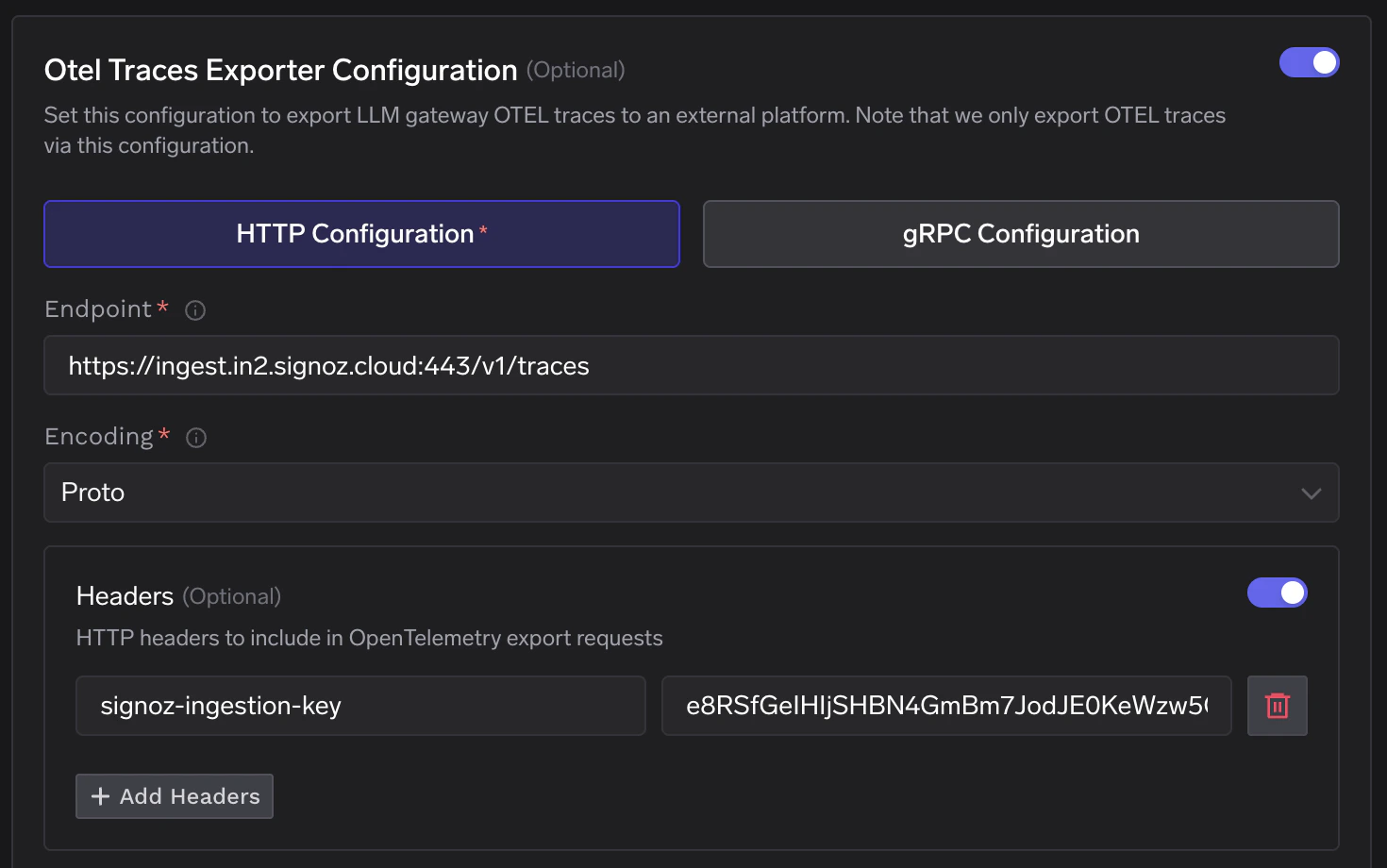
- Scroll down to enable the Otel Metrics Exporter Configuration toggle and fill in:
- Click Save to apply the configuration.
Replace
<region> with your actual SigNoz region (e.g. in2) and <your-ingestion-key> with the key copied from SigNoz Ingestion Settings.3
Verify the Integration
- Make a request through the TrueFoundry AI Gateway.
- Log into your SigNoz Cloud dashboard and navigate to the Traces section.
- Confirm traces from
tfy-llm-gatewayare appearing.
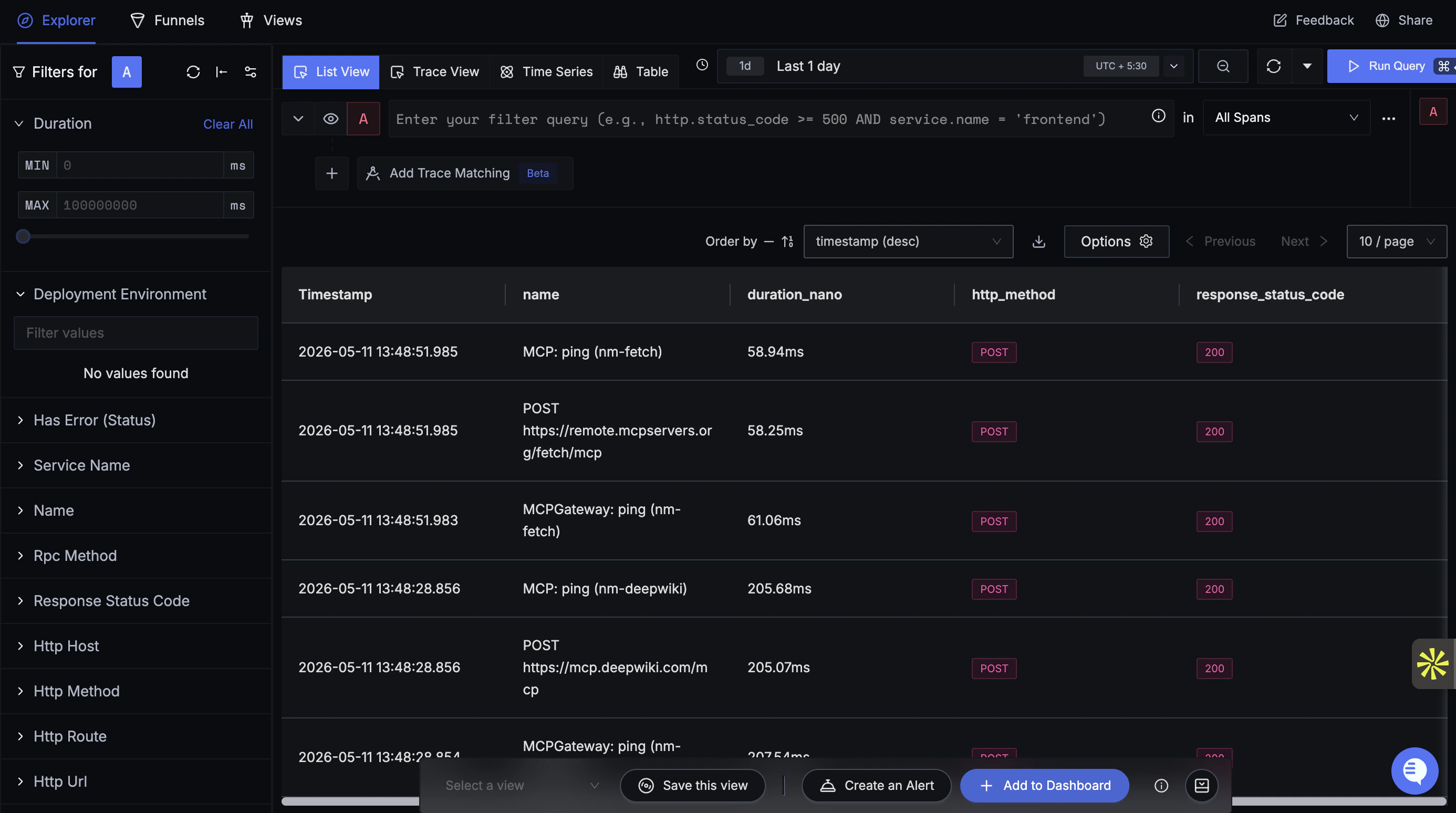
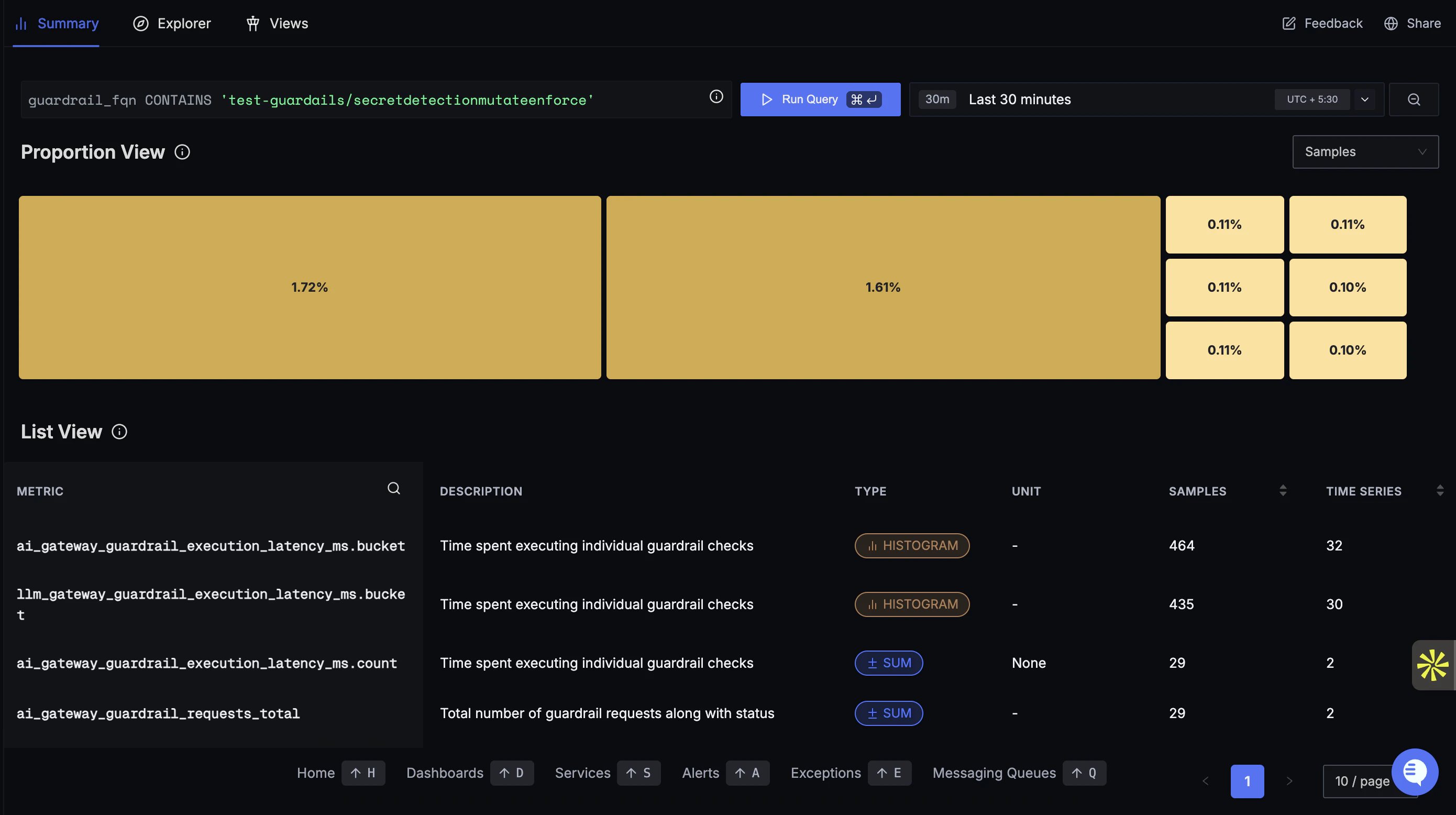
- Navigate to the Metrics section and run a query to confirm gateway metrics are flowing in.