Documentation Index

Fetch the complete documentation index at: https://www.truefoundry.com/llms.txt

Use this file to discover all available pages before exploring further.

This guide provides instructions for deploying OpenLIT on TrueFoundry and integrating it with the TrueFoundry AI Gateway to export OpenTelemetry traces and metrics.

What is OpenLIT?

OpenLIT is an open-source, OpenTelemetry-native observability platform purpose-built for LLM applications. It provides zero-code auto-instrumentation, real-time monitoring, and cost tracking for LLM requests across all major providers.

Key Features of OpenLIT

  • LLM Tracing: Capture detailed traces of all LLM interactions including inputs, outputs, latency, and token usage with zero-code instrumentation
  • Cost Tracking: Track per-model, per-provider token usage and associated costs in real time
  • Metrics & Dashboards: Visualize aggregated usage, latency, and error rates across your LLM gateway

Prerequisites

Before integrating OpenLIT with TrueFoundry, ensure you have:
  1. TrueFoundry Account: Create a TrueFoundry account and follow the instructions in our Gateway Quick Start Guide
  2. Helm Repository Access: The OpenLIT Helm chart is hosted at https://openlit.github.io/helm/ — make sure to use this exact URL when configuring the Helm deployment

Architecture Overview

OpenLIT on TrueFoundry is deployed as a single Helm release that bundles three components:
[TrueFoundry AI Gateway] → [OpenLIT OTel Collector :4318]

                              [ClickHouse DB :8123/:9000]

                             [OpenLIT Dashboard :3000]
All three components run in the same namespace and communicate over internal Kubernetes DNS.

Integration Steps

1

Create a ClickHouse Secret in TrueFoundry

OpenLIT uses ClickHouse as its database. Store the ClickHouse password securely using TrueFoundry Secrets before deploying.
  1. Go to Secrets in the TrueFoundry left sidebar.
  2. Create a new secret group called clickhouse.
  3. Add a key called CLICKHOUSE_PASSWORD with your desired password value.
  4. Copy the secret reference — it will look like tfy-secret://truefoundry:clickhouse:CLICKHOUSE_PASSWORD.
2

Deploy OpenLIT via Helm

  1. Go to DeploymentsNewHelm in the TrueFoundry dashboard.
  2. Select Public Helm Repository and fill in:
FieldValue
Helm Repo URLhttps://openlit.github.io/helm/
Chart Nameopenlit
Version1.19.1
Make sure to use the exact Helm Repo URL above. Using an incorrect URL will result in an “Unable to query charts” error.
  1. Paste the following in the Values block:
clickhouse:
  enabled: true
  persistence:
    size: 20Gi
    enabled: true
  auth:
    existingSecret: openlit-clickhouse-secret
    existingSecretKey: clickhouse-password
openlit:
  image:
    tag: latest
    repository: ghcr.io/openlit/openlit
  env:
    PORT: '3000'
    INIT_DB_HOST: openlit-db.NAMESPACE.svc.cluster.local
    INIT_DB_PORT: '8123'
    INIT_DB_DATABASE: openlit
    INIT_DB_USERNAME: default
  envFrom:
    - secretRef:
        name: openlit-clickhouse-secret
opentelemetry-collector:
  enabled: true
  ports:
    otlp:
      enabled: true
      containerPort: 4317
    otlp-http:
      enabled: true
      containerPort: 4318
Replace NAMESPACE in INIT_DB_HOST with your actual TrueFoundry workspace namespace (e.g. harsh-ws). You can find this in your workspace settings.
  1. In the Additional Manifests section, add the following two manifests separately by clicking + Add Additional Manifests for each:
Manifest 1 — ClickHouse Secret:
apiVersion: v1
kind: Secret
type: Opaque
metadata:
  name: openlit-clickhouse-secret
  namespace: NAMESPACE
stringData:
  clickhouse-password: tfy-secret://truefoundry:clickhouse:CLICKHOUSE_PASSWORD
Manifest 2 — VirtualService (to expose the dashboard):
apiVersion: networking.istio.io/v1beta1
kind: VirtualService
metadata:
  name: openlit-dashboard-vs
  namespace: NAMESPACE
spec:
  gateways:
    - istio-system/tfy-wildcard
  hosts:
    - openlit.CLUSTER_DOMAIN
  http:
    - route:
        - destination:
            host: openlit.NAMESPACE.svc.cluster.local
            port:
              number: 3000
          weight: 100
Replace the placeholders:
  • NAMESPACE → your workspace namespace (e.g. harsh-ws)
  • CLUSTER_DOMAIN → your cluster’s base domain (e.g. tfy-usea1-ctl.devtest.truefoundry.tech)
  1. Click Submit to deploy. Once all pods are running, you should see the deployment in TrueFoundry:
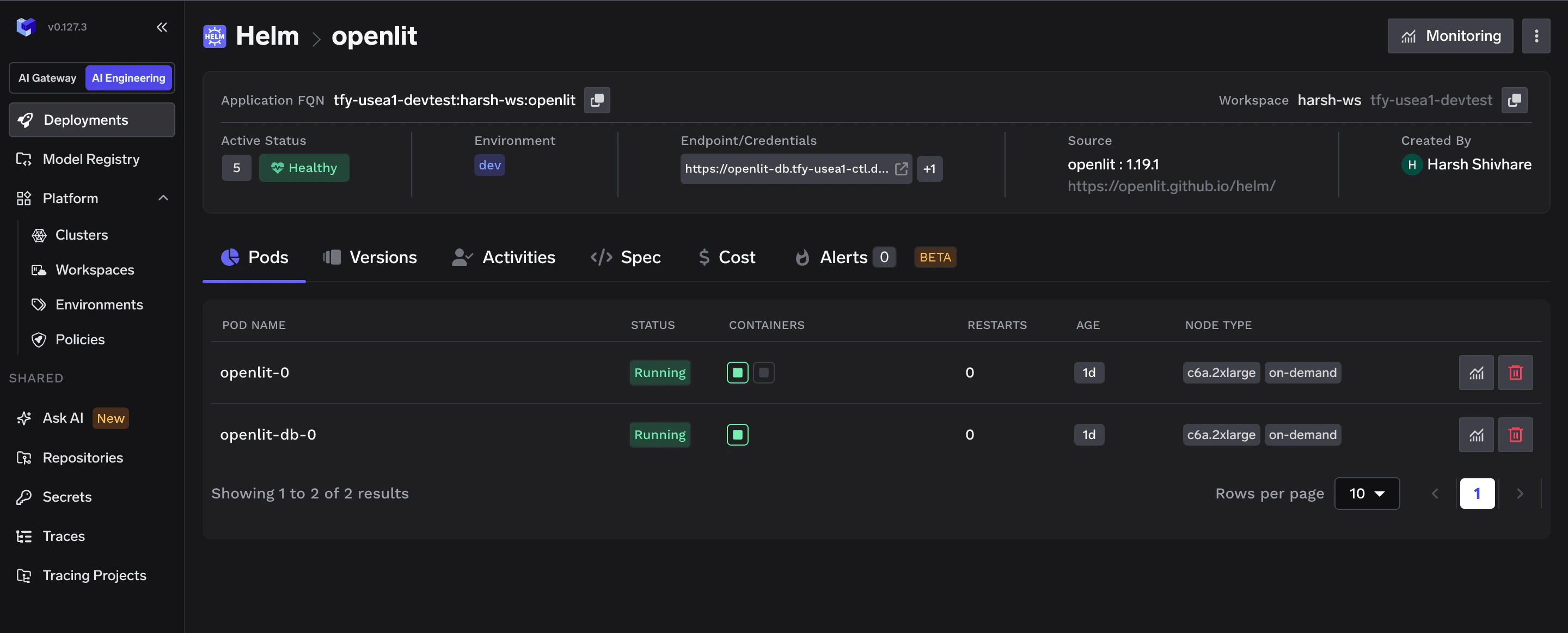
TrueFoundry Helm deployment showing OpenLIT successfully deployed with all pods running
Deploy order within the Helm chart is automatic — ClickHouse starts first via an init container that waits for ClickHouse to be healthy before OpenLIT starts.
3

Access the OpenLIT Dashboard

Once all pods are running, open the dashboard at:
https://openlit.CLUSTER_DOMAIN
Default login credentials:
FieldValue
Emailuser@openlit.io
Passwordopenlituser
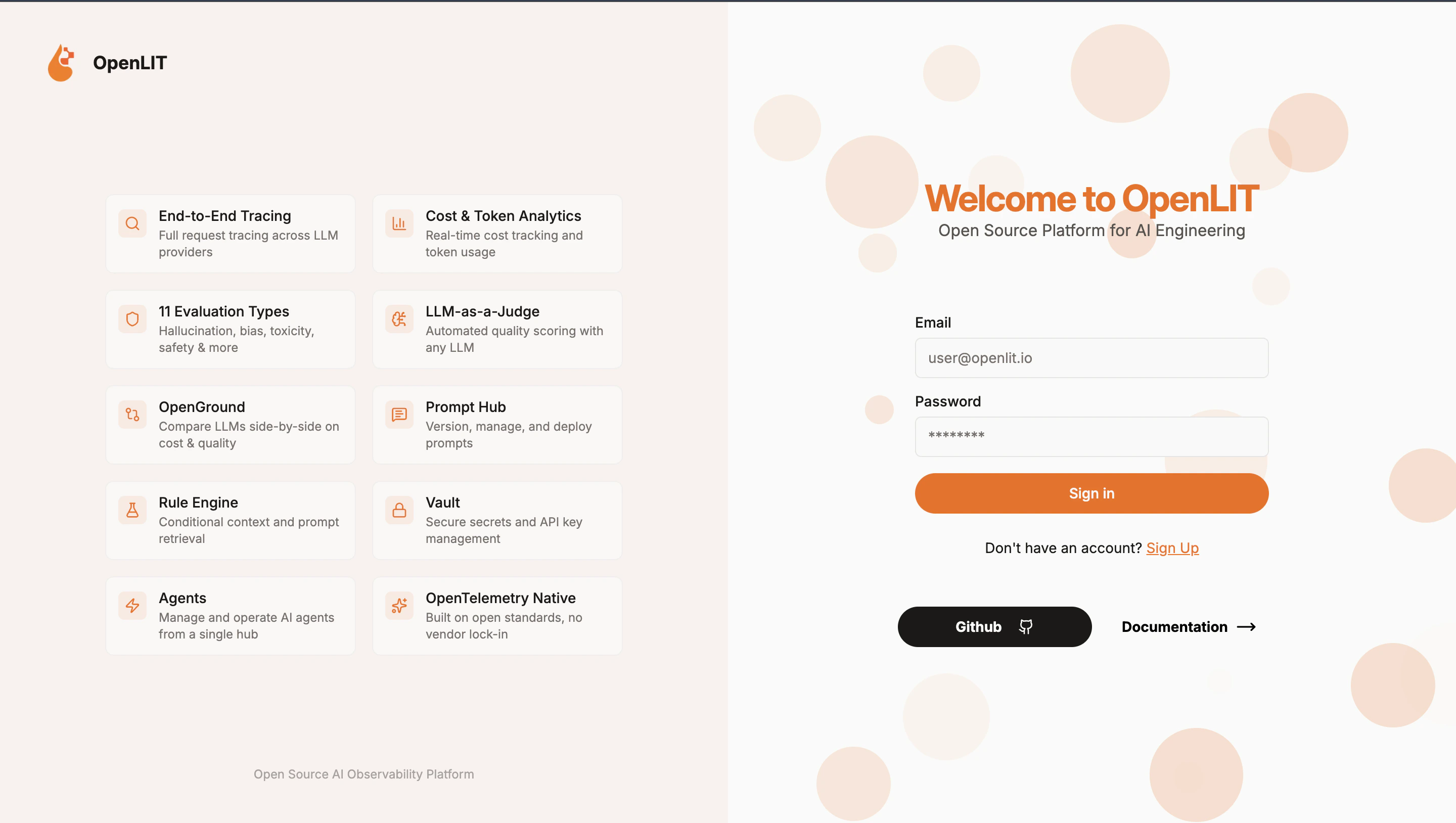
OpenLIT dashboard login page with email and password fields
Change your password immediately after first login: Settings → Account → Change Password.
4

Configure OTEL Export in TrueFoundry

Now point the TrueFoundry AI Gateway to ship traces and metrics to your OpenLIT instance.
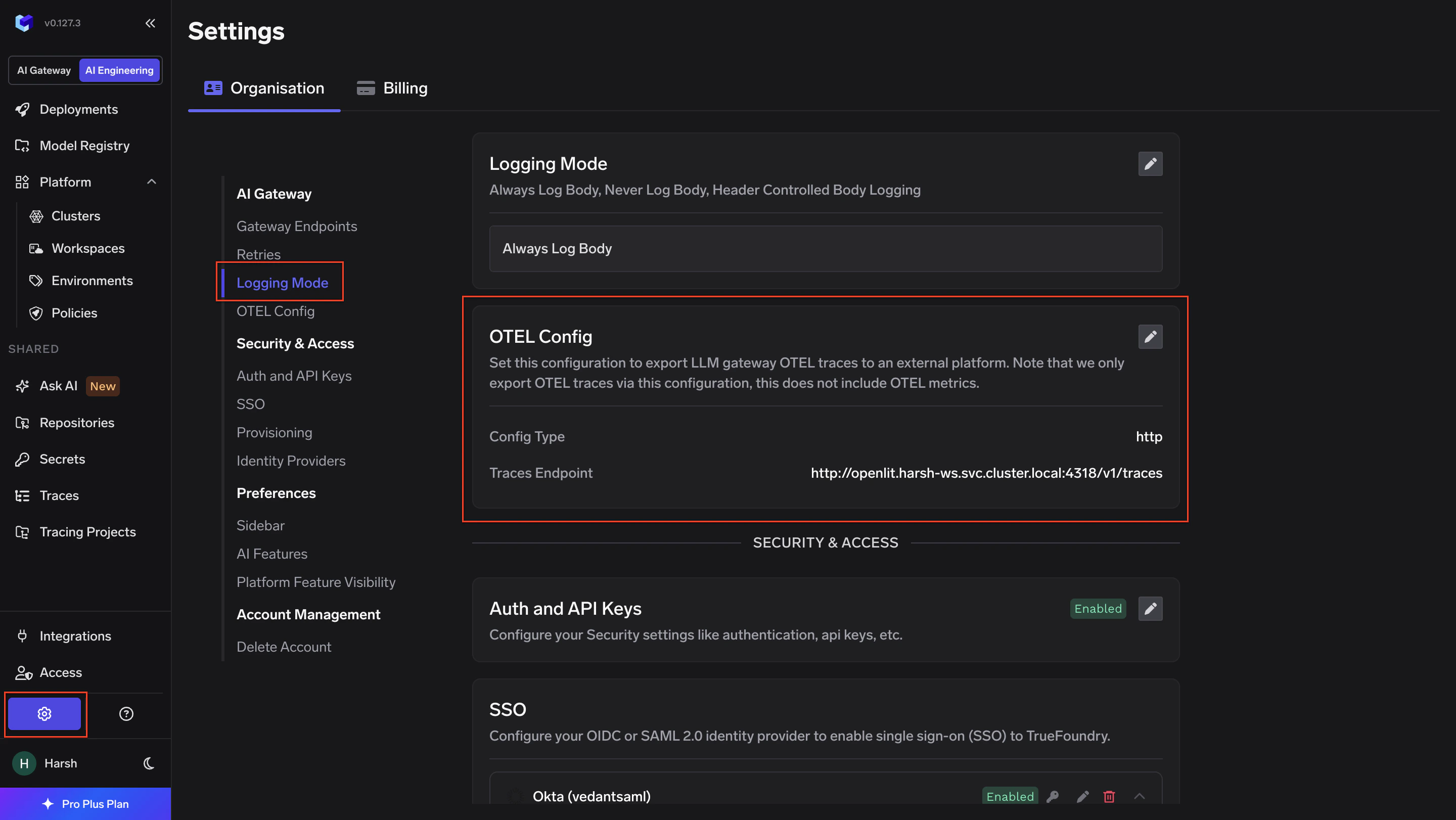
  1. Go to AI GatewayControlsSettings in the TrueFoundry dashboard.
TrueFoundry AI Gateway Controls Settings page
  1. Scroll down to the OTEL Config section and click the edit (✏️) button.
Otel Traces Exporter Configuration:
FieldValue
ToggleEnabled
ProtocolHTTP Configuration
Endpointhttp://openlit.NAMESPACE.svc.cluster.local:4318/v1/traces
EncodingProto
HeadersNone
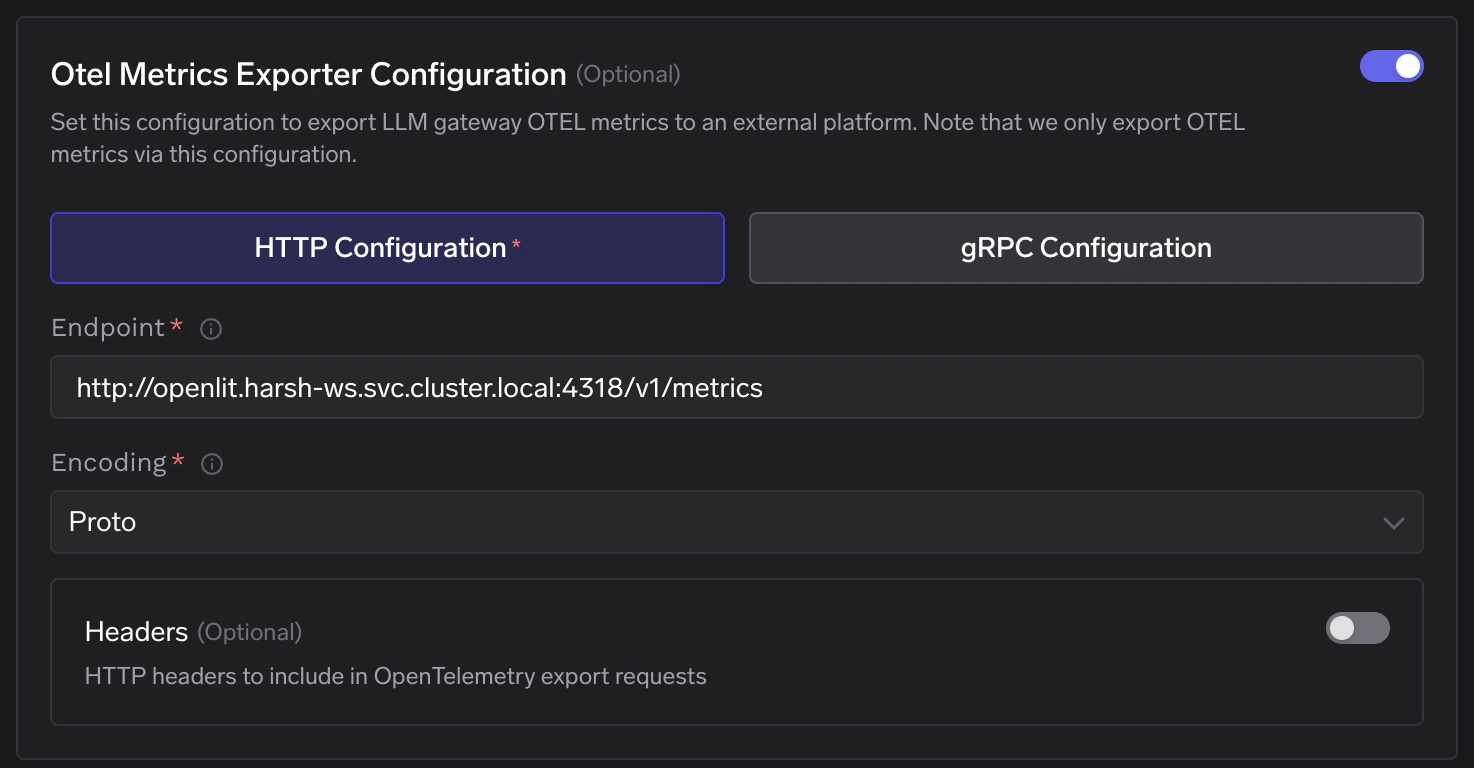
Otel Metrics Exporter Configuration:
FieldValue
ToggleEnabled
ProtocolHTTP Configuration
Endpointhttp://openlit.NAMESPACE.svc.cluster.local:4318/v1/metrics
EncodingProto
HeadersNone
Replace NAMESPACE with your actual workspace namespace. Click Save to apply.
TrueFoundry OTEL Metrics Exporter Configuration showing HTTP endpoint pointing to OpenLIT collector
5

Verify the Integration

  1. Make a request through the TrueFoundry AI Gateway.
  2. Navigate to the Requests tab in the OpenLIT dashboard and confirm traces are appearing.
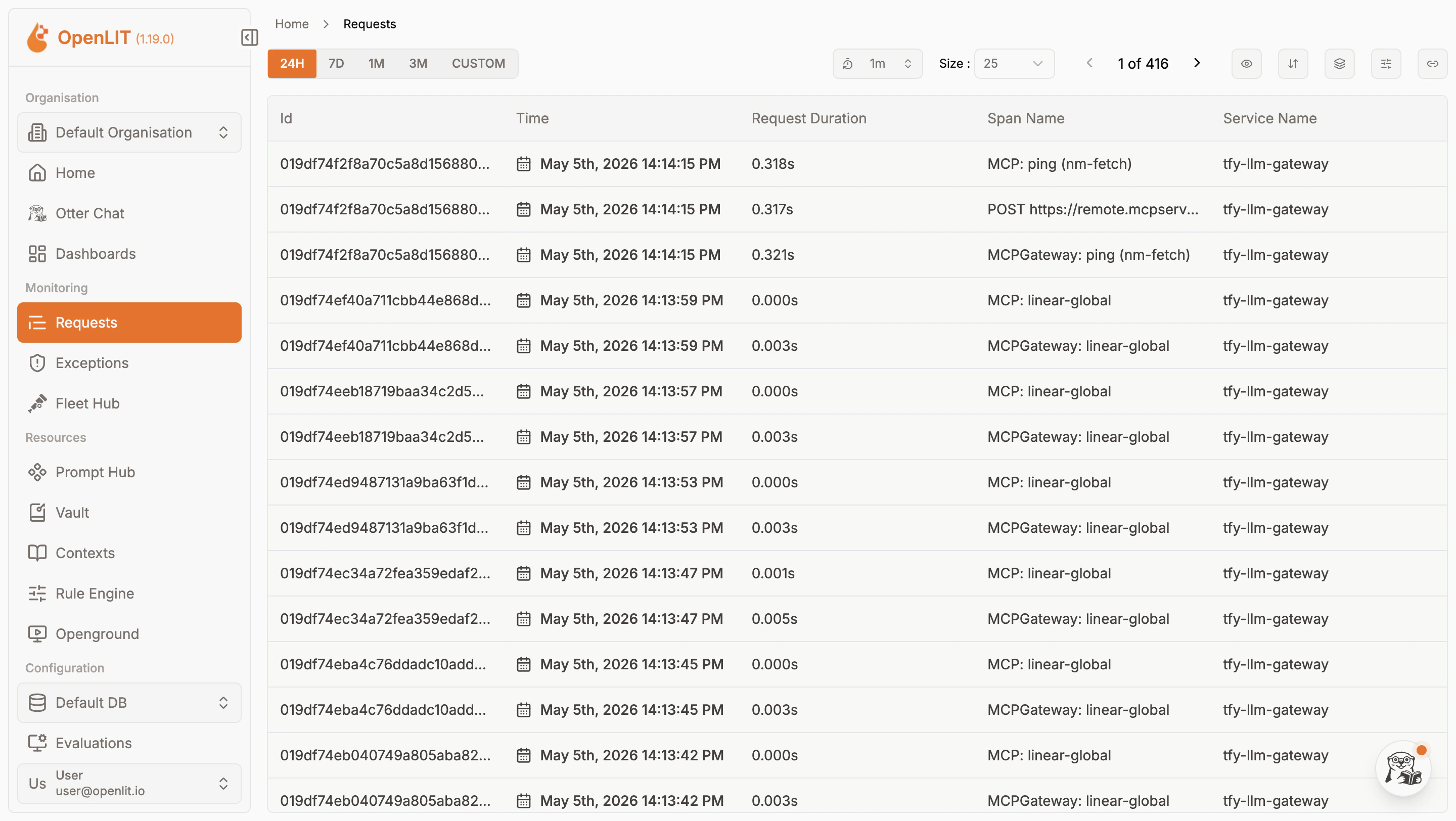
OpenLIT Requests page showing LLM call traces exported from TrueFoundry AI Gateway
  1. Navigate to the Metrics tab to confirm aggregated metrics are also flowing in.

OpenLIT Metrics page showing aggregated LLM usage metrics from TrueFoundry AI Gateway

Internal Service DNS Reference

Once deployed, the following internal DNS names are available within the cluster:
ServiceInternal DNSPort
OTel Collector (HTTP)openlit.NAMESPACE.svc.cluster.local4318
OTel Collector (gRPC)openlit.NAMESPACE.svc.cluster.local4317
ClickHouse (HTTP)openlit-db.NAMESPACE.svc.cluster.local8123
ClickHouse (Native)openlit-db.NAMESPACE.svc.cluster.local9000
Dashboardopenlit.NAMESPACE.svc.cluster.local3000
Use the internal DNS for OTEL Config endpoints — external URLs are only needed for browser access to the dashboard.

Configuration Reference

ConfigurationValue
Helm Repohttps://openlit.github.io/helm/
Chart Nameopenlit
Traces Endpointhttp://openlit.NAMESPACE.svc.cluster.local:4318/v1/traces
Metrics Endpointhttp://openlit.NAMESPACE.svc.cluster.local:4318/v1/metrics
ProtocolHTTP
EncodingProto
AuthNone required
Dashboard Port3000
Default Emailuser@openlit.io
Default Passwordopenlituser