What is CoreWeave Weave?
CoreWeave Weave (formerly Weights & Biases Weave) is a managed observability platform purpose-built for GenAI applications. It ingests OpenTelemetry traces over HTTP, parses GenAI semantic-convention attributes, and renders LLM calls, evaluations, and agent traces in a UI tuned for prompt-and-response workflows.Key Features of CoreWeave Weave
- OTLP trace ingestion: Accepts OpenTelemetry traces over HTTP protobuf at a single hosted endpoint, with project routing controlled by headers.
- LLM-aware trace UI: Visualizes multi-turn conversations, tool calls, token usage, and latencies from
gen_ai.*semantic-convention spans. - Evaluations and Datasets: Run scoring functions against logged traces and compare model variants side by side.
Prerequisites
Before integrating CoreWeave Weave with TrueFoundry, ensure you have:- TrueFoundry Account: Create a TrueFoundry account and follow the instructions in our Gateway Quick Start Guide.
- CoreWeave Weave Account: Sign up at wandb.ai and create at least one project. You will need an entity (team or user slug) and a project name.
- W&B API Key: Generate a personal API key at wandb.ai/authorize.
Understanding the CoreWeave Weave Endpoint
CoreWeave Weave exposes a single OTLP/HTTP trace endpoint that varies by deployment type.
Routing of spans to your Weave project is controlled by a
project_id header in the form <entity>/<project>. The entity is your W&B team or user slug; the project is the workspace within that entity where traces should appear.
CoreWeave Weave does not accept OTLP metrics — only traces are supported via this endpoint.
Integration Steps
TrueFoundry AI Gateway supports exporting OpenTelemetry traces to CoreWeave Weave, allowing you to monitor and analyze your LLM requests in Weave’s observability platform.1
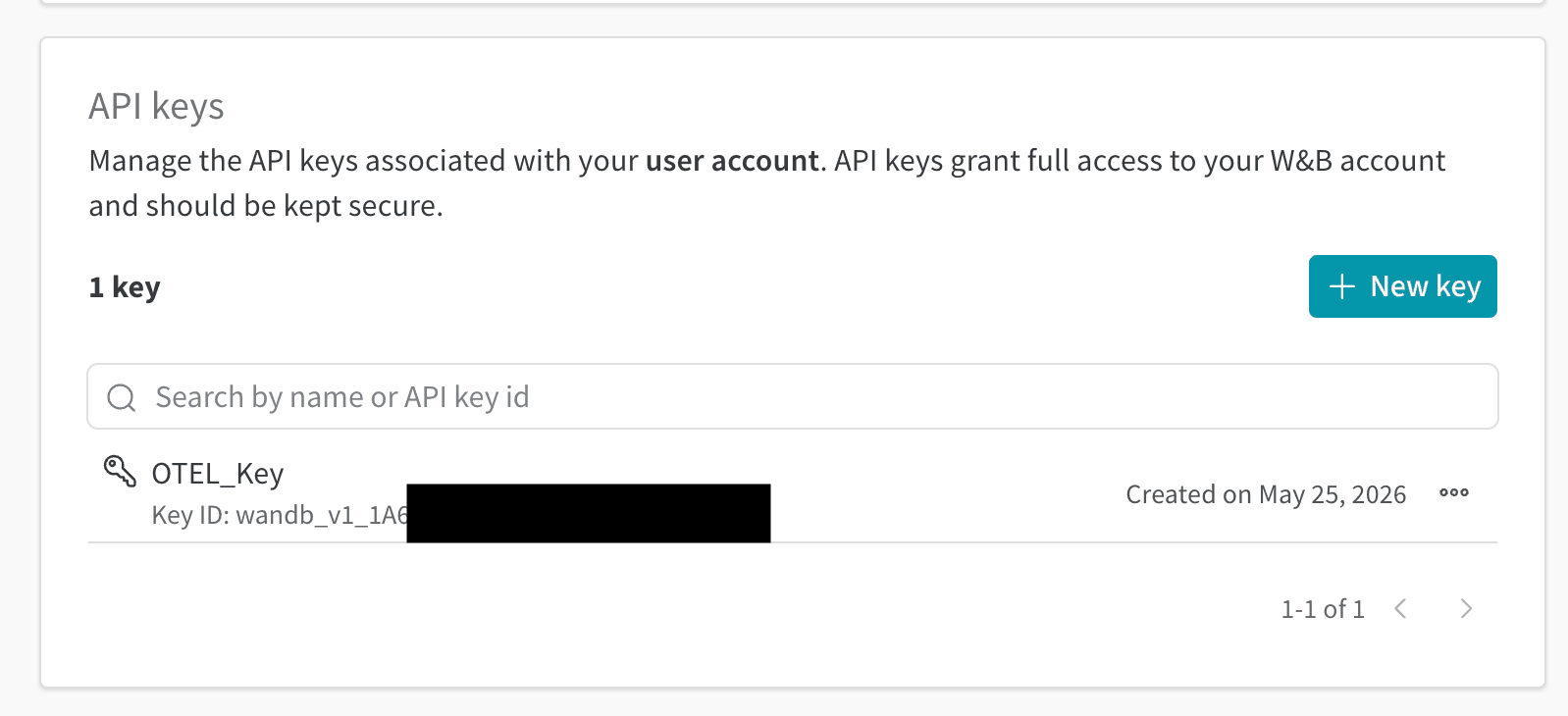
Get your W&B API Key
- Sign in to wandb.ai and navigate to wandb.ai/authorize.
- Copy the API key shown on the page. This is your
wandb-api-keyvalue.
2
Identify your entity and project
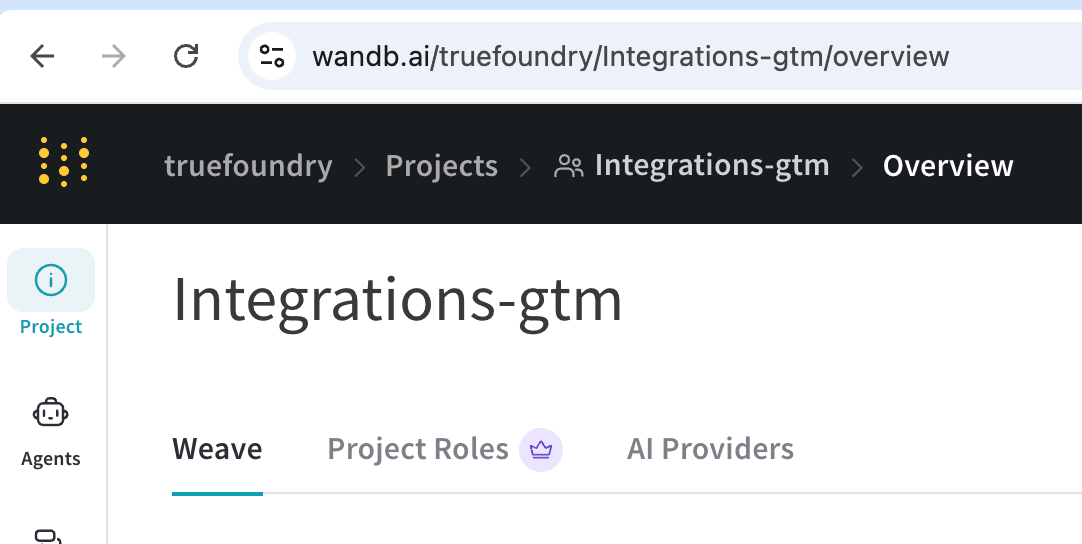
- In the Weave UI, open the project you want traces to land in.
- The URL is of the form
https://wandb.ai/<entity>/<project>/...— copy the entity and project slugs. - Combine them as
<entity>/<project>— this is yourproject_idheader value.
3
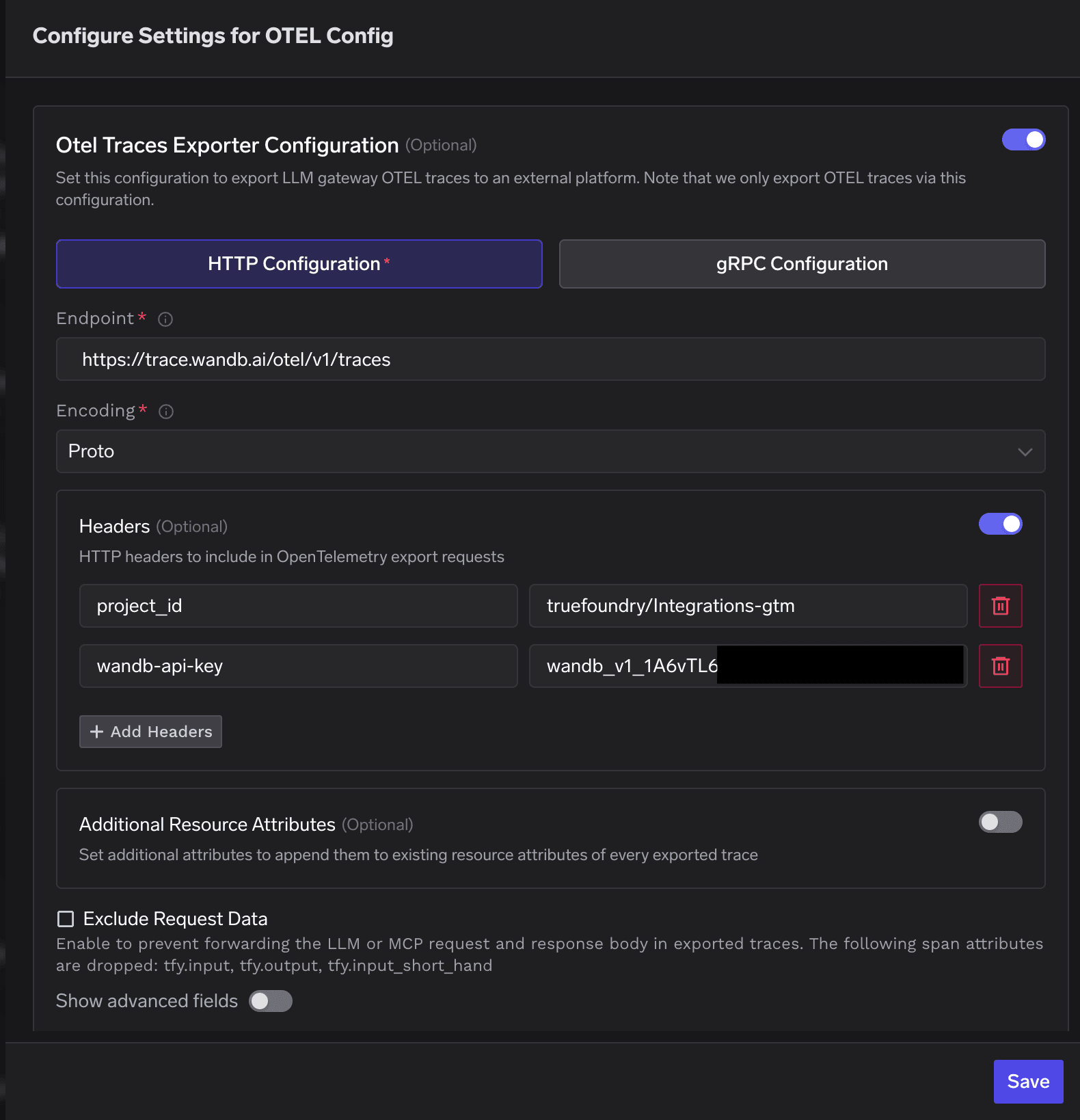
Configure OTEL Export in TrueFoundry
- Go to AI Gateway → Controls → Settings in the TrueFoundry dashboard.
- Scroll down to the OTEL Config section and click the edit button.
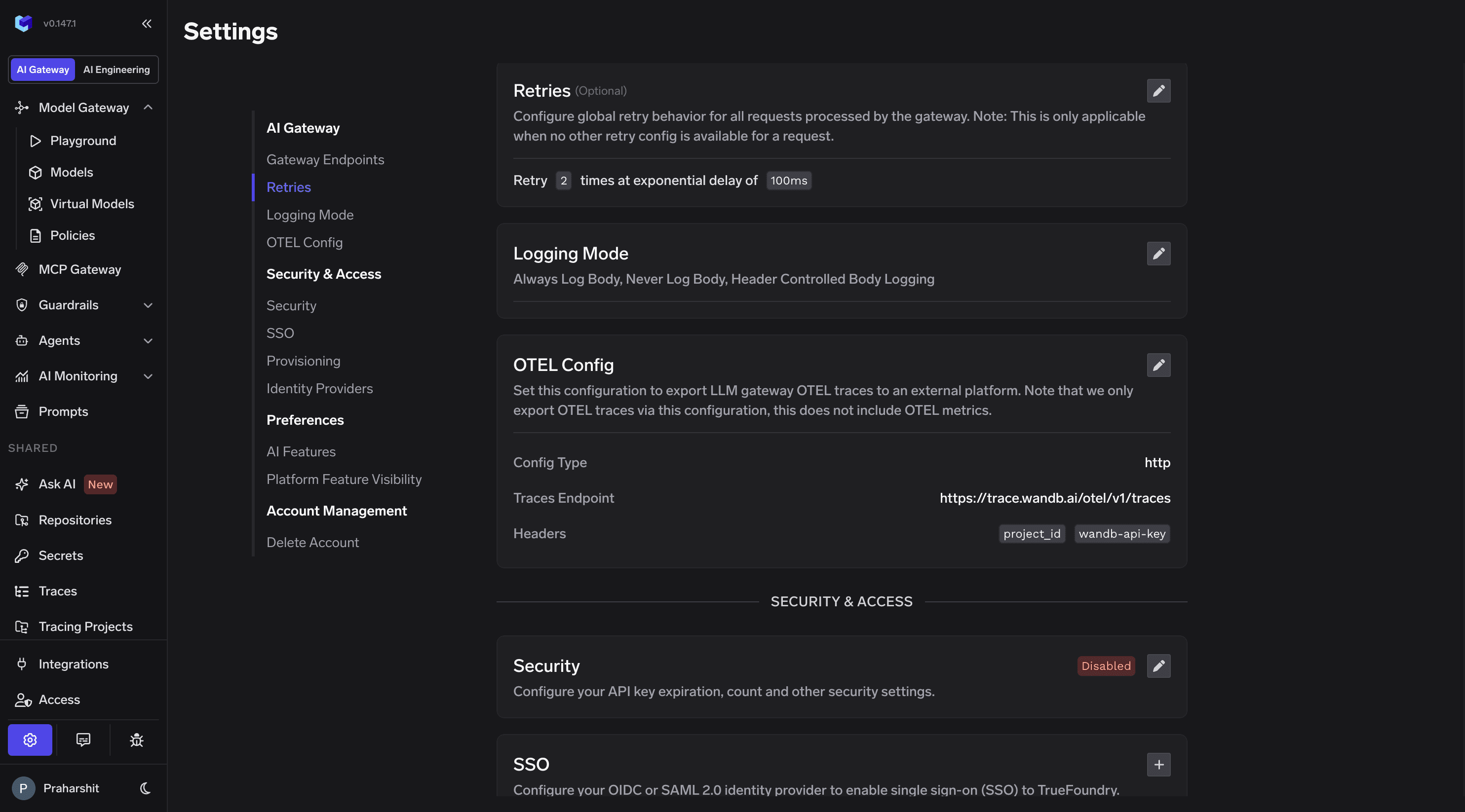
- Enable the OTEL Traces Exporter Configuration toggle.
- Select HTTP Configuration.
- Enter the CoreWeave Weave traces endpoint:
https://trace.wandb.ai/otel/v1/traces - Set Encoding to
Proto. - Add the required headers:
- Click Save to apply the configuration.
CoreWeave Weave does not accept OTLP metrics. Leave the OTEL Metrics Exporter Configuration toggle disabled, or point it at a separate metrics backend (Prometheus, Datadog, Grafana Cloud) if you need gateway metrics.
4
Verify the Integration
- Make a request through the TrueFoundry AI Gateway, for example a chat completion to any configured model.
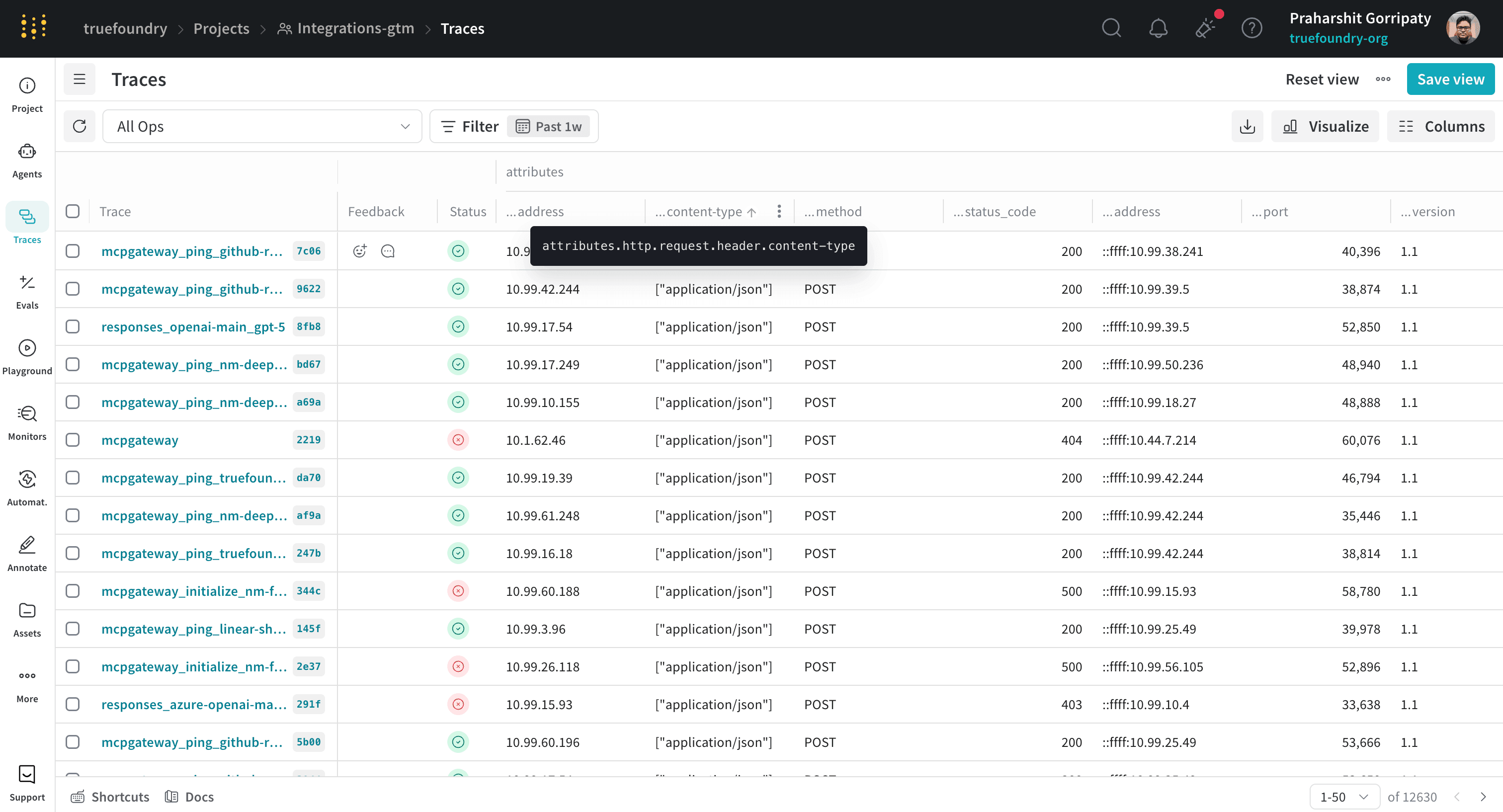
- Log into your CoreWeave Weave dashboard and navigate to the Traces section of your project.
- Confirm a trace from
service.name: tfy-llm-gatewayappears, with attributes such astfy.span_type,gen_ai.request.model,gen_ai.usage.prompt_tokens, andgen_ai.usage.completion_tokens.