

What is Dynatrace?
Dynatrace is an enterprise observability platform that provides unified monitoring for applications, infrastructure, and user experience. It offers AI-powered analytics, distributed tracing, and real-time insights across your entire stack.Key Features of Dynatrace
- Distributed Tracing: End-to-end trace visualization with the Distributed Tracing Explorer
- OpenTelemetry Native: Native OTLP endpoint support for seamless OpenTelemetry data ingestion
- AI-Powered Analysis: Automatic anomaly detection and root cause analysis
Prerequisites
Before integrating Dynatrace with TrueFoundry, ensure you have:- TrueFoundry Account: Create a TrueFoundry account and follow the instructions in our Gateway Quick Start Guide
- Dynatrace Account: Sign up for a Dynatrace account
- Environment ID: Your Dynatrace environment ID (e.g.,
xpk75638fromhttps://xpk75638.live.dynatrace.com) - API Access Token: Create an access token with the
openTelemetryTrace.ingestscope in Dynatrace
Integration Guide
TrueFoundry AI Gateway supports exporting OpenTelemetry (OTEL) traces to Dynatrace via OTLP. This allows you to view your LLM Gateway traces in Dynatrace’s Distributed Tracing Explorer alongside your other application telemetry.Step 1: Get Your Dynatrace OTLP Endpoint and API Token
- Log in to your Dynatrace environment
- Find your Environment ID from the browser address bar (e.g.,
xpk75638). Do not include.appsin the URL. - Create an API access token:
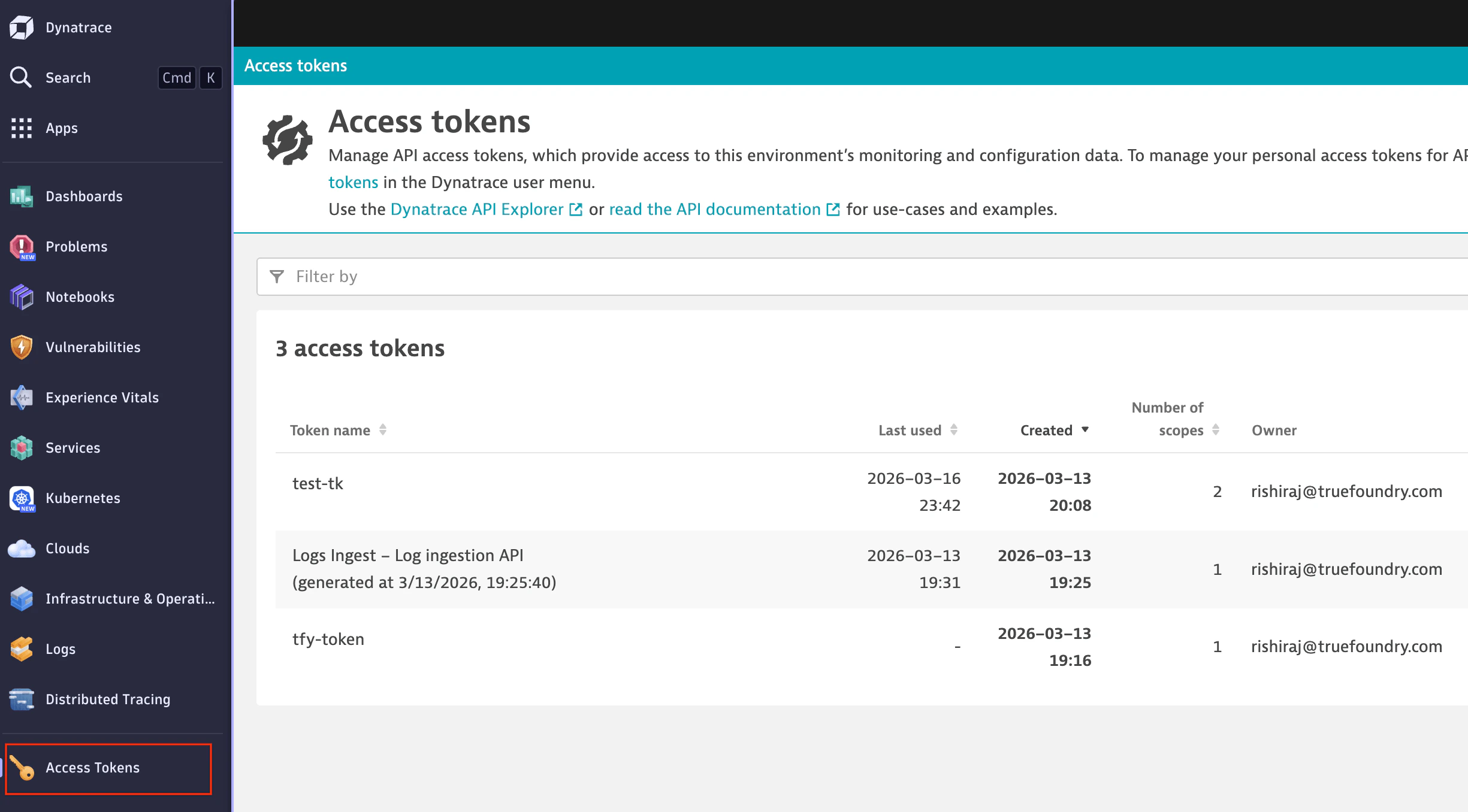
Dynatrace Access tokens page
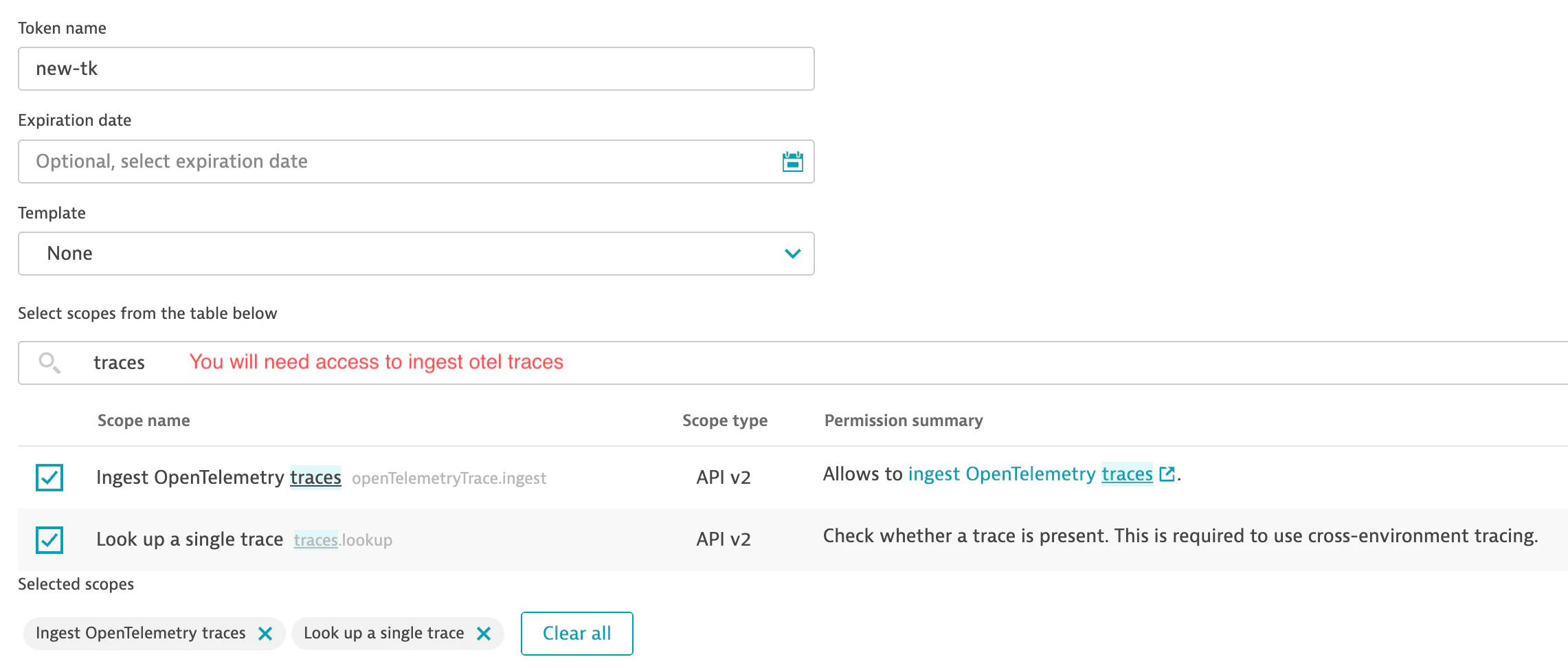
Create token with OpenTelemetry trace ingest scope
- Copy the token value (it starts with
dt0c01.)
The correct base URL format is
https://{your-environment-id}.live.dynatrace.com/api/v2/otlp. If you copy your environment ID from the browser, ensure you use live.dynatrace.com and not live.apps.dynatrace.com—otherwise the API will return 404 errors.Step 2: Configure OTEL Export in TrueFoundry
Navigate to the TrueFoundry AI Gateway OTEL configuration:- Go to AI Gateway > Controls > Settings in the TrueFoundry dashboard
- Scroll down to the OTEL Config section
- Click the edit button to configure the OTEL exporter
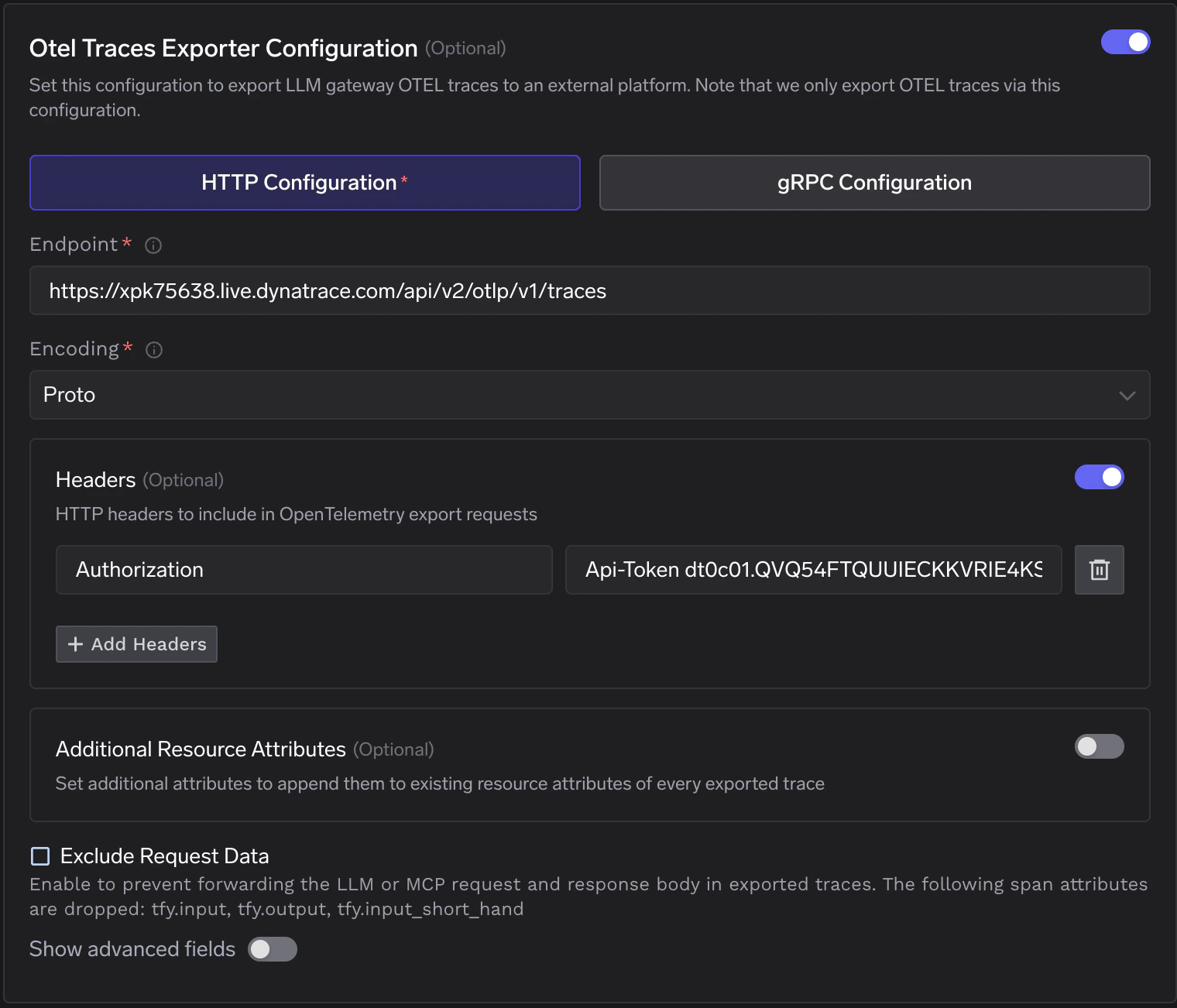
TrueFoundry AI Gateway - OTEL Traces Exporter Configuration for Dynatrace
Step 3: Configure Dynatrace Endpoint
Enable the OTEL Traces Exporter Configuration toggle and fill in the following:Replace
{your-environment-id} with your Dynatrace environment ID (e.g., xpk75638). Do not include .apps in the domain.Step 4: Add Required Headers
Click + Add Headers and configure the following HTTP header:Step 5: Save Configuration
Click Save to apply the OTEL export configuration. All LLM traces from the TrueFoundry AI Gateway will now be automatically exported to Dynatrace.Step 6: View Traces in Dynatrace
After making LLM requests through TrueFoundry AI Gateway, view the traces in Dynatrace:- Navigate to Distributed Tracing > Explorer in the Dynatrace sidebar
- Filter by service:
tfy-llm-gatewayto see your LLM Gateway traces - Explore the traces including:
- Request timeseries: Success/failure counts and duration percentiles
- Request list: Individual requests with endpoint, duration, and HTTP status
- Span details: Full trace breakdown by request
.png?fit=max&auto=format&n=tbgCTBKbI9eBKDGU&q=85&s=5eeee886fe92149ca83f4754b7516c73)
Dynatrace Distributed Tracing Explorer - Viewing tfy-llm-gateway traces
Configuration Options
Using ActiveGate
If you use Dynatrace ActiveGate instead of SaaS:
Append
/v1/traces to the base URL for the full traces endpoint. See Dynatrace OTLP API documentation for details.
Additional Resource Attributes
You can optionally configure Additional Resource Attributes to append custom attributes to every exported trace. This is useful for adding environment-specific metadata or organizational tags that help with filtering and grouping in Dynatrace.Exclude Request Data
Enable Exclude Request Data if you want to prevent sending LLM or MCP request/response bodies in exported traces. This drops thetfy.input, tfy.output, and tfy.input_short_hand span attributes.
API Limitations
Per Dynatrace OTLP API documentation:- gRPC is not supported—use HTTP Configuration only
- JSON is not supported—use Proto encoding only
Troubleshooting
404 Not Found
If you seeHTTP Status Code 404, verify your endpoint URL. Ensure you are using live.dynatrace.com and not live.apps.dynatrace.com. Remove .apps from the domain if copied from the browser address bar.
Authentication Failed
Ensure your Authorization header uses the formatApi-Token {your-token} with the Api-Token prefix. The token must have the openTelemetryTrace.ingest scope.
Traces Not Appearing
Allow a few minutes for traces to appear in Dynatrace. Ensure you have made requests through the TrueFoundry AI Gateway after saving the configuration. Filter by service nametfy-llm-gateway in the Distributed Tracing Explorer.