October 19, 2026
|
5 min read


Published: October 19, 2026
.png)
Blazingly fast way to build, track and deploy your models!
Switching your primary model from OpenAI to Claude sounds like a rewrite: different SDK, different request shape, different streaming format, scattered across every service that calls a model. It does not have to be. There are two honest paths to Claude, and the one most teams should take keeps your existing OpenAI-shaped code exactly as it is.
This post lays out both paths, why Anthropic’s first-party compatibility shim is a testing tool rather than a production answer, and how to run the migration as a reversible, incremental change instead of a big-bang cutover. The compatibility details below are from Anthropic’s OpenAI SDK compatibility documentation, as of October 2026.
Path one is to port your code to Claude’s native Messages API — the full-featured, Anthropic-recommended way to build on Claude. It is the right destination eventually, and it is also real work across a codebase.
Path two is to keep speaking the OpenAI Chat Completions format and let something translate it to Claude. This is where the nuance lives, because who does the translating matters a lot.
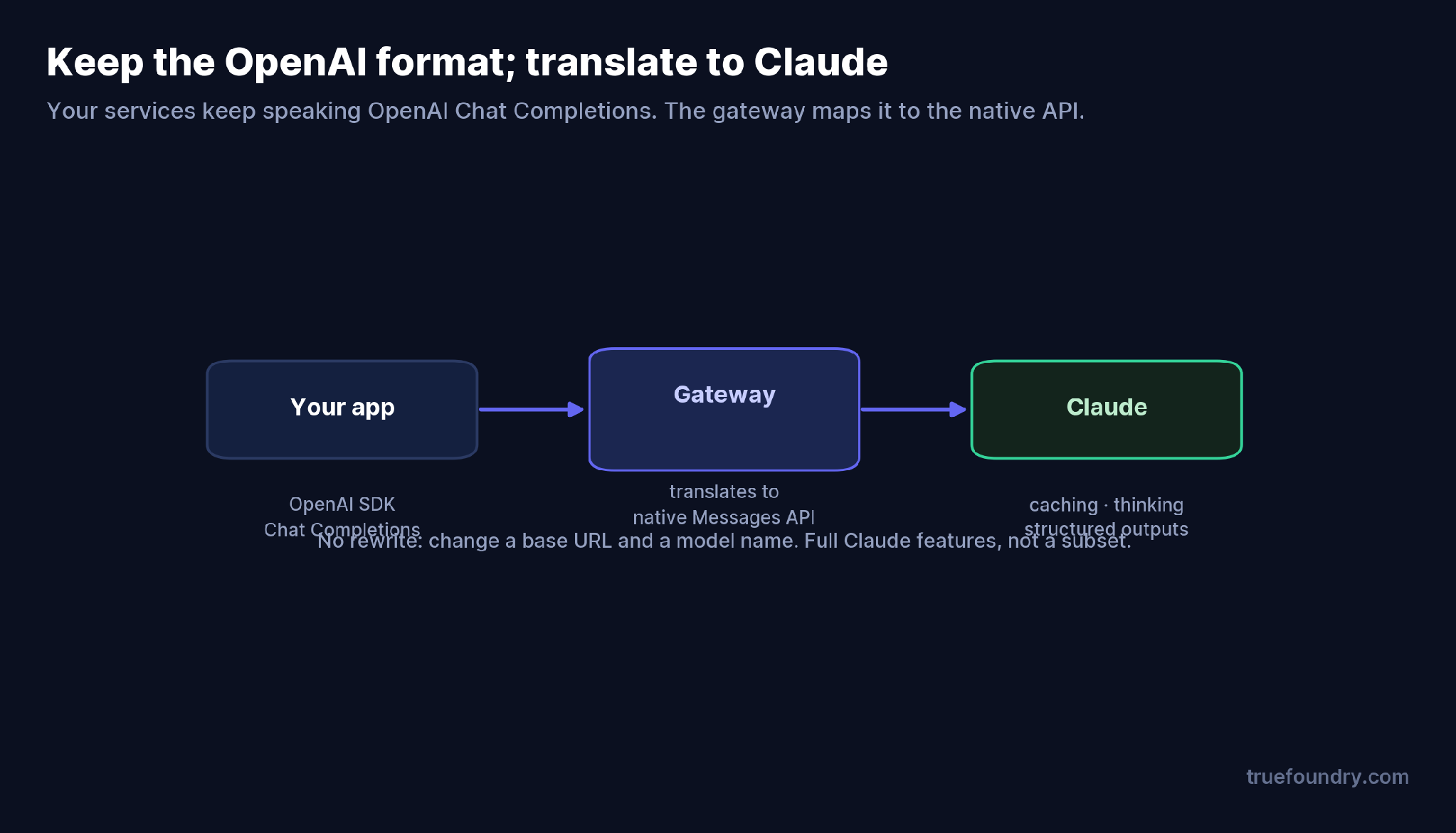
Keep the OpenAI format; the gateway translates to Claude’s native API
If you use Anthropic’s own OpenAI-compatibility endpoint, you point the OpenAI SDK at https://api.anthropic.com/v1/, swap in a Claude API key and a Claude model name, and it works. But Anthropic is explicit that this layer is “primarily intended to test and compare model capabilities, and is not considered a long-term or production-ready solution for most use cases.” A gateway that speaks OpenAI-in and native-Claude-out does the same translation without that ceiling — which is the difference the next section is about.
TrueFoundry AI Gateway delivers ~3–4 ms latency, handles 350+ RPS on 1 vCPU, scales horizontally with ease, and is production-ready, while LiteLLM suffers from high latency, struggles beyond moderate RPS, lacks built-in scaling, and is best for light or prototype workloads.




Yes. Anthropic offers an OpenAI-compatibility endpoint, but it’s meant for testing — it drops prompt caching and thinking and constrains some parameters. For production, route your OpenAI-format requests through a gateway that translates to Claude’s native API, keeping the full feature set.
No. Keep your OpenAI-shaped code, change the base URL to a gateway and the model to a Claude tier, and the gateway handles translation. Porting to the native Messages API is the eventual destination but not a prerequisite to start.
Prompt caching, returned thinking, and strict behavior for several fields (response_format, seed, logprobs, and others are ignored); forced tool use and some temperature/top_p values error on the newest models. It’s for evaluation, not production.
Incrementally: route one service through the gateway, back a logical model name with Claude, keep OpenAI as a fallback, compare on real prompts, then shift traffic. Every step is reversible config.
Yes. Behind a logical model name, a gateway can weight traffic across providers or fall back between them, so you can run both during and after migration.
.png)
.png)
.png)
.png)
.png)
.png)
.png)
.png)
.png)
.png)
.png)
.png)