Add Cartesia models to the AI Gateway and set up access in three steps.
1
Navigate to Cartesia Models in AI Gateway
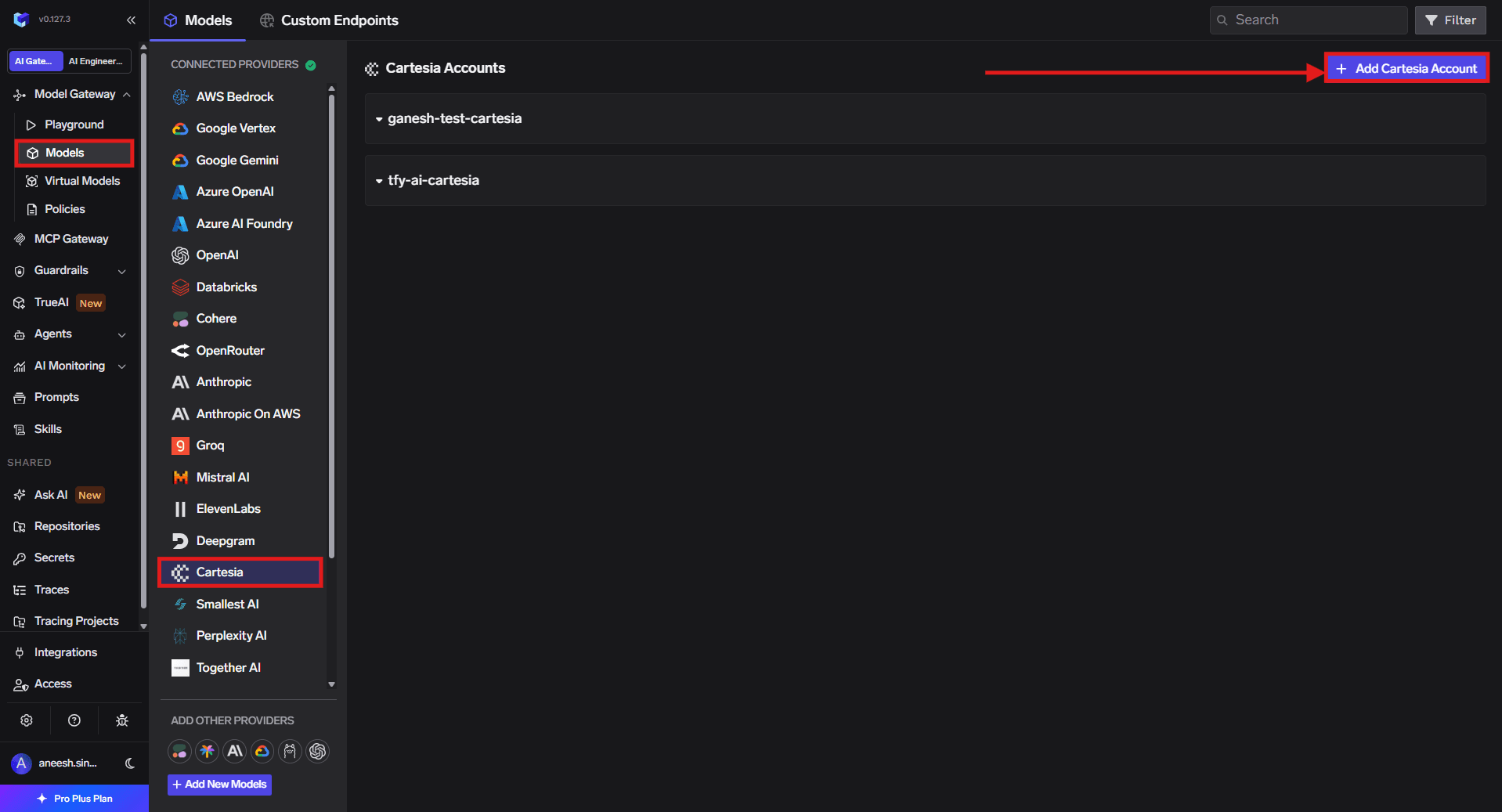
In the TrueFoundry dashboard, go to AI Gateway → Models and select Cartesia.
Navigate to Cartesia Models
2
Add Cartesia Account Details
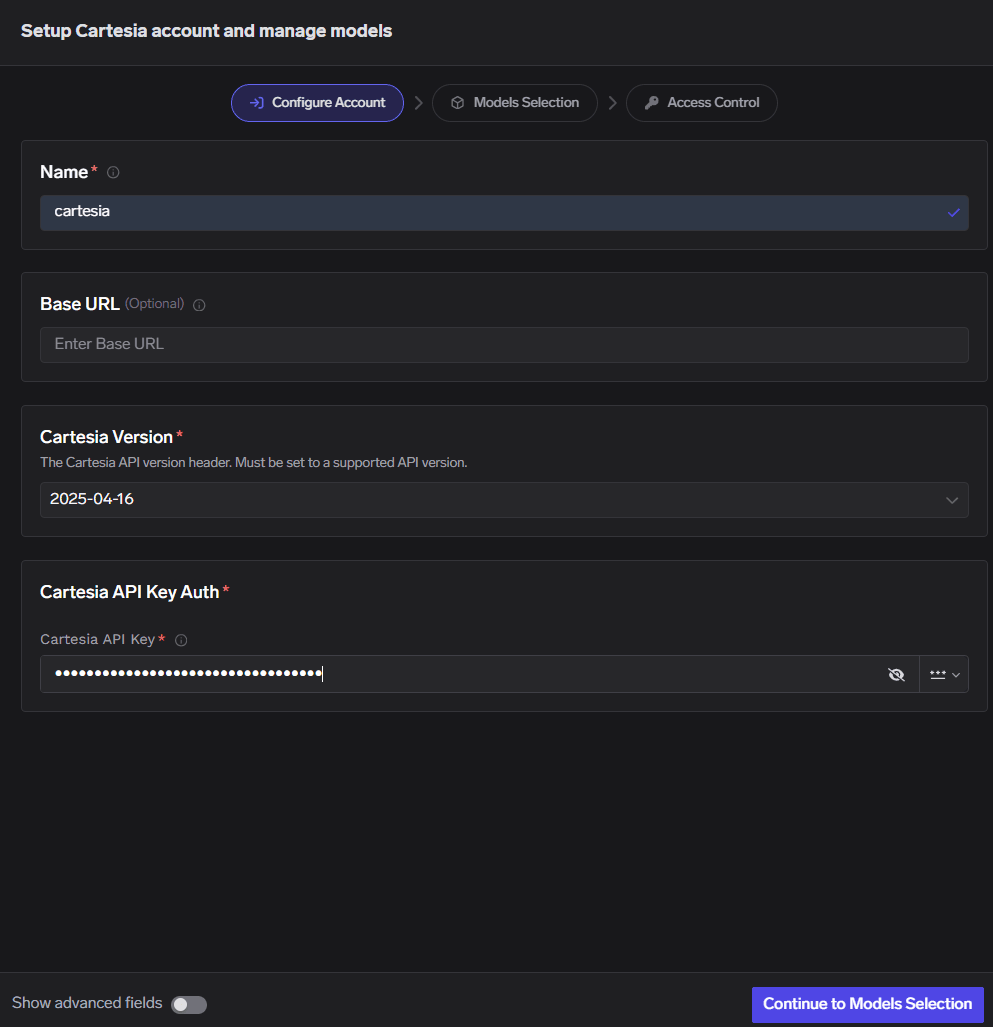
Click Add Cartesia Account. Enter a unique account name and your Cartesia API Key. Select the Cartesia Version API version (2024-06-10, 2024-11-13, or 2025-04-16, which is the default), and optionally set a custom Base URL. Optionally add collaborators so other users or teams can use this account. See Gateway access control for details.
Cartesia Model Account Form
3
Add Models
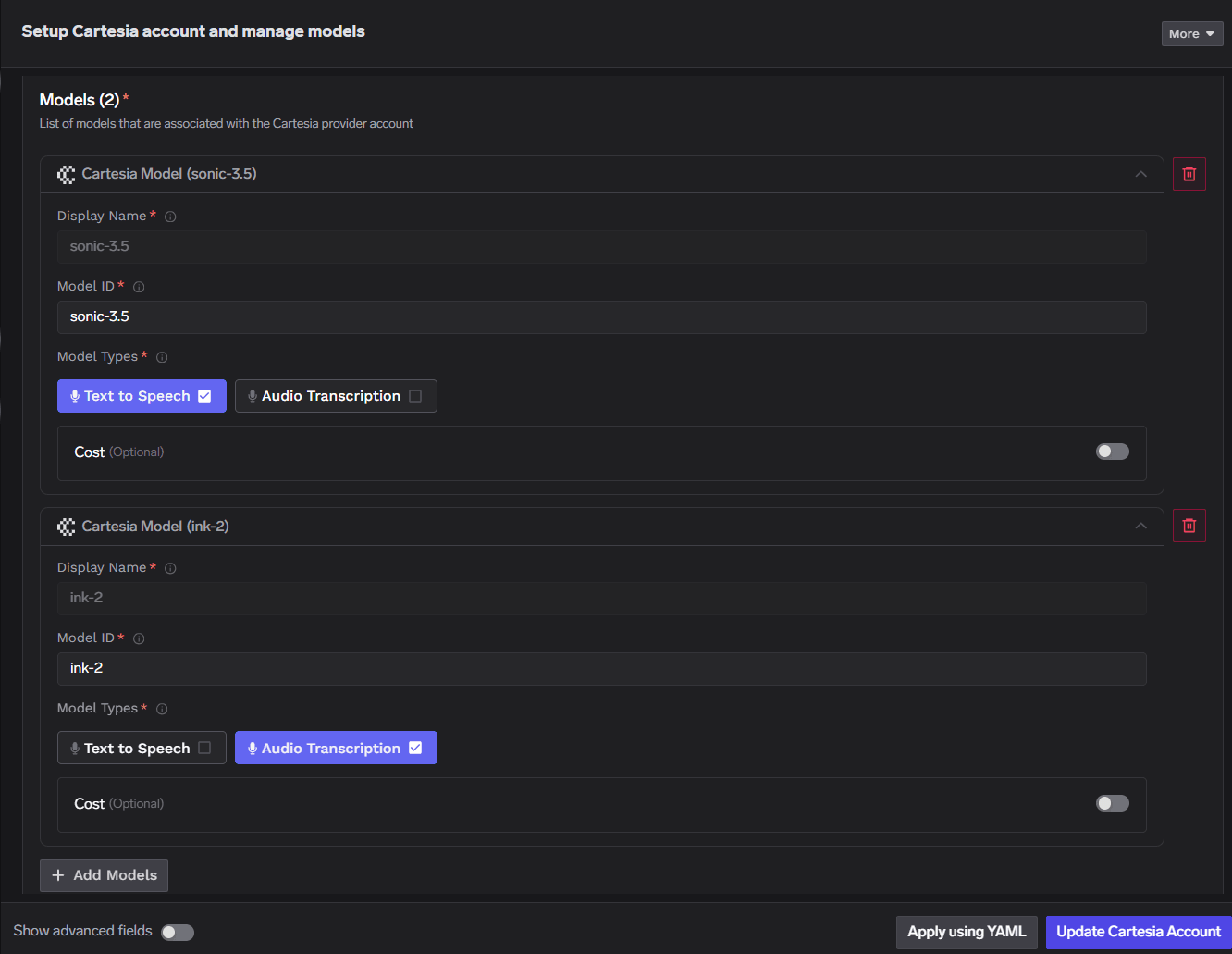
Click + Add Model and fill in the Display name, Model ID, and Model type.
Setup Cartesia account and manage models
For Cartesia, the Model ID and Display name must be identical.