Publish a Skill to the Skills Registry from the UI, CLI, or GitOps, then use it in TrueFoundry Agents, Claude Code, or Cursor.
Author your skill once, publish a versioned bundle to the Skills Registry, and re-use it across surfaces. Pick the publish path that matches your workflow:
Path
Use when
From UI
Single-file SKILL.md. Quickest, no CLI setup needed.
tfy upload skill(CLI)
Multi-file skills (supporting references/, scripts/, assets/) — one-shot imperative upload. Works on a dev machine or in CI.
tfy apply(CLI, GitOps)
Multi-file skills defined declaratively as a YAML manifest — best fit for GitOps where the skill lives alongside its source.
UI uploads currently support a single SKILL.md file only. Multi-file support from the UI is on the roadmap — for now, if your skill ships supporting files (references/, scripts/, assets/), use one of the two CLI paths below.
All three paths produce the same artifact: a versioned Skill stored under a Repository and addressable by its FQN (e.g. agent-skill:my-tenant/my-skills/analytics-helper:1). Repository access controls who can discover, edit, and use the Skill.
Skills do not have separate per-skill permissions. Manage access on the parent Repository instead. See Repositories for the shared repository concept, storage backing, and access control.
A Repository with at least one storage integration configured. The skill bundle is stored in this repository’s blob storage. See Repositories for the concept and Create a repository for setup.
For the CLI / GitOps paths — the TrueFoundry CLI installed and authenticated. See CLI Setup.
The UI flow is the fastest way to publish a single-file skill. The AI Gateway uses the SKILL.md content you author here as the entire skill bundle.
The UI flow currently supports a single SKILL.md only — supporting files are not uploaded. Multi-file support from the UI is on the roadmap. If your skill needs references/, scripts/, or assets/, use the tfy upload skill or tfy apply tab instead.
1
Open the Skills Registry
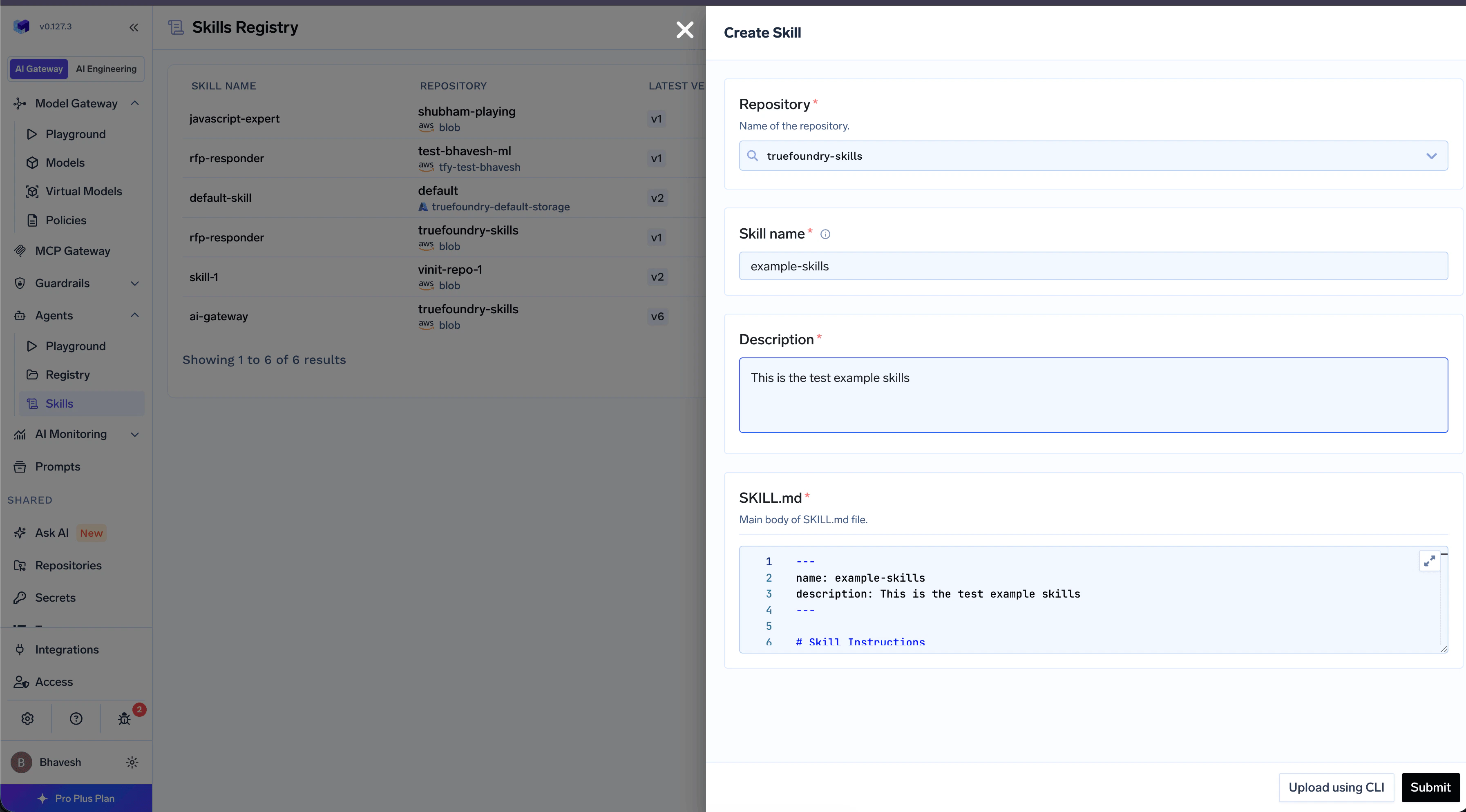
Navigate to Agents → Skills in the left sidebar and click Create New Skill → Create from UI.
Create New Skill menu with the Create from UI option highlighted
The Repository where this skill version is stored.
Description
Short, action-oriented description. The agent uses this to decide whether the skill is relevant. 1–1024 chars.
3
Author the SKILL.md body, save the version
The editor is a Markdown editor. The AI Gateway automatically prepends the YAML frontmatter from the fields above, so you only write the body — the procedure the agent should follow. Click Save to create v1.
# Analytics Helper Skill## Querying TablesTo run a query against the warehouse, call …
To create a new version later, open the skill and click New Version in the version list.
Use the CLI when your skill ships supporting files. The CLI reads your local folder, validates SKILL.md, and registers a new version. Works equally well from a developer machine or a CI job.
The CLI validates the frontmatter, uploads the bundle, and registers the new version. On success:
Uploaded skill version successfully.
The version appears in the Skills Registry, e.g. agent-skill:my-tenant/my-skills/analytics-helper:1. See CLI Reference for the full flag list.
Define the skill as a YAML manifest and apply it with tfy apply — the same mechanism used for deployments, prompts, and other TrueFoundry resources. See Using tfy apply for the general overview.
1
Author the manifest
Point source.skill_dir at the skill folder; tfy apply packages and uploads it.
manifests/analytics-helper.yaml
type: agent-skillname: analytics-helperml_repo: my-skillsmetadata: {}source: type: local skill_dir: ./skills/analytics-helper
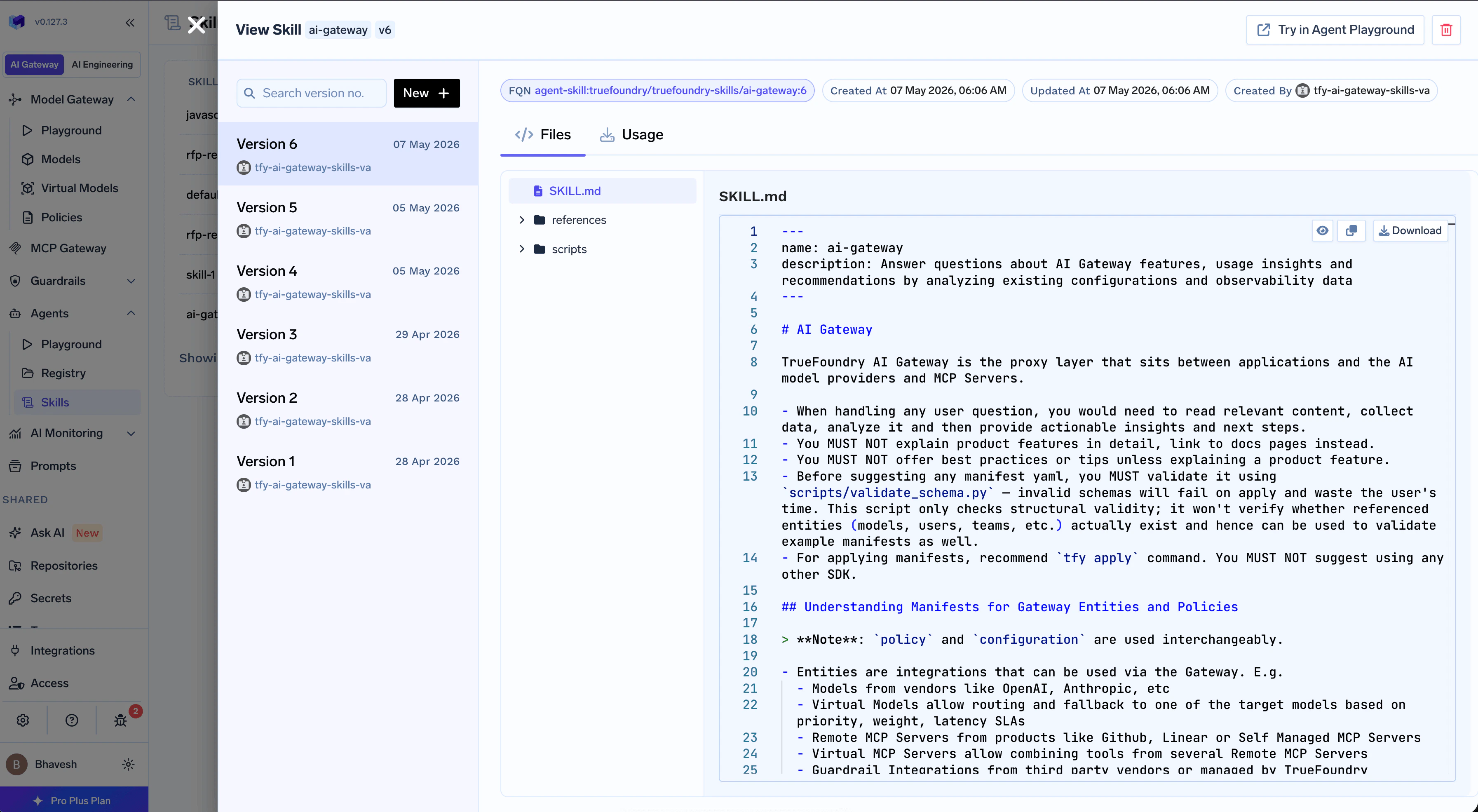
Once a skill version exists, you can use it from any of three surfaces. Open the Usage tab on the Skill Detail page in the UI to copy the exact command pre-filled with your skill’s FQN.
Skill Detail showing the Usage tab with Download, Add to Cursor, and Add to Claude options
TrueFoundry Agent
Claude Code
Cursor
Attach the skill to an agent from TRUEFORGE → Build Agents. The harness loads the skill alongside the agent’s tools and runs it inside a sandbox.Skills published here appear in the agent builder automatically — see What TrueFoundry Adds, and the TrueForge docs for how skills are loaded at runtime.
Sync the skill into Claude Code’s local skills directory. Claude Code picks up new skills from this directory automatically.
Use the Usage → Add to Cursor tab on the Skill Detail page to grab the command pre-filled with the exact path for your install.
To pull the bundle to disk for editing, mirroring, or auditing, point --dir at any local path (e.g. ./skills). Edit the files and re-publish a new version with tfy upload skill.