Add Smallest AI models to the AI Gateway and set up access in three steps.
1
Navigate to Smallest AI Models in AI Gateway
In the TrueFoundry dashboard, go to AI Gateway → Models and select Smallest AI.
Smallest AI models on the model account
2
Add Smallest AI Account Details
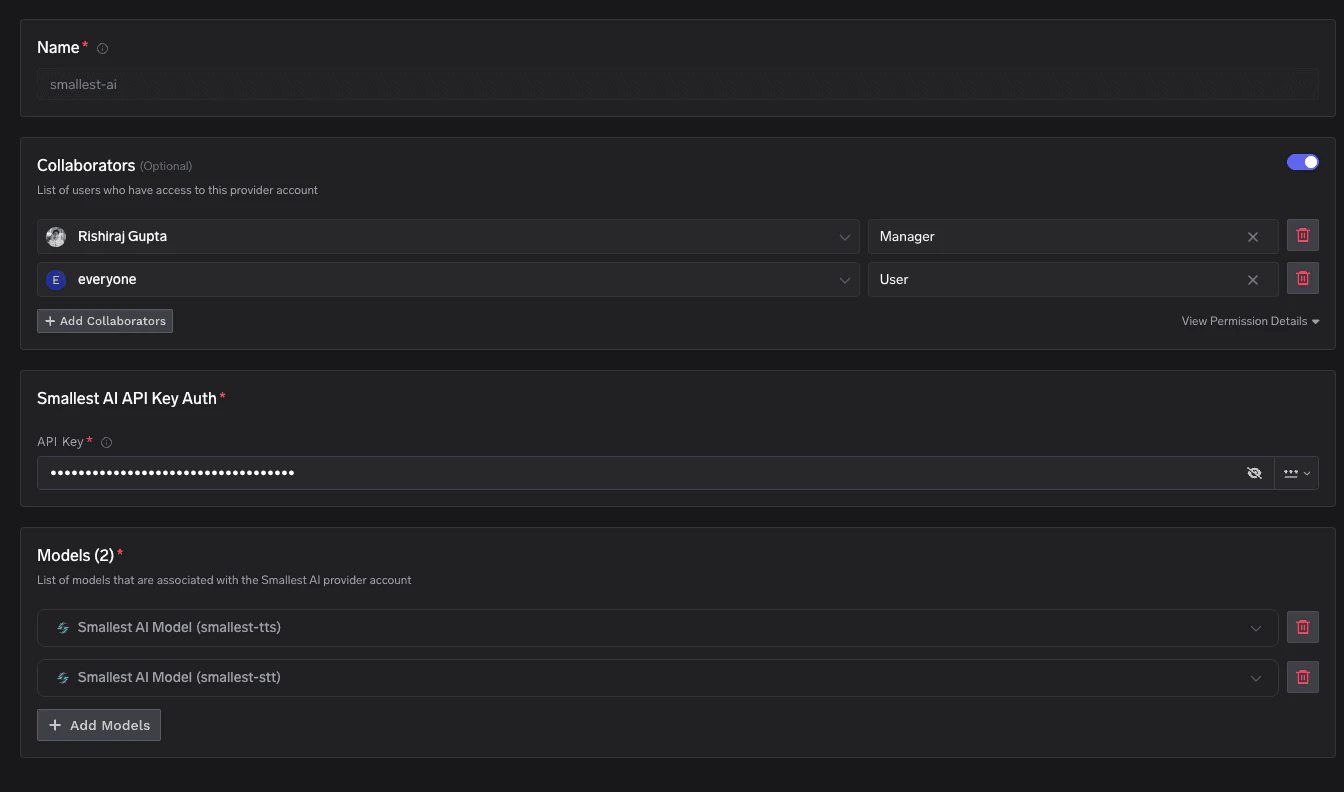
Click Add Smallest AI Account. Enter a unique account name and your Smallest AI API Key. Optionally add collaborators so other users or teams can use this account. See Gateway access control for details.
Smallest AI account configuration form
3
Add Models
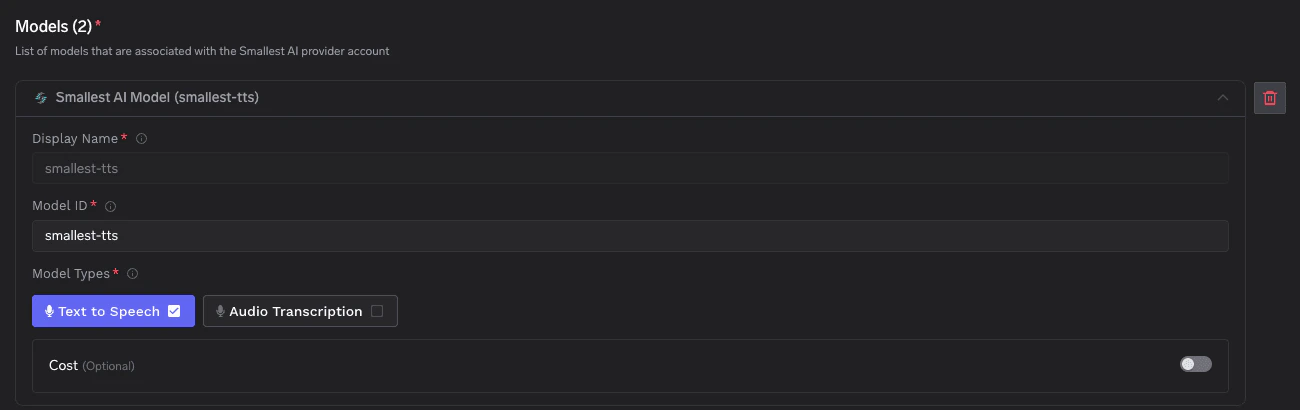
Click + Add Model and fill in the Display name, Model ID, and Model type (Text to Speech or Audio Transcription).
Add a Smallest AI model
For Smallest AI, the Model ID and Display name must be identical (e.g. smallest-tts, smallest-stt).
Once models are added, use the Smallest AI native HTTP API to call TTS and STT endpoints through the AI Gateway. Requests are proxied to Smallest AI’s Waves API under your model account path.
Once your Smallest AI model account is configured, the following API surfaces are available through the AI Gateway. The table below summarizes each endpoint alongside platform feature support (tracing, cost tracking).
Convert text into audio using Smallest AI’s Waves TTS API. The AI Gateway forwards your request to waves/v1/smallest-tts/get_speech under your model account and streams back the raw audio bytes. Full docs: Text-to-Speech.Before you start: Replace {GATEWAY_BASE_URL} with your gateway base URL (how to find it) and {smallestAiProviderAccountName} with the display name of your Smallest AI model account.
For the full list of voices, supported sample rates, languages, and output formats, refer to the Smallest AI Waves TTS reference.
Speech-to-Text
Transcribe audio with Smallest AI’s Waves STT API. The AI Gateway forwards your request to waves/v1/smallest-stt/get_text under your model account. You can pass a remote audio URL via the JSON body. Full docs: Speech-to-Text.
Smallest AI returns a JSON object containing the transcription field. Refer to the Smallest AI Waves STT reference for additional parameters and supported languages.
Cost tracking: Smallest AI usage is not metered by the AI Gateway. Tracing and request logging continue to work as with any other provider — see Metrics Dashboard.
Was this page helpful?
Assistant
Responses are generated using AI and may contain mistakes.