AWS Claude Platform (Anthropic’s Claude Platform on AWS) gives you the full Anthropic platform — the Messages API, Files API, prompt caching, extended thinking, and beta features — accessed through your AWS account. Unlike Amazon Bedrock, where AWS operates the inference stack, Anthropic operates Claude Platform on AWS. AWS provides the authentication layer (SigV4 or API key), IAM-based access control, and billing through AWS Marketplace.
AWS Claude Platform vs AWS Bedrock — both let you call Claude through AWS, but they are different integrations:
  • AWS Claude Platform (this page): Anthropic-operated, uses the Claude API surface (/v1/messages), model IDs like claude-sonnet-4-6, base URL aws-external-anthropic.{region}.api.aws, and requires a workspace ID.
  • AWS Bedrock: AWS-operated, uses Bedrock Converse / InvokeModel, model IDs like anthropic.claude-sonnet-4-5-20250929-v1:0.
If you need AWS to be the sole data processor (FedRAMP, HIPAA-ready), use AWS Bedrock instead.

Prerequisites

Before adding the provider account, complete this one-time AWS setup. See Anthropic’s Claude Platform on AWS docs for the full flow.
1

Subscribe to Claude Platform on AWS

In the AWS Console, open the Claude Platform on AWS service page and choose Sign up. This provisions an Anthropic organization tied to your AWS account and sets up the AWS Marketplace subscription.
2

Enable outbound web identity federation

The Claude Platform on AWS gateway calls sts:GetWebIdentityToken server-side to mint a token it forwards to Anthropic. This STS capability is disabled by default on every AWS account. Enable it once per account:
aws iam enable-outbound-web-identity-federation
If the response says it is already enabled, you’re good to go.
Without this step, every request fails with "Outbound web identity federation is disabled for your account". This is the single most common setup error.
3

Create a workspace and note its ID

From the AWS Console Workspaces page, create a workspace. Workspaces are bound to a single AWS region — the region you pick here must match the region you configure on the provider account.Copy the workspace ID; it has the format wrkspc_<alphanumeric> (for example, wrkspc_01AbCdEf23GhIj). You’ll need it when adding the account.

Adding Models

This section explains the steps to add AWS Claude Platform models and configure the required access controls.
1

Navigate to AWS Claude Platform Models in AI Gateway

From the TrueFoundry dashboard, navigate to AI Gateway > Models and select AWS Claude Platform.
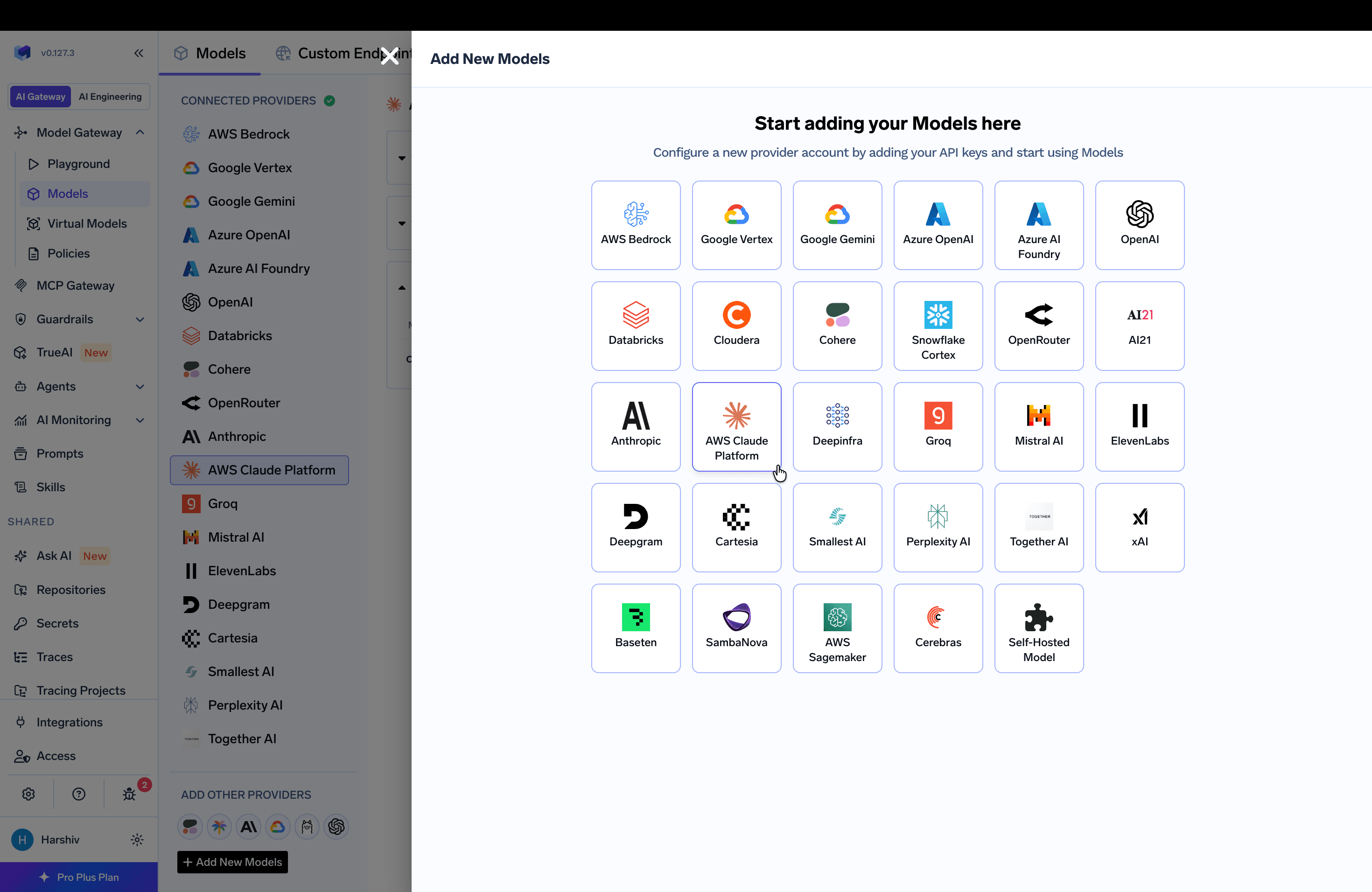
Navigating to AWS Claude Platform Provider Account in AI Gateway
2

Add Account Name and Collaborators

Give a unique name for the account which will be used to refer to it later in the models. The models in the account are referred to as @providername/@modelname. Add collaborators to your account — you can decide which users/teams have access to the models (User Role) and who can add/edit/remove models (Manager Role). Read more about access control here.
3

Add Workspace ID, Region, and Authentication

Provide the following so the gateway can reach your workspace:
  • Workspace ID — the wrkspc_... ID from the prerequisites. It is sent on every request as the anthropic-workspace-id header.
  • Region — the default AWS region for requests. This must match the region your workspace is bound to, since workspaces are region-scoped.
  • Authentication — how the gateway authenticates to Claude Platform on AWS. Three methods are supported: AWS Access Key / Secret, Assumed Role (both use SigV4), and API Key.
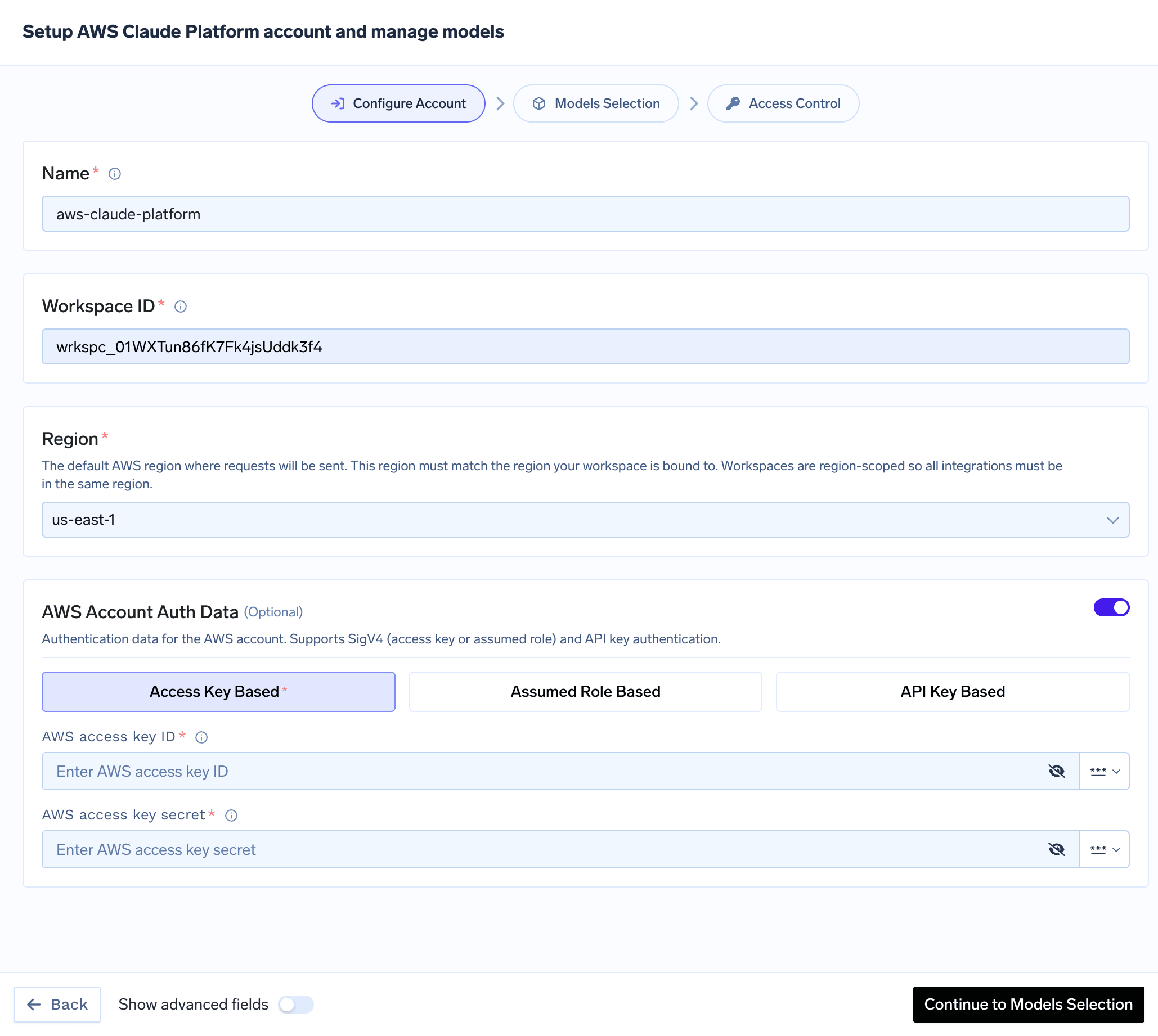
AWS Claude Platform authentication form with workspace ID, region, and auth type selector
Claude Platform on AWS authorizes every request through AWS IAM. The SigV4 service name and IAM action namespace is aws-external-anthropic (actions look like aws-external-anthropic:CreateInference). You attach a policy to the IAM principal (user or role) the gateway uses.You can choose one of two approaches for the IAM policy.

Option A — Quickstart (full access)

The fastest path is to attach the AWS-managed AnthropicFullAccess policy to your principal. It grants every Claude Platform on AWS action across all workspaces and covers both SigV4 and API key authentication, so you don’t have to reason about individual actions.AWS ships five managed policies for common access patterns:
Managed policyUse it for
AnthropicFullAccessEverything (recommended quickstart). Covers all auth modes, inference, files, and batches.
AnthropicReadOnlyAccessRead-only visibility (no inference).
AnthropicInferenceAccessNarrowest policy sufficient for inference. Does not grant file create/delete, so it will not cover the Files API on its own.
AnthropicLimitedAccessA constrained subset for limited workloads.
AnthropicSelfHostedEnvironmentAccessSelf-hosted Managed Agents sandboxes.
See IAM actions for Claude Platform on AWS → Managed policies for the exact actions each one grants.

Option B — Least-privilege (production hardening)

For production, attach a scoped policy granting only the actions the gateway uses, restricted to your workspace ARN. The workspace ARN follows this format:
arn:aws:aws-external-anthropic:{region}:{account-id}:workspace/{workspace-id}
The per-operation actions below authorize the actual API routes the gateway calls and are needed for both SigV4 and API key authentication:
OperationIAM actionResource
Chat / MessagesCreateInferenceworkspace ARN
Count tokensCountTokensworkspace ARN
List / get modelsListModels, GetModelworkspace ARN
Files (upload / list / get / content / delete)CreateFile, ListFiles, GetFile, DeleteFileworkspace ARN
Get workspaceGetWorkspaceworkspace ARN
List workspacesListWorkspaces* (account-scoped)
GetFile covers both file metadata and file /content. Account-scoped actions like ListWorkspaces must use "Resource": "*"; specifying a workspace ARN on them has no effect.
IAM policy (least-privilege)
{
  "Version": "2012-10-17",
  "Statement": [
    {
      "Sid": "WorkspaceScopedActions",
      "Effect": "Allow",
      "Action": [
        "aws-external-anthropic:CreateInference",
        "aws-external-anthropic:CountTokens",
        "aws-external-anthropic:ListModels",
        "aws-external-anthropic:GetModel",
        "aws-external-anthropic:GetWorkspace",
        "aws-external-anthropic:CreateFile",
        "aws-external-anthropic:ListFiles",
        "aws-external-anthropic:GetFile",
        "aws-external-anthropic:DeleteFile"
      ],
      "Resource": "arn:aws:aws-external-anthropic:us-west-2:<aws-account-id>:workspace/<workspace-id>"
    },
    {
      "Sid": "AccountScopedActions",
      "Effect": "Allow",
      "Action": "aws-external-anthropic:ListWorkspaces",
      "Resource": "*"
    }
  ]
}
If you authenticate with an API key, also add aws-external-anthropic:CallWithBearerToken to the "Resource": "*" (account-scoped) statement:
{
  "Sid": "AccountScopedActions",
  "Effect": "Allow",
  "Action": [
    "aws-external-anthropic:ListWorkspaces",
    "aws-external-anthropic:CallWithBearerToken"
  ],
  "Resource": "*"
}
CallWithBearerToken is a route-less, authentication-layer action that does not bind to a workspace ARN. SigV4 principals (access key / assumed role) do not need it.
Want to also run batch jobs directly on AWS? Add the batch actions (CreateBatchInference, ListBatchInferences, GetBatchInference, CancelBatchInference, DeleteBatchInference) on the workspace ARN. GetBatchInference covers both batch metadata and results.

Once you have a policy, attach it to a principal and configure credentials in TrueFoundry using one of the methods below.Using AWS Access Key and Secret (SigV4)
  1. Create an IAM user (or choose an existing one) following these steps.
  2. Attach the IAM policy (Option A or B) to this user.
  3. Create an access key for this user as per this doc.
  4. Use this access key and secret while adding the provider account.
Using Assumed Role (SigV4)The gateway role assumes your role, which in turn accesses Claude Platform on AWS.
  1. Create an IAM role in your AWS account and attach the IAM policy (Option A or B) to it.
  2. Configure the trust policy so the gateway role can assume it. Use the appropriate role ARN based on your deployment:
For SAAS deployments:
  • Gateway role ARN: arn:aws:iam::416964291864:role/tfy-ctl-production-ai-gateway-deps
For on-prem deployments:
  • Your gateway role ARN will look like: arn:aws:iam::<your-aws-account-id>:role/<account-prefix>-truefoundry-deps
Trust policy
{
  "Version": "2012-10-17",
  "Statement": [
    {
      "Sid": "Statement1",
      "Effect": "Allow",
      "Principal": {
        // for SAAS deployments:
        "AWS": "arn:aws:iam::416964291864:role/tfy-ctl-production-ai-gateway-deps"
        // or for on-prem deployments:
        // "AWS": "arn:aws:iam::<your-aws-account-id>:role/<account-prefix>-truefoundry-deps"
      },
      "Action": "sts:AssumeRole",
      // (Optional) For additional security use external ID.
      "Condition": {
        "StringEquals": {
          "sts:ExternalId": "your-external-id"
        }
      }
    }
  ]
}
You can optionally configure an external ID in the trust policy for additional security. If you use one, provide the same external ID when creating the integration in TrueFoundry.
Using API KeyAPI keys are the simplest path and are ideal for exploration and development.
  1. In the AWS Console, go to Claude Platform on AWS → API keys.
  2. Choose Generate a key and copy the key value.
  3. Grant the aws-external-anthropic:CallWithBearerToken IAM action to the principal the key is generated under (see the warning under Option B).
  4. Use this API key while adding the provider account.
API keys for Claude Platform on AWS are managed in the AWS Console, not the Claude Console. Keys created in the standard Claude Console (for first-party API access) do not work with this endpoint.
4

Add Models

Select the models from the list that you want to add. You can use Select All to select all the models.
If the model you are looking for is not present in the options, you can add it using + Add Model at the end of the list and entering the model ID.
Model IDs are identical to the first-party Claude API — there are no Bedrock-style ARNs or anthropic. prefixes. Commonly available models:
ModelModel ID
Claude Opus 4.8claude-opus-4-8
Claude Opus 4.6claude-opus-4-6
Claude Sonnet 4.6claude-sonnet-4-6
Claude Opus 4.5claude-opus-4-5
Claude Sonnet 4.5claude-sonnet-4-5
Claude Haiku 4.5claude-haiku-4-5
Claude Fable 5claude-fable-5
For the authoritative, up-to-date list of model IDs, see Anthropic’s Available models on Claude Platform on AWS.

Inference

After adding the models, you can perform inference using an OpenAI-compatible or Anthropic-compatible API via the Playground or by integrating with your own application.
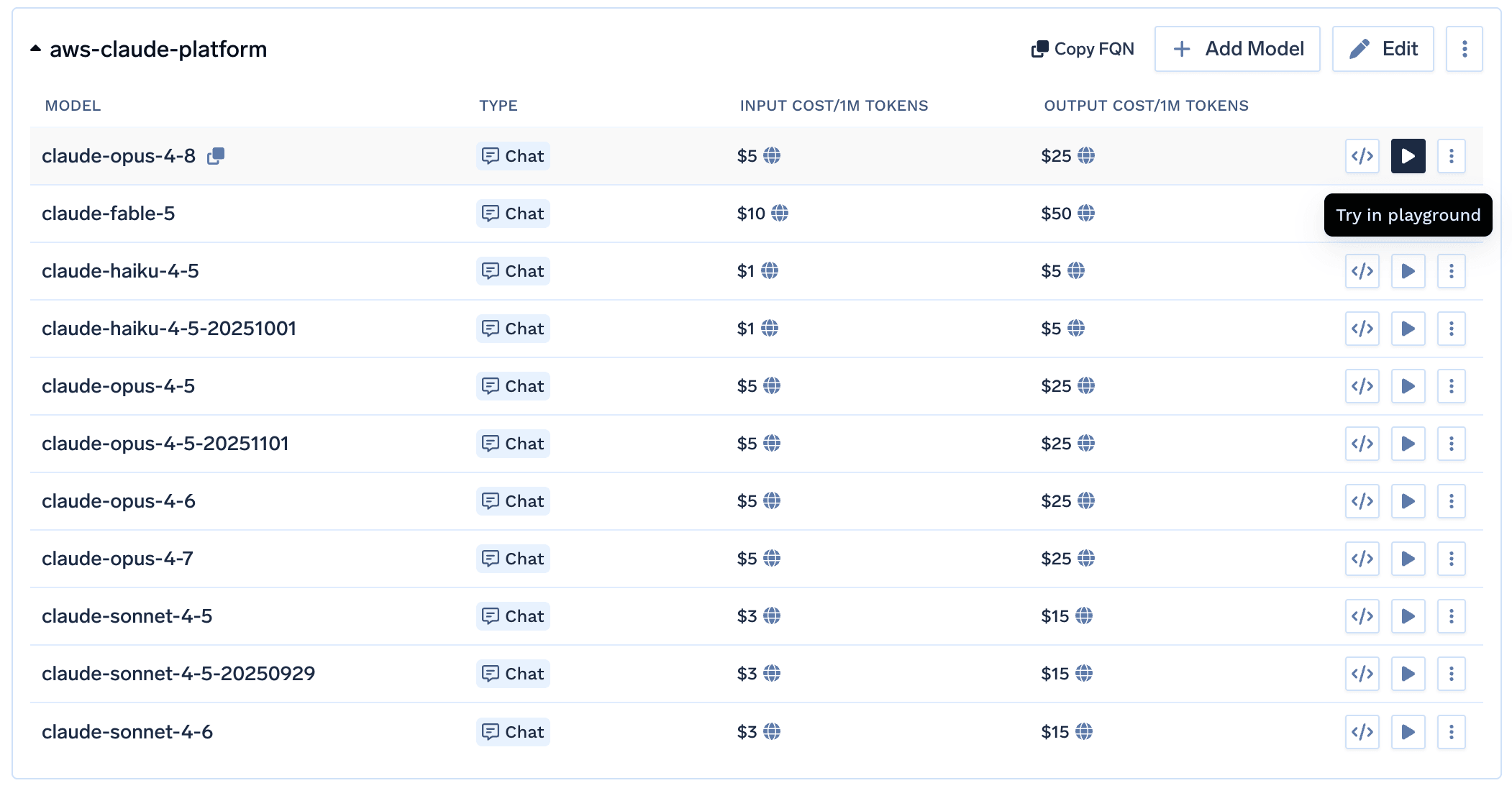
Code Snippet and Try in Playground Buttons for each model

Supported APIs

Once your AWS Claude Platform provider account is configured, the following API surfaces are available through the gateway. The wire format is identical to the direct Anthropic API, so every Anthropic feature works unchanged. The table below summarizes each endpoint alongside platform feature support (tracing, cost tracking).
Legend:
  • Supported by Provider and Truefoundry
  • Supported by Provider, but not by Truefoundry
  • Provider does not support this feature
APIEndpointTracingCost Tracking
Chat Completions/chat/completions
Messages API/messages
Files API/files
The chat completions endpoint is the most widely used — it supports streaming, tools, multimodal input (images, PDF), structured JSON outputs, prompt caching, and extended thinking. Full provider capability matrix: Chat Completions API.
Python
from openai import OpenAI

client = OpenAI(
    api_key="your-truefoundry-api-key",
    base_url="{GATEWAY_BASE_URL}",
)

response = client.chat.completions.create(
    model="aws-claude-platform-main/claude-sonnet-4-6",
    messages=[
        {"role": "user", "content": "What is TrueFoundry in one line?"},
    ],
)
print(response.choices[0].message.content)
Set stream=True to start streaming responses and iterate over delta chunks. You may defensively check that chunk.choices is non-empty and delta.content is not None.
Python
stream = client.chat.completions.create(
    model="aws-claude-platform-main/claude-sonnet-4-6",
    messages=[{"role": "user", "content": "Count from 1 to 5."}],
    stream=True,
)
for chunk in stream:
    if (
        chunk.choices
        and len(chunk.choices) > 0
        and chunk.choices[0].delta.content is not None
    ):
        print(chunk.choices[0].delta.content, end="", flush=True)
Advertise a tool, hand the model’s tool_calls back as a tool role message, then request the final response. Use tool_choice to force the model to call a specific tool when you need deterministic behaviour.
Python
import json

tools = [{
    "type": "function",
    "function": {
        "name": "get_weather",
        "description": "Get the current weather for a city.",
        "parameters": {
            "type": "object",
            "properties": {"city": {"type": "string"}},
            "required": ["city"],
        },
    },
}]

messages = [{"role": "user", "content": "Weather in Bengaluru?"}]
first = client.chat.completions.create(
    model="aws-claude-platform-main/claude-sonnet-4-6",
    messages=messages,
    tools=tools,
    tool_choice={"type": "function", "function": {"name": "get_weather"}},
)

assistant_msg = first.choices[0].message
tool_calls = assistant_msg.tool_calls or []
if tool_calls:
    tool_call = tool_calls[0]
    messages.append(assistant_msg)
    messages.append({
        "role": "tool",
        "tool_call_id": tool_call.id,
        "content": json.dumps({"city": "Bengaluru", "temp_c": 28, "summary": "partly cloudy"}),
    })
    second = client.chat.completions.create(
        model="aws-claude-platform-main/claude-sonnet-4-6",
        messages=messages,
    )
    print(second.choices[0].message.content)
Claude 3+ models support image inputs via the image_url content part. The URL can be a public HTTP URL or an inline data:image/...;base64,... URI.
Python
image_url = (
    "https://upload.wikimedia.org/wikipedia/commons/thumb/d/dd/Gfp-wisconsin-madison-the-nature-boardwalk.jpg/2560px-Gfp-wisconsin-madison-the-nature-boardwalk.jpg"
)

response = client.chat.completions.create(
    model="aws-claude-platform-main/claude-sonnet-4-6",
    messages=[{
        "role": "user",
        "content": [
            {"type": "text", "text": "Describe this image in one sentence."},
            {"type": "image_url", "image_url": {"url": image_url}},
        ],
    }],
)
print(response.choices[0].message.content)
Claude models support PDF documents via the file content type with base64 encoding.
Python
import base64

with open("sample.pdf", "rb") as f:
    pdf_b64 = base64.b64encode(f.read()).decode("ascii")

response = client.chat.completions.create(
    model="aws-claude-platform-main/claude-sonnet-4-6",
    messages=[{
        "role": "user",
        "content": [
            {"type": "text", "text": "What text is in this PDF?"},
            {
                "type": "file",
                "file": {
                    "filename": "sample.pdf",
                    "file_data": f"data:application/pdf;base64,{pdf_b64}",
                },
            },
        ],
    }],
)
print(response.choices[0].message.content)
Use response_format={"type": "json_schema", ...} to force the model to return data matching a JSON schema. Claude 4.5+ models use native JSON schema support; older models use a tool-conversion fallback.
Anthropic does not support numeric constraint parameters (ge, le, minimum, maximum) in schemas. If you use Pydantic-generated schemas, strip these constraints before passing them through.
Python
import json

schema = {
    "name": "person",
    "schema": {
        "type": "object",
        "properties": {
            "name": {"type": "string"},
            "age": {"type": "integer"},
            "hobbies": {"type": "array", "items": {"type": "string"}},
        },
        "required": ["name", "age", "hobbies"],
        "additionalProperties": False,
    },
    "strict": True,
}

response = client.chat.completions.create(
    model="aws-claude-platform-main/claude-sonnet-4-6",
    messages=[{"role": "user", "content": "Invent a fictional person with name, age, and three hobbies."}],
    response_format={"type": "json_schema", "json_schema": schema},
)

message = response.choices[0].message
if getattr(message, "refusal", None):
    print("model refused:", message.refusal)
elif not message.content:
    print("model returned empty content")
else:
    print(json.dumps(json.loads(message.content), indent=2))
Anthropic requires explicit cache_control on content blocks you want cached (unlike OpenAI’s automatic caching). Cached tokens appear as cache_creation_input_tokens (first call) and cache_read_input_tokens (subsequent calls) in the usage response.
Minimum cacheable prefix: 1024 tokens for Claude Sonnet/Opus, 2048 tokens for Claude Haiku. Prompts shorter than this will accept the cache_control hint but won’t actually be cached.
Python
response = client.chat.completions.create(
    model="aws-claude-platform-main/claude-sonnet-4-6",
    messages=[
        {
            "role": "system",
            "content": [
                {
                    "type": "text",
                    "text": "<LONG_SYSTEM_PROMPT_OVER_1024_TOKENS>",
                    "cache_control": {"type": "ephemeral", "ttl": "5m"},
                },
            ],
        },
        {"role": "user", "content": "What should I check in a Helm chart review?"},
    ],
)
usage = response.usage
extra = getattr(usage, "model_extra", {}) or {}
print("cache_creation:", extra.get("cache_creation_input_tokens", 0))
print("cache_read    :", extra.get("cache_read_input_tokens", 0))
Claude Sonnet 3.7, Claude 4, and Claude 4.5+ series models support extended thinking. Use the reasoning_effort parameter — the gateway translates it into Anthropic’s native thinking parameter format.
The gateway maps reasoning_effort to a thinking.budget_tokens ratio of the request’s max_tokens: none = 0%, low = 30%, medium = 60%, high = 90%.
The response includes reasoning_content (plain text) and thinking_blocks (structured blocks with cryptographic signatures required for multi-turn reasoning continuity).
Python
response = client.chat.completions.create(
    model="aws-claude-platform-main/claude-sonnet-4-6",
    messages=[{"role": "user", "content": "A bat and ball cost $1.10. The bat costs $1.00 more than the ball. How much is the ball?"}],
    reasoning_effort="high",
    max_tokens=8000,
)

msg = response.choices[0].message
print("answer:", msg.content)
print("reasoning:", getattr(msg, "reasoning_content", None))
# thinking_blocks carry signatures for multi-turn continuity
for block in getattr(msg, "thinking_blocks", []) or []:
    print("  block:", block.get("type"), "signature:", block.get("signature", "")[:30])
Always echo thinking_blocks exactly as returned when continuing a conversation. Blocks with missing or modified signature fields are rejected by Anthropic.
Anthropic’s native Messages API (/messages) is also exposed through the gateway, letting you use the official anthropic Python SDK directly. You get the same gateway features — routing, logging, rate-limiting, budget management — as with the OpenAI-compatible interface. Full docs: Messages API, Native SDK Support.
The gateway accepts both Anthropic SDK auth patterns and translates internally:
  • api_key=TFY_API_KEY — SDK sends the x-api-key header
  • auth_token=TFY_API_KEY — SDK sends the Authorization: Bearer header
Either works; the request body is identical. api_key is the idiomatic Anthropic SDK pattern — use it unless you have a reason to send a Bearer token.
Python
from anthropic import Anthropic

client = Anthropic(
    api_key="your-truefoundry-api-key",
    base_url="{GATEWAY_BASE_URL}",
)

message = client.messages.create(
    model="aws-claude-platform-main/claude-sonnet-4-6",
    max_tokens=256,
    # `system` is a top-level parameter in Anthropic's native API, not a message role.
    system="You answer in one short sentence.",
    messages=[
        {"role": "user", "content": "What is TrueFoundry in one line?"}
    ],
)

print(message.content[0].text)
print(message.usage)
Use .messages.stream() and iterate over text_stream for incremental output.
Python
with client.messages.stream(
    model="aws-claude-platform-main/claude-sonnet-4-6",
    max_tokens=256,
    messages=[{"role": "user", "content": "Count from 1 to 5, one per line."}],
) as stream:
    for text in stream.text_stream:
        print(text, end="", flush=True)
Upload, list, retrieve, and delete files held by the gateway. The gateway translates the OpenAI-compatible Files API into Anthropic’s native Files API automatically. Full docs: Files API.
The Files API requires the x-tfy-provider-name header on the client so the gateway can route the request to the right AWS Claude Platform provider account.
File content retrieval (files.content) only works for files created by skills or the code execution tool. User-uploaded files cannot be downloaded back — you can only list metadata and delete them.
Python
from openai import OpenAI

files_client = OpenAI(
    api_key="your-truefoundry-api-key",
    base_url="{GATEWAY_BASE_URL}",
    default_headers={"x-tfy-provider-name": "aws-claude-platform-main"},
)

# Upload
with open("document.txt", "rb") as f:
    uploaded = files_client.files.create(file=f, purpose="assistants")
print(uploaded.id, uploaded.filename, uploaded.bytes)

# List (slice client-side; the gateway may not honour `limit`)
listed = files_client.files.list()
for f in listed.data[:5]:
    print(f.id, f.purpose, f.bytes)

# Retrieve metadata
meta = files_client.files.retrieve(uploaded.id)

# Delete
deleted = files_client.files.delete(uploaded.id)
print(deleted.deleted)

FAQ

This is the most common setup error. Run aws iam enable-outbound-web-identity-federation once for your AWS account (see Prerequisites). This step is specific to Claude Platform on AWS and is not required for Bedrock.
Only when authenticating with an API key. SigV4 principals (access key / assumed role) do not need it. aws-external-anthropic:CallWithBearerToken is a route-less, authentication-layer action granted on "Resource": "*". See Option B for the exact statement.
Workspaces are bound to a single AWS region. A workspace created in us-west-2 is only reachable through the us-west-2 endpoint. The account-level region you set in TrueFoundry must match the workspace’s region.
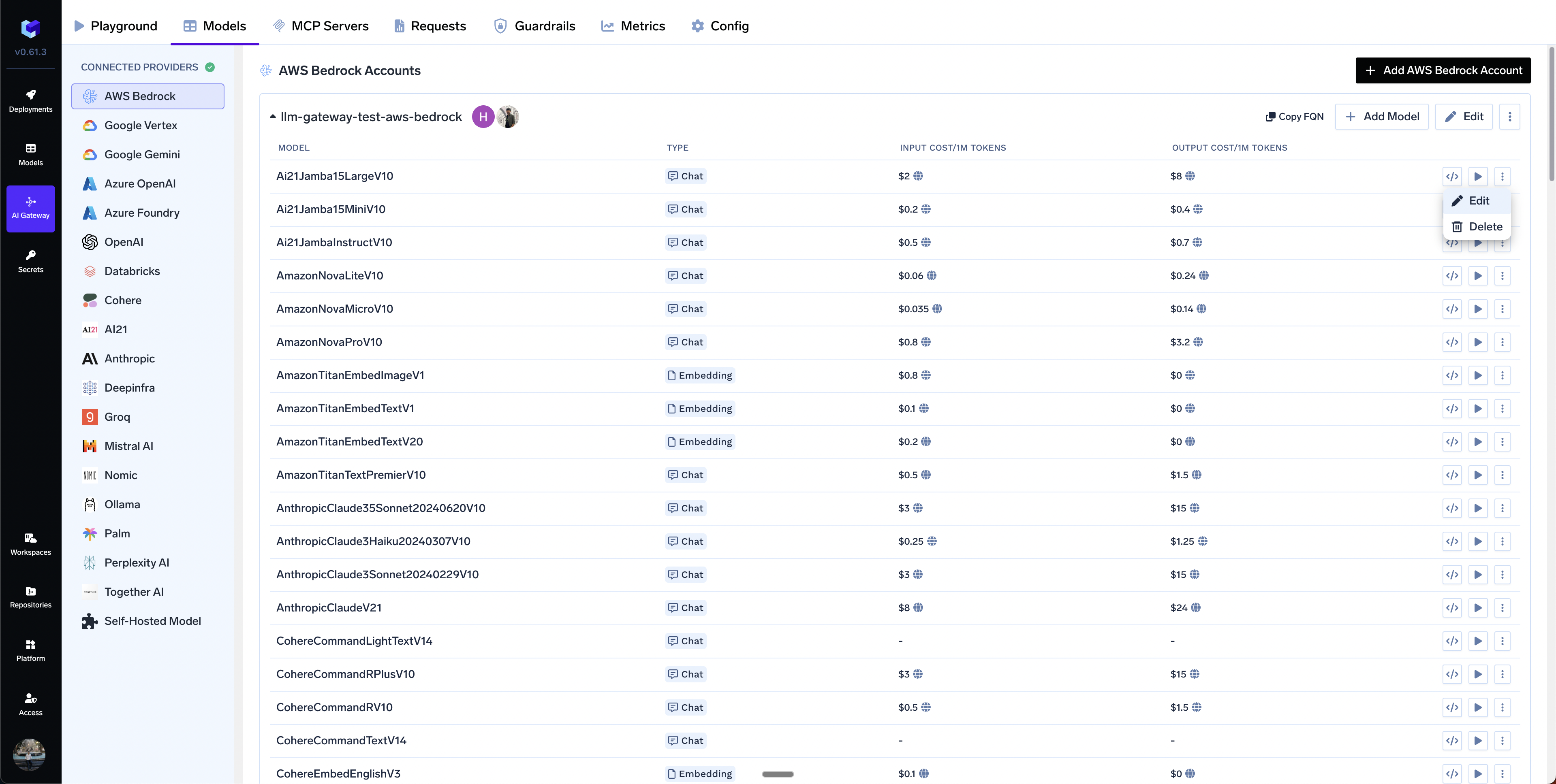
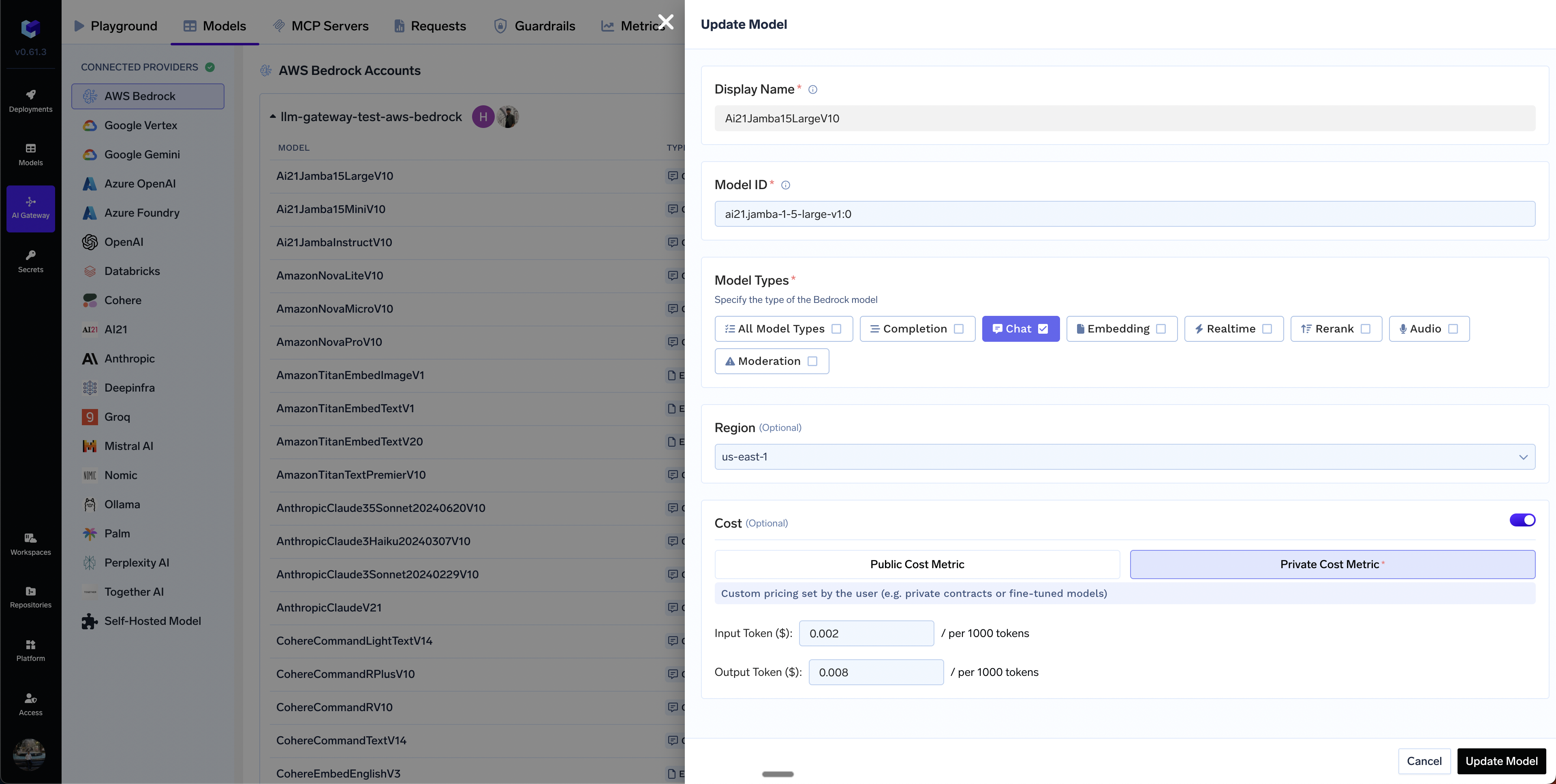
In case you have custom pricing for your models, you can override the default cost by clicking on the Edit Model button and then choosing the Private Cost Metric option.
Edit model button and interface
Custom cost metric configuration form with input fields for pricing