


October 16, 2026
|
5 minutos de lectura


Obtenga acceso instantáneo a un entorno TrueFoundry en vivo. Implemente modelos, dirija el tráfico de LLM y explore la plataforma completa: su sandbox estará listo en segundos, sin necesidad de tarjeta de crédito.



Published: October 16, 2026
¡Una forma increíblemente rápida de crear, rastrear e implementar sus modelos!
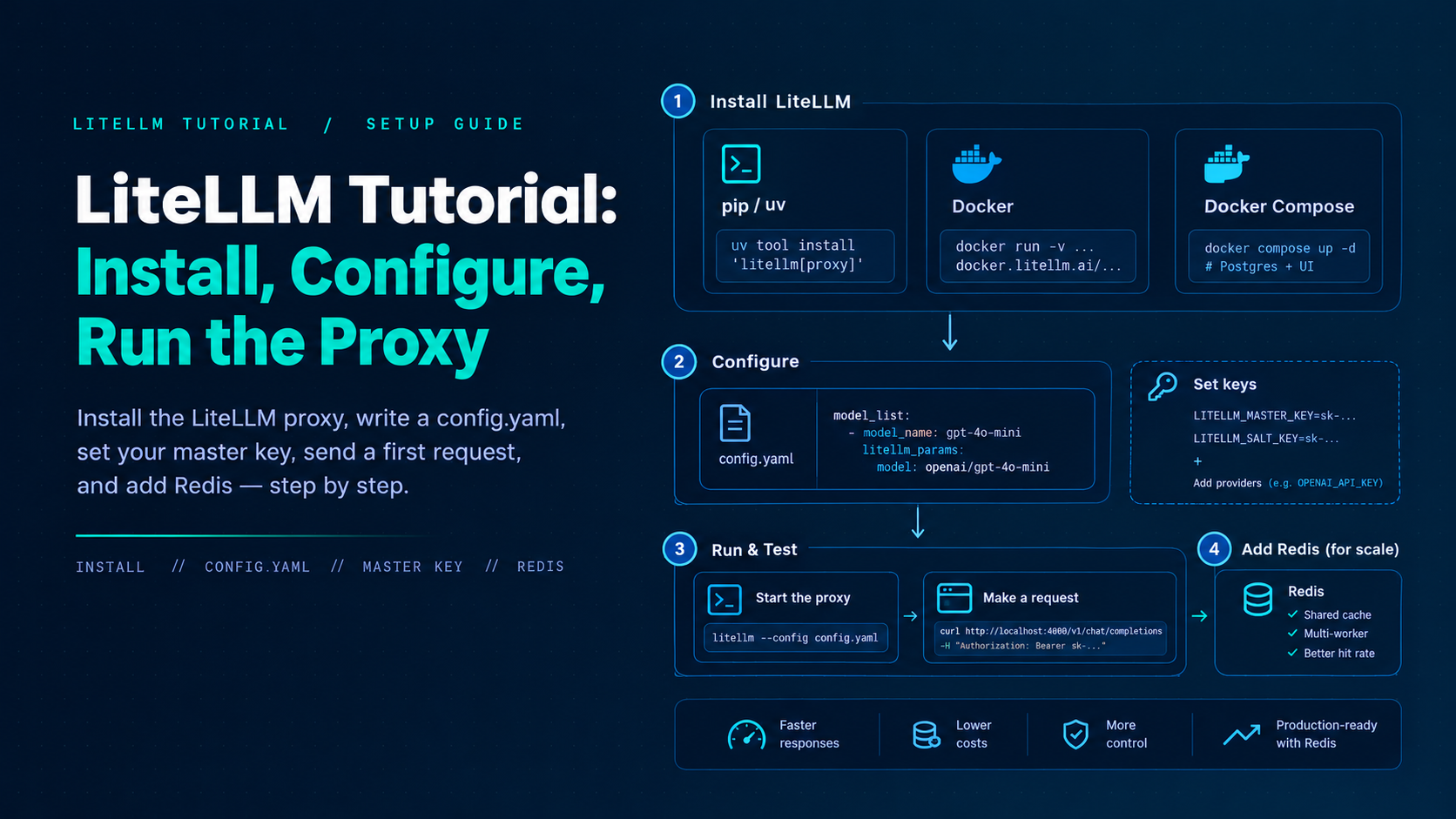
This LiteLLM tutorial walks platform engineers through installing the proxy, writing a minimal config.yaml, setting the master key, sending a first OpenAI-SDK request, adding models, enabling Redis for multi-worker setups, and avoiding the misconfigs that show up in the first week of production. Commands follow the official LiteLLM quickstarts. Pin versions when you promote beyond a laptop—LiteLLM ships minors roughly weekly. New to the pattern itself? Start with what an LLM gateway is and why platform teams put one in front of model providers.
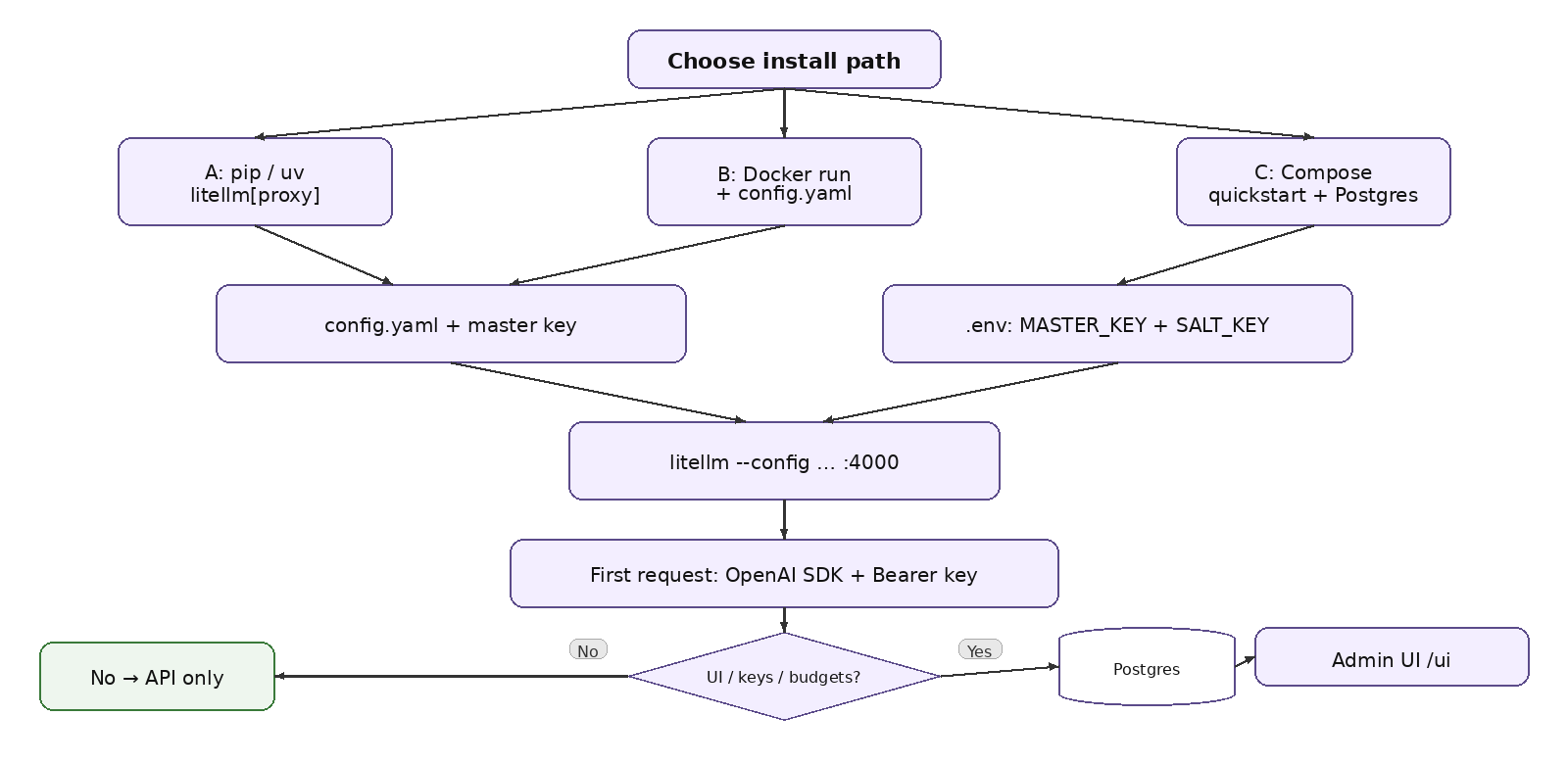
(gateway on your machine)Official gateway quickstart installs the proxy extras with uv:
TrueFoundry AI Gateway ofrece una latencia de entre 3 y 4 ms, gestiona más de 350 RPS en una vCPU, se escala horizontalmente con facilidad y está listo para la producción, mientras que LitellM presenta una latencia alta, tiene dificultades para superar un RPS moderado, carece de escalado integrado y es ideal para cargas de trabajo ligeras o de prototipos.




Install the proxy extras with uv tool install 'litellm[proxy]' (or pip install 'litellm[proxy]' in a virtualenv), write a config.yaml with a model_list, and start it with litellm --config config.yaml. The proxy listens on port 4000 by default. If you need the Admin UI, virtual keys, and spend tracking, use the Docker Compose quickstart, which adds Postgres.
Set the client’s base_url to the proxy (for example http://localhost:4000 or your ingress) and pass a LiteLLM virtual key as api_key. The model field is the public model_name from config.yaml, and responses come back in OpenAI format. On a config-only run without a database, the master key is the Bearer credential, but apps should get virtual keys in any shared setup.
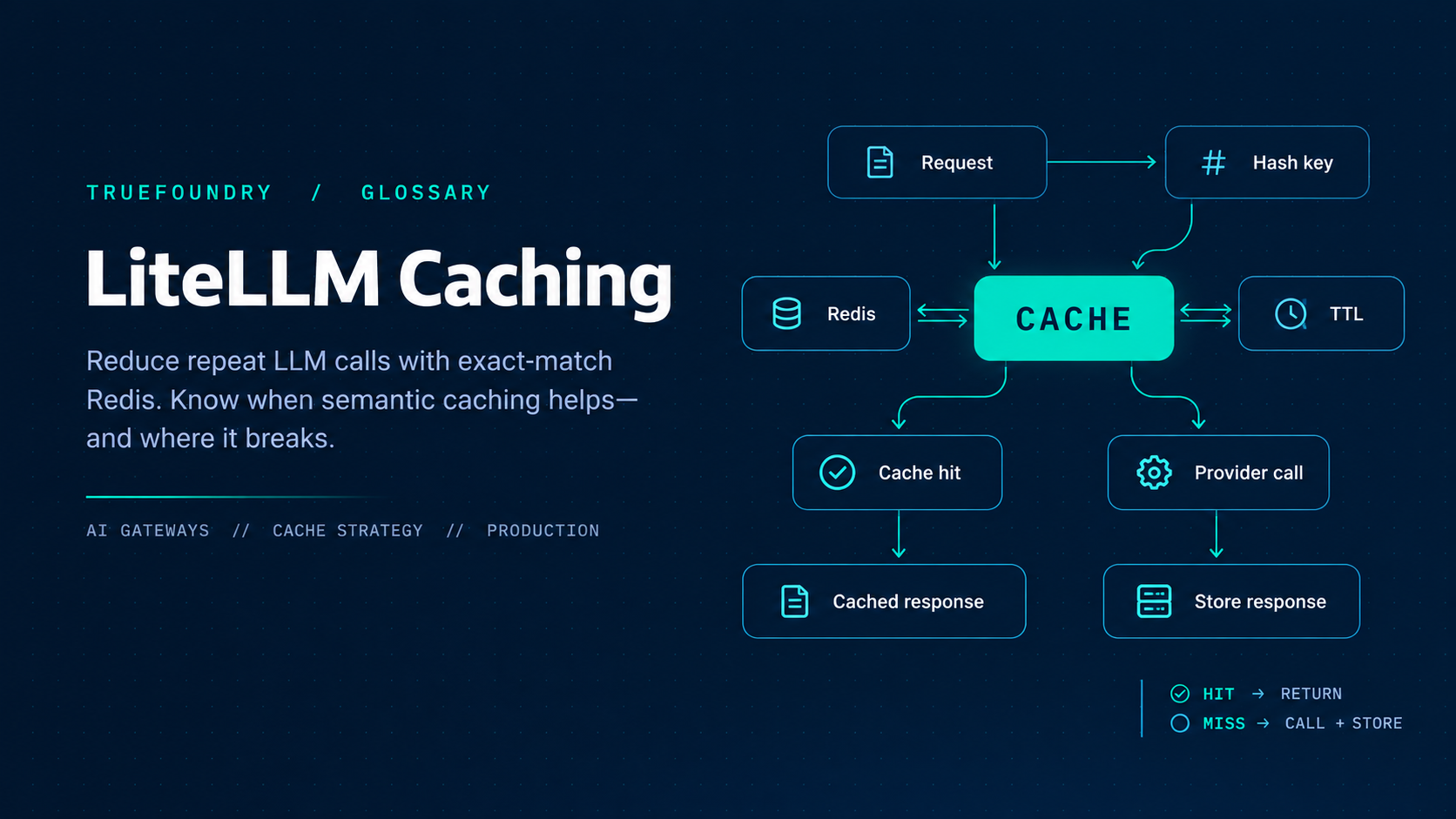
Without shared Redis, each worker or replica keeps its own rate-limit counters, router state, and cache. A 100 RPM limit across four workers then effectively allows about 400, revoked keys can linger on other workers, and cache hits stay local. Configure Redis in both router_settings and litellm_settings.cache_params—setting REDIS_HOST in the environment alone is not enough.
Yes. The gateway is OpenTelemetry-compliant and plugs into Grafana, Datadog, Prometheus, or your preferred stack. Every request is traced from prompt to model execution, so metrics such as latency, cost, and errors land next to your existing dashboards.



Las últimas noticias, artículos y recursos enviados a tu bandeja de entrada
.webp)
.png)
.png)
.png)
.png)
.png)


.png)
.png)
.png)


