August 31, 2026
|
Lesedauer: 5 Minuten


Erhalten Sie sofortigen Zugriff auf eine TrueFoundry-Live-Umgebung. Stellen Sie Modelle bereit, leiten Sie den LLM-Verkehr weiter und erkunden Sie die gesamte Plattform — Ihre Sandbox ist in Sekundenschnelle einsatzbereit, ohne dass eine Kreditkarte erforderlich ist.



Published: April 22, 2026
Unglaublich schnelle Methode zum Erstellen, Verfolgen und Bereitstellen Ihrer Modelle!
Prompt Engineering bezieht sich auf die Verbesserung der Eingaben, um bessere Ergebnisse aus LLMs zu erzielen.
Prompt Engineering ist wie zu lernen, effektiv mit KI zu sprechen. Es geht darum, die richtigen Worte zu wählen, wenn man KI um etwas bittet, egal ob es darum geht, Text zu schreiben, zu programmieren oder Bilder zu erstellen.
Es gibt spezielle Tools, die uns dabei helfen, besser zu werden und sicherzustellen, dass die KI uns richtig versteht und das, was wir wollen, genauer macht.
Es geht darum, die Kommunikation zwischen Mensch und KI reibungsloser und effektiver zu gestalten. Lassen Sie uns in diesem Blog über die besten Tools für schnelles Engineering sprechen, die 2026 verfügbar sind.
EIN schnelles Engineering Ein Tool ist eine Softwareplattform, Anwendung oder ein Framework, das Benutzern hilft, die Anweisungen (Eingabeaufforderungen), die sie großen Sprachmodellen (LLMs) oder generativen KI-Systemen zur Verfügung stellen, zu erstellen, zu testen, zu verfeinern und zu organisieren.
Diese Tools sind entscheidend für die Verbesserung der KI-Genauigkeit, die Aufrechterhaltung einer konsistenten Ausgabe, die Minimierung von Fehlern oder Halluzinationen und die Optimierung der Art und Weise, wie Menschen mit KI interagieren. Sie gehen über einfache Chat-Oberflächen hinaus und ermöglichen strukturierte, wiederholbare Arbeitsabläufe.
Die besten Prompt-Engineering-Tools bilden eine Brücke zwischen menschlichen Ideen und maschinellen Reaktionen und helfen Benutzern dabei, vage oder einfache Anfragen in präzise, umsetzbare Aufforderungen umzuwandeln, die zu zuverlässigeren Ergebnissen führen.
.webp)
Hier ist ein kurzer Überblick über die besten Prompt-Engineering-Tools im Jahr 2026:
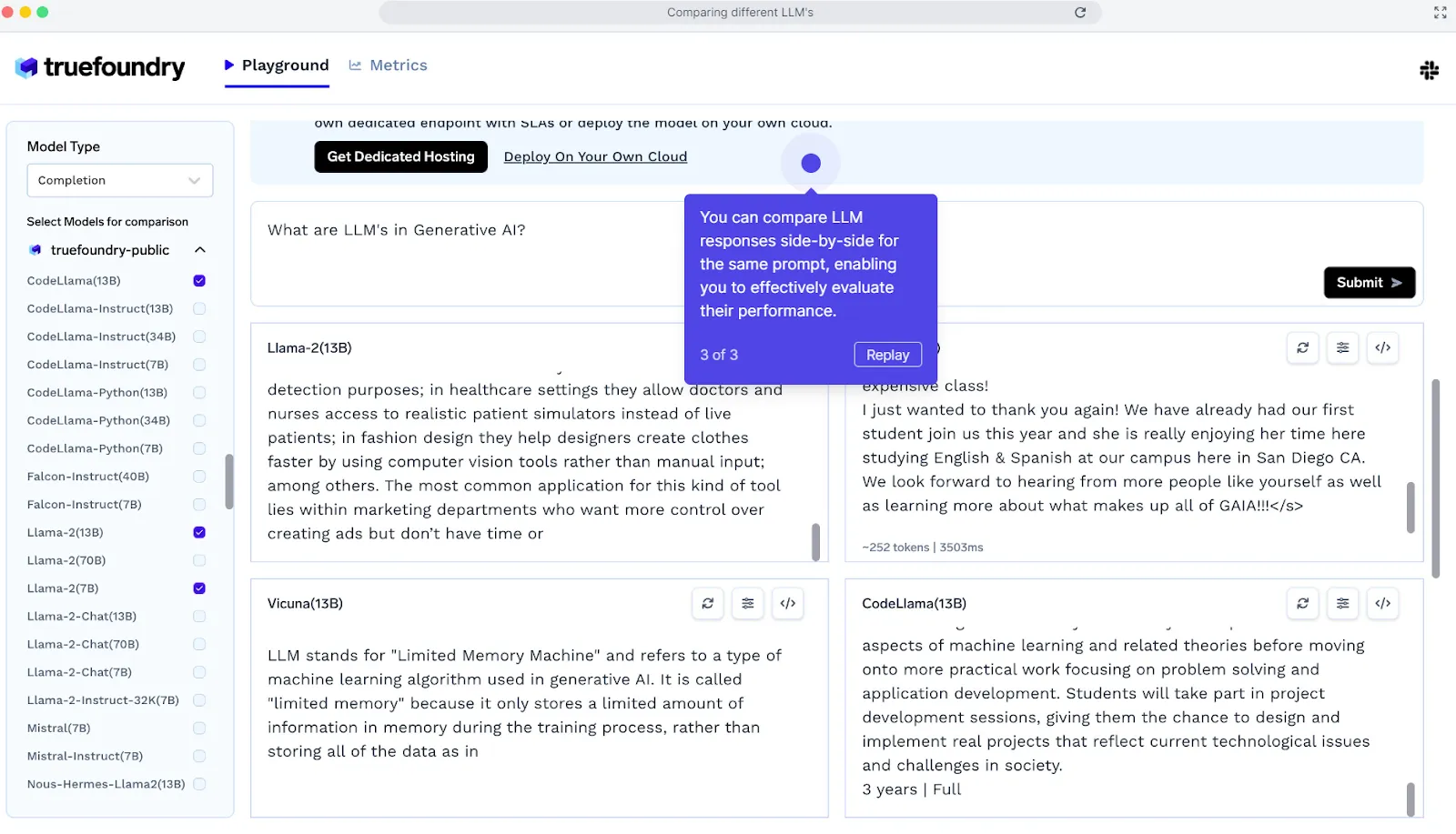
Der TrueFoundry LLM Playground ist eine Plattform, die das Experimentieren mit Open-Source-Large Language Models (LLMs) vereinfacht. Es bietet eine einfache Möglichkeit, verschiedene LLMs über eine API zu testen, ohne dass komplexe Setups erforderlich sind, die GPUs oder das Laden von Modellen beinhalten.
Auf diesem Spielplatz können Sie Modelle vergleichen, um die beste Lösung zu finden, bevor Sie sich für eine Hosting-Lösung entscheiden.
Hier können Sie ganz einfach zwischen verschiedenen LLMs wählen, einschließlich OpenAI für Inferenz.
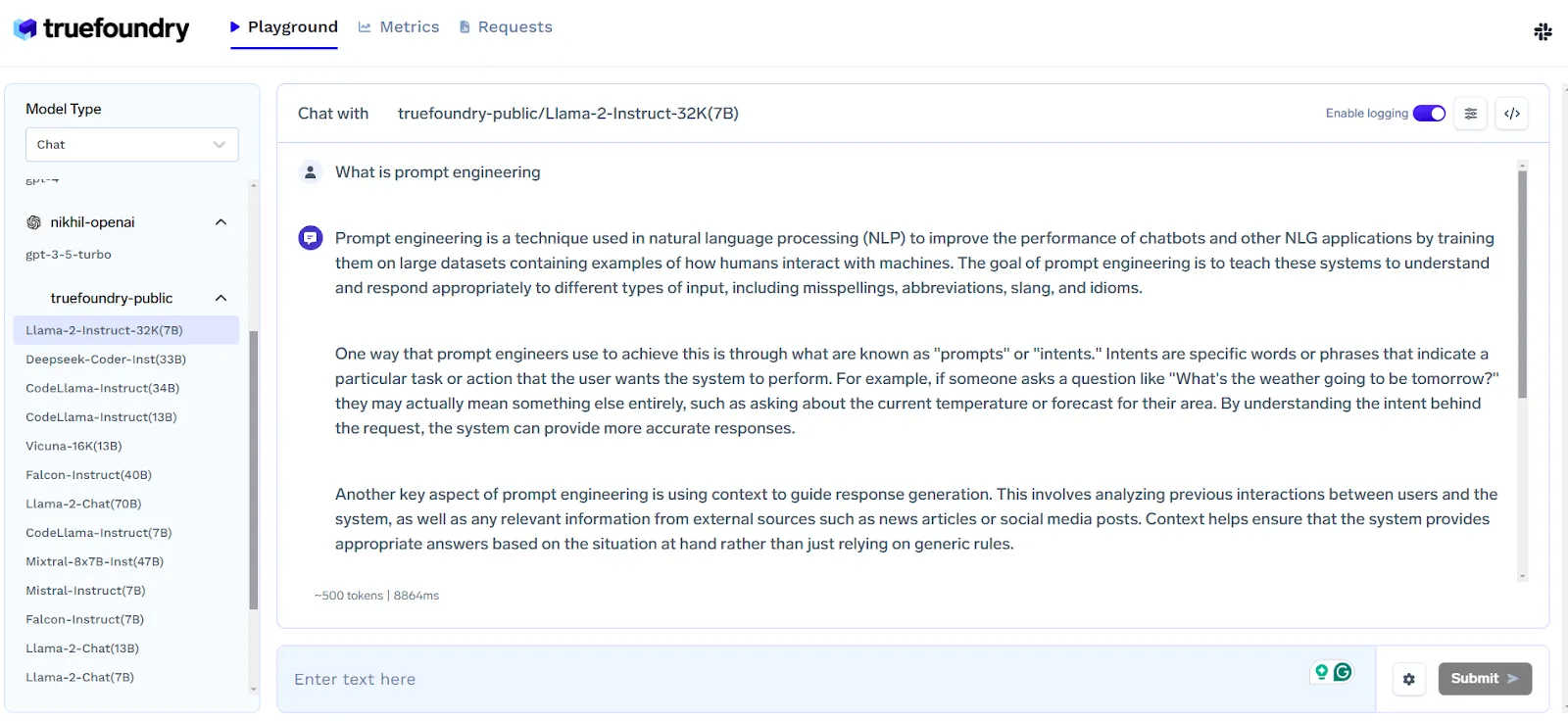
Hier können Sie bis zu 4 Modelle für einen bestimmten Prompt vergleichen und entscheiden, welches für einen bestimmten Prompt besser funktioniert.
LLM-Gateway bietet eine einzige API, mit der Sie jeden LLM-Anbieter anrufen können — einschließlich OpenAI, Anthropic, Bedrock, Ihrem selbst gehosteten Modell und den Open-Source-LLMs. Es bietet die folgenden Funktionen:
Während Echte Gießerei TrueFoundry bietet hervorragende Tools für schnelles Engineering. Die Funktionen von TrueFoundry gehen weit darüber hinaus. Dazu gehören Funktionen wie nahtloses Modelltraining, mühelose Bereitstellung, Kostenoptimierung und eine einheitliche Verwaltungsoberfläche für Cloud-Ressourcen.
Preisgestaltung:
TrueFoundry bietet eine kostenlose Testoption für Entwickler und Erbauer, die mit KI-Workflows experimentieren. Der kostenpflichtige Tarif von TrueFoundry beginnt bei 499 USD/Monat.

Hugging Face Transformers bietet einfach zu bedienende APIs und Dienstprogramme für den Zugriff auf und das Training modernster, vortrainierter NLP-Modelle. Es unterstützt Aufgaben wie Übersetzung, Entitätserkennung und Textklassifizierung und fördert gleichzeitig die Open-Source-Zusammenarbeit.
Vorteile:
Nachteile:
AllennLP ist eine Open-Source-NLP-Bibliothek, die entwickelt wurde, um eine Vielzahl von Aufgaben zur Verarbeitung natürlicher Sprache zu vereinfachen. Es ist zwar etwas komplexer als AdaptNLP, bietet aber eine umfangreiche Sammlung von Tools und vorgefertigten Komponenten und ist daher ideal für Forscher und Entwickler, die mit fortschrittlichen NLP-Modellen arbeiten.
Vorteile:
Nachteile:
AdaptNLP ist eine einfach zu bedienende NLP-Bibliothek, die die Arbeit mit fortgeschrittenen Sprachmodellen sowohl für Anfänger als auch für Experten vereinfacht. Es basiert auf Fastai und Hugging Face Transformers und bietet schnelle, flexible und effiziente Lösungen für das Training und die Feinabstimmung von Modellen.
Vorteile:
Nachteile:
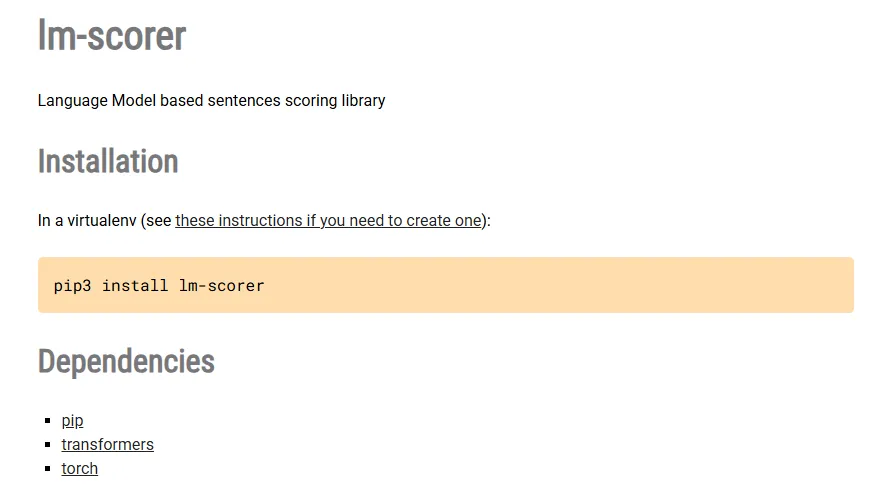
LMScorer ist ein Open-Source-Tool, das eine einfache Programmier- und Befehlszeilenschnittstelle zur Bewertung von Sätzen mithilfe verschiedener ML-Sprachmodelle bietet. Es hilft bei der Bewertung und Verfeinerung von Eingabeaufforderungen, um die KI-Interaktionen zu verbessern und sicherzustellen, dass die Ergebnisse effektiver sind.
Vorteile:
Nachteile:
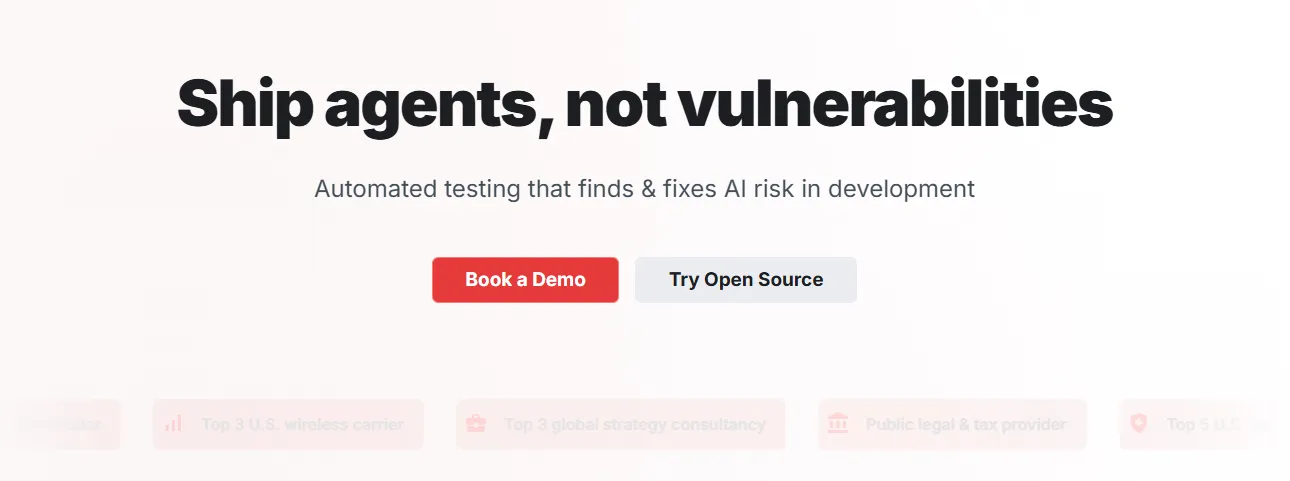
Promptfoo ist ein Open-Source-Befehlszeilentool und eine Bibliothek, die entwickelt wurden, um das Testen und Entwickeln großer Sprachmodelle (LLMs) zu optimieren. Es ermöglicht Entwicklern, Eingabeaufforderungen systematisch zu testen, Ausgaben zu vergleichen und Ergebnisse automatisch zu bewerten, wodurch Versuch und Irrtum durch einen testgesteuerten Ansatz ersetzt werden.
Vorteile:
Nachteile:
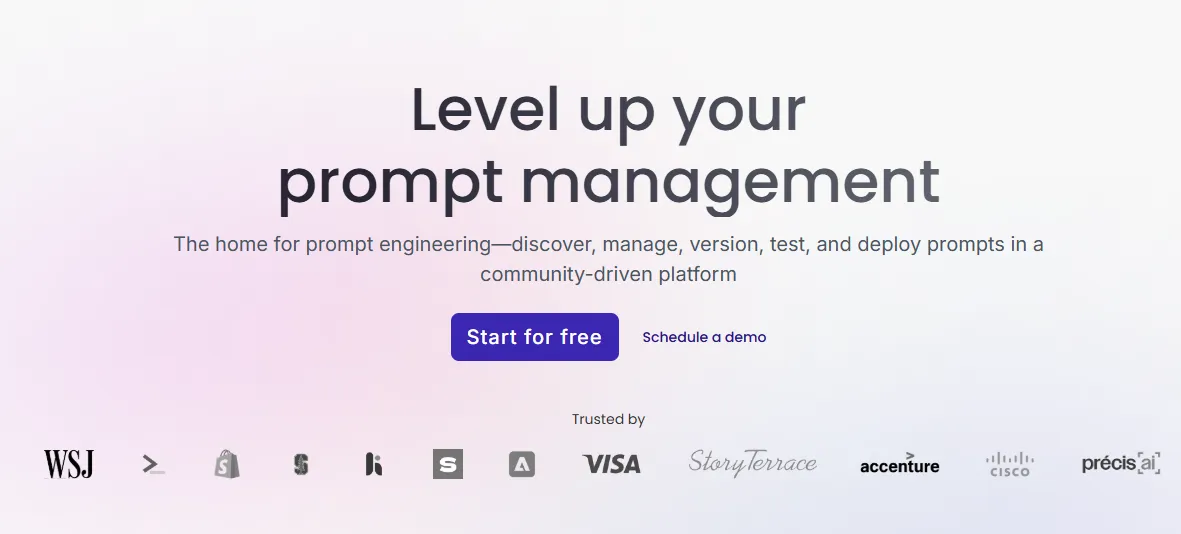
PromptHub ist eine Closed-Source-Plattform, die zum Testen, Evaluieren und Optimieren von Prompts in mehreren Sprachmodellen entwickelt wurde. Sie ermöglicht es Benutzern, die Effektivität von Prompts zu beurteilen, Modellreaktionen zu untersuchen und die Auswirkungen verschiedener Hyperparametereinstellungen zu analysieren.
Vorteile:
Nachteile:
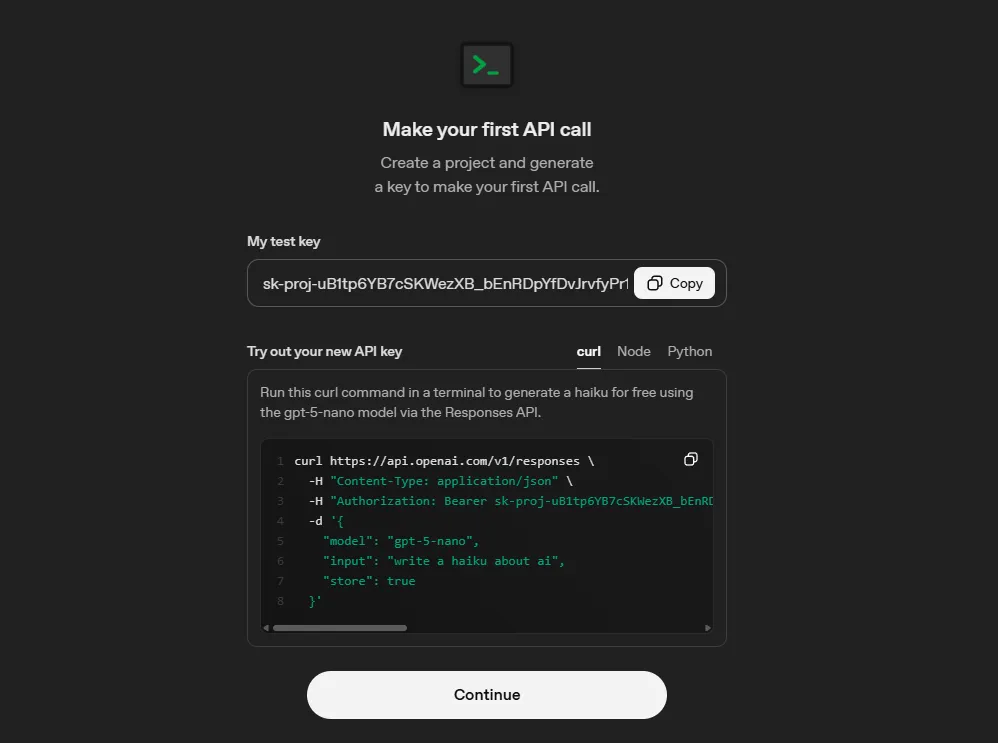
OpenAI Playground ist ein Closed-Source-Webtool, das zum Experimentieren mit den fortschrittlichen KI-Modellen von OpenAI, einschließlich GPT-4, entwickelt wurde. Es ermöglicht Benutzern, Eingabeaufforderungen zu testen, Strategien zu vergleichen und Sprachmodelle in einer interaktiven, benutzerfreundlichen Umgebung zu optimieren.
Vorteile:
Nachteile:
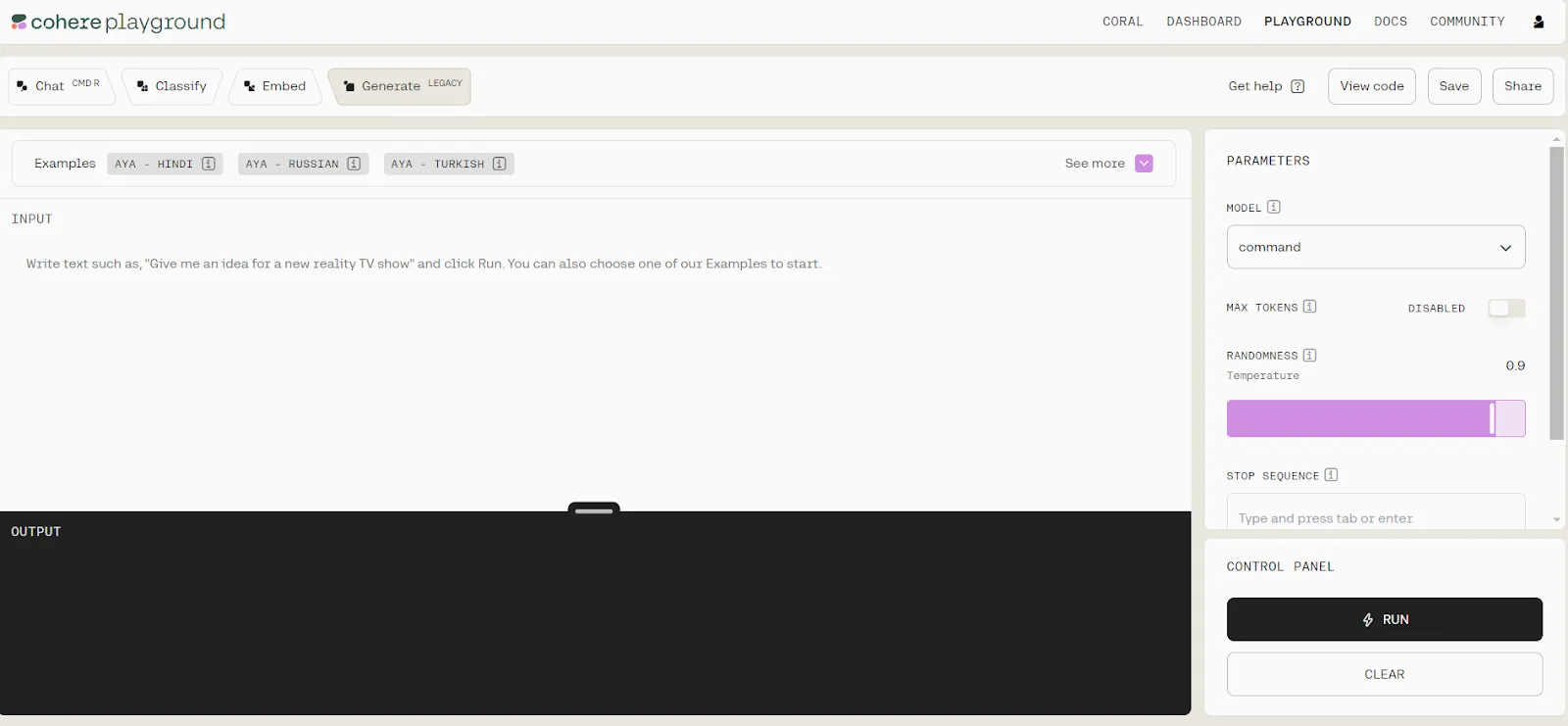
Cohere Playground ist eine intuitive Online-Plattform, die es Benutzern ermöglicht, mit großen KI-Sprachmodellen ohne Codierung zu arbeiten. Sie ist sowohl für Anfänger als auch für erfahrene Benutzer geeignet und ermöglicht Textgenerierung, Einbettungsanalysen, die Erstellung von Klassifikatoren und einfache chat-basierte Interaktionen.
Vorteile:
Nachteile:
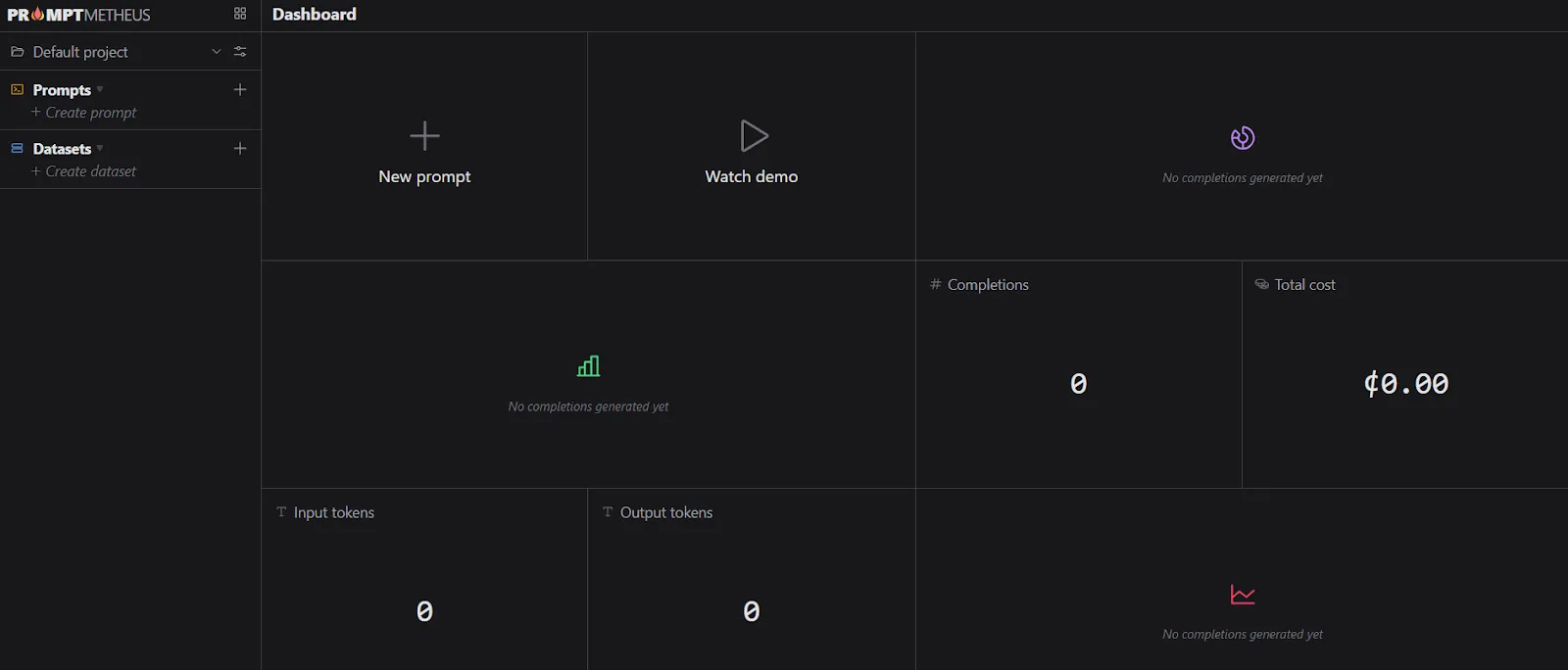
PromptMetheus ist eine spezialisierte Prompt Engineering-IDE, die für das Erstellen, Testen und Bereitstellen von Prompts für große Sprachmodelle (LLMs) entwickelt wurde. Sie bietet eine strukturierte Umgebung mit Analysen, Tools für die Zusammenarbeit und Bereitstellungsfunktionen in Echtzeit, wodurch Prompt Engineering effizienter und überschaubarer wird.
Vorteile:
Nachteile:
Die Wahl des richtigen Prompt-Engineering-Tools hängt von Ihren Zielen, Ihrem technischen Fachwissen und den KI-Modellen ab, die Sie verwenden möchten. Hier finden Sie eine schrittweise Anleitung, die Ihnen bei der Entscheidung hilft.
Identifizieren Sie zunächst klar, was Sie mit zeitnaher Planung erreichen möchten. Wenn Ihr Schwerpunkt auf der Erstellung von Inhalten liegt, z. B. dem Schreiben von Artikeln, Marketingtexten oder Blogbeiträgen, benötigen Sie ein Tool, das die Anpassung des Stils ermöglicht und qualitativ hochwertigen Text erstellt.
Für Entwickler sind Tools ideal, die sich direkt in IDEs integrieren lassen und Unterstützung bei der Codegenerierung oder beim Debuggen bieten. Wenn Ihr Ziel die Recherche oder Datenanalyse ist, suchen Sie nach Tools, mit denen Sie Dokumente zusammenfassen, strukturierte Daten verarbeiten oder detaillierte Berichte erstellen können.
Nicht alle Tools unterstützen jedes KI-Modell. Prüfen Sie, mit welchen Modellen das Tool kompatibel ist, wie GPT-4, Claude oder LLama, und ob Sie je nach Komplexität Ihrer Aufgabe zwischen den Modellen wechseln können.
Die Verwendung eines Tools, das mehrere Modelle unterstützt, bietet Ihnen Flexibilität und kann die Ausgabequalität für spezielle Anwendungsfälle verbessern.
Ein gutes Prompt-Engineering-Tool sollte die Verwaltung und Verfeinerung von Prompts einfach machen. Funktionen wie eine Vorlagenbibliothek bieten vorgefertigte Eingabeaufforderungen, die Zeit sparen und die Konsistenz gewährleisten. Mithilfe der Versionskontrolle können Sie Änderungen nachverfolgen und Eingabeaufforderungen im Laufe der Zeit optimieren.
Wenn Sie in einem Team arbeiten, ermöglichen Funktionen für die Zusammenarbeit wie gemeinsame Repositorys mehreren Benutzern, Beiträge zu leisten und einen einzigen Prompt-Workflow aufrechtzuerhalten.
Die Benutzeroberfläche kann über Erfolg oder Misserfolg Ihres Erlebnisses entscheiden. Einige Tools bieten visuelle Drag-and-Drop-Oberflächen, während andere rein textbasiert sind. Wählen Sie eines, das Ihrem Komfortniveau und Ihrem Arbeitsablauf entspricht.
Eine intuitive Benutzeroberfläche reduziert die Lernkurve, sodass Sie sich auf die Erstellung von Eingabeaufforderungen konzentrieren können, anstatt durch komplexe Menüs zu navigieren.
Überlegen Sie, wie gut das Tool in Ihren bestehenden Arbeitsablauf passt. Prüfen Sie, ob es APIs oder Plugins unterstützt, die eine Verbindung zu Plattformen wie Slack, Notion oder Google Workspace herstellen. Exportoptionen sind ebenfalls nützlich, da Sie Eingabeaufforderungen, Ausgaben und Protokolle zur weiteren Analyse oder Berichterstattung herunterladen können.
Die Preisstrukturen sind sehr unterschiedlich. Kostenlose Tarife eignen sich hervorragend zum Experimentieren, schränken jedoch häufig API-Aufrufe, Vorlagen oder erweiterte Funktionen ein.
Bezahlte Tarife bieten in der Regel höhere Nutzungsbeschränkungen, besseren Support und Funktionen zur Zusammenarbeit. Stellen Sie sicher, dass das Tool an Ihre Bedürfnisse angepasst werden kann, um zu vermeiden, dass Sie später die Plattform wechseln.
Führen Sie vor dem Commit Beispiel-Prompts aus, um zu beurteilen, wie gut das Tool Anweisungen interpretiert. Prüfen Sie, ob es eine Anpassung der Ausgabelänge, des Tons oder der Persona ermöglicht. Tools, die eine fein abgestimmte Steuerung der Ausgabe ermöglichen, können die Produktivität und die Ergebnisqualität erheblich verbessern.
Betrachten Sie abschließend das Support-Ökosystem. Umfassende Dokumentationen und Tutorials helfen Ihnen dabei, schnell loszulegen. Aktive Benutzergemeinschaften bieten gemeinsam genutzte Bibliotheken und Tipps für Eingabeaufforderungen. Ein zuverlässiger Kundensupport ist unerlässlich, um Probleme zu beheben und Ihre Nutzung effizient zu skalieren.
Schnelle technische Tools sind im Jahr 2026 unverzichtbar geworden, da KI tief in fast jeden Aspekt der Arbeit und des täglichen Lebens integriert ist. Bei immer leistungsfähigeren Modellen wie GPT-4.5, Claude 3 und LLama 3 hängt die Generierung qualitativ hochwertiger, zuverlässiger Ergebnisse stark davon ab, wie die Eingabeaufforderungen erstellt werden.
Eine gut gestaltete Aufforderung kann Genauigkeit, Relevanz und Kreativität drastisch verbessern, während eine schlecht strukturierte Aufforderung zu verwirrenden oder minderwertigen Ergebnissen führen kann.
Diese Tools optimieren auch Arbeitsabläufe, indem sie Funktionen wie Vorlagen für Eingabeaufforderungen, Versionskontrolle und Teamzusammenarbeit bieten. Sie reduzieren den Prozess des Ausprobierens und ermöglichen es Benutzern, von Inhaltserstellern bis hin zu Entwicklern und Datenanalysten, ihre Ziele schneller und effizienter zu erreichen.
Darüber hinaus verlassen sich Unternehmen angesichts der zunehmenden Verbreitung von KI in Wirtschaft und Forschung auf schnelle technische Tools, um die Konsistenz, Konformität und Reproduzierbarkeit der KI-Ergebnisse aufrechtzuerhalten.
Kurz gesagt, schnelle Engineering-Tools überbrücken die Lücke zwischen reinen KI-Funktionen und praktischen, umsetzbaren Ergebnissen und machen sie für jeden, der KI im Jahr 2026 einsetzt, unverzichtbar.
Bei der Bewertung eines Prompt-Engineering-Tools können Sie anhand einer Reihe einfacher Leitfragen dessen Nützlichkeit beurteilen. Denken Sie daran, dass diese Fragen weit gefasst sind und nicht alle auf jedes Tool zutreffen.
.webp)
Die Zukunft der Prompt-Engineering-Tools im Jahr 2026 und darüber hinaus zeichnet sich dadurch ab, dass sie hochentwickelt und benutzerorientiert sein wird. Zu den wichtigsten Trends und Entwicklungen gehören:
Prompte Engineering-Tools sind im Jahr 2026 unverzichtbar, um menschliche Absichten in genaue, kreative und zuverlässige KI-Ergebnisse umzusetzen. Sie optimieren Arbeitsabläufe durch Vorlagen, Zusammenarbeit, Unterstützung mehrerer Modelle und Feedback in Echtzeit. Die sorgfältige Auswahl des richtigen Tools unter Berücksichtigung von Benutzerfreundlichkeit, Kompatibilität und Skalierbarkeit sorgt für bessere Ergebnisse und Effizienz.
Plattformen wie TrueFoundry gehen noch einen Schritt weiter, indem sie eine einheitliche Spielwiese für mehrere LLMs, zentralisierte Versionskontrolle, Kostenverfolgung und Teamzusammenarbeit bieten und so das Testen, Optimieren und Bereitstellen von Eingabeaufforderungen in großem Maßstab vereinfachen.
Beginnen Sie noch heute mit der Optimierung Ihrer KI-Workflows, entdecken Sie TrueFoundry und erfahren Sie, wie optimiertes Prompt-Engineering Ihre Produktivität und Ausgabequalität steigern kann.
Zu den häufig verwendeten Tools für das Prompt-Engineering gehören Open-Source-Bibliotheken wie Hugging Face Transformers und Promptfoo für automatisierte Tests. Closed-Source-Plattformen wie OpenAI Playground und PromptHub sind für iteratives Experimentieren beliebt. Diese Tools standardisieren die Art und Weise, wie Entwickler Modelleingaben verfeinern, um eine höhere Ausgabegenauigkeit zu erzielen.
Für das Management auf Produktionsebene ist TrueFoundry das beste Tool für schnelles Engineering, da es einen Spielplatz mit mehreren Modellen mit zentraler Versionierung und Kostenverfolgung kombiniert. Es vereinheitlicht die Eingabeaufforderungen aller Anbieter, sodass Teams optimierte Eingaben mit integrierter Governance evaluieren und bereitstellen können.
Zu den drei Haupttypen gehören Zero-Shot-, Few-Shot- und Chain-of-Thought-Prompting. Bei Zero-Shot handelt es sich um eine Aufgabe ohne Beispiele, während bei Fe-Shot spezielle Demonstrationen zur Orientierung am Modell enthalten sind. Das Chain-of-Thought-Engineering ermutigt den LLM, komplexe Denkschritte zu verarbeiten, was für die Lösung komplizierter Logik- oder Codierungsprobleme unerlässlich ist.
Zu den wichtigsten Techniken des Prompt-Engineerings gehören Chain-of-Thought, Few-Shot-Prompting, Trennzeichen für Struktur, Rollenaufforderung und iterative Verfeinerung. Die Verwendung der besten Tools für die schnelle Entwicklung wie Promptfoo hilft dabei, die Bewertung dieser Techniken zu automatisieren. Diese Methoden stellen sicher, dass das Modell den Fokus beibehält, Halluzinationen reduzieren und bestimmte Formatierungsbeschränkungen einhalten, die für die Produktion erforderlich sind.
Zu den bewährten Methoden gehören die Versionierung aller Eingabeaufforderungen, die Verwendung paralleler Modellvergleiche und die Implementierung automatisierter Bewertungen. Sie sollten die Token-Kosten und die Latenz bei verschiedenen Anbietern verfolgen, um die Leistung zu optimieren. Durch die Verwendung einer zentralen Verwaltungsplattform wird sichergestellt, dass Ihr gesamtes Team die effektivsten Eingabeaufforderungen verwendet und gleichzeitig strenge Sicherheits- und Überprüfbarkeitsregeln gewährleistet.
TrueFoundry AI Gateway bietet eine Latenz von ~3—4 ms, verarbeitet mehr als 350 RPS auf einer vCPU, skaliert problemlos horizontal und ist produktionsbereit, während LiteLM unter einer hohen Latenz leidet, mit moderaten RPS zu kämpfen hat, keine integrierte Skalierung hat und sich am besten für leichte Workloads oder Prototyp-Workloads eignet.





Die neuesten Nachrichten, Artikel und Ressourcen werden in Ihren Posteingang gesendet





.webp)

.png)
.png)
.png)

.png)
.png)
.png)
.png)
.png)
.png)
.png)
.png)