


.png)
September 28, 2026
|
5 minutos de lectura


Obtenga acceso instantáneo a un entorno TrueFoundry en vivo. Implemente modelos, dirija el tráfico de LLM y explore la plataforma completa: su sandbox estará listo en segundos, sin necesidad de tarjeta de crédito.



Published: July 4, 2026
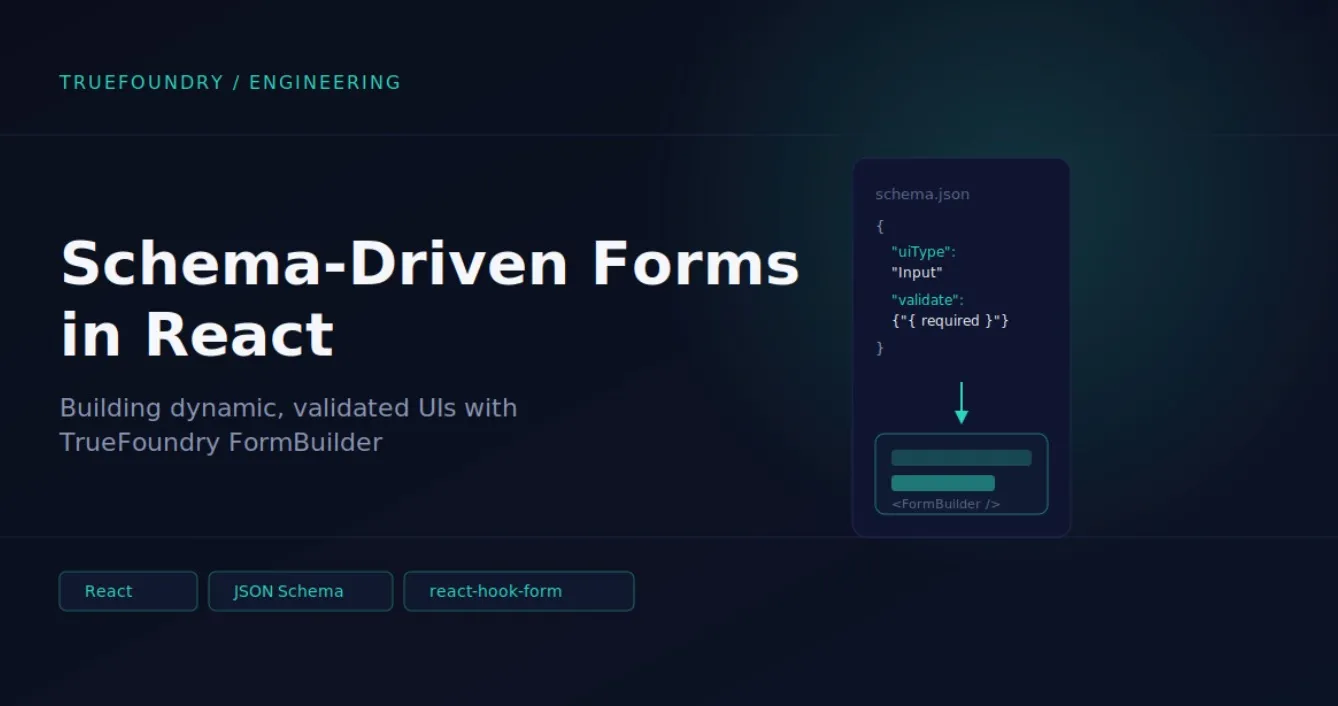
¡Una forma increíblemente rápida de crear, rastrear e implementar sus modelos!
If you’ve used TrueFoundry to deploy a service, create a cluster, configure an LLM model, or manage secrets, you’ve interacted with forms that look like normal UI, but are built very differently from typical web forms.
TrueFoundry forms often represent manifests - YAML/JSON objects you can also apply with the CLI (tfy apply -f ...). The same object might be edited in the UI, downloaded as YAML, or submitted to the API.
A schema-driven approach gives TrueFoundry:
The mental model: the schema describes the shape of the data and how to edit it; FormBuilder turns that description into a working form.
A form schema is an array of field definitions. Each field is an object with a few important properties:
Here is a simplified generic example - not a real TrueFoundry schema, but close to how the product thinks about configuration:
[
  {
    "sort": 1,
    "jsonKey": "name",
    "label": "Service Name",
    "uiType": "Input",
    "validate": { "required": true, "pattern": "^[a-z0-9-]+$" }
  },
  {
    "sort": 2,
    "jsonKey": "image",
    "label": "Image",
    "uiType": "Group",
    "subParameters": [
      {
        "jsonKey": "type",
        "label": "Source",
        "uiType": "Radio",
        "validate": {
          "required": true,
          "defaultValue": "build",
          "options": [
            { "label": "Build", "value": "build" },
            { "label": "Existing image", "value": "existing" }
          ]
        }
      },
      {
        "jsonKey": "uri",
        "label": "Image URI",
        "uiType": "Input",
        "conditions": [
 		{ "jsonKey": "image.type", "op": "==", "value": "existing"  }
  ],
        "validate": { "required": true }
      }
    ]
  }
]
Resulting manifest/config on submit:
{
  "name": "my-service",
  "image": { "type": "existing", "uri": "registry.io/app:v1" }
}
Rendering happens in a small pipeline, the flow is:
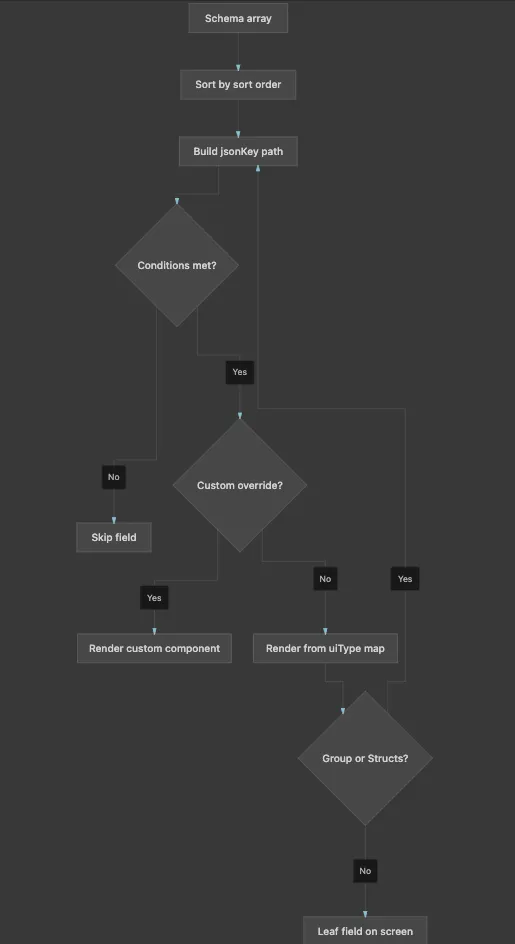
FormBuilder walks the schema tree and picks a React component per node based on uiType.
Component types:
Conditions: If image.type !== "existing", the URI field never mounts. With shouldUnregister: true, it also leaves form state, so hidden values cannot leak into the payload.
Mapping logic in code:
// FormComponentMap
const ComponentType = FormComponents[schema.uiType]
const CustomComp = CustomComponentsMap?.[schema.uiType]

if (!enabledByCondition) return null

return CustomComp
  ? <CustomComp schema={schema} />
  : <ComponentType schema={schema} />
FormBuilder uses react-hook-form as its state engine. That choice matters for how the product behaves.
Initialization/Component Usage - create & edit:
<FormBuilder
  schema={schema}
  defaultValues={existingManifest}   // edit: pre-fill; create: empty/template
  onSubmit={(manifest) => createOrUpdate({ manifest })}
/>
Form setup:
const methods = useForm({
  mode: 'onChange',          // validate as user types
  defaultValues,
  shouldUnregister: true,    // hidden fields drop out of state
})
Field registration - each input binds to its path:
// Inside a text field component
const { register } = useFormContext()

<input
  {...register(schema.jsonKey, registerProps)}
  defaultValue={defaultValue}
/>
Extra context - specific form pass runtime data separate from field values:
<FormBuilder
  schema={schema}
  extraContext={{
    workspace,
    cluster,
    serviceAccountOptions,  // dynamic dropdown options
    dataTestPrefix: 'create-cluster',
  }}
/>
All field values live in one form object. Each field registers under its full jsonKey path:
When you edit a field, you are mutating this shared object. On submit, FormBuilder reads the whole object and passes it to the form’s handler (which usually calls the TrueFoundry API or produces YAML).
When opening a form to create something, defaultValues may be empty or come from a template.
When editing, defaultValues is typically the existing manifest. The form fields pre-fill from that object. Some fields are marked immutable in edit mode (e.g. resource name) so they render read-only.
TrueFoundry forms use shouldUnregister: true. That means:
This is important for conditional forms: you only submit what the user could actually see and edit.
Validation in TrueFoundry forms happens at two layers.
Each field’s validate block can specify:
These rules are converted into react-hook-form validation rules. Errors are shown inline next to the field. Validation runs on change (mode: 'onChange'), so users get feedback as they type, not only on submit.
Schemas can also attach a custom validate function, commonly used for:
useAttachValidation(schema, {
  name: async (name) => {
    const taken = await checkNameExists(name)
    return taken ? 'Name already exists' : true
  },
})When you open “Create Cluster”, “Deploy Service”, “Add Model”, or “Manage Secrets”:
That is why TrueFoundry can support very complex configuration UIs without every screen being a one-off form: the complexity lives in the schema and a library of field components, orchestrated by one shared runtime.
TrueFoundry AI Gateway ofrece una latencia de entre 3 y 4 ms, gestiona más de 350 RPS en una vCPU, se escala horizontalmente con facilidad y está listo para la producción, mientras que LitellM presenta una latencia alta, tiene dificultades para superar un RPS moderado, carece de escalado integrado y es ideal para cargas de trabajo ligeras o de prototipos.




Los formularios impulsados por esquemas proporcionan una única fuente de verdad para sus manifiestos de configuración. Garantizan un comportamiento uniforme de la interfaz de usuario, permiten lógica anidada/condicional sin código repetido y posibilitan que el backend defina la estructura del formulario de forma dinámica.
La validación se realiza en dos capas: validación declarativa de esquema (utilizando reglas como obligatorio, patrón o mín/máx) y validación personalizada/asíncrona para comprobaciones respaldadas por API, como la verificación de nombres de recursos únicos.
Sí. El FormBuilder de TrueFoundry utiliza react-hook-form como su motor de estado principal, lo que lo hace compatible con los patrones estándar de React y fácil de extender con componentes personalizados.



Las últimas noticias, artículos y recursos enviados a tu bandeja de entrada
.png)
.png)
.png)
.png)
.png)
.webp)
.webp)

.webp)
.webp)
.webp)


