Documentation Index
Fetch the complete documentation index at: https://www.truefoundry.com/llms.txt
Use this file to discover all available pages before exploring further.
Remote Agents are available on both SaaS and Self-hosted deployments.
Single Discovery Surface
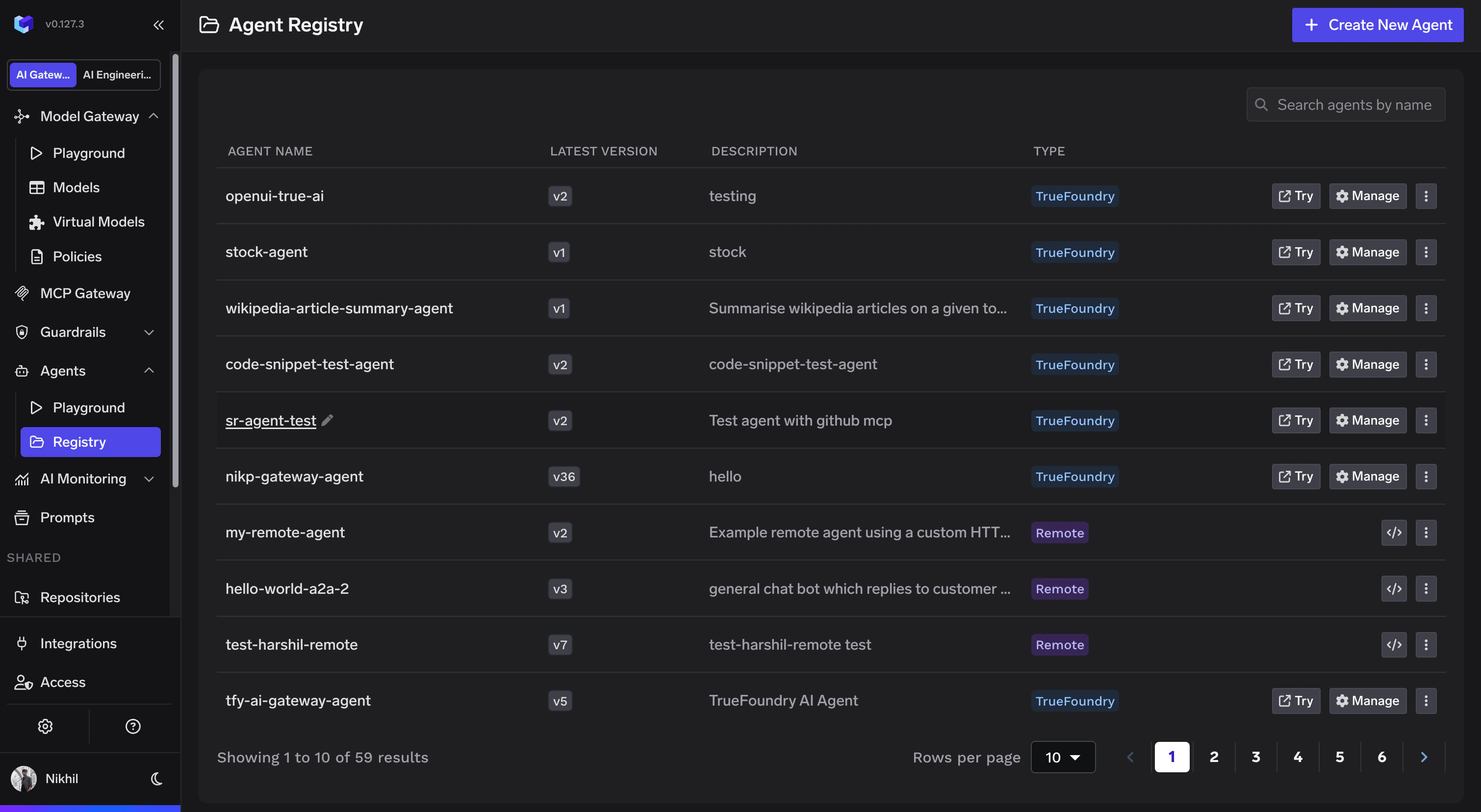
All agents — regardless of where they run — are visible in one place. Teams stop asking “where’s that agent?”
RBAC
Control which teams and users can discover and invoke each agent.
Policies
Apply guardrails, content filters, and governance policies uniformly across all remote agents.
Unified Metrics
Get request counts, latency, error rates, and usage data across every agent from a single pane of glass.
Supported Frameworks
Remote agents are registered with a framework type that determines how TrueFoundry communicates with the agent. Two framework types are supported:| Framework | Protocol | Description |
|---|---|---|
| A2A | Agent-to-Agent (A2A) | Google’s open interoperability standard. Agents communicate via JSONRPC, expose an agent card at a well-known path, and support structured message exchange. Recommended for new agents. |
| Custom | HTTP | Proxy any HTTP-compatible agent endpoint. No protocol constraints — TrueFoundry forwards requests to your endpoint as-is. |
Registering a Remote Agent
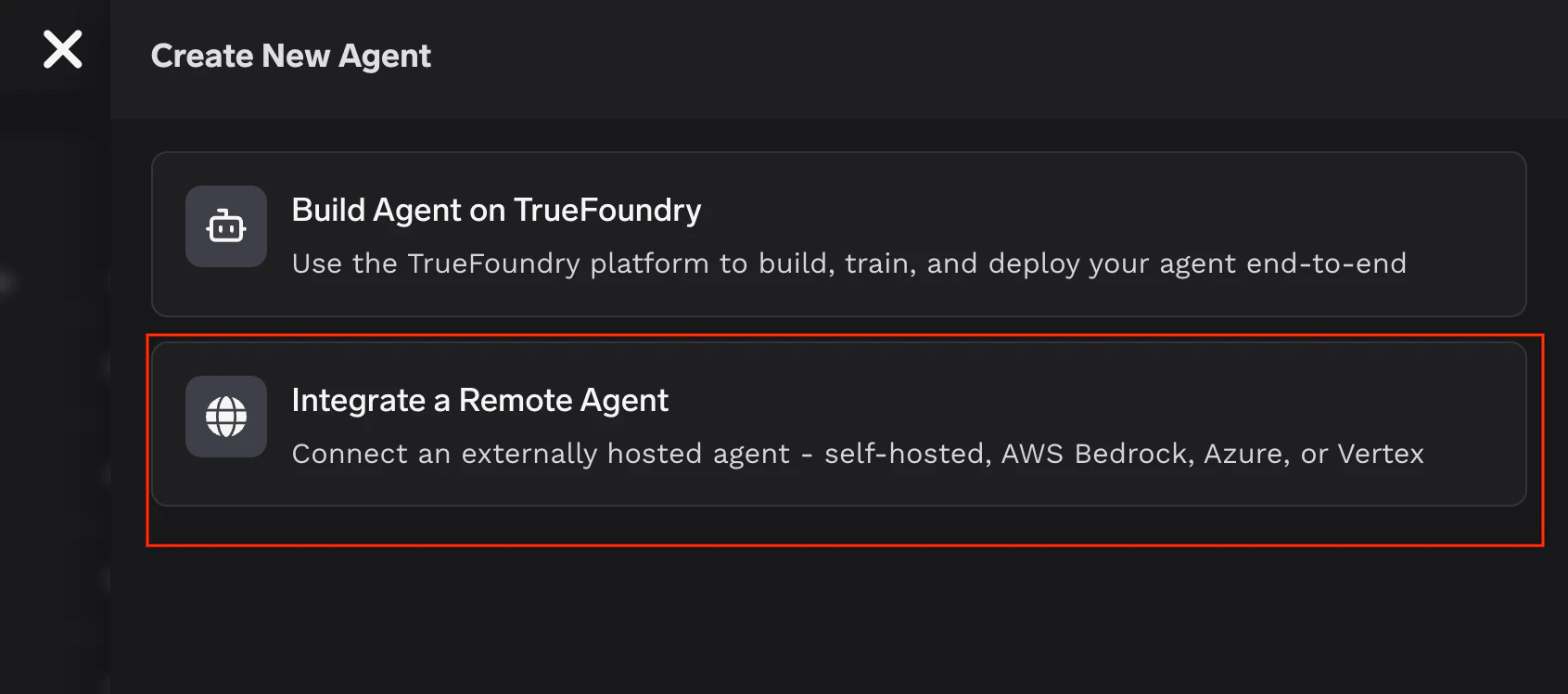
On the Agent Registry page, click Create New Agent and select Integrate a Remote Agent.
Collaborators
Add team members or groups with access. Each collaborator gets either Agent Manager (can edit the agent) or Agent Access (can invoke the agent) permissions.
Endpoint URL
Enter the URL where the agent is reachable. TrueFoundry will proxy all requests to this endpoint.
Framework
Select A2A or Custom. For A2A agents, specify the Agent Card Path (defaults to
/.well-known/agent-card.json).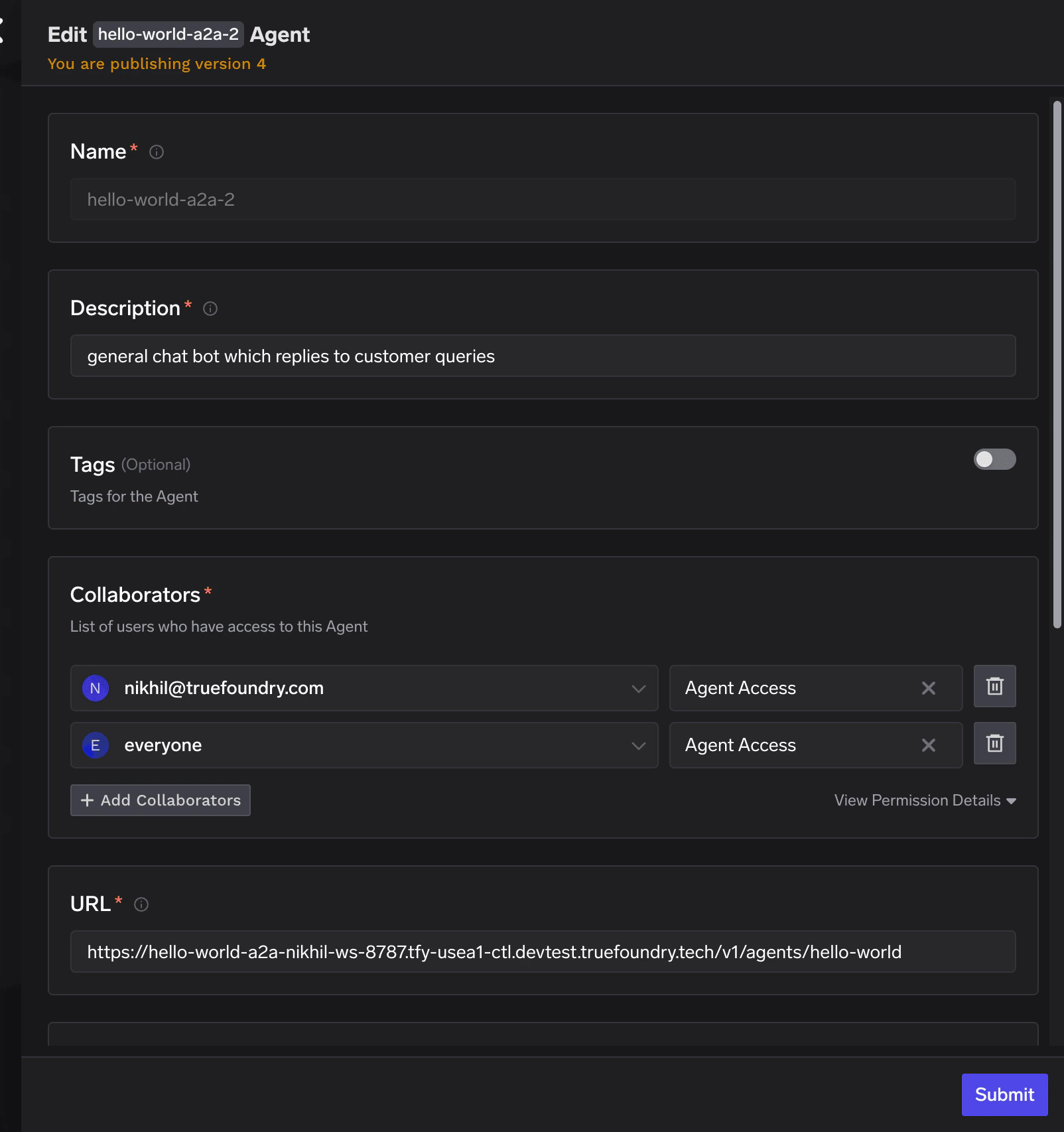
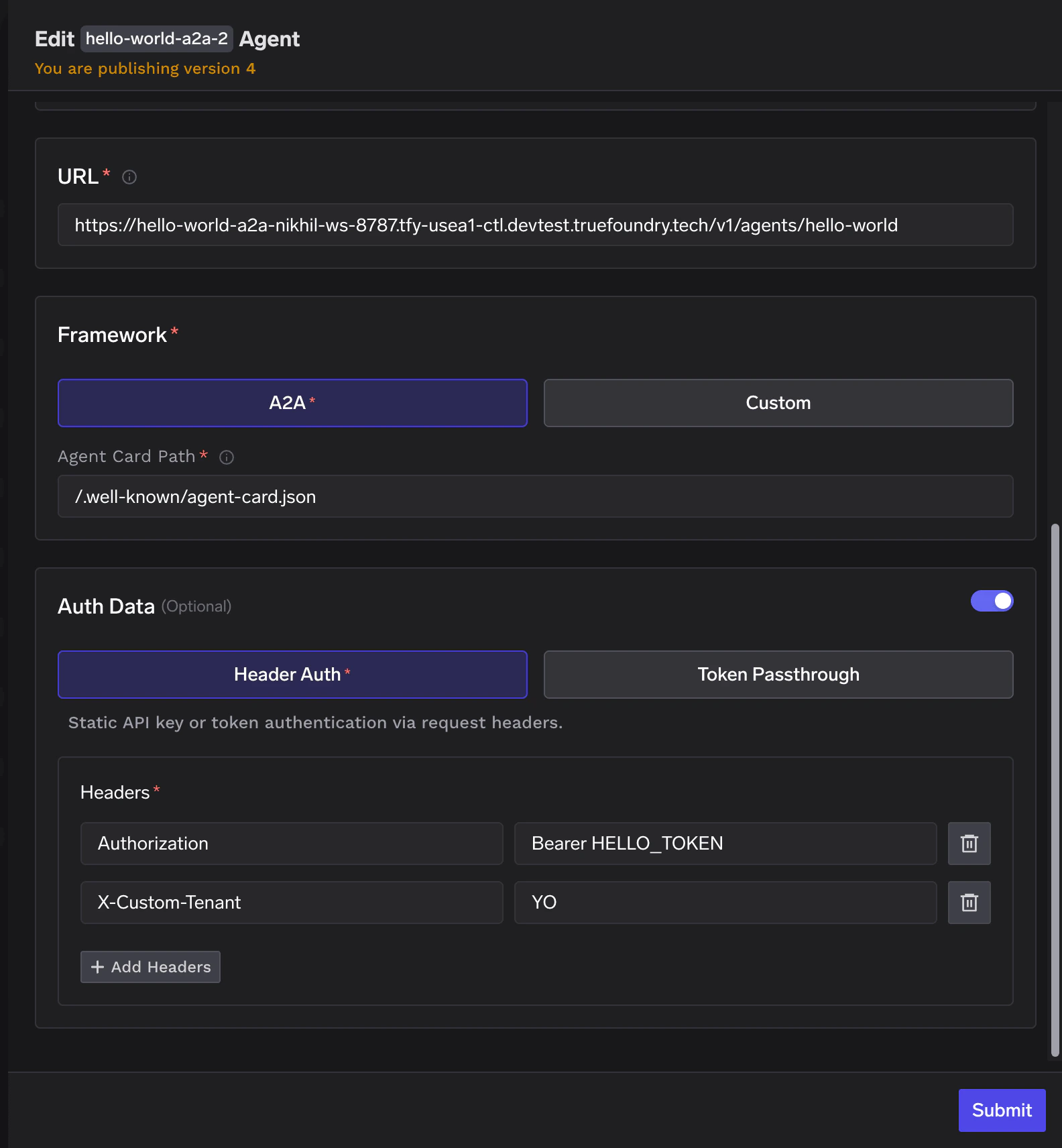
Registration Fields Reference
| Field | Required | Description |
|---|---|---|
| Name | Yes | Unique identifier for the agent within your organization. |
| Description | Yes | Short description of the agent’s purpose. |
| URL | Yes | The endpoint URL where the agent is reachable. |
| Framework | Yes | A2A or Custom. |
| Agent Card Path | A2A only | Path to the agent card JSON (default: /.well-known/agent-card.json). |
| Collaborators | Yes | Users or teams with agent-access or agent-manager roles. |
| Auth Data | No | Header Auth (static headers) or Token Passthrough. |
A2A Agents
The Agent-to-Agent (A2A) protocol is an open standard for agent interoperability — a common language that lets agents from different frameworks and vendors communicate with each other. Agent Registry natively supports registering A2A-compatible agents. If your agent speaks A2A, register it and it immediately becomes part of your organization’s agent ecosystem — discoverable, governable, and composable with other agents. This matters as the agent ecosystem matures. Agents built by different teams, on different platforms, using different frameworks will need to interoperate. A2A is how that happens. And Agent Registry is where all of them come together.Invoking an A2A Agent
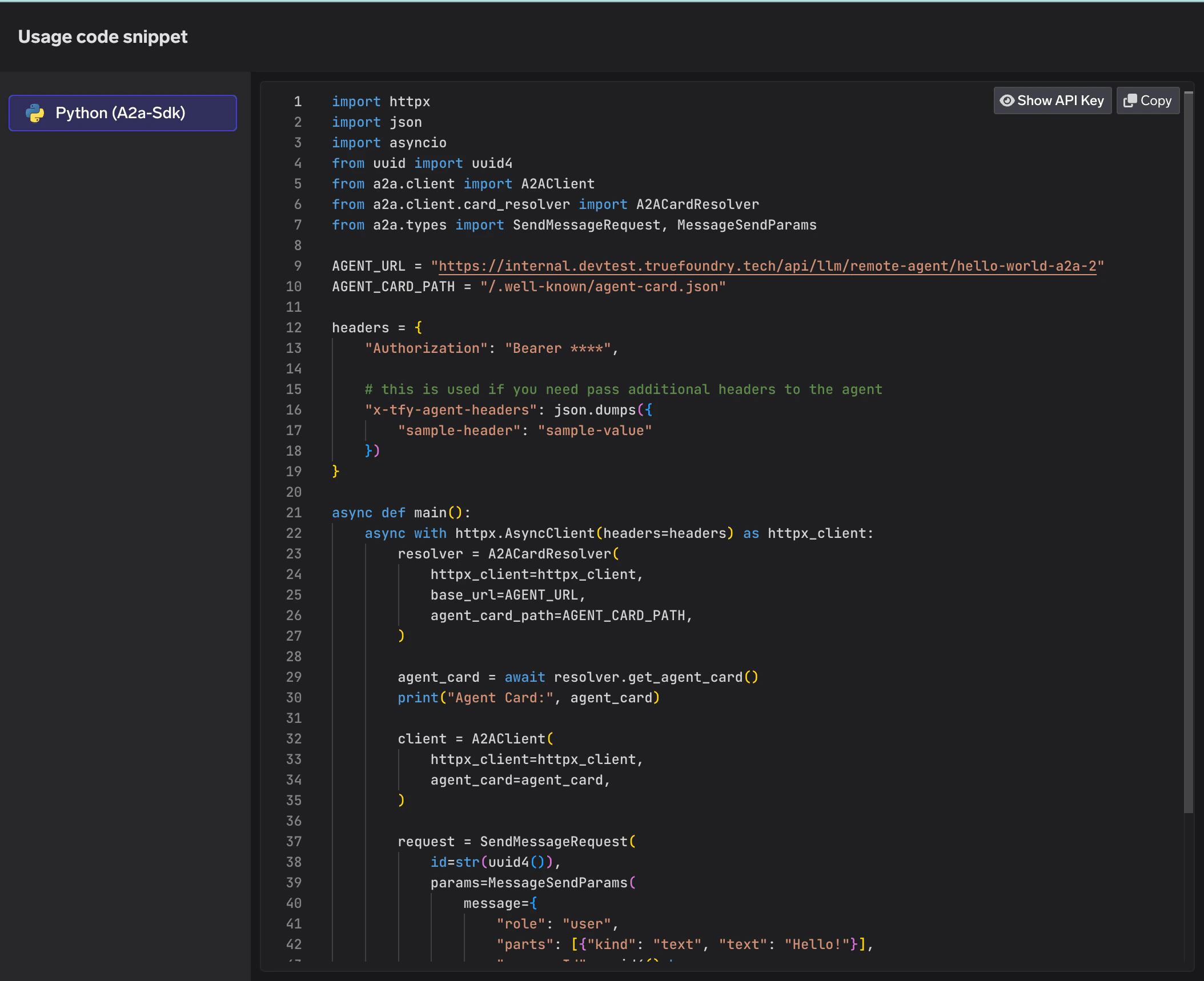
Once registered, the agent appears on the Agent Registry page. Click the code snippet button to get a ready-to-use snippet for invoking the agent via the A2A Python SDK.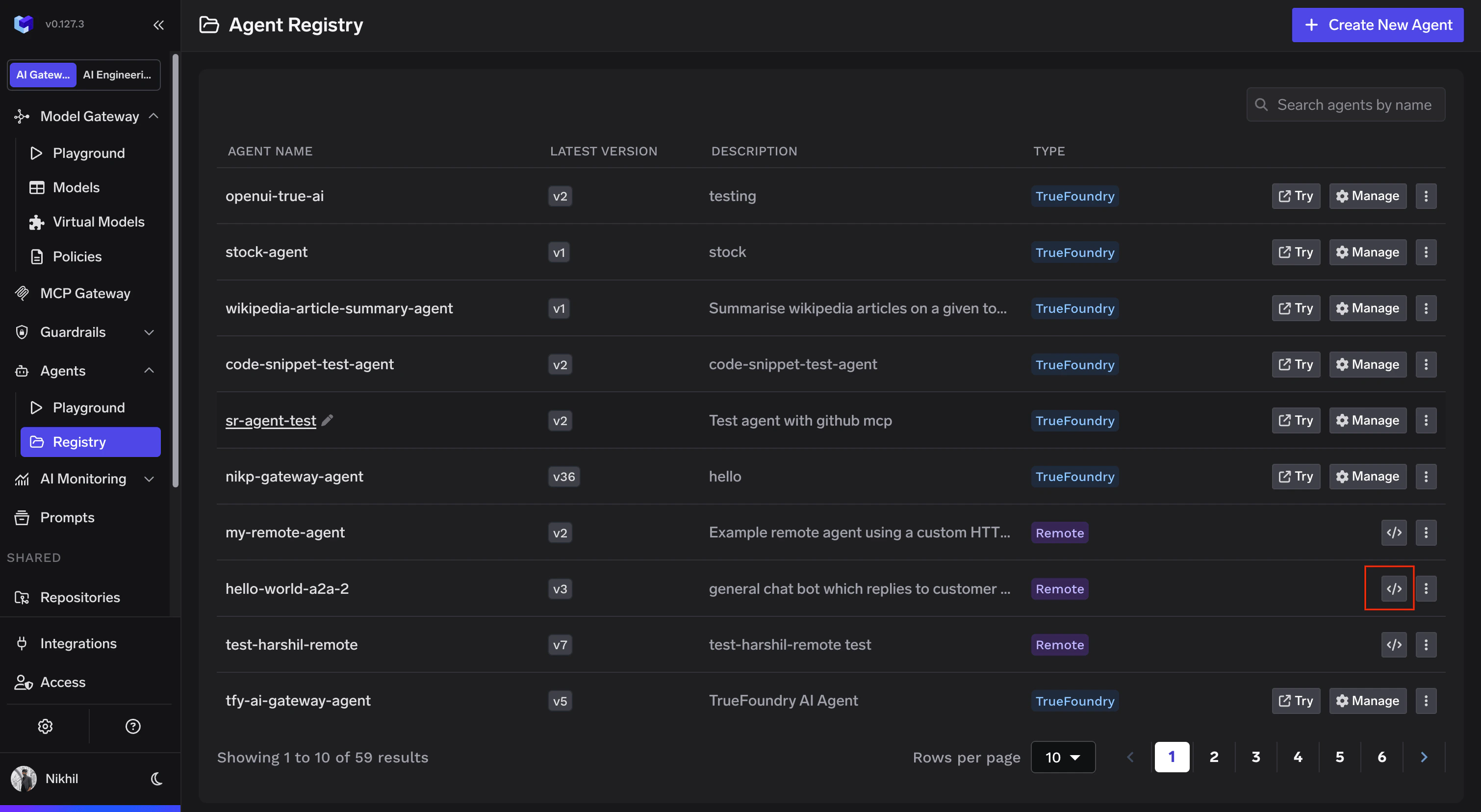
Monitoring
Traces
Every request to a remote agent is traced through TrueFoundry. Navigate to AI Monitoring > Request Traces to inspect individual requests, including the full JSONRPC request/response payload for A2A agents.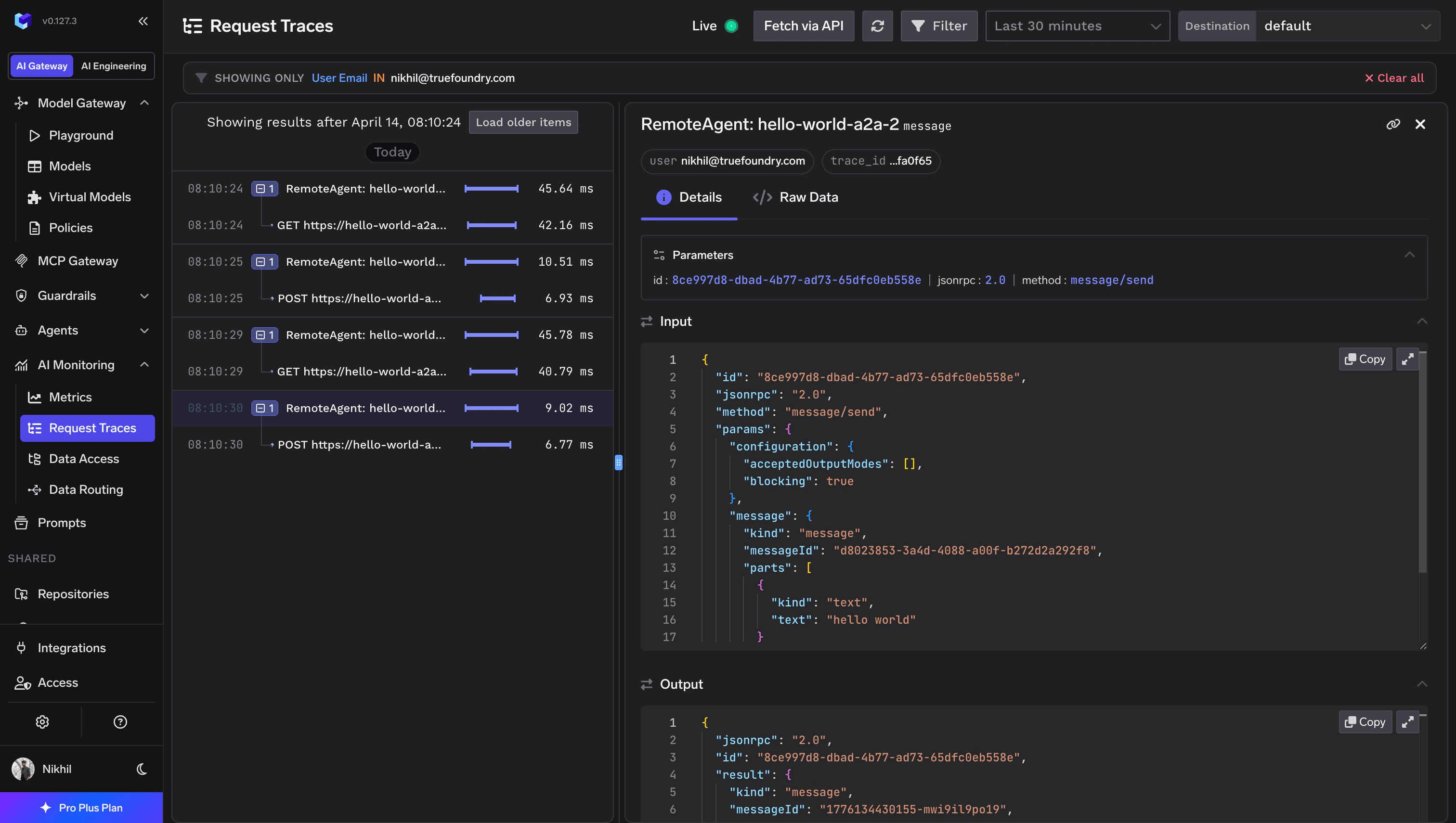
Metrics
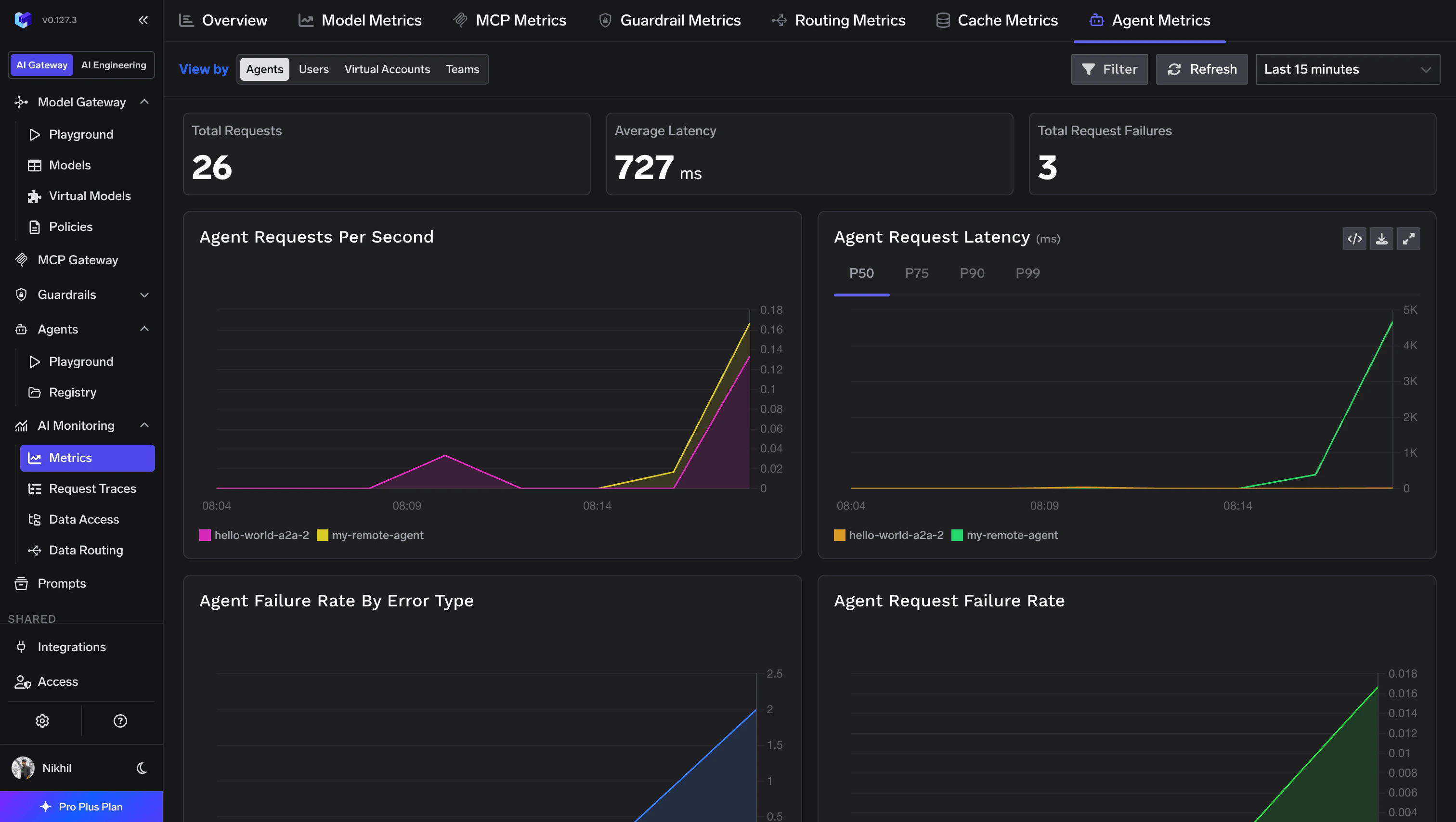
Agent-level metrics — request counts, latency percentiles, error rates, and failure breakdowns — are available under AI Monitoring > Metrics > Agent Metrics. Filter by agent name to drill into a specific remote agent’s performance.