Documentation Index
Fetch the complete documentation index at: https://www.truefoundry.com/llms.txt
Use this file to discover all available pages before exploring further.
TrueFoundry Agent Harness is available on SaaS only.
Bring Your Own Model
Connect any LLM available through TrueFoundry’s AI Gateway. Switch models without rewriting your agent.
Skills
Attach versioned
SKILL.md instructions from the Skills Registry. The agent loads the right skill at runtime — no prompt bloat.MCP Server Integration
Plug in any MCP server to give your agent tools — web search, APIs, databases, file access, and more.
Sandbox Access
Agents run in a secure execution environment. Code execution, file operations, and external calls are sandboxed by default.
Agent Playground
Navigate to Agents > Playground in the sidebar to open the Playground directly — no registry step required. The Playground is where you build, configure, and test your agent interactively.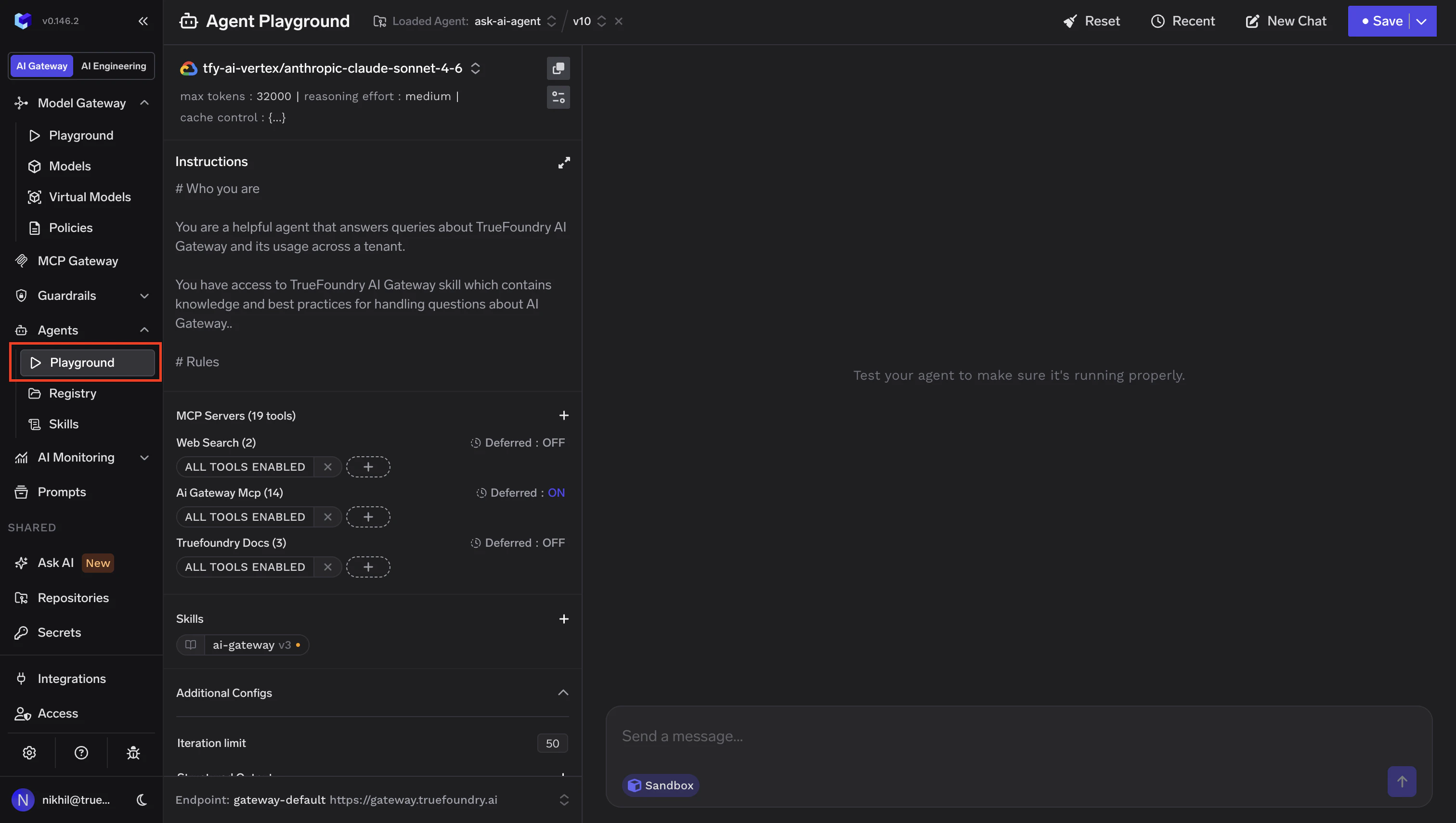
Write your instructions
Add a system prompt that defines the agent’s behavior, persona, and constraints.
Connect MCP Servers
Click the + next to MCP Servers to open the tool selection dialog. Search for MCP servers, browse available tools, and select the ones your agent needs.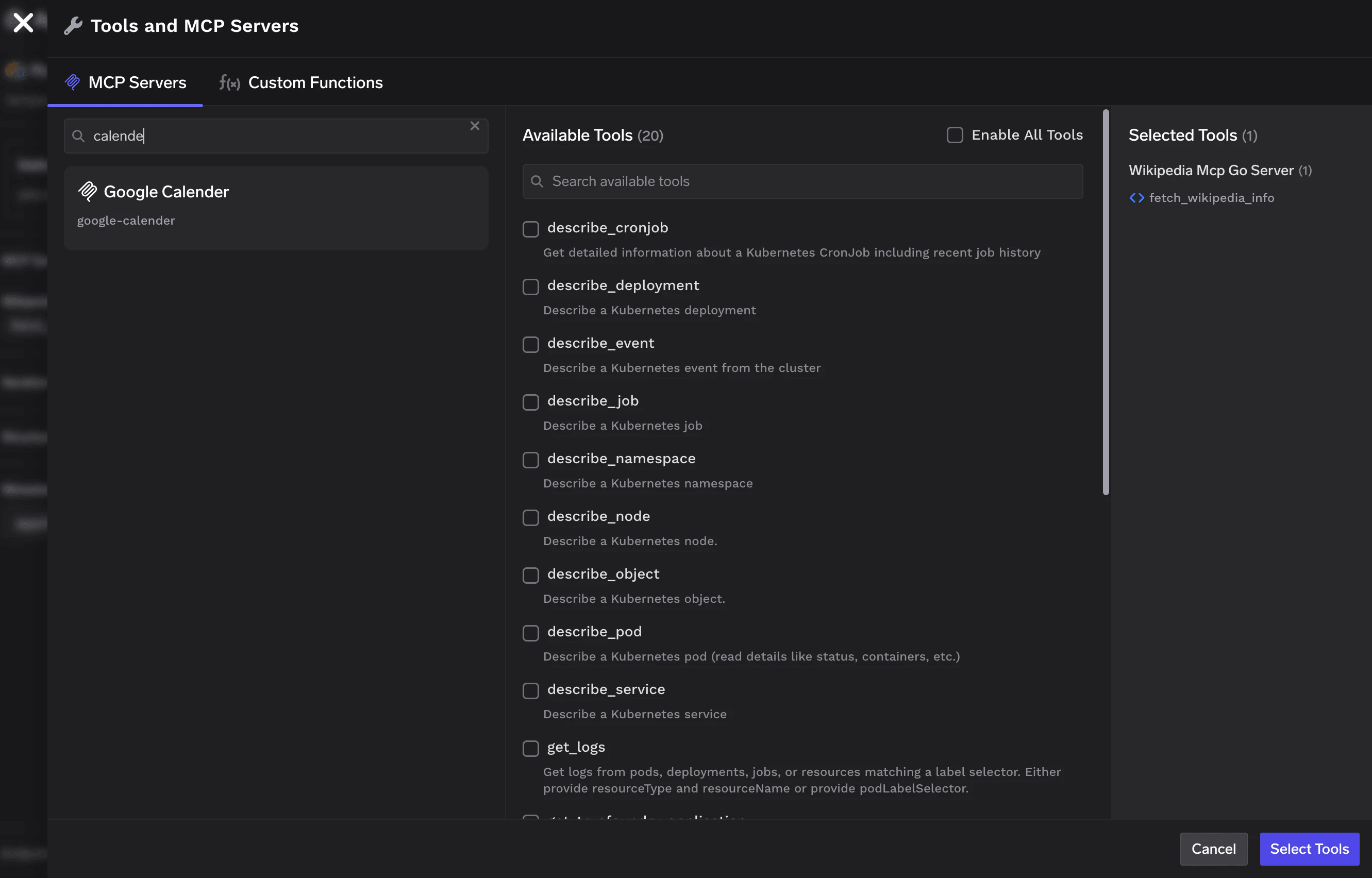
Add Skills
Click the + next to Skills to open the Skills selector. It lists every skill you have access to, grouped by Repository. Each row has a version dropdown — defaults to the latest, but you can pin any older version.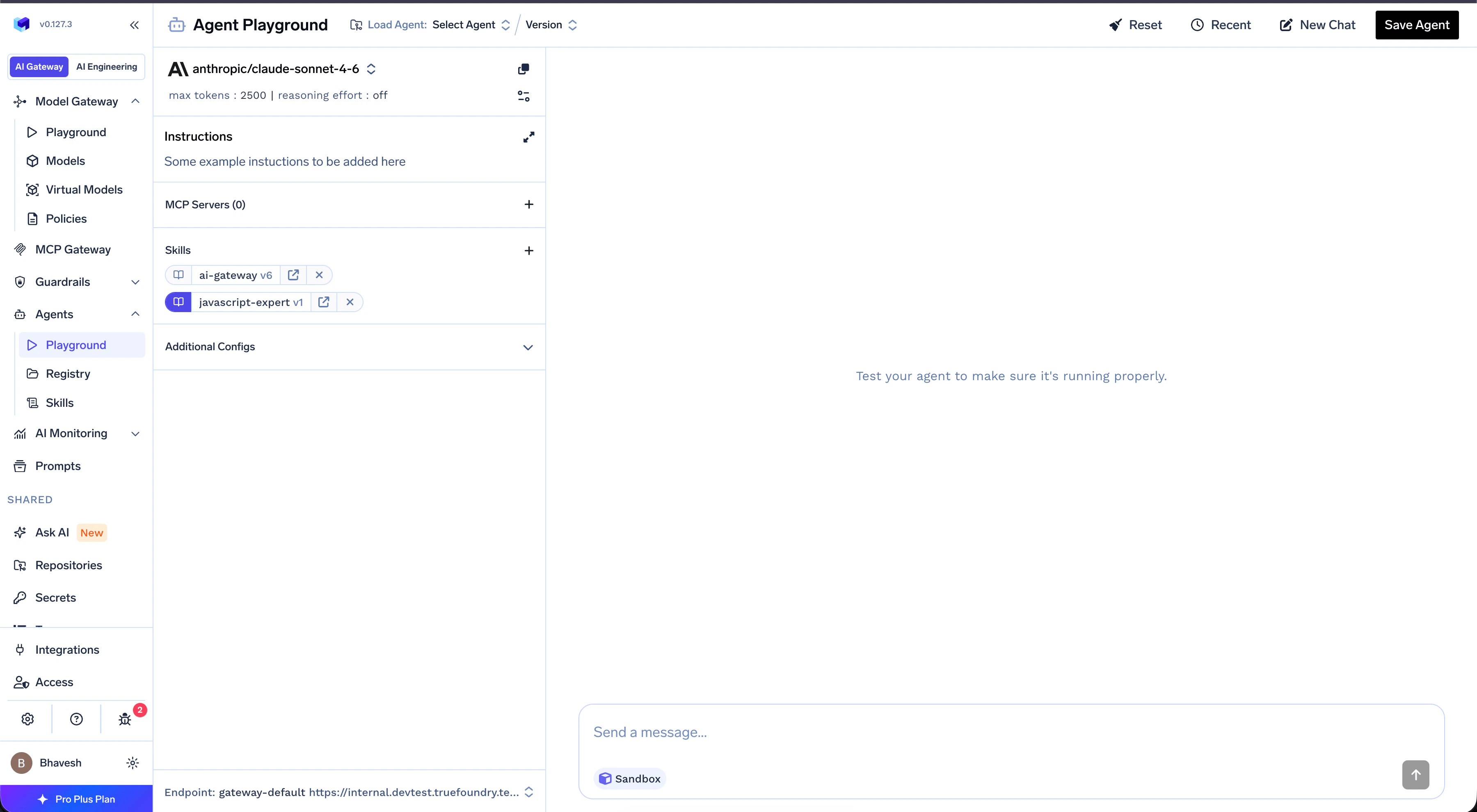
Skills require the agent’s Sandbox to be enabled. Access is inherited from the skill’s parent Repository — end-users invoking a saved agent get implicit access to all skills attached at save time.
| Mode | Behavior |
|---|---|
| Off (default) | Only the skill’s name and description are exposed upfront. The body is loaded on demand when the agent decides the skill is relevant. |
| On | The full SKILL.md body is injected upfront. Higher context cost, but no extra step at runtime. |
Two skills cannot share the same
name within a single agent, even across different Repositories. The selector greys out conflicting skills and shows a tooltip — pick one or use a differently named copy.Saving the Agent
Once you’re satisfied with the agent’s behavior, click Save Agent in the top-right corner. The dropdown gives you two options:- Save New Version — Update an existing agent with your changes.
- Save New Agent — Create a brand-new agent from the current configuration.
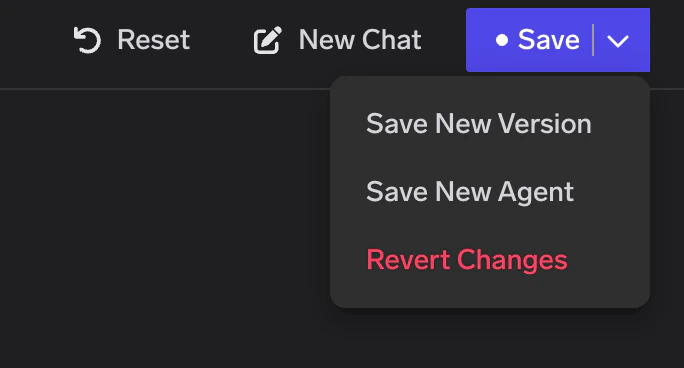
Saved Agent
Once saved, your agent appears in the Agent Registry. Click the agent name to open its detail page.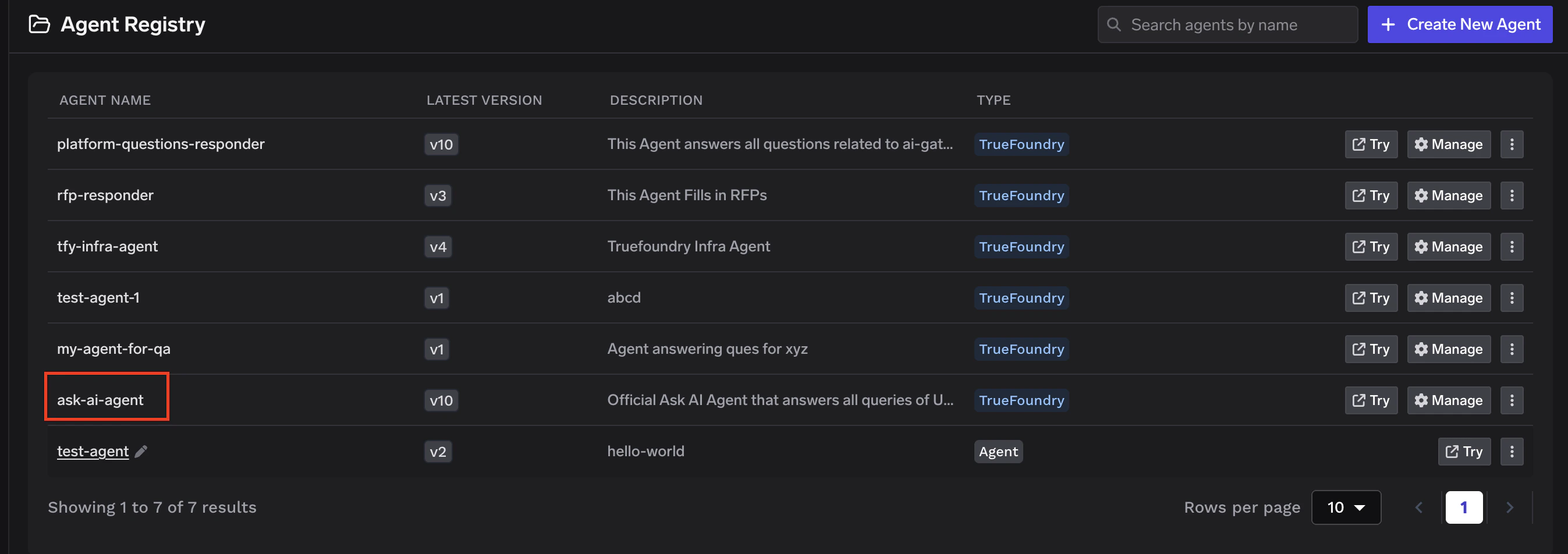
Overview
The Overview tab shows the full agent configuration at a glance — model, model parameters, execution settings (sandbox, iteration limit, response format), system instructions, connected MCP tools, and attached skills.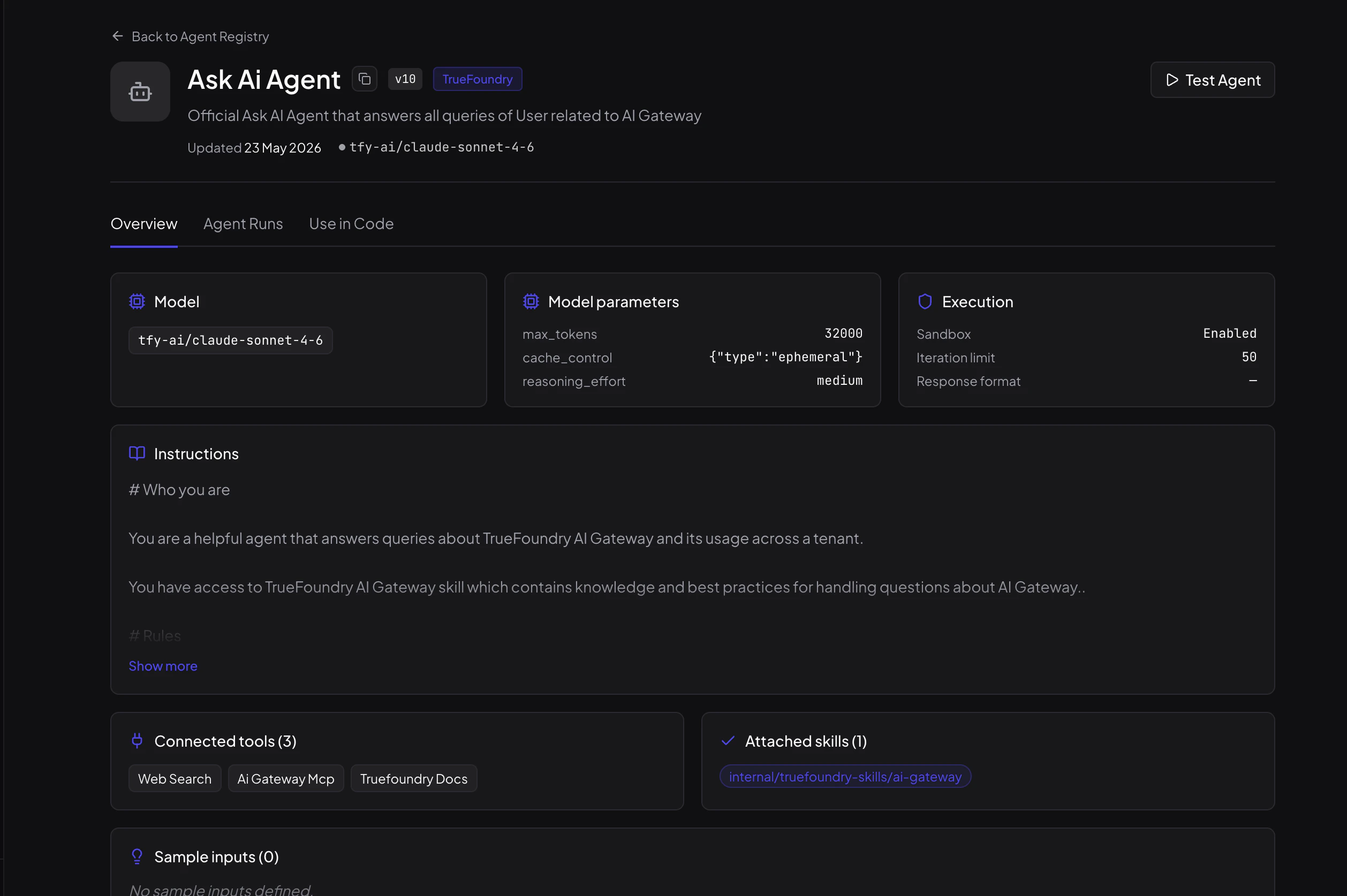
Agent Runs
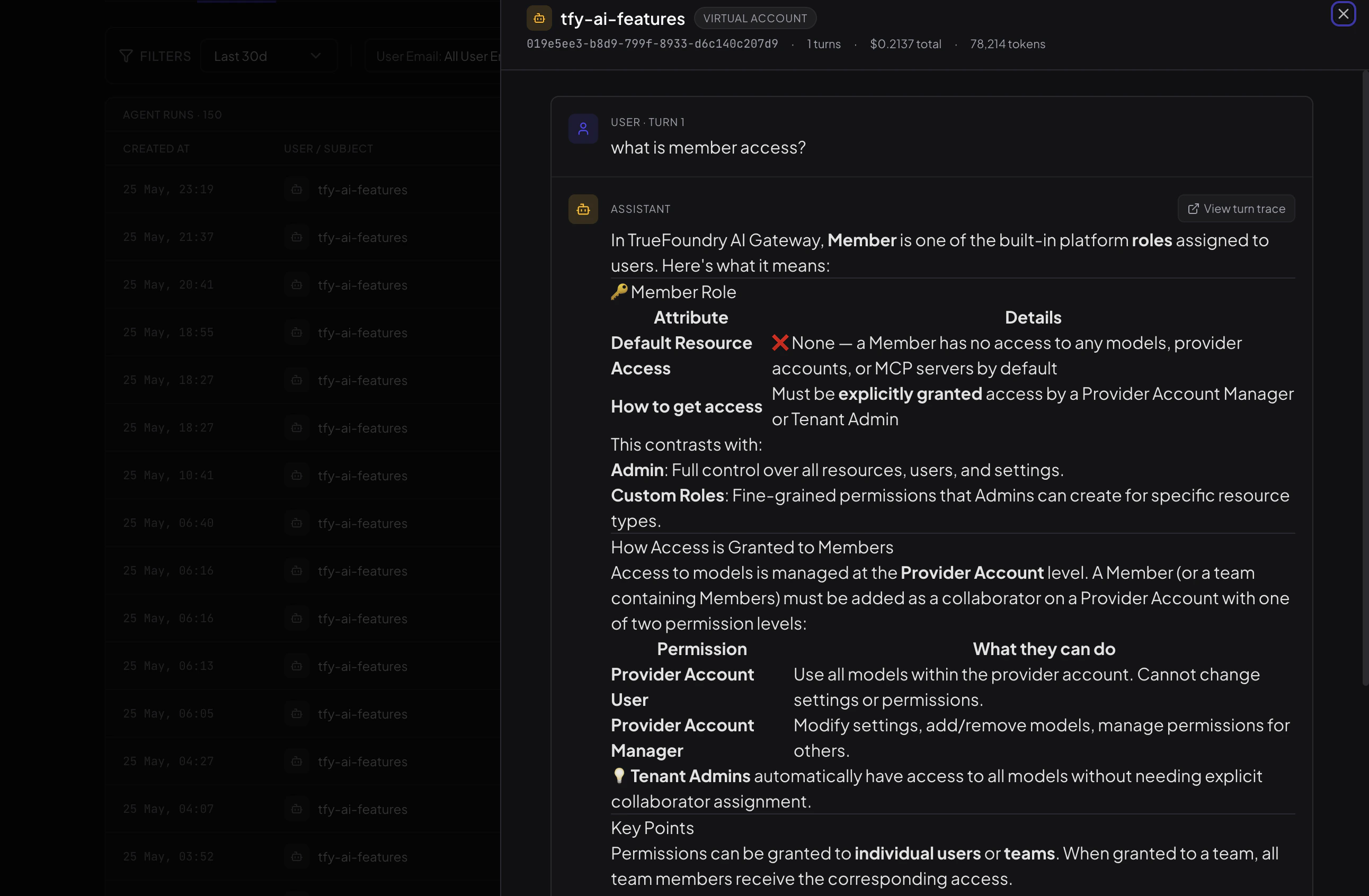
The Agent Runs tab gives you a single place to see every execution of this specific agent. Unlike the global AI Monitoring view, this is scoped to the agent — so you can understand exactly how it is being used and by whom.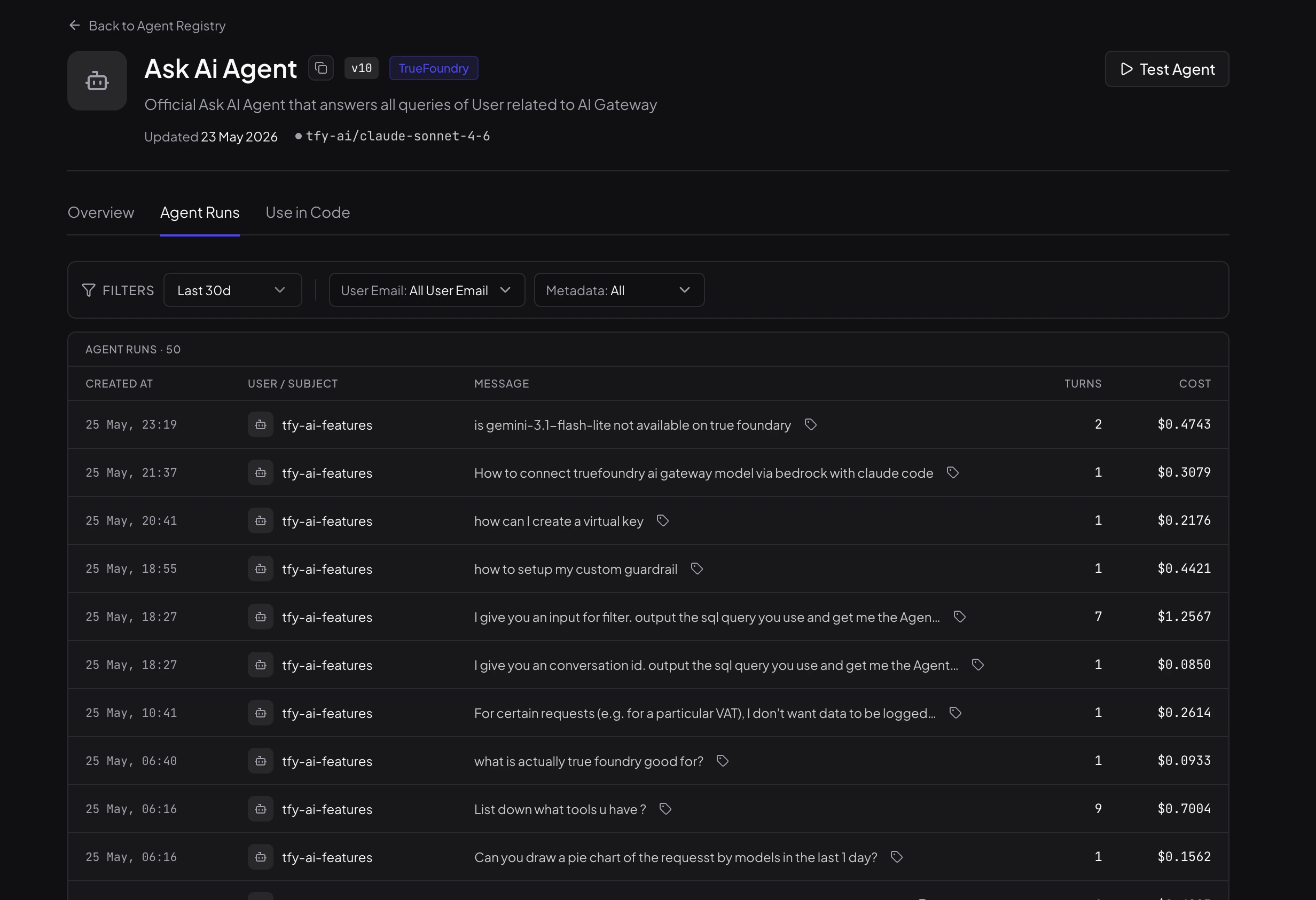
- See who is using the agent — each run shows the user or virtual account that invoked it.
- Filter runs — narrow down by time range, user email, or any custom metadata passed at invocation time.
- Gauge cost and complexity — turn count and dollar cost are visible per run without opening anything.
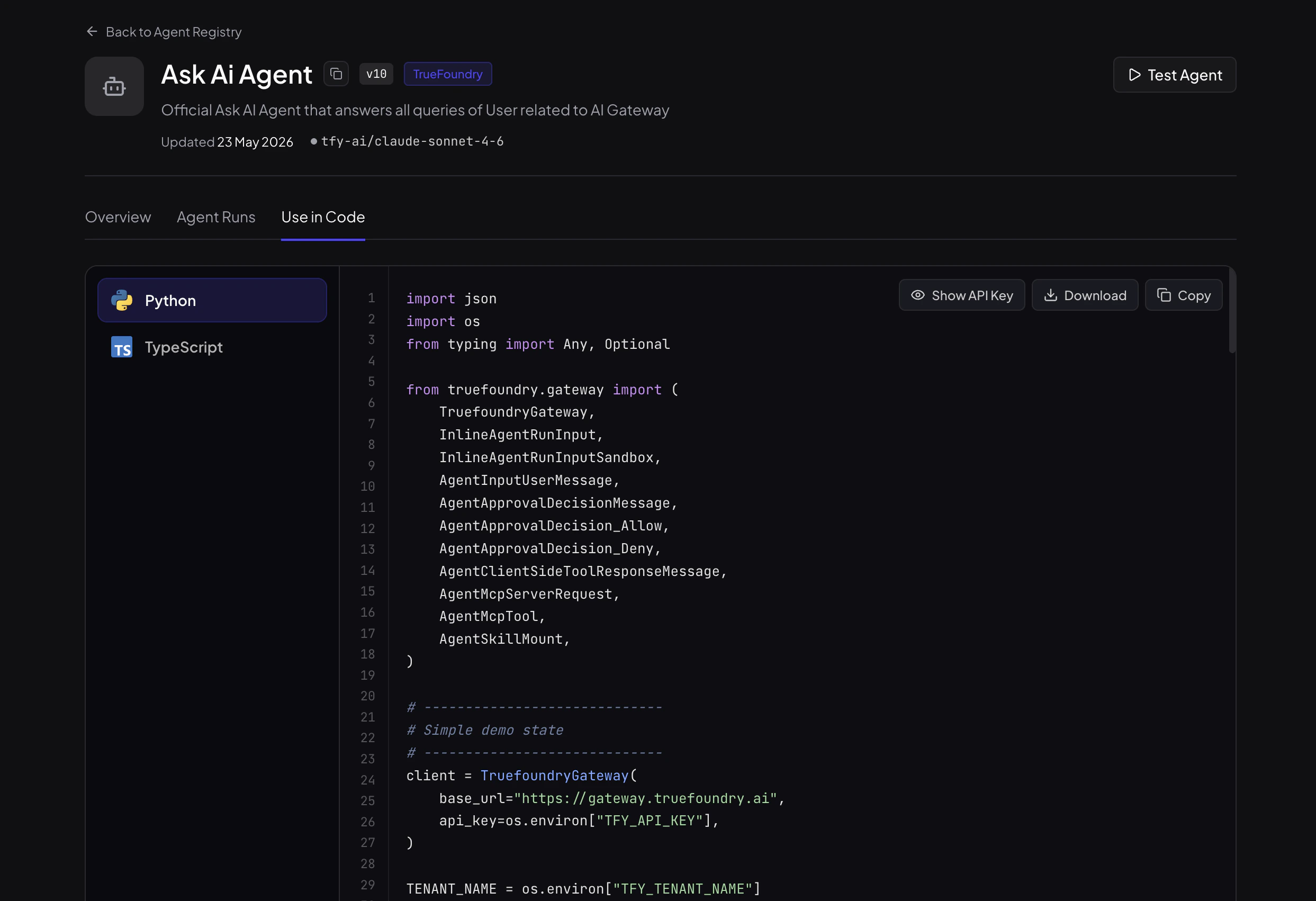
Use in Code
If you want to integrate this agent into your application or automate it from a pipeline, the Use in Code tab has ready-to-copy Python and TypeScript snippets generated for this specific agent.