



October 10, 2026
|
5 min read


Published: October 10, 2026
Blazingly fast way to build, track and deploy your models!
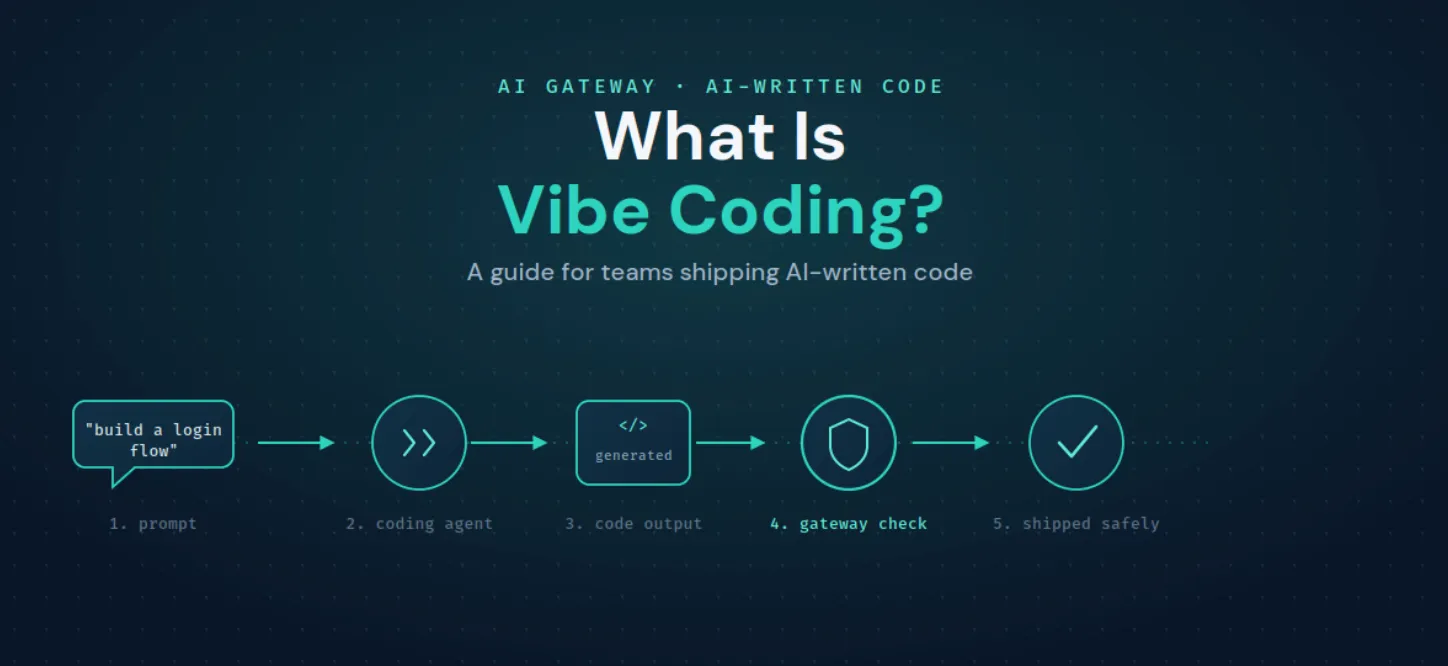
Vibe coding is a style of building software where you drive an AI agent with natural-language prompts and accept, run, and refine its output, rather than writing most of the code line by line yourself. The developer sets direction and judges results; the agent produces the code. It sits at one end of a spectrum, from fully hand-written code, through AI-assisted autocomplete, to vibe coding where the AI does most of the typing.
It became mainstream because the tooling got good. Agentic IDEs, CLI coding agents, and editor extensions can now read a codebase, make multi-file changes, run commands, and call external tools, so "describe it and let the agent build it" is a workable loop for a lot of tasks.
"Vibe coding tools" broadly fall into three groups. Agentic IDEs like Cursor and Windsurf put an agent inside the editor. CLI coding agents like Claude Code and the OpenAI Codex CLI drive changes from the terminal. Editor extensions like Cline and Roo Code add agentic coding to existing setups, and assistants like GitHub Copilot sit alongside all of them. They differ in interface, but under the hood they do the same thing: call a model, often call tools, and produce code.
That shared shape is the important part. Whatever tool your team vibe-codes with, each one is a client making model and tool calls, and that is exactly the layer you can govern in one place instead of tool by tool.
For one developer, vibe coding is a private workflow. Across a team, the same workflow multiplied by everyone creates three gaps that have nothing to do with which tool people chose.
These are governance gaps, and the fix is not to slow down vibe coding. It is to put a control point in front of the agents doing it.
Because every vibe coding tool is a client making model and tool calls, you can route those calls through a gateway and govern them uniformly, without asking developers to change tools.
Cursor, Claude Code, Cline, Roo Code, the OpenAI Codex CLI, and GitHub Copilot can all be pointed at the AI Gateway instead of a provider directly. Most of them read a base URL and key from the environment, so it is usually a one-line change:
Once traffic flows through the gateway, you get the things a team needs: per-team and per-developer cost tracking and rate limits, RBAC over which models each person can use, and full observability of what the coding agents are calling. Managing Claude Code specifically at the org level is a common starting point, and it is closely related to your existing work on Claude Code limits.
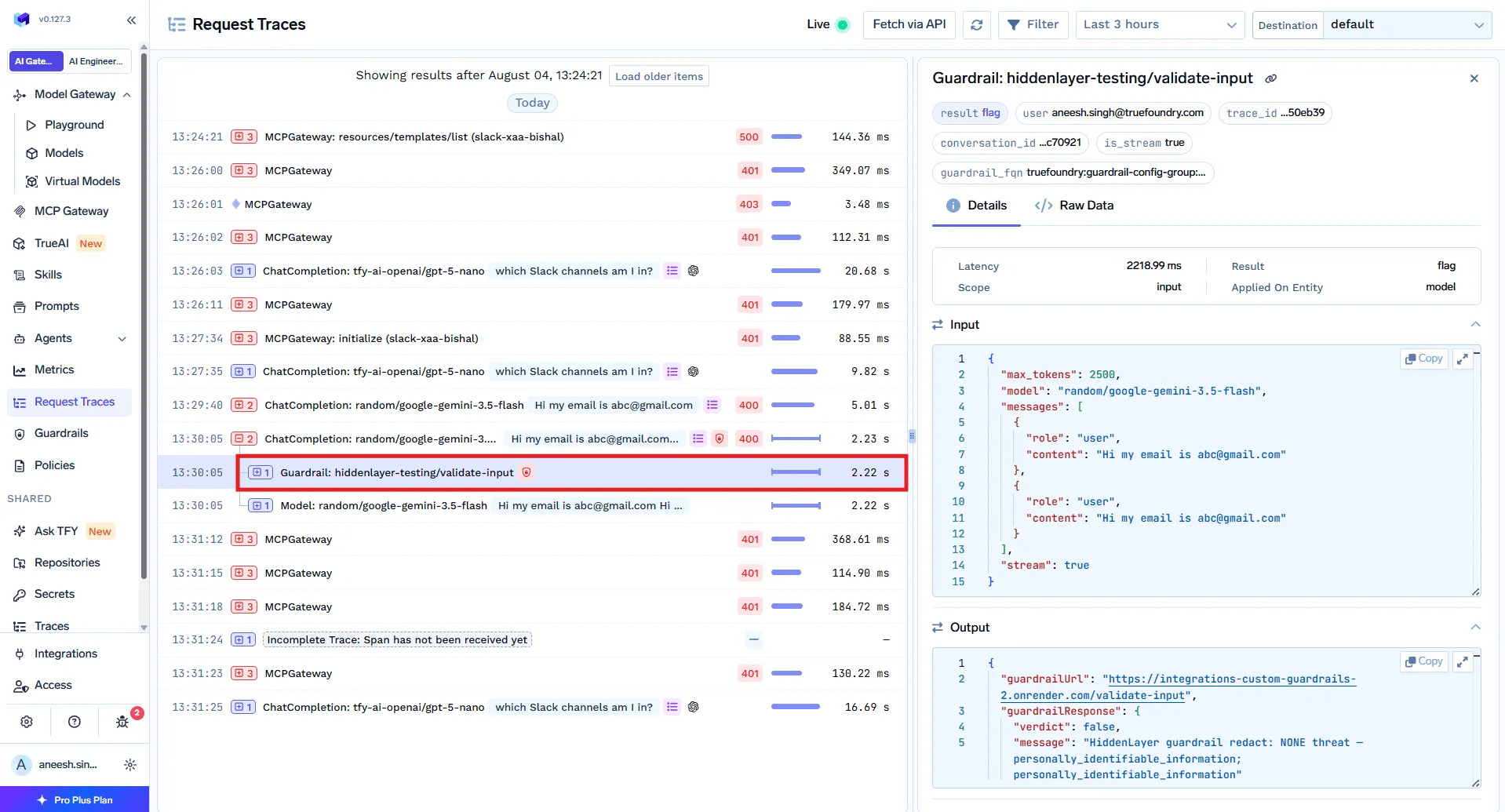
Routing solves cost and visibility. Safety needs guardrails on the content itself. The gateway can inspect coding-agent traffic on the way through:
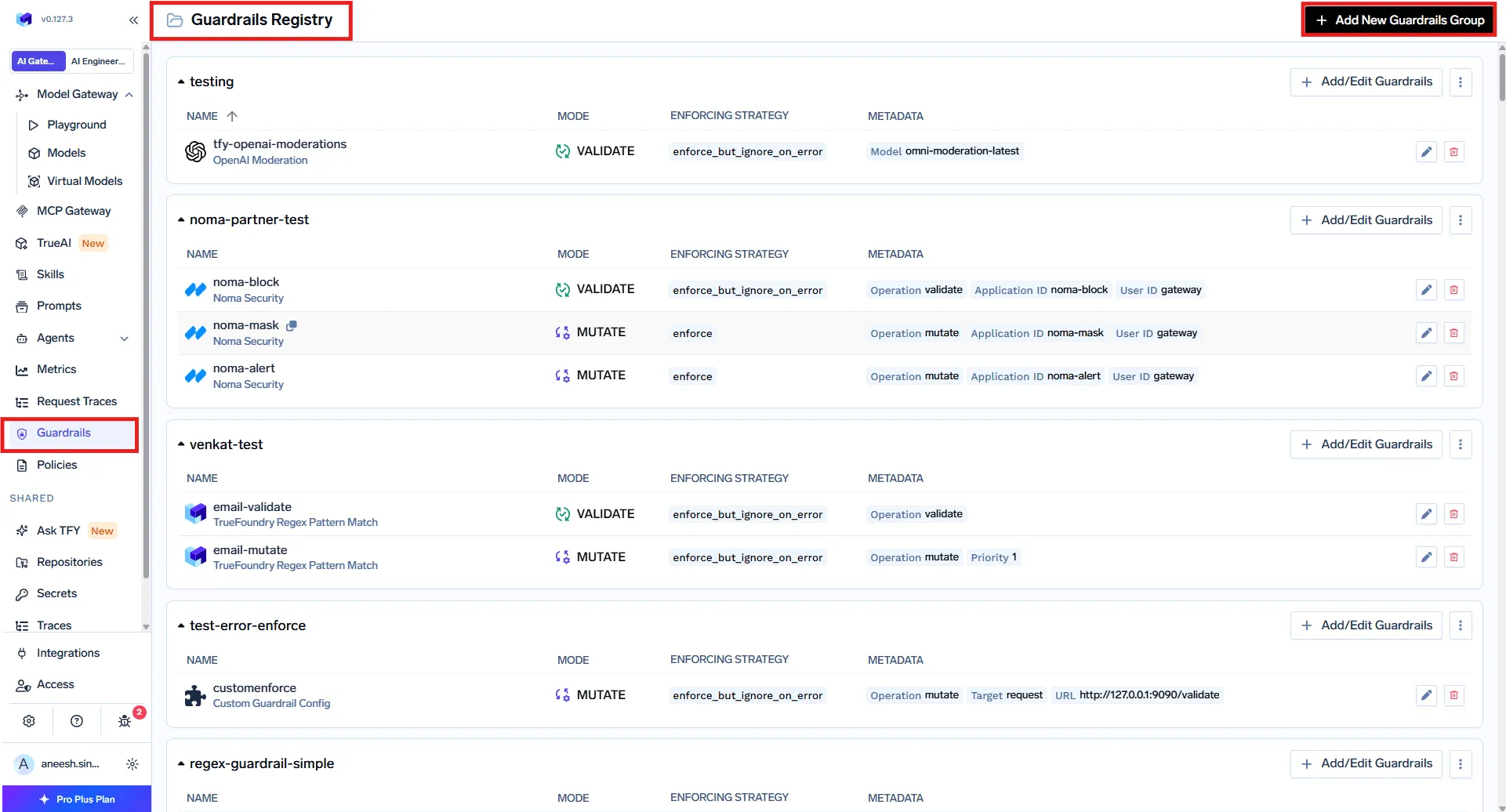
These are the same AI agent guardrails that protect any agent traffic, applied to the specific risks of AI-written code.
As vibe coding tools call external systems over MCP, the MCP Gateway controls which servers and which individual tools an agent can use, with authentication and audit logging. So a coding agent can read the repository it needs without being able to reach production data it does not.
The net effect is that vibe coding stays fast for developers, and the platform team gets one place to see cost, enforce access, check generated code, and audit tool use. None of it depends on standardizing everyone on a single tool, which is the point: govern the calls, not the editor.
Vibe coding is here to stay because it genuinely speeds teams up. The risk is not the practice, it is doing it at scale with no control point, so cost is invisible, generated code is unchecked, and tool access is wide open. Route your coding agents through the AI Gateway and govern their tools with the MCP Gateway, and you keep the speed while adding the cost control, guardrails, and audit trail a team needs.
TrueFoundry AI Gateway delivers ~3–4 ms latency, handles 350+ RPS on 1 vCPU, scales horizontally with ease, and is production-ready, while LiteLLM suffers from high latency, struggles beyond moderate RPS, lacks built-in scaling, and is best for light or prototype workloads.



Vibe coding is not inherently bad, but it carries real risk at scale, because agents can generate unsafe code, embed secrets, or call tools with side effects, and teams often have no shared view of cost or what the agents touched. It is safe when you review output and put a control point in front of the agents for cost limits, guardrails, and tool access.
They fall into agentic IDEs (such as Cursor and Windsurf), CLI coding agents (such as Claude Code and the OpenAI Codex CLI), and editor extensions and assistants (such as Cline, Roo Code, and GitHub Copilot). They differ in interface but all call models and often tools, so they can be governed at a common layer.
Route the coding agents through a gateway and apply guardrails to their traffic: a code-safety linter for dangerous commands and unsafe patterns, secrets detection for leaked credentials, and MCP-level access control so agents reach only the tools they need. That adds a machine-level check on top of human review.
Yes. Coding assistants like Cursor, Claude Code, Cline, Roo Code, and the OpenAI Codex CLI can route through the AI Gateway, and the MCP Gateway governs the tools they call, with access control, guardrails, and audit logging from one control plane.
Yes. TrueFoundry runs in your VPC, on-prem, air-gapped, or hybrid, so prompts, context, and tool traffic stay inside your own domain.



The latest news, articles, and resources sent to your inbox
.webp)


.png)
.png)
.png)
.png)
.png)






.png)




