


October 9, 2026
|
5 min read


Published: October 9, 2026
.png)
Blazingly fast way to build, track and deploy your models!
A GPU endpoint or a provider account bills whether or not anyone is watching. Rate limits cap throughput, but they do not stop a team from quietly spending ten thousand dollars on tokens in a month. Budgets cap spend in dollars, which is what finance actually cares about.
On the AI Gateway, budget limiting helps you control spending on LLM workloads by setting cost boundaries per tenant or per team, with alerts and enforcement built in.
The budget limiting docs describe two scopes, and the distinction decides who owns the cap.
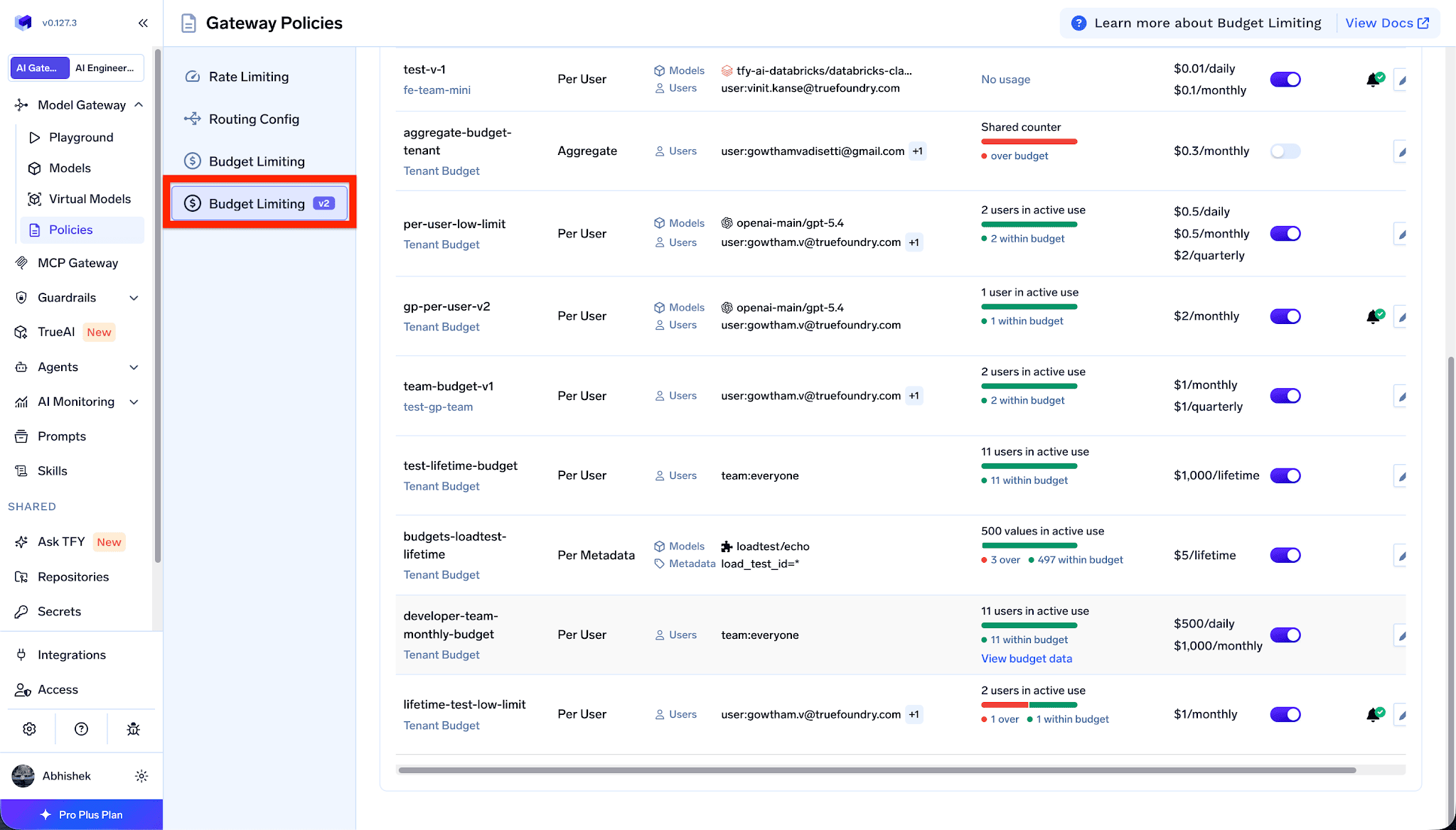
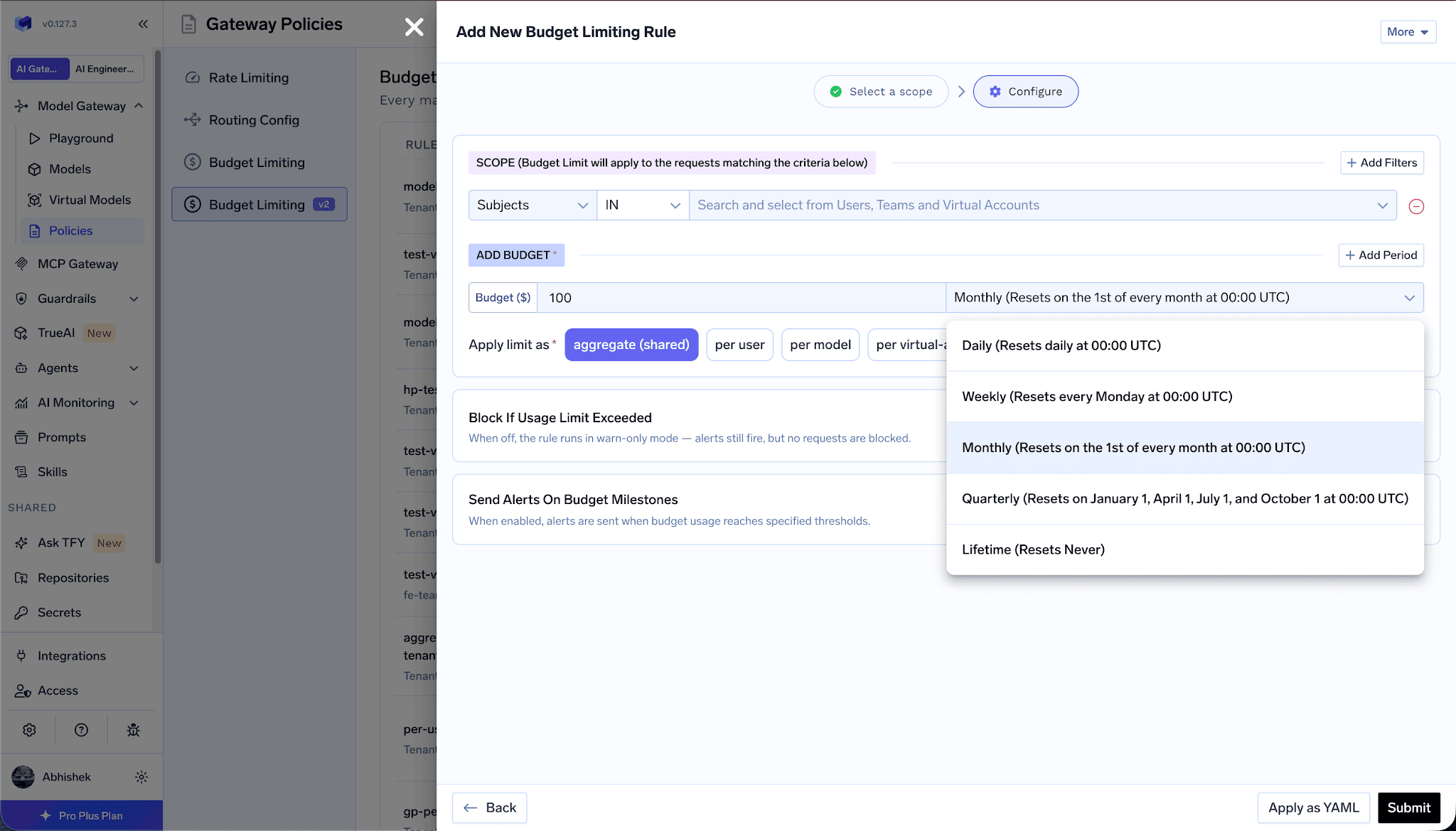
One important detail from the docs: when you create a budget rule, the usage counter starts at zero from that moment, regardless of how much was spent earlier in the period. Prior spending is not retroactively counted.
Budgets are most useful before they are breached. When creating a rule you can turn on budget milestone alerts and select thresholds at 75, 90, 95, or 100 percent, then choose a notification target such as email, Slack, PagerDuty, or Microsoft Teams. This gives owners time to react instead of discovering the cap only when requests start failing.
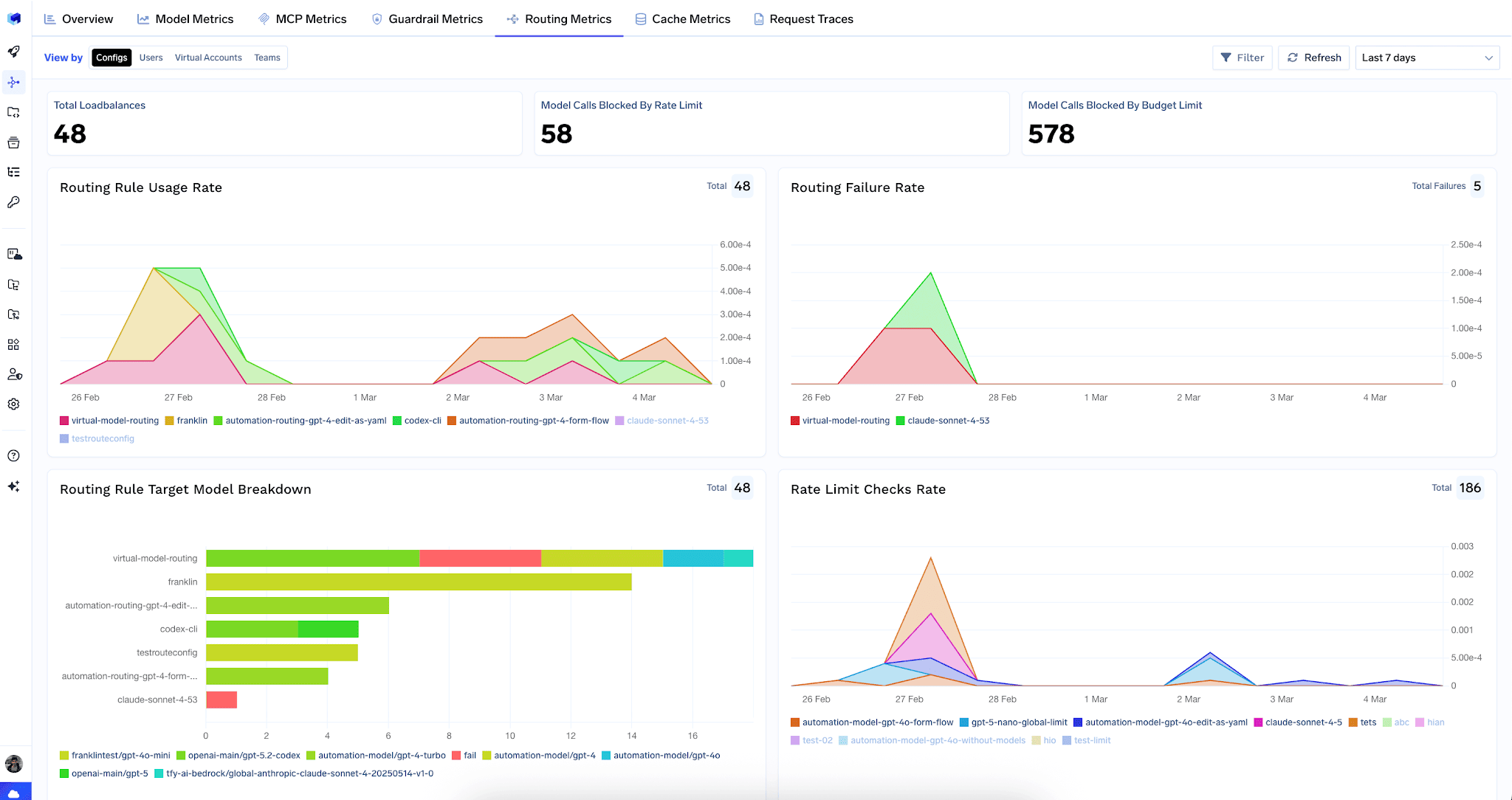
The analytics dashboard surfaces budget outcomes under routing metrics. Top level counters show model calls blocked by rate limit and model calls blocked by budget limit, and the budget charts show the checks rate, the exceeded rate, and an allowed versus blocked breakdown per budget rule.
You can view these by configs, users, virtual accounts, or teams. The teams view is what supports chargebacks and lets each team manage its own budget.
| | Budgets | Rate limiting |
| --- | --- | --- |
| Caps | Cost in dollars | Throughput (requests, tokens, tool calls) |
| Scopes | Tenant and team | Tenant only |
| Threshold alerts | Yes (75, 90, 95, 100%) | No |
| Periods | Daily to lifetime | Per minute, hour, day |
The two are complementary. Use rate limiting to protect capacity and budgets to protect the wallet. Both return an HTTP 429 when breached, and
TrueFoundry AI Gateway delivers ~3–4 ms latency, handles 350+ RPS on 1 vCPU, scales horizontally with ease, and is production-ready, while LiteLLM suffers from high latency, struggles beyond moderate RPS, lacks built-in scaling, and is best for light or prototype workloads.



A budget caps spend in dollars, while a rate limit caps throughput such as requests or tokens. Budgets support tenant and team scopes and send threshold alerts, whereas rate limits are tenant scoped and do not send threshold alerts.
Yes. A team budget can be managed by a team manager as well as tenant admins, and it applies only to that team members requests. This lets a team lead control their own spend without tenant admin access.
No. The usage counter starts at zero from the moment you create the rule. Prior spending in the current day, week, month, or quarter is not retroactively counted.
In enforce mode the request is blocked with an HTTP 429 and a budget limit error. In audit mode it is tracked and alerted without blocking, and in soft enforce mode it is blocked only when no other matching budget can allow the request.



The latest news, articles, and resources sent to your inbox
.png)
.png)

.png)
.png)





.png)


.png)


