


September 19, 2026
|
5 min read


Published: September 10, 2026

Blazingly fast way to build, track and deploy your models!
Claude Code's real power isn't in writing code, it's in executing tasks across the systems where code actually runs. That's what MCP servers unlock: GitHub repos, databases, monitoring tools, internal APIs, browsers. Connect the right ones and Claude Code goes from "writes a function" to "ships a fix end-to-end."
Below, the 18 MCP servers worth installing for Claude Code in 2026, organized by category, with install commands, maintainers, and use cases for each.
See the complete list of 18 below
Claude Code is already built for task execution, not just code generation. But without integrations, it still lacks access to the systems where those tasks actually happen.
MCP servers solve this by allowing Claude Code to interact with real-world tools in a structured and secure way.
Claude Code can:
But without MCP, execution is limited.
With MCP servers, Claude Code can:
For example:
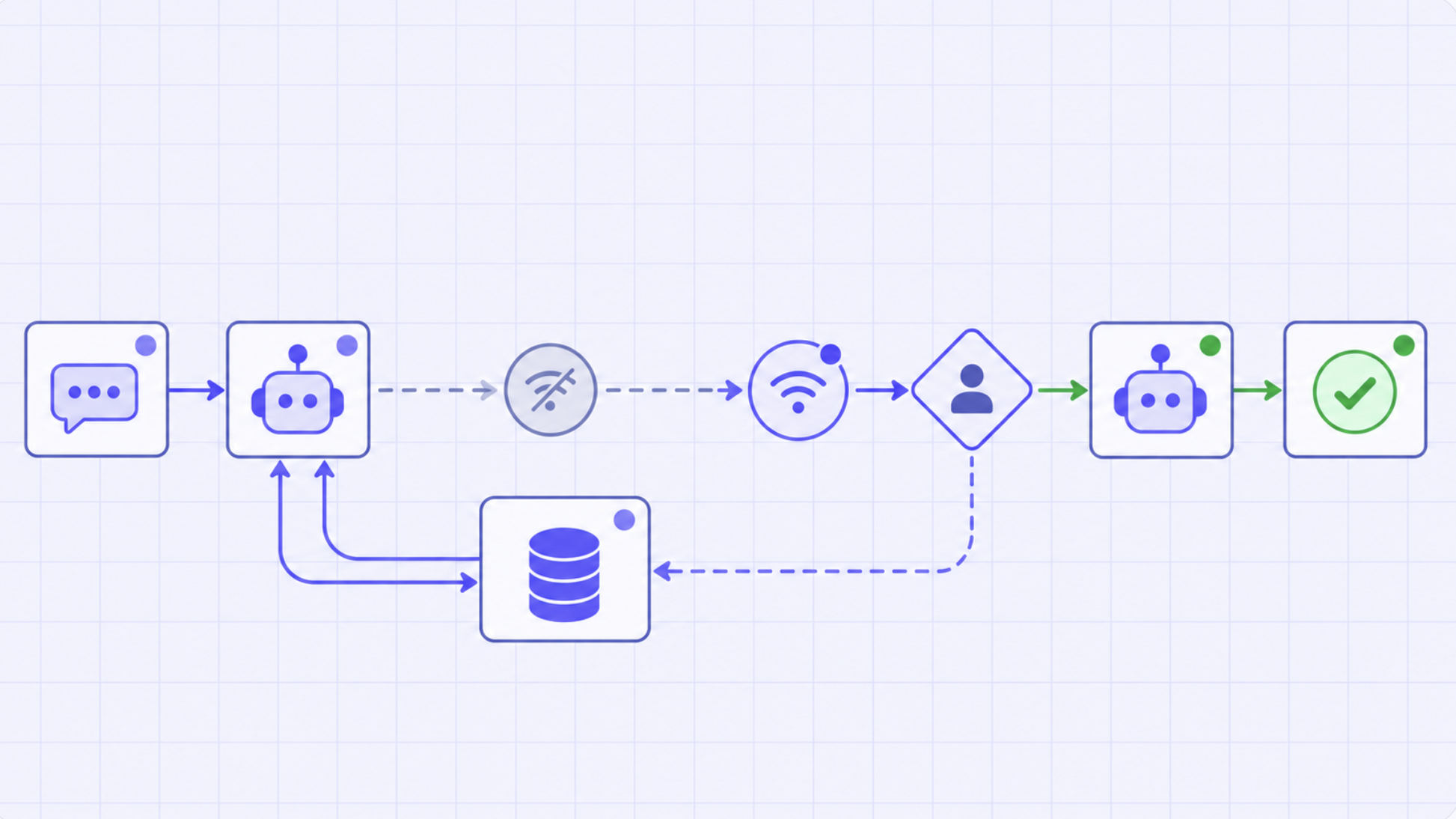
Analyze a failing service → query logs or database → fix the issue → deploy changes → notify the team. This turns Claude Code into a true execution engine, not just a planning assistant.
MCP servers allow Claude Code to connect directly with:
This eliminates the need to manually switch contexts between tools. Instead, developers can define tasks at a high level, and Claude Code can interact with the required systems to complete them.
Key Metrics for Evaluating Gateway
| Criteria | What should you evaluate ? | Priority | TrueFoundry |
|---|---|---|---|
| Latency | Adds <10ms p95 overhead for time-to-first-token? | Must Have | ✅ Supported |
| Data Residency | Keeps logs within your region (EU/US)? | Depends on use case | ✅ Supported |
| Latency-Based Routing | Automatically reroutes based on real-time latency/failures? | Must Have | ✅ Supported |
| Key Rotation & Revocation | Rotate or revoke keys without downtime? | Must Have | ✅ Supported |
| Key Rotation & Revocation | Rotate or revoke keys without downtime? | Must Have | ✅ Supported |
| Key Rotation & Revocation | Rotate or revoke keys without downtime? | Must Have | ✅ Supported |
| Key Rotation & Revocation | Rotate or revoke keys without downtime? | Must Have | ✅ Supported |
| Key Rotation & Revocation | Rotate or revoke keys without downtime? | Must Have | ✅ Supported |

To fully unlock the capabilities of Claude Code, you need MCP servers that enable it to operate beyond the codebase and interact with real systems.
Below are some of the most impactful MCP servers for Claude Code, along with how they fit into real-world workflows.
What it does:
Enables Claude Code to interact directly with GitHub repositories.
Key capabilities:
Why it’s useful with Claude Code:
Claude Code is built for multi-step execution, and GitHub integration allows it to complete workflows end-to-end without manual intervention.
Instead of stopping at code generation, it can:
This makes it possible to move from task definition → completed code changes in a repository in a single workflow.
What it does:
Allows Claude Code to execute shell commands in your environment.
Key capabilities:
Why it’s useful with Claude Code:
This is one of the most critical MCP servers for Claude Code because it enables execution and validation.
With shell access, Claude Code can:
This enables closed-loop workflows, where the agent not only makes changes but also verifies them.
What it does:
Connects Claude Code to PostgreSQL databases.
Key capabilities:
Why it’s useful with Claude Code:
Many real-world engineering problems involve both code and data.
With database access, Claude Code can:
This makes it significantly more effective for backend-heavy and production workflows.
What it does:
Allows Claude Code to interact with external APIs.
Key capabilities:
Why it’s useful with Claude Code:
Modern systems are built around APIs, and this integration allows Claude Code to operate across service boundaries.
With API access, it can:
This is especially useful in distributed systems where changes span multiple components.
What it does:
Provides structured access to the local file system.
Key capabilities:
Why it’s useful with Claude Code:
While Claude Code can already modify code, the filesystem MCP server ensures it can do so reliably and systematically across large codebases.
It enables:
This is especially important for large repositories where changes need to be applied consistently across multiple components.
What it does:
Enables Claude Code to interact with Slack workspaces.
Key capabilities:
Why it’s useful with Claude Code:
AI-driven workflows shouldn’t operate in isolation.
With Slack integration, Claude Code can:
This helps bridge the gap between execution and communication, making AI workflows more collaborative.
What it does:
Connects Claude Code with Notion workspaces.
Key capabilities:
Why it’s useful with Claude Code:
Documentation often lags behind code changes.
With Notion integration, Claude Code can:
This reduces manual effort and improves documentation consistency across teams.
What it does:
Allows Claude Code to access and interact with web content.
Key capabilities:
Why it’s useful with Claude Code:
Development often requires external context - documentation, API references, or third-party tools. With browser access, Claude Code can:
This makes it more effective when working with evolving APIs and third-party services.
Not every MCP server is necessary for every team. The right setup depends on your workflow, stack, and level of automation.
Identify the systems your team interacts with most frequently.
Start with a minimal set of servers that directly map to your daily tasks.
The real value of Claude Code comes from automating multi-step workflows. Choose MCP servers that:
For example:
MCP servers are most powerful when used together. Instead of adding isolated integrations, design workflows like:
Claude Code thrives when it can coordinate across multiple systems.
As Claude Code gains access to real systems, control becomes critical. Make sure to:
Autonomous execution requires clear boundaries and safeguards.
MCP servers unlock powerful capabilities but they also introduce complexity when used in production environments.
Claude Code can interact with:
Without proper guardrails, this can lead to:
Teams need to enforce:
When an AI agent executes tasks across systems, visibility becomes essential.
You need to track:
This is critical for:
MCP workflows often involve multiple steps across systems.
Failures can occur at any stage:
To handle this, teams need:
As adoption grows:
This introduces challenges around:
Claude Code unlocks powerful agent-driven workflows but it doesn’t address how those workflows are managed, secured, and scaled in production.
As teams move from experimentation to real-world usage, this gap becomes critical.
This is where platforms like TrueFoundry come in.
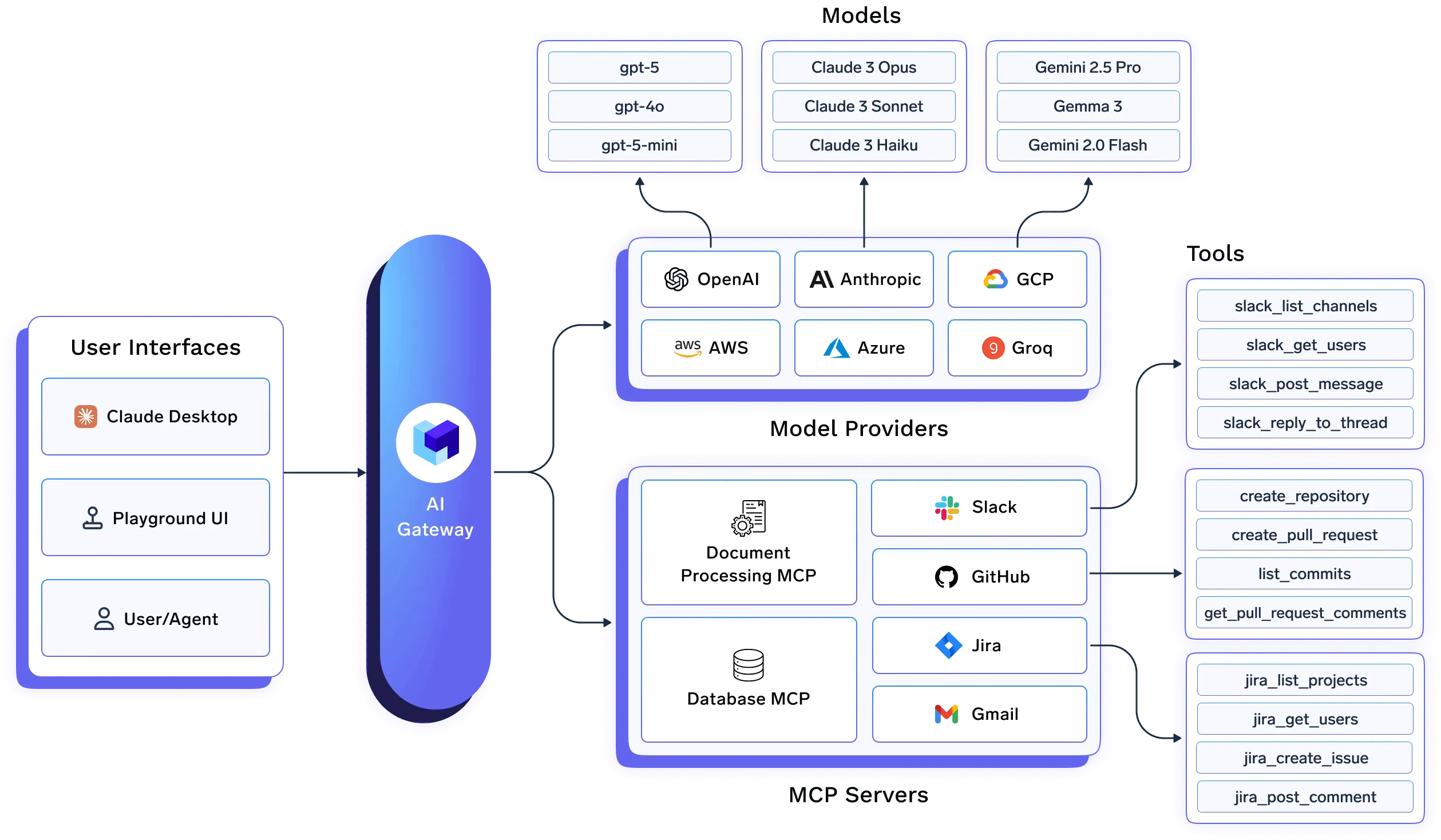
TrueFoundry provides the infrastructure layer required to operationalize AI agents by enabling teams to:
Instead of stitching together custom scripts and ad-hoc controls, teams can rely on TrueFoundry to standardize and govern how AI agents operate across their stack.
As AI agents become more autonomous, this infrastructure layer is what makes them safe, observable, and production-ready.
MCP servers are what transform Claude Code from a powerful coding agent into a full-fledged execution engine for development workflows. By connecting Claude Code to: Repositories, Databases, APIs, Collaboration tools you enable workflows that span far beyond code.
The key is to start with high-impact integrations, build workflows around real use cases & add guardrails as you scale
As development continues to evolve toward agent-driven systems, success will depend not just on the tools you use—but on how effectively you connect, manage, and scale them in production.
Platforms like TrueFoundry will play a central role in this shift, enabling teams to move from experimentation to reliable, scalable AI-driven development workflows.
TrueFoundry AI Gateway delivers ~3–4 ms latency, handles 350+ RPS on 1 vCPU, scales horizontally with ease, and is production-ready, while LiteLLM suffers from high latency, struggles beyond moderate RPS, lacks built-in scaling, and is best for light or prototype workloads.




The best MCP servers for Claude Code include the Filesystem MCP (for reading/writing local files), GitHub MCP (for repository and PR management), PostgreSQL MCP (for database queries), Brave Search MCP (for real-time web searches), and Slack MCP (for team communication). TrueFoundry's MCP Gateway further allows teams to manage and route across multiple MCP servers with centralized access control.
The Model Context Protocol (MCP) is model-agnostic, meaning it works with any underlying LLM powering Claude. For Claude Code specifically, pairing a high-capability model like Claude Sonnet or Claude Opus with production-ready MCP servers — such as Filesystem, GitHub, or database MCPs — delivers the strongest results for complex coding tasks.
Yes, Claude Code fully supports MCP tools. Developers can connect any MCP-compatible server to Claude Code, enabling it to read files, query databases, browse the web, interact with APIs, and more — all within a single agentic coding session.
MCP (Model Context Protocol) is an open standard developed by Anthropic that allows Claude to connect with external tools, data sources, and services in a structured and secure way. It functions like a plugin system, letting Claude Code access real-world capabilities such as file systems, code repositories, search engines, and enterprise APIs without requiring custom integrations for each tool.



The latest news, articles, and resources sent to your inbox
.png)
.png)
.png)
.png)
.png)
.png)
.png)
.png)
.png)
.png)
.png)


