


.png)
October 9, 2026
|
5 min read


Published: October 9, 2026
.png)
Blazingly fast way to build, track and deploy your models!
A raw model endpoint will happily return personal data, accept a prompt injection payload, or serve an unsafe response. Guardrails fix this by inspecting and, where needed, rewriting traffic before it reaches the model and before the response reaches the user.
Putting guardrails on the AI Gateway means every application gets the same protection automatically, without each team reimplementing safety. TrueFoundry ships built in guardrails for PII redaction and prompt injection detection, both fully managed with no third party keys to wire up.
As the guardrails docs put it, applying guardrails on the AI Gateway is a two step process.
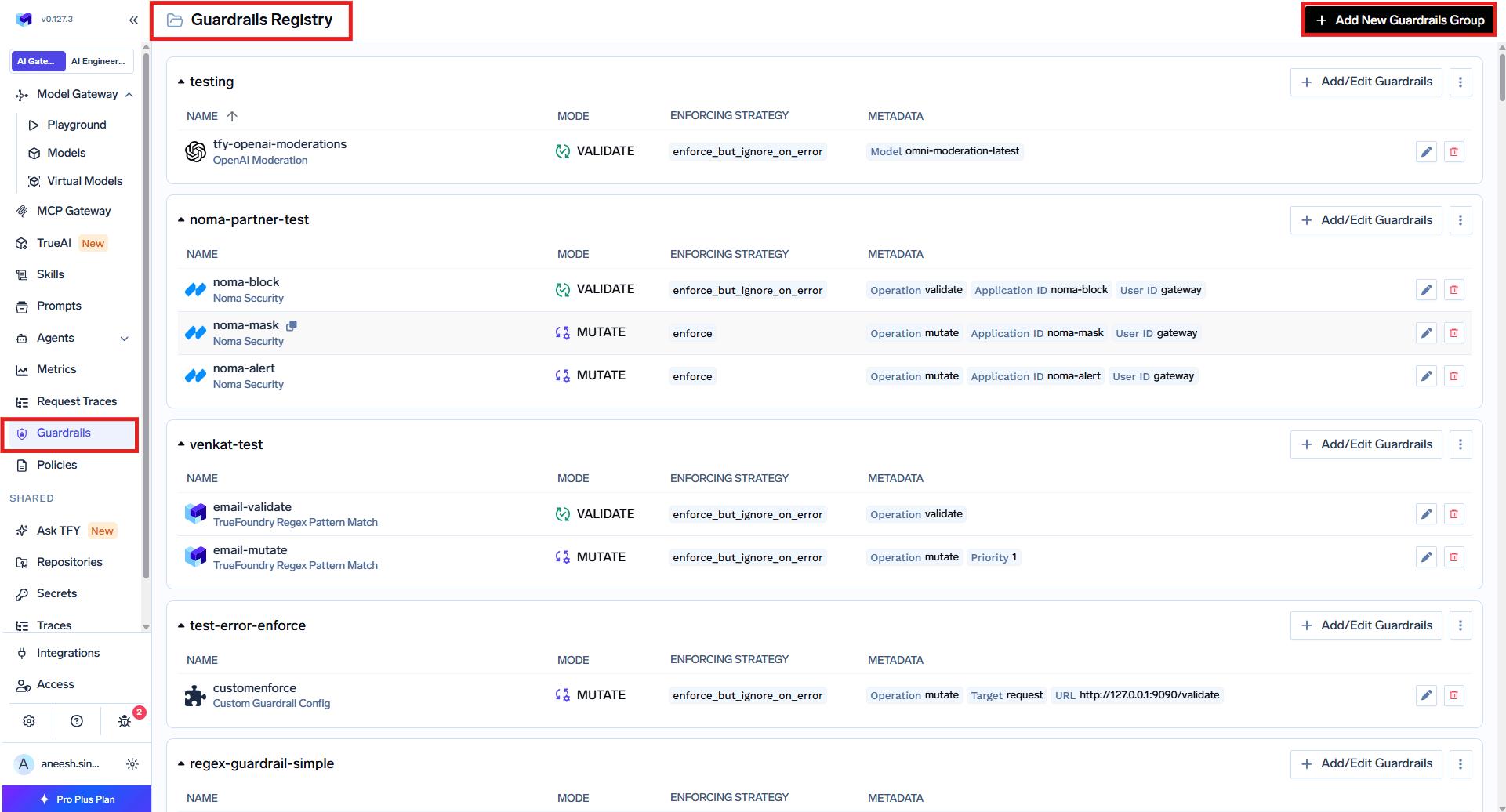
In Policies, then Guardrails, click Add Rule. Each rule has a unique Rule ID and a few sections that decide who it applies to and where it runs.
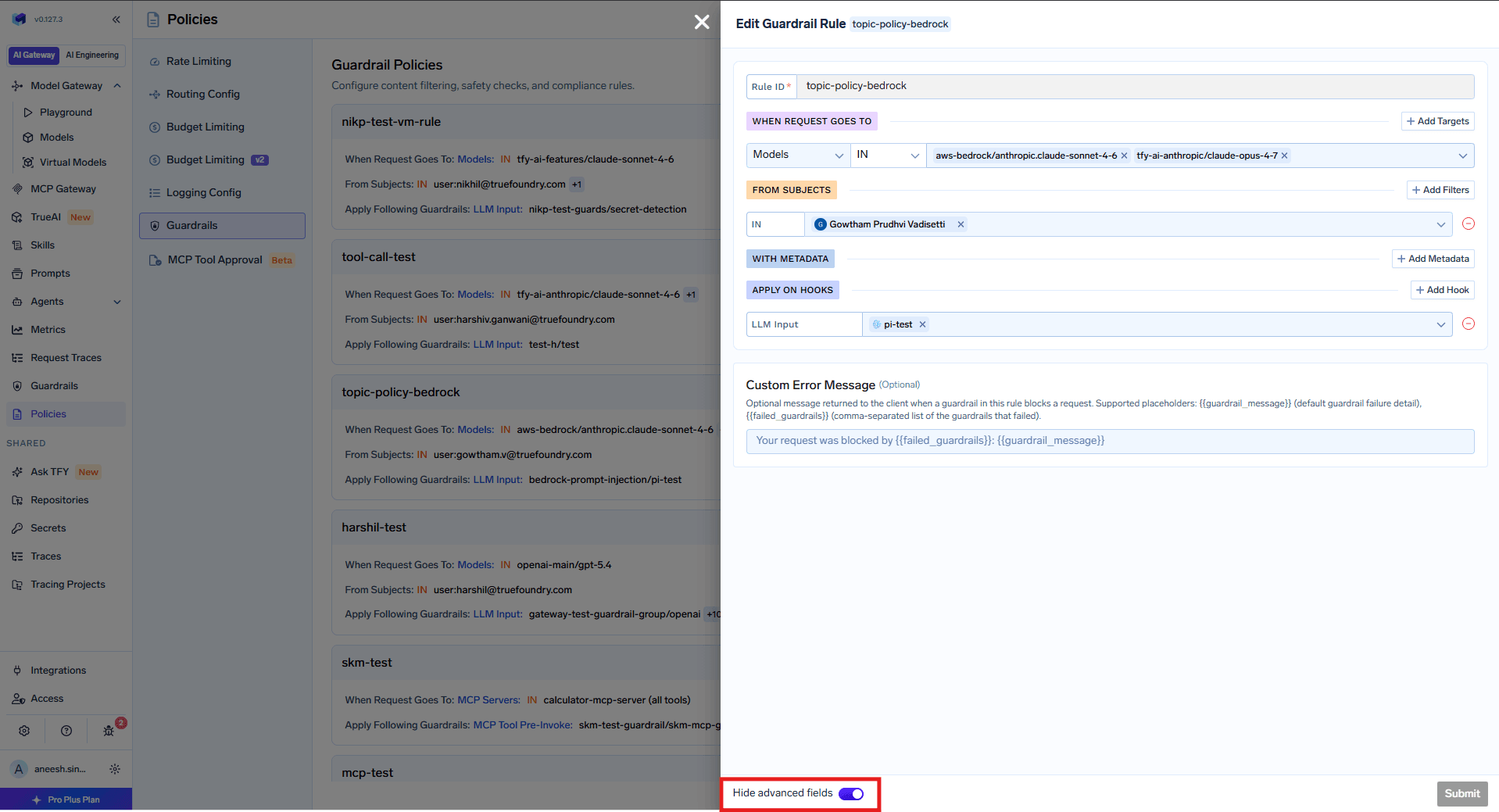
All rules are evaluated for every request, and the guardrails from all matching rules are combined and applied together. If one rule applies PII detection on LLM Input and another applies prompt injection detection on LLM Input, both run.
The PII and PHI detection guardrail is a built in TrueFoundry guardrail that identifies and redacts personally identifiable information and protected health information. It is powered by Azure AI Language PII Detection under the hood and is fully managed, so there are no third party API keys.
It only supports mutate mode, which means it always redacts detected entities. In the config form you set a name, choose PII categories or keep the default of all categories, and pick an enforcing strategy. Detected values are replaced with asterisks, so a phone number and email in a message become masked before the model ever sees them.
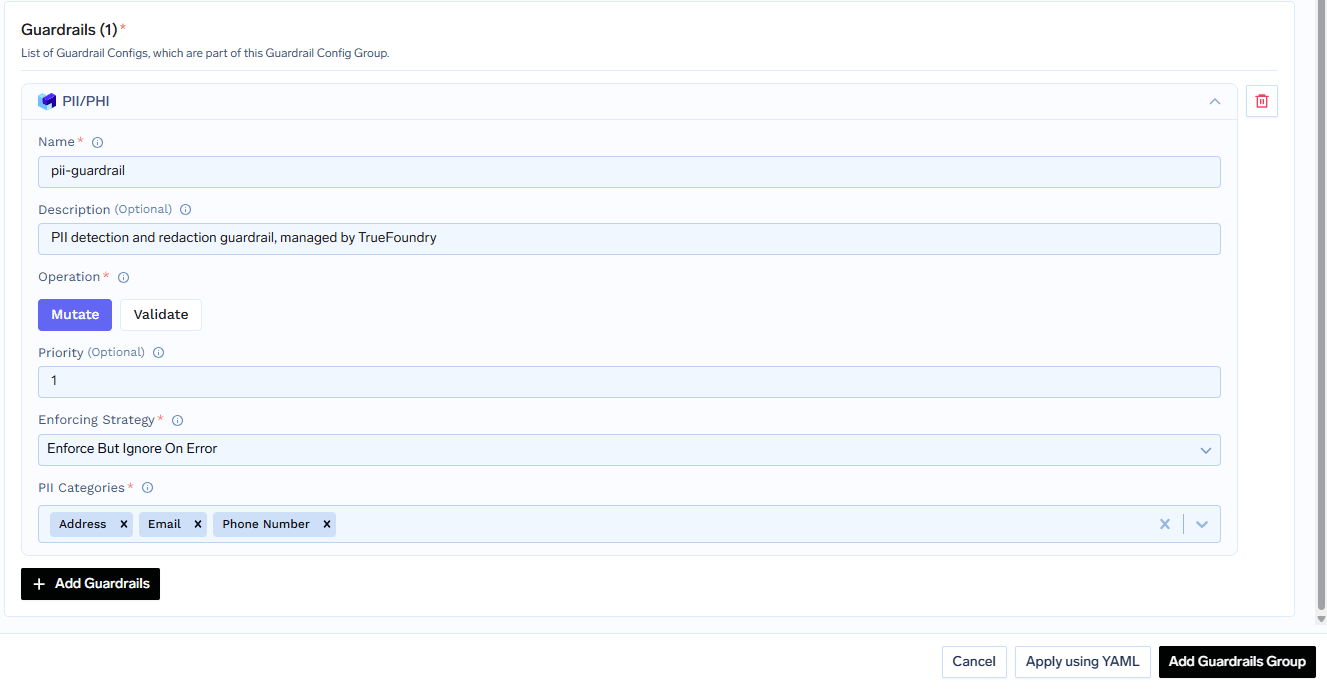
A common setup applies PII redaction on LLM Input to clean user messages, on LLM Output to clean responses, and on the MCP hooks to strip PII from tool parameters and tool results such as database rows.
The prompt injection guardrail is a built in guardrail powered by Azure Prompt Shield. It detects direct prompt injection, jailbreak attacks such as the do anything now pattern, and indirect injection hidden inside document or context content. It analyzes the user prompt and the document content separately.
It only supports validate mode, which means it detects and blocks attacks but does not modify content. The config asks only for a name and an enforcing strategy. The docs recommend starting with the audit strategy to monitor detections in request traces, then switching to enforce once you trust it.
On an LLM request, input mutation guardrails run first and block until they finish, for example redacting PII from the prompt. Input validation, such as prompt injection, then runs in the background while the model request is in flight. If input validation fails while the model is still running, the gateway cancels the model request right away so you do not pay for it.
After the model responds, output mutation can strip secrets, and output validation checks the final result before it reaches the client. For MCP tools, all pre tool guardrails run before the tool is called, and if any fail the tool never executes. Guardrails run on every tool call separately.
TrueFoundry AI Gateway delivers ~3–4 ms latency, handles 350+ RPS on 1 vCPU, scales horizontally with ease, and is production-ready, while LiteLLM suffers from high latency, struggles beyond moderate RPS, lacks built-in scaling, and is best for light or prototype workloads.



TrueFoundry ships built in PII and PHI detection, powered by Azure AI Language, and prompt injection detection, powered by Azure Prompt Shield. Both are fully managed, with no external credentials required. You can also add external providers or custom guardrails.
On four hooks: LLM Input, LLM Output, MCP Tool Pre-Invoke, and MCP Tool Post-Invoke. You attach guardrails to the hooks you want in a policy rule, and multiple guardrails can run on the same hook.
If input validation fails while the model request is in flight, the gateway cancels that model request so you do not pay for it. Output validation runs after the model responds, so in that case the model cost is already incurred.
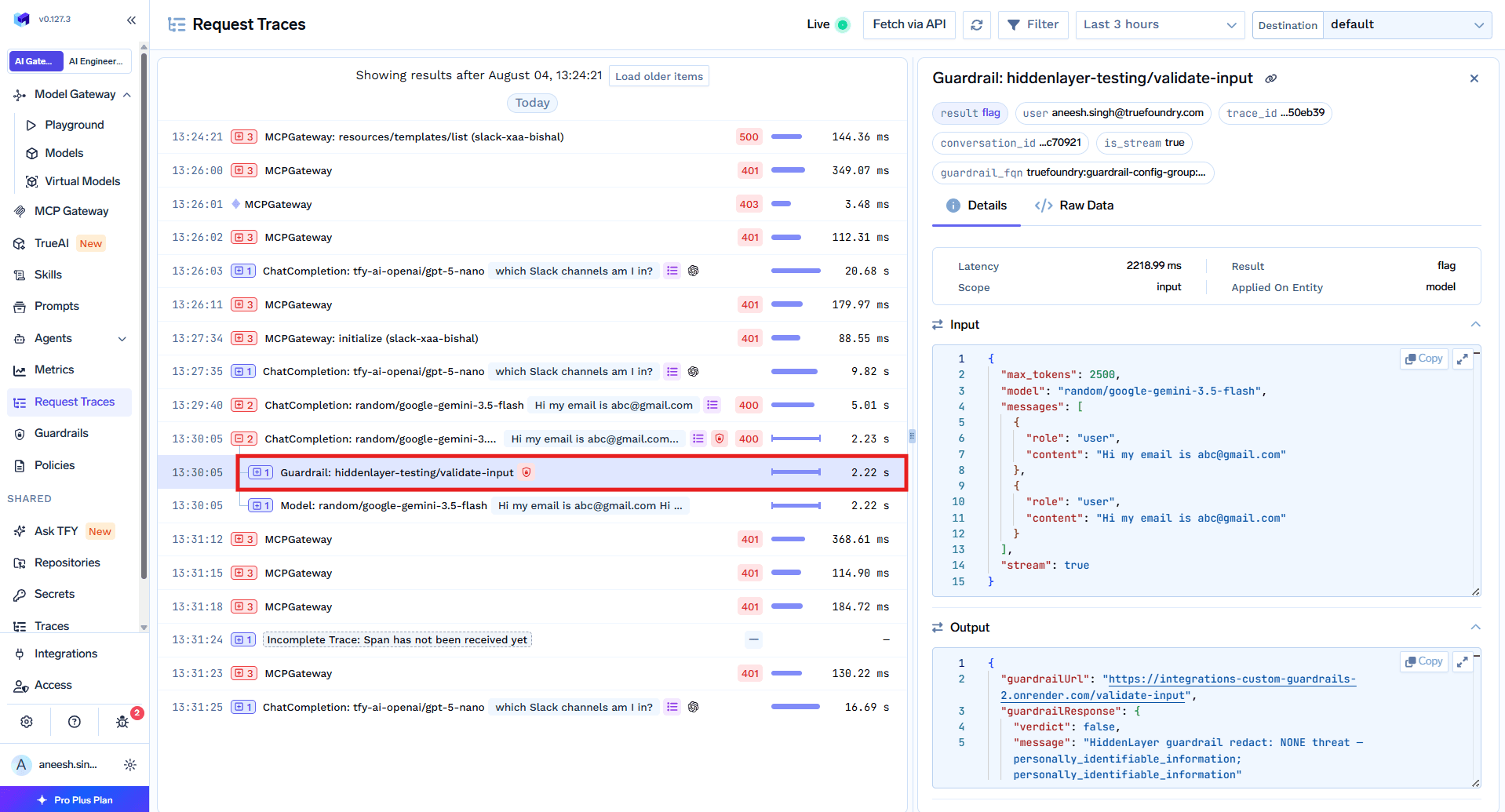
Start with the audit enforcing strategy so detections are recorded in request traces without blocking traffic. Once you are confident in the results, switch the strategy to enforce.



The latest news, articles, and resources sent to your inbox
.png)

.png)
.png)





.png)


.png)


