

Run setup
With Claude Code installed, install the setup tool, then run:Choose models
Map the Opus, Sonnet, and Haiku tiers to the gateway model IDs recommended by your administrator. Sonnet is the default for everyday coding; Opus handles complex tasks, and Haiku handles fast background work.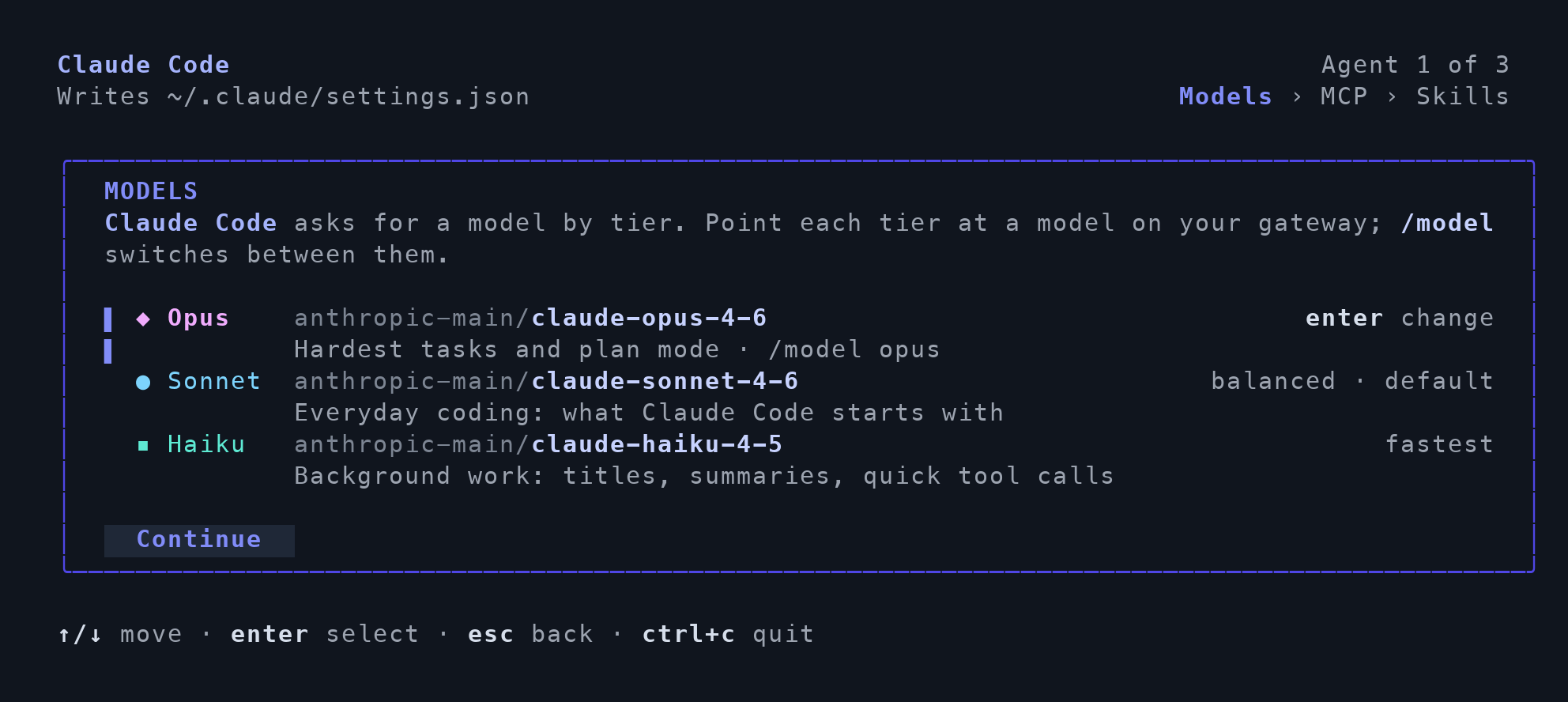
Example model mappings; use your organization's model IDs.
Open Claude Code
Open a new terminal and launch Claude Code normally. Complete model sign-in if prompted.Optional: authorize MCP servers
Open/mcp inside Claude Code and authorize any selected servers that require sign-in.
Verify the connection
Select your configured model in a new conversation and ask:Reply exactly TFY-CHAT-OK. Do not use tools. Confirm that a response arrives without an authentication or model error. Then verify the request in the gateway.
For manual configuration and advanced options, see the Claude Code integration guide.