


September 24, 2026
|
5 min read


Published: April 22, 2026
Blazingly fast way to build, track and deploy your models!
Most engineers first encounter Claude Code as a smarter autocomplete. Ask it to write a function, and you’ll get a function back. That framing is fine until you actually start using it and notice that something different is happening.
Claude Code goes beyond simple autocomplete. It reads files, reasons across codebases, proposes edits, runs shell commands, and adjusts based on outcomes. This is execution, not just prediction. Once a model can execute, the prompt is only part of the story.
The teams that figure this out early stop asking "what can Claude Code do?" and start asking a better question: how does the workflow really work? What kind of context is it using? What tools does it call? What happens when a test fails halfway through? How does it decide to retry?
The prompt does not answer those questions. The answers are in the workflow.
This guide explains how Claude Code workflows are structured, where they break down, how to scale them across a team, and what production use looks like once the demos are over. To understand these aspects, we first need to clarify what a Claude Code workflow actually is.
A Claude Code workflow is not a prompt. A prompt is just the start of the workflow.
The workflow is the whole process: the model gets an instruction, pulls context from the codebase, chooses which tools to use, makes changes, reads the results, and then decides what to do next. That loop, interpret, act, observe, adjust, is the workflow.
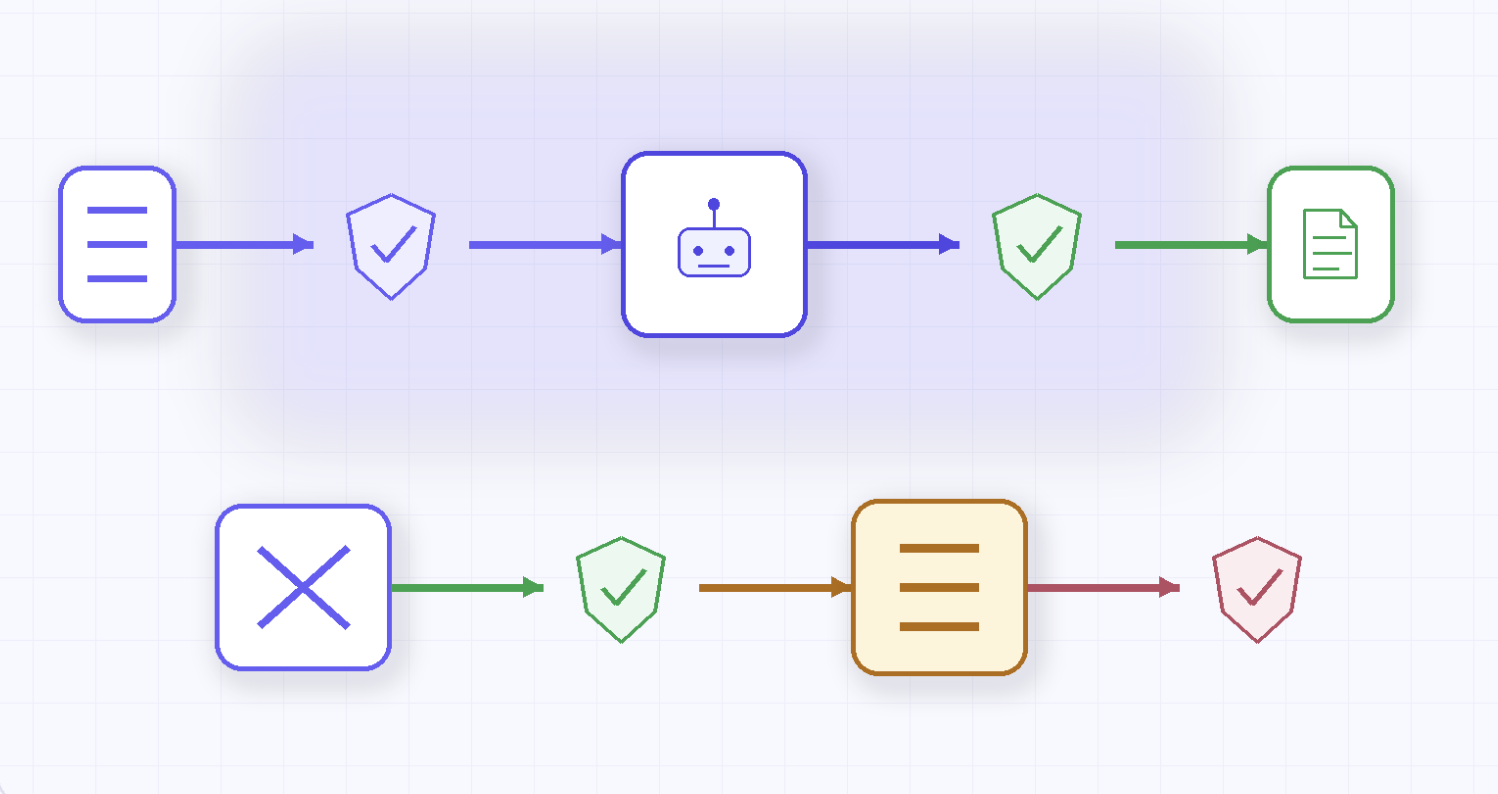
Think of it as five parts that are all connected:
A concrete example makes this tangible. You tell Claude Code: "Add input validation to the login handler." What actually happens:
That sequence is the workflow—the prompt is one line; execution is five steps. To see how each stage unfolds in detail, let’s walk through the workflow step by step.
A structured execution loop runs within a single instruction. Each step has its own logic and its own failure mode.
Step 1: Context Ingestion
The workflow opens by pulling in relevant files. Claude Code reads source files, inspects module structure, and builds a working picture of the codebase. This step is more important than it seems. If you load the wrong files or not enough of them, the model will start with a skewed view. That distortion is passed on to everything downstream.
Context window limits mean this is always a partial picture. The question is whether the slice is the right slice.
Step 2: Prompt Interpretation
The instruction gets translated into an action plan. "Fix the flaky test" is not yet actionable; the model has to infer scope, identify which files are relevant, and whether this is a debugging task, a test rewrite, or a fixture problem. Ambiguity at this step tends to show up as drift later.
Step 3: Tool Invocation
Once the task is framed, it starts calling the tools. File reads. Symbol searches. Patch generation. Shell commands. At this point, the workflow stops being passive. The model is acting on the repository, not just reasoning about it. This is also where permission boundaries and tool configurations begin to matter.
Step 4: Execution and Feedback
The proposed change has been applied. Then the workflow reads what’s really going on: tests run, builds compile or fail, linters complain. Execution produces feedback. That feedback is what makes an agentic loop from a one-shot generation. The model is not done when it produces a diff. It only completes when the feedback loop closes.
Step 5: Iteration
Based on what came back, the model adjusts. It might refine the patch, open another file, change the approach, or determine that the task is complete. This loop can stop quickly on well-defined tasks. It can spiral out of control on poorly scoped ones, especially when the context gets worse during the run.
The rough execution path looks like this:
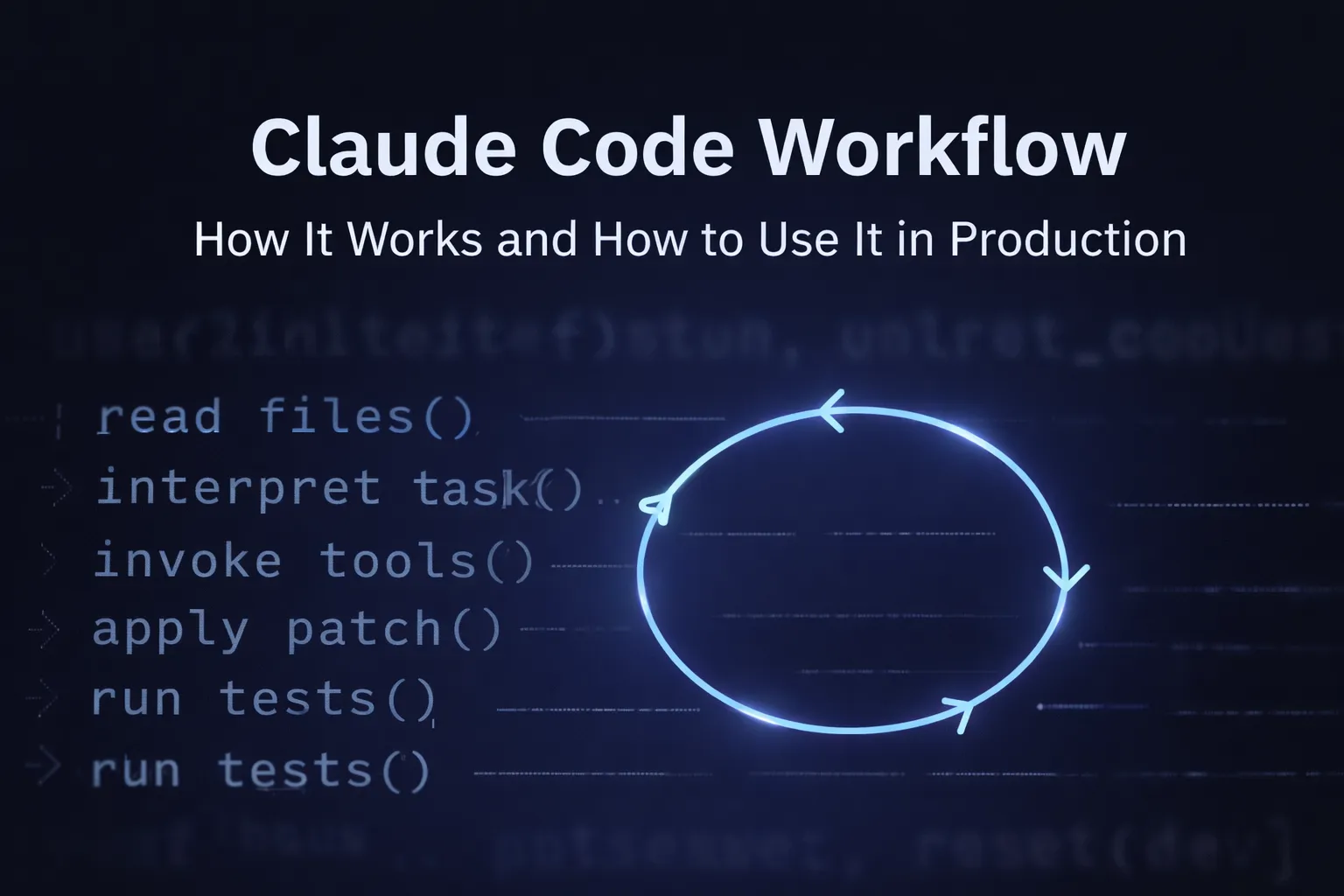
read files → interpret task → invoke tools → apply patch → run tests → observe output → iterate or stop.
Understanding this path helps clarify the architecture underlying Claude Code workflows.
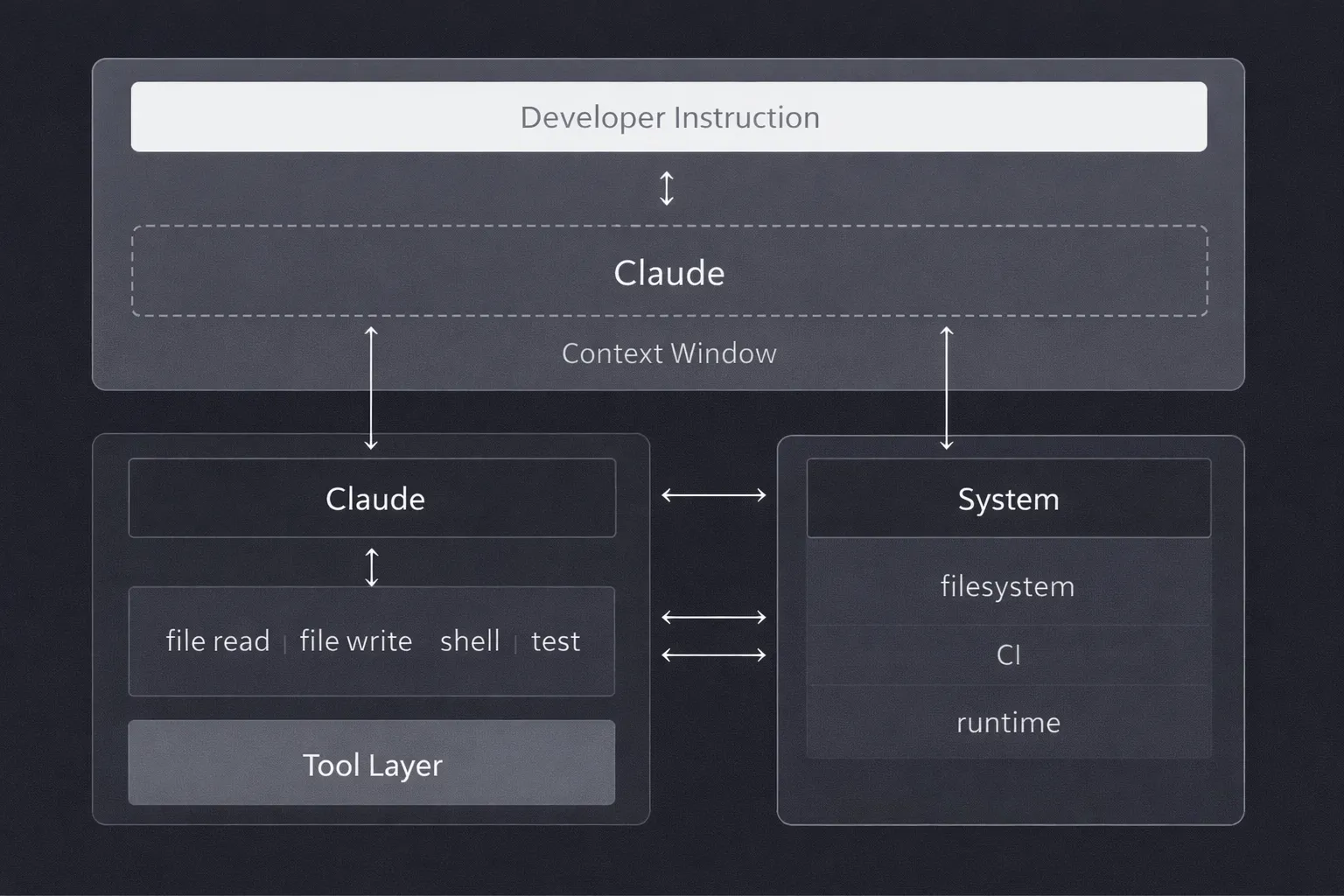
At the highest level, the architecture follows a simple path:
developer instruction → Claude → tool layer → filesystem and runtime.
But each boundary introduces constraints that shape how the workflow actually behaves.
The Context Window
Claude works within a limited context window. It cannot read the entire codebase at once. It sees a slice that was chosen by what was loaded at the start of the run and what has accumulated during execution. This is not a bug; it is a fundamental property. But it means every decision the model makes is based on incomplete information, even when it doesn't look that way from the outside.
The Tool Layer
Claude does not directly modify files or execute commands. It calls tools that do. File reads, edits, and shell executions are exposed as structured interfaces. In principle, this abstraction keeps the workflow composable and auditable. You can inspect what the model requested. But it also means failures in the tool layer (timeouts, partial writes, unexpected output formats) show up as model behaviour problems when they're actually infrastructure problems.
State Management
State lives in two places. Implicit state builds up inside the context window as reasoning progresses. During execution, explicit state is written to files, logs, and command outputs. When the context window fills or is trimmed, implicit state degrades. The model continues executing, but it uses a different internal picture than the one it started with.
5. Where Claude Code Workflows Break
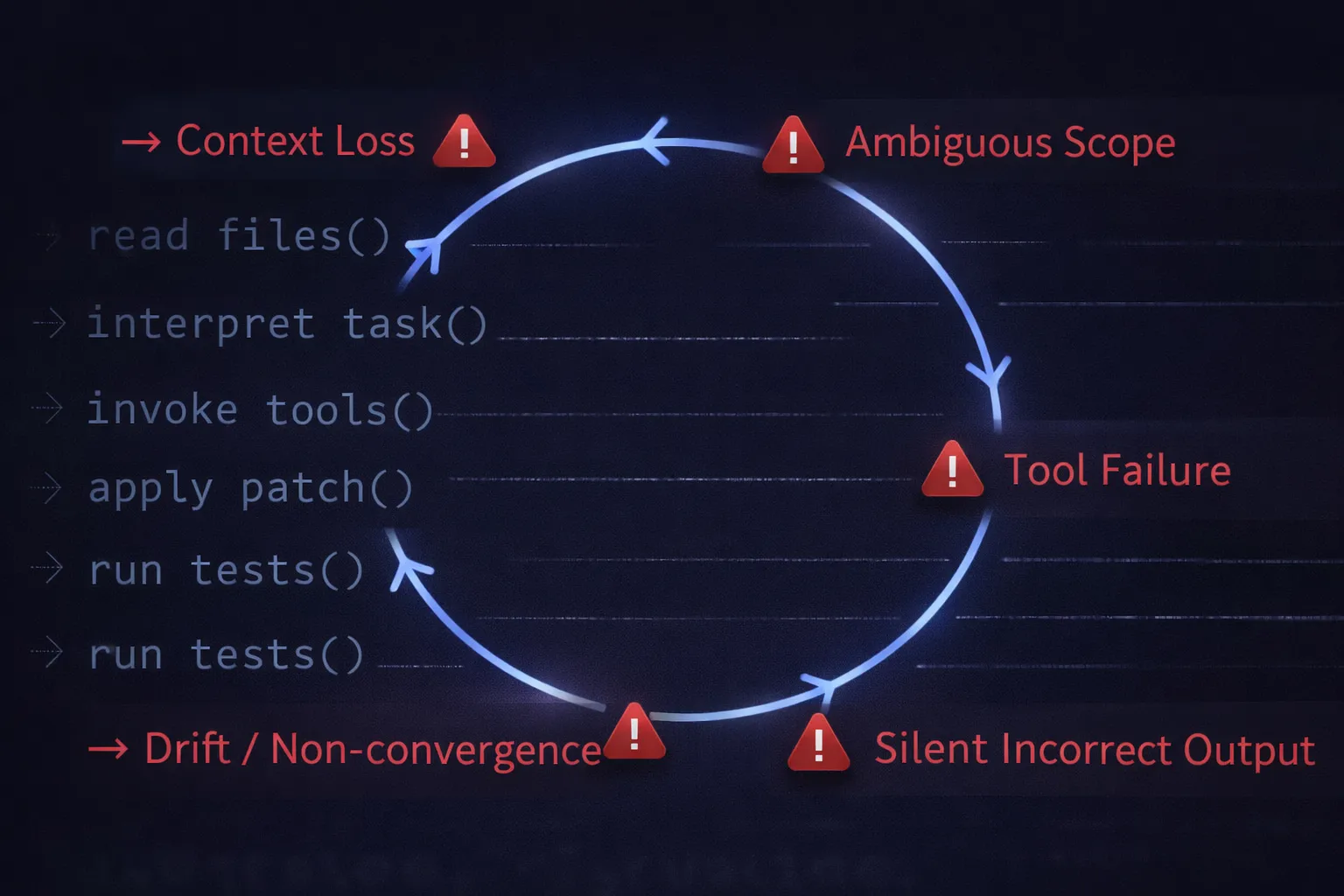
This is the part teams often overlook. The failure mode is rarely dramatic. Claude Code does not usually produce obviously poor code. It fails quietly, with plausible-looking edits that are subtly wrong, changes that pass tests but miss the intent, and reasoning that drifts mid-run without a clear signal.
Loss of Context
The workflow starts with the right files. Then, more context loads, additional tool outputs, intermediate patches, and command results. The context window fills. Something gets dropped. The model continues reasoning, but against a different internal picture. Nothing looks obviously broken. That is what makes it dangerous.
Hallucinated Code Changes
A function call in the generated patch references a non-existent object. A refactor introduces a dependency that was never required. The diff reads too cleanly, almost. It arrives formatted like correct code. That's exactly why it slips through review.
Lack of Observability
You see the final diff. You can’t see the order of the reads and retries that produced it. When the output is wrong, there is no reliable trace explaining why the model derailed. Debugging becomes backwards-looking archaeology rather than forward-looking instrumentation.
Poor Reproducibility
Run the same task twice, and the results diverge. Not always dramatically, but just enough to make debugging patterns annoying. Context varies slightly between runs. Tool outputs differ. The model takes a different path through the same problem. Reproducibility is an underrated operational requirement, especially once these workflows touch load-bearing code.
Tool Failures
The model works with whatever tools return. A shell command times out. A test runner exits with partial output. A file write succeeds, but the content is truncated. The model responds to what it actually got, not what it should have. What seemed robust when tested locally quickly breaks down when real infrastructure is involved.
Robustness seen in demos quickly gives way to brittleness with real infrastructure. These breakdowns complicate scaling workflows across larger teams and systems.
6. Challenges in Scaling Claude Code Workflows
One developer running a workflow is a productivity experiment. A team of engineers running overlapping workflows against a shared codebase becomes an operational problem. The failures become easily identifiable at scale, but harder to isolate.
Multi-Repo Complexity
In a single repository, the model can build a workable picture of the code. That picture breaks when you add a service mesh, multiple repos, shared libraries, and version-pinned dependencies. A change that looks correct inside one repo creates a subtle inconsistency in another. The workflow does not know what it cannot see.
Team Coordination
Two engineers independently ask Claude Code for similar changes. They get back different patterns. Neither is wrong, exactly, but now there are two ways to solve the same problem in the codebase. Without shared state or visibility into what the agent already touched, coordination breaks down at the workflow level, not just the code level.
Security and Permission Scope
Agentic workflows that can run shell commands sit close to production boundaries. Permissions that are too broad increase blast radius. Permissions that are too narrow cause unpredictable failures. Neither problem is solved by adjusting prompts. It requires deliberate tool configuration and infrastructure-level access control.
Governance and Auditability
At some point, someone will eventually ask: " Which workflow changed this file? What command ran as part of that task? Who approved it? If the system cannot answer these questions, it lacks governance. It has activity. That distinction matters once these workflows touch code that handles money, auth, or data.
Debugging at Scale
Debugging a single failed run is already awkward because execution traces are incomplete. Debugging patterns across many runs is harder. Outputs vary slightly per run. Context differs. Tool behaviour shifts. Without a stable, structured execution log, reproducing a failure is a chase rather than an investigation.
7. Best Practices for Production Workflows
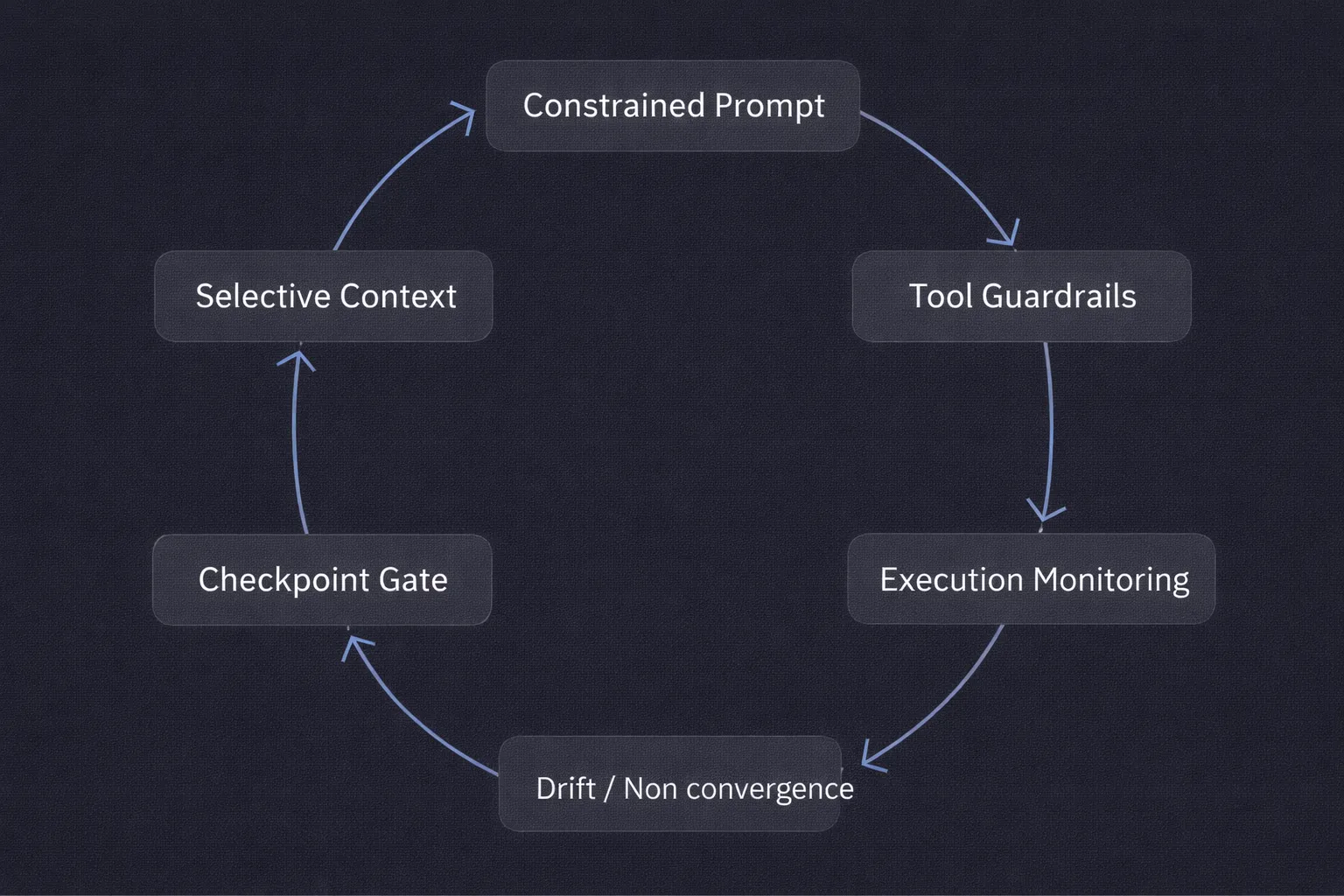
Production use changes what matters. In a demo, the goal is output quality. In production, the goal is reliable, auditable, repeatable execution. The practices that get you there are not about the model; they're about how you structure the system around it.
Write Prompts with Constraints, Not Just Intent
"Refactor the auth module" is a direction. "Refactor the auth module to consolidate duplicate token validation logic, but do not change public method signatures and do not touch the migrations directory" is a constraint. Constraints are more useful than enthusiasm. They give the workflow something concrete to respect, not just a general destination.
Control Context Deliberately
More context is not always better. Loading half the repo alongside stale logs and unrelated output files increases noise without increasing accuracy. Effective workflows are selective: feed the model enough to reason about the task, not everything that might be tangentially related. The discipline here is trimming, not adding.
Define Tool Permissions Explicitly
If the workflow is generating tests, it probably does not need access to deployment scripts. If it is refactoring application code, broad shell access is unnecessary. Restricting tool access reduces the blast radius and reduces the reasoning surface the model has to navigate. Tighter is usually more reliable.
Add Checkpoints Before Execution
A diff review step, a dry-run flag, and a confirmation gate before changes apply. These slow the workflow slightly and catch weak assumptions before they become commits. In agentic systems, the checkpoint is not bureaucracy; it is the place where human judgment integrates with automated execution. Removing it is a bet that the model never drifts.
Instrument the Path, Not Just the Output
Knowing that the final code compiled is not enough. You need to know which files were read, which commands ran, how many retries occurred, and what the intermediate state looked like. A workflow can produce correct output and still be unstable. That instability usually shows up in the execution trace before it becomes an incident.
8. When to Use Claude Code Workflows (and When Not To)
Claude Code workflows are useful for tasks that are structured enough to be done automatically but boring enough that people always put them off. That is a fairly specific category, and being clear about it saves time.
Where They Work Well
Where They Break Down
The decision is not Claude Code versus no Claude Code. It is Claude Code with the right scope, versus Claude Code asked to do something it cannot reliably constrain itself on.
9. Conclusion
The shift from autocomplete to agentic execution is already underway. Claude Code is not a smarter suggestion engine; it is an execution system that reads, acts, observes, and adjusts. That distinction changes what reliability means.
A well-run Claude Code workflow gives you something real: less time spent on mechanical refactors, faster test coverage, and migration tasks that don't get stuck in someone's backlog. But the word "well-run" does a lot of work in that sentence. It needs careful control of the context, defined tool permissions, structured prompts, checkpoints before execution, and instrumentation of what actually ran.
The teams that figure this out treat the workflow less like a clever prompt and more like a bounded execution system, one that needs the same operational discipline as any other piece of infrastructure that touches production code.
Once workflows start modifying repositories, running commands, and operating inside real environments, they stop being experiments. They become infrastructure. The question then is whether the surrounding system provides enough visibility and control to make that safe.
TrueFoundry AI Gateway delivers ~3–4 ms latency, handles 350+ RPS on 1 vCPU, scales horizontally with ease, and is production-ready, while LiteLLM suffers from high latency, struggles beyond moderate RPS, lacks built-in scaling, and is best for light or prototype workloads.




Workflows in Claude are structured sequences of tasks that Claude executes to accomplish a complex goal. Rather than responding to a single prompt, Claude workflows chain together multiple steps such as reading a file, analyzing its content, generating code, running tests, and committing changes into an automated pipeline.
The purpose of a Claude workflow is to enable Claude to complete multi-step, long-horizon tasks with minimal human intervention. Workflows allow developers to automate repetitive or complex engineering tasks such as refactoring a codebase, generating documentation, or running regression tests by defining the sequence of actions Claude should take.
The three basic components of a Claude workflow are: (1) the initial instruction or prompt that defines the goal, (2) the tools and MCP servers that Claude uses to gather context and take actions, and (3) the feedback loop where Claude evaluates intermediate outputs and adjusts its next steps accordingly.
The best type of Claude workflow depends on the task at hand. For well-defined, repeatable tasks such as code formatting or test generation a scripted, deterministic workflow works best. For open-ended research or debugging tasks where the path is not known in advance, an agentic workflow where Claude dynamically selects tools and adapts based on intermediate results tends to produce the strongest outcomes.



The latest news, articles, and resources sent to your inbox

.webp)
.webp)
.webp)
.png)
.png)
.png)
.png)
.png)
.png)
.png)
.png)
.png)


