


Accédez instantanément à un environnement TrueFoundry en direct. Déployez des modèles, acheminez le trafic LLM et explorez la plateforme complète : votre sandbox est prête en quelques secondes, aucune carte de crédit n'est requise.


What Is Tokens Per Second and Why Does It Matter?

.png)
Once a language model starts responding, the next question is how fast the words come out. Tokens per second answers that: it is the rate at which the model produces output tokens. For a single response it is the streaming speed a user sees; across a whole deployment it is the throughput that determines how much traffic the system can serve.
Because it describes both user experience and server capacity, tokens per second is one of the most watched metrics in LLM serving. A higher rate means smoother streaming for users and more requests handled per GPU, so understanding what drives it is central to serving efficiently.
This guide explains what tokens per second means, the two levels it describes, what affects it, and how it trades off against other goals.
What is tokens per second?
Tokens per second is the number of tokens a model generates each second. It can be measured per request, the speed at which one response streams out, or per server, the combined rate of tokens produced across all concurrent requests. Both use the same unit but describe different things: individual responsiveness versus overall throughput.
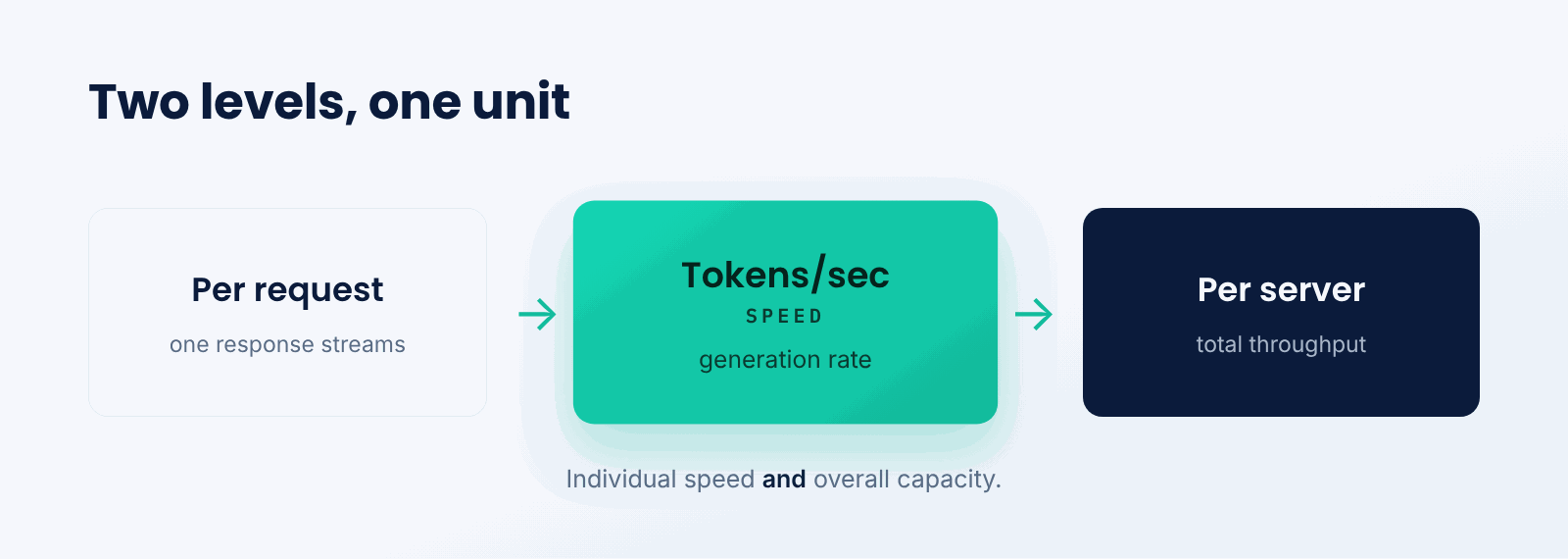
Think of it like a printer. The pages-per-minute for one document is like per-request speed, while the total pages the print shop outputs across all jobs is like per-server throughput. The same machine can be measured either way, and both numbers matter for different reasons.
The key idea is distinguishing the two levels. A fast per-request rate makes a response feel smooth; a high per-server rate means the deployment serves many users at once.
What affects tokens per second?
Several factors set how many tokens per second a deployment can produce.
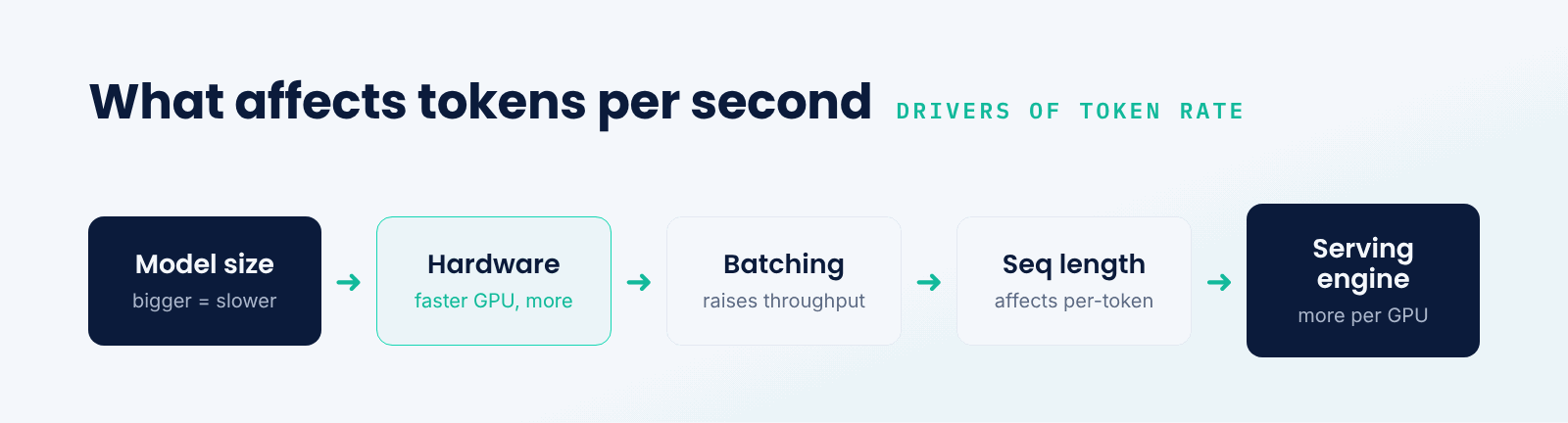
- Model size. Larger models compute more per token, lowering raw speed.
- Hardware. Faster GPUs and better memory bandwidth raise token rate.
- Batching. Serving many requests together raises total throughput.
- Sequence length. Longer contexts and outputs affect per-token cost.
- Serving engine. Optimized engines extract more tokens per second from the same hardware.
There is a tension between the two levels. Batching more requests together raises server throughput but can slightly slow each individual response, so serving is tuned to balance per-user speed against total capacity.
Per-request vs. per-server tokens per second
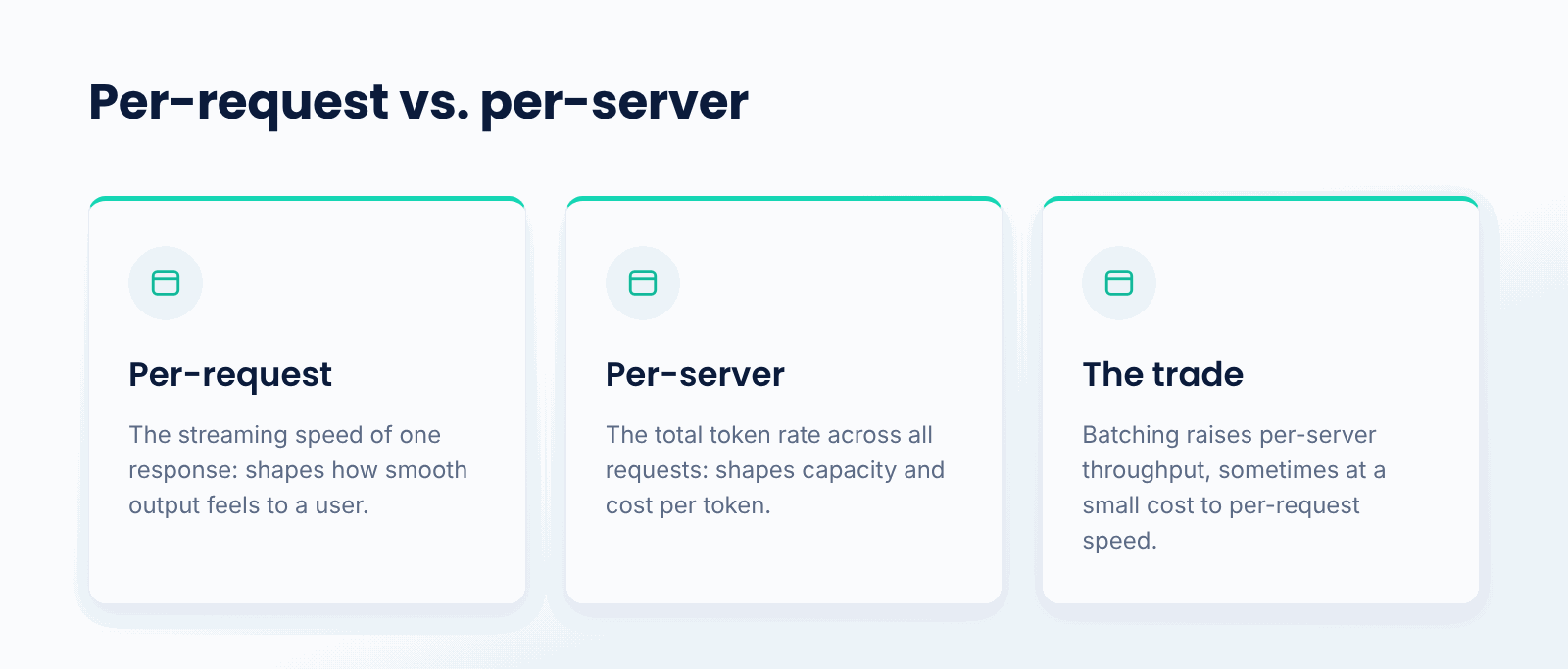
The two measurements answer different questions. Per-request tokens per second is the streaming speed of a single response, which shapes how smooth the output feels to one user. Per-server tokens per second is the total token rate across all requests, which shapes how many users the deployment can serve and the cost per token. Batching raises the second, sometimes at a small cost to the first.
Good serving optimizes both within limits: fast enough per-request streaming that the experience feels smooth, and high enough per-server throughput that the hardware is used efficiently. Which to favor depends on whether the priority is interactivity or scale.
Why does tokens per second matter?
- Streaming feel. Per-request speed sets how smoothly text appears.
- Throughput. Per-server rate sets how many requests you can serve.
- Cost per token. Higher throughput spreads GPU cost over more output.
- Capacity planning. It tells you how much hardware a workload needs.
- Benchmarking. It is a standard way to compare models and serving setups.
What are the tradeoffs?
- Latency vs. throughput. More batching raises throughput but can slow each response.
- Model size vs. speed. Bigger models are often better but slower per token.
- Concurrency. Many simultaneous requests share GPU capacity.
- Context length. Long sequences change per-token cost and memory use.
When should you track tokens per second?
Track it whenever you serve LLM inference and care about either user experience or cost, which is essentially always in production. Per-request speed matters for interactive apps; per-server throughput matters for capacity and cost planning.
For a one-off generation, the raw number is less important. But any deployment serving real traffic benefits from measuring tokens per second at both levels to balance responsiveness against how efficiently the hardware is used.
Best practices around tokens per second
- Measure tokens per second at both the request and server levels.
- Use batching to raise throughput while watching per-request impact.
- Match model size to the speed and quality the use case needs.
- Use an efficient serving engine to maximize tokens per GPU.
- Plan capacity from per-server throughput and expected traffic.
- Balance interactivity against cost based on the application.
Conclusion
Tokens per second measures how fast a model generates output, both as the streaming speed of a single response and as the total throughput of a deployment. It is shaped by model size, hardware, batching, and the serving engine, and it trades off against latency and concurrency. Because it governs both user experience and serving cost, tokens per second is a central metric for running LLMs efficiently.
TrueFoundry helps teams serve models efficiently on their own infrastructure, with tokens per second and GPU utilization visible in one place. Whether the priority is smooth streaming or high throughput, tokens per second is the metric that tells you how your serving is doing.
Gouvernez, déployez et suivez l'IA dans votre propre infrastructure
Frequently Asked Questions
What is tokens per second in simple terms?
It refers to how many tokens a model generates per second. For a single response it is the streaming speed you see; for an entire deployment it is the total output rate that defines how many requests can be handled.
What is the difference between per-request and per-server tokens per second?
Per request is the speed of one response, which affects how smooth it feels to one user. Per server is the combined rate across all requests, which affects total capacity and cost. Batching increases the latter, sometimes slowing down the former.
What affects tokens per second?
Model size, hardware, batching, sequence length, and serving engine. Larger models are slower on a token-by-token basis, faster hardware is quicker, and larger batches increase overall server throughput, usually with a small overhead per request.
Why does tokens per second matter for cost?
Since increased per-server throughput spreads the fixed cost of expensive GPUs over a greater number of tokens. As a deployment generates more tokens per second, the cost of each one drops and it serves more traffic.
How does tokens per second relate to time to first token?
These are latency measurements that complement each other. Time to first token is how long it takes output to start, while tokens per second is the speed at which it streams afterward. An excellent experience requires both a quick start and a steady streaming rate.

GenAI infra- simple, plus rapide et moins cher
Les meilleures équipes lui font confiance pour faire évoluer GenAI

- © 2022 ENSEMBLE Technologies



Abonnez-vous à notre newsletter
Les dernières nouvelles, articles et ressources envoyés dans votre boîte de réception


