


Accédez instantanément à un environnement TrueFoundry en direct. Déployez des modèles, acheminez le trafic LLM et explorez la plateforme complète : votre sandbox est prête en quelques secondes, aucune carte de crédit n'est requise.


What Is a System Prompt and How Does It Work?

.png)
When you chat with an AI assistant, there is usually a hidden instruction you never see that shapes everything it says. That instruction is the system prompt. It tells the model who it is, how to behave, what rules to follow, and what to avoid, before the user types a single word.
The system prompt is one of the most powerful levers for controlling a model, because it applies to the entire conversation rather than a single message. Get it right and the model stays consistent and on-task; get it wrong and behavior drifts no matter how well individual messages are written.
This guide explains what a system prompt is, how it works, how it differs from a user prompt, and how to write a good one.
What is a system prompt?
A system prompt is a top-level instruction provided to a language model that defines its behavior for a conversation. It typically sets the model's role or persona, the rules and constraints it must follow, the tone to use, and any context it should always keep in mind. Unlike a normal message, it is meant to govern the whole interaction, not just prompt a single reply.
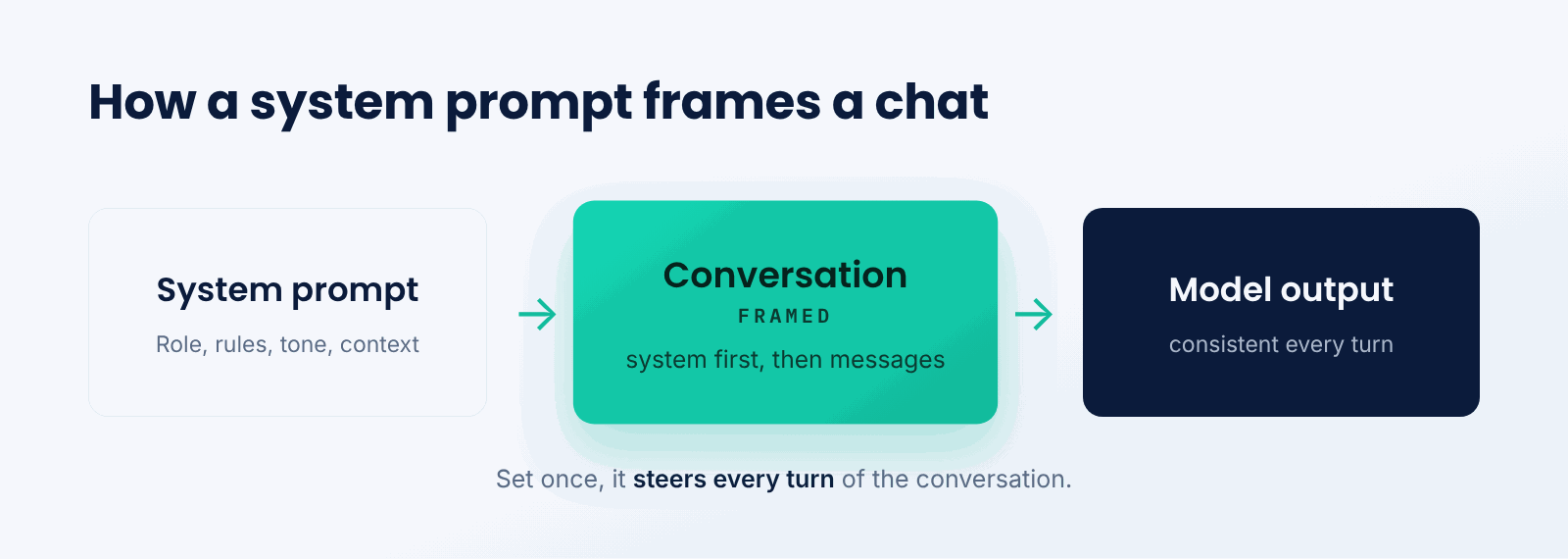
Think of it as the briefing you give an employee on their first day. You explain their role, the company rules, who the customer is, and how to handle tricky situations. From then on they act within that briefing without needing it repeated for every task. The system prompt is that standing briefing for the model.
The defining feature is scope. A system prompt is set once and influences every turn, which is why it is the right place for instructions that must always hold.
How does a system prompt work?
The system prompt sits at the start of the model's context and frames everything that follows.
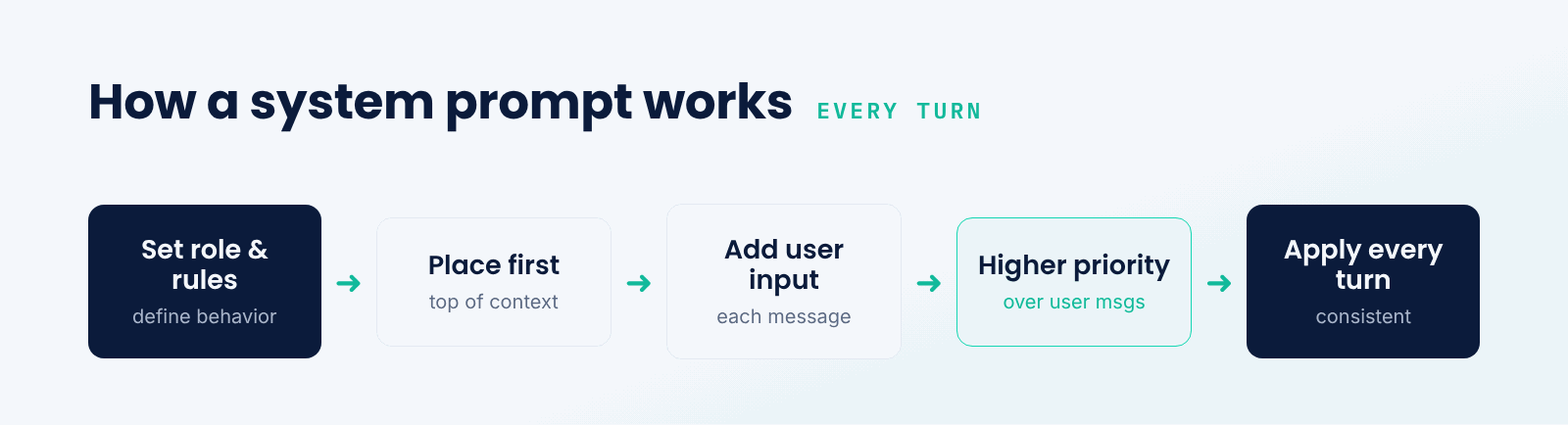
- Set the role and rules. The system prompt is written to define the model's persona, constraints, and tone.
- Place it first. It is put at the top of the context, ahead of the conversation history.
- Combine with user input. Each user message is added after it, and the model reads them together.
- Weigh the priorities. The model is trained to give the system prompt higher priority than user messages.
- Apply every turn. Because it stays in context, the system prompt steers each response throughout the chat.
Because the system prompt is part of the context on every call, it also consumes tokens and benefits from prompt caching. Keeping it stable and placing it first means it can be cached and reused rather than reprocessed each time.
System prompt vs. user prompt
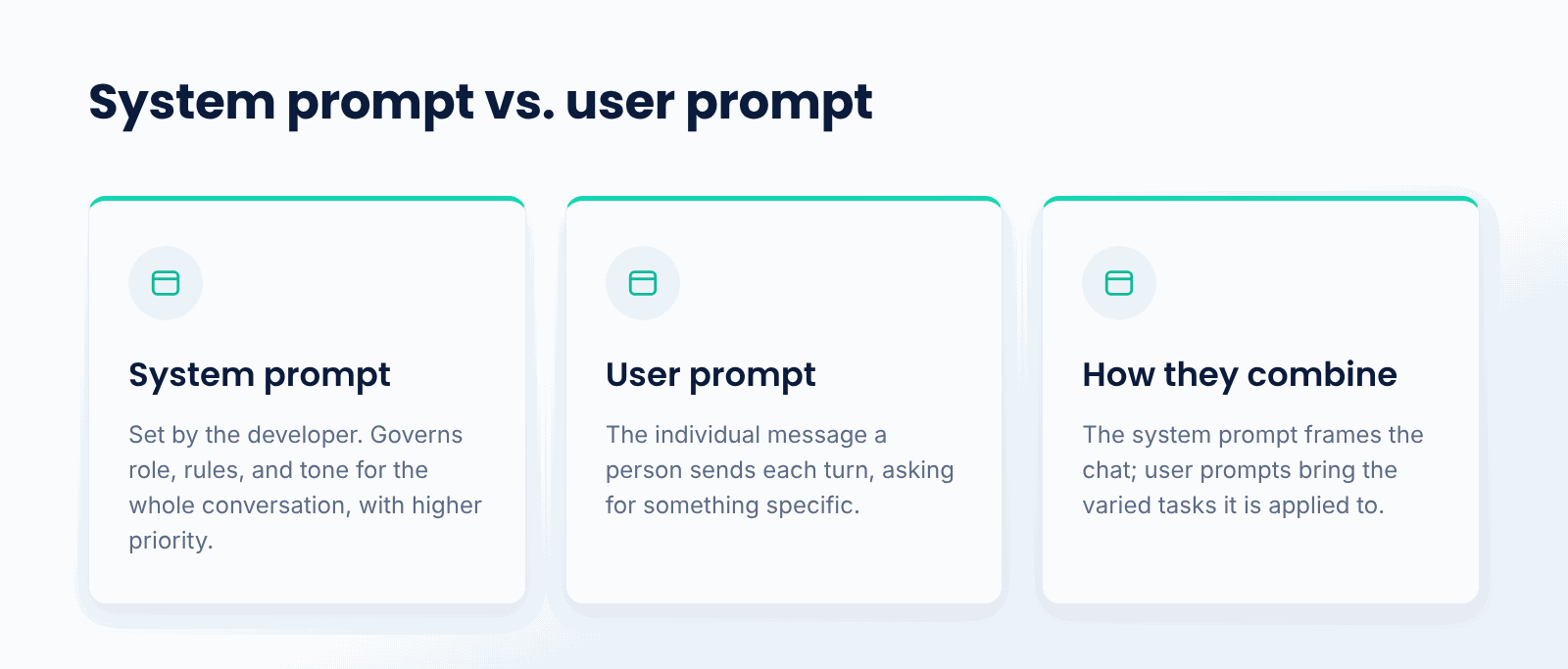
The two kinds of prompt play different roles. A system prompt is set by the application developer to govern behavior for the whole conversation: role, rules, and tone. A user prompt is the individual message a person sends on each turn, asking for something specific. The model treats the system prompt as the higher-priority frame and the user prompt as the request to fulfill within that frame.
This separation is what lets a product stay consistent while serving many different user requests. The system prompt holds the policy; the user prompts bring the varied tasks the policy is applied to.
What goes in a good system prompt?
- Role and persona. Who the model is acting as, and the expertise or voice that implies.
- Rules and constraints. What the model must always do and must never do.
- Tone and style. How responses should sound, from formal to friendly.
- Context. Facts about the product, user, or domain the model should always know.
- Output format. Default structure or formatting the model should follow.
- Safety and boundaries. Topics to avoid and how to handle out-of-scope requests.
What are common pitfalls?
- Overloading it. Too many rules can conflict or dilute the most important instructions.
- Vagueness. Unclear instructions leave the model to guess, producing inconsistent behavior.
- Assuming it is unbreakable. A clever user prompt can sometimes override a weak system prompt.
- Ignoring token cost. A long system prompt is sent on every call, so it adds cost unless cached.
When does the system prompt matter most?
It matters most whenever you are building a product on a model rather than chatting casually. Any assistant, agent, or feature that must behave consistently, stay in character, and follow rules depends on a well-crafted system prompt as its foundation.
For one-off questions the system prompt is less critical, since there is no ongoing behavior to govern. The moment behavior must be reliable across many turns and users, the system prompt becomes the first thing to get right.
Best practices for system prompts
- Lead with the most important rules, since earlier instructions tend to carry more weight.
- Be specific and concrete rather than vague, so the model has little room to guess.
- Keep it stable and place it first so it can be cached and reused across calls.
- Test it against adversarial and edge-case user prompts, not just the happy path.
- Separate durable policy in the system prompt from per-request detail in user prompts.
- Version and manage system prompts behind a gateway so changes are tracked and observable.
Conclusion
A system prompt is the standing instruction that sets a model's role, rules, and tone for an entire conversation. Placed first and given higher priority, it governs every response, which makes it the foundation of consistent, controllable behavior. Writing it clearly, keeping it stable, and testing it against hard cases is much of what separates a reliable AI feature from a flaky one.
TrueFoundry's AI Gateway helps teams manage system prompts across models with versioning, caching, and observability in one layer, so the instructions your product depends on are consistent and easy to update. Behind every well-behaved assistant is a system prompt doing the quiet work of keeping it on track.
Gouvernez, déployez et suivez l'IA dans votre propre infrastructure
Frequently Asked Questions
What is a system prompt in simple terms?
It is an implicit command provided to the model before the conversation takes place. It defines the role, guidelines, and style in which the model operates at each step, without requiring the user to give the same command repeatedly.
How is a system prompt different from a user prompt?
The system prompt is provided by the developer and defines the behavior of the entire conversation. The user prompt is the individual input from a person each turn. The system prompt is given more importance than the user prompt by the model.
Can a user override the system prompt?
At times. A well-crafted system prompt takes precedence, but a smart or malicious user message may defeat a poor prompt. Testing against such attempts and adding safeguards minimizes the danger.
Does the system prompt use tokens?
Yes. It is part of the context on every call, thus contributing to the cost and the context window size. Its stability and leading position in the input allow prompt caching to reuse it instead of reprocessing it each time.
What should a system prompt include?
Typically the model's role, the guidelines it needs to abide by, the tone and style, any always-needed context, a default output format, and safe limits on inappropriate or out-of-scope queries.

GenAI infra- simple, plus rapide et moins cher
Les meilleures équipes lui font confiance pour faire évoluer GenAI

- © 2022 ENSEMBLE Technologies



Abonnez-vous à notre newsletter
Les dernières nouvelles, articles et ressources envoyés dans votre boîte de réception


