


.webp)
October 21, 2026
|
5 min read



Blazingly fast way to build, track and deploy your models!
Vercel’s platform, especially its AI SDK and one-click deploy-on-push workflow makes it easy for frontend teams to get AI demos up and running in minutes. The Vercel AI SDK is a free, open-source toolkit that lets teams ship AI features quickly.
However, Vercel’s pricing was originally designed for static sites and short-lived web functions. Once an app’s AI workload becomes long-running, for example, streaming multi-step agent responses or heavy RAG pipelines, the Vercel AI pricing model changes dramatically.
Instead of fixed monthly rates, you start paying by the millisecond of serverless execution time and gigabytes of data transferred. In practice, teams find their predictable $20/month bills spike wildly as chatbots and agents hit Vercel’s resource limits.
This guide breaks down how Vercel AI pricing works, what hidden fees AI workloads incur, and why engineering teams eventually migrate to private cloud platforms like TrueFoundry to avoid these costs.
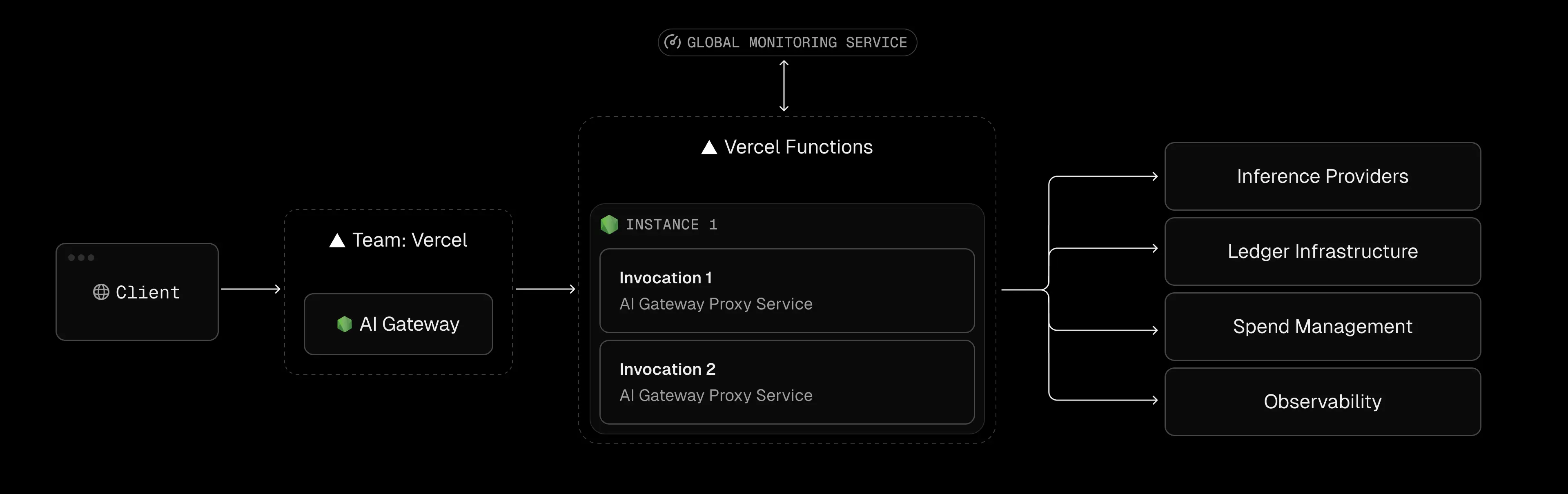
Vercel now uses a hybrid model combining user seats with usage quotas and overage charges. In plain terms: hobbyist use is free, but professional usage costs grow with your team size and compute needs. Below is a summary of each tier and its implications for AI applications.
The Hobby plan is “the perfect starting place for your web app or personal project” and is free forever. It is strictly limited to personal and non-commercial use – business or revenue-generating use of the Hobby plan violates Vercel’s terms. Hobby includes generous features (CDN, 1M edge requests/month, simple WAF) but very tight compute limits. In particular, functions on Hobby can only run for up to 60 seconds (default), because the function duration is capped (and only slightly tunable) on free plans. AI applications often need to stream responses or run agent loops longer than a minute. On Hobby, these long tasks will simply timeout with 504 errors. In short, if your AI demo needs any sustained computation (for example, a complex query or vector search), Hobby is likely to cut off before the result arrives. In practice, teams find that even moderately complex LLM calls or agent chains blow past Hobby’s duration limits. This makes the free tier good for prototypes and lightweight experiments, but unsuitable for production AI workloads that require extended compute or streaming outputs.
The Pro plan starts at $20 per deploying user per month. (Each developer seat is $20/mo; you can add unlimited free “viewer” seats.) Pro converts those hobby quotas into higher limits, but at a cost. For example, Pro includes 1 TB of bandwidth per month (about $350 of value) – ten times the 100 GB included on Hobby. Beyond that 1 TB, outbound traffic is billed at $0.15/GB. Pro also raises the included function compute: by default you get around 1,000 GB-hours of serverless execution per month (across all functions) – roughly what one developer running small tasks would consume – before paying overage.
However, AI workloads chew through those limits extremely fast. Every open stream or long inference ties up memory and CPU time. In practice, developers report exhausting Pro quotas in days: one example showed a deployed screenshot service using 494 GB-hours in just 12 days of testing, projecting 1,276 GB-hours in a month. Because Vercel bills by execution time, that worker’s 1,276 GB-hours would incur an extra $160/month (at roughly $0.18/GB-hr) beyond the base plan. In short, the Vercel AI cost on the pro plan can easily balloon to hundreds or thousands once you start long-running AI streams, heavy RAG fetches, or large data transfers.
Key takeaways for Pro: it can support production apps, but every developer you add costs $20+/mo, and unpredictable usage (AI streaming, large models) can drive steep averages. The included free credits only defer billing; streaming 45-second responses means servers stay alive 45 seconds, incurring 45× more cost than a 1-second API call.
The Enterprise tier is customized and aimed at large organizations. Officially, details are by quote, but in practice, entry starts around $25,000 per year for baseline features.
This tier unlocks advanced compliance and scaling tools, such as:
For example, only the Enterprise contract gets hundreds of WAF rule slots (up to 1,000 IP block rules). In terms of Vercel AI pricing, Enterprise removes some usage caps and allows bigger functions, but the per-Gigabyte memory-hour and data rates remain.
Many startups find the jump from Pro to Enterprise a “cliff” as the extra features are enterprise-oriented, but the price is an order of magnitude higher. As one developer noted, the Pro tier might be “all you need”, but the cost at scale is in the usage, not the license.
Vercel AI pricing is optimized for web apps (lots of short, stateless requests). AI apps behave differently. The core cost drivers for AI on Vercel are: execution duration, data egress, and concurrency constraints.
On Vercel, you pay for every millisecond a function is active. Idle waiting for I/O or streaming counts as billable time. The docs explicitly state: “Function Duration generates bills based on the total execution time of a Vercel Function.”. For a normal web API call (10–100 ms) this is negligible, but an LLM chat could stream for 30–60 seconds. In that case, a single request can cost orders of magnitude more.
Consider a typical scenario:
A Next.js edge function opens a streaming response to the browser until the LLM finishes. During that stream, the serverless instance is busy the whole time, incurring continuous memory (and some CPU) billing. In practice, teams have reported shockingly high usage. In one case study, a developer migrated a heavy Puppeteer screenshot service to Vercel. The Pro plan included 1000 GB-hr, but in 12 days that service had already consumed 494 GB-hours. Extrapolated to a full month, that’s 1,276 GB-hours, meaning roughly $160 of extra Vercel charges for that single function. (That developer ultimately switched to AWS Lambda because the same workload on AWS was only about 101 GB-hours/month.)
The lesson: lengthy AI streams are fundamentally “heavy” on serverless billing. A one-minute chat response could burn 20–50 MB of memory for 60 seconds, costing ~$0.001 per request. Multiply that by heavy usage, and it adds up fast.
AI applications often involve retrieval-augmented generation (RAG) or data pipelines that move megabytes of text and embeddings around. Each time your Vercel function fetches a document or model from a remote store, that data leaves the Vercel network.
Heavy RAG usage means large overages. For example, fetching a 100 MB document ten times would burn 1 GB of bandwidth. If a RAG pipeline shuffles hundreds of gigabytes monthly, that could tack on hundreds of dollars to the bill.
In short, Vercel’s bandwidth quotas feel generous for regular web traffic, but AI apps that routinely send large payloads or embed batches will exceed them quickly and trigger expensive overages.
Vercel functions auto-scale up to a point, but there are limits. By default, the platform allows up to ~30,000 concurrent executions on Hobby/Pro (and 100,000+ on Enterprise). For most apps, that seems high, but AI workloads can push concurrency in unexpected ways.
For instance, an AI chat service might open dozens of simultaneous function streams to many users at once. Once you hit the concurrency cap, new requests get queued or throttled. At that point, you either need to upgrade (e.g., Enterprise) or implement external scaling.
In effect, Vercel puts a ceiling on bursty AI traffic unless you pay significantly more. Anecdotally, teams have seen chatbots start to fail (504/429 errors) during traffic spikes, because the underlying serverless pool was saturated.
.webp)
A common misconception is that using the Vercel AI SDK forces you onto Vercel’s infrastructure. In reality, the AI SDK is just a toolkit (open-source, free) for building AI features in Next.js/TypeScript.
You can use the SDK to route to any LLM provider, including self-hosted models, which is an important consideration when comparing Vercel AI gateway vs OpenRouter for provider flexibility and cost control. There is no requirement to run your code on Vercel’s servers. In fact, most parts of the SDK (UI components, providers, client libraries) work anywhere. For example, a team could containerize their Next.js app with the AI SDK and deploy it on Kubernetes (EKS/GKE) or any cloud VM. The code doesn’t “know” it’s off Vercel.
Why teams get stuck:
Usually for convenience. Vercel’s hosting integrates tightly with the SDK – you commit code, and Vercel builds, deploys, and even provides a built-in AI Gateway tab. Many teams hit “Deploy to Vercel” by default.
The trade-off is that convenience hides the serverless cost model. Engineers may happily prototype with Vercel, unaware that every model call is being billed at Vercel’s (often higher) serverless rates, until the bill arrives.
As Vercel-powered AI projects grow, several operational pain points emerge alongside Vercel AI pricing issues:
Even on paid plans, Vercel enforces strict execution limits. By default, HTTP functions on Pro time out after 5 minutes (configurable up to 13 minutes with “Fluid Compute”). On Hobby, it’s only 60 seconds.
In practice, any AI agent or research workflow that runs for more than a few minutes will be killed. For example, a multi-step agent that needs 10–15 minutes to query databases, summarize documents, and emit a report will reliably exceed the limit and fail.
Teams report frequent 504 errors in their AI tasks once they exceed these caps. In contrast, on your own cloud infrastructure, you can allow functions or containers to run indefinitely (or at least for hours) as needed.
Vercel’s edge middleware (like Next.js Edge Functions) can improve performance, but it comes with lock-in.
In practice, teams sometimes build critical logic into Edge Functions for speed, only to find migrating away from Vercel becomes a major rewrite.
Currently, Vercel has no native GPU instances for AI workloads. This means any model inference or embeddings work that needs acceleration must happen off-platform.
Teams often end up hosting GPT-style models or vector search on AWS/GCP/Render/Azure with GPUs, then calling them from Vercel functions. This split setup adds latency (every call hops to an external service) and operational complexity.
By contrast, an infrastructure built on Kubernetes (like TrueFoundry) can run CPU-only web code and GPU inference side by side in the same cluster, eliminating that fragmentation.
Despite these caveats, Vercel is not a bad choice for some AI scenarios. Its strengths shine when:
In summary: Vercel AI pricing works well for front-end apps that use AI lightly, or for teams that value time-to-market above all else. The break-even point comes when AI workloads become “real” parts of the application, not just novelty demos.
As AI features become central to the product, many teams hit a tipping point and seek alternatives. TrueFoundry positions itself as a solution that offers the ease of serverless with the economics of raw cloud. Below is a comparison of key factors for AI workloads:
What does this mean in practice? Many teams find that their monthly bills on Vercel grow disproportionately compared to their actual compute. In one real-world example, a service consumed ~1,276 GB-hr on Vercel (incurring ~$2000/yr) but only ~101 GB-hr on raw AWS Lambda (free tier) for the same load. Simply put, equivalent AI workloads can run far cheaper on self-managed cloud infrastructure. With TrueFoundry, your bill is basically “vanilla” cloud compute (EC2, GKE nodes, etc.) plus a platform fee, instead of the multiplier that serverless imposes.
.webp)
TrueFoundry offers a hybrid approach: you keep the developer-friendly model of serverless (automatic scaling, simple APIs) but run on your own cloud account. Key aspects include:
TrueFoundry lets you deploy Next.js (and any other app) as standard Docker services on Kubernetes (EKS, GKE, or AKS) in your own cloud account. As one blog explains, “TrueFoundry makes it really easy to deploy applications on Kubernetes clusters in your own cloud provider account.”. Under the hood, your Next.js endpoints run in pods/nodes you control.
This means you are billed at raw cloud rates for CPU and memory, with no hidden serverless premium. An idle WebSocket or open stream still consumes RAM on the node, but that RAM is priced at a fraction of what a serverless GB-hr costs.
Since you manage the Kubernetes nodes, you control function timeouts and lifetimes. You can run long-lived pods or jobs for minutes or hours as needed. TrueFoundry doesn’t impose a 5- or 15-minute cutoff – your infrastructure does.
Complex agent pipelines and research tasks simply run to completion (subject only to the normal pod max life if any). This eliminates the common Vercel pain point of mid-stream 504 errors. If an AI agent needs 20 minutes to finish, it can on TrueFoundry; on Vercel it would’ve failed at 5 minutes.
A major advantage of TrueFoundry for AI is built-in GPU support. Because it’s Kubernetes under the hood, you can attach GPU node pools and schedule inference workloads alongside your web services. This means your front-end APIs and your heavy ML inference can run in the same cluster (reducing latency and data transfer). In fact, TrueFoundry’s cloud-native architecture explicitly “allows us to have access to the different hardware provided by different cloud providers, especially in case of GPUs”.
In practice, this means you can run LLM inference or embed generation on GPU-accelerated nodes without leaving the platform. There’s no need to wire together a separate GPU service (and pay for inter-region traffic).
Vercel remains an excellent platform for frontend delivery. But as soon as AI computes form the backend, the economics change. The key takeaway: avoid paying Vercel’s duration-based premium for heavy AI tasks.
Unlike simple HTTP traffic, AI backends often run far longer per request and move lots of data. Under Vercel AI pricing model, that means paying for every second of compute and every gigabyte out. By contrast, with TrueFoundry you pay for raw nodes and seconds of uptime – the same cost model you’d see if you ran a container on EC2 or GKE.
The end result is smoother scaling costs. Teams find that their monthly spend grows linearly with actual compute used, not with each millisecond of function time. In many cases, what cost them hundreds on Vercel per month can be done for tens on their own cloud.
If your team is facing spiraling Vercel bills or constantly fighting timeouts, it’s worth considering an infrastructure shift. TrueFoundry is designed to let you keep the productivity of serverless (easy deployments, scaling) while removing its penalties. A quick demo can show how moving your AI workload to TrueFoundry can slash costs without sacrificing velocity.
The Vercel AI Gateway does offer a free tier. Every Vercel team account gets $5 of AI Gateway credits each month once you make your first request. You can keep using this free credit indefinitely (it refreshes every 30 days) to experiment with LLMs through Vercel. Beyond that, you transition to pay-as-you-go and must buy additional credits. Note that this $5 credit is just for the gateway usage; it does not cover your function compute or bandwidth costs on the platform – those are billed separately under your account’s plan.
Vercel’s Hobby tier is free for personal projects. The Pro plan starts at $20 per developer seat per month, plus any usage-based add-ons. In practice, a small team of 3 developers pays about $60/month base. If you need more features (SSO, guaranteed uptime, etc.), the Enterprise tier starts in the five-figure range annually. Beyond those base fees, you pay for extra GB-hours, edge requests, and data transfer according to Vercel’s usage rates.
The $20 plan refers to Vercel’s Pro tier (sometimes just called “Pro account”), which costs $20 per user per month. It includes all Hobby features plus team collaboration tools and higher quotas. For example, Pro includes 1 TB of edge bandwidth per month and a larger GB-hour allotment for functions. If a Pro team exceeds those quotas, additional usage is billed at Vercel’s overage rates. In short, the $20 plan is the entry-level paid plan for professional teams (beyond the free Hobby tier).
Vercel’s platform has several constraints that affect AI apps. By default, serverless functions time out quickly (60–300 seconds on Hobby/Pro). Streaming AI responses count as full active time, so long queries become costly. There are strict limits on concurrency and request payload sizes (max 4.5 MB body). Also, Vercel does not support GPUs, so any heavy model inference must run off-platform. The AI Gateway itself has a free $5/month credit only; beyond that you pay provider list prices for tokens. In practice, teams on Vercel report unexpected 504 errors, high bills for GB-hours, and architectural lock-in to Vercel’s edge environment if they grow too dependent on it. For these reasons, advanced AI workloads often hit a ceiling on Vercel and prompt a migration to platforms like TrueFoundry.
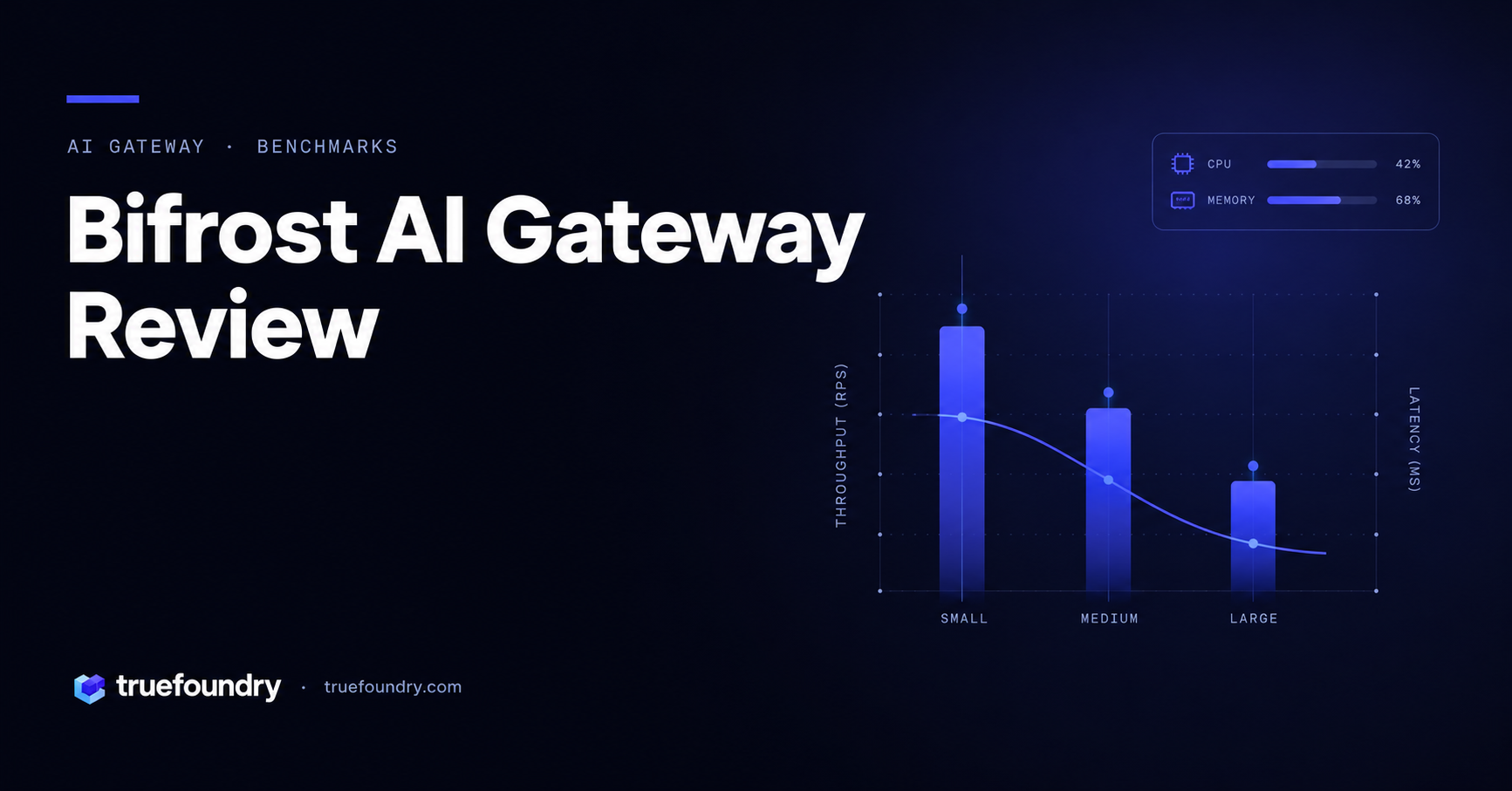
TrueFoundry AI Gateway delivers ~3–4 ms latency, handles 350+ RPS on 1 vCPU, scales horizontally with ease, and is production-ready, while LiteLLM suffers from high latency, struggles beyond moderate RPS, lacks built-in scaling, and is best for light or prototype workloads.






The latest news, articles, and resources sent to your inbox


.png)
.png)
.png)
.png)
.png)
.png)
.png)
.png)
.png)
.png)
.png)


