.png)
October 17, 2026
|
5 min read


Blazingly fast way to build, track and deploy your models!
We have all had that moment with ChatGPT’s Code Interpreter (now "Advanced Data Analysis"). You upload a messy CSV, ask it to "fix the dates and plot the trend," and watch in awe as it writes and executes Python code in real-time.
It is a productivity superweapon. It is also a massive security hole if you are working with sensitive data.
The moment you upload that CSV, it’s leaving your perimeter. For our team, the goal was to replicate this "OpenCode" capability – giving our LLM agents the ability to write and execute code – without the data exfiltration risks. We didn't want a "black box" API; we needed a Private Code Interpreter where the compute happens next to the data.
Here is how we implemented secure Tool Usage and code execution using TrueFoundry’s infrastructure components.
"OpenCode" isn't just about having a model that can write Python. It requires three distinct components working in unison:
Most people get stuck on "The Hands." You cannot just let an LLM run os.system('rm -rf /') on your production cluster. You need a sandbox.
TrueFoundry solves this by allowing us to deploy ephemeral execution environments (Services or Jobs) that act as the sandbox. The LLM Gateway handles the tool usage definitions, and the actual execution happens in a locked-down container within our VPC.
Here is the workflow of how a user request turns into secure code execution.
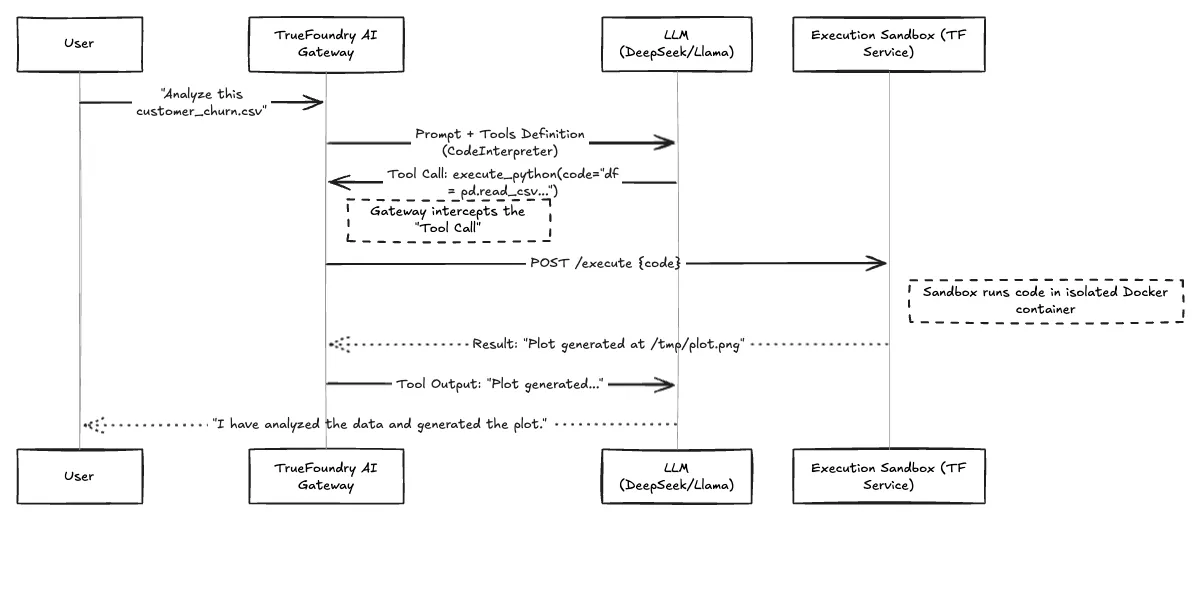
Fig 1: Workflow of the OpenCode Execution Loop
When we first tried to build this, we underestimated the complexity of the execution environment. If you use a standard SaaS Code Interpreter API, you are sending your data to them. If you run it locally, you risk compromising the host.
We utilize TrueFoundry Services to host a custom "Code Execution Agent." This is essentially a Python FastAPI service wrapped in a Docker container that has:
Because TrueFoundry manages the underlying Kubernetes manifest, we can inject these security constraints (SecurityContext, NetworkPolicies) directly from the deployment UI or Terraform, ensuring the sandbox is truly a sandbox.
The trade-off has always been convenience vs. control. By leveraging TrueFoundry to orchestrate the "OpenCode" pattern, we shift the balance. We get the convenience of a managed deployment without the data risk.
Table 1: This is the Example of Gateway and Sandbox Comparison
The real power unlocks when you combine Tool Usage with your internal APIs.
We configured the TrueFoundry LLM Gateway to expose not just the "Python Interpreter" tool, but also tools for our internal data lake (e.g., get_user_churn_metrics(user_id)).
Because the LLM is routing through the Gateway, and the Gateway is connected to our private services, the model can now:
All of this happens without a single byte of customer data leaving our private subnet.
Implementing "OpenCode" isn't just a fun hackathon project anymore; it's a requirement for modern AI agents. But you cannot simply hack it together with LangChain and hope for the best.
We treat our Code Interpreter as critical infrastructure. We monitor it using TrueFoundry’s observability stack – tracking not just the LLM tokens, but the CPU spikes in the sandbox and the execution latency. If a user writes a script that tries to allocate 50GB of RAM, TrueFoundry kills the pod before it affects the cluster, and the user gets a polite error message.
That is the difference between a demo and a platform.
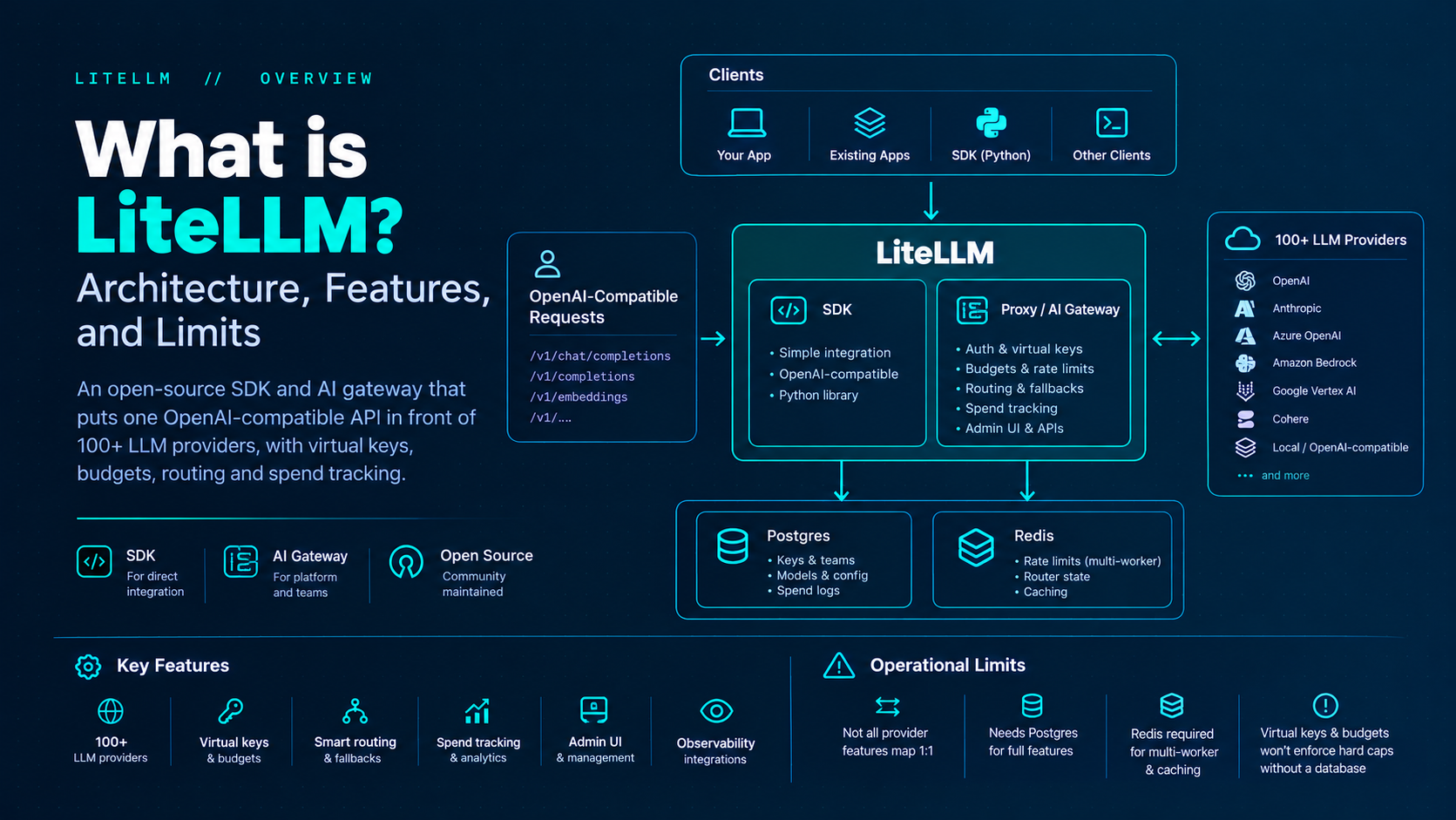
TrueFoundry AI Gateway delivers ~3–4 ms latency, handles 350+ RPS on 1 vCPU, scales horizontally with ease, and is production-ready, while LiteLLM suffers from high latency, struggles beyond moderate RPS, lacks built-in scaling, and is best for light or prototype workloads.






The latest news, articles, and resources sent to your inbox
.png)
.png)
.png)
.png)
.png)
.png)
.png)
.png)