



October 1, 2026
|
5 min read


Published: September 10, 2026
Blazingly fast way to build, track and deploy your models!
AI coding tools are now part of daily development. Developers use products like Claude Code, Cline, Cursor, Gemini CLI, OpenAI Codex CLI, Qwen Code CLI, Roo Code, and Goose to generate code, refactor, debug, and explain large codebases directly from the editor or terminal. The problem in most enterprises is not adoption. The problem is governance. Each tool can talk to one or more model vendors. Each tool often stores keys locally. Teams quickly end up with dozens of unmanaged entry points to external models. That creates real risk around which models are approved, where code and context is sent, how spending is attributed, and how incidents are investigated. It also makes reliability harder because routing and fallbacks are inconsistent across tools.
If you try to solve this manually you usually end up building an internal proxy that every IDE and CLI points to. That proxy needs authentication, authorization, approved model allow lists, provider routing, audit logs, rate limiting, budget controls, and observability. It also needs to be compatible with the APIs that these tools expect. Many tools speak an OpenAI compatible API, but they also have quirks around model naming and special behaviors that you need to handle.
Here is a small dummy example that shows why this becomes real engineering work. It is not production ready. It is only meant to show the shape of the problem.
from fastapi import FastAPI, Request, HTTPException
import time
import httpx
app = FastAPI()
APPROVED_MODELS = {
"gpt-4o": {"provider": "openai", "target": "gpt-4o"},
"claude-3-5-sonnet": {"provider": "anthropic", "target": "claude-3-5-sonnet"},
}
OPENAI_URL = "https://api.openai.com/v1/chat/completions"
ANTHROPIC_URL = "https://api.anthropic.com/v1/messages"
def verify_token(auth_header: str) -> dict:
# In reality this is JWT validation against Okta or your IdP.
if not auth_header or not auth_header.startswith("Bearer "):
raise HTTPException(status_code=401, detail="missing token")
return {"user": "alice", "team": "platform"}
@app.post("/v1/chat/completions")
async def chat_completions(req: Request):
user_ctx = verify_token(req.headers.get("authorization"))
body = await req.json()
model = body.get("model")
if model not in APPROVED_MODELS:
raise HTTPException(status_code=403, detail="model not approved")
route = APPROVED_MODELS[model]
started = time.time()
async with httpx.AsyncClient(timeout=60) as client:
if route["provider"] == "openai":
upstream = await client.post(
OPENAI_URL,
headers={"Authorization": "Bearer " + "UPSTREAM_OPENAI_KEY"},
json={**body, "model": route["target"]},
)
else:
# You would also need request and response transforms here.
upstream = await client.post(
ANTHROPIC_URL,
headers={"x-api-key": "UPSTREAM_ANTHROPIC_KEY"},
json={"model": route["target"], "messages": body.get("messages", [])},
)
latency_ms = int((time.time() - started) * 1000)
# In reality you would emit OpenTelemetry traces and structured logs here.
print("llm_request", {"user": user_ctx["user"], "model": model, "latency_ms": latency_ms})
return upstream.json()
Even in this simplified version you can see missing pieces. You still need robust transforms across vendors, streaming support, retries, fallbacks, safe pass through headers, tenant and team scoping, and durable audit logs. You also need a configuration system that scales across teams.
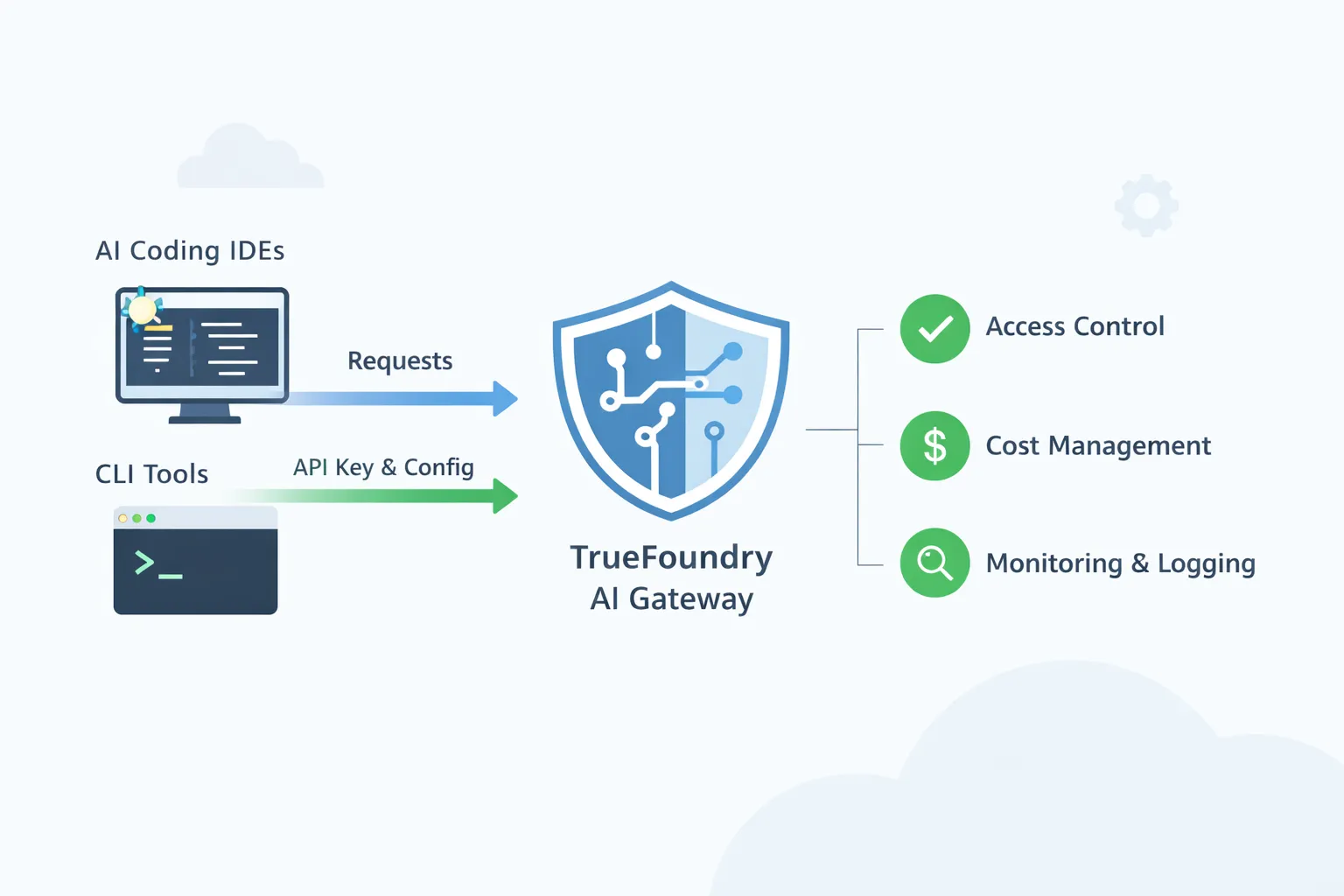
TrueFoundry AI Gateway is designed to be that shared control point. IDEs and CLIs keep using the workflows developers already like, but traffic routes through a single governed gateway. The gateway becomes the place where platform teams enforce approved model access, apply policies, and get complete visibility into usage.
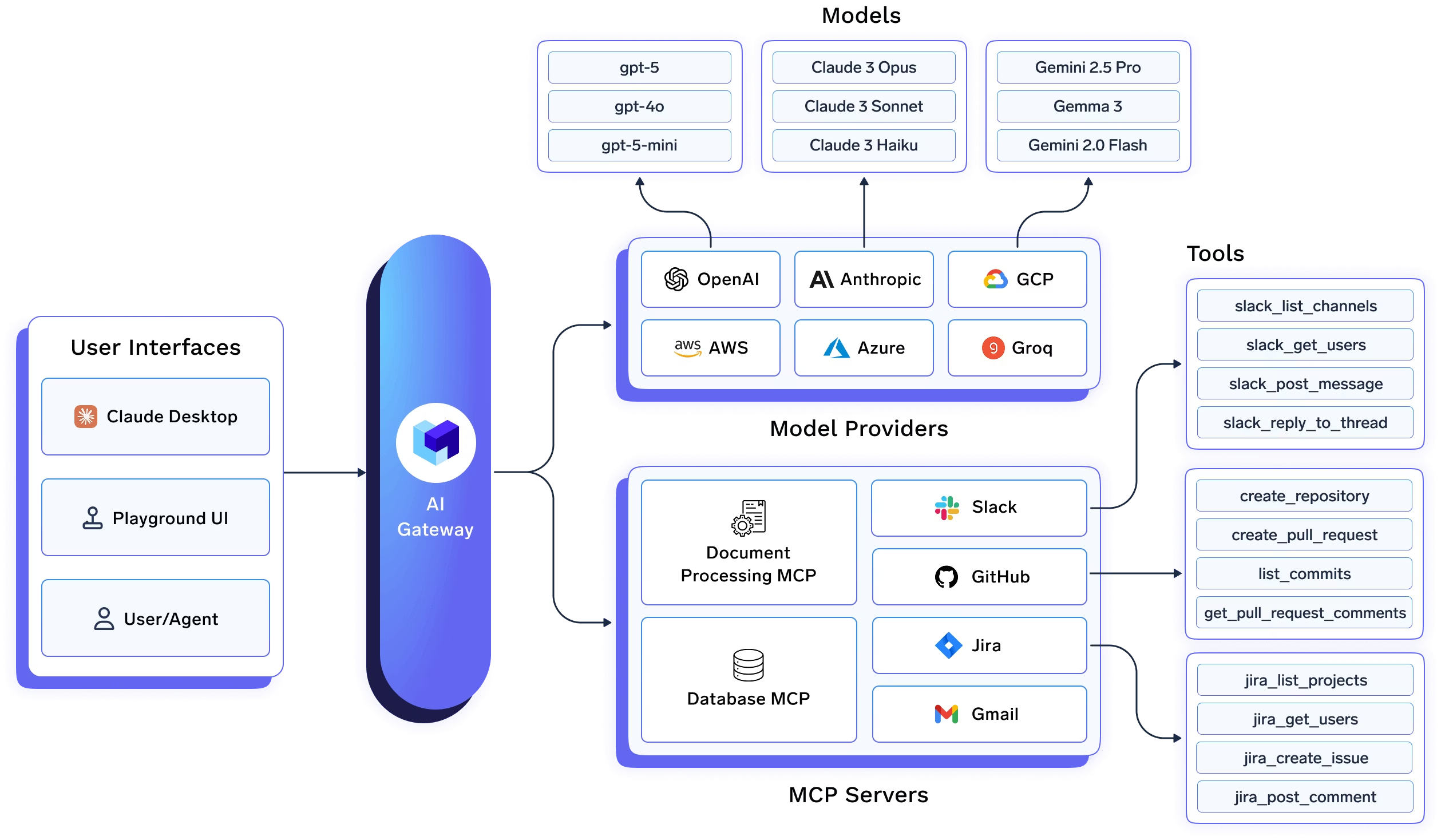
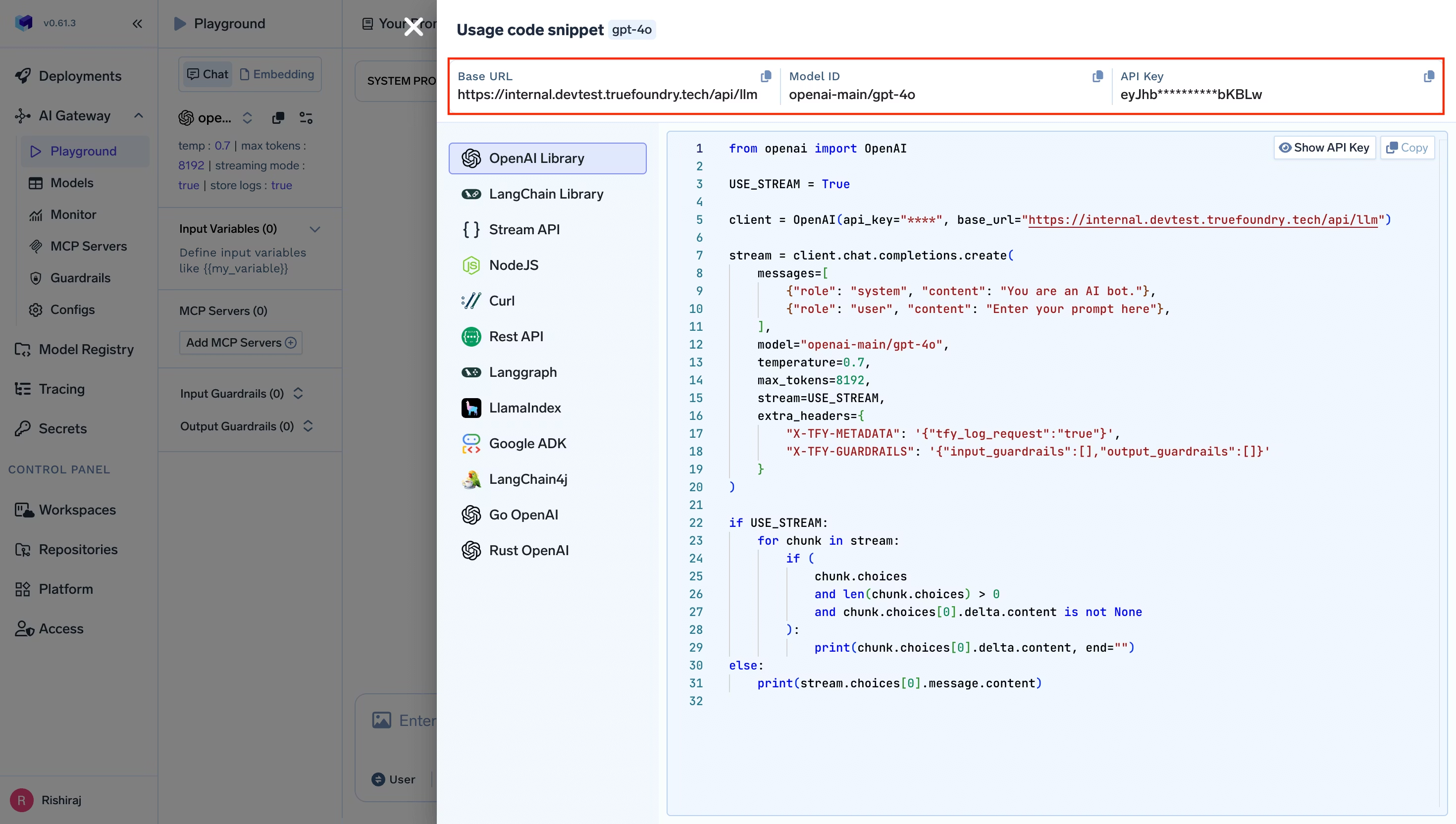
A core theme across the IDE guides is simple. You pull the base URL and model name from the TrueFoundry AI Gateway playground. Then you configure the IDE or CLI to use that base URL and a TrueFoundry token.
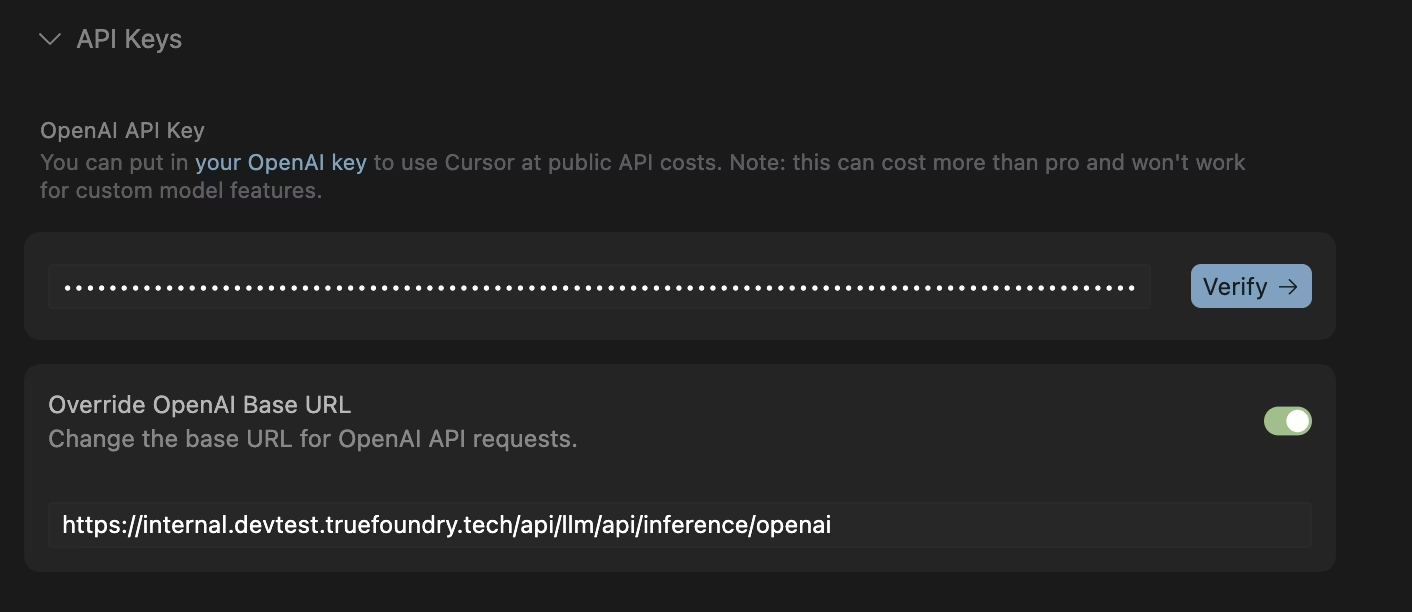
Most AI coding IDEs and desktop tools can be pointed to a single OpenAI compatible endpoint. The TrueFoundry AI Gateway gives you that endpoint. You start in the Gateway playground and copy the unified snippet. This snippet gives you the base URL and the model name you should use. You then open the IDE settings and select a provider option that supports a custom base URL. Many tools call this OpenAI compatible. You paste the Gateway base URL. You paste a TrueFoundry token as the API key. The token can be a personal token for a developer or a virtual account token for shared or automated usage. TrueFoundry documents both options and recommends the virtual account token for production style use. Read more here
Some IDEs work best when they see short standard model names such as gpt 4o. TrueFoundry model names are often fully qualified. The recommended fix is to define a routing or load balancing rule in the Gateway so the IDE keeps using the short name while the Gateway maps it to the fully qualified target model. Cursor and Codex both document this pattern because they have internal logic tied to standard model names. Cursor-docs
There can also be network constraints. Cursor documents that its request flow can involve Cursor servers. That means the Gateway URL must be reachable from Cursor infrastructure. In practice the Gateway endpoint needs public reachability for Cursor to work as described in the guide.
CLI tools usually integrate through environment variables or a local config file. For OpenAI compatible CLIs the common pattern is to set OPENAI_BASE_URL to the TrueFoundry Gateway endpoint and set OPENAI_API_KEY to a TrueFoundry token. TrueFoundry documents this as a supported authentication approach for the Gateway. Read more: Authentication
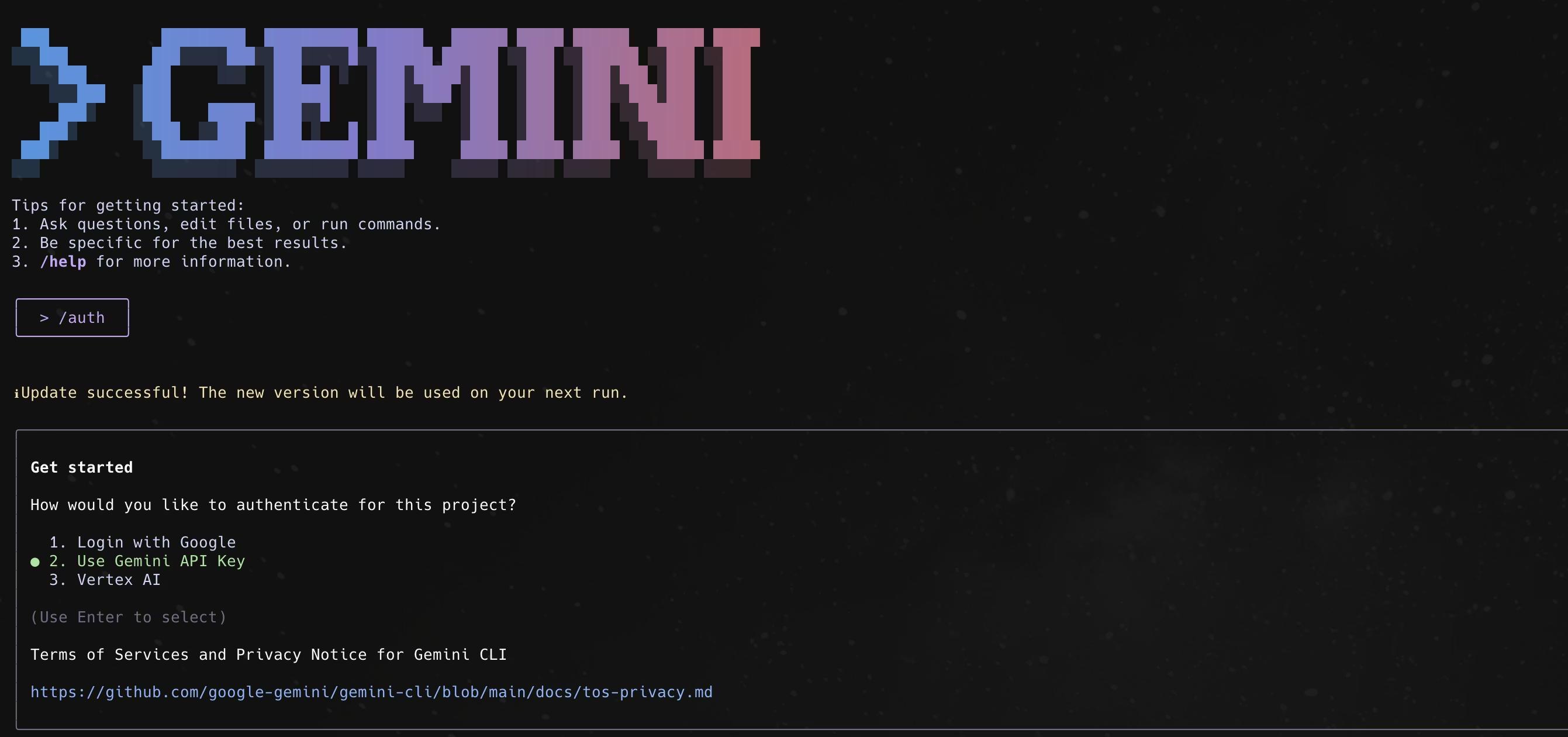
Some CLIs use provider specific variables. Gemini CLI uses a Gemini base URL and a Gemini API key. The TrueFoundry guide shows you set GOOGLE_GEMINI_BASE_URL to a TrueFoundry Gemini proxy URL and set GEMINI_API_KEY to a TrueFoundry token so every request flows through the Gateway. Read more: Gemini-cli
Other CLIs rely on a settings json file. Claude Code is configured through a settings.json file that sets env values for the base URL and auth headers. The TrueFoundry guide shows ANTHROPIC_BASE_URL pointing to the Gateway and uses a Bearer token in custom headers so Claude Code traffic is governed through the Gateway. Read more: Claude code
Some tools also need the standard name mapping mentioned earlier. The Codex CLI guide explains that Codex expects standard model names and can misbehave with fully qualified names. It recommends using Gateway routing so you call gpt 5 in the CLI while the Gateway routes to the correct fully qualified model behind the scenes. Read more: Codex
Model approval and access control is the most basic governance need when AI coding tools spread across an enterprise. A developer can install Cursor or Cline in minutes and point it to any model provider. Without a gateway the company ends up with many unmanaged paths where code context and prompts can leave the network using personal keys. With TrueFoundry AI Gateway you create a small approved catalog of models that are allowed for coding use and you map those models to teams or user groups. Developers keep using the same IDE they prefer, but every request goes through the gateway so a request to a non approved model is blocked. This also makes it possible to separate access by risk level. A junior engineer might get access to a cheaper model for quick edits while a staff engineer or a production incident team can access a stronger model for difficult debugging. The important part is that approval is enforced centrally rather than relying on every developer to follow a policy document.
Cost ownership becomes important because AI coding tools can generate large volumes of tokens without anyone noticing. A single developer using an agent that iterates on a codebase can create hundreds or thousands of calls in a short window. Without a gateway the spend is spread across personal keys and vendor accounts so finance sees a bill but cannot see which team or application drove it. With a gateway you can issue identity based tokens and require each IDE or CLI session to authenticate using a user or a service identity. That lets you attribute usage to a person, a team, or an internal tool. Once attribution exists, controls become practical. You can set budgets for a team for a month and you can set rate limits that prevent accidental runaway loops. If a tool starts spamming requests, the gateway can throttle it instead of letting it burn through budget silently.
Incident response and auditing is where platform teams feel the difference day to day. When a developer says the assistant is slow or is failing, it is hard to debug if the traffic is going straight from a laptop to a vendor. You might not know whether the issue is the vendor, the network, a misconfigured model name, or a tool specific setting. When requests go through the gateway, the platform team can look at gateway metrics and logs to see which model was called, what the latency looked like, which errors occurred, and whether failures are isolated to one provider or one region. This is also the foundation for audit requirements. Security and compliance teams often ask where code context was sent and who had access. A gateway can keep a record of which destinations were used and who invoked them. It can also support policies that reduce risk, such as masking sensitive strings before requests reach external providers or restricting certain teams from sending prompts to external endpoints at all.
Reliability during provider issues matters because model providers do have periodic slowdowns and timeouts. AI coding tools are particularly sensitive because they are interactive. A few timeouts can make the tool feel broken and developers will switch to whatever works. Many IDEs also assume certain model names. Cursor and similar tools often work best when the model name looks like a standard OpenAI style name. If you change providers you would normally need to change every developer configuration. With gateway routing you can keep the same model name in the IDE settings and change what it maps to behind the scenes. If one provider is timing out, you can route to another provider or to another account or region. The developer keeps using the same IDE configuration and they simply see the tool continue to work. This is also useful when you want to roll out a new model. You can gradually shift traffic to the new model while keeping the user experience stable, and you can roll back quickly if quality or latency is not acceptable.
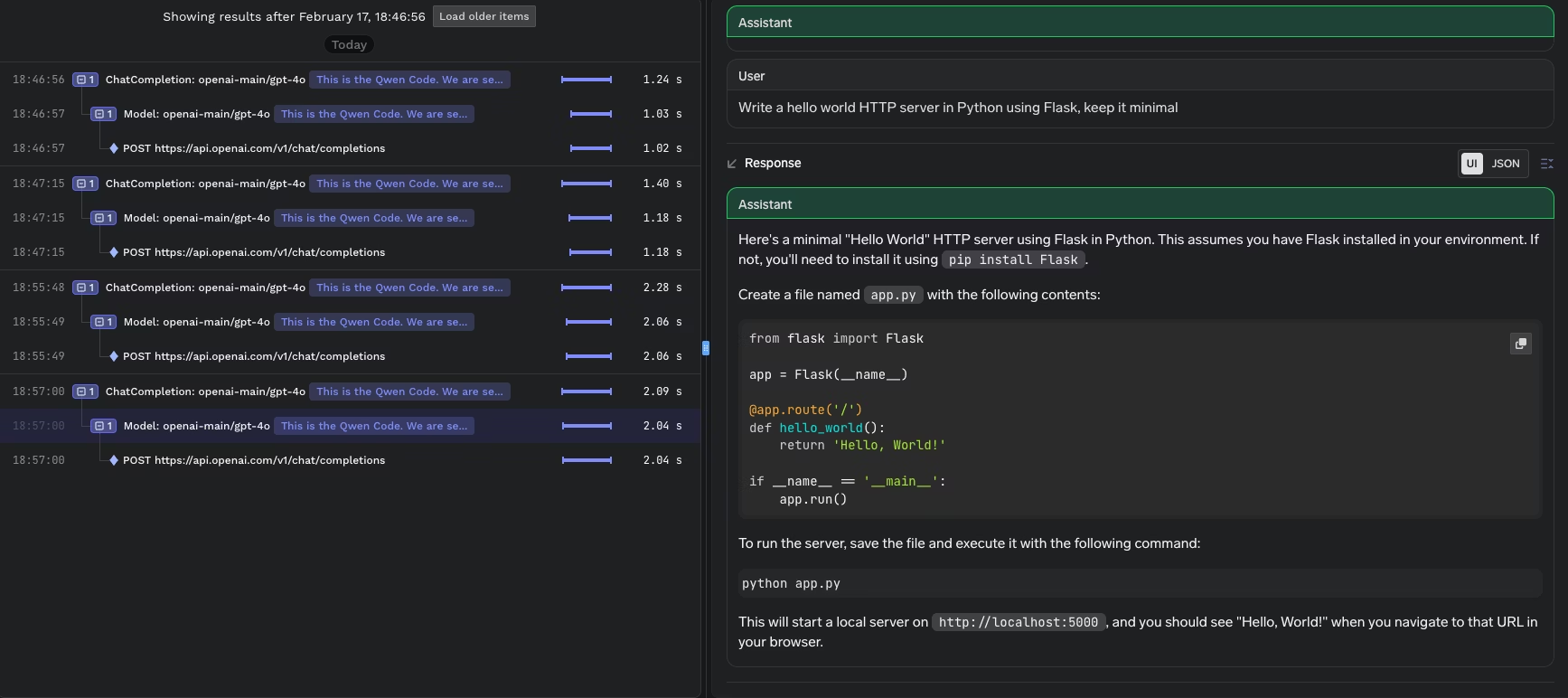
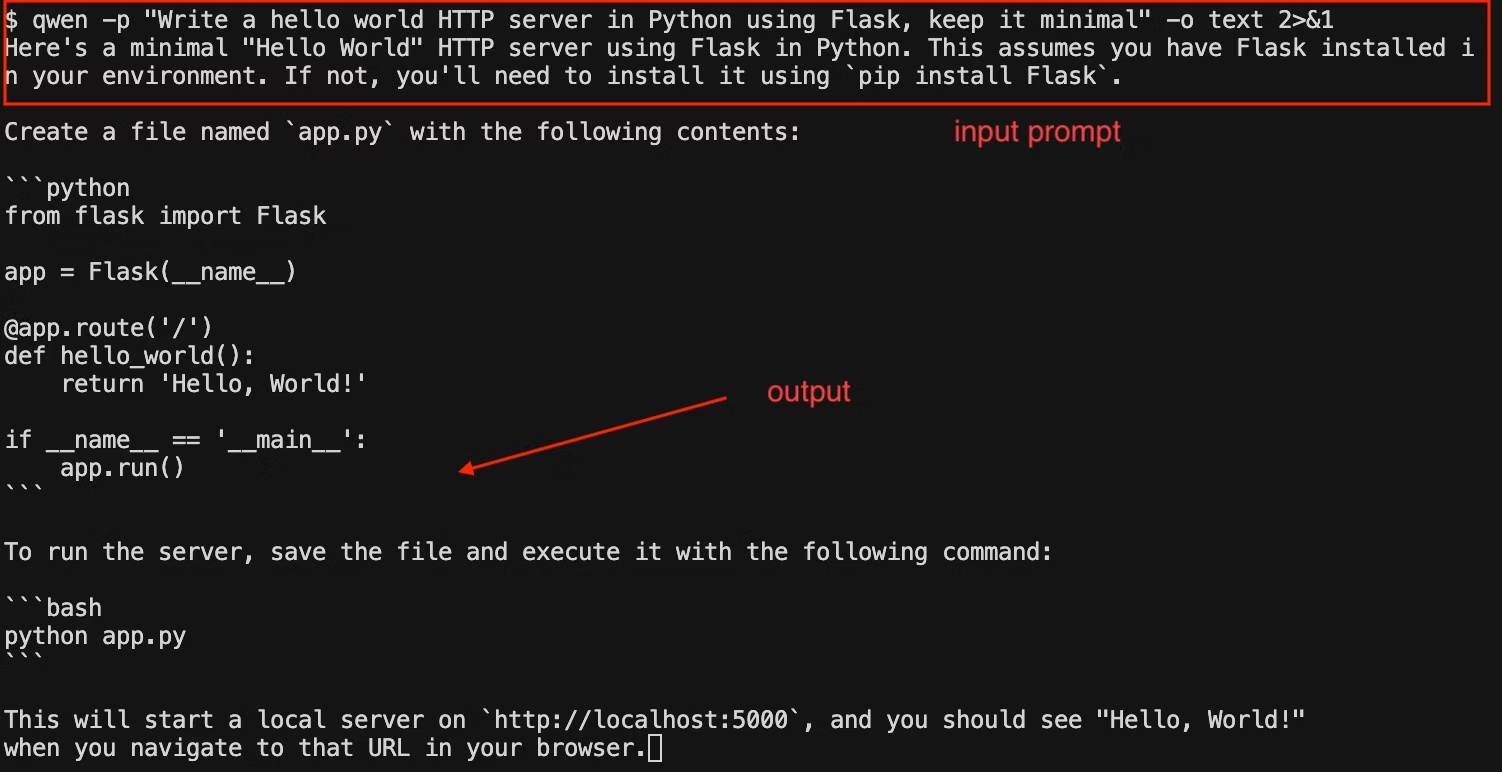
AI coding IDEs make developers faster. Enterprises need the same level of governance they already apply to source control and CI systems. The practical path is to centralize control without forcing developers to change tools. TrueFoundry AI Gateway is built to sit in that control point. The integration guides across Claude Code, Cline, Cursor, Gemini CLI, OpenAI Codex CLI, Qwen Code CLI, Roo Code, and Goose all follow the same principle. Keep the developer workflow. Centralize policy, visibility, and control at the gateway.
TrueFoundry AI Gateway delivers ~3–4 ms latency, handles 350+ RPS on 1 vCPU, scales horizontally with ease, and is production-ready, while LiteLLM suffers from high latency, struggles beyond moderate RPS, lacks built-in scaling, and is best for light or prototype workloads.






The latest news, articles, and resources sent to your inbox
.png)



.png)
.png)
.png)

.png)
.png)
.png)
.png)
.png)
.png)
.png)


