

mcp-server/remote with no infrastructure to run on your side.
Registering them on the Gateway gives your agents one governed endpoint for web research, with inbound TrueFoundry auth, tool-level access control, tracing, and guardrails applied on every call.
All three use Streamable HTTP transport. API keys are created on the Parallel platform and passed as
Authorization: Bearer <PARALLEL_API_KEY>.
Using Parallel through the MCP Gateway
When you use Parallel’s MCP servers through the AI Gateway, TrueFoundry provides:- Authentication - Clients authenticate inbound to the AI Gateway with a Personal Access Token, Virtual Account, or IDE OAuth flow. For outbound access, the Gateway either sends nothing (anonymous Search MCP), injects a shared or per-user Parallel API key as a header, or runs the OAuth2 Authorization Code flow against Parallel.
- Tool-level access control - Enable or disable individual tools from the server detail page, so agents only see the subset you want them calling.
- Access control - Collaborators and role-based policies define who can use the server and which tools they can invoke.
- Observability - Tool calls are traced with caller identity, tool name, inputs, and latency. Monitor server- and tool-level usage in MCP Metrics and export traces to your observability stack via OpenTelemetry.
- Guardrails - Apply pre-tool and post-tool guardrails on MCP tool calls. This matters for web research: pre-tool checks can block sensitive queries from leaving your environment, and post-tool checks scan fetched page content before it reaches the model.
Prerequisites
- A TrueFoundry account with permission to add MCP servers.
- A Parallel API key - optional for the anonymous Search MCP endpoint, required for Task MCP.
Adding Parallel Search MCP to TrueFoundry
This is the fastest path: an anonymous server with no credentials to manage.1
Open the Add MCP Server picker
Navigate to MCP Servers in the TrueFoundry sidebar and click Add new MCP Server. On the next screen, select Connect Official Remote MCP Servers - this lists official, vetted remote MCP servers that you connect with your own auth.
2
Select parallel-search
Find the parallel-search card in the catalog (described as “Low-latency, LLM-ready web search from Parallel”) and click + Add. The catalog is long, so use the search box at the top right.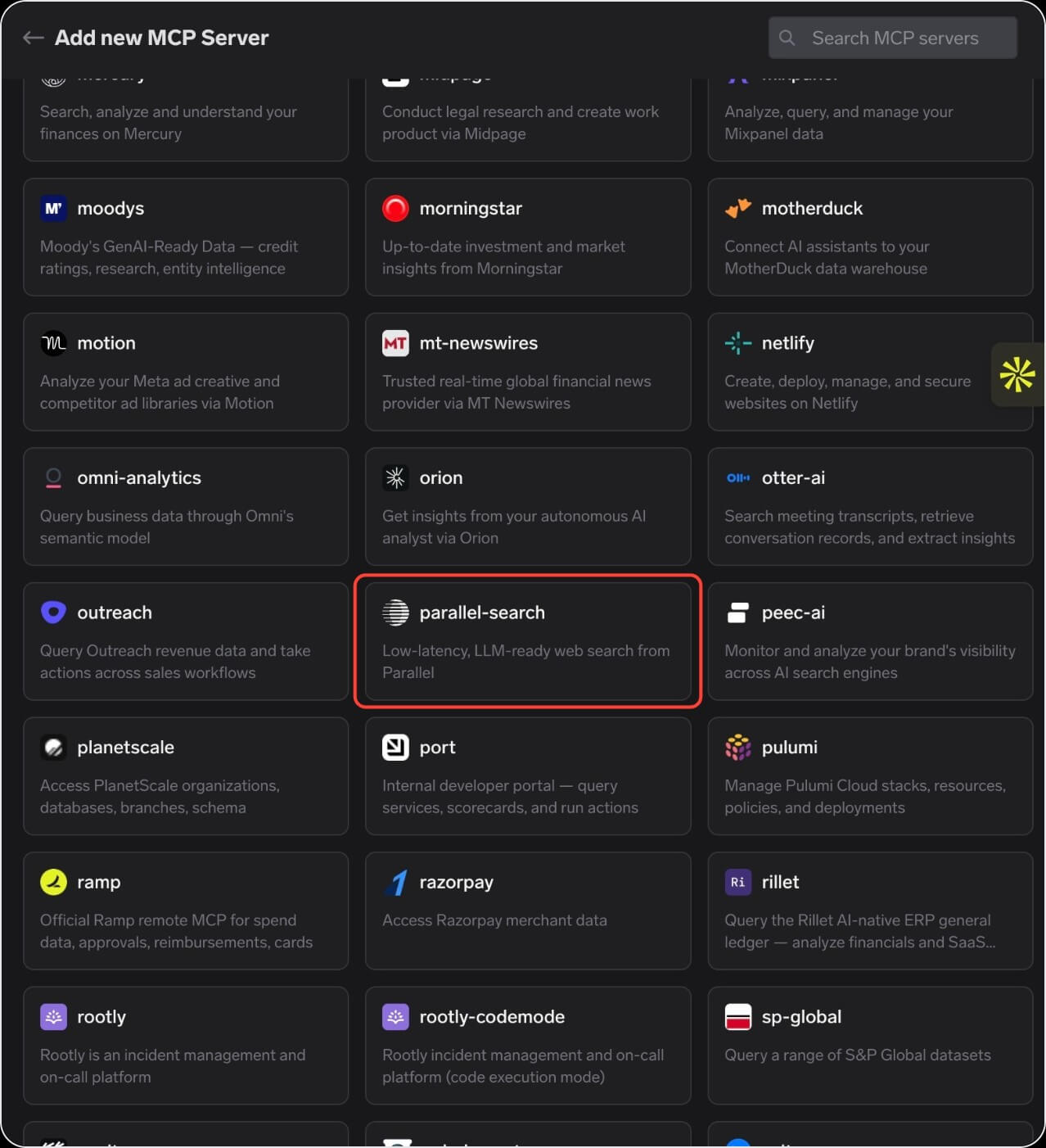
3
Confirm the server details
TrueFoundry pre-fills the server details for Parallel:
Leave Auth Data toggled off - the endpoint accepts anonymous requests, so there is nothing to configure to get started.Add Collaborators - the users and teams that can use or manage this server - and assign each an MCP Server Manager or MCP Server User role. Then save.
4
Verify tools
Open the Tools tab. Parallel’s web search and page fetch tools load, each with its description and a Try button. Click Try on one, fill in the inputs, and inspect the JSON output before wiring it into an agent.
Using a Parallel API key
Anonymous access is rate limited. Supply a Parallel API key to lift those limits, choosing one of two credential modes:- Individual keys
Using OAuth instead of a key
Both servers delegate OAuth2 tohttps://platform.parallel.ai and support Dynamic Client Registration, so each user authorizes with their own Parallel account and the Gateway stores and refreshes tokens per user.
Point the server at https://search.parallel.ai/mcp-oauth (Search) or https://task-mcp.parallel.ai/mcp (Task), set Authentication to OAuth2, and click Refetch OAuth2 details to populate the endpoints. If you need to enter them by hand, these are the values Parallel publishes:
Parallel registers public clients (
token_endpoint_auth_methods_supported is none) and requires PKCE, which is why there is no client secret to configure.
Users then click Connect Now on the Tools tab, sign in to Parallel, and land back on the server detail page. Each user connects once with their own identity.
Adding Parallel Task MCP to TrueFoundry
Task MCP runs long-lived research jobs asynchronously - an agent starts a task, keeps working, and polls for the result. It requires authentication; anonymous requests are rejected before the MCP handshake completes. Task MCP is not in the official catalog, so register it yourself: click Add new MCP Server, select Connect any Remote MCP Server, and fill in the details with an API key or the OAuth settings above.
The endpoint also accepts the key in an
x-api-key header if you prefer that over Authorization.
Once connected, the Tools tab lists Task MCP’s tools: starting a deep research run, starting a task group that enriches many items at once, checking the status of an in-flight task, and retrieving the finished result as markdown.
The status check is deliberately cheap so polling loops don’t burn context. Have agents poll for status and fetch the full result only once the task reports complete.