How TrueFoundry Manages the MCP Server
TrueFoundry’s MCP Gateway acts as a reverse proxy between your agents and MCP servers like Exa. When you register Exa, TrueFoundry handles:- Authentication — Exa’s MCP server works with no auth, so there’s nothing to configure to get started. If you hit rate limits, supply your own Exa API key by adding
exaApiKey=YOUR_EXA_API_KEYto the server URL. - Tool-level access control — You can selectively enable or disable individual Exa tools per team from the TrueFoundry UI, or scope the toolset directly in the URL (see below).
- Audit trail — Every tool invocation is traced with the calling user, tool name, input payload, and latency. Traces export via OpenTelemetry to your observability stack.
- Guardrails — TrueFoundry’s guardrail hooks apply at
mcp_pre_tool(before a tool is invoked) andmcp_post_tool(after the tool returns), letting you enforce content policies on search queries and results in real time.
Adding Exa to TrueFoundry
1
Open the Add MCP Server picker
Navigate to MCP Servers in the TrueFoundry sidebar and click Add new MCP Server. Select Connect Official Remote MCP Servers — this lists official, vetted remote MCP servers.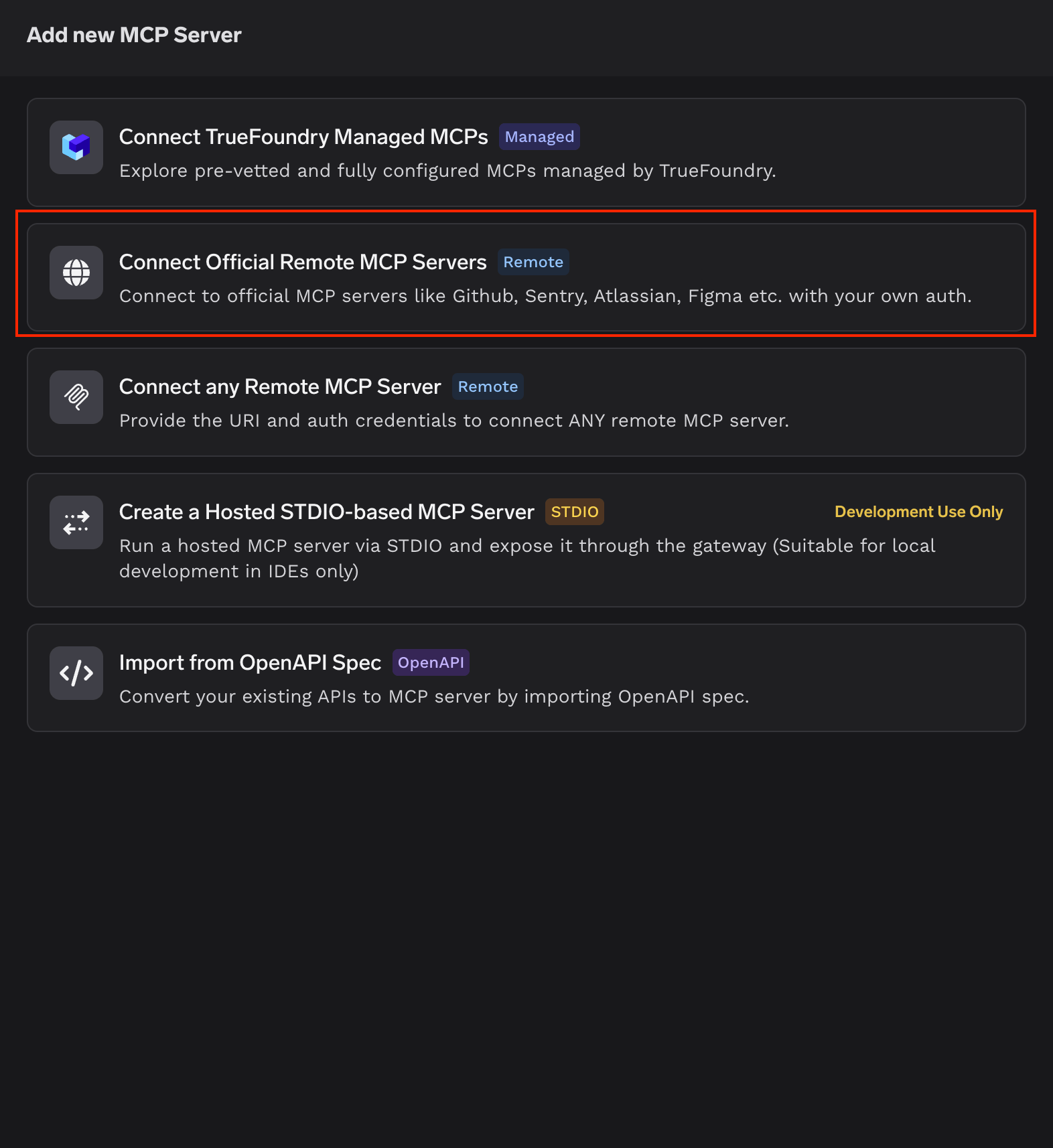
2
Select Exa
Find the exa card in the catalog (described as “Search Engine made for AIs by Exa”) and click + Add.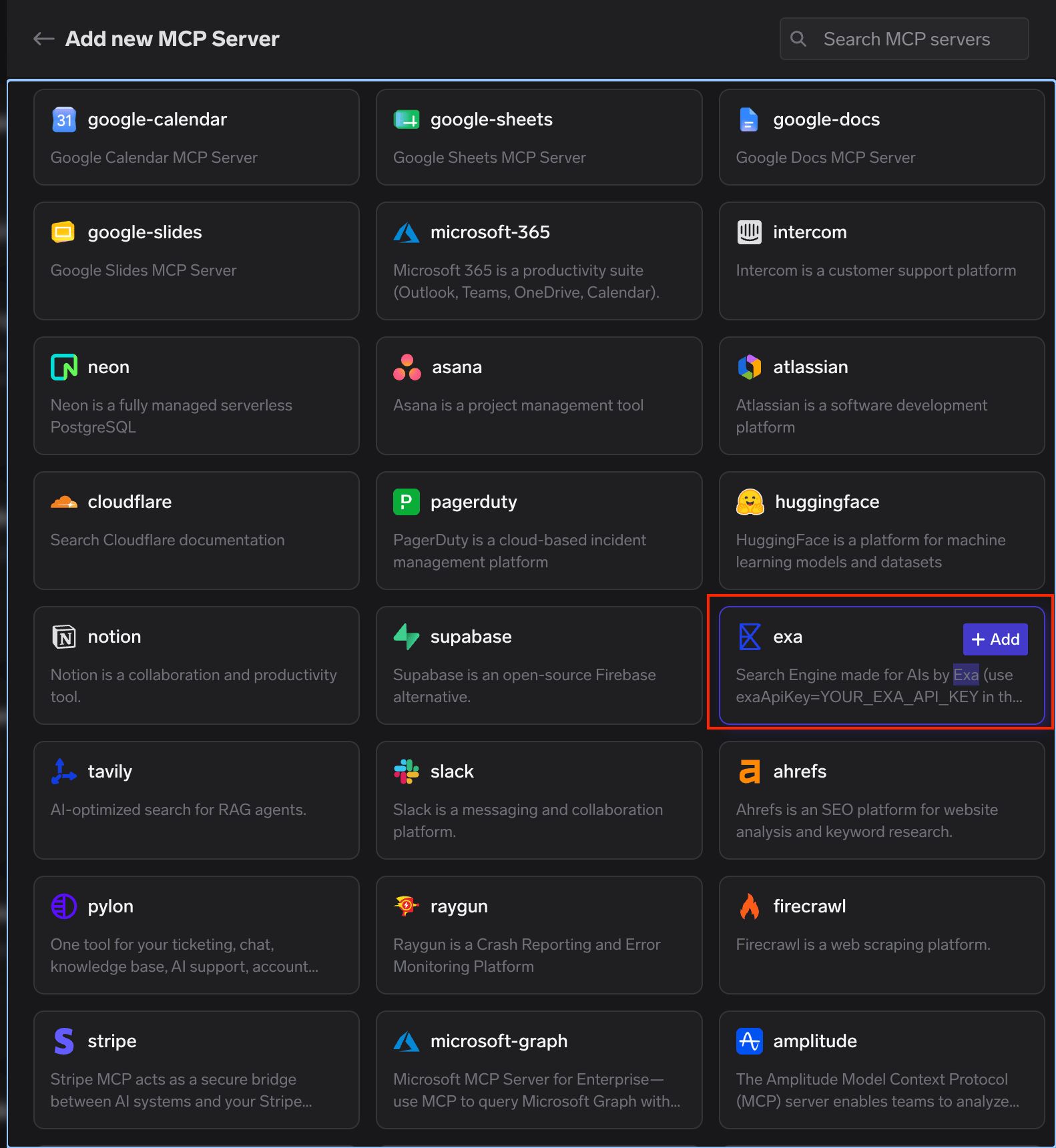
3
Configure the server
TrueFoundry pre-fills the server details for Exa: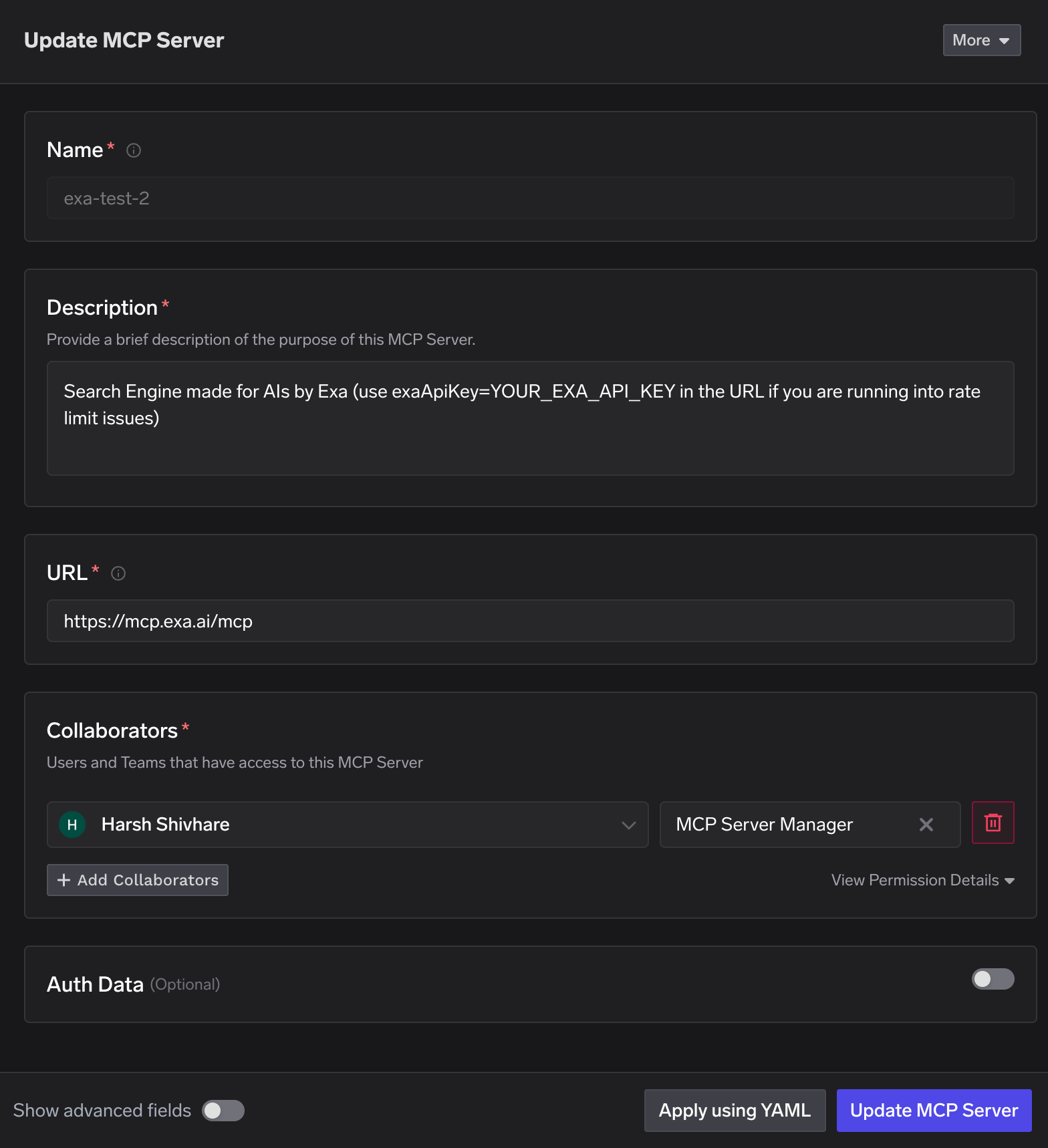
Add Collaborators — the users and teams that can use or manage this server — and assign each an MCP Server Manager or MCP Server User role. Leave Auth Data toggled off, since Exa requires no authentication. Click Update MCP Server to save.
4
Verify tools
Open the Tools tab on the Exa server detail page. It populates with Exa’s available tools — web search, company and people research, crawling, code context, and deep research. Exa also exposes MCP Prompts and Resources on their own tabs. Each tool shows its description and a Try button so you can test it before wiring it into an agent.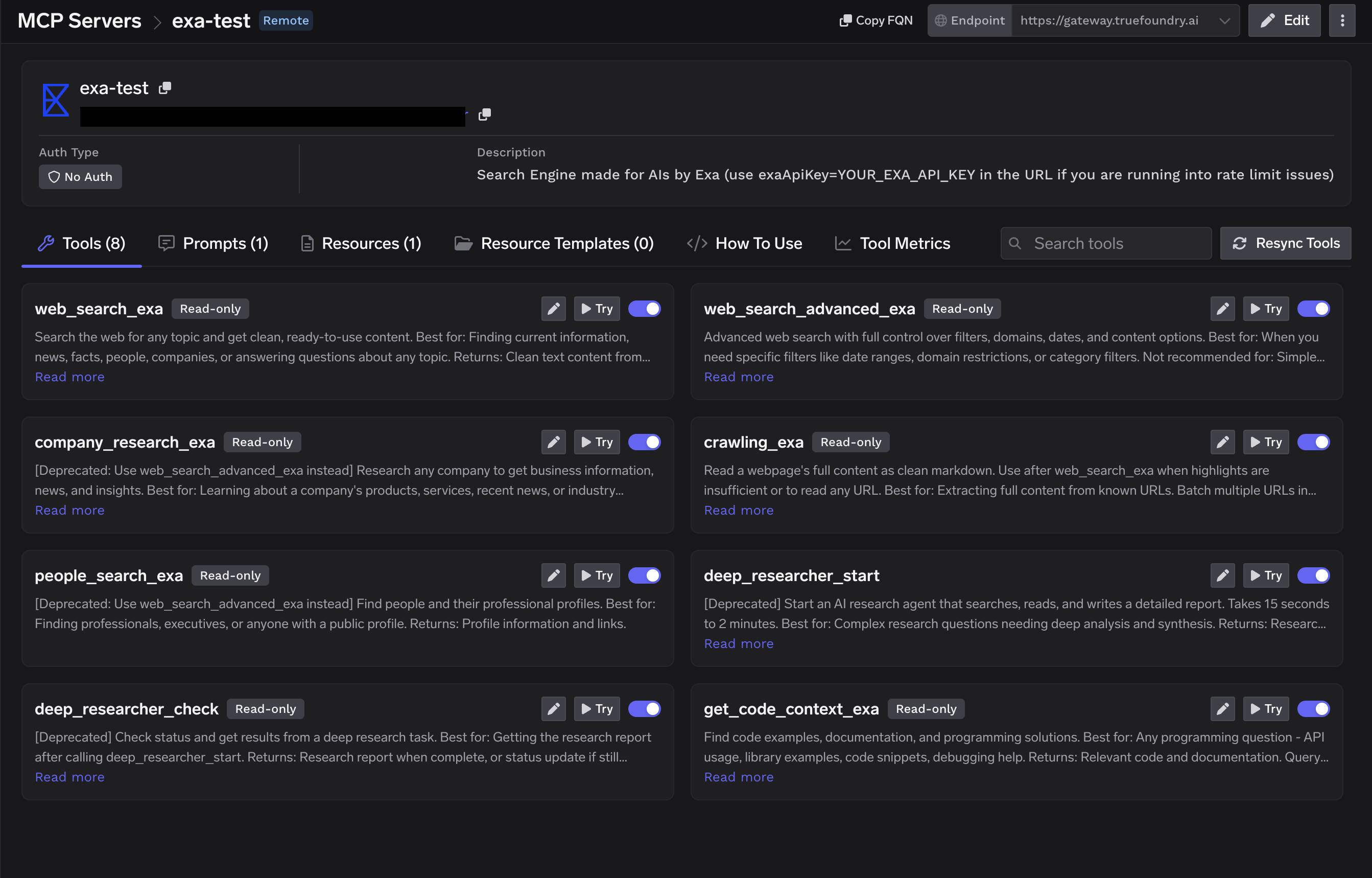
Scoping the Toolset and Using an API Key
Exa selects which tools the server exposes through atools query parameter on the URL, and accepts an optional exaApiKey to lift rate limits. To pin a specific toolset (and optionally your key), register the server with a URL like:
Append
&exaApiKey=YOUR_EXA_API_KEY to the URL if you run into rate limits. Get a key from the Exa dashboard.Connecting to an MCP Client
TrueFoundry exposes the Exa MCP server over HTTP transport. The endpoint is specific to your TrueFoundry tenant, so don’t construct it by hand — copy the exact URL and ready-to-paste connection commands from the How To Use tab on the Exa server detail page. The How To Use tab generates connection instructions for every major client, including Cursor, VS Code, Claude Code, Claude Web, Claude Desktop, Windsurf, Codex, and the Python and TypeScript MCP SDKs. Pick your client, copy the snippet, and paste it in.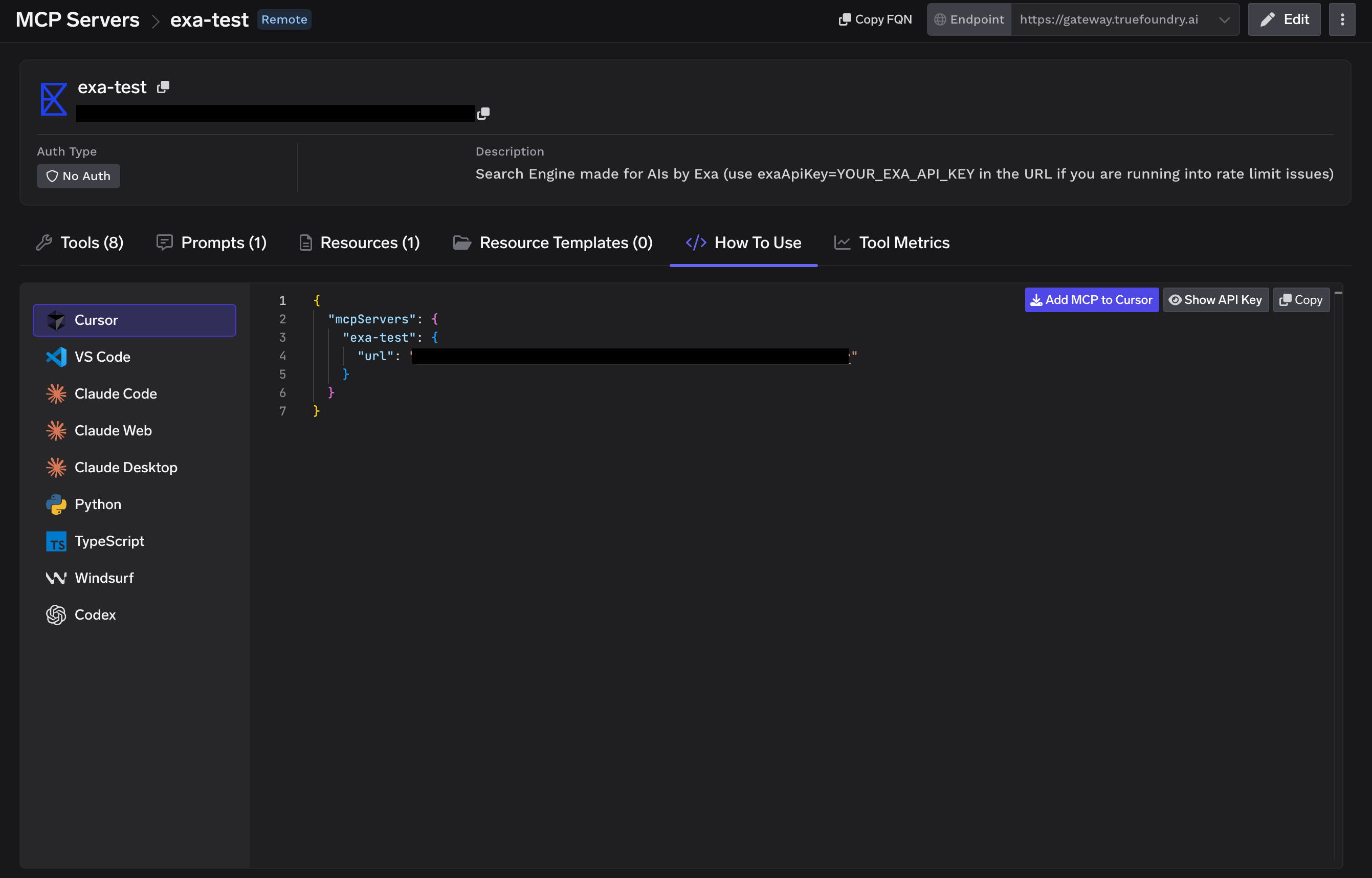
Using the Tool Playground
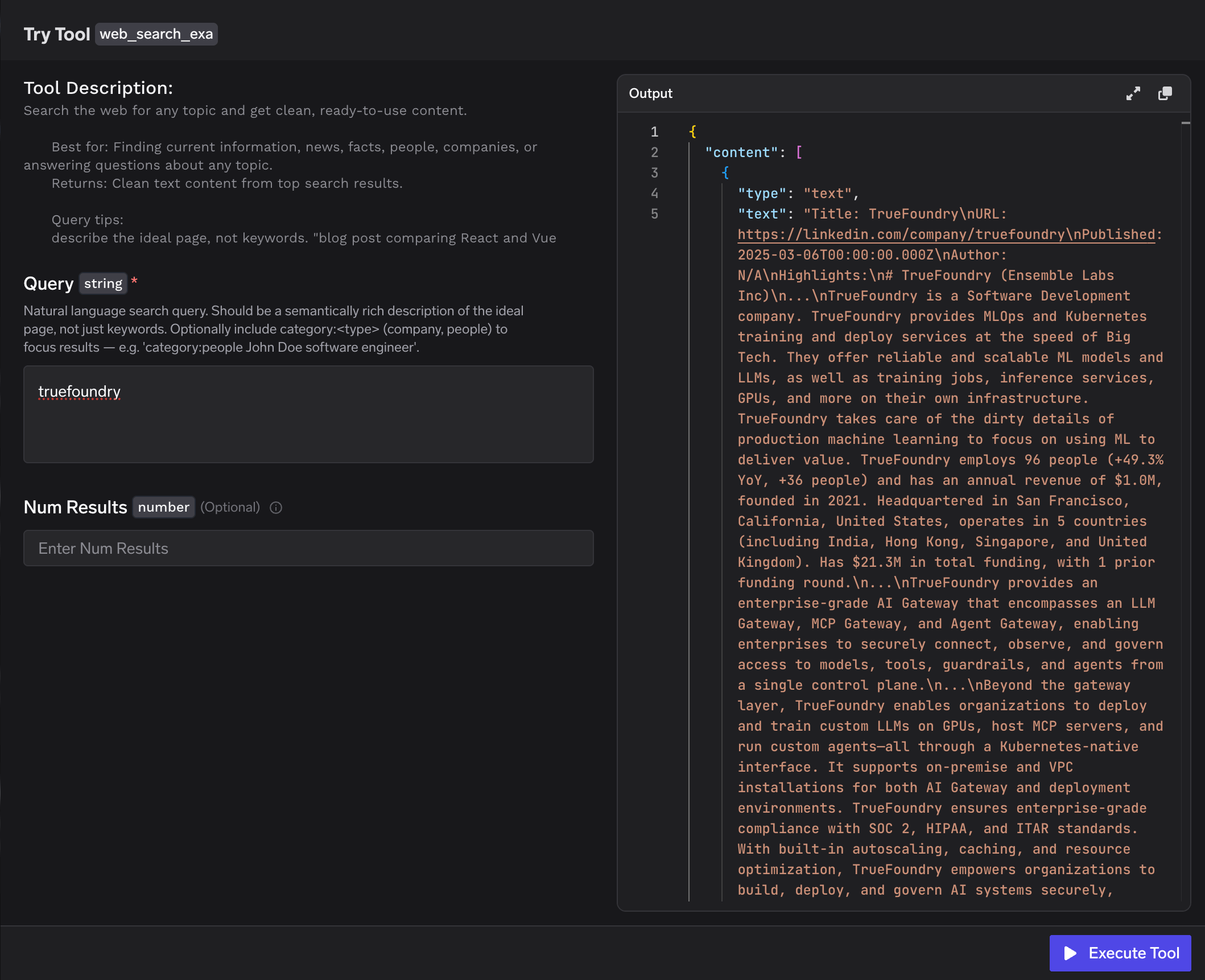
Before deploying an agent, you can test any Exa tool directly in TrueFoundry — click Try next to a tool such asweb_search_exa, fill in the inputs, click Execute Tool, and inspect the JSON output in the right panel.