

Datadog is region and site specific (US1, US3, US5, EU, AP1, AP2, and others). The MCP server URL and every OAuth2 endpoint must match your organization’s actual Datadog site. Mixing sites is the most common cause of a failed connection. See the region reference table below.
How TrueFoundry Manages the MCP Server
TrueFoundry’s MCP Gateway acts as a reverse proxy between your agents and Datadog’s remote MCP server. When you register it, TrueFoundry handles:- Authentication: Each user connects with their own Datadog account through OAuth2 with PKCE. Because Datadog supports Dynamic Client Registration, TrueFoundry registers the OAuth client automatically. No manually created OAuth app is required.
- Tool-level access control: You can selectively enable or disable individual tools (for example, disable the write and destructive tools) per team from the TrueFoundry UI.
- Audit trail: Every tool invocation is traced with the calling user, tool name, input payload, and latency. Traces export via OpenTelemetry to your observability stack.
- Guardrails: TrueFoundry’s guardrail hooks apply at
mcp_pre_tool(before a tool is invoked) andmcp_post_tool(after the tool returns), letting you enforce content policies on requests and responses in real time.
Prerequisites
- A TrueFoundry account with permission to add MCP servers.
- A Datadog account or org with MCP Access and MCP Write Access enabled (Organization Settings → Preferences). Government sites are not supported by Datadog’s hosted MCP server.
- Your Datadog site (for example,
us5.datadoghq.com,datadoghq.com, ordatadoghq.eu). - The required Datadog permissions on your user:
mcp_read, andmcp_writeif you want write operations.
Register Datadog in TrueFoundry
1
Start adding a new MCP Server
Navigate to MCP Servers in the TrueFoundry sidebar and click Add new MCP Server. Select Connect Official Remote MCP Servers, which gives access to pre-vetted servers (GitHub, Sentry, Atlassian, Figma, Datadog, and more) with auth already templated.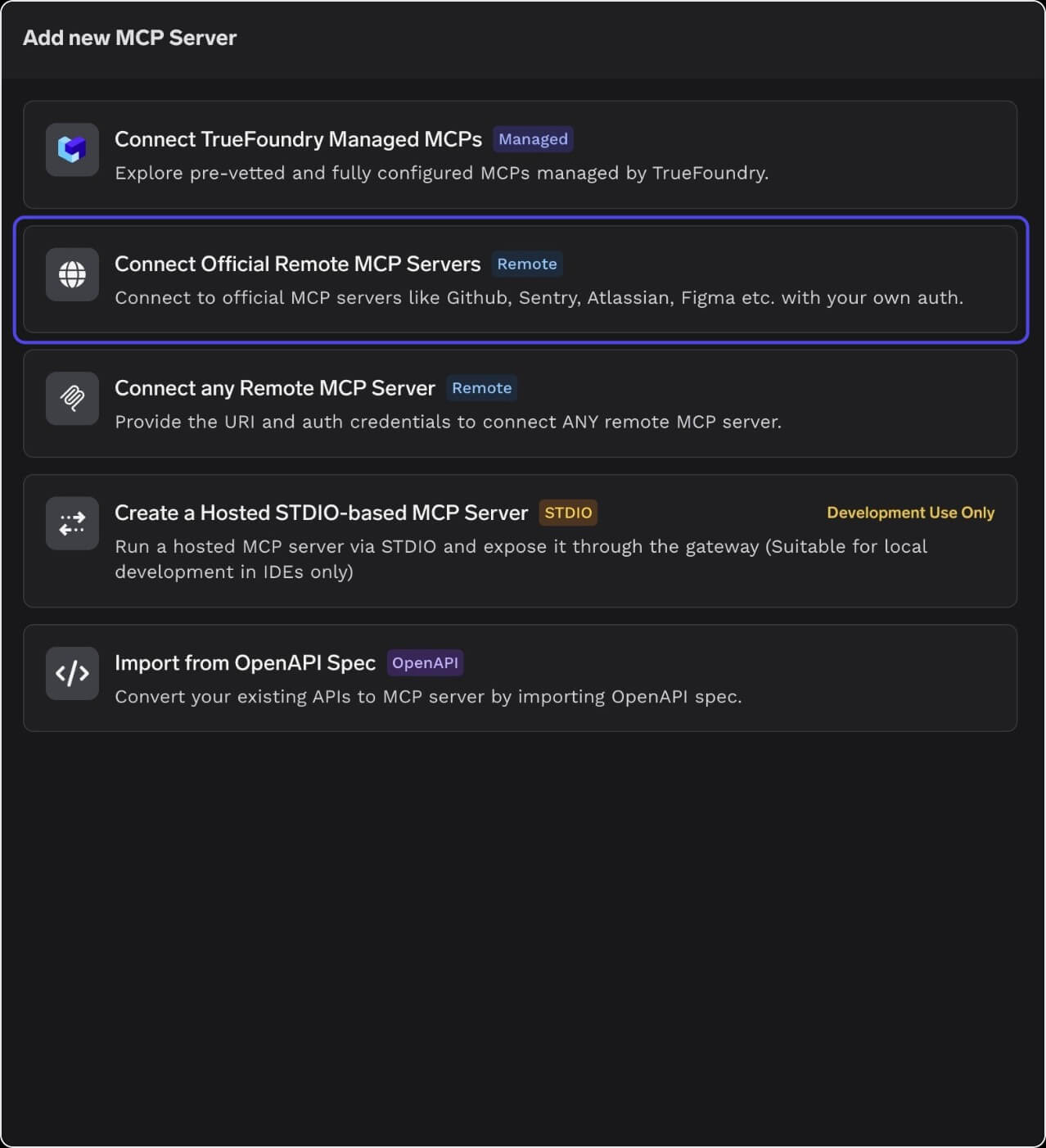
2
Search for and select Datadog
In the catalogue search, type “data” (or “datadog”) to find the Datadog entry. Click the datadog card (“Query and investigate Datadog telemetry, metrics, and incidents”).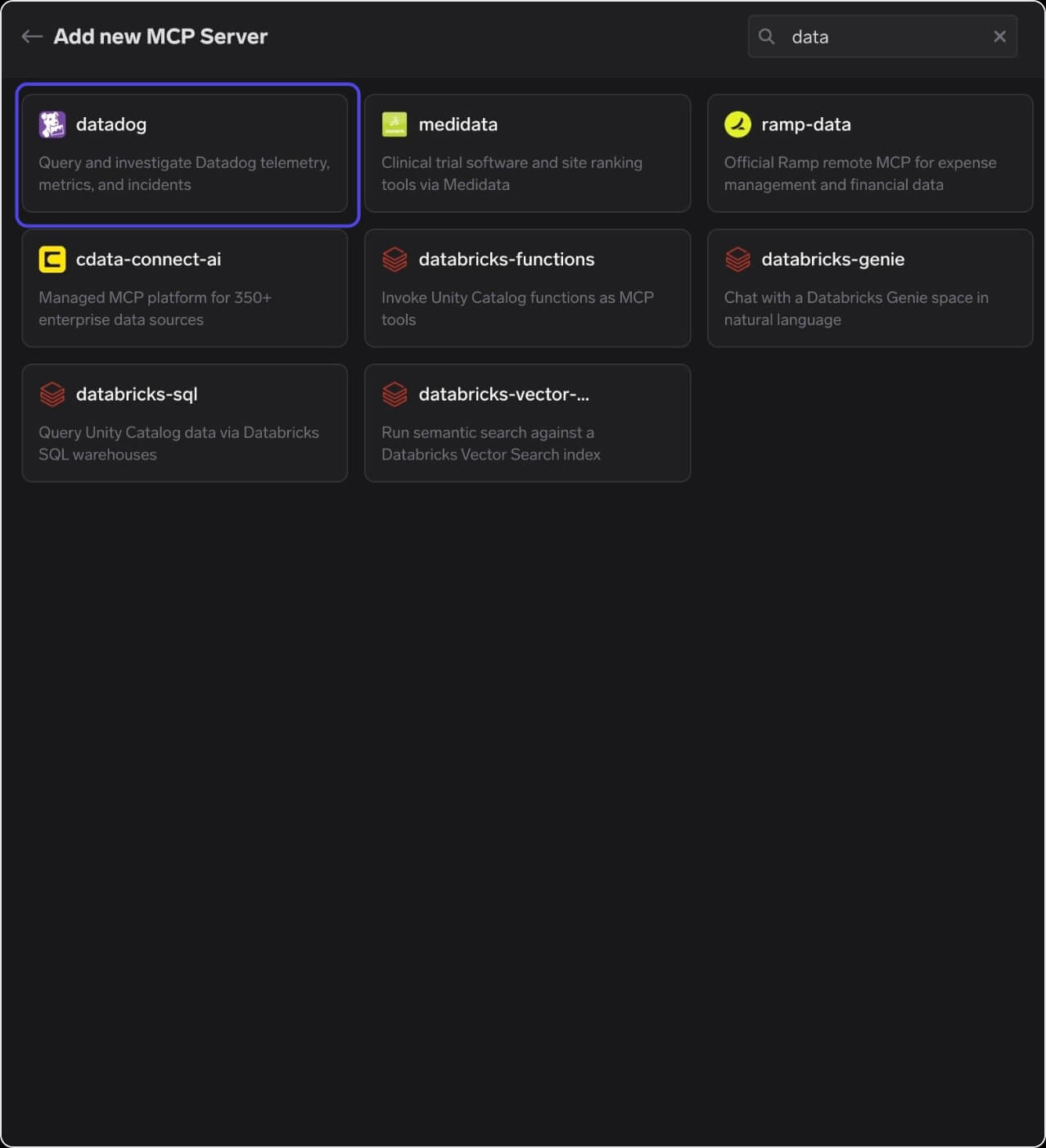
3
Fill in server details and set the region in the URL
TrueFoundry pre-fills the Name, Description, and URL fields for Datadog. The URL comes with a 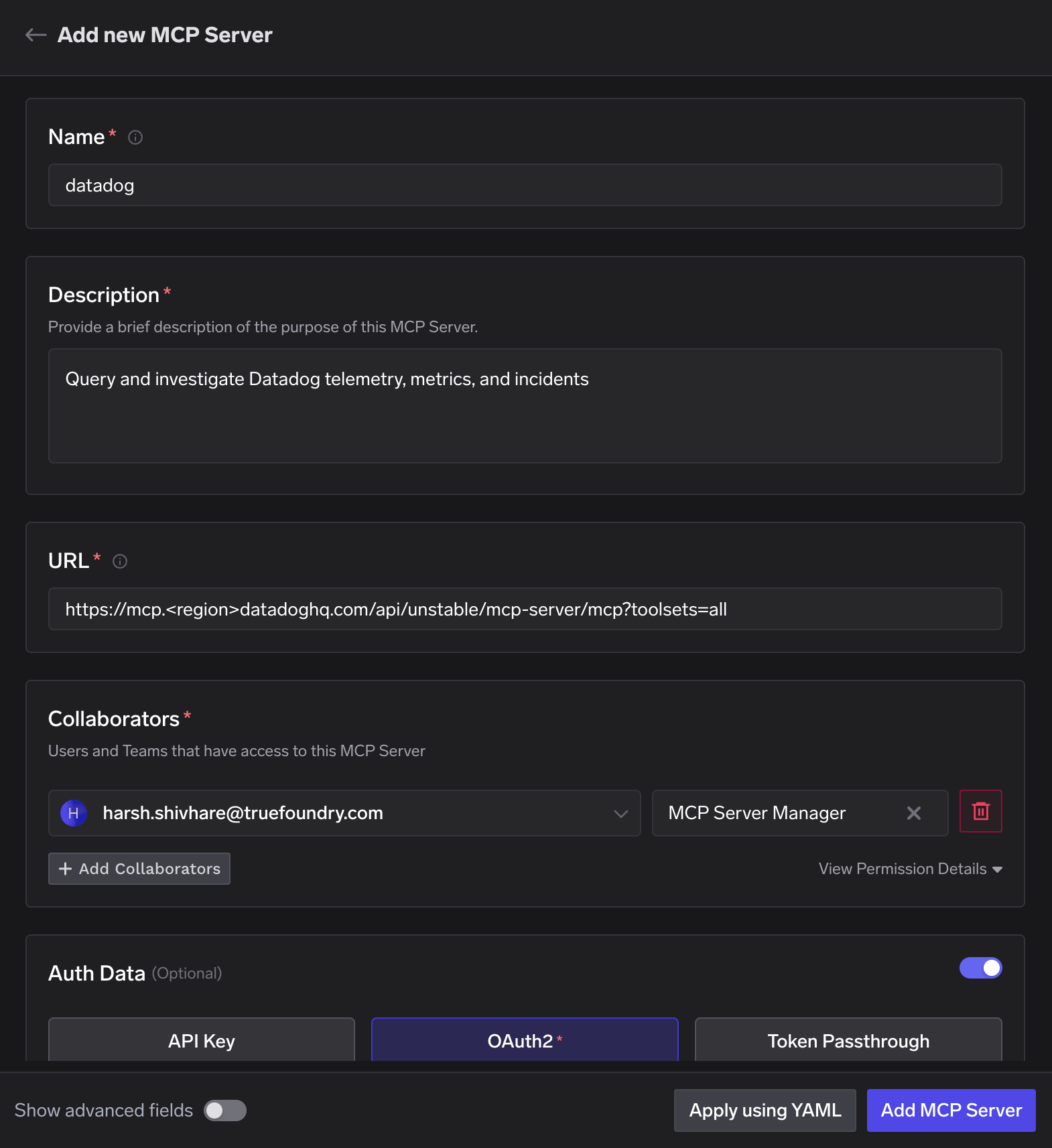
<region> placeholder that must be replaced with your actual Datadog site subdomain. Add yourself or your team under Collaborators with the MCP Server Manager role.<region> with your site prefix. Examples:4
Confirm OAuth2 / DCR auth details
Datadog’s MCP server supports Dynamic Client Registration, so TrueFoundry can auto-populate the OAuth2 endpoints. Click Refetch OAuth2 details if the fields are empty or you want to reset them. Leave Client ID and Client Secret blank, since DCR issues these automatically at connection time.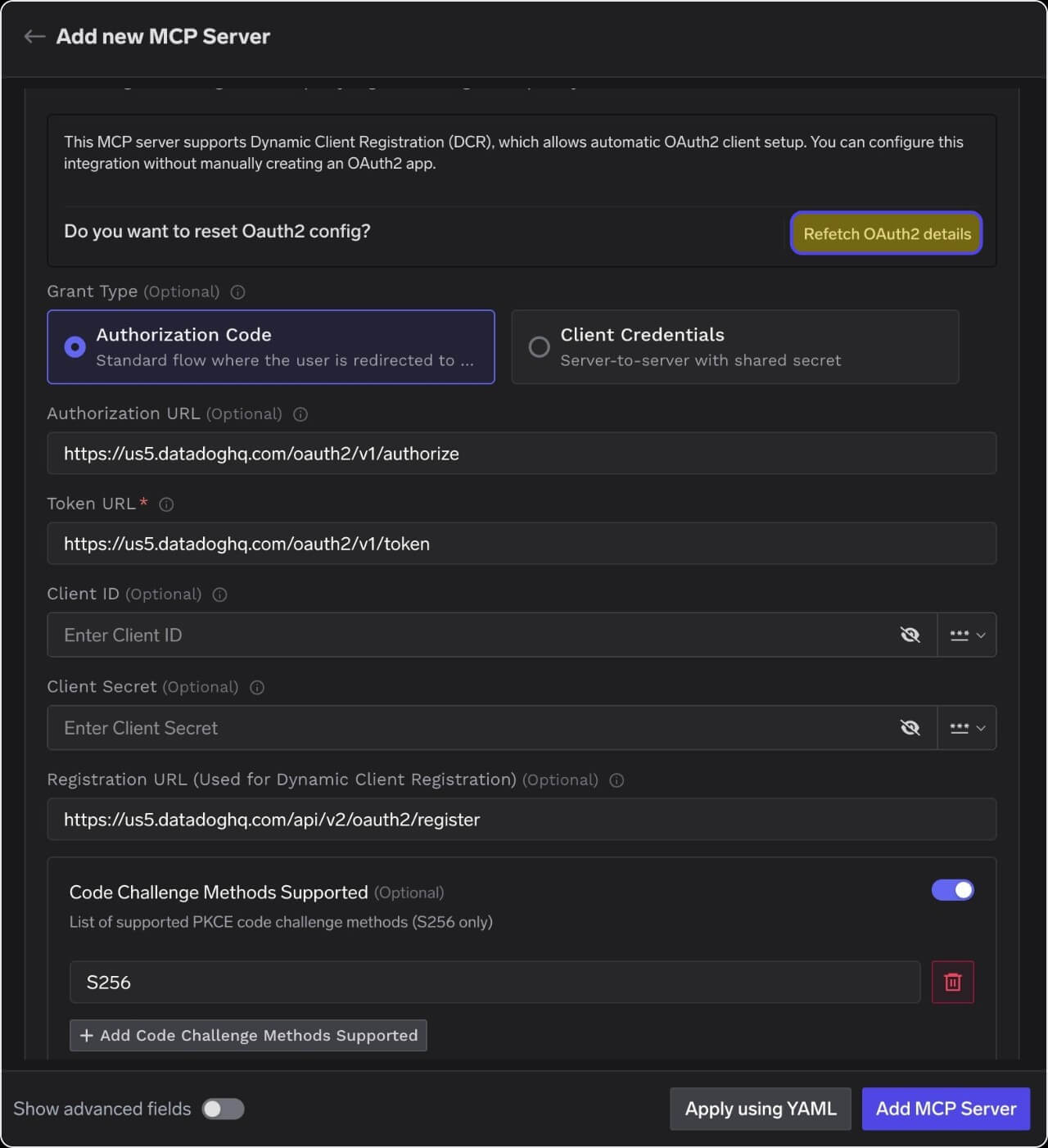
5
Allow-list the TrueFoundry redirect URL in Datadog
In your Datadog org, go to Organization Settings → Preferences and, under MCP OAuth Redirect URLs, add TrueFoundry’s OAuth callback URL so Datadog accepts the redirect after authorization.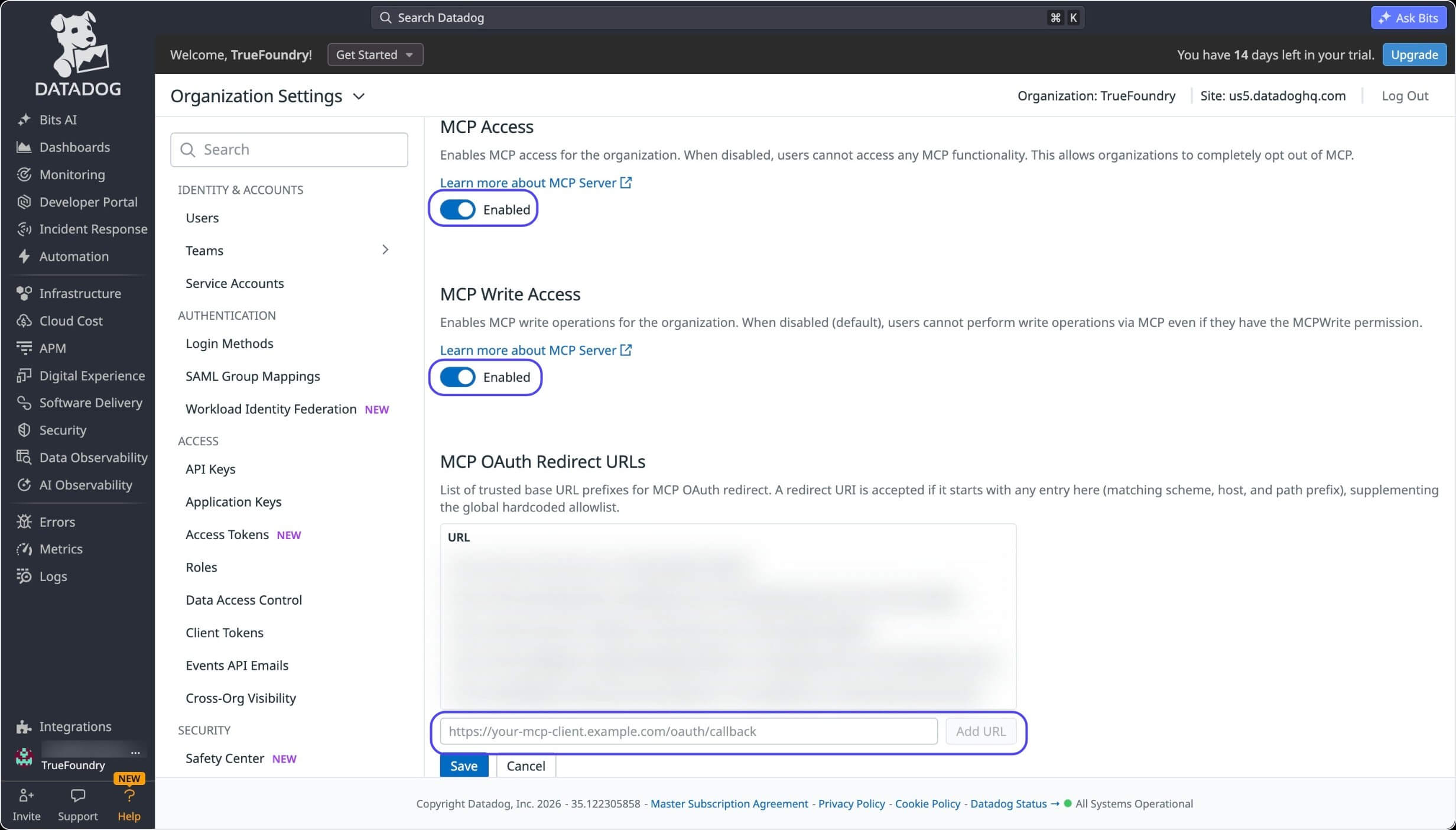
- MCP Access is Enabled.
- MCP Write Access is Enabled (if write tools are needed).
- The Site shown top-right matches the region you used in the previous steps (for example,
Site: us5.datadoghq.com).
6
Complete the OAuth authorization flow
Save the MCP Server in TrueFoundry, then open the server’s Tools tab and click Connect Now. You’ll be redirected to Datadog’s consent screen. Review the requested permissions and click Authorize as your Datadog user.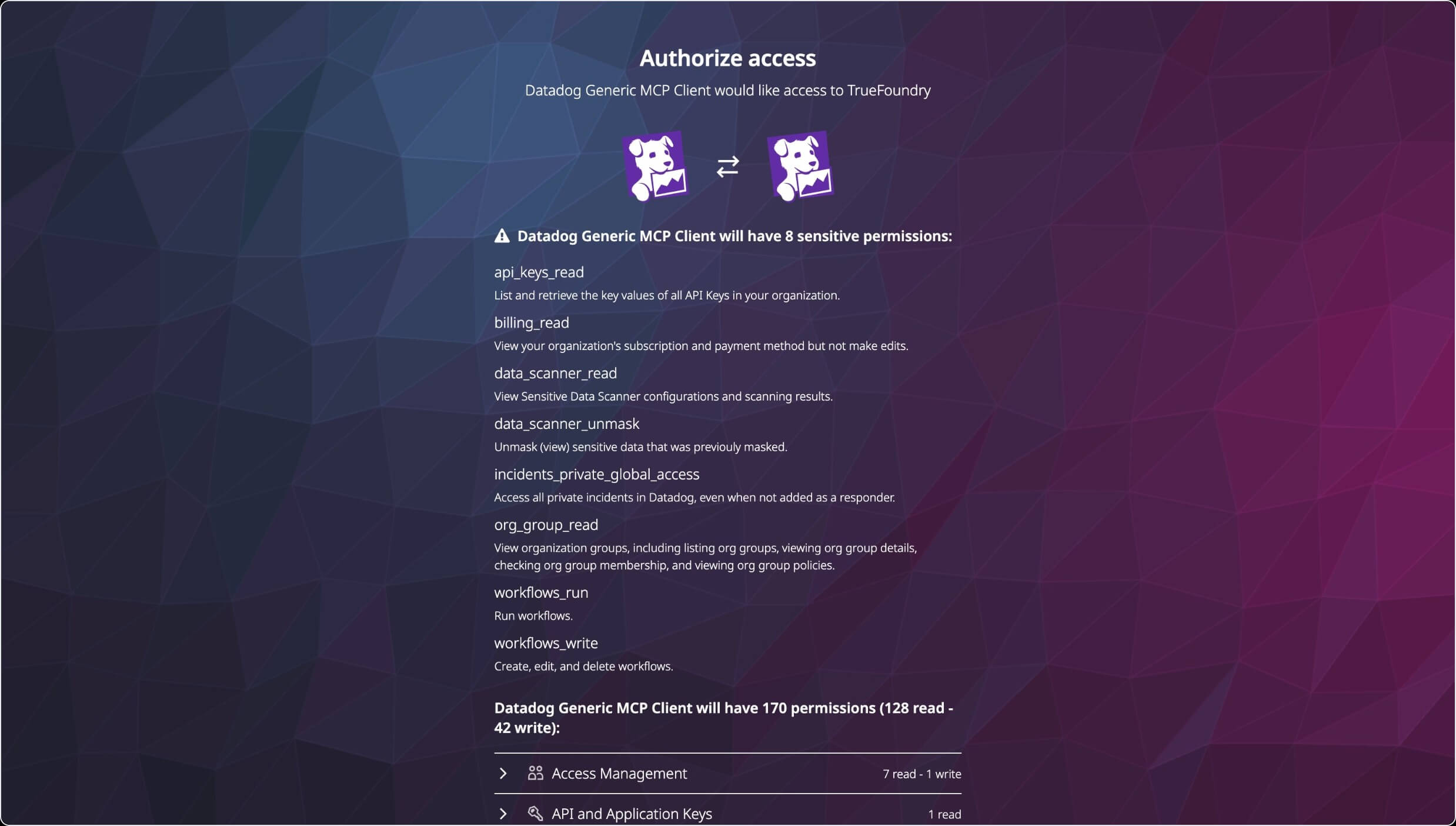
7
Verify the available tools
Once authorized, you land back on the MCP Server detail page in TrueFoundry, showing the connected Datadog server with a Remote tag, Auth Type 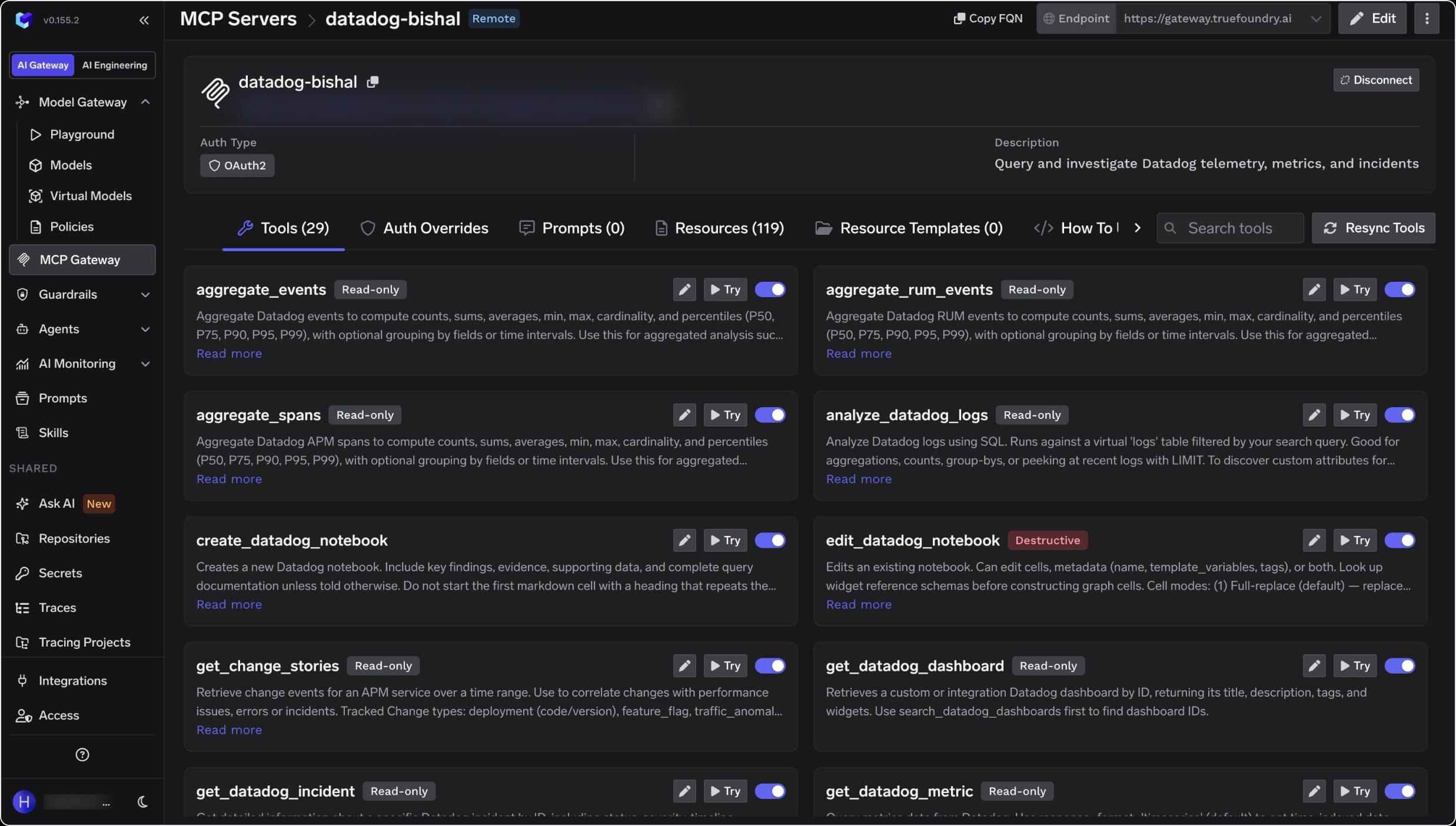
OAuth2, and its full tool list. Read-only tools are labelled accordingly, and write tools are marked Destructive. Each tool has a Try button so you can test it before wiring it into an agent.Region reference table
Security Notes
Datadog MCP permissions do not grant resource access by themselves; they only unlock the MCP surface on top of the user’s existing Datadog role. Each user operates with their existing Datadog permissions. Keep MCP Write Access disabled for general access unless write tools are required.References
- Datadog MCP Server setup guide — setup for all clients, including the “Other / custom connector” option.
- Datadog MCP Server overview — overview, toolsets, and supported clients.
- Datadog MCP Server tools reference — the full list of available tools.