

Using GitHub through the MCP Gateway
The TrueFoundry MCP Gateway centralizes access to GitHub - agents connect through one endpoint instead of maintaining separate server configurations per client. As a TrueFoundry Managed MCP, GitHub’s URL, outbound auth, scopes, and credentials are owned and kept current by the platform. When you use GitHub MCP server through the AI Gateway, TrueFoundry provides:- Authentication - Clients authenticate inbound to the AI Gateway with a Personal Access Token, Virtual Account, or IDE OAuth flow. For outbound access, the AI Gateway runs the OAuth2 Authorization Code flow so each user authorizes their own GitHub account; tokens are stored, refreshed and injected per user on tool calls.
- Tool-level access control - You can selectively enable or disable individual GitHub tools from the TrueFoundry UI.
- Access control - Collaborators and role-based policies define who can use the server and which tools they can invoke. Enable or disable individual GitHub tools from the server detail page.
- Observability - Tool calls are traced with caller identity, tool name, inputs, and latency. Monitor server- and tool-level usage in MCP Metrics and export traces to your observability stack via OpenTelemetry.
- Guardrails - Apply pre-tool and post-tool guardrails on MCP tool calls.
Adding GitHub MCP server to TrueFoundry
1
Open the MCP Server catalog
Navigate to MCP Servers in the TrueFoundry sidebar and click Add new MCP Server. On the next screen, select Connect TrueFoundry Managed MCPs - this opens the catalog of pre-vetted, fully configured MCP servers managed by TrueFoundry.
2
Add GitHub
Find github in the catalogue and click + Add. TrueFoundry provisions the server with no additional configuration and opens the GitHub MCP server detail page.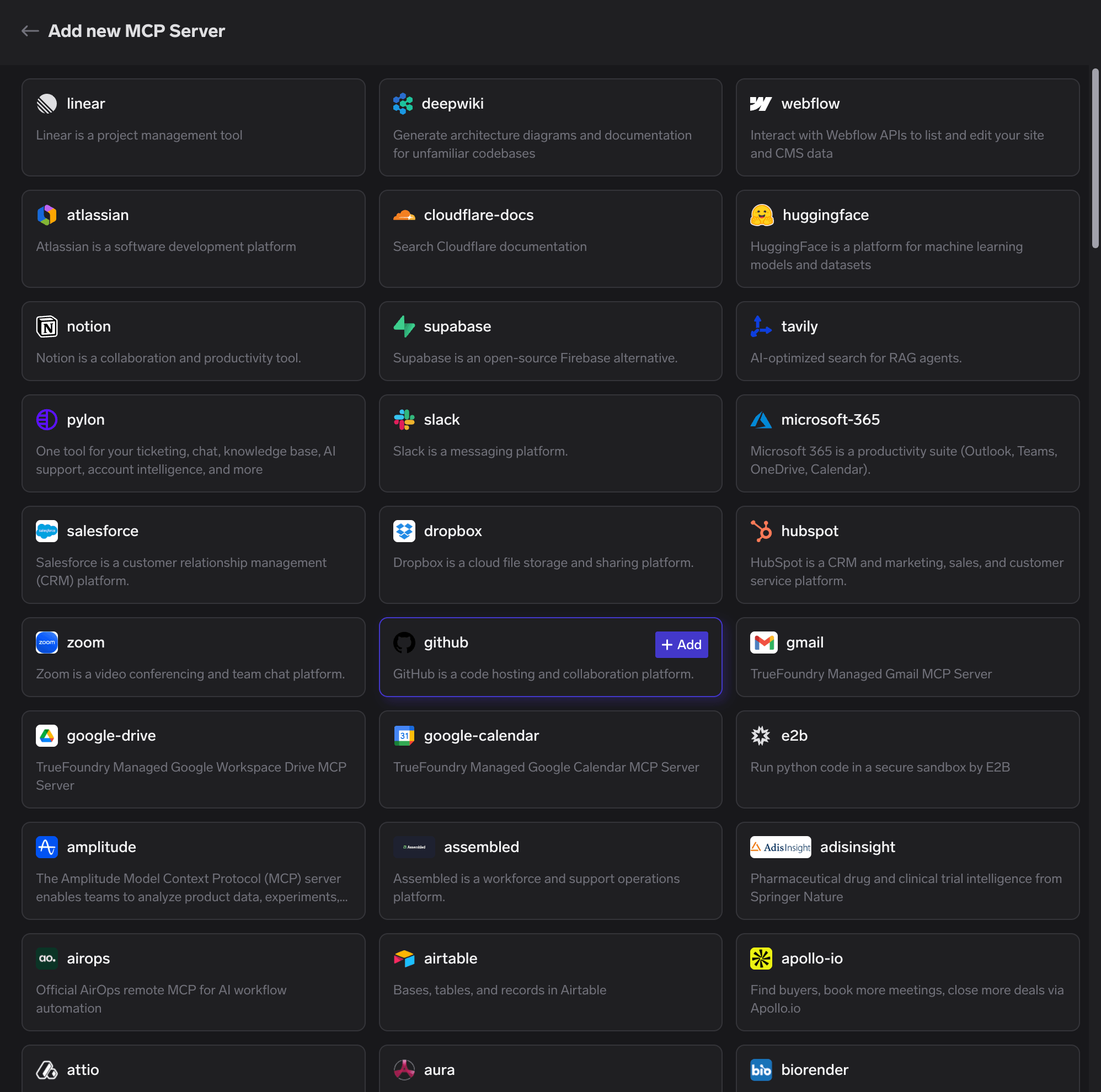
3
Authenticate
To authenticate, click Connect Now. A popup appears, review the details and click Approve to complete the authorization flow. You’ll then be redirected to GitHub to authorize access to your account.
TrueFoundry does not receive your GitHub credentials - the authorization is between your account and GitHub directly.
4
Verify tools
After approving, the Tools tab lists GitHub’s available tools (repositories, issues, pull requests, users, Actions workflows, and more). Click Try on any tool to test it and inspect the JSON output before using it in an agent.
Connecting to an MCP Client
Open the How To Use tab on the GitHub server detail page for your tenant-specific Gateway URL and ready-to-paste client snippets - don’t build the endpoint manually. The tab includes snippets for Claude Code, VS Code, Claude Web, Claude Desktop, Cursor, Windsurf, Codex, and the Python and TypeScript MCP SDKs. Use Show API Key if your client requires a Gateway token in a header.Using the Tool Playground
Before deploying an agent, you can test any GitHub MCP server tool directly in TrueFoundry:1
Open a tool
On the GitHub MCP server detail page, click Try next to any tool - for example
get_pull_request.2
Fill in the inputs
For
get_pull_request, enter the repository owner, repo, and the pullNumber.3
Execute and inspect
Click Execute Tool and inspect the JSON output in the right panel.
Tool Metrics
The Tool Metrics tab on the GitHub server detail page tracks how agents use each tool:- Invocation count - which tools are called most often
- Latency - how long each tool takes to respond
- Error rates - which tools are failing in production
Disabling Individual Tools
On the Tools tab, toggle off any GitHub tools your agents don’t need:- Disabled tools are hidden from MCP clients and cannot be invoked.
- Enabled tools remain available to agents as usual.