Authorization | Your TrueFoundry API key (PAT or VAT) as a bearer token. See Authentication. | Authorization: Bearer TFY_API_KEY |
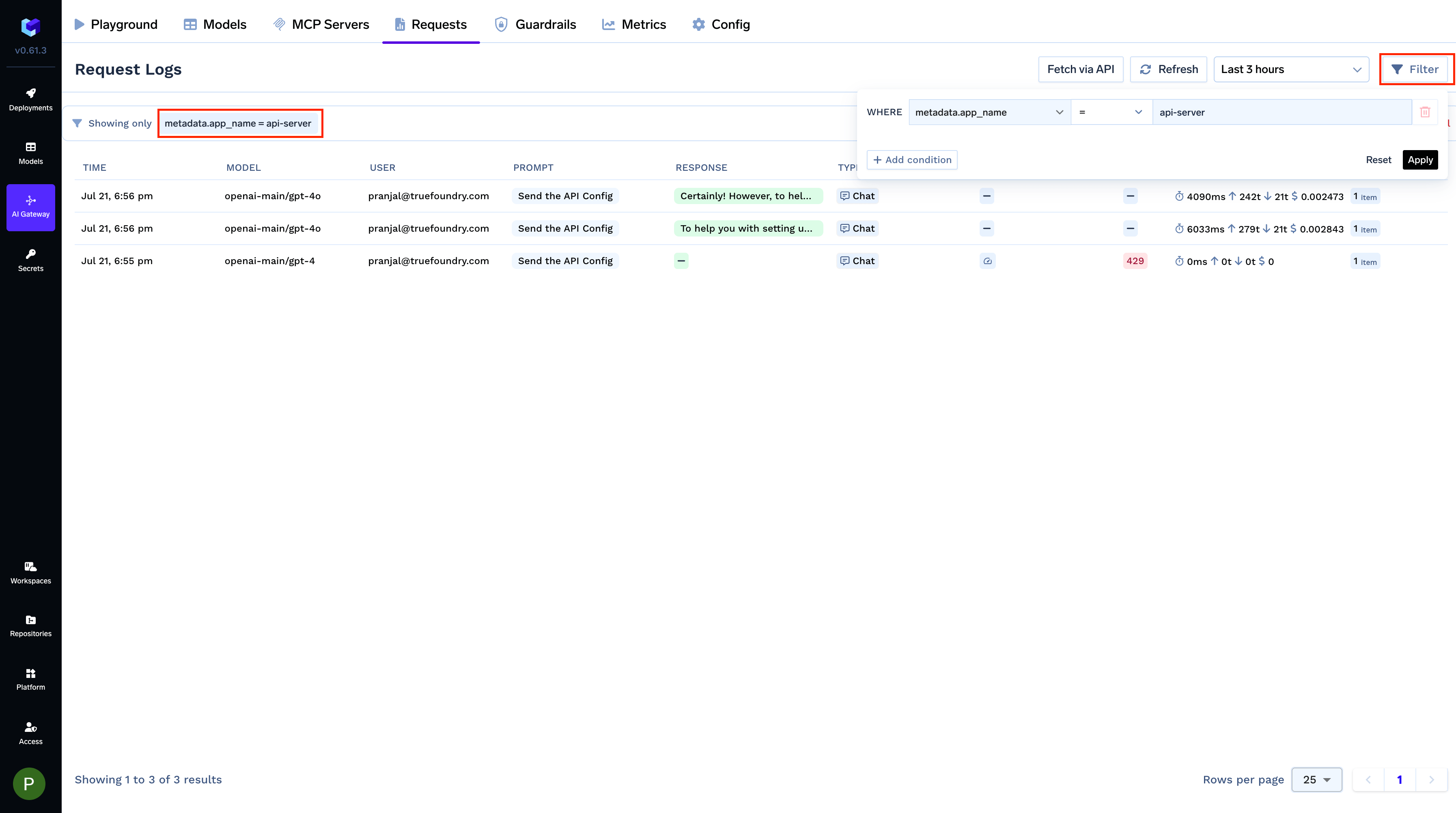
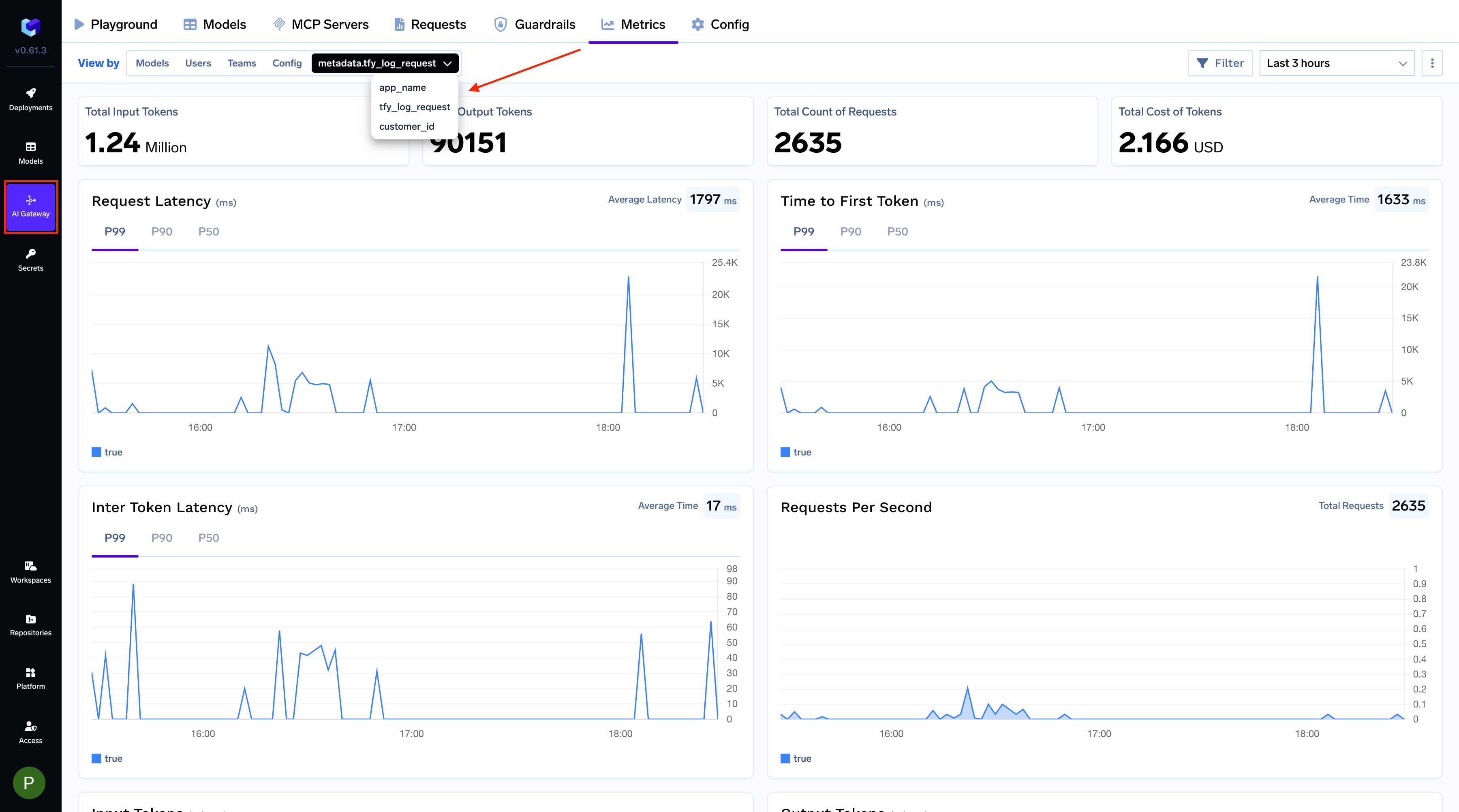
x-tfy-metadata | Stringified JSON where both keys and values must be strings. Used for request routing and metrics filtering. See Custom Metadata above. | x-tfy-metadata: {"custom_field":"value"} |
x-tfy-provider-name | Routes requests to the correct model account. Required for File API and Batch API. For the Responses API it is optional on POST /responses when model is <provider-account>/<model-name>, and required for retrieve, delete, and list input items. | x-tfy-provider-name: openai |
x-tfy-strict-openai | Boolean flag to enable strict OpenAI compatibility. Set to false to access Claude thinking/reasoning tokens — see Reasoning Models. | x-tfy-strict-openai: true |
x-tfy-request-timeout | Number in milliseconds specifying the maximum time to wait for a response from a single model. If fallbacks or retries are configured, the timeout is applied per model request (i.e., each attempt, including fallbacks, will have its own timeout). See Virtual Models — Retries and fallbacks. | x-tfy-request-timeout: 60000 |
x-tfy-forward-pings | Set to true to forward Anthropic ping events as SSE comments (: keepalive) on streaming Chat Completions requests. Defaults to false. Comments add no answer text and standard SSE clients ignore them, but they can prevent idle connection timeouts. They do not extend the overall request timeout. | x-tfy-forward-pings: true |
x-tfy-ttft-timeout-ms | Number in milliseconds specifying the maximum time to wait for the first token in a streaming response (time-to-first-token). If no token is received within this window, the request is considered timed out and the AI Gateway returns 408. For virtual models, the AI Gateway falls back to the next model on 408 even if 408 is not included in the fallback status codes. See First Chunk Gate. | x-tfy-ttft-timeout-ms: 30000 |
x-tfy-retry-config | Stringified JSON that configures retries for failed requests: attempts (maximum retry attempts), onStatusCodes (HTTP status codes to retry on), and an optional useRetryAfterHeader (honor the provider’s retry wait). See Virtual Models — Retries and fallbacks. | x-tfy-retry-config: {"attempts":3,"onStatusCodes":[429,500,503]} |
x-tfy-conversation-id | Identifier that groups related requests into one conversation. Must be 2 to 64 characters of letters, digits, - or _. It is recorded on the request trace and passed to guardrails and agents that use a conversation ID. | x-tfy-conversation-id: support-chat-123 |
x-tfy-request-id | Your own identifier for the request. It is recorded as an attribute on the request trace so you can correlate gateway logs with your system. | x-tfy-request-id: req-7f3a9c |
x-tfy-disable-web-search | Set to true to stop the gateway from adding web search to a Chat Completions request. Currently applies to Perplexity AI. | x-tfy-disable-web-search: true |
x-tfy-logging-config | Enable or disable logging for a specific request. See Request Logging for details. | x-tfy-logging-config: {"enabled": true} |
x-tfy-forward-provider-response-headers | Set to true to receive the model provider’s response headers on error responses, prefixed with ai-providers- (for example ai-providers-retry-after). Defaults to false. See Model provider headers on error responses. | x-tfy-forward-provider-response-headers: true |
x-tfy-cache-control | Stringified JSON (type, and an optional Anthropic-style ttl such as 5m, 1h, or 2d) that opts the request into provider prompt caching without editing the request body. See Prompt Caching. Distinct from x-tfy-cache-config, which controls the AI Gateway’s own response cache. | x-tfy-cache-control: {"type":"ephemeral"} |
x-tfy-openai-use-responses-api | Boolean flag that opts a Chat Completions request into being served through the provider’s Responses API upstream, so reasoning is reachable on OpenAI and Azure OpenAI without editing the request body. See Reasoning on OpenAI and Azure OpenAI. | x-tfy-openai-use-responses-api: true |
x-tfy-reset-thinking-on-switch | Set to true or 1 so that when a Responses follow-up replays stamped thinking whose origin is not on the new virtual model, the AI Gateway drops non-portable reasoning (and chat thinking_blocks) and continues unpinned instead of returning 409. Applies to stamp-only pins (for example Codex with store: false); encoded previous_response_id pins still return 409. See OpenAI Codex CLI. | x-tfy-reset-thinking-on-switch: true |
x-tfy-guardrails | Stringified JSON that adds extra guardrails for this request. llm_input_guardrails and llm_output_guardrails each take a list of group/guardrail-name entries. These run in addition to any matching guardrail policy. See X-TFY-GUARDRAILS Header Format. | x-tfy-guardrails: {"llm_input_guardrails":["my-group/pii-redaction"]} |
x-tfy-guardrails-scope | Narrows how much of the conversation guardrails evaluate: all (default) checks the full history, last checks only the most recent message, and a positive integer checks the last N messages. Use a last-N window when one request appends several turns at once, as in an agent loop. Does not apply to MCP tool pre/post guardrails, which always scan the full arguments or result. See Guardrails FAQ. | x-tfy-guardrails-scope: 10 |
x-tfy-mcp-headers | Stringified JSON to pass custom headers to MCP servers. See MCP Gateway. | x-tfy-mcp-headers: {"group/server-name":{"Authorization":"Bearer TOKEN"}} |
x-tfy-forward-headers | JSON array of request header names to copy onto the upstream provider call. The named headers must also be sent on the same request. Use this for provider-specific headers the AI Gateway does not set itself. | x-tfy-forward-headers: ["X-Vertex-AI-LLM-Shared-Request-Type","X-Vertex-AI-LLM-Request-Type"] |
x-tfy-vertex-api-version | Optional. Chooses the Google Vertex AI API version the AI Gateway calls for Google models: v1 (default) or v1beta1. Any other value is rejected with a 400. Needed for features Google serves only on a beta version, such as Gemini long decode. See Choosing the Vertex API version. | x-tfy-vertex-api-version: v1beta1 |