



October 29, 2026
|
5 min read


Blazingly fast way to build, track and deploy your models!
A tool can return the right data in the wrong shape for model reasoning. Large-response handling separates possession of the payload from immediate attention to every byte.
An MCP tool can answer successfully and still damage the run. A repository API may return hundreds of pull requests with long descriptions. A metrics tool may emit every time series. A CRM search may attach nested histories to each account. The payload is relevant in principle, but the model may need only three fields.
If the full result enters context, several things happen at once: input grows, later reasoning inherits the bulk, important facts compete with irrelevant fields, and follow-up calls can push the run toward the model’s limit. Asking the tool for less is preferable when its API supports projection, pagination, or filtering. The runtime still needs a fallback because many tools do not expose adequate controls.
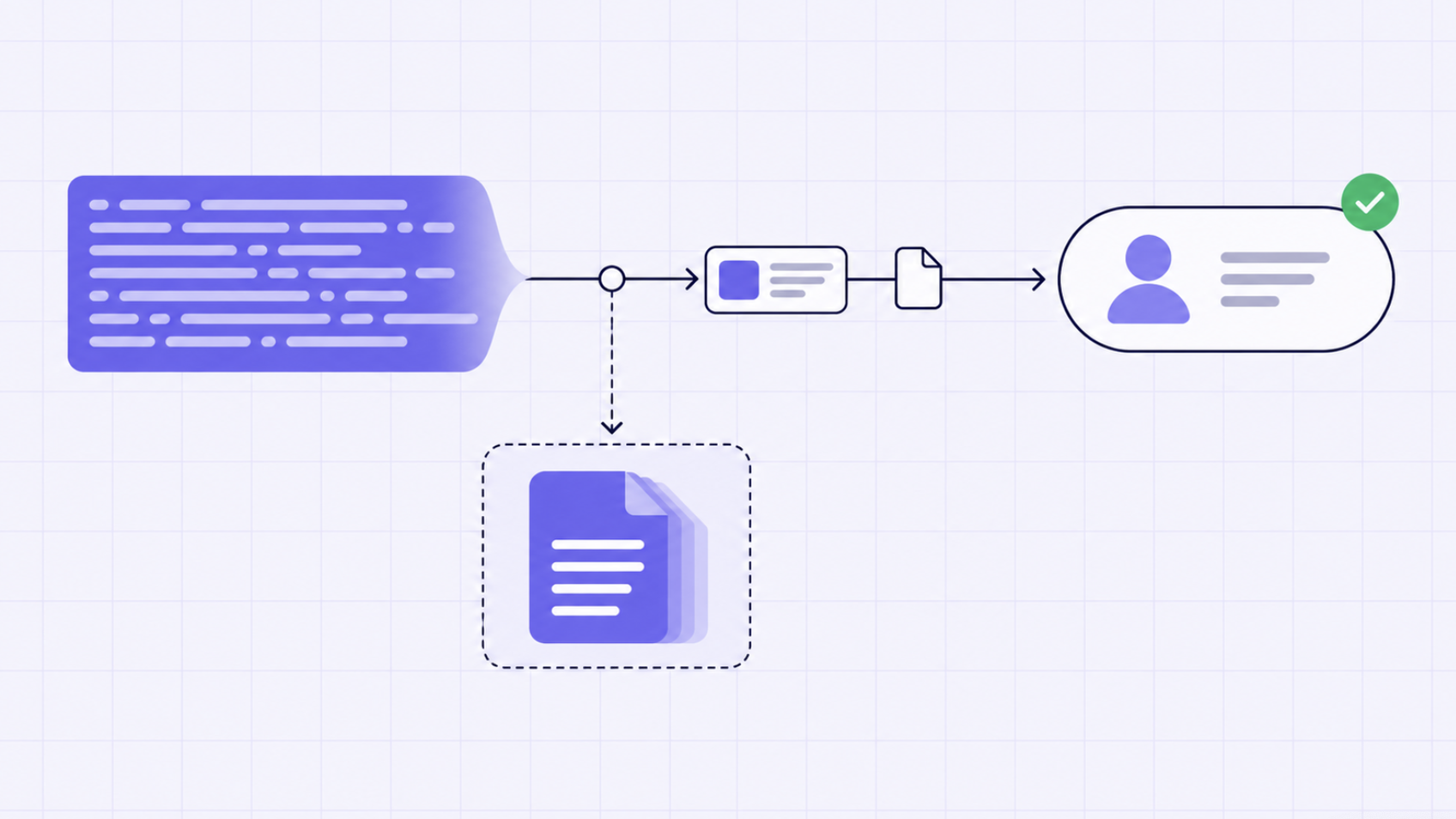
TrueForge’s documented response handling writes an oversized result to a sandbox file and places a short preview plus file path in context. The agent retains access without being forced to attend to the entire payload.
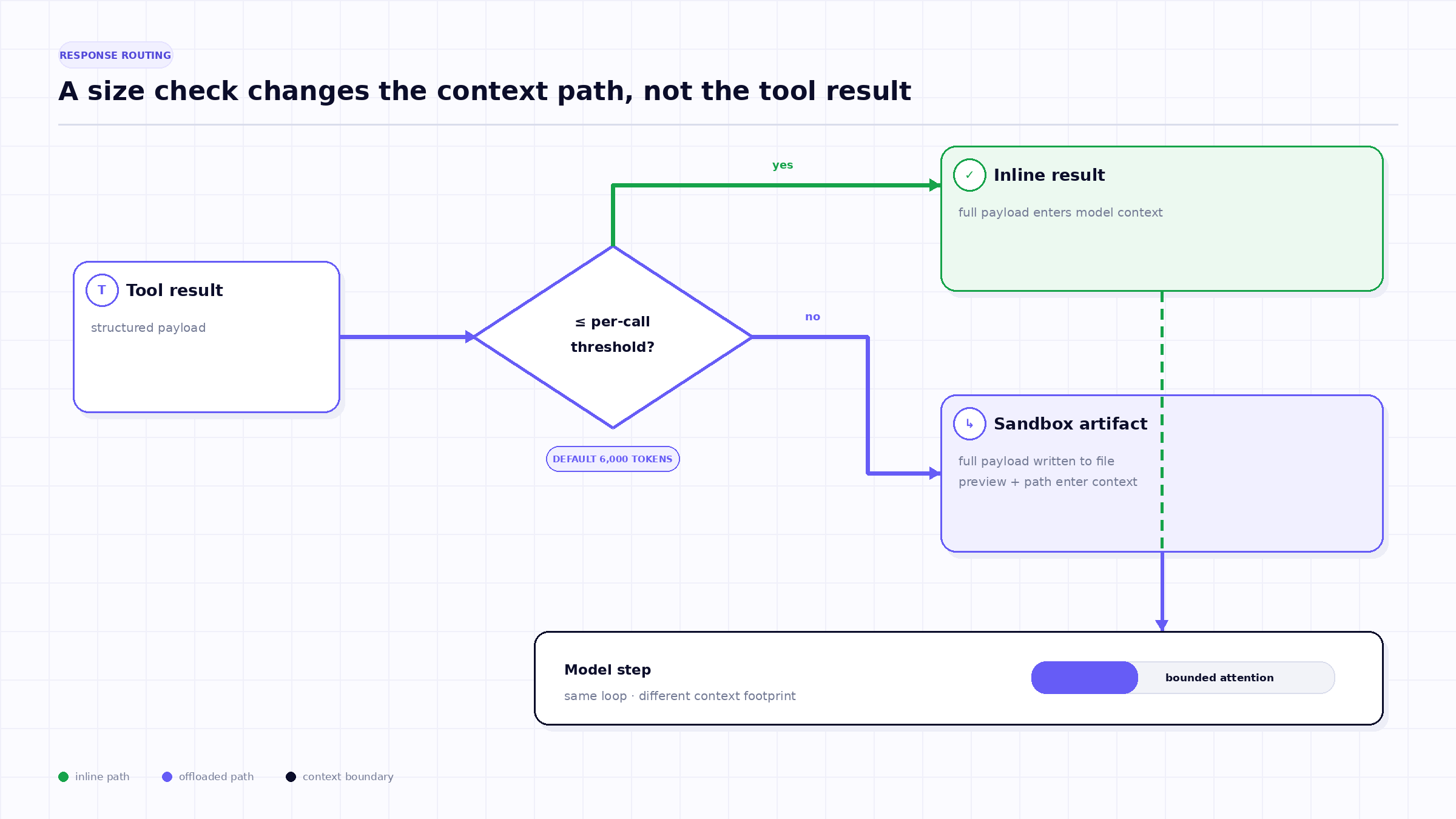
The first rule applies to one tool result. If the estimated response exceeds the configured per-call threshold, TrueForge writes the full result to the sandbox. The context receives a notice, file path, and bounded preview. The current default threshold is 6,000 tokens; the current default preview contains the first and last 100 characters.
The preview is navigation, not a summary. Boundary characters may reveal the object type, top-level keys, total count, or final metadata, but they can omit the exact records the task needs. A competent next step is to inspect structure, search for a target, or run a small parser—not to infer the full contents from the preview.
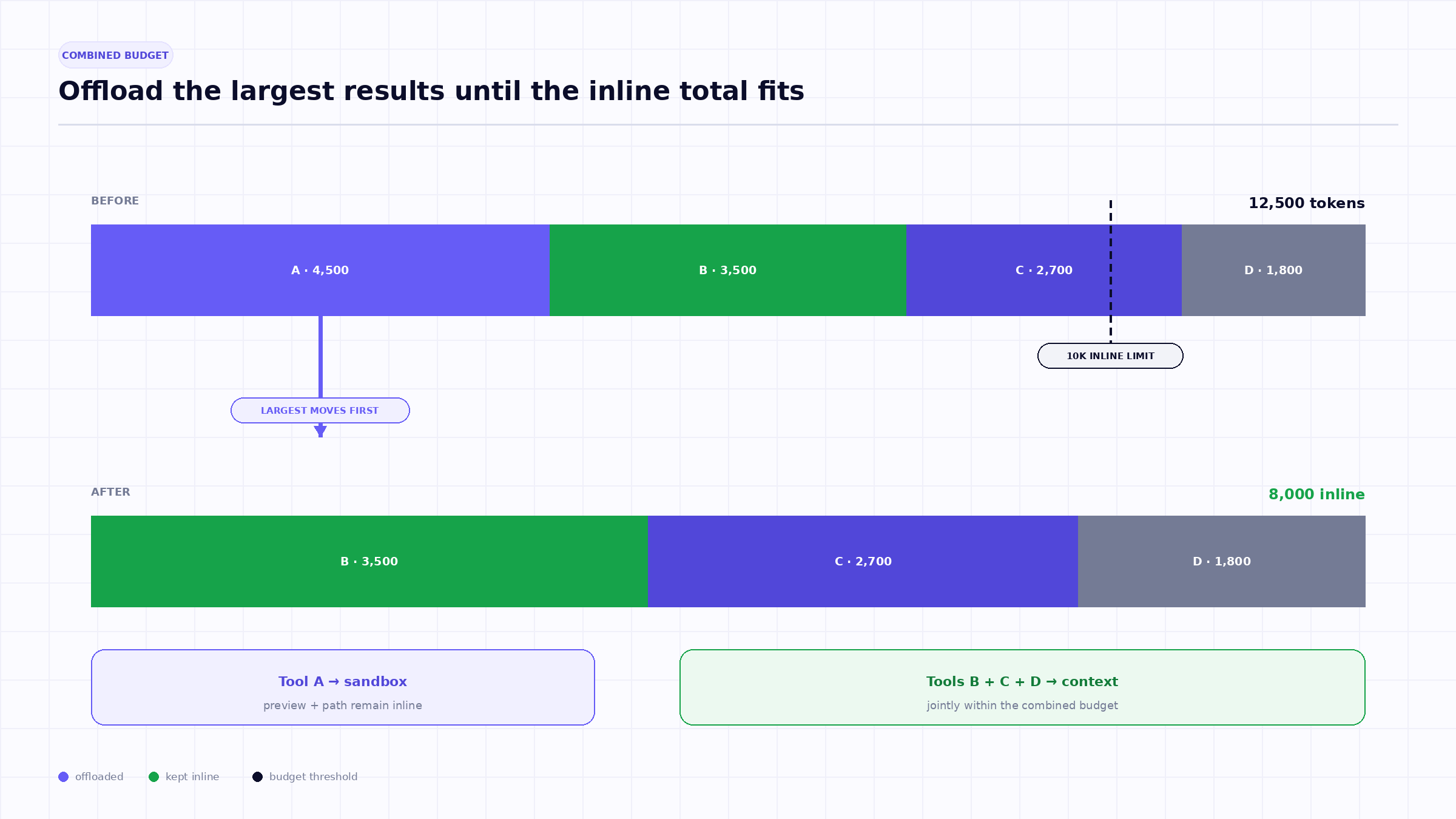
Per-call limits are insufficient when an agent issues tools concurrently. Four 4,000-token results each pass a 6,000-token check, yet together they inject 16,000 tokens into one model step.
TrueForge therefore documents a second threshold for the combined tool-call content returned together. The current default is 10,000 tokens. When the sum exceeds that limit, the harness offloads responses one at a time, beginning with the largest, until the remaining inline content falls below the threshold.
This largest-first policy preserves more small results inline while removing the biggest contributors quickly. It is a context heuristic, not a relevance judgment. The largest response could contain the most important evidence; the file path keeps it retrievable.
The full payload needs a durable execution surface that the agent can inspect. TrueForge’s feature is enabled by default but requires the agent’s sandbox to be enabled because the offloaded result is stored as a sandbox file.
The sandbox is not where the entire agent loop runs. TrueForge documentation describes it as an isolated environment used for code, files, and shell work, provisioned when needed. The model receives a path and can use sandbox operations to inspect or transform the file.
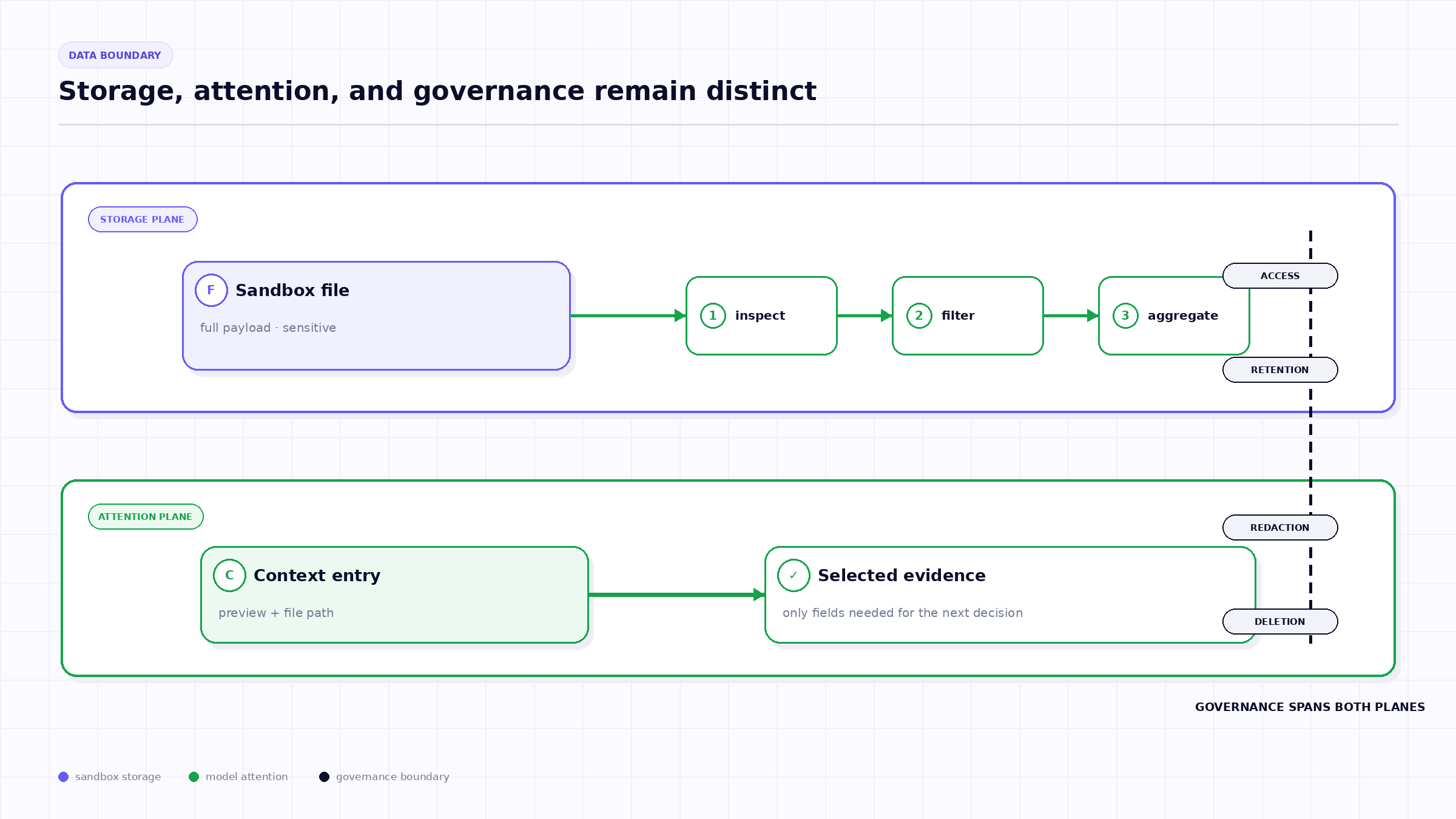
This design has a useful separation: the harness controls the run and credentials, while the sandbox handles payload processing. It also creates a lifecycle question. If the task, user, or retention policy is sensitive, teams need to know how long the file persists, who can download it, what telemetry references it, and how deletion propagates.
Once a response is offloaded, the agent should narrow it deliberately:
TrueForge’s documentation explicitly connects this pattern to Code Mode. A script can read the offloaded file, compute a result, and return only printed lines to the model context.
Offloading is attractive because it preserves the original payload. It is not automatically searchable, normalized, or verified. For repeated enterprise use, a purpose-built data pipeline may be better than asking each run to parse the same raw export.
Thresholds depend on token estimation. The exact billable token count can vary by provider tokenizer, message framing, and serialization. The feature needs a reliable-enough size signal to protect context, not perfect invoice reconciliation.
Operational monitoring should separate the size of the original tool payload, the size of the inline preview, the tokens actually sent to the model, and the model provider’s reported usage. These measurements answer different questions.
Offloading can reduce how much sensitive tool output is exposed to a model step. It does not erase the data. The file now exists in a sandbox and may be referenced by events, logs, or downloadable artifacts.
Apply the same classification to the sandbox file as to the original tool response. Limit who can access it, avoid printing unnecessary secrets back into context, define retention and deletion, and ensure exported telemetry does not capture the full payload unexpectedly.
No single layer establishes data governance by itself. The value is that payload volume can be managed without bypassing the governed tool and model boundaries.
{
  "config": {
    "context_management": {
      "large_tool_response": {
        "enabled": true
      }
    }
  }
}
Start with documented defaults, then test representative payload distributions. Too high a threshold allows context spikes. Too low a threshold creates unnecessary file I/O and extra inspection steps. The right setting depends on model context length, typical result shape, sandbox latency, and the value of keeping small results directly visible.
Threshold policy can also vary by agent role. A narrow incident responder may benefit from keeping modest diagnostic results inline for immediate synthesis, while a portfolio-analysis agent routinely handling thousands of records may offload aggressively. Keep the configuration explainable and observable rather than tuning solely for the smallest token count.
Current TrueForge documentation says yes, provided the agent’s sandbox is enabled.
The documentation lists 6,000 tokens per response, 10,000 combined across parallel responses, and a preview of the first and last 100 characters.
If their combined content exceeds the total threshold, TrueForge offloads the largest responses first until the inline total is below the limit.
No. The result is stored in a sandbox file that the agent can inspect, search, or parse.
Not by itself. It changes the processing path. The file still requires access, retention, redaction, and deletion policy.
Editorial disclosure: Product behavior is described from public TrueForge and TrueFoundry documentation available on September 10, 2026. Examples are illustrative and should be adapted to each application’s authorization, privacy, reliability, and compliance requirements.
TrueFoundry AI Gateway delivers ~3–4 ms latency, handles 350+ RPS on 1 vCPU, scales horizontally with ease, and is production-ready, while LiteLLM suffers from high latency, struggles beyond moderate RPS, lacks built-in scaling, and is best for light or prototype workloads.






The latest news, articles, and resources sent to your inbox
.webp)


.png)
.png)
.png)
.png)
.png)
.png)
.png)


.png)


