


October 19, 2026
|
5 min read


احصل على وصول فوري إلى بيئة TrueFoundry مباشرة. انشر النماذج، ووجّه حركة مرور LLM، واستكشف المنصة بالكامل — بيئة الاختبار الخاصة بك جاهزة في ثوانٍ، ولا يلزم وجود بطاقة ائتمان.



Published: October 6, 2026
Blazingly fast way to build, track and deploy your models!
في كل ثانية، يتخذ الذكاء الاصطناعي قرارات نيابة عنك. تتحدث الوكلاء مباشرة مع عملائك، وتوجه الطلبات، وتنفذ الأدوات، وتستهلك ميزانيات حقيقية. النظام يعمل، ومعظم الوقت، ليس لديك أدنى فكرة عما يحدث بداخله فعلياً.
هذا ليس انتقاداً لفريقك، بل هو واقع تشغيل الذكاء الاصطناعي على نطاق واسع. البيانات موجودة في سجلات التتبع، والإعدادات، وسجلات النظام، ولكن الوصول إليها يعني معرفة المكان الدقيق للبحث، وما يجب تصفيته، وكيفية ربط النقاط عبر ست شاشات مختلفة. عندما يعمل كل شيء بسلاسة، لا تفكر في الأمر. ولكن عندما يحدث عطل، تجد نفسك فجأة تتنقل بين لوحة المراقبة، وإعدادات الحماية، وقواعد التوجيه، والوثائق، محاولاً تجميع أجزاء الصورة لمعرفة ما حدث قبل أن يتفاقم الأمر إلى مشكلة أكبر.
هذا هو حال معظم الفرق اليوم. وهو أمر مرهق.
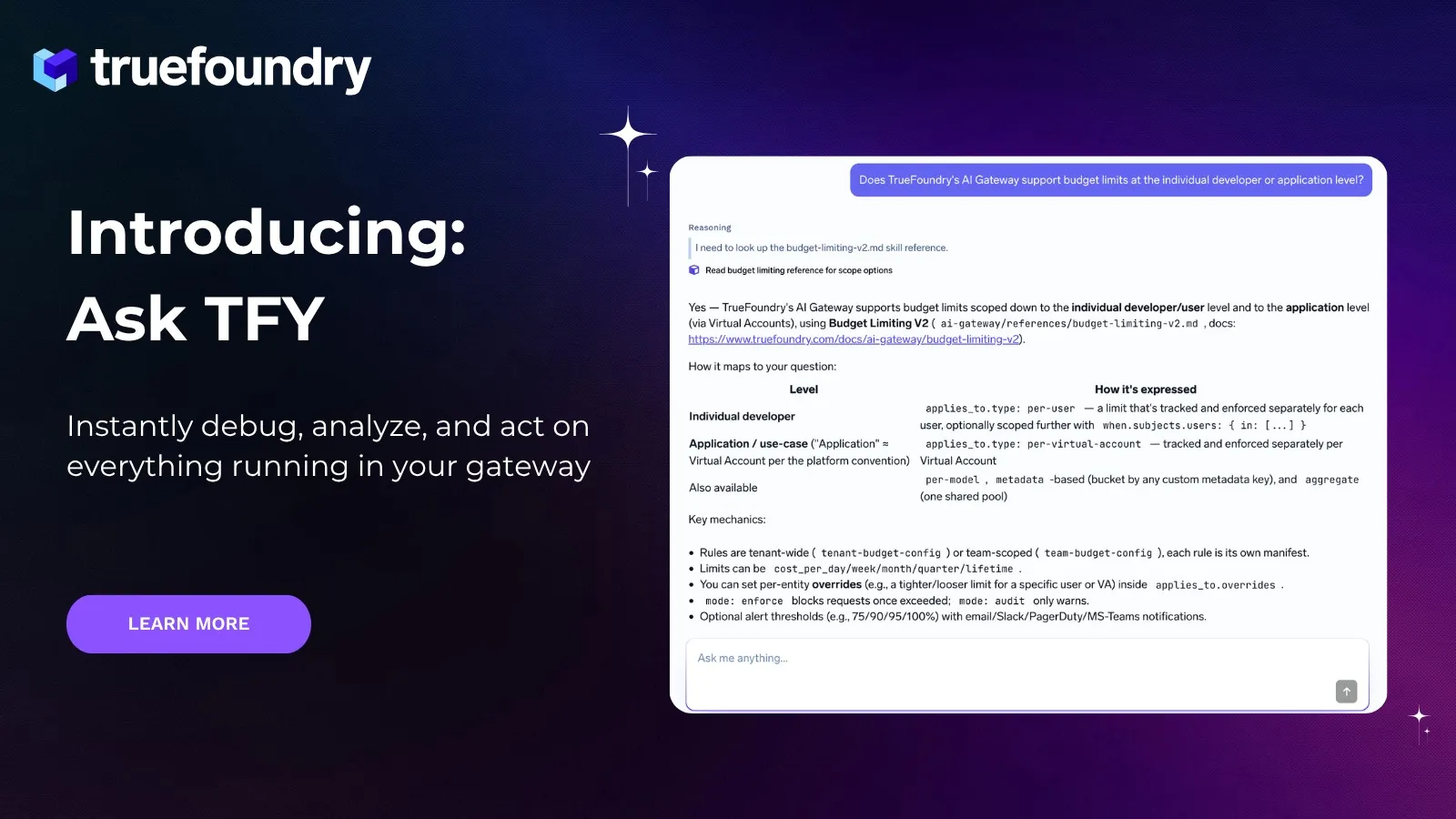
Ask TFY هي طريقة جديدة للتفاعل مع بوابة الذكاء الاصطناعي الخاصة بك على TrueFoundry. إنها ليست مجرد شريط بحث، وليست روبوت محادثة يعيد تكرار الوثائق عليك. إنها وكيل ذكي مدمج داخل TrueFoundry، يتمتع بوصول مباشر إلى كل ما يعمل داخل بوابتك: نماذجك، وسجلات التتبع، وخوادم MCP، وإعدادات الحماية، وقواعد الميزانية، وسياسات الوصول إلى البيانات. عندما تطرح عليه سؤالاً، فإنه يقدم لك إجابة مبنية على ما يحدث فعلياً في نظامك في هذه اللحظة.
إليك سيناريو قد يبدو مألوفاً جداً. يبدأ تطبيقك في إظهار أخطاء. أنت لا تعرف ما إذا كانت المشكلة في النموذج، أو في التوجيه، أو بسبب تجاوز حد الميزانية، أو شيئاً آخر تماماً. لذا تبدأ في البحث، وتصفية سجلات التتبع يدوياً، والبحث عن أنماط، وفحص الإعدادات واحداً تلو الآخر.
مع Ask TFY، يمكنك وصف المشكلة بدلاً من ذلك.
"تطبيقك يعاني من فشل متقطع منذ 7 أيام. ما الذي حدث؟"
.gif)
يدخل Ask TFY إلى سجل التتبع الخاص بك، ويصنف الأخطاء، ويحدد ما إذا كانت الإخفاقات من جانب العميل أو بسبب تعطل مزود النموذج، ويكشف عن النمط المسبب للمشكلة. يخبرك بما تعطل وسبب ذلك بدقة، وليس بشكل عام. ثم يخبرك بما يجب عليك فعله حيال ذلك.
"كيف يمكنني تعديل الإعدادات لجعل النظام أكثر مرونة؟"
يوصي بالحل المناسب لإعداداتك. ربما يكون ذلك عبر تهيئة نموذج افتراضي مع خيار بديل، أو تعديل قواعد التوجيه الخاصة بك. ولأنه يعرف نظامك جيداً، فإنه يقدم لك إجابة قابلة للتطبيق فعلياً، وليس مجرد دليل استكشاف أخطاء عام.
وبعد ذلك، يمكنك أن تطلب منه تنفيذ هذه التوصية مباشرة.
"طبق الميزانية الموصى بها وإعدادات النسخ الاحتياطي على ذلك الوكيل."
هذا كل شيء. لقد بقيت في مكان واحد، وطرحت ثلاثة أسئلة، وتم حل المشكلة. لا حاجة لنسخ ملفات YAML من شاشة ولصقها في أخرى، ولا حاجة للتنقل بين علامات التبويب.
يُعد تصحيح الأخطاء أحد حالات الاستخدام، لكن Ask TFY لا يقل أهمية عندما لا يبدو أن هناك أي خلل ظاهر. فالمشكلات الأكثر تكلفة في بيئة الإنتاج هي تلك التي تستنزف مواردك بهدوء أو تخلق ثغرات أمنية قبل أن يلاحظها أحد.
على سبيل المثال، يمكنك الاستفسار عن مدى الاستفادة الفعلية من التخزين المؤقت للمطالبات (prompt caching) على مستوى المزود. ولن يكتفي النظام بإعطائك رقماً فحسب، بل سيحدد لك الطلبات التي لا تستفيد من التخزين المؤقت، ويوضح لك بدقة المكان الذي يجب أن تضيف فيه كتلة التخزين المؤقت لحل المشكلة. هذا النوع من الرؤى قد يستغرق من مهندس خبير ساعة كاملة لاستخراجه يدوياً، ومعظم الفرق لا تكلف نفسها عناء ذلك لعدم شعورهم بمدى إلحاح الأمر إلا عند وصول الفاتورة.
.gif)
أو يمكنك الاستفسار عن التكاليف. حدد نطاقاً زمنياً، واطلب منه تحليل الإنفاق حسب المطور، أو التطبيق، أو النموذج، وسيقوم بإنشاء التحليل واقتراح إعدادات للميزانية يمكنك تطبيقها مباشرة.
الأسئلة الأكثر أهمية في عمليات الذكاء الاصطناعي نادراً ما تكون تلك التي صُممت لوحات التحكم التقليدية للإجابة عليها. فأدوات المراقبة تخبرك بما حدث، بينما تساعدك Ask TFY على فهم الأسباب، واتخاذ القرارات، وتنفيذها، كل ذلك دون مغادرة المحادثة.
لا حاجة لإعادة بناء السياق بين علامات التبويب، ولا داعي للمطابقة اليدوية بين البيانات، أو ترجمة ما وجدته في المراقبة إلى تغييرات مطلوبة في الإعدادات. فـ Ask TFY يجمع كل ذلك في مكان واحد ويعمل عليه نيابة عنك.
.gif)
كما أنه يمتلك معرفة تتجاوز بياناتك الخاصة. يمكنك سؤاله عن أمور تتخطى بوابتك البرمجية، مثل كيفية دمج مكتبة خارجية جديدة مع إعداداتك، أو ما تتوقعه واجهة برمجة التطبيقات (API) لمزود نموذج معين، أو كيفية هيكلة إعدادات لم تقم بضبطها من قبل؛ وسيقوم النظام بالاستعانة بوثائق TrueFoundry والبحث في الويب لسد أي ثغرات معرفية.
في المرة القادمة التي تحتاج فيها إلى فهم ما يفعله ذكاؤك الاصطناعي فعلياً في بيئة الإنتاج، أو تحتاج إلى اتخاذ إجراء سريع بشأنه، ما عليك سوى سؤال Ask TFY.
أداة Ask TFY متاحة الآن في TrueFoundry AI Gateway. سجّل الآن للبدء.
TrueFoundry AI Gateway delivers ~3–4 ms latency, handles 350+ RPS on 1 vCPU, scales horizontally with ease, and is production-ready, while LiteLLM suffers from high latency, struggles beyond moderate RPS, lacks built-in scaling, and is best for light or prototype workloads.





أحدث الأخبار والمقالات والموارد تصلك مباشرة إلى بريدك الوارد

.png)

.png)
.png)
.png)
.png)
.png)
.png)
.png)
.png)
.png)
.png)
.png)


