


Obtenha acesso instantâneo a um ambiente TrueFoundry ao vivo. Implante modelos, direcione o tráfego de LLM e explore a plataforma completa — seu sandbox estará pronto em segundos, sem necessidade de cartão de crédito.


What Is Rate Limiting and How Does It Work?

Any shared service has a ceiling. Send more traffic than it can handle and response times climb, errors spread, and in the worst case the whole thing falls over. LLM endpoints are no different, and they add a second pressure: every request costs money.
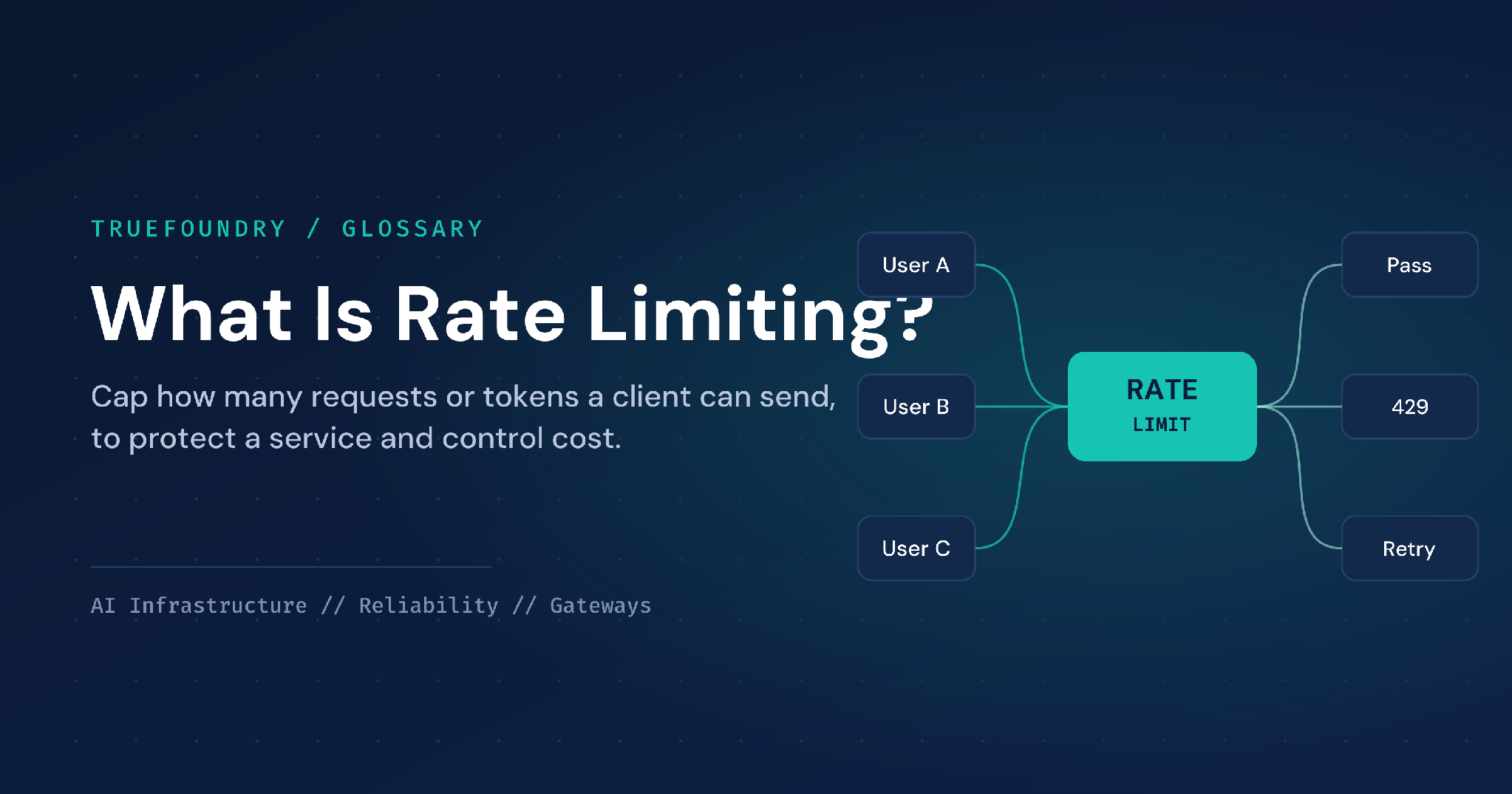
Rate limiting is the control that keeps traffic inside safe bounds. It counts the requests or tokens a client sends over a window of time and stops them once they cross a set limit. That protects the service from overload, keeps any single client from crowding out the others, and caps spend before it runs away.
This guide explains what rate limiting is, how it works, the common algorithms, and how it applies to LLM traffic.
What is rate limiting?
Rate limiting is a technique that restricts how many requests a client can make to a service in a given period. Each client, identified by an API key, user, team, or IP, gets a quota, such as 100 requests per minute. While it stays under the quota, requests pass. Once it exceeds the quota, further requests are rejected or delayed until the window resets.
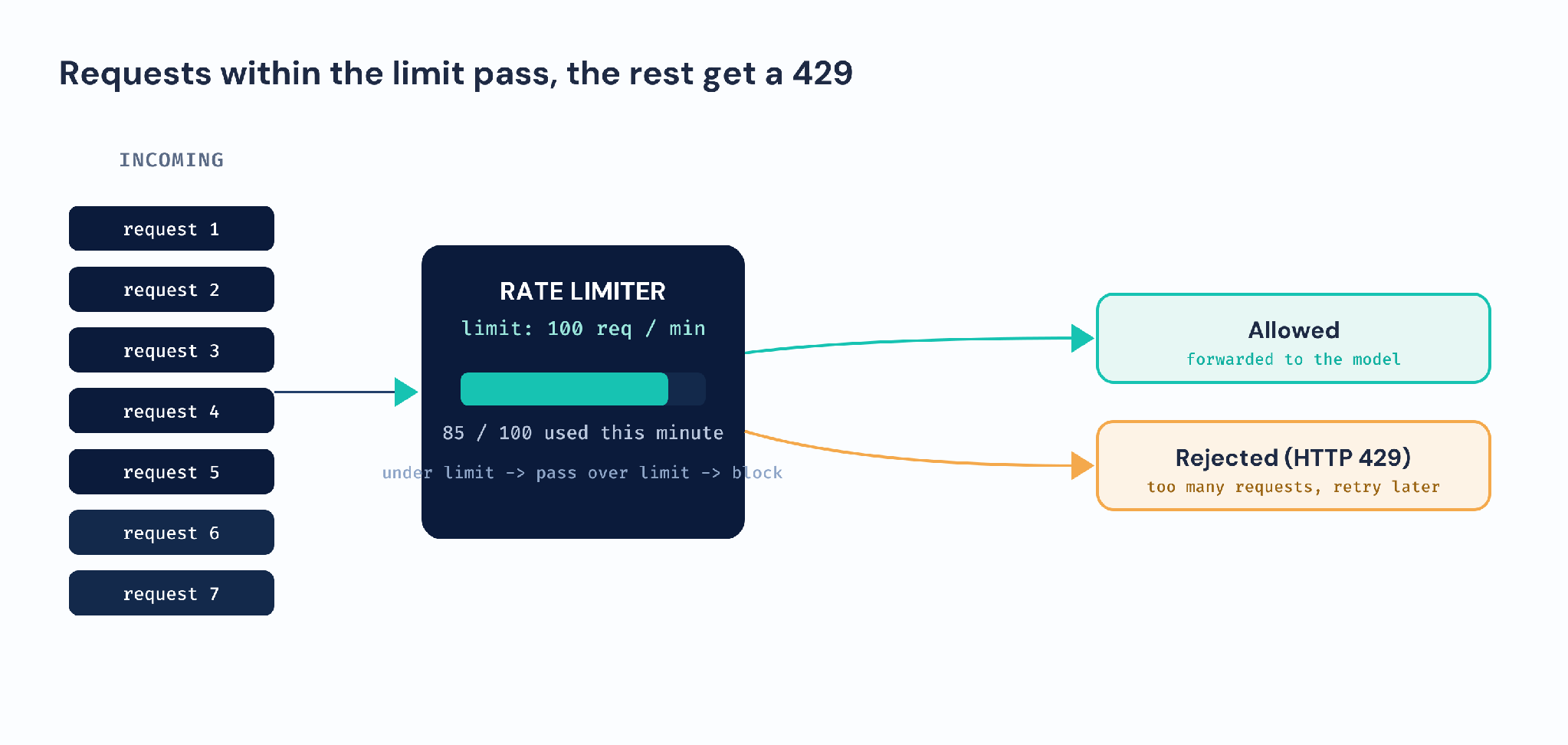
Think of a highway on-ramp with a metering light. Cars are let onto the motorway at a steady rate rather than all at once, which keeps the road flowing instead of jamming. Rate limiting meters requests into a service the same way.
The goal is not to block users. It is to keep the service stable and fair by smoothing bursts and stopping any one client from taking more than its share.
How does rate limiting work?
A rate limiter keeps a count for each client and checks it on every request.
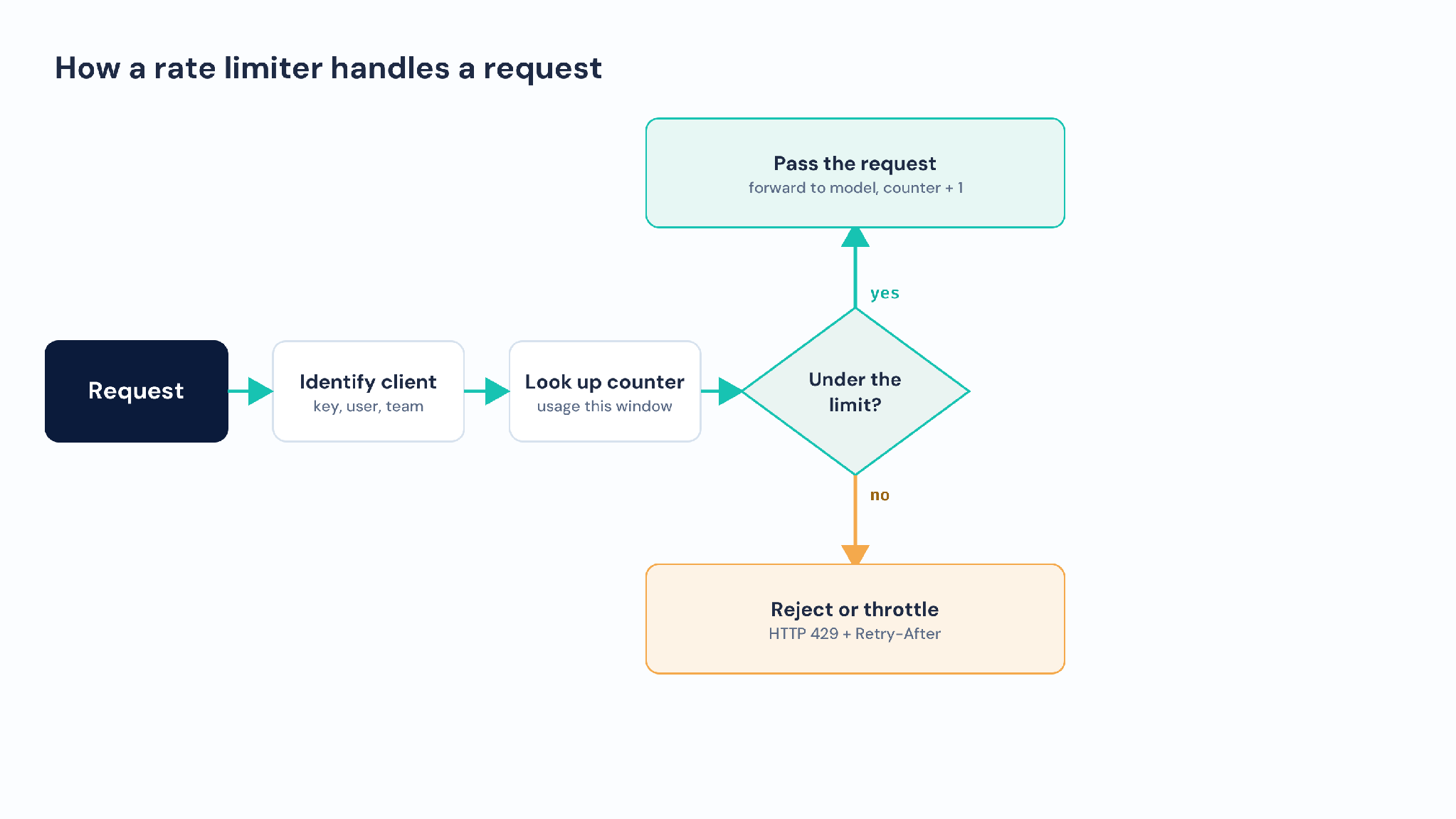
- Identify the client. The limiter reads the API key, user, team, or IP that the request belongs to.
- Look up the counter. It checks how many requests or tokens that client has used in the current window.
- Compare to the limit. If the client is under the limit, the request passes and the counter goes up. If it is over, the request is blocked.
- Reject or throttle. An over-limit request is usually rejected with an HTTP 429, often with a Retry-After hint, or queued until capacity frees up.
- Reset the window. As time passes, the window moves on and the client's budget refills, so traffic can resume.
A well-behaved client reads the 429 and the Retry-After header and backs off, then retries. This keeps the service protected while letting legitimate traffic through as soon as there is room.
What are the common rate limiting algorithms?
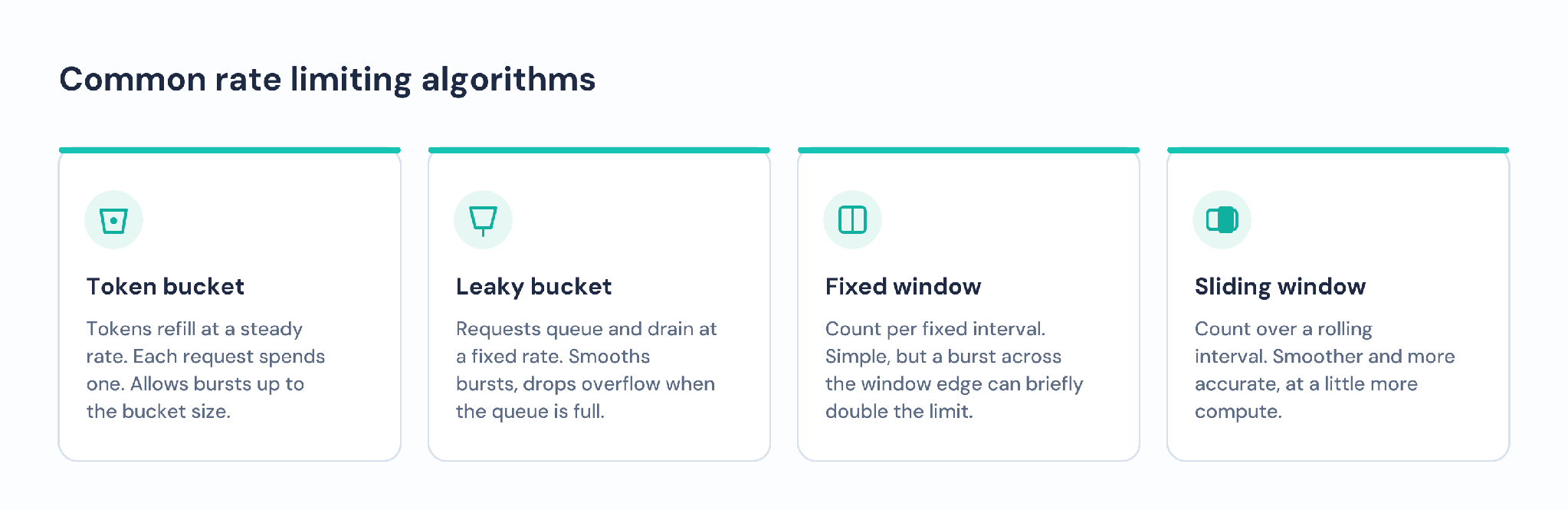
- Token bucket. A bucket fills with tokens at a steady rate up to a cap. Each request spends a token. Bursts are allowed up to the bucket size, then traffic is limited to the refill rate.
- Leaky bucket. Requests enter a queue and drain at a fixed rate. It smooths bursts into a steady stream, but a full queue drops new requests.
- Fixed window. Count requests per fixed interval, such as per minute. Simple, but a burst at the edge of two windows can briefly allow double the limit.
- Sliding window. Count requests over a rolling interval rather than a fixed one. Smoother and more accurate than a fixed window, at a little more cost to compute.
Rate limiting for LLMs: RPM and TPM
LLM traffic needs two limits, not one. Requests per minute (RPM) caps how many calls a client makes. Tokens per minute (TPM) caps how many tokens those calls consume. TPM matters because cost and load track tokens, not request count. A handful of requests with very long prompts can cost more than hundreds of short ones.
Limiting on both keeps a client from flooding the service with many small calls or a few enormous ones. Providers publish their own RPM and TPM limits, and a gateway lets you set your own on top, per team or per application, so internal usage stays within budget.
Why use rate limiting?
- Stability. It protects the service from overload and keeps latency steady when traffic spikes.
- Fairness. It stops one heavy user from starving everyone else of capacity.
- Cost control. Capping tokens per client stops a bug or abuse from running up a huge bill.
- Abuse protection. It blunts scraping, brute-force, and denial-of-service attempts.
- Predictability. Known limits make capacity and spend easier to plan.
Best practices for rate limiting
- Set limits on both requests and tokens for LLM traffic, since tokens drive cost.
- Scope limits per key, user, or team rather than globally, so one client's spike does not hit everyone.
- Return a clear 429 with a Retry-After header so clients know when to try again.
- Tell clients to back off and retry with jitter, rather than hammering the service on a 429.
- Set different limits for different tiers or workloads instead of one limit for all.
- Enforce limits in a gateway so every model and application shares one consistent policy.
Conclusion
Rate limiting keeps a service inside safe bounds by capping how many requests or tokens each client can send in a window of time. It protects stability, keeps usage fair, and stops runaway cost, and for LLMs it works best when it limits both requests and tokens.
TrueFoundry's AI Gateway enforces rate limits and budgets per user, team, or endpoint, across every model behind it. Over-limit traffic can be rejected, throttled, or routed to a cheaper model, and it all sits in the same layer as routing, caching, and observability. For any system with shared AI budgets, rate limiting is a basic but essential control.
Govern, Deploy and Trace AI in Your Own Infrastructure
Frequently Asked Questions
O que é limitação de taxa (rate limiting) em termos simples?
Refere-se ao número de tokens ou requisições que um consumidor pode enviar durante um período especificado. Mantenha-se abaixo do limite e tudo passa. Ultrapasse-o e eles serão rejeitados ou pausados até que a janela reabra.
O que significa um HTTP 429?
HTTP 429, Too Many Requests (Muitas Requisições), é a resposta padrão quando um cliente atinge um limite de taxa (rate limit). Geralmente apresenta um cabeçalho “Retry-After” com um intervalo recomendado para tentar novamente.
Qual é a diferença entre RPM e TPM?
RPM significa requisições por minuto (requests per minute), o que limita suas chamadas de saída. TPM equivale a tokens por minuto (tokens per minute), ou seja, quantos tokens essas chamadas consomem. Sistemas de LLM limitam ambos, já que o custo está vinculado ao uso de tokens, e não à contagem de requisições.
Qual é o melhor algoritmo de rate limiting?
Não há uma única forma ideal. A abordagem de token bucket é frequentemente usada por padrão, pois permite picos, mas mantém uma taxa média. O método de janela deslizante é mais preciso, mas exige um custo computacional ligeiramente maior.
Como um cliente deve lidar com o limite de taxa (rate limit)?
Observe o status 429 e o cabeçalho Retry-After, aguarde e tente novamente usando backoff exponencial e jitter. Tentar novamente imediatamente ou em um loop curto apenas continuará atingindo o limite e aumentará a carga.


- © 2022 ENSEMBLE Tecnologias



Assine nossa newsletter
As últimas notícias, artigos e recursos enviados para sua caixa de entrada


