


What Is QLoRA and Why Does It Matter?

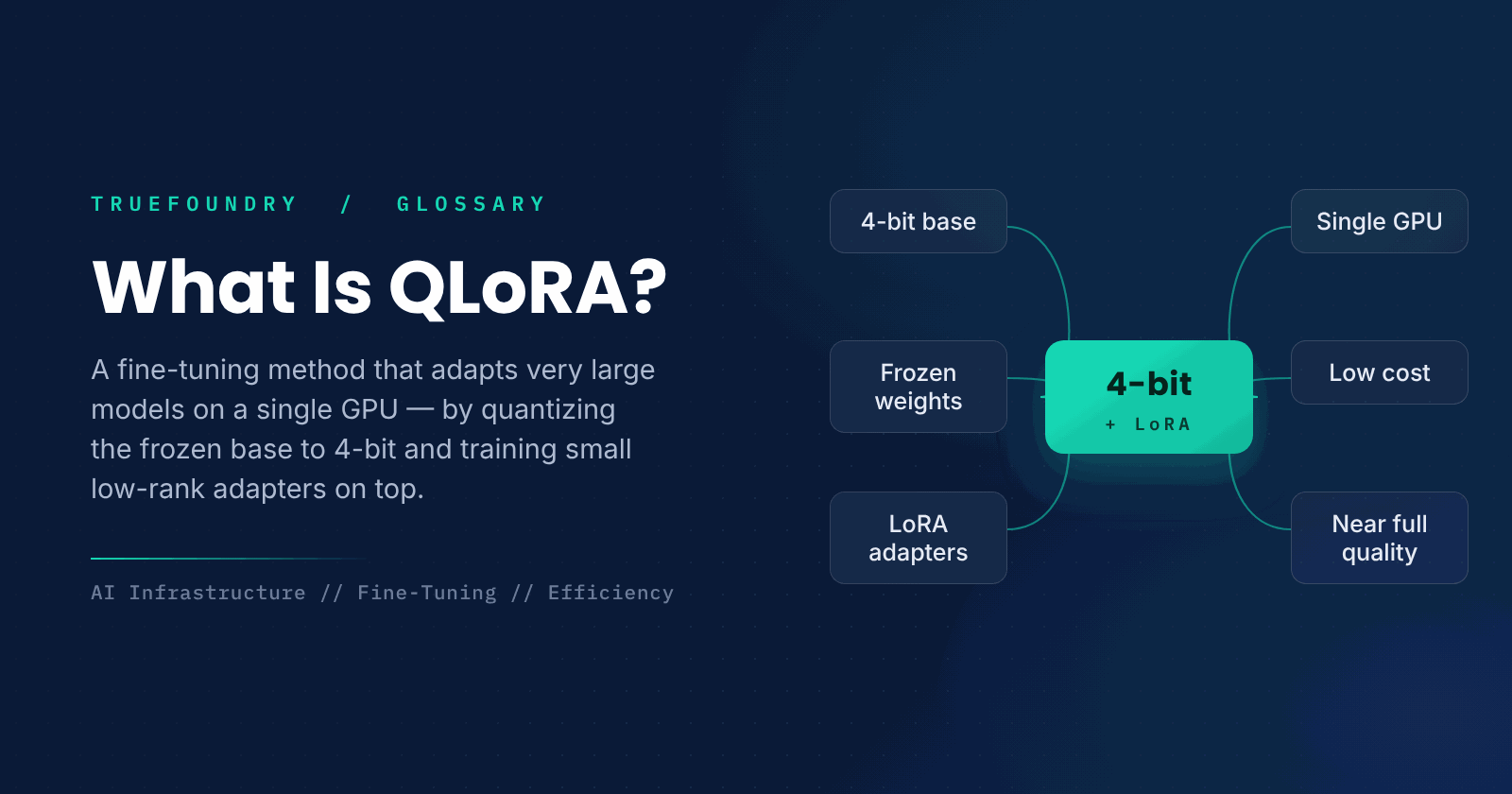
Fine-tuning a large language model used to require a cluster of expensive GPUs, because training touches every one of the model's billions of weights and stores gradients and optimizer state for all of them. QLoRA changed that by making it possible to fine-tune very large models on a single GPU, putting customization within reach of far more teams.
It does this by combining two ideas. First, it compresses the base model to 4-bit precision so it fits in a fraction of the memory. Second, it freezes that compressed model and trains only a small set of added weights. The result is a huge drop in the memory needed to fine-tune, with quality close to full fine-tuning.
This guide explains what QLoRA is, how it works, how it relates to LoRA and quantization, and when to use it.
What is QLoRA?
QLoRA, short for Quantized Low-Rank Adaptation, is a parameter-efficient fine-tuning method that trains a small number of adapter weights on top of a large base model that has been quantized to 4-bit precision. The base model stays frozen and compressed, so almost all the memory normally spent on training is eliminated, while the small adapters capture the task-specific changes.
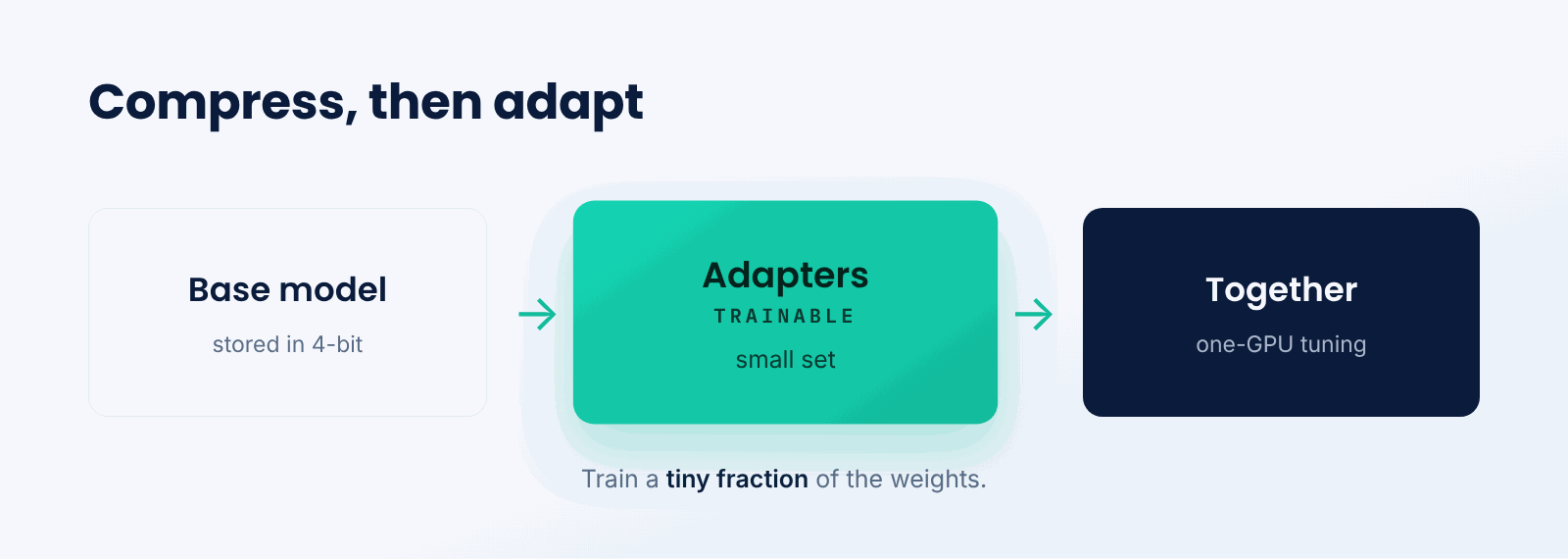
Think of it like annotating a reference book instead of rewriting it. The heavy book stays as it is, stored compactly on the shelf, and you add a thin set of sticky notes that adjust how you use it. QLoRA keeps the huge model fixed and compressed, and the small adapters are the notes that adapt it to your task.
The key idea is combining compression with parameter-efficient training. Quantization shrinks the frozen base model's memory footprint, and low-rank adapters mean you train a tiny fraction of the parameters, so the two together make fine-tuning enormous models feasible on modest hardware.
How does QLoRA work?
QLoRA quantizes the base model, freezes it, and trains lightweight adapters against it.
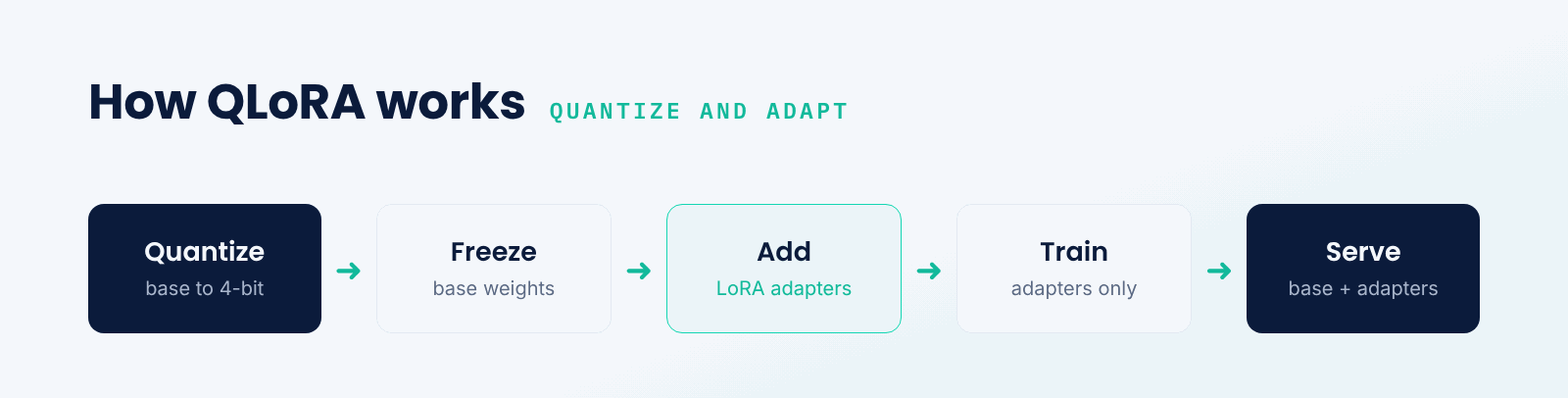
- Quantize the base. Store the pretrained model's weights in 4-bit precision to save memory.
- Freeze it. Keep those base weights fixed; they are not updated during training.
- Add adapters. Insert small low-rank weight matrices (LoRA) into the model.
- Train only adapters. Update just the adapters on your task data.
- Serve. Use the quantized base plus the trained adapters together at inference.
Because only the small adapters are trained, the memory for gradients and optimizer state shrinks dramatically, and because the frozen base is in 4-bit, its footprint shrinks too. QLoRA adds careful techniques to keep 4-bit training stable, so the quality stays close to that of full-precision fine-tuning.
QLoRA vs. LoRA vs. full fine-tuning
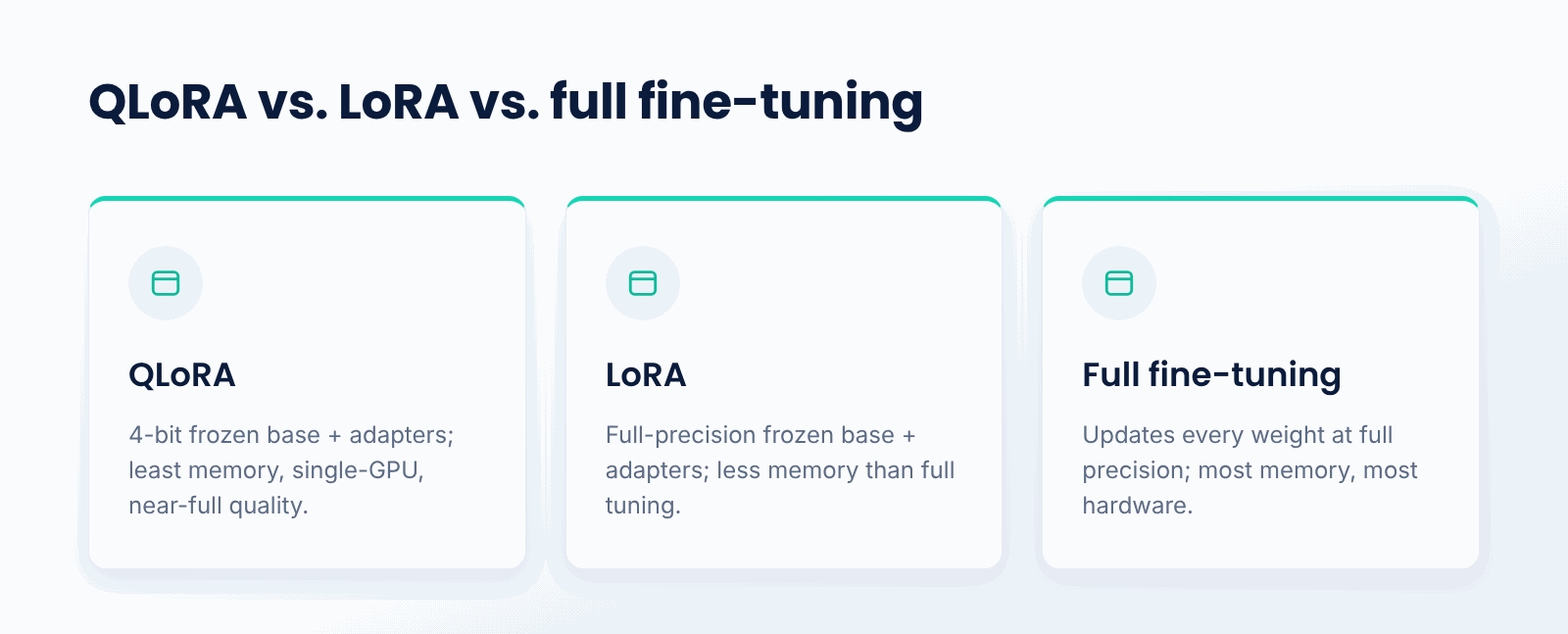
Full fine-tuning updates every weight in the model at full precision, which gives maximum flexibility but demands enormous memory. LoRA freezes the base model and trains only small adapters, cutting the trainable parameters sharply while keeping the base at normal precision. QLoRA goes further by also quantizing that frozen base to 4-bit, cutting memory again.
The practical difference is what hardware you need. Full fine-tuning of a large model may require many GPUs; LoRA reduces that substantially; QLoRA can bring it down to a single GPU. The tradeoff is small: QLoRA's quantized base introduces a little approximation, but in practice quality remains close to full fine-tuning for most tasks.
Why does QLoRA matter?
- Accessibility. It makes fine-tuning large models possible on a single GPU.
- Lower cost. It slashes the hardware and memory needed to customize models.
- Quality. It keeps most of the quality of full fine-tuning.
- Portability. Trained adapters are small and easy to store and swap.
- Democratization. It puts model customization within reach of more teams.
What are the tradeoffs?
- Quantization error. 4-bit storage adds a small amount of approximation.
- Inference setup. Serving needs the quantized base plus adapters wired together.
- Not always optimal. For the very highest quality, full fine-tuning may still edge it out.
- Task limits. Very large behavior changes can exceed what small adapters capture.
When should you use QLoRA?
Use QLoRA when you want to fine-tune a large model but have limited GPU memory or budget, which describes most teams outside the largest labs. It is ideal for adapting a big open model to a specific domain or task on a single GPU, where full fine-tuning would be impractical.
If you have ample hardware and need the absolute best quality, full fine-tuning remains an option, and if a smaller model already suffices, you may not need QLoRA at all. But for efficient, affordable customization of large models, QLoRA is often the method of choice.
Key points about QLoRA
- QLoRA combines 4-bit quantization with LoRA adapters.
- The base model is frozen and compressed; only adapters train.
- It makes fine-tuning large models possible on a single GPU.
- It keeps quality close to full fine-tuning.
- Trained adapters are small and portable.
- It is ideal when GPU memory or budget is limited.
Conclusion
QLoRA makes fine-tuning large language models far more accessible by combining 4-bit quantization of a frozen base model with small, trainable LoRA adapters. This slashes the memory required to fine-tune, often down to a single GPU, while keeping quality close to full fine-tuning. For teams that want to customize big models without a large hardware budget, QLoRA is one of the most important techniques available.
TrueFoundry helps teams fine-tune and serve models efficiently on their own infrastructure, including parameter-efficient methods like QLoRA that keep GPU cost low. When customizing large models affordably matters, QLoRA is a core tool for getting there.

Govern, Deploy and Trace AI in Your Own Infrastructure
Frequently Asked Questions
What is QLoRA in simple terms?
It is an approach for refining a large model with far less GPU memory required. The method stores the original model in a compressed 4-bit format and keeps it frozen, training only a few extra weights. That lets you customize a big model on a single GPU.
How is QLoRA different from LoRA?
While LoRA freezes the base model and trains small adapters, it keeps the base at full precision. QLoRA follows the same procedure for training small adapters, but the base is also compressed into 4-bit to further reduce memory usage. That extra compression is what makes single-GPU fine-tuning of large models possible.
Does QLoRA reduce model quality?
Only a little. There is some degree of approximation introduced by the 4-bit quantized base. However, QLoRA uses methods that keep training stable, and in practice the fine-tuned quality stays quite close to full fine-tuning for most tasks.
What hardware does QLoRA need?
Far less than full fine-tuning. By quantizing the base model and training only the adapters, fine-tuning a large model can be done on just one GPU, where full fine-tuning might otherwise require many.
When should I use QLoRA instead of full fine-tuning?
Whenever GPU memory or budget is constrained, which is usually the case. QLoRA provides the vast majority of the quality of full fine-tuning while using much less memory. Full fine-tuning is justified only when there are enough resources for the absolute best quality.


- © 2022 ENSEMBLE Technologies



Subscribe to our newsletter
The latest news, articles, and resources sent to your inbox


