


What Is a Computer Use Agent and Why Does It Matter?

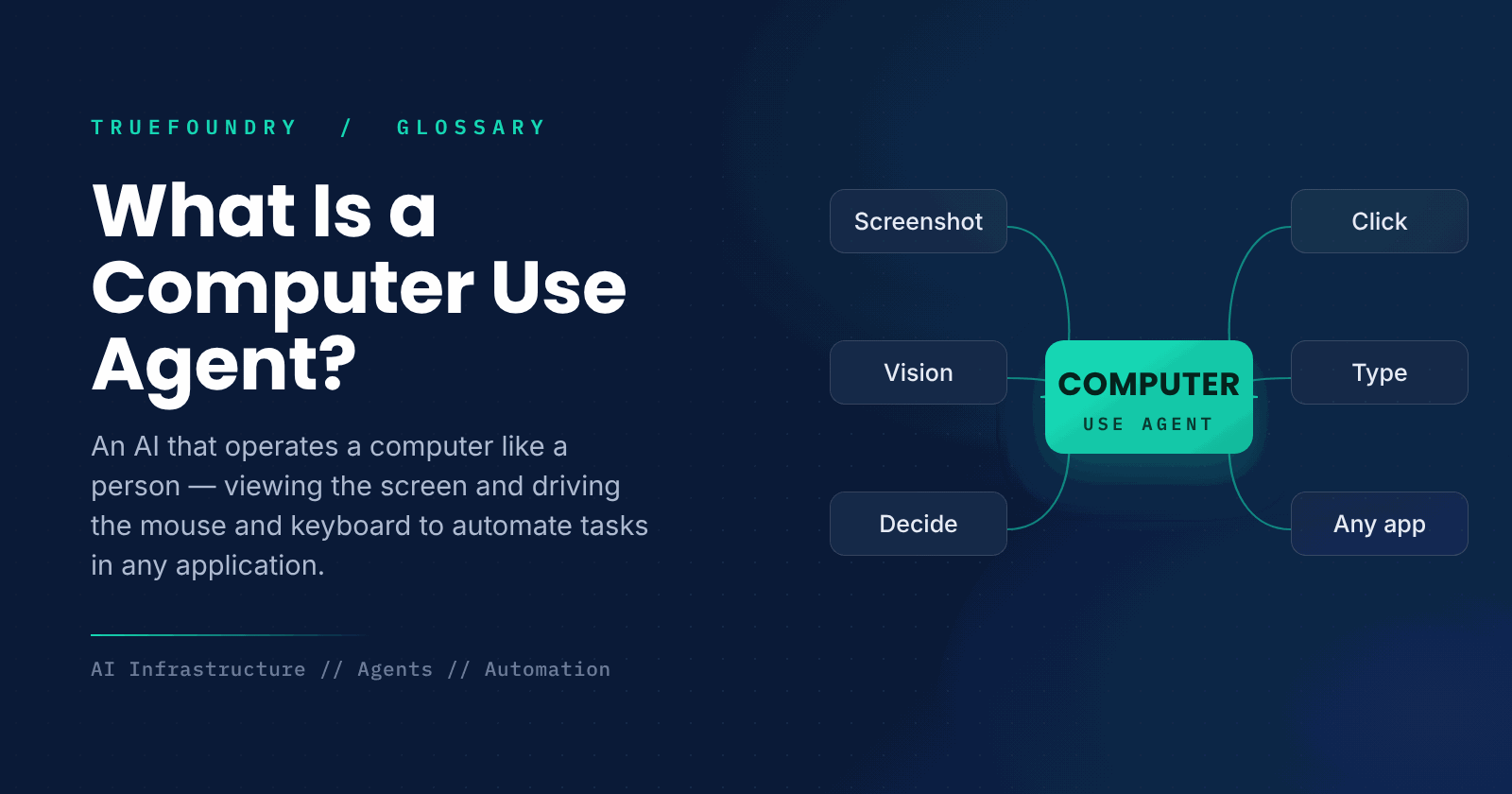
A computer use agent is an AI that controls a computer interface like a human would. It reads visual output from the display, clicks the mouse, taps the keyboard, and scrolls, automating actions within any software through direct interaction rather than requiring explicit API support.
Computer use agent essentials
- A computer use agent interacts with software via the display, mouse, and keyboard.
- It sees interfaces visually instead of querying them via APIs.
- It automates tasks within virtually every application imaginable.
- It works even where no dedicated integration exists.
- It trades broad reach for slower, less reliable operation than APIs.
Most AI automation depends on APIs, structured interfaces that let software talk to software. But a huge amount of work happens in applications that have no API, or where stitching integrations together is impractical. A computer use agent sidesteps this by doing what a person does: looking at the screen and operating the mouse and keyboard.
This visual, human-like approach lets an agent work with essentially any software, from legacy desktop apps to websites, without needing a special integration for each. It represents a shift toward agents that can handle the long tail of tasks that API-based automation cannot easily reach.
This guide explains what a computer use agent is, how it works, how it differs from API-based automation, and when it is the right tool.
What is a computer use agent?
A computer use agent is an AI system that performs tasks by directly operating a computer's interface. It takes screenshots to perceive what is on screen, decides what to do, and issues mouse and keyboard actions to carry it out, interacting with software the same way a human user would rather than through programmatic interfaces.
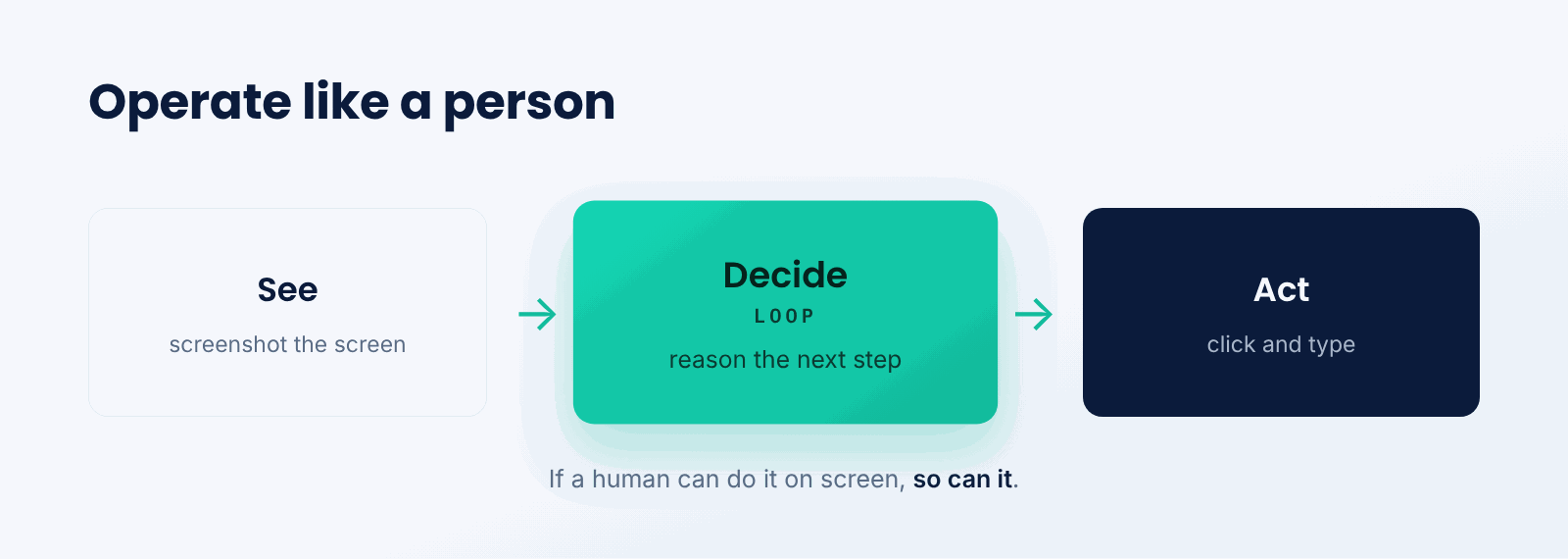
Think of it like a remote worker you instruct over chat. They cannot plug directly into your systems, but they can see a shared screen and use the mouse and keyboard to get things done in whatever applications are open. A computer use agent is that worker, driven by an AI model instead of a person.
The key idea is operating at the level of the user interface. Because it perceives and acts the way a person does, the agent is not limited to software that exposes an API; if a human can do the task on screen, the agent can attempt it too.
How does a computer use agent work?
It runs a perceive-decide-act loop against the screen.
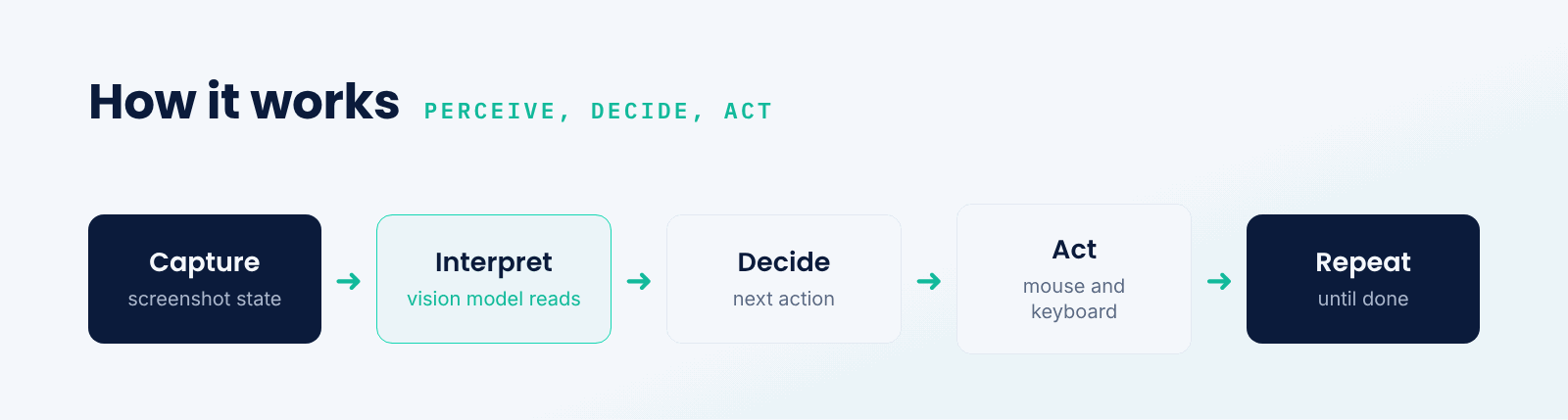
- Capture the screen. The agent takes a screenshot of the current state.
- Interpret. A vision-capable model identifies what is on screen and what it means.
- Decide. It reasons about the next action needed to progress the task.
- Act. It moves the mouse, clicks, or types to perform that action.
- Repeat. It captures the new screen and continues until the task is done.
This loop resembles the reasoning-and-acting cycle of other agents, but the actions are low-level UI operations and the observations are screenshots. The agent must handle visual interpretation, precise targeting of elements, and recovery when the interface does not behave as expected.
Computer use vs. API-based automation
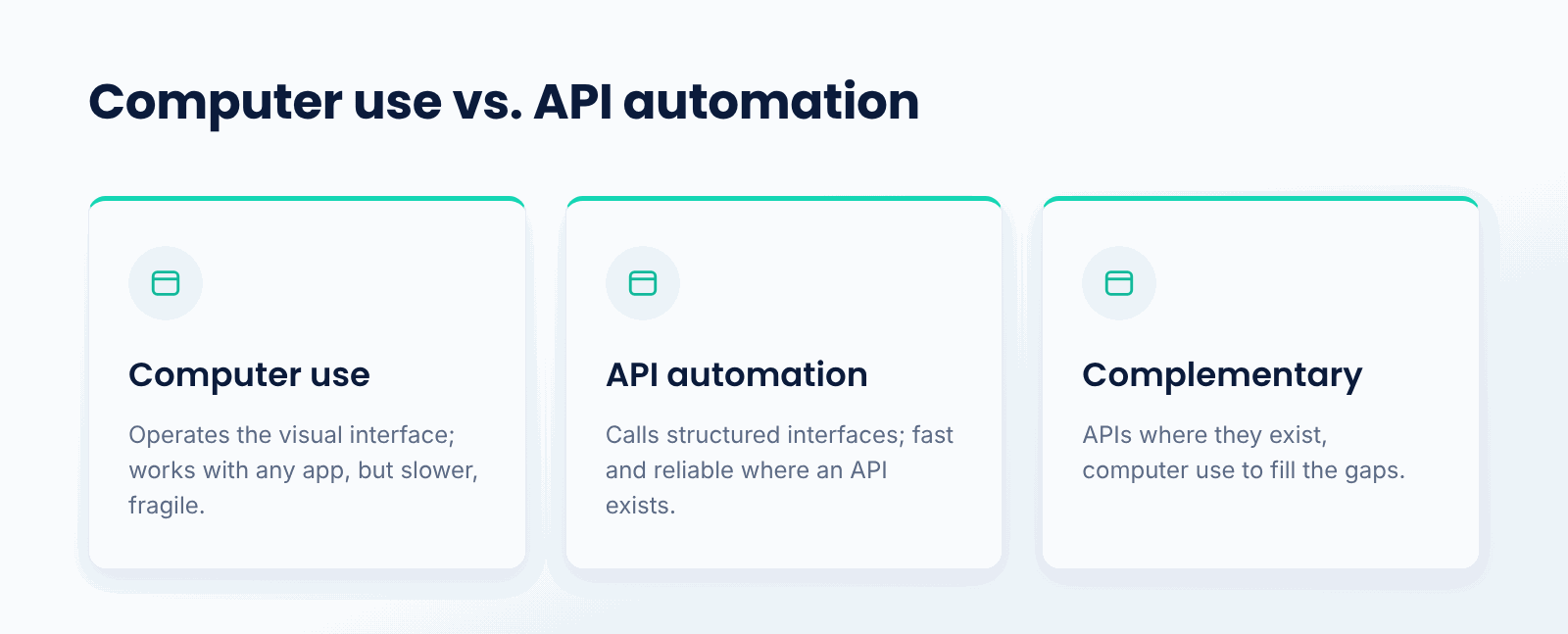
API-based automation calls structured interfaces directly, which is fast, precise, and reliable, but only works where an API exists and is integrated. Computer use operates the visual interface, which is slower and more error-prone but works with any software a person can use, including apps with no API at all.
They are complementary. Where a good API exists, it is almost always the better choice for speed and reliability. Computer use fills the gaps, handling the applications and workflows that have no integration, so a complete automation strategy often uses APIs where it can and computer use where it must.
Why does a computer use agent matter?
- Universal reach. It works with any software a human can operate.
- No integration needed. It does not require a dedicated API.
- Legacy systems. It automates older apps that lack modern interfaces.
- Long-tail tasks. It handles workflows too niche for custom integrations.
- Human-like automation. It mirrors how people actually use software.
What are the tradeoffs?
- Slower. Screenshot-and-act loops are far slower than API calls.
- Less reliable. Visual interpretation and UI targeting can fail.
- Fragile. Interface changes can break the agent's actions.
- Oversight. Acting on a real computer calls for careful permissions and monitoring.
When should you use a computer use agent?
Use one when a task must be done in software that has no usable API, when integrating many systems would be impractical, or when you need to automate across applications the way a person would. It shines on legacy tools and the long tail of workflows that custom integrations never reach.
When a reliable API is available, prefer it: API automation is faster, more precise, and less fragile. Computer use is the right choice specifically when operating the interface directly is the only practical way to get the task done.
Key points about computer use agents
- It operates software via screen, mouse, and keyboard.
- It perceives interfaces visually with screenshots.
- It runs a capture, interpret, decide, act loop.
- It works with any application, no API required.
- It is slower and more fragile than API-based automation.
- It needs careful permissions and oversight when acting.
Conclusion
A computer use agent operates a computer the way a person does, perceiving the screen and controlling the mouse and keyboard to automate tasks across any application. This gives it universal reach, including software with no API, at the cost of being slower and more fragile than API-based automation. It is most valuable for legacy systems and the long tail of workflows integrations cannot reach.
TrueFoundry helps teams build and serve AI agents on their own infrastructure, including the vision-driven loops computer use agents rely on. As agents take on more real-world tasks, operating software directly is an increasingly important capability.

Govern, Deploy and Trace AI in Your Own Infrastructure
Frequently Asked Questions
What is a computer use agent in simple terms?
This describes a software agent that operates using visual signals from the display and actions sent through the mouse and keyboard. It enables an AI to control arbitrary software visually, rather than requiring a dedicated integration into every application it wants to use.
How does a computer use agent work?
Screenshots make screen input possible. A visual-understanding model analyzes the screenshot, determines the action, and the agent performs it via keyboard input or mouse movements. Then another screenshot comes, and the process continues until the task completes.
How is it different from API automation?
API automation hits the structured interface directly, which means high speed and reliability, assuming an API exists to automate. A computer use agent controls the graphical user interface instead, which is less efficient, less accurate, and more fragile, but it works with any software a person can use.
When should I use a computer use agent?
Use a computer use agent when you require automation without an exposed API, when integration is untenable, or when your use case requires cross-application automation the way humans do. For any process with a stable API available, the API is almost always preferable.
What are the risks of computer use agents?
They are slower and more fragile than APIs, and a change to the interface can break their actions. Because they act on a real computer, they also need careful permission management and monitoring to guard against unintended side effects, so oversight is important.


- © 2022 ENSEMBLE Technologies



Subscribe to our newsletter
The latest news, articles, and resources sent to your inbox


